Category: Amateur Radio

Using a Transmit/Receive Switch to Protect an SDR from a Transmit Radio

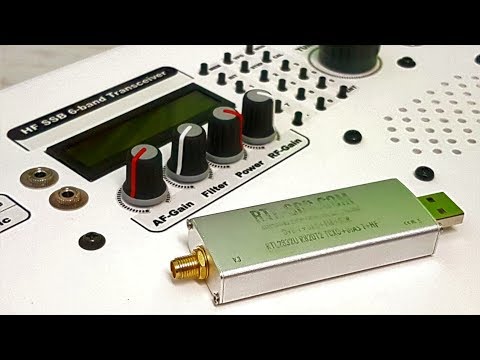
A question that comes up often is how to combine an RTL-SDR, or any other RX only SDR with a transmit capable amateur radio. It's not possible to connect the RX only SDR together with the TX radio via a standard splitter because the TX radio's power will most likely blow up the SDR with it's powerful output. To solve this problem you need either a manual switch that will switch out the SDR when transmitting which requires absolute discipline to not accidentally transmit in the wrong switch position, or an automatic relay switch.

Over on YouTube channel HamRadioConcepts has given a good overview and demonstration of the MFJ-1708SDR Transmit/Receive automatic relay switch, which is a good product that solves this issue. It is also a fairly budget friendly option, coming in at only US$79.95 over on the MFJ website. HamRadioConcepts notes that the switch automatically grounds out the SDR whenever the PTT on the radio is pressed, and also has a fail safe that will automatically detect a transmission and ground the SDR if PTT is disconnected.

MFJ-1708SDR Transmit/Receive Switch For SDR Receivers

GridTracker Now Available on Windows, Mac and Ubuntu (Debian)

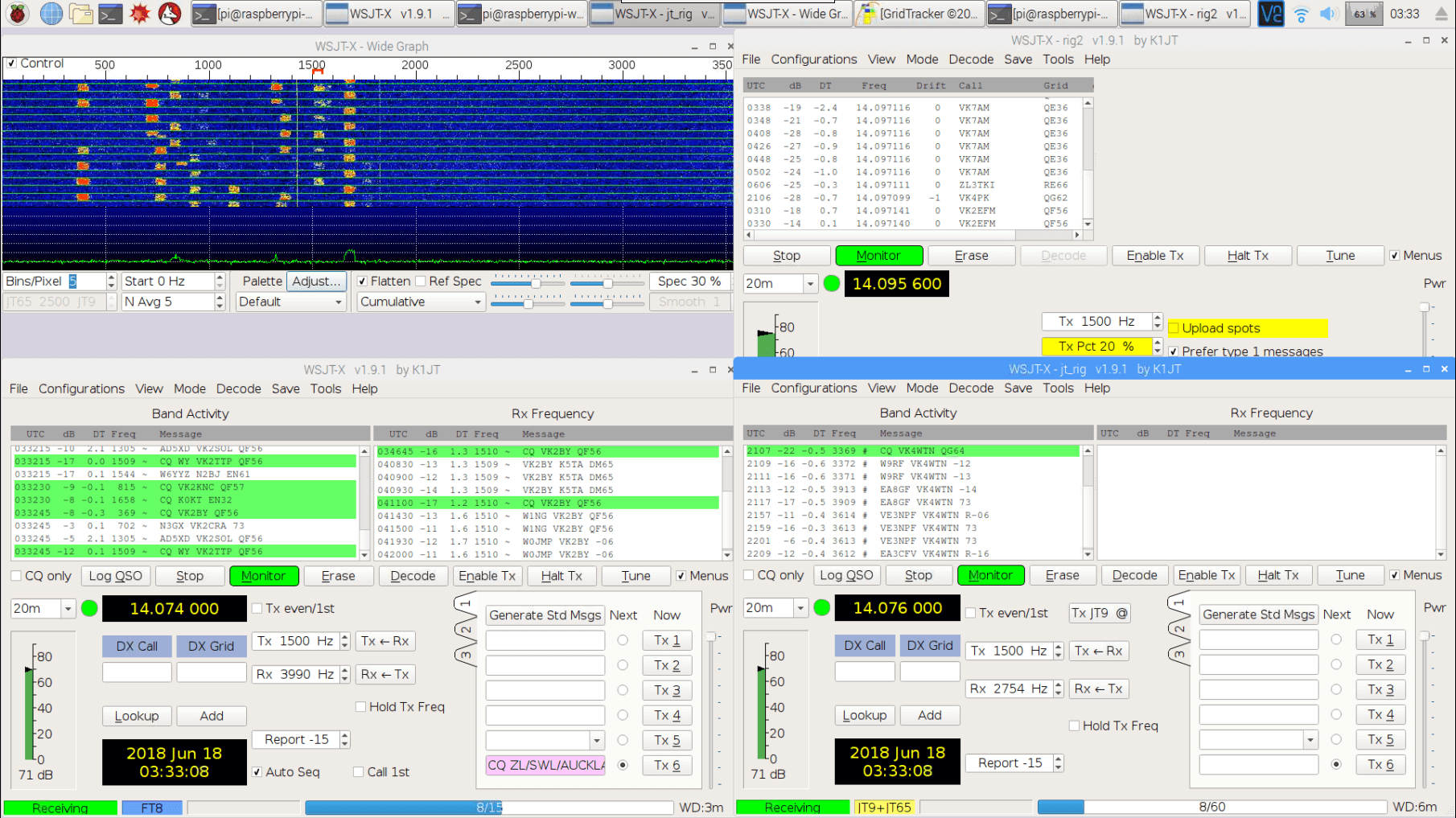
In early February we posted news about the release of a program called GridTracker. GridTracker is a live mapping program for WSJT-X which is a software decoder for low power weak signal ham communications modes such as FT8, JT4, JT9, JT65, QRA64, ISCAT, MSK144 and WSPR. Although these are low power modes, the protocols are designed such that even weak signals can potentially be received from across the world. Mapping the received signals can be interesting as it may give you an idea of current HF propagation conditions.

Previously GridTracker was Windows only software. However recently GridTracker was updated to now include support for Mac and Ubuntu (Debian) operating systems as well. This is great news as it makes it much easier to set up a portable GridTracker screen on a portable computer like a Raspberry Pi.

GridTracker Mapping out Weak Signal Communications.

Video Tutorial on Decoding FT-8 and RTTY with an SDRplay RSP1A

Over on YouTube radio content creator Techminds has recently started a series that shows how to decode various signals using an SDR such as the SDRplay RSP1A. The first video explains what FT-8 is and shows how to decode it using the WSJT-X software. FT-8 is a modern digital HF ham mode that is designed to be receivable even in weak signal reception. However, the amount of information sent in a FT-8 message is small, so it is not possible to have a full conversation, and you can only make contacts.

In his second video Tech Minds explains RTTY and also shows how to decode it. RTTY is another much older mode that is used by the military as well as hams. To decode it he uses Digital Master 780 which is a program included in the Ham Radio Deluxe software.

Decoding FT-8 With WSJT-X And A SDRplay RSP1A SDR Receiver

Decoding RTTY With Digital Master And A SDRplay RSP1A SDR Receiver

Identifying Noise Sources in the Shack using an SDR and an Active Receive Loop

Over on YouTube user SignalSearch has uploaded a video showing how he uses an active magnetic loop antenna indoors to identify local noise sources. Magnetic loop antennas are directional, meaning that they receive best when pointing towards a signal. This means that they also receive noise better when pointed at a noise source.  In the video SignalSearch uses a W6LVP receive loop antenna and demonstrates noise being emitted from his lightbulb, and from a plug in Ethernet over powerline adapter, which are known to be huge sources of HF noise.

If you are interested in the noise produced by these Ethernet over powerline adapters then we did a previous post on this problem over here.

Receiving WSPR with an RTL-SDR V3 and with Automatic Band Changing

RTL-SDR V3 + Raspberry Pi WSPR Receiver

WSPR (pronounced "Whisper") is short for Weak Signal Propagation Reporting, and is a HF ham mode typically run on very low power levels such as 1W. The data from WSPR reception can be used to determine how good or bad HF propagation is currently around the world as each WSPR message contains a callsign, 6-digit locator and the transmit power level used. Received messages are all reported to the internet and can be viewed on an online map at http://wsprnet.org/drupal/wsprnet/map.

With an RTL-SDR V3 running in direct sampling mode it is possible to receive and decode these messages on a Raspberry Pi 3 using the WSPRD software.

Over on his website IT9YBG has uploaded a tutorial for a method that allows the WSPRD software to automatically change bands depending on the time of day. The method simply uses the crontab in Linux to automatically run a script that stops and then restarts WSPRD on a new frequency at certain times of the day. This is useful because different WSPR bands tend to become active at different times of the day due to changing HF propagation conditions.

WSPR messages received from all over the world.
WSPR messages received by IT9YBG from all over the world.

The K9AY Loop Antenna: A Directional E-H Antenna for HF

Thank you to Frank Sessink (PA0FSB) for submitting to us his document describing the K9AY loop antenna (pdf), which is the antenna that he successfully uses with his RTL-SDR for HF reception. The antenna combines magnetic (H) and electric (E) field reception in order to create a directive radiation pattern. Frank extends the idea by showing a method that can adjust the directivity electrically with some simple resistor switching.

The antenna that I use is for medium wave DX, specially to receive MW from USA here in Europe/The Netherlands. The antenna is a combination of a magnetic loop and a sense antenna for the E-field. The magnetic loop is directive, but has no front-rear ratio. The E-field antenna has omnidirectional sensitivity. The combination, in correct phase and amplitude, results in a front-rear ratio of more than 25 dB over the frequency range from 500 kHz to around 3 MHz. Higher frequency makes no sense, since skywave signals distort the ground wave directivity pattern.

A simple modification is used as directional antenna with remote control: two orthogonal loops that combine E and H-field in a simple way. I can make 8 selectable directions.

The full document is available here in PDF format.

The K9AY E-H HF Antenna

Using a Raspberry Pi 3 and RTL-SDR as a 40m FT8/JT65/JT9 Monitor

Over on YouTube user radio innovation has uploaded a brief screen capture showing his Raspberry Pi 3 and RTL-SDR dongle being used as an always-on monitor for low transmit power based signals such as FT8, JT65 and JT9. These signals are transmitted by ham radio enthusiasts for the purpose of making contacts, and determining propagation conditions. This is a good application for an RTL-SDR and Raspberry Pi 3 as it enables cheap monitoring of these signals without the need to tie up a full sized ham radio.

To do this "radio innovation" runs Linrad on the Raspberry Pi, which is a program like GQRX that interfaces with the RTL-SDR dongle. Then the WSJTx software is used to decode the signals. He writes:

Remote Desktop screencapture of my Raspberry Pi3 monitor receiver on 40m amateurradio band with WSJTx and decoding FT8,JT65 and JT9. Receiver hardware is RTL-SDR(tcxo) + simple converter and homemade bandpass filter.

SDR software is LINRAD by SM5BSZ.

RasperryPi3 OS is Ubuntu Mate 16.04.

Update: We now have a tutorial on creating a similar set up available on a new post.

YouTube Talk by Ria Jairam: SDR & Setting Up A World Class Station

Over on YouTube FairlawnARC.org have uploaded a talk about SDRs and ham radio by Ria Jairam (N2RJ0). The talk is a good overview of the current state of SDRs for ham radio use, and she discusses the various hardware and software options as well as giving many tips for improving your ham station. The blurb reads:

Our speaker was Ria Jairam (N2RJ), a world class contest operator and member of the Frankford Radio Club. Ria discussed the latest technology and offerings from Flex Radio, the HPSDR project (Ananradios), RTL SDR and others, as well as practical tips for contesting, DXing and rag chewing using your SDR. This presentation was held on Friday, October 20, 2017, 1900 hours at the Fair Lawn Senior Center, 11-05 Gardiner Road, Fair Lawn, NJ. The event was open to the public & refreshments were served.

Ria Jairam, N2RJ YLs, SDR & Setting Up A World Class Station

Part 2 - Ria Jairam, N2RJ YLs, SDR & Setting Up A World Class Station