Category: Applications

Saveitforparts: Listening in on Russian Soldiers Hijacking US Military Satellites

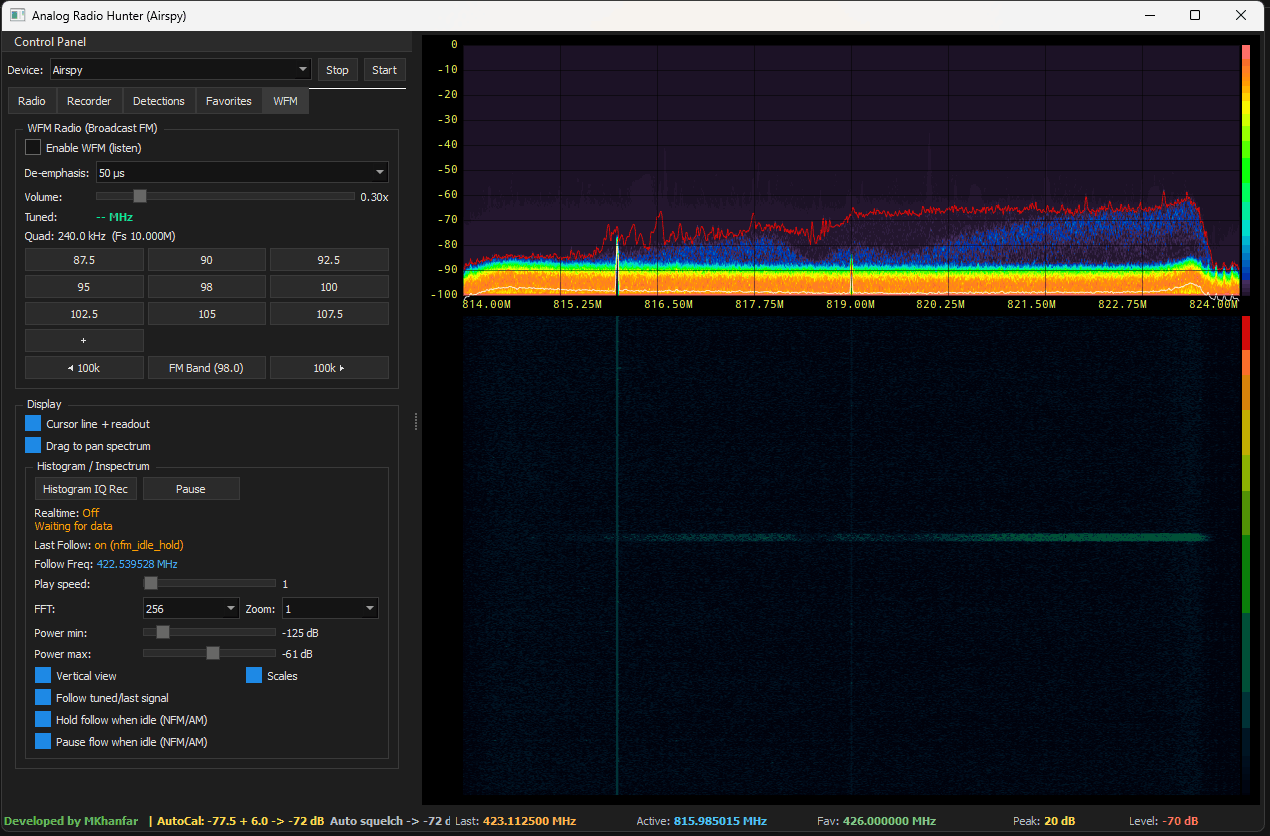
Over on the saveitforparts YouTube channel, Gabe has uploaded a video showing how he uses WebSDR streams to show how Russians, including Russian soldiers, are using old US Military satellites for long-range communications around Ukraine.

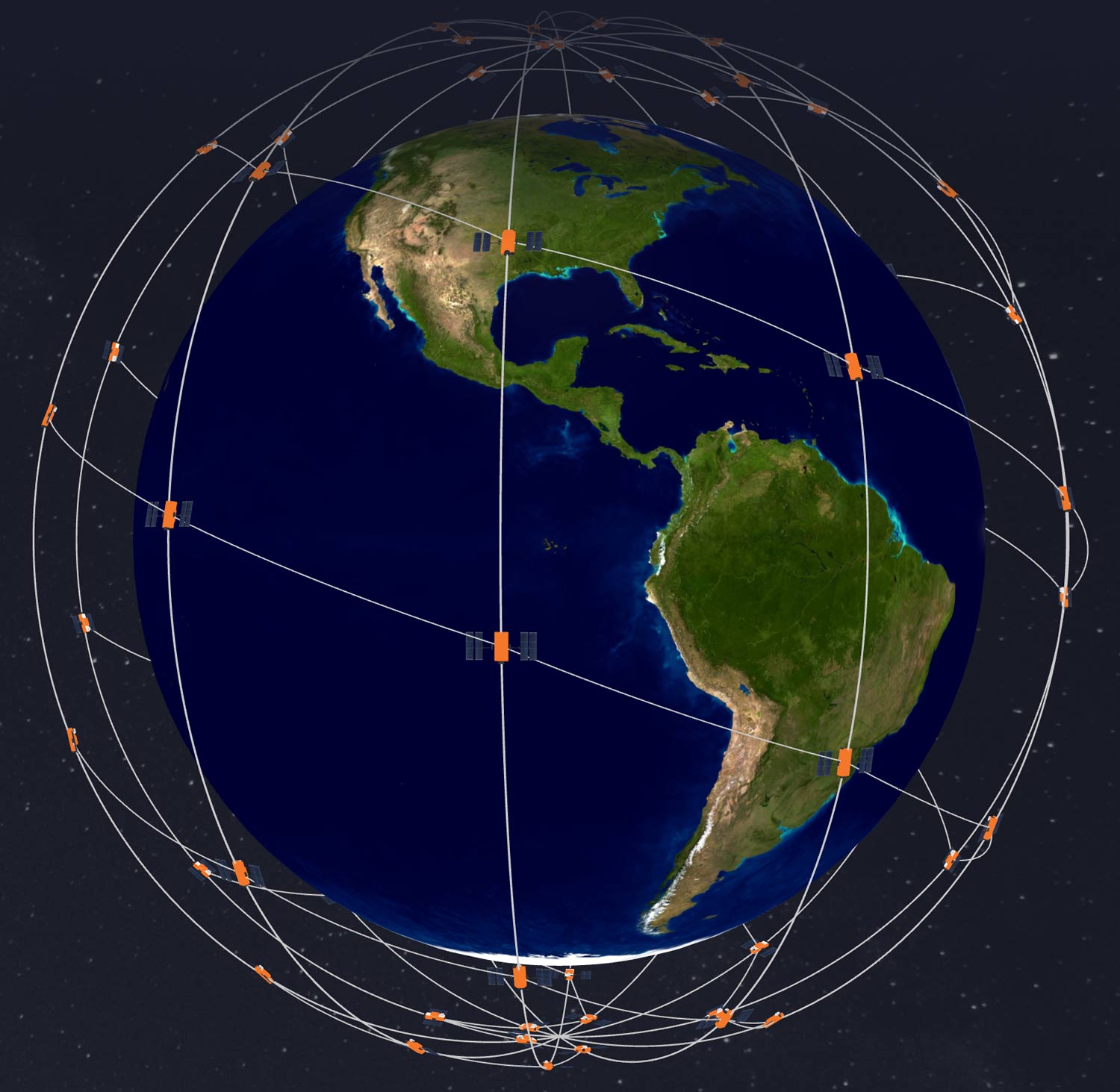
In the '70s and '80s, the US government launched a fleet of satellites called "FLTSATCOM," which were simple radio repeaters up in geostationary orbit. This allowed the US military to easily communicate with each other worldwide. However, the technology of the time could not support encryption or secure access. So security relied entirely on only the US military's technological superiority of being the only one to have radio equipment that could reach the 243 - 270 MHz frequencies in use by these satellites. Of course, as time progressed, equipment that could reach higher frequencies became commonplace.

In the video, Gabe explains how many Russian soldiers involved in the Ukraine war are using these legacy satellites to communicate with each other. He notes that apart from voice comms, some channels are simply Russian propaganda and music, as well as some channels that appear to be jammed. Gabe also notes that the "UHF Follow-On Satellite" (UFO) satellites that were launched as recently as 2003 are also being hijacked, as they also have no encryption or secure access.

In the past, we also posted a previous video by Gabe about attempting to receive these satellites from his home in North America. However, on that side of the world, the satellites are being hijacked by Brazilian pirates instead.

Russia Is Hijacking US Military Satellites

Skies-ADSB Updated to V2.0.3

Back in 2022, we first posted about the release of skies-adsb, a browser-based app that uses ADS-B data from an RTL-SDR to provide a 3D view of the air traffic around your area. Recently skies-adsb has been updated from version 1 to version 2, bringing with it several improvements.

The new improvements include:

  • Generate custom GeoJSON map layers from Natural Earth, FAA, and OpenStreetMap data
  • Aircraft trails visualization
  • Enhanced map renderer with multi-layer vector support:
    • Aerodromes
    • Airspaces
    • States / Provinces
    • Counties
    • Urban areas
    • Roads
    • Rivers
    • Lakes
  • New aircraft follow camera controls

The YouTube video below by the author demonstrates some of the new features.

skies-adsb v2 release - RTL-SDR ADS-B 3D plane tracking app

Saveitforparts: Receiving Military DMSP Satellite Data with a Hacked TV Dish

Over on the saveitforparts YouTube channel, Gabe has uploaded a video showing how he uses a hacked TV satellite dish to receive satellite weather data from Defense Meteoroloogical Satellite Program (DMSP) satellites.

These satellites were initially developed during the Cold War and featured an encrypted downlink of meteorological data. However, recently, the DMSP downlink has encryption turned off when passing over the northern half of the USA (40°-41° latitude and up to 60° North), allowing hobbyists in some parts of the USA to decode images. 

In his video, Gabe uses a HackRF SDR with an old DirectTV dish with a modified S-band helical feed mounted on a hacked Wineguard motorized platform that was originally intended for automatically pointing TV dishes on RVs. Despite some initial problems with the SatDump software crashing, he is eventually able to receive some nice, clean images.

Interestingly, Gabe also shows what the signal looks like while encrypted and how it transitions to the unencrypted signal after the satellite passes over the threshold. 

We note that it is not documented by the military why encryption is being turned off only over the northern half of the USA. Still, it is speculated that the military doesn't consider images over this part of the USA to be sensitive, and disabling encryption could help save power and help other organizations with scientific research. However, as Gabe mentions in the video, being a Cold War-era satellite, the image quality from DMSP isn't great, and more modern satellites like the NOAA series give much better images over the entire earth unencrypted. 

Grabbing Military Satellite Data With Hacked TV Dish

TechMinds: Building an Automated NavTex Receiver using a Raspberry Pi and SDRplay

Over on the TechMinds YouTube channel, Matt has uploaded a video tutorial showing how to create an automated NavTex receiver using a Raspberry Pi and an SDRplay software- defined radio.

NavTex is a safety and navigational information radio text broadcast system for mariners, typically broadcast at 518 kHz and 490 kHz. On ships, it is typically received by dedicated hardware that prints out information on a piece of paper as it comes in. However, with an appropriate antenna and an SDR, it is possible to receive and decode NavTex signals at home. 

In his video, Matt shows how a Raspberry Pi loaded with a piece of software created by "boat-comm" can be combined with an SDRplay RSPdx to create a homemade automated NavTex receiver. Matt shows how to install the software and goes on to demonstrate it in action.

Currently, only SDRplay receivers are supported by boat-comms software, but it's possible that in the future, other SDRs may be supported, too.

Automated NavTex Receiver Using A Raspberry Pi & SDRPlay SDR

If you're interested, boat-comm also has a video about his software available on his YouTube channel and we've embedded his video below.

NAVTEX on raspberrypi for sailors

Saveitforparts Checks out the Discovery Dish

Over on his YouTube channel 'saveitforparts,' Gabe has uploaded a video checking out and reviewing our Discovery Dish product that we successfully crowd-funded on CrowdSupply back in December 2023.

Discovery Dish is designed as a low-cost way to dive straight into backyard satellite experiments, including receiving L-band and S-Band weather satellites as well as Inmarsat satellites. It also offers an easy entry into making galactic Hydrogen line observations.

The dish is a 70cm prime focus dish, that can easily be broken down into three parts for easy storage and transport. The feeds are fully integrated, meaning that the feed antenna, LNA, and filtering are all in one unit and built into a waterproof enclosure. This means there is no need to purchase individual components and figure out waterproofing.

In his video, Gabe unboxes the Discovery Dish, builds it, and uses the L-band feed to receive a few images from GOES 16, Meteor M3, Meteor M4, and METOP weather satellites. He goes on to successfully test reception with the S-band feeds on NOAA weather satellites, before testing out the Inmarsat feed and successfully receiving signals. Finally, Gave notes that he hopes to test out the Hydrogen Line feed in a future video.

Checking Out The Discovery Dish - A Simple & Easy-To-Use Satellite Antenna For Everyone!

Locating an Intermittent Interferer with a KrakenSDR

Over on YouTube Thomas Brinkoetter has uploaded a video demonstrating his experience with the KrakenSDR, and how he used it to find an intermittent interferer that he set up for a test. The video was prepared to support the RF Interference and Mitigation class at the IWCE trade show Las Vegas March 17 and 18th 2025.

If you weren't already aware, KrakenSDR is our 5-channel coherent radio based on RTL-SDRs, and it can be used for applications like radio direction finding. It can currently be purchased either directly from our krakenrf.com website, or from Crowd Supply or Mouser.

The test involved his wife keying up a repeater for one second out of every 15 seconds. In the video Thomas was able to successfully locate the transmitter with an antenna array and KrakenSDR mounted in his vehicle.

Locating an intermittent interferrer with the Kraken SDR

A Detailed Guide to Setting up RTL1090 for ADS-B Decoding

RTL1090 is a popular ADS-B decoder program that works with RTL-SDR dongles. With it, you can receive ADS-B signals from aircraft, decode them, and then pass that data to a mapping program to plot aircraft positions on a map.

Recently, RTL-SDR.COM reader Frank wrote in and wanted to share with us a detailed guide he's written on the process of setting up RTL1090. The guide starts by showing how to set up the RTL-SDR dongle by installing the WinUSB drivers via Zadig. It goes on to show how to download, unzip, and run RTL1090. Guides for RTL1090 V1, V2, and RTL1090 Scope are shown separately.

RTL1090 Scope
RTL1090 Scope

Sn0ren Tests out the KrakenSDR

Over on his YouTube channel, sn0ren has uploaded a video showing his experience with the KrakenSDR. If you weren't already aware, KrakenSDR is our 5-channel coherent radio based on RTL-SDRs, and it can be used for applications like radio direction finding. It can currently be purchased from Crowd Supply or Mouser.

In the video, sn0ren explains radio direction finding in general and then goes on to show how to set up and use KrakenSDR. Sn0ren writes:

Wireless communication is inherently anonymous. There is no way of knowing who transmitted a signal if they do not identify. And there is no way of knowing where that signal is transmitted from. Unless you actively track it down. KrakenSDR is a radio direction finding device that uses an array of antennas and synchronised receivers to track down the position of a given radio transmission and lead you directly to its physical location.

Track Down Radio Transmitters / KrakenSDR