Over on YouTube user Brent Crier has uploaded a tutorial video showing how to set up CWSkimmer with an RTL-SDR and HDSDR. CWSkimmer is regarded as one of the best pieces of software that can be used to decode CW a.k.a Morse code.
Morse code is a communications technique still used widely by the amateur radio community in the HF bands. The RTL-SDR can receive HF frequencies and Morse code with an upconverter or direct sampling modification.
In the video Brent goes over the installation of HDSDR, Virtual Audio Cable, and a program called Virtual Serial Port (VSP) manager as well as the needed settings for each program. The set up he shows allows CWSkimmer to automatically change the frequency in HDSDR when tuning in CWSkimmer.
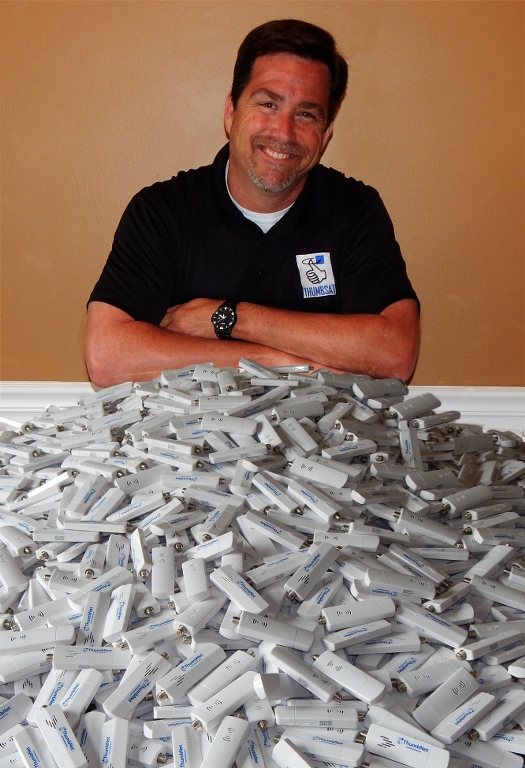
The ThumbNet project is a project that is aiming to provide low cost satellite receivers to students and any other interested communities in order to promote worldwide education in science, technology and engineering.
In addition to ThumbNet, there is also the ThumbSat project which hopes to launch it’s own satellites sometime next year. However, at the moment the focus is on ThumbNet where the team are currently building their ground station network by supplying customized RTL-SDR dongles to schools and interested communities all around the world for free.
Once the satellites are launched the receive stations will be used to download data from the ThumbSat satellites, creating a large network of receivers. To raise the incentive for participation, in the future they also hope to provide a small amount of money to each actively participating school or organisation. They write that the RTL-SDR’s could also be used for receiving other educational signals such as communications from the ISS. More information about the project can be found on their website www.thumbsat.com, and in this white paper (pdf).
As generic RTL-SDR dongles were not up to their specifications they decided to develop their own. Their RTL-SDR receivers are custom made to have a 1 PPM accuracy Temperature Controlled Oscillator (TCXO), a R820T2 tuner chip and a F-Type connector. The Type-F connector was chosen as they found that it was the most commonly found connector around the world and would be the easiest for students in remote areas to have access to.
If you are interested in getting one of these dongles and you meet their criteria (school or similar), you can either ask to participate in the ThumbNet program for free, or alternatively if you just want a dongle for your own use you can buy one through us. We have decided to help with the ThumbSat project by helping them advertise and sell off some of their surplus units through our blog.
In their official blurb ThumbSat writes:
Scoutek LTD, in the United Kingdom and ThumbSat Inc, in the United States are proud to have partnered together to provide an opportunity for schools and educational groups around the globe to promote radio science, technology, engineering and mathematics to their students and attempt to influence the next generation of scientists and engineers. By donating small radio kits to each school or educational group, the project has already begun making a positive change in the lives of hundreds of students.
ThumbSat has been working with schools and educational groups around the globe and to date, more than 20 groups have committed to volunteering where students and staff members will operate the satellite monitoring stations as part of their science courses! As a few examples, stations are being operated in diverse areas the Cook Islands, Christmas Island, Singapore, Ecuador, Tanzania and Botswana. One individual in Micronesia was operating the station by himself at 12 years old!
ThumbNet is open to anyone who is interested in participating and has a desire to setup and operate a small ground based radio listening station. No permits or licenses are required, since there is no transmission of any sort and no permanently installed antenna systems.
ThumbSat and Scoutek encourage education for everyone and is looking for anyone young, old, educated or uneducated, individuals or groups to participate.
Flightaware.com is a web based online radar service for aircraft. The plane position data is obtained from contributors running ADS-B decoding hardware, such as a special ADS-B receiver box or simply an RTL-SDR dongle.
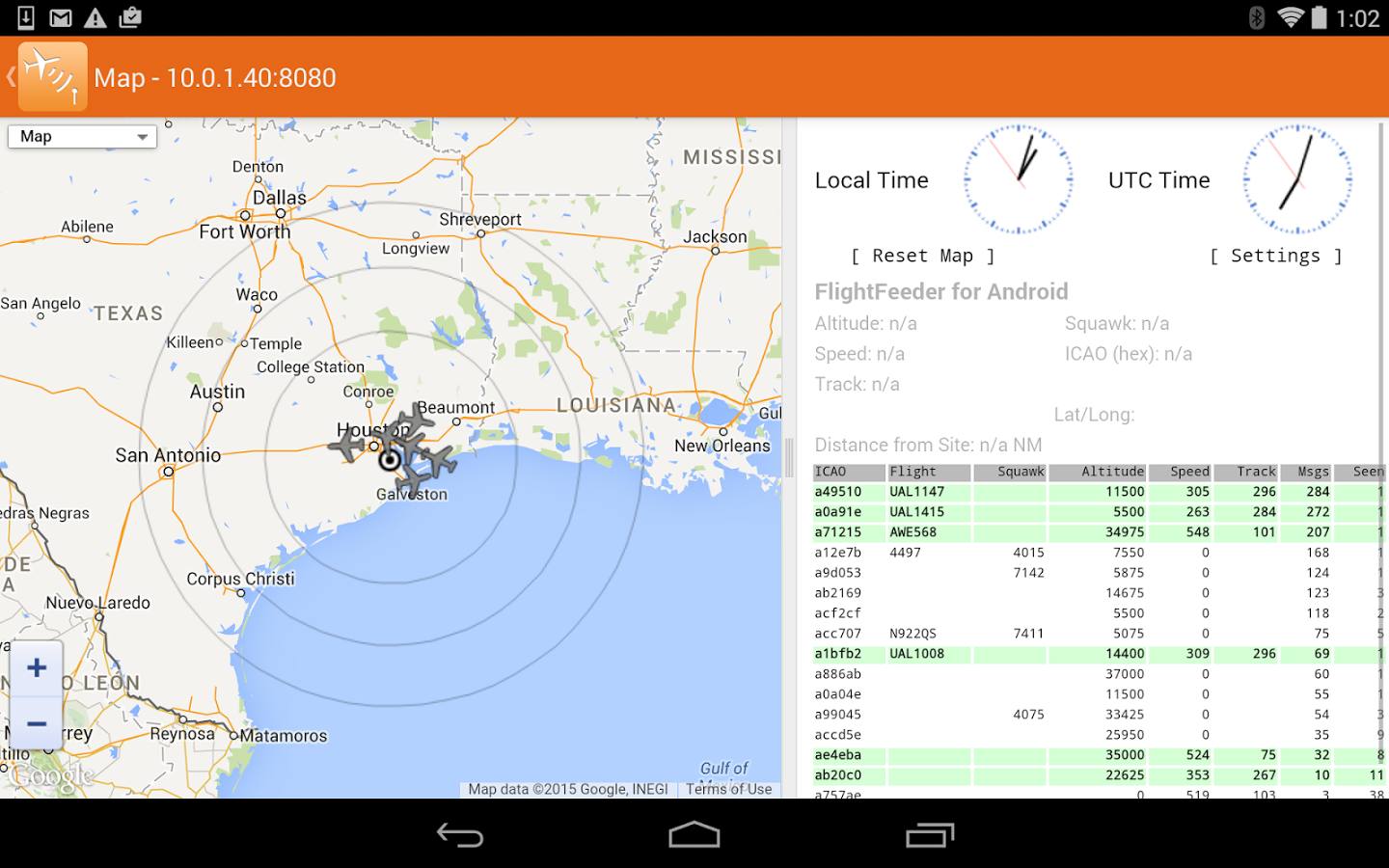
To increase the number of contributors, the team at FlightAware have released a new RTL-SDR compatible ADS-B decoder app for Android devices. The App is totally free and is also ad free. It can be downloaded from the Google Play store at https://play.google.com/store/apps/details?id=com.flightaware.android.flightfeeder. The intention of the app is to target users who may have an old Android device lying around, which can be put to good use in contributing data to FlightAware. More information about running the app can be found on their webpage.
When sharing data with FlightAware you are then eligible for a free enterprise account valued at $89.95 a month which allows you to access several advanced flight tracking features.
To use the app you’ll need an Android device, a USB OTG cable (ideally with external power port) and an RTL-SDR dongle. The USB OTG cable should ideally have an external power port and be powered from the mains with a power adapter as the battery can drain fast.
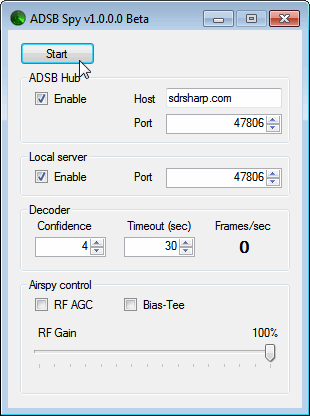
Youssef, the programmer of SDR#, has just released a beta version of an ADS-B decoder for the Airspy. The software is called "ADSB Spy" and is similar in operation to ADSB# which is used with the RTL-SDR dongle. The increased sensitivity and lower noise floor of the Airspy should help ADS-B enthusiasts get longer ranges and more aircraft on their screen.
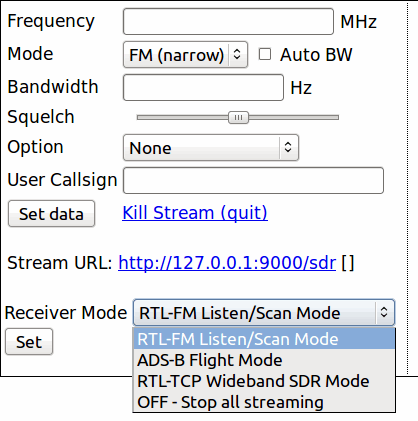
Recently Kristian, a reader of our blog wrote in to let us know about a new software project he found that allows you to use your RTL-SDR remotely through a web interface. The web interface runs on Linux and uses mysql and the Apache server to work. Currently it can be used to access options for rtl_fm, rtl_tcp, dump1090 and can also be used to create an icecast audio stream.
The software can be downloaded from its Git at https://github.com/sixuniform/yousdr. The instructions on the GitHub page show how to set it up on a Raspberry Pi running Raspbian, but the instructions should also be valid for other Linux distributions. As the software is new the authors are welcoming any improvements and feedback.
Some similar web based RTL-SDR remote control software that you may be interested in includes WebRadio and rtl_fm_python.
Previously we posted about Will’s (aka hpux735) project [1][2] where he has been using an RTL-SDR dongle to help understand and decode aircraft navigation VOR signals. VOR is an acronym for VHF Omni Directional Radio Range and is an older method of navigation used by aircraft which is used to provide a heading towards a VOR transmitter.
In his latest video, Will has been able to finish his code which allows him to actually plot some VOR data that he obtained from a flight on a map. In the video the VOR data is used to draw a heading line between three recorded VOR transmitters and the aircraft. The video clearly shows the accuracy of the VOR signals (about 1 degree) and shows what happens to the heading accuracy when reception is bad.
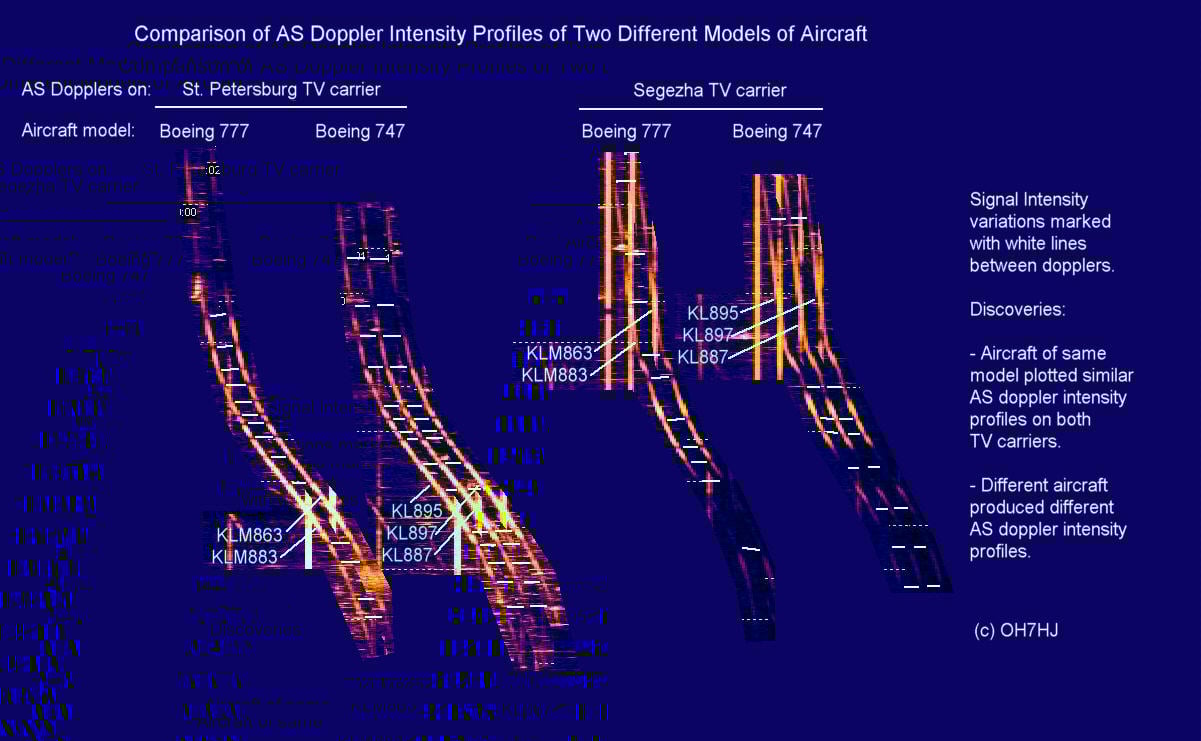
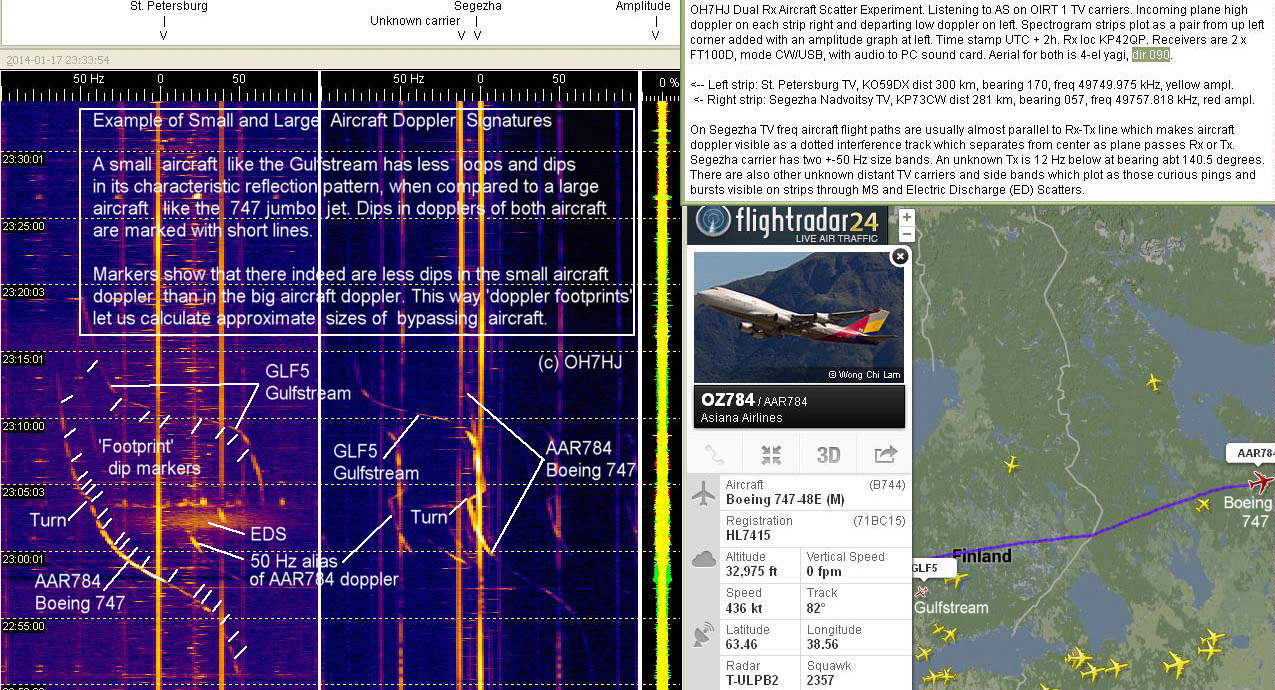
Over on a Finnish aircraft spotting forum, one poster OH7HJ has been using the “Aircraft Scatter” technique to fingerprint individual aircraft (in Finnish, use Google Translate to read in English). Aircraft scatter is a method that can be used to detect aircraft via strong radio signals that are reflected by the aircraft body. OH7HJ shows that each different type of aircraft will present a different reflection intensity at different points of the reflection, allowing each aircraft to be uniquely identified.
In the thread the original poster used a standard hardware radio, but an RTL-SDR dongle or other software defined radio could also be used. He tuned to a strong analogue TV carrier and plotted the audio spectrograph in Spectrum Lab. If analogue TV is no longer available in your country other strong signals such as amateur radio beacons or radar signal carriers could also be used for aircraft scatter.
Below we show a small selection of some of the interesting images from page 9 of the thread, please see the actual thread for the rest. There is also more information and images contained in the other pages of the discussion thread too.
Fingerprinting a Boeing 777 with aircraft scatterComparing aircraft scatter intensity profilesComparing large and small aircraft with aircraft scatter
Over on YouTube user 2e26tenW has uploaded a video showing reception of the second harmonic of an NFC polling signal with his RTL-SDR. NFC stands for “Near Field Communication” and is a technology that enables smartphones and other devices to communicate with one another and some smart cards simply by bringing the two devices together.
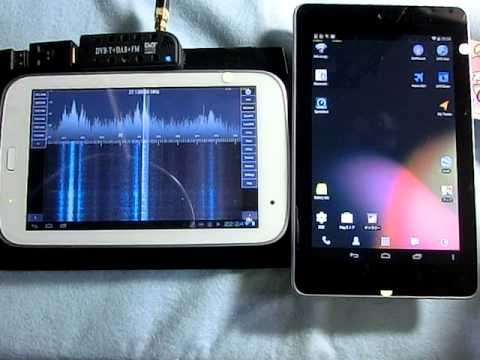
In his experiment he uses a Nexus 7 tablet to poll an NFC enabled transportation card. As the RTL-SDR cannot receive the NFC frequency of 13.56 MHz directly without an upconverter or hardware or software direct sampling modified dongle, 2e26tenW instead tunes to the second harmonic at 27.12 MHz which allows him to receive the signal.