Category: Applications

RTL-SDR DSD Call Log Recorder

Programmer Tyler Watt has been working on software that automatically logs each call from an RTL-SDR running DSD (Digital Speech Decoder) and then stores it in a time stamped database as an mp3 file. There is also a web front end for the database which allows public users to search and play recorded calls.

Recently Tyler updated his code by rewriting it in PHP and making it multiplatform.

The old version of his web front end in action for his local P25 calls can be viewed here, and the newer one can be found here.
Reverse Engineering Radio Controlled Power Outlets with Help from the RTL-SDR

Radio controlled electricity power outlets are outlets that can be turned on or off using a wireless radio controlled remote. Over on the blog leetupload.com the author has written an article showing how he was able to reverse engineer the wireless power outlets radio protocol.

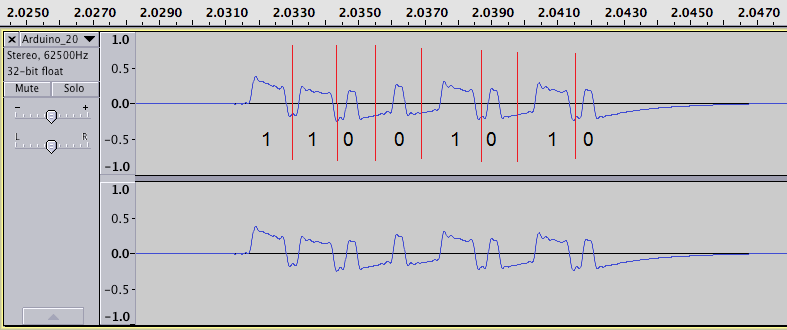
The author used an RTL-SDR and SDR# to listen to the outlets wireless AM transmissions at 434 MHz. He then recorded the signal audio and then used audacity to view the waveform. By analyzing the audio output he discovered that the signal was a Non-Return-To-Zero (NRZ), pulse width modulated (PWM), Amplitude Shift Keying / On Off Keying (ASK/OOK) signal.

Later he was also able to use the RFCat USB dongle to transmit an on off signal from his computer. RFCat is an USB dongle that is capable of transmitting on 433 MHz.

RTL-SDR Software Radio used to Reverse Engineer the Wireless Power Outlet
RTL-SDR RTL2832U Software Radio Audio output Analyzed in Audacity for Reverse Engineering a Wireless Power Outlet
Remote Control Outlet Replay With RFCat

Source Hackaday

Decoding APRS with SDR#, APRSISCE32 and an RTL-SDR

Over on YouTube user k2nccvids has posted a video showing how he was able to decode APRS signals and plot them on a map using APRSISCE32. APRSISCE32 is an advanced Automatic Packet Reporting System (APRS) decoder which has mapping capabilities and can also connect to the internet as an iGate. APRS is used by amateur radio hobbyists to send data like messages, announcements and also GPS coordinates.

Real Time GPS Positioning with the BladeRF

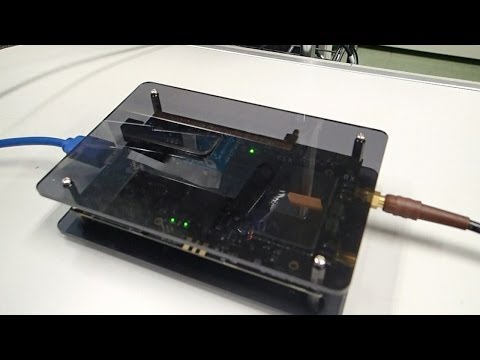
Over on YouTube user taroz1461 shows real time GPS positioning done in software using a BladeRF. The BladeRF is a ~$400 software defined radio which similar specs to the HackRF and compared to the RTL-SDR is capable of receiving much larger bandwidths and transmitting.

To do this decoding he used RTKLIB and his own GNSS-SDRLIB software which is a Windows GUI program. We aren’t sure if this software will work with the RTL-SDR, but we note that other people have had success with GPS positioning and the RTL-SDR.

Real-time GPS positioning with bladeRF

Controlling a Remote Control Car with the HackRF

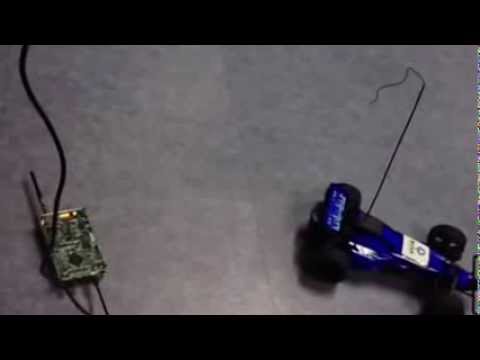
On YouTube user 王康 has been working with his HackRF One to create a computer keyboard controlled interface for his remote control car. The HackRF is a ~$300 software defined radio similar to the RTL-SDR, but with transmit capabilities.

To control the car he wrote a GNU Radio program to generate a control signal that is transmitted by the HackRF and a GUI to listen to keyboard presses on the PC.

HackRF One with gr-remotecar

TVSharp Updated to Version 1.2

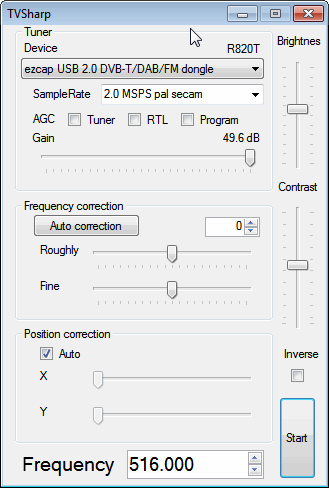
The PAL/NTSC analogue TV viewer TVSharp has recently been updated to version 1.2. This new version features an updated GUI as well as automatic frequency correction and automatic position correction. This may correct some of the scrolling and slanting problems seen in previous versions.

The latest TVSharp can be downloaded from here.

Word of warning: Chrome recognizes the download as malicious, however I have downloaded the file using FireFox and scanned it with Microsoft Security Essentials which found it to be clean.

TVSharp v1.2
TVSharp v1.2

Receiving VDL Mode 2 with MultiPSK and the RTL-SDR

The VHF Data Link mode 2 (VDL2) is a new transmission mode used on aircraft for sending short messages, position data (similar to ADS-B) and also for allowing traffic controllers to communicate to pilots via text and data. VDL2 is intended to eventually replace the standard ACARS modes. It is found at 136.975 MHz.

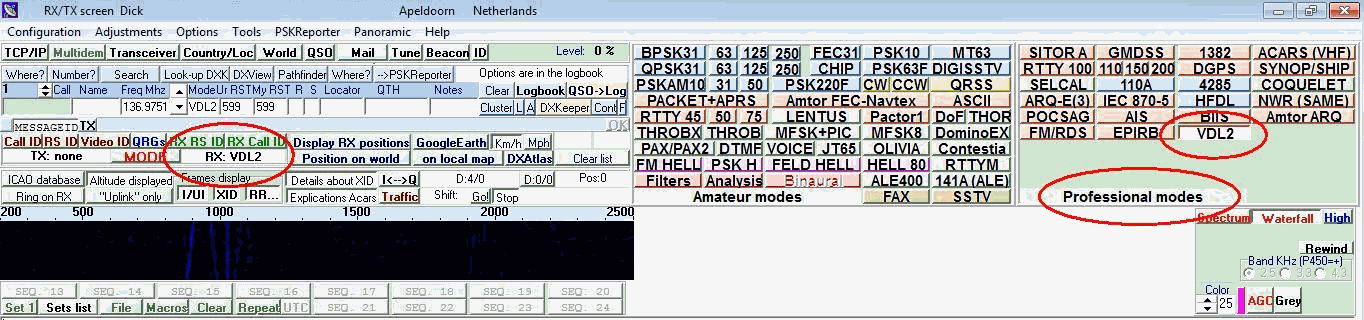
Recently, a wiki page explaining how to decode VDL2 using MultiPSK, Planeplotter and the RTL-SDR has been put up. MultiPSK is a sophisticated software program that can decode a wide range of amateur radio digital signals as well as several professional modes like VDL2. To decode most professional modes like VDL2 however, the paid version of MultiPSK is required, but a 5 minute per use trial of VDL2 decoding can be used for testing. Newer versions of MultiPSK can now even directly connect to the RTL-SDR dongle.

The wiki page shows how to set up the RTL-SDR dongle on MultiPSK to receive VDL2 signals, and then shows how to connect it to PlanePlotter in order to plot the aircraft positions on a map.

MultiPSK with VDL2
MultiPSK with VDL2
PlanePlotter with VDL2 Data

Transmitting DVB-T with the BladeRF and Receiving it on a RTL-SDR

The BladeRF is a software defined radio that has transmit and receive capability. Over on his blog, Clayton Smith has recently posted about his experiments which involve using the BladeRF to transmit DVB-T digital TV on one laptop to another laptop running an RTL-SDR in DVB-T mode. This is one of the few applications where the RTL-SDR is used as a DVB-T receiver as it was originally intended. Clayton used GNU Radio, a DVB-T package for GNU Radio and some python scripts to create the BladeRF transmitter.

The newer Linux kernels have DVB-T support for the RTL2832U chip, so the latest version of Ubuntu 13.10 will be able to recognize the RTL-SDR stick as a DVB-T receiver easily. Clayton used VLC in Ubuntu 13.10 to receive the DVB-T signal transmitted by the BladeRF which was tested on the 70cm, 33cm and 23cm bands.

DVB-T Received by the RTL-SDR
Webcam DVB-T TX by a BladeRF and RX by the RTL-SDR