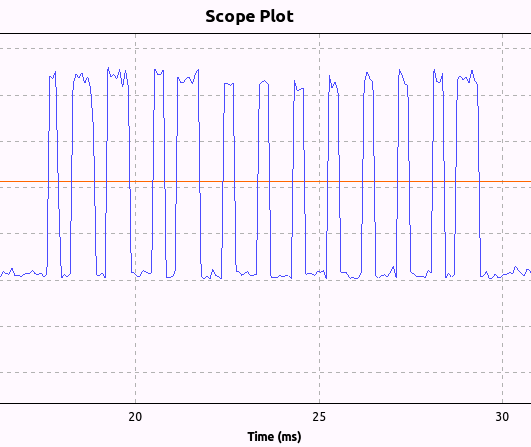
Using an RTL-SDR Clayton Smith was able to reverse engineer his remote controlled ceiling fan. To do this he first used his BladeRF to determine that the remote control was transmitting a signal at 303.747 MHz. He then used a simple GNU Radio flow graph with the RTL-SDR to plot the amplitude of the signal over time which suggested that the signal was using on-off keying. From the plot he was then able to visually determine the bit pattern sent from each button on the ceiling fan remote.
Next he used his bladeRF and another GNU Radio flowgraph to replicate and transmit the the bit pattern which was able to control the ceiling fan from the PC.
Clayton notes that all this reverse engineering was done in half an hour, demonstrating the power of software defined radio.
Ceiling Fan Bit Pattern Recovered with an RTL-SDR and GNU Radio
The direct sampling mod is a hardware modification to the RTL-SDR which allows it to receive HF frequencies between 0-14.4 MHz without the need for an upconverter. It works by connecting an antenna directly to the RTL2832U chip, thus bypassing the tuner. Teejez’s modification tells the RTL-SDR to bypass the tuner in software, allowing antennas to be connected to the normal antenna port. HF reception with the experimental driver is very poor in comparison to the direct sampling hardware mod or an upconverter, but even so Jengal was able to receive AM Radio, an SSB ham radio signal and an HF weather report with a simple longwire antenna.
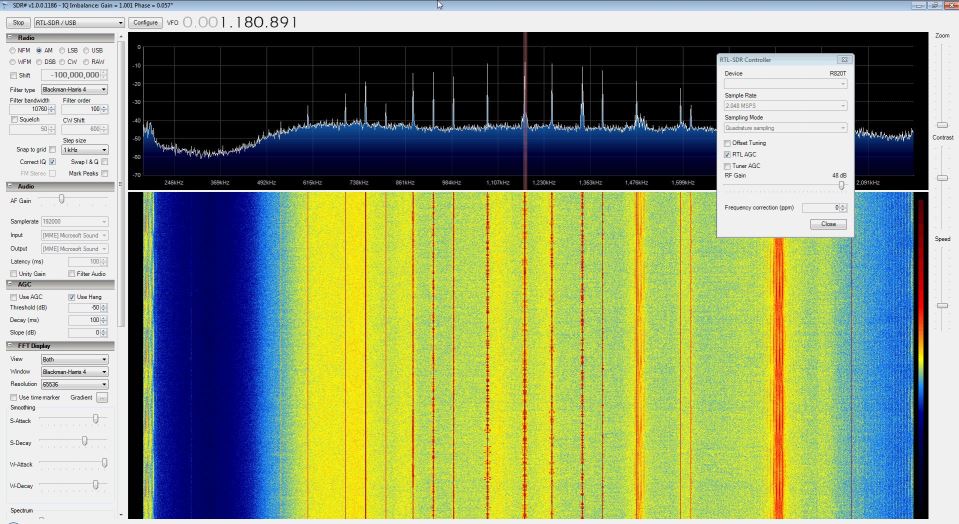
To use the modified dll, simply download it from this link, rename it to rtlsdr.dll, and replace the original rtlsdr.dll in the SDR# folder. Then connect an HF antenna to the normal antenna port and in SDR# tune to a frequency between 0-14.4 MHz. Next turn ON the RTL AGC option in the configure menu. Jengal replaced the function of the RTL AGC option with the direct sampling mod. He found that best reception occurred when he set the gain to 48 dB.
No Hardware Mod Direct Sampling in SDR# Receiving AM Radio
YouTube user k2nccvids has posted a video showing him decoding and plotting both AIS channels simultaneously on a Windows PC with free software. To do this he uses SDR Console and two AISMon instances. SDR Console is a general purpose SDR GUI that supports the RTL-SDR. One of it’s major advantages over other SDR software is that it can tune to multiple signals in the same swath of tuned bandwidth simultaneously and output their audio to different virtual audio cables.
k2nccvids used two AISMon instances, each one connected to a separate virtual audio cable outputting AIS audio from SDR Console. He set AISMon to output decoded UDP packets on two different ports. Then he created two UDP listeners in OpenCPN for plotting, one for each port.
Programmer Tyler Watt has been working on software that automatically logs each call from an RTL-SDR running DSD (Digital Speech Decoder) and then stores it in a time stamped database as an mp3 file. There is also a web front end for the database which allows public users to search and play recorded calls.
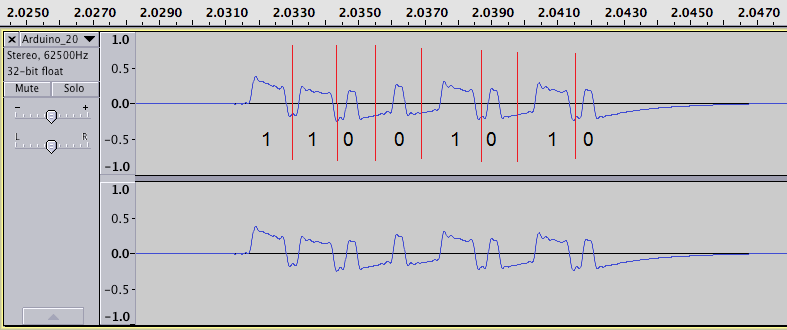
The author used an RTL-SDR and SDR# to listen to the outlets wireless AM transmissions at 434 MHz. He then recorded the signal audio and then used audacity to view the waveform. By analyzing the audio output he discovered that the signal was a Non-Return-To-Zero (NRZ), pulse width modulated (PWM), Amplitude Shift Keying / On Off Keying (ASK/OOK) signal.
Later he was also able to use the RFCat USB dongle to transmit an on off signal from his computer. RFCat is an USB dongle that is capable of transmitting on 433 MHz.
RTL-SDR RTL2832U Software Radio Audio output Analyzed in Audacity for Reverse Engineering a Wireless Power Outlet
Over on YouTube user k2nccvids has posted a video showing how he was able to decode APRS signals and plot them on a map using APRSISCE32. APRSISCE32 is an advanced Automatic Packet Reporting System (APRS) decoder which has mapping capabilities and can also connect to the internet as an iGate. APRS is used by amateur radio hobbyists to send data like messages, announcements and also GPS coordinates.
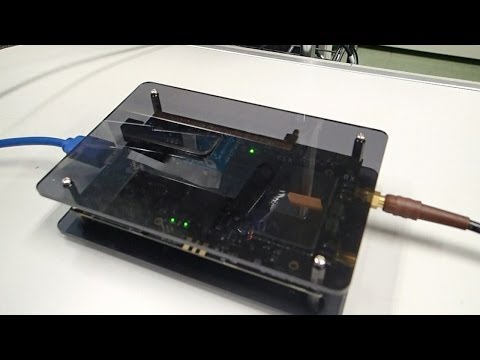
Over on YouTube user taroz1461 shows real time GPS positioning done in software using a BladeRF. The BladeRF is a ~$400 software defined radio which similar specs to the HackRF and compared to the RTL-SDR is capable of receiving much larger bandwidths and transmitting.
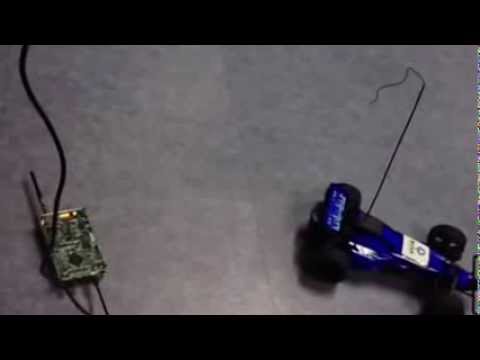
On YouTube user 王康 has been working with his HackRF One to create a computer keyboard controlled interface for his remote control car. The HackRF is a ~$300 software defined radio similar to the RTL-SDR, but with transmit capabilities.
To control the car he wrote a GNU Radio program to generate a control signal that is transmitted by the HackRF and a GUI to listen to keyboard presses on the PC.