Category: Applications

RTL-SDR for Budget Radio Astronomy

With the right additional hardware, the RTL-SDR software defined radio can be used as a super cheap radio telescope for radio astronomy experiments such as Hydrogen line detection, meteor scatter and Pulsar observing.

Hydrogen Line

Marcus Leech of Science Radio Laboratories, Inc has released a tutorial document titled “A Budget-Conscious Radio Telescope for 21cm“, (doc version) (pdf here) where he shows:

Two slightly-different designs for a simple, small, effective, radio telescope capable of observing the Sun, and the galactic plane in both continuum and spectral modes, easily able to show the hydrogen line in various parts of the galactic plane.

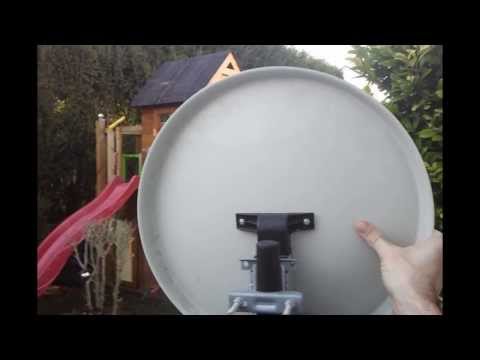
He uses the RTL-SDR as the receiving radio with an LNA (low noise amplifier) and a couple of line amps, a 93cm x 85cm offset satellite dish (potential dish for sale here, and here), and GNU Radio with the simple_ra application. In his results he was able to observe the spectrum of the Galactic Plane, and the Hydrogen Line. Some more information about this project can be found on this Reddit thread.

Here is a link to an interesting gif Marcus made with his RTL-SDR, showing a timelapse of recorded hydrogen emissions over 24 hours. Reddit user patchvonbraun (a.k.a Marcus Leech) writes on this thread an explanation of what is going on in the gif.

Interstellar space is “full” of neutral hydrogen, which occasionally emits at photon at a wavelength of 21cm–1420.4058Mhz.

If you setup a small dish antenna, and point at a fixed declination in the sky, as that part of the sky moves through your beam, you can see the change in spectral signature as different regions, with different doppler velocities move through your beam.

This GIF animation shows 24 hours of those observations packed into a few 10s of seconds.

 Marcus’ setup is shown below.

RTL-SDR Radio Telescope Setup

And here is just one of his many resulting graphs shown in the document showing the Hydrogen line.

RTL-SDR Radio Telescope Hydrogen Line

A similar radio astronomy project has previously been done with the Funcube. More information about that project can be found in this pdf file. In that project they used the Funcube, a 3 meter satellite dish and the Radio Eyes software.

However, in this Reddit post patchvonbraun explains that the Funcube’s much smaller bandwidth is problematic, and so the rtl-sdr may actually be better suited for radio astronomy.

This image is from the Funcube project document.

Funcube Radio Telescope Project

Another related project is the Itty Bitty Telescope (IBT), which does not use SDR, but may be of interest.

Meteor Scatter

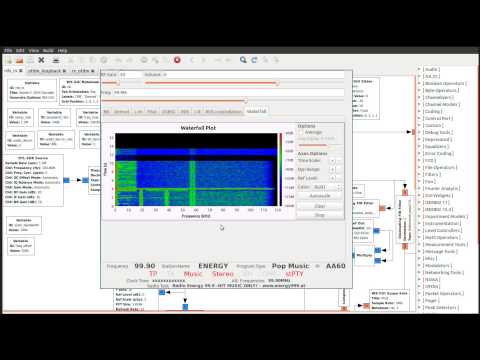
Meteor scatter works by receiving a distant but powerful transmitter via reflections off the trails of ionized air that meteors leave behind when they enter the atmosphere. Normally the transmitter would be too far away to receive, but if its able to bounce off the ionized trail in the sky it can reach far over the horizon to your receiver. Typically powerful broadcast FM radio stations, analog TV, and radar signals at around 140 MHz are used. Some amateur radio enthusiasts also use this phenomena as a long range VHF communications tool with their own transmitted signals. See the website www.livemeteors.com for a livestream of a permanently set up RTL-SDR meteor detector.

In Europe typically the Graves radar station can be used for meteor scatter experiments. Graves is a space radar based in France which is designed to track spacecraft and orbital debris. If you are in Europe you can also make use of the Graves radar simply by tuning to its frequency of 143.050 MHz and listening for reflections of its signal bouncing off things like meteors, planes and spacecraft. Since Graves points its signal upwards, it’s unlikely that you’ll directly receive the signal straight from the antenna, instead you’ll only see the reflections from objects.

In other countries old and distant analogue TV stations can be used or FM transmitters can also be used.

To set meteor scatter up, simply use an outdoor antenna to tune to a distant transmitter. It should be far enough away so that you can not be receive the transmitter directly, or the signal should be weak. If you detect a meteor the signal will briefly show up strongly at your receiver. Performance can be enhanced by using a directional antenna like a Yagi to point upwards at the sky in the direction of the transmitter.

We have several post about meteor scatter available on the blog here. Read through them to get a better understanding of the ways in which it can be monitored. You may also be interested in Marcus Leech’s tutorial where he uses the RTL-SDR to detect forward meteor scatter. (doc here) (pdf here)

Pulsar Observing

A pulsar is a rotating neutron star that emits a beam of electromagnetic radiation. If this beam points towards the earth, it can then be observed with a large dish antenna and a radio, like the RTL-SDR. 

Pulsars create weakly detectable noise bursts across a wide frequency range. They create these noise bursts at precise intervals (milliseconds to seconds depending on the pulsar), so they can be detected from within the natural noise by performing some mathematical analysis on the data. Typically a few hours of data needs to be received to be able to analyze it, with more time needed for smaller dishes.

One problem is that pulsar signals can suffer from ‘dispersion’ due to many light years of travel through the interstellar medium. This simply means that higher frequencies of the noise burst tend to arrive before the lower frequencies. Mathematical de-dispersion techniques can be used to eliminate this problem enabling one to take advantage of wideband receivers like the RTL-SDR and other SDRs. The more bandwidth collected and de-dispersed, the smaller the dish required for detection.

Pulsar detection requires some pretty large antennas, and a good understanding of the techniques and math required for data processing so it is not for the beginner. See the previous Pulsar posts on this blog for more information.


If you enjoyed this tutorial you may like our ebook available on Amazon.

The Hobbyist’s Guide to the RTL-SDR: Really Cheap Software Defined radio.

Satellite Receive Station with RTL-SDR and Raspberry Pi

Unfortunately the blog referenced in this post is now gone. We have changed all links to ones archived by archive.org.

Over on the carpcomm blog, the author has posted a how to guide on building a remote satellite receive station using the Raspberry Pi and a $20 rtl-sdr dongle or funcube. He uses his own opensource CarpSD software which allows the station to be accessed directly via the web.

Space and satellites are something that only few people are fortunate enough to interact with. However, this is starting to change due to the rapid growth in capability of consumer electronics. In fact, you can receive and decode transmissions from satellites using only a Raspberry Pi, a USB software-defined radio receiver, and a few other cheap parts.

For the software, we'll use the CarpSD ground station control software. It's an open-source program with the source hosted on GitHub. It runs as a background process and connects to the Carpcomm server, so that you can control your station from the Carpcomm website. Thus, there is no need to connect a display to your Raspberry Pi and you can leave your station running continuously in the background. The instructions below can be executed entirely over SSH.

Check out the rest of his post here.

Satellite Receive Station with Rapberry Pi and RTL-SDR

RTL-SDR Tutorial: Receiving NOAA Weather Satellite Images

----------------------------------------------------------------

2025 Update:

***NOTE*** Unfortunately, the NOAA 15/18/19 satellites have now all been decommissioned as of August 2025. Therefore, it is no longer possible to receive them.

We will leave this tutorial post up for archival and historical reasons.

2024 Update:

***PLEASE NOTE THAT THIS TUTORIAL IS OUTDATED.***

Currently, we recommend using the SatDump software instead. A modern tutorial for SatDump can be found at https://www.a-centauri.com/articoli/noaa-poes-satellites-reception.

----------------------------------------------------------------

Everyday multiple NOAA weather satellites pass above you. Each NOAA weather satellite broadcasts an Automatic Picture Transmission (APT) signal, which contains a live weather image of your area. The RTL-SDR dongle combined with a good antenna, SDRSharp and a decoding program can be used to download and display these live images several times a day.

This tutorial will show you how to set up a NOAA weather satellite receiving station, which will allow you to gather several live weather satellite images each day. Most parts of this tutorial are also applicable to other software radios, such as the Funcube dongle and HackRF and Airspy, but the RTL-SDR is the cheapest option. Hardware radio scanners can also work, provided the radio has a large IF bandwidth (30 kHz +) and a discriminator tap.

Note that if you have success with this tutorial, you may also be interested in decoding Meteor M N2 weather satellites which provide much higher resolution images. Also, an alternative tutorial for decoding NOAA satellites that uses rtl_fm can be found here.

NOAA Weather Satellite Image

Examples

YouTube user GaitUutLiern shows an example of receiving NOAA satellite weather images with a RTL-SDR, SDRSharp, a decoding program called WXtoImg and a QFH antenna.

Receiving NOAA weather satellite using SDR# and WXtoImg

Continue reading

Cheap Satellite Receive Station with RTL-SDR

Blogger and Amateur Radio enthusiast N4JTC has posted a guide on setting up a satellite receiving station with the rtl-sdr. Originally the guide was intended for receiving the PhoneSat test satellites, but they have now gone offline after a week as planned. But, the guide is still useful for any current and future satellites.

The recent launch of the PhoneSats got my SDR and satellite juices flowing again. This time I decided to automate things because work seems to get in the way of my satellite listening fun. I found a combination that works great and incorporates FREE software and inexpensive hardware.

PhoneSatImg (http://www.n4jtc.com)

Meteor Reflection Observations with RTL-SDR

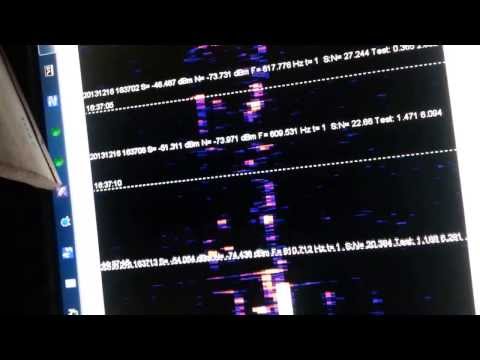
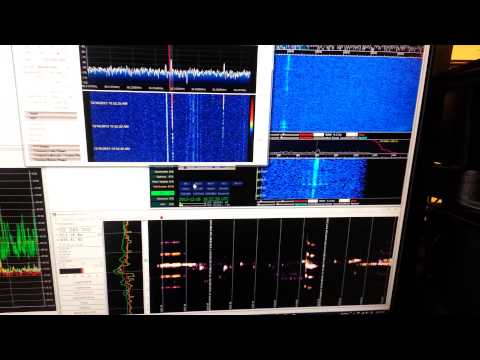
YouTube user ek6rsc has posted a video showing one week of meteor scatter observation at 59.25MHz using the rtl-sdr and the HROFFT software. More information about meteor scatter observations can be found at the page of The International Project For Radio Meteor Observation. The rtl-sdr is handy as a cheap monitoring tool for purposes such as this. From Wikipedia meteor scatter is described as follows.

 Meteor burst communications (MBC), also referred to as meteor scatter communications, is a radio propagation mode that exploits the ionized trails of meteors during atmospheric entry to establish brief communications paths between radio stations up to 2,250 kilometres (1,400 mi) apart.

The results of observations 1 week Meteor reflection 59.25Mhz

SDR-J Decoding DAB Radio in Software using RTL-SDR

Digital Audio Broadcasting (DAB) is a digital method for broadcasting radio stations. The rtl dongles official driver has DAB decoding capabilities. But when the rtl dongle is used as a software radio, this capability from the original drivers can not used.

SDR-J is a SDR package for Windows and Linux which is capable of receiving FM radio and decoding DAB radio completely in software. YouTube user Superphish shows a video of SDR-J decoding and playing DAB music with a rtl-sdr dongle.

DAB Radio with RTL-SDR (RTL2832) and SDR-J

Continue reading

RTL-SDR Tutorial: Cheap AIS Ship Tracking

Large ships and passenger boats are required to broadcast an identification signal containing position, course, speed, destination, and vessel dimension information to help prevent sea collisions. This system is known as the "Automatic Identification System" or AIS for short. There are dedicated AIS receivers intended to be used on boats, or by hobbyists, but they can be expensive. A radio scanner, or the cheap RTL-SDR software defined radio (or a more advanced SDR such an Airspy) can be used to receive these signals, and with the help of decoding software, ship positions can be plotted on a map.

This tutorial will show you how to set up an AIS receiver with the RTL-SDR. Most parts of this tutorial are also applicable to other software radios, such as the Funcube dongle, Airspy and HackRF, or even regular hardware scanners if a discriminator tap is used, but the RTL-SDR is the cheapest option.

Safety Warning: This probably should not be used a navigational aid on a boat as the field reliability of the RTL-SDR or other software radios is not proven. This guide is intended for land based scanner hobbyists.

Note, tracking ships with AIS is very similar to tracking aircraft with ADS-B, which is another project that may interest you.

Examples of AIS received with RTL-SDR

An AIS radar example is shown by YouTube user Vinicius Lenci who uses an RTL-SDR, SDRSharp and ShipPlotter. This video also shows what a strong AIS signal sounds like.

Recebendo sinais (AIS) com RTL-SDR

Continue reading