In one of his latest YouTube videos, Manuel Lausmann has been testing the RTL-SDR Blog V4 on SDRuno. SDRuno is the official software for SDRplay RSP devices, however, they provide an ExtIO interface which allows it to be used with an SDR that has an ExtIO driver.
In the video Manuel shows how to download and copy over the ExtIO dll, and how to select it in SDRuno. He then goes on to show it in action receiving some HF signals. Note that Manuel's video is narrated in German, but you can use YouTubes auto-caption and auto-translate features to get English subtitles.
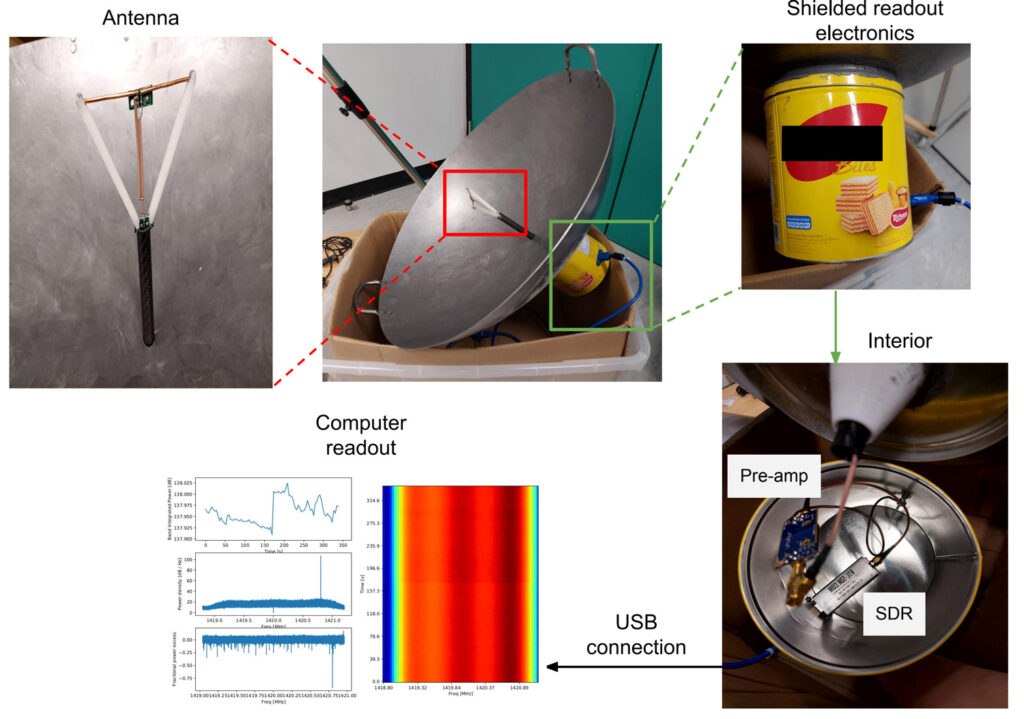
In addition to the last Hydrogen Line radio astronomy post from a few minutes ago, we've also recently seen a post on Hackaday about a research paper (PDF) that describes a Hydrogen Line Radio Telescope made from a cooking Wok, LNA and RTL-SDR dongle.
In the paper Leo W.H. Fung et al of Hong Kong University of Science and Technology uses a 61cm cooking Wok with a custom made dipole feed at the calculated focal point. A filtered LNA sits after the feed, and is connected to an RTL-SDR Blog V3 dongle enclosed within a metal cookie box for additional shielding.
The results show that the Hydrogen Line was indeed detected, and measurements of the galactic rotational velocity were possible.
Again we note that we will soon by crowdfunding for a product called the 'Discovery Dish' that will be fairly similar in size and shape. It is designed for receiving L-band weather satellites, but can also be used as a Hydrogen Line telescope too.
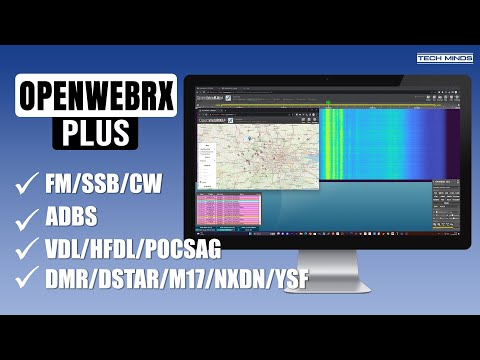
In one of his videos from a few days ago Matt from the Tech Minds YouTube channel tests out OpenWebRX+, an unofficial fork of OpenWebRX. OpenWebRX is open source software which enables users to put software defined radios like RTL-SDRs on the internet, allowing people from all over the world to access the receiver if desired, or just letting yourself access it remotely if you want to keep it private.
OpenWebRX+ adds several additional decoders and features on top of the official version. In the video Matt demonstrates OpenWebRX+ running on a Raspberry Pi 4, with an SDRPlay RSPdx. He demonstrates the web GUI in action and shows decoding examples of the various decoders that OpenWebRX+ comes with.
Back in 2020 we released a tutorial about how to use a 2.4 GHz WiFi Grid Dish antenna as a radio telescope which can detect and measure the Hydrogen line emissions in our Milky Way galaxy.
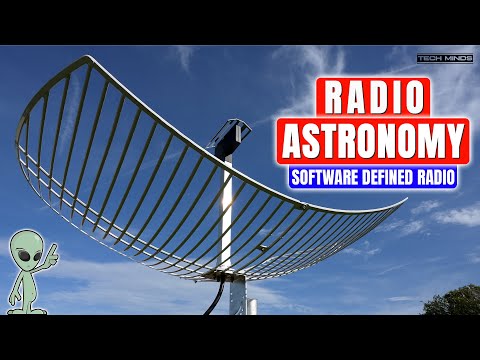
Recently matt from the TechMinds channel has uploaded a video showing this same project but using the NooElec mesh antenna that has been slightly modified for improved performance on 1.7G and 1.4G.
In his video Matt sets up a drift sky scan, where the rotation of the earth drifts the Milky Way through the beamwidth of the dish. Matt uses Stellarium to virtually visualize the live sky map, SDR# and the IF average plugin to average the spectrum, and an Airspy software defined radio.
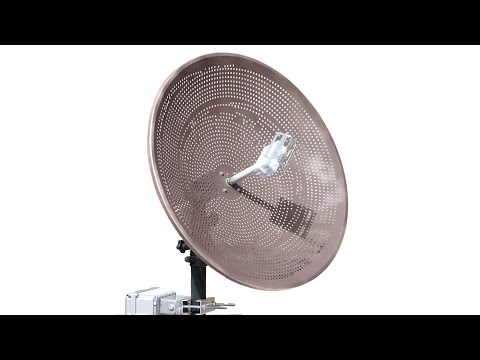
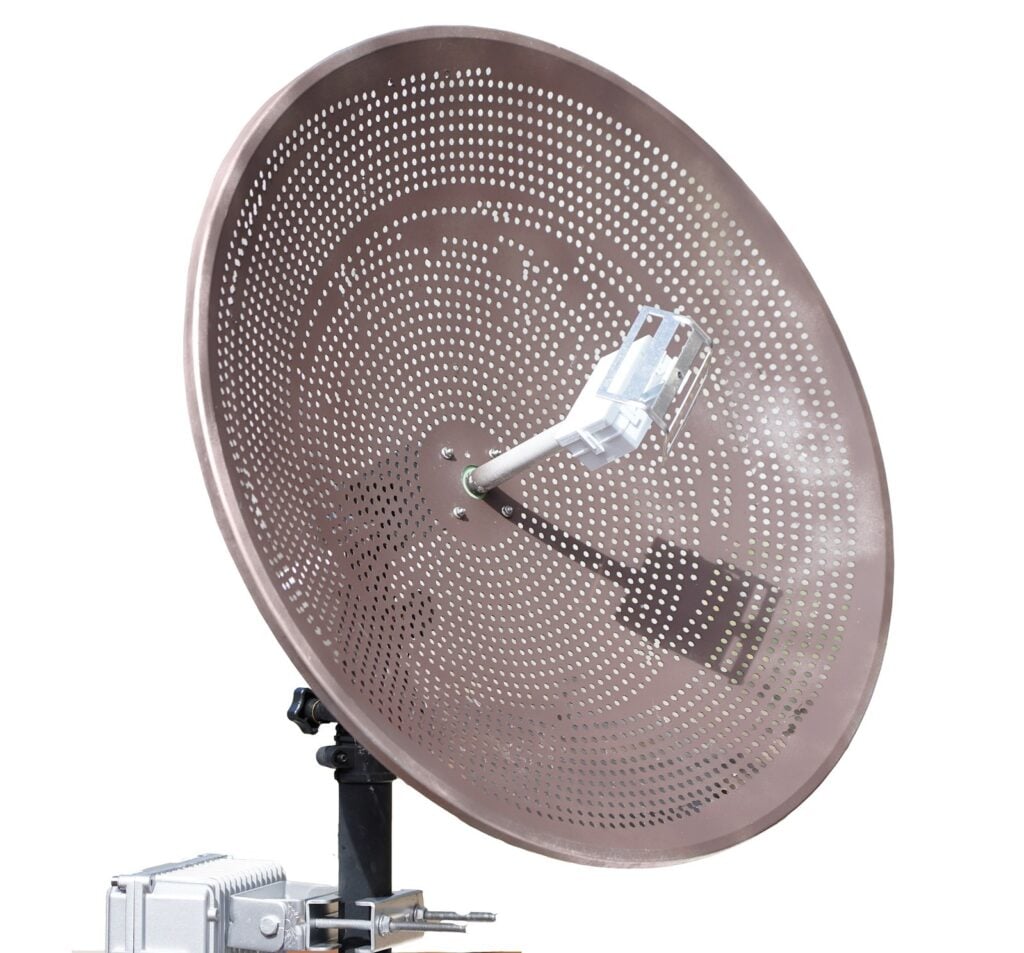
For the past few years we have been working on finding the best way to help beginners get started with L-band weather satellite reception and basic radio astronomy. We have now come up with a solution that we're calling the 'Discovery Dish' - a lightweight 65 cm diameter dish and active filtered feed set.
Discovery Dish: Simplified system for weather satellite reception and hydrogen line radio astronomy
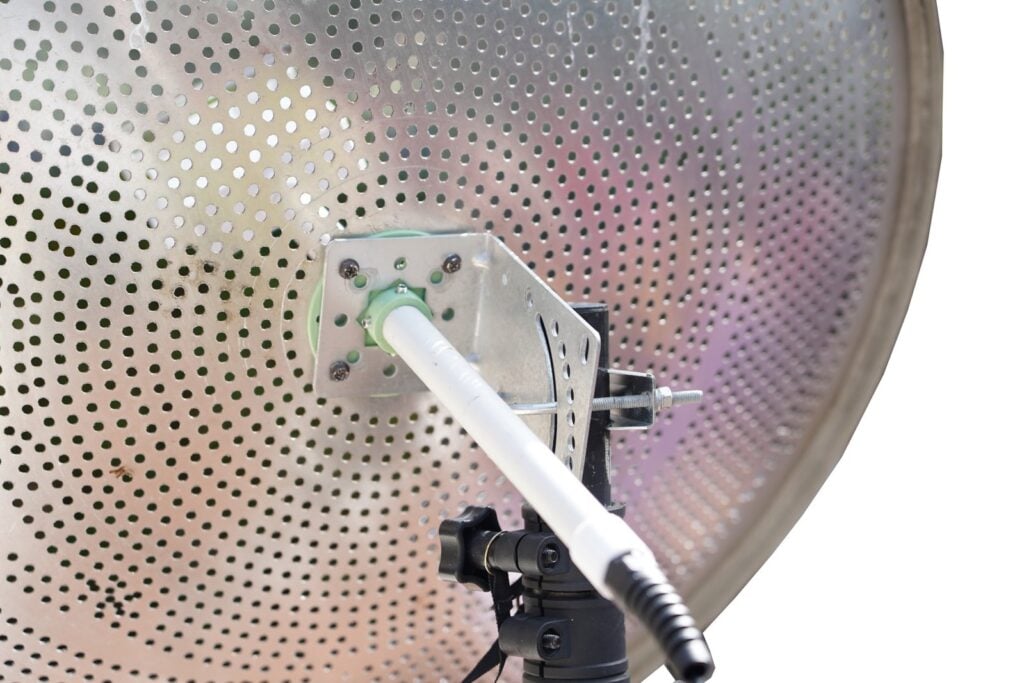
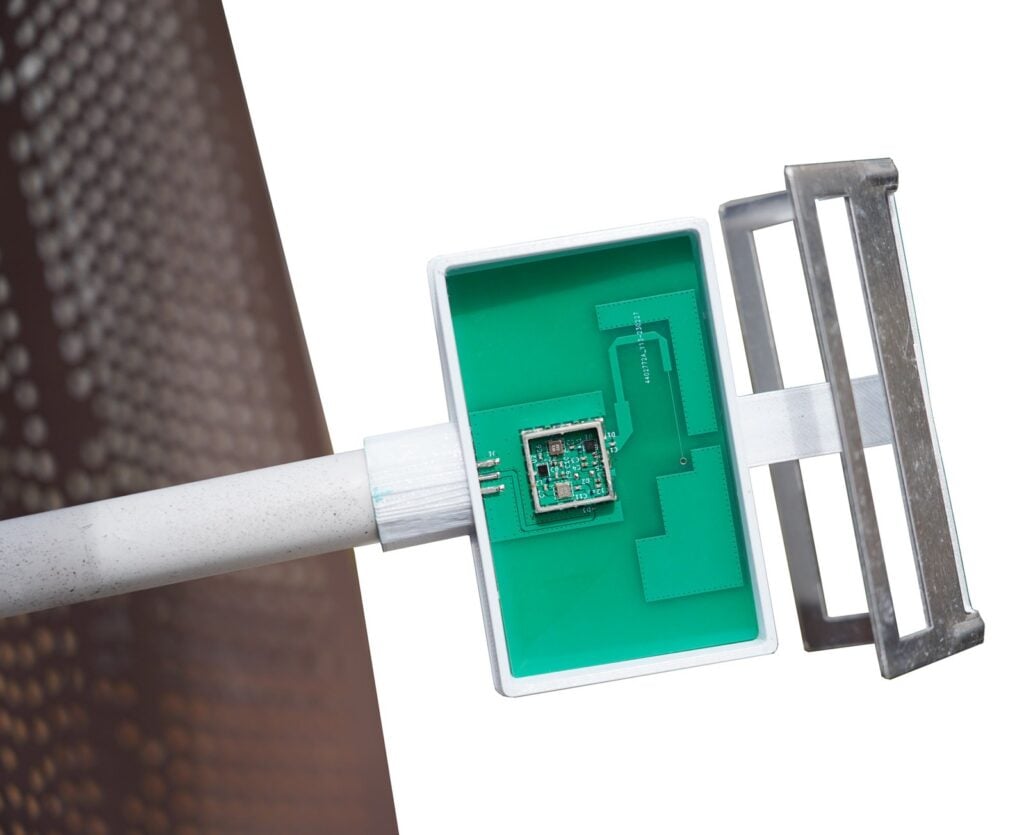
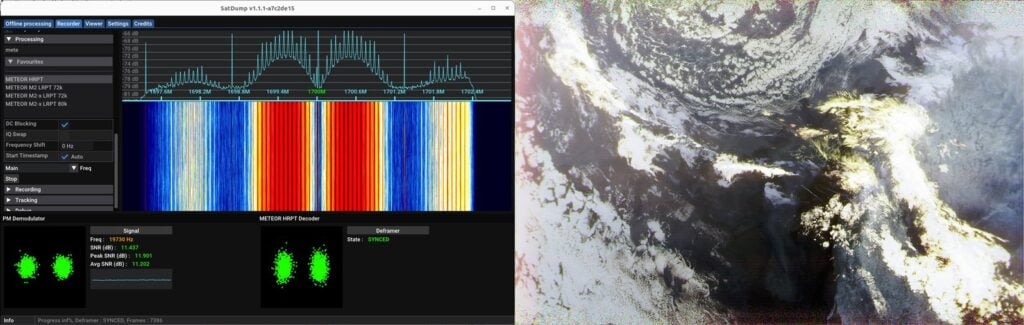
Discovery Dish is a 65-cm diameter aluminum satellite dish and active filtered feed designed for receiving GOES HRIT, GK-2A LRIT, FengYun LRIT, NOAA HRPT, Metop HRPT, Meteor M2 HRPT and other weather satellites that operate around 1.69 GHz. The dish is designed to weigh under one kilogram, and it splits into three petals, making it easier to ship worldwide. The 1.69 GHz feed contains a built-in LNA right at the feed point, as well as filtering, which means that there is almost no noise figure loss from cables or connectors.
Note that the prototype images show an early non-petalized prototype with rough laser cut wind holes. The production version will obviously be a lot neater looking!
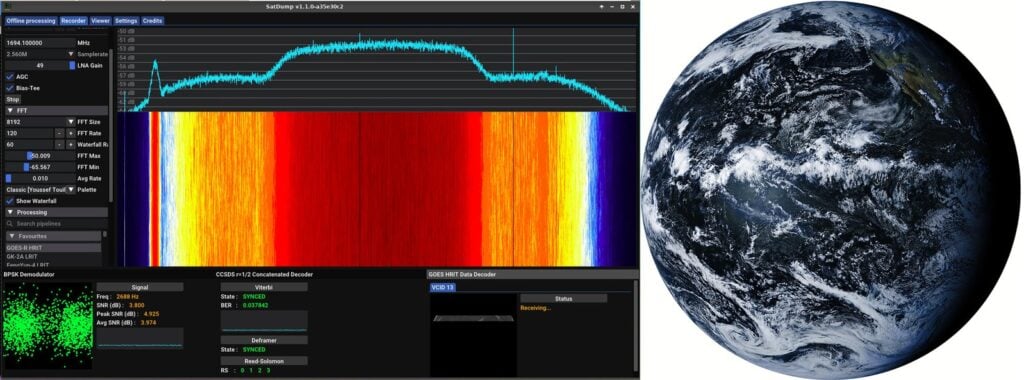
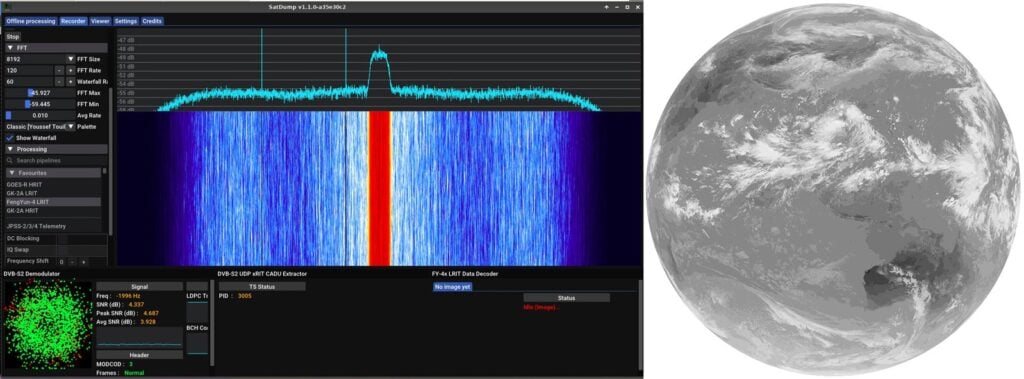
In testing the 65 cm diameter Discovery Dish with it's highly optimized feed has proven effective at receiving the GOES HRIT satellite signal with SatDump. We typically achieve SNR values of 3-4 dB to GOES-18 at 24 deg elevation, and with SatDump an SNR of 1 dB is about the minimum required to receive images so there is plenty of margin. It can also easily receive LRIT from GK-2A and Fengyun, and also when combined with an antenna rotator (or manual hand rotating) can receive HRPT weather satellites too.
The feed on the Discovery Dish consists of a tuned dipole feed with two 5V bias tee powered low noise figure LNAs, and two SAW filters (centered at 1680 MHz with 69 MHz Bandwidth). The feeds are also easily swapped out, and we will also be selling a 1.42 GHz Hydrogen Line feed for those who want to use the dish to get started with radio astronomy. Because the LNA's are right by the feed there is are no losses from feed to LNA, so we can use thinner and easier to handle cabling like RG58 without any loss issues.
In the past we've recommended and relied on 60 x 100 cm WiFi dish antennas for L-Band geosynchronous satellites and Hydrogen Line reception, but at 1.6kg these are too heavy, wide and exert too much torque for light duty antenna rotators to handle. At about half the weight of an equivalent WiFi Dish, the Discovery Dish is much easier to handle.
In the future we hope to be able to provide a low cost light duty antenna rotator that compliments the Discovery Dish. Currently we have tested the Discovery Dish with the AntRunner antenna rotator and found it to be light enough for that rotator to handle, versus a WiFi dish which is far too heavy for it.
Also when compared to a WiFi dish, the Discovery Dish is much easier to optimally set the offset skew as you can simply rotate the feed, versus having to rotate the entire dish at 45 degree increments.
We will also be offering an outdoor electronics enclosure that can be used to house a Raspberry Pi, RTL-SDR and other components like POE splitters. In our tests we have been running an RTL-SDR Blog V4, Orange Pi 5 and POE splitter in the enclosure, and running the SatDump GUI directly on the Orange Pi 5. This results in a neat contained system where only one Ethernet cable needs to be run out to the enclosure.
As we are in pre-launch, pricing is not yet confirmed, but we expect the Discovery Dish to sell for less than US$200 with reasonable worldwide shipping costs. It will be a similar cost to what you would pay if you purchased a WiFi dish, filtered LNA and cabling yourself. Obviously please check what satellites can be seen in your region.
SatDump is a popular program that can be used with RTL-SDRs and other software defined radios for decoding images from a wide array of weather imaging (and other) satellites including GOES, GK-2A, NOAA APT, NOAA HRPT, FengYun, Electro-L and Meteor M2 LRPT + HRPT, and many many others. It is multiplatform, running on Windows, MacOS, Linux and even Android. Because of it's good decoding performance, wide satellite and OS compatibility, it is the most recommended software for satellite decoding.
Recently SatDump was updated to version 1.1.0 and the new version brings many enhancements and new features. In summary, Lua scripting support has been added, calibrated products are now possible, composites can be made via Lua scripting, nightly builds are now available on GitHub, Mac .dmg builds are now available, decimation has been added, an SDR Server is available, and a Windows installer was added.
Support for various satellites and their instruments have also been added for NOAA APT, CCSDS LDPC decoding for Orion, LandSat-9, TUBIN X-Band, FengYun-3G/3F, Meteor M2-3, Geonetcast (soon), GOES RAW X-Band, STEREO-A, DSCOVR EPIC, ELEKTRO-L N°4, Inmarsat STD-C, UmKA-1 (soon), PROBA-V GPS .
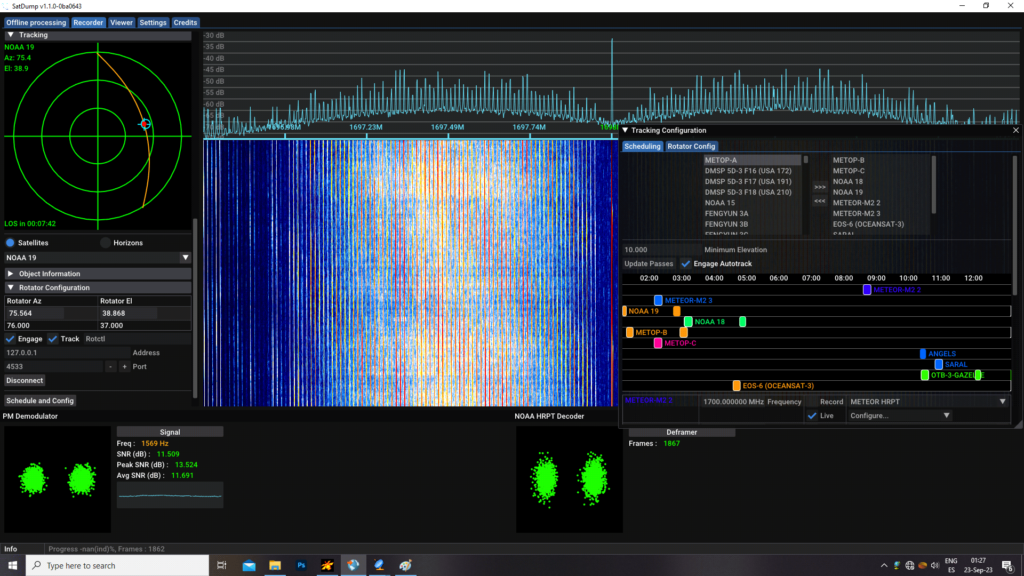
SatDump also now includes rotor tracking control which works together with it's satellite pass predictor and scheduler. There is no more need to use programs like Orbitron or Gpredict as everything can be handled by SatDump.
An insane amount of work has gone into SatDump, so if you like the software please remember to support the developer @aang23 by donating on Ko-Fi.
Thank you to Carl Reinemann for writing in and sharing with us that the Meteor M2 LRPT decoder by Oleg (Robonuka) was recently updated. The Russian Meteor M2-3 weather satellite was launched in June of this year and is currently the only operational Meteor M2 satellite in the sky. It transmits images at 137 MHz in the digital LRPT format.
To receive it a simple V-Dipole antenna and RTL-SDR is usually sufficient. And to decode it software like SatDump or M2_LRPT_DECODER combined with the Meteor Demodulation Plugin for SDR# can be used. Instructions for the latter are available on HappySats instructional page.
Regarding the update Carl writes:
Thanks to Oleg (Robonuka), Happysat and Usradioguy have been testing the new decoder for about 6 weeks now, and it is ready to go!
The stability of the processing has been improved: The decoder is now more likely to produce stable results, even when there are errors in the input data.
The procedure for generating RGB and calculating GEO in the error-handling block has been improved. Now, the decoder's processing is considered unfinished until the GEO calculation is completed.: This means that the decoder will now wait until the GEO calculation is finished before generating the RGB values. This helps to prevent errors and produce more accurate results.
Exception errors fixed: Some errors that were previously causing the decoder to crash have been fixed.
AutoClose=yes by default: This means that the decoder will now automatically close when it is finished decoding. This can be helpful for saving resources and preventing memory leaks.
80K is much more stable: The decoder is now more stable than before. This means that it is less likely to crash or produce unexpected results.
Overall, these changes make the decoder more reliable and easier to use.
A MMDVM is usually a computing device running multiple radios, each of which is used for a separate channel with it's own filters and power amplifier hardware. Each channel can run a separate protocol if desired.
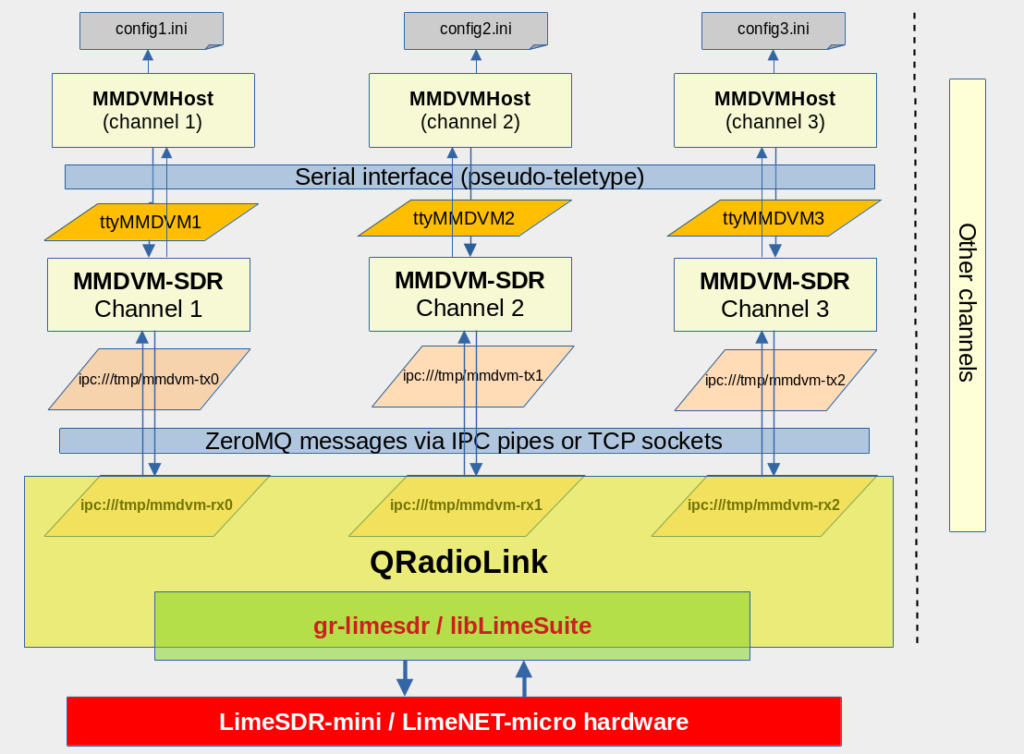
However in order to save on radio hardware, Adrian wanted to use his LimeSDR as the radio hardware in his MMDVM system. The LimeSDR is a transceiver which has enough bandwidth to implement several channels just by itself. To do this Adrian uses his MMDVM-SDR software.
His implementation runs multiple instances of MMDVM-SDR, one instance for each channel. Then a GNU Radio flowgraph with LimeSDR block connects to each of these instances, transferring data between GNU Radio and MMDVM-SDR via ZeroMQ or TCP sockets. The bulk of Adrian's post explains the architecture in detail. Adrian writes:
The setup can transmit 7 digital carriers in 200 kHz occupied spectrum, and each radio channel can be assigned to a different mode or digital voice network as configured in MMDVMHost.
This is based on the work of Jonathan Naylor G4KLX and Rakesh Peter (r4d10n).
Adrian also notes that this is still a work in progress and there are still several limitations including high latency and issues with filtering, overload and poor channel rejection.