Category: Applications

Glide Path: ADS-B Visualization Software

Thank you to Kazuya for submitting an aircraft tracking app that he's created for use with RTL-SDR dongles and dump1090. The program currently exists only as Visual C++ code and is documented in Japanese, so it may be somewhat niche and intended for advanced users to try out. Kazuya writes:

I live near Tokyo Bay, so I enjoy watching the takeoffs and landings at Haneda Airport.

The unique feature of this app is that it visualizes the descent angle, which is difficult to see on a flat map.

This app has not been available for distribution. If you are an intermediate Visual C++ user, you may be able to rebuild or modify the app.

Topographical and landmark information is in text files, allowing you to customize area information in more detail for your airport.

----

(3) Glide_Path
Can be built independently.

Execution Environment
Copy the folder (ADS_GLIDE_PATH) to C:.

・When using an ADS antenna
Install the ADSB antenna and driver software on your PC.
(As a mid-way test, you will be able to listen to radio broadcasts on your PC.)
Launch dump1090_with_StdinAPL1.bat to ensure that tmp_ADS_B-0000****.txt is continually generated in C:\ADS_GLIDE_PATH\tmpDataFolder.

- Without an ADSB antenna
You can use the data in DemoData (approximately 30 minutes, 6,000 entries) to check the software's operation.
(Procedure) Launch Glide_Path.exe and, on the parameter change screen, set [S001] Demo Mode to 1.
Exit Glide_Path.exe and restart it. The Start Demo button will appear; press it.

(4) Stdin_Apl1
Can be built independently.
This is an auxiliary program when using the ADS antenna described above in (3). Stdin_Apl1.exe
This program parses the standard output of dump1090.exe, provided by the ADS antenna manufacturer, into a text file and processes the data so that it can be read by Glide_Path.exe.

Kazuya's ADS-B Visualization Software

SignalsEverywhere Software and Video Updates: Benshi Dash, AI Vibe Coding SDR Apps, Android NTSC Receiver, NOAA SAME Encoder

Thank you to SignalsEverywhere, aka Sarah Rose, for writing in and sharing some updates on what she's been working on recently.

First, Sarah provides an updated video that shows off her Benshi Dash Android application (GithHub, Name-Your-Price Store Download) for VR N76, UV Pro, and other similar handheld radios with Bluetooth connectivity. 

Benshi Dash | The Ultimate Radio Dashboard for VR-N76 UV-PRO Etc

Next, she notes that she uploaded a video showing the power of Google's Gemini AI, and how she was able to use it to vibe code a HackRF TV transmitter program on Linux in just a few minutes.

Vibe Coding a TV Transmitter on Linux with a HackRF

Next, she mentions that she also built an RTL-SDR NTSC Receiver for Android, based on the TVSharp decoder. It is available on GitHub and via her name-your-price store, with a $0.00 minimum spend. 

RTL-TV. An NTSC video decoder for Android and RTL-SDR.

Finally, Sarah writes that she has also created a NOAA SAME weather encoder for use with a HackRF on Linux or Android. This allows users to transmit NOAA SAME (Specific Area Message Encoding) alerts, which are weather alerts typically transmitted on the NOAA Weather Radio frequency, transmitted around 162 MHz. The software is available via GitHub, or via her store for $10 (Linux edition / Android edition).

NOAA SAME Transmitter

Creating a Spectrum Analyzer with Zoom Capability with an RTL-SDR in GNU Radio

Thank you to Paul Maine "The SDR Guy" for submitting his latest video showing how to create a simple spectrum analyzer with zoom capability, using an RTL-SDR and GNU Radio. Paul writes:

Zoom capabilities are discussed in the 3rd edition of Richard G Lyons “Understanding Digital Signal Processing” book. This is a novel approach when compared to other YouTube videos about creating a Simple Spectrum Analyzer with an RTL-SDR.

Additionally, in the video, Paul explains what a spectrum analyzer is and what it's used for, as well as explaining the use of attenuators and discone antennas. In the video, Paul uses an RTL-SDR Blog V4, but has mentioned that an RTL-SDR Blog V3 would work well too.

E19 Create a Spectrum Analyzer with Zoom Capabilities

rtl_tcp_echo: Record and Replay IQ Streams with a Transparent rtl_tcp Proxy

Thank you to Sarah Rose Giddings for submitting news about the release of one of her latest software programs called "rtl_tcp_echo". This “man-in-the-middle” application enables you to simultaneously monitor and record signals of interest, then replay the captured IQ data at a later time using software compatible with rtl_tcp.

The software is compatible with Linux, and Sarah notes that a Windows build will be available soon.

RTL_TCP_ECHO is a Go application that acts as a proxy between an rtl_tcp server and its client. It transparently passes control commands (such as frequency, gain, and sample rate), forwards IQ data, and records the IQ stream to a file. Later, you can run the application in playback mode, serving the recorded IQ data as a fake rtl_tcp server—allowing SDR software to connect and replay the IQ stream.

Features

  • Proxy Mode:
    Forwards all rtl_tcp commands (including frequency and gain) and IQ data between client and server. Simultaneously records IQ data to a file.

  • Playback Mode:
    Serves a previously recorded IQ file as an rtl_tcp-compatible server for SDR software to connect and decode.

  • Transparent Command Handling:
    All client commands (frequency, gain, sample rate, etc.) are passed through with optional logging.

  • Simple Configuration:
    Easily specify listen/forward addresses and recording/playback file paths via command-line flags.
rtl_tcp_echo usage
rtl_tcp_echo usage

An Introduction to SDR’s and GNU Radio using an RTL-SDR

Thank you to Paul Maine for submitting his latest YouTube video titled "Introduction to SDRs and GNU Radio Using an RTL-SDR". The video introduces the RTL-SDR and GNU Radio, and then proceeds to demonstrate how to build a simple FM receiver using GNU Radio. Paul goes on to explain some further concepts, such as sampling, aliasing, interpolation, decimation, upsampling, and finally shows a few more example receivers built in GNU Radio.

E18 Introuction to SDR's and GNU Radio Using an RTL-SDR

WOW@Home: A Global Network of RTL-SDR Based Radio Telescopes Looking for Alien Technosignatures

The Wow! signal is a famous, strong, and unexplained radio signal detected in 1977 by the Big Ear radio telescope in Ohio, lasting 72 seconds and appearing to originate from the constellation Sagittarius. Its origin remains unknown, with some speculating that it could be an extraterrestrial technosignature. Upon reviewing the signal data, Astronomer Jerry R. Ehman discovered the powerful signal burst in the readout and wrote a large "Wow!" next to it, unintentionally coining the name.

Wow@Home is a new project that aims to coordinate a network of small radio telescopes globally, in the hopes of increasing our chances of detecting interesting astrophysical and technosignature events, such as the Wow! event.

A network of small radio telescopes offers several distinct advantages compared to large professional observatories. These systems are low-cost and can operate autonomously around the clock, making them ideal for continuous monitoring of transient events or long-duration signals that professional telescopes cannot commit to observing full-time.

Their geographic distribution enables global sky coverage and coordinated observations across different time zones, which is especially valuable for validating repeating or time-variable signals. Coincidence detection across multiple stations helps reject local radio frequency interference (RFI), increasing confidence in true astrophysical or technosignature transient events.

These networks are also highly scalable, resilient to single-point failures, and capable of rapid response to external alerts. Furthermore, they are cost-effective, engaging, and accessible, ideal for education, citizen science, and expanding participation in radio astronomy.

However, these systems also come with notable limitations when compared to professional telescopes. They have significantly lower sensitivity, limiting their ability to detect faint or distant sources. Their angular resolution is poor due to smaller dish sizes and wide beamwidths, making precise source localization difficult.

Calibration can be inconsistent across stations, and frequency stability or dynamic range may not match the performance of professional-grade equipment. Additionally, without standardized equipment and protocols, data quality and interoperability can vary across the network.

Despite these constraints, when thoughtfully coordinated, such networks can provide valuable complementary observations to professional facilities.

The team note that the Wow! signal was strong enough that it could have been detected by a small home radio telescope. They go on to make the case that we could be missing out on detecting many compelling signals simply because radio telescopes aren't watching every part of the sky simultaneously. 

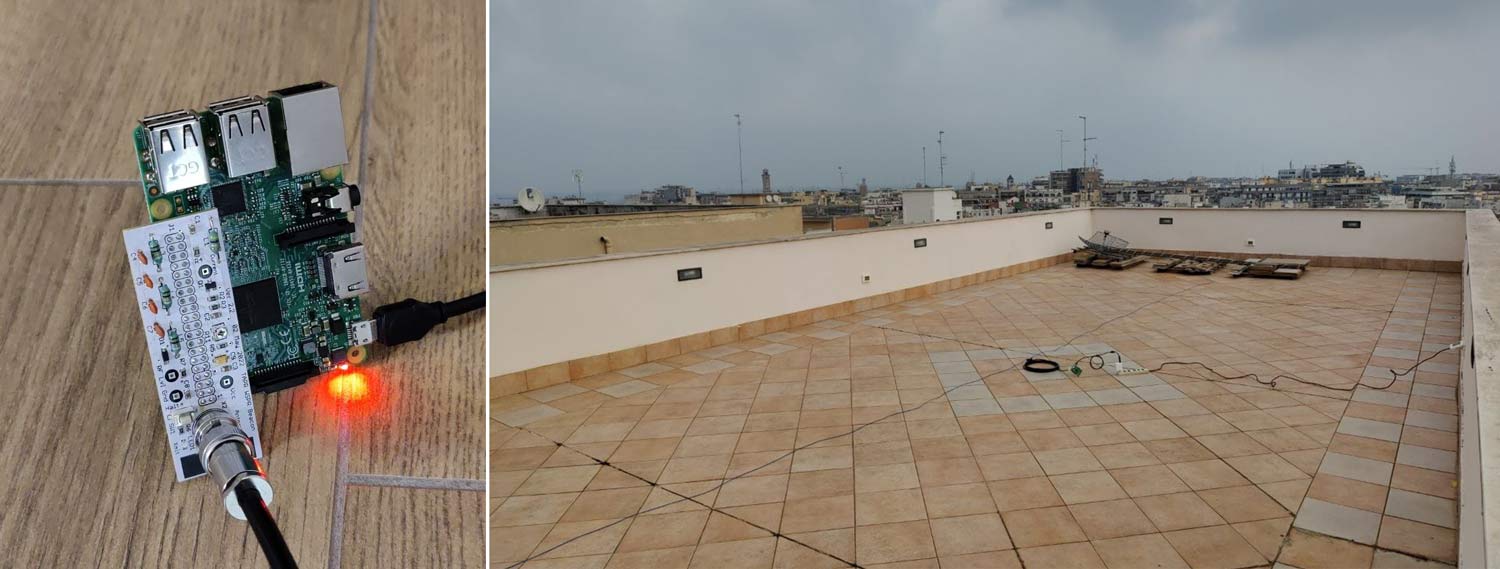
The project will monitor the Hydrogen Line frequency for interesting signals. Currently, the team is using a WiFi grid dish and an external LNA as the radio telescope hardware, but they also aim to evaluate our Discovery Dish with H-Line feed.

Wow@Home Typical Radio Telescope Hardware

WHY2025 Conference: Passive and Active RADAR using Software Defined Radio

Videos from the WHY2025 (What Hackers Yearn) have recently been uploaded to YouTube, and there is one interesting talk by Jean-Michel Friedt titled "Passive and active RADAR using Software Defined Radio". 

RAdio-frequency Detection And Ranging (RADAR) aims at using electromagnetic signals for detecting target location and motion. We demonstrate in this talk various RADAR architectures using dual-channel coherent Software Defined Radio (SDR) receivers and the associated signal processing techniques relying heavily on cross-correlations. Embedded systems are tackled, with a Raspberry Pi providing enough computational power for recording and post-processing.

RAdio-frequency Detection And Ranging (RADAR) aims at using electromagnetic signals for detecting target location and motion. Being constantly illuminated with electromagnetic smog, we can benefit from existing radiofrequency emitters meeting RADAR requirements -- strong power and wide bandwidth -- for passive RADAR measurements where no active emitter is needed, using only coherent passive dual-channel Software Defined Radio (SDR) receivers for passive recording of existing signals. If existing signals are unsuitable, we can use the same principle with non-cooperative emitters such as a Wi-Fi dongle in an active RADAR setup.

All processing flowcharts are implemented using GNU Radio for real time acquisition, and GNU/Octave or Python for post-processing: generic principles will be demonstrated, applicable to all sorts of receiver hardware. We will conclude with Synthetic Aperture RADAR (SAR) where antenna motion is used to simulate wide aperture receiving antennas, adding azimuth resolution to range resolution.

Supporting documents are found a https://github.com/jmfriedt/SDR-GB-SAR or https://github.com/jmfriedt/passive_radar orhttps://github.com/jmfriedt/sentinel1_pbr

WHY 2025 - Passive and active RADAR using Software Defined Radio

PiCar – A DIY Car Radio Head Unit made from a Raspberry Pi and RTL-SDR

Thank you to Vinnie Moscaritolo for writing in and sharing with us PiCar, a project to develop a homebrew car radio head unit out of a Raspberry Pi and RTL-SDR. The advantage of PiCar over a standard vehicle head unit is that PiCar is not just a broadcast AM/FM tuner, but is also capable of tuning to and scanning for other signals, such as public safety. In addition, Vinnie has also added various other features to PiCar, such as a GPS nav system, and CAN bus snooper.

Vinnie writes:

What happens when a radio nerd with a Jeep and a Raspberry Pi decides factory dashboards are too boring? You get PiCar — a DIY car radio replacement with a VFD display, a couple of knobs, and a whole lot of hacker soul.

Built around RTL-SDR and Raspberry Pi, PiCar does AM/FM, GPS nav, CAN bus snooping, 1-wire sensors, and even streams tunes from your iPhone — all without draining your Jeep’s battery. It's not just a head unit, it's a rolling testbed for software-defined radio, CAN hacking, and embedded Linux audio.

Vinnie has posted a full 9-part series on PiCar over on his blog. The series covers the why and the how, with several demonstration pictures and videos.

PiCar - Raspberry Pi Car Radio Project

The PiCar head unit
The PiCar head unit