Category: Digital Signals

Reverse Engineering Radio Controlled Power Outlets with Help from the RTL-SDR

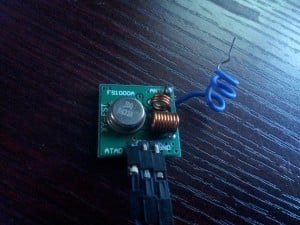
Radio controlled electricity power outlets are outlets that can be turned on or off using a wireless radio controlled remote. Over on the blog leetupload.com the author has written an article showing how he was able to reverse engineer the wireless power outlets radio protocol.

The author used an RTL-SDR and SDR# to listen to the outlets wireless AM transmissions at 434 MHz. He then recorded the signal audio and then used audacity to view the waveform. By analyzing the audio output he discovered that the signal was a Non-Return-To-Zero (NRZ), pulse width modulated (PWM), Amplitude Shift Keying / On Off Keying (ASK/OOK) signal.

Later he was also able to use the RFCat USB dongle to transmit an on off signal from his computer. RFCat is an USB dongle that is capable of transmitting on 433 MHz.

RTL-SDR Software Radio used to Reverse Engineer the Wireless Power Outlet
RTL-SDR RTL2832U Software Radio Audio output Analyzed in Audacity for Reverse Engineering a Wireless Power Outlet
Remote Control Outlet Replay With RFCat

Source Hackaday

Receiving VDL Mode 2 with MultiPSK and the RTL-SDR

The VHF Data Link mode 2 (VDL2) is a new transmission mode used on aircraft for sending short messages, position data (similar to ADS-B) and also for allowing traffic controllers to communicate to pilots via text and data. VDL2 is intended to eventually replace the standard ACARS modes. It is found at 136.975 MHz.

Recently, a wiki page explaining how to decode VDL2 using MultiPSK, Planeplotter and the RTL-SDR has been put up. MultiPSK is a sophisticated software program that can decode a wide range of amateur radio digital signals as well as several professional modes like VDL2. To decode most professional modes like VDL2 however, the paid version of MultiPSK is required, but a 5 minute per use trial of VDL2 decoding can be used for testing. Newer versions of MultiPSK can now even directly connect to the RTL-SDR dongle.

The wiki page shows how to set up the RTL-SDR dongle on MultiPSK to receive VDL2 signals, and then shows how to connect it to PlanePlotter in order to plot the aircraft positions on a map.

MultiPSK with VDL2
MultiPSK with VDL2
PlanePlotter with VDL2 Data

Transmitting DVB-T with the BladeRF and Receiving it on a RTL-SDR

The BladeRF is a software defined radio that has transmit and receive capability. Over on his blog, Clayton Smith has recently posted about his experiments which involve using the BladeRF to transmit DVB-T digital TV on one laptop to another laptop running an RTL-SDR in DVB-T mode. This is one of the few applications where the RTL-SDR is used as a DVB-T receiver as it was originally intended. Clayton used GNU Radio, a DVB-T package for GNU Radio and some python scripts to create the BladeRF transmitter.

The newer Linux kernels have DVB-T support for the RTL2832U chip, so the latest version of Ubuntu 13.10 will be able to recognize the RTL-SDR stick as a DVB-T receiver easily. Clayton used VLC in Ubuntu 13.10 to receive the DVB-T signal transmitted by the BladeRF which was tested on the 70cm, 33cm and 23cm bands.

DVB-T Received by the RTL-SDR
Webcam DVB-T TX by a BladeRF and RX by the RTL-SDR

Acarsdec 2.0: A Multi-Channel Realtime Linux ACARS Decoder which supports RTL-SDR

Acarsdec is a recently released open source, multi-channel realtime ACARS decoder for Linux. It supports direct input from an RTL-SDR dongle, and with the RTL-SDR can listen to four ACARS channels simultaneously. It’s official feature list includes

– up to four channels decoded simultaneously
– multithreaded
– error detection AND correction
– input from sound file , also sound card or software defined radio (SDR) via a rtl dongle

Acarsdec Terminal Output

Analyzing TD-LTE with the RTL-SDR

TD-LTE is a mobile phone standard acronym for Time Division Long Term Evolution. It is one of two variants of LTE technology, with the other being FD-LTE (Frequency Division LTE).

Over in China where TD-LTE is commonly used, Jiao Xianjun discovered that the current LTE-Cell-Scanner Linux program did not support TD-LTE, so he made a fork which does support TD-LTE. LTE-Cell-Scanner is a program which can decode LTE cell tower data which contains information like the cell ID, transmit frequency and transmit strength. With his modified LTE-Cell-Scanner, some MATLAB scripts he wrote and an RTL-SDR, Jiao was able to decode the cell information from 10 TD-LTE signals and 2 FD-LTE signals. He has uploaded a video showing this too.

TD-LTE, LTE FDD, scanning/demodulation results in Beijing, China

Receiving D-STAR Voice with DSD 1.7 on Windows

Recently we posted about PU2VLW’s project where he was able to decode and listen to D-STAR voice using an RTL-SDR and SDR# running on Windows connected via physical audio cable to a second Linux machine running DSD 1.7.

Now a RTL-SDR.com reader by the name of “Skywatcher” has written in to tell us how he was able to compile DSD 1.7 on a Windows PC using Cygwin. This allows him to decode D-STAR audio on a single Windows PC. Skywatcher kindly sent us the steps he used to compile DSD 1.7 on Windows.

1. Download the zip archive for dsd-1.7.0 from here: https://github.com/szechyjs/dsd and then unzip the archive, so that you get the folder dsd-master, which includes all the source files.

2. Download the zip archive for mbelib-1.2.5 from here: https://github.com/szechyjs/mbelib and then unzip the archive, so that you get the folder mbelib-master, which includes all the source files.

3. Download and install the Cygwin environment. It is important to use the 32 bit version. It will not work with the 64 bit version. In the installation process, you also have to make sure that you choose gcc (the compiler) for installation.

4. Within the Cygwin command window, use gcc, to compile every .c file within the folders mbelib-master and dsd-master (subfolders can be ignored), so that you will get an .o file (object file) for each source file.

5. Copy all the resulting .o files from mbelib-master to dsd-master and use gcc again to link all the object files, so that you will get the final executable dsd.exe. This final step also has to include the sndfile library from Cygwin being mentioned in the call of gcc, otherwise it will not work.

6. In order to start dsd.exe, it is necessary to copy cygwin1.dll to the same folder, where your built dsd.exe is. It is very important that the version number of the dll is being lower than 1.7.26, otherwise dsd.exe will crash. If this is not the case for your dll, you have to find an alternative version from the internet. Additionally, it may be necessary to copy more dlls, needed by the sndfile library, next to your dsd.exe. This may depend on your environment variables of your system.

7. For decoding D-Star, you should call DSD like following: dsd -i /dev/dsp -o /dev/dsp -fd

8. For best results, make sure that all your SDR# and VAC sample rates are set to 48kHz and that you have disabled “Filter Audio” in SDR#. Also, the audio volume of SDR# should not be set to high.

With DSD 1.7 running on Windows, Skywatcher was able to get these results shown in the video links below.

https://www.youtube.com/watch?v=5qpwnTDvI-Q

https://www.youtube.com/watch?v=30GcI4LDjdg&feature=youtu.be

EDIT: Reader Kotelnikov007 from the comments section has been kind enough to upload a pre-compiled windows version. https://mega.co.nz/#!Ft9WFbgQ!sOhsUeMC83Xi5Wxjr4eEPoc0WuM0cJOM2bq9DnE4dWE

EDIT 2 (30/12/2016): The above link seems dead. Reader Adrian wrote in to submit his compilation which is available at https://mega.nz/#!jJZRALrb!NylT4jmZIBwCyZqU05EaX8wqObxuaqeTzCD8hHP5gO8.

Adrian also writes

– The list of the required DLLs to make it work are these:
https://twitter.com/CodingFree/status/813788401610739712
– It is needed to load sndfile library (already prebuilt in Cygwin).
– It needs MBE, but also the ITPP libraries.

Listening to D-STAR Digital Voice with DSD 1.7

D-STAR or (Digital Smart Technologies for Amateur Radio) is a Frequency Division Multiple Access (FDMA) Gaussian Minimum Shift Keying (GMSK) digital voice and data protocol used in amateur radio.

Up until recently it was possible to decode D-STAR headers using either DSD 1.6 or dstar.exe and an RTL-SDR, but it was not possible to decode voice. Now amateur radio hobbyist PU2VLW has brought to our attention that the latest DSD development version 1.7 is capable of decoding D-STAR audio (his post is in Portuguese so we suggest using Google translate). He shows a video of some example D-STAR decoding which we show at the end of this post.

DSD 1.7 can currently be downloaded as source from it’s GitHub respository. Instructions for installing DSD 1.7 on Linux can be found on the post by PU2VLW and the GitHub readme. PU2VLW built DSD 1.7 in Ubuntu 10.04, noting that newer versions of Ubuntu have removed OSS (Open Sound System) support which DSD requires. He then runs SDR# on a Windows PC, tuned to a D-STAR signal, and uses an audio out cable to connect the Windows PC’s audio out to the Ubuntu PC running DSD 1.7.

Update: See this post for installing DSD 1.7 on Windows.

Decodificando Dados e Voz da tecnologia D-STAR sem utilizar DV Dongle

EDIT: There is now a version of DSD+ that can decode D-STAR. https://www.rtl-sdr.com/dsd-version-1-5-released/

New CTCSS Detector Plugin for SDR#

CTCSS is an acronym for Continuous Tone-Coded Squelch System and is a system that is used in shared two way radio systems. It is common for a single radio channel to be shared over a number of user groups for frequency use efficiency. CTCSS uses a special tone to identify each group of users, and this tone is used to prevent a group hearing radio chatter from another group sharing the channel.

Over on the SDR# Yahoo Groups forum, a CTCSS detector plugin for SDR# has been posted. The plugin can detect CTCSS tones and provide a squelch for the desired tone. The latest version of the plugin can be downloaded from this link.

CTCSS SDR# Plugin
CTCSS SDR# Plugin