Category: Mobile

Receiving, Decoding and Decrypting GSM Signals with the RTL-SDR

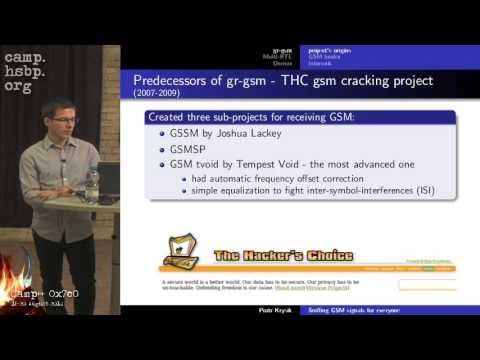
A while back we did a small write up on receiving and analyzing cellular GSM signals with the RTL-SDR. Now blogger Domi has taken it further and has done an excellent big write up on his blog showing how to receive, decode, and also decrypt your own cell phone GSM signals with the RTL-SDR.

Domi’s big write up is split into four posts. It starts with an introduction to GSM, then focuses on setting up the environment and required software, then uncovering the TMSI (step to be released later), and then finally shows how to actually receive and decrypt your cell phone data such as voice and SMS messages.

GSM Decoding with Airprobe and Wireshark and RTL-SDR
GSM Decoding with Wireshark

SDR Touch 1.7 Public Beta Released

The programmer of the Android based software defined radio app SDR Touch has released a public beta of version 1.7. The programmer writes that the new features include

New multi-threaded core, native audio support, experimental x86 support is included as well. Although most changes are under the hood (the release is build for performance boosts), probably the most obvious non-performance enhancement is FM STEREO.

If you intend to install the beta you will need to first uninstall your existing version of SDR Touch, which will cause you to loose any presets you may have set. The programmer warns that this version may be unstable as it is in beta.

You can download the beta from http://sdr.martinmarinov.info/beta/AndroSDR17beta.apk

Wavesink: New Android RTL-SDR App for FM/RDS/DAB/DRM+

Wavesink is a new SDR Android App, which allows your RTL2832U based dongle to receive FM radio with RDS, Digital Audio Broadcast Radio (DAB) and VHF band Digital Radio Monodial (DRM+). DAB+ support is also to be released by next week, and a station memory will also be added in a future release.

The app is currently in beta development, and only the trial version is released, which will allow you to use the app for 5 minutes at a time. They indicate that the commercial version will be out soon.

To use this with your Android device, you will need a USB OTG (On the Go) cable, and your device must support USB host mode, which most Android devices above 3.1 should support.

I gave the app a quick spin in FM mode, and found that the interface was a little clunky, but the app worked fine, and the FM and RDS signals were decoded correctly.

wavesink

RTL-SDR on the Nokia N900

Over on the maemo.org forums, user xes has written a post explaining how to get the RTL-SDR working on the Nokia N900 mobile phone. The Nokia N900 runs a modified version of Linux known as maemo, and so is able to use the RTL-SDR drivers with some modifications. Attached to the post by xes are the N900 compatible RTL-SDR drivers, GNU Radio 3.6.2, GQRX and also MultimonNG.

Nokia N900 running RTL-SDR

SDR Touch Updated to Version 1.6

Version 1.6 of the popular Android based RTL-SDR software defined radio software, SDRTouch has been released. News comes via this forum post.

This release adds the following

  • Waterfall
  • Speed optimizations
  • Fixed squelch clicks
  • Fixed a few crash cases

They have also made the FFT engine about 3 – 4 times faster than in previous versions.

Download it from the Google Play store

sdtouch

Portable RTL-SDR Running on Raspberry Pi

Over on Reddit user olgierd has posted a video on this thread showing his work on developing a portable software defined radio based on an RTL-SDR R820T, the rtl_fm software and a Raspberry Pi with LCD screen. The software is based on rtl_fm which has the capability to demodulate FM/AM/SSB signals. His video shows him tuning to various signals using a tuning knob.

Note that his setup is capable of playing the audio, but it is not shown in the video as he only had earbuds connected. In the future he hopes to make it more portable by adding a li-ion battery.

SDR Touch Updated to Version 1.5

Version 1.5 of the popular Android based RTL-SDR software, SDRTouch has been released.

This new version adds presets, which is useful if you intend to use SDR Touch as an in car Android based radio.

The DMCA claims made on the software earlier also seem to have been resolved, meaning that SDR Touch can be obtained from the Google Play market once again.

SDR Touch Updated to Version 1.4

SDR Touch, the popular software defined radio android app for rtl-sdr has been updated to version 1.4.

This version brings improvements to the LSB, USB and AM reception capabilities, some GUI tweaks, and pinch to zoom capabilities for fine tuning.

The latest version of SDR Touch can be downloaded here, and a discussion on the new improvements can be found here.