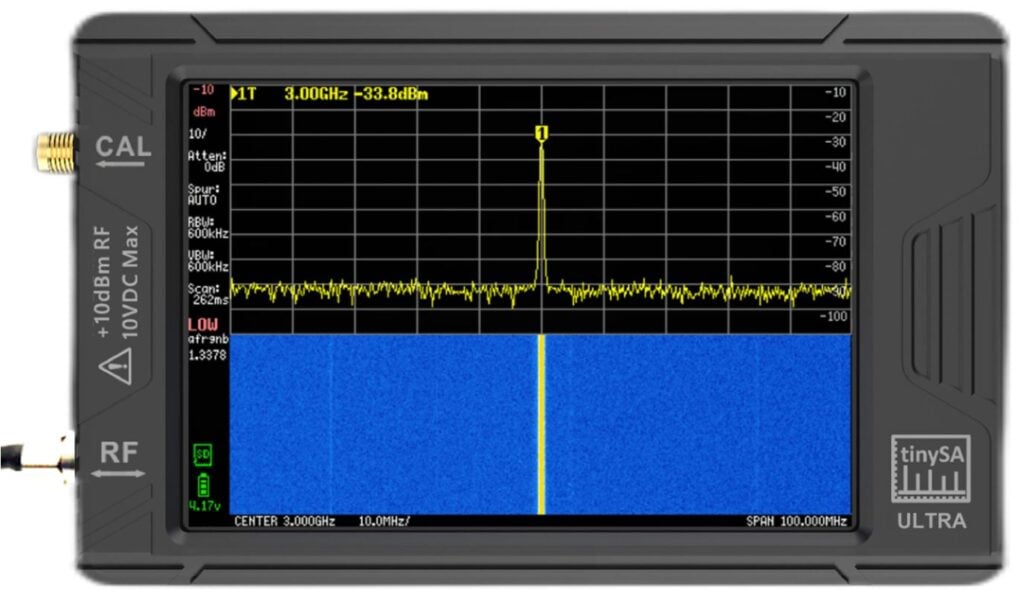
A few weeks ago the tinySA Ultra was released. This is a spectrum analyzer capable of operating between 0.1 - 800 MHz, or 0.1 MHz - 6 GHz with the 'Ultra' mode enabled. A spectrum analyzer is a tool that allows users to visualize signals on the radio spectrum.
Previously the standard tinySA was released back in 2020. The Ultra version brings enhancements to the frequency range, signal generator range, bandpass filter range as well as an optional 20dB LNA, and a larger 4 inch color display.
The TinySA Ultra costs US$119 + shipping direct from the Aliexpress store in China, or $129.95 from R&L in the USA (currently out of stock). The full list of resellers can be found at https://tinysa.org/wiki/pmwiki.php?n=Main.Buying.
We wanted to thank RTL-SDR.com reader Ben for providing us with links to a bunch of reviews of the tinySA Ultra which we are posting below.
During September 26 - 30 GNU Radio Conference 2022 was held in Washington DC. GNU Radio Conference (aka GRCon) is an annual conference centered around the GNU Radio Project and community, and is one of the premier software defined radio industry events. GNU Radio is an open source digital signals processing (DSP) tool which is used often with SDRs.
A few days ago videos of all the presentations were released on their YouTube channels, and all the talks can be found on this playlist. The videos contain a mix of in person and remote talks. A schedule of all talks can be found on the GNU Radio website.
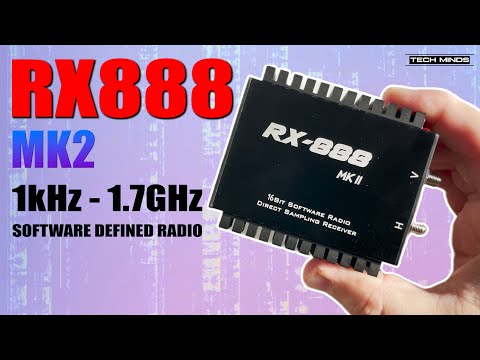
The RX888 MK2 is a software defined radio with 1 kHz - to 1.7 GHz tuning range and up to 64 MHz of real time bandwidth between 1 kHz and 64 MHz and 10 MHz real time bandwidth between 64 MHz - 1.7 GHz. It is available on sites like Aliexpress for about US$170.
Previously we posted about how a number of SDR software developers issued a warning about the RX888, noting that it has very poor driver support, and very poor developer support.
However, in his video Matt reviews the RX888 MK2 and has a favorable opinion of the device. The video begins with an overview of the RX888, shows the driver installation process and then demonstrates the device operating in SDR Console V3 in HF reception mode.
The Red Pitaya is advertised as an open source electronics laboratory instrument, but as it's essentially a software defined radio with built in computing hardware, custom software can be installed allowing it to function as an HPSDR compatible RX/TX capable SDR.
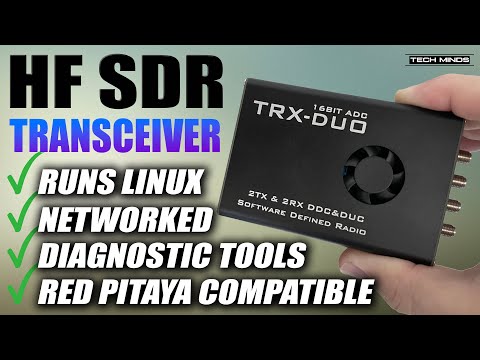
The TRX DUO is a "Red Pitaya compatible" device that comes at a price significantly lower that the Red Pitaya. Its specifications are comparable to the Red Pitaya SDRlab 122-16 which in the official website goes for 625,00€ / US$622. In comparison the TRX DUO can be found on marketplace sites like Aliexpress for almost half price at US$320.
The TRX-DUO has a tuning range from 10 kHz to 60 MHz, 16-bit ADC and 2-RX and 2-TX channels. It also has a built in ARM Cortex A9 processor, and Xilinx Zynq 7010 FPGA SOC. The built in computing means that decoding software can be run directly on the device if desired.
Matt from the TechMinds YouTube channel has recently tested and reviewed the TRX-DUO in his latest video. His video goes over the specifications, software installation, and a demonstration of it receiving HF signals. He goes on to show how it can be used as an 8-band WSPR monitor, and how you can enable WiFi on it and download various Red Pitaya apps.
Matt also notes that the transmit power of the TRX-DUO is very small at 2.5 mW, but of course an external amplifier can be used to boost this. However, it is important to note that band filtering would be required for the emissions to be safe to transmit.
TRX DUO APPLICATION BASED HF SDR TRANSCEIVER (RED PIYATA)
Videos of talks from the Software Defined Radio Academy 2022 (SDRA22) conference have recently been uploaded to YouTube. SDRA22 was held during the HAMRadio World Fair in Friedrichshafen, Germany during June 2022. The talks include topics on:
Usage of SDR in a contest
HackRF Supercluster
PLLs in software defined radios
M17 Project: A new digital voice mode for VHF and up
RM Processor to Xilinx FPGA Connection for SDR
User-Assisted Spectrum Labeling
The perfect HF Receiver. How would it look like today?
FutureSDR: An Async SDR Runtime for Heterogeneous Architectures
Thank you to Joel Moser who has submitted news about his teams scientific research work at Soochow University in Suzhou, near Shanghai, China which makes use of RTL-SDR Blog V3 dongles in their research to replace bulky and expensive analysis equipment such as a lock-in amplifier, a vector network analyzer, or a spectrum analyzer. Their results show that an RTL-SDR can produce results as good as those more traditional pieces of equipment.
The researchers have also provided a summary video, which helps explain the science in an easier way. In a nutshell, as far as we understand it, they first use a laser optical interferometer to measure the graphene nanomechanical resonator, and then connect the output of the interferometer to the RTL-SDR, where the signal can be measured on a PC, and then easily put forward to further DSP processing in GNU Radio.
One interesting result is that they were able to recover very clear audio from the graphene nanomechanical resonator using the RTL-SDRs. This is highlighted in the video from around 4:25. Also provided via their website are two audio files demonstrating a clear reading of a Shakespeare sonnet, and a musical.
Our project is about detecting weak vibrations in nanomechanical resonators based on graphene drums. Graphene is an atomically thin membrane of carbon atoms. Graphene drums are made by suspending the membrane over an array of cavities nanofabricated in silicon oxide. Vibrations of the membrane are driven using a capacitive force at frequencies ranging from 10 to several hundreds of MHz. The detection of vibrations is done by optical interferometry, with the electrical output of our photodetector connected to a radio frequency measuring instrument. Usually, the measuring instrument is a lock-in amplifier, a vector network analyzer, or a spectrum analyzer, which are all rather bulky and expensive systems.
In our work, we demonstrate that graphene nanomechanical vibrations can be adequately measured with RTL-SDR v3 dongles. We find that the quality of our dongle-based measurements is as good as that of measurements made with a low noise spectrum analyzer, provided the driving force is not too small.
We take full advantage of your dongles by measuring the amplitude of two vibrational modes in parallel. For this, we split the output of the photodetector and connect it to two dongles. Measuring multiple modes in parallel is very valuable for nanomechanical sensing applications, as more information can be extracted compared to single mode measurements. However, this is a challenging task that requires several instruments collecting data in parallel. Here, we demonstrate that a composite of SDR dongles offers an alternative that is remarkably simple and inexpensive per frequency channel.
Finally, we show that our software-based instrument can be employed to demodulate human voice encoded in nanomechanical vibrations. For this, we drive vibrations with a frequency modulated force. As a baseband signal, we alternatively use a Chinese song performed by one of us, poetry by Shakespeare, and an excerpt from a musical.
We are now improving our measurement setup by synchronizing the clocks of several RTL-SDR v3 dongles to measure vibrational modes coherently. We are also greatly interested in employing your KrakenSDR for even better and cleaner multimode nanomechanical measurements.
A recent paper about our work can be freely accessed here:
Audio files for our demodulated nanomechanical signals can be found at the same address, but they are buried in a supplemental material (media) folder. Alternatively, the paper and the audio files can be found here:
The RX888 is a $200 software defined radio that has a 16-bit ADC and tuning range from 1 kHz up to 1.8 GHz, with a bandwidth of up to 64 MHz between 1 KHz to 64 MHz and 10 MHz between 64MHz - 1700MHz. The design is based on the RX-666 which is turn was based on Oscar Steila's (IK1XPV) BBRF103 original open source hobby design. The product is designed and manufactured in China and is sold on Aliexpress and eBay without any official company backing it.
While on paper, the RX888 has great specs and a great price, it appears that the software driver support from the manufacturer has been extremely poor, and no one has really been able to get this SDR working in practice without it constantly throwing errors and locking up.
@Aang245 & @Ryzerth are the developers of the popular open source SDR programs 'SatDump' and 'SDR++'. They often get queries to support the RX888, but have been unable to get much working due to broken drivers and no support from the manufacturer.
In the document Aang245, author of SatDump, discusses the technical problems he's been having with the library and drivers, noting that almost all of the library drive code is broken, leaving him unable to support the device in his software.
When actually attempting to use the library on any of my machines, pretty much nothing would work reliably, and even when streaming samples would work, gain control, frequency or simply loading the firmware would fail horribly.
Later, I tried instead using the ExtIO code, maintained by the original project maintainers. By then, libsddc mentioned above had been merged into that main repo. Seemed great… Until I tried to use it. To put it simply : It was bad before, but now it relied on an entire ExtIO, segfaulted seconds after trying to do anything, and of course what worked before didn’t even anymore.
A good reason for that is that when the library was “merged”, it instead was made to rely on ExtIO internals, with barely half of the functions even implemented or working...
...In summary, it just feels like the BBRF103 hobby project commercialized without any thoughts about consequences or the ecosystem, and not even usability. Same hardware, usually sold as a premium, but really just a bunch of parts hacked together.
Ryzerth, author of SDR++ then adds the following reinforcing viewpoint:
The code quality in the library was absolutely horrendous. Functions were unimplemented, stuff was hardcoded everywhere and it was just generally hacked together. Same goes for the firmware, it seems to be a barely modified “streaming” example from Cypress (the FX3 chip manufacturer)...
...I have tried multiple times to reach back to the manufacturer on twitter but they have been radio silent since April 2022...
...Something else that bothers me is that SDR seems to be popular in the SWL community. A bunch of people recommend it when the performance can only be described as mediocre. Making a wideband HF frontend is an art, and you’re not gonna get any good result from something built down to a price like it. It’s a cool ham radio project, but not something that can be marketed as a commercial SDR. I’ve seen people claim that it has superior performance to Airspy and SDRplay SDRs, which is complete bullsh*t...
...This SDR has been unlike any other SDR I’ve had to support. Other manufacturers have clean APIs, proper drivers and libraries. It usually takes me at most a day or two to support the hardware properly. Being an “aliexpress special”, I guess I shouldn’t be surprised, you get what you pay for. All the money went into the BOM and none into the R&D and software.
This entire saga highlights the fact that software defined radios are not only about the hardware specs. The support and state of the drivers from the manufacturer is key to allowing third party developers to integrate the device into their software.
The SunFounder TS7-Pro 7-Inch Touch Display is a portable high resolution 1024x600 7-inch touch screen with space on the back for a Raspberry Pi 4 to be mounted. It is also possible to mount an optional 2.5" SSD and 'PiPower' battery mount. The price of the TS7-Pro is currently reduced to $79.99 on Amazon and $89.99 in their direct store.
Last year in October we reviewed the 'RasPad 3.0' another SunFounder product that is a portable tablet enclosure for the Raspberry Pi 4. The RasPad is a more complete setup offering a full enclosure and built in battery. We reviewed the RasPad as we were curious to see how easy it would be to integrate a RTL-SDR on the inside. With some minor modifications we were able to successfully do this and create a portable RTL-SDR station. The RasPad 3.0 is a more costly device at US$259 on Amazon and $219 on their direct store.
This year SunFounder reached out to us again and asked if we wanted to test their TS7-Pro display, and see if it is possible to integrate an RTL-SDR.
Unboxing and General Assembly
SunFound TS7 Pro Boxed
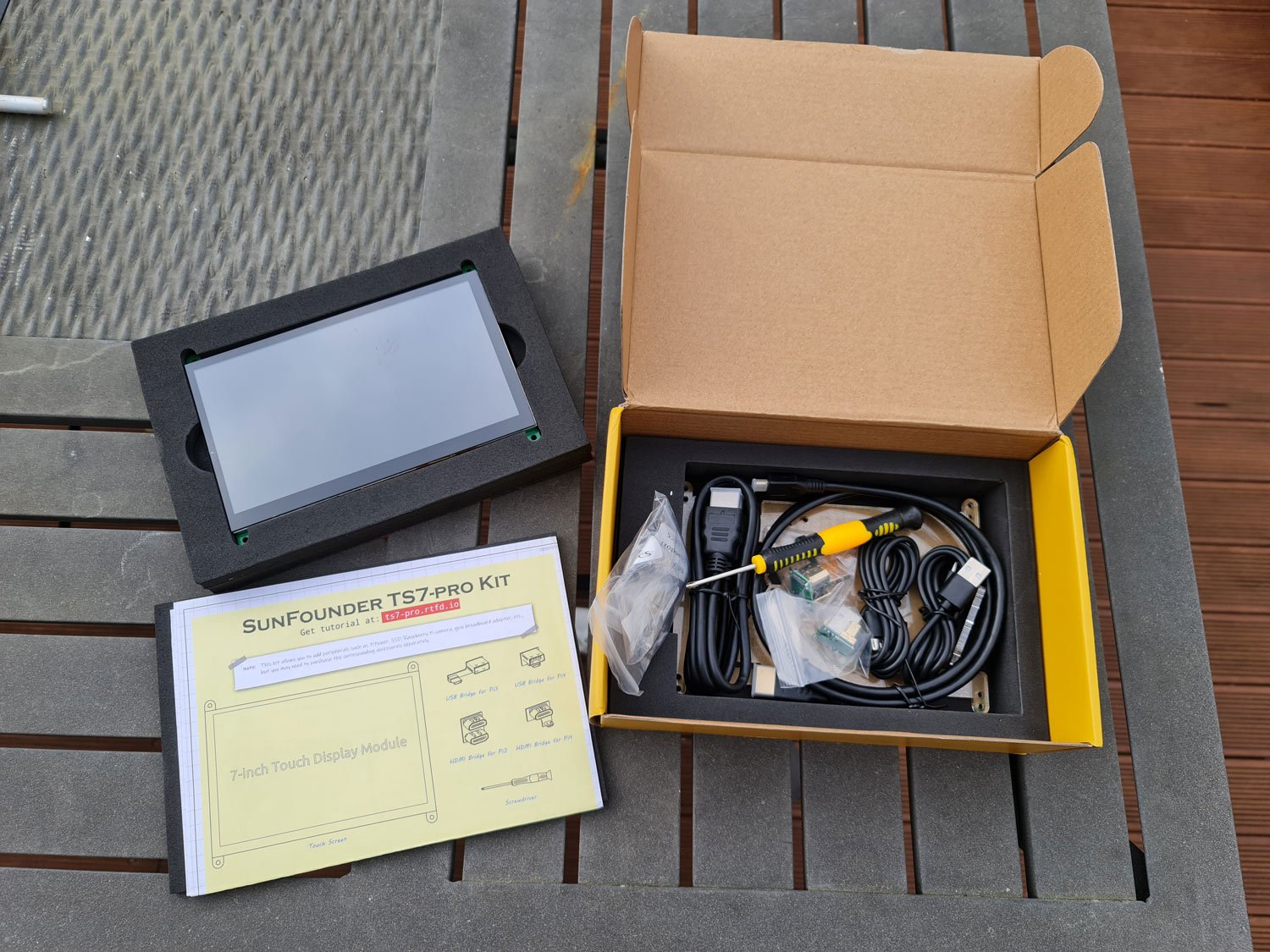
The TS7-Pro comes packed well with foam. Inside is the manual, acrylic cover, 2x HDMI and 2x USB cables, 2x USB-USB bridge adapter (one for the Pi 4 and one for the Pi 3), 2x Micro-HDMI to HDMI bridge (one for the Pi 4 and one for the Pi 3), various M3 screws, a screwdriver and the LCD screen itself. The cables are designed for people who want to use the screen as a suppletory PC screen, so we did not end up using them.
SunFounder TS7 Pro Unboxed
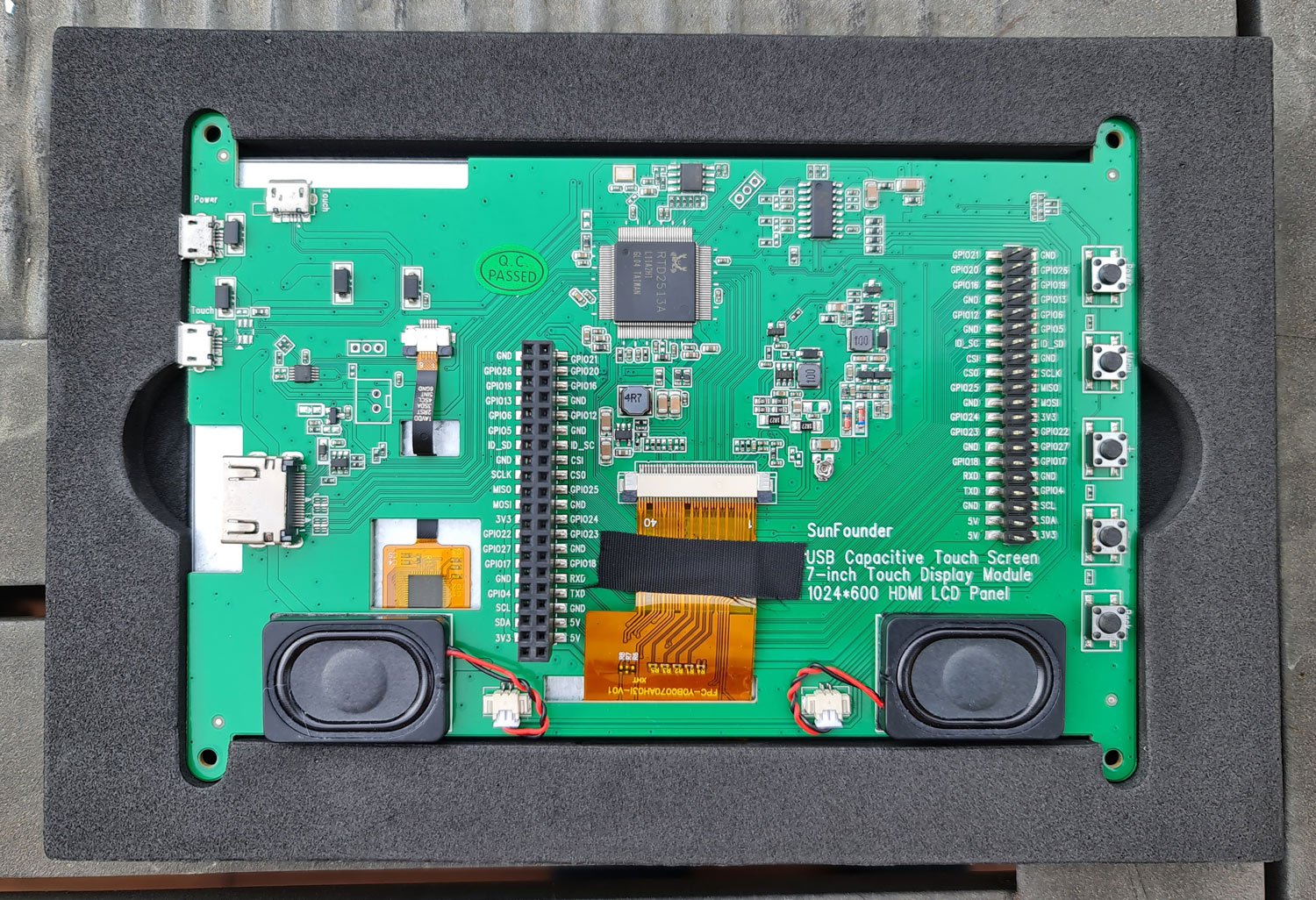
The rear of the LCD screen contains all the LCD driver circuity as well as speaker and mounting points for the Raspberry Pi to connect it's GPIO header. The required HDMI and USB connections between the Raspberry Pi and LCD screen are handled by small bridge connectors.
SunFounder TS7 Pro LCD Rear PCB
The assembly process is very simple. Just mount the Raspberry Pi on the back, connect up the HDMI and USB bridge adapters, and screw on the acrylic backing plate.
There is also a very useful metal kickstand on the back which allows the screen to sit almost upright for easy viewing when placed on a surface.
RTL-SDR Modifications
The acrylic backing plate is designed to be able to mount a 2.5" SSD and/or a 'PiPower' battery module. Instead of using these accessories we decided to see if we could instead fit an RTL-SDR Blog V3 and our own USB battery pack on the back.
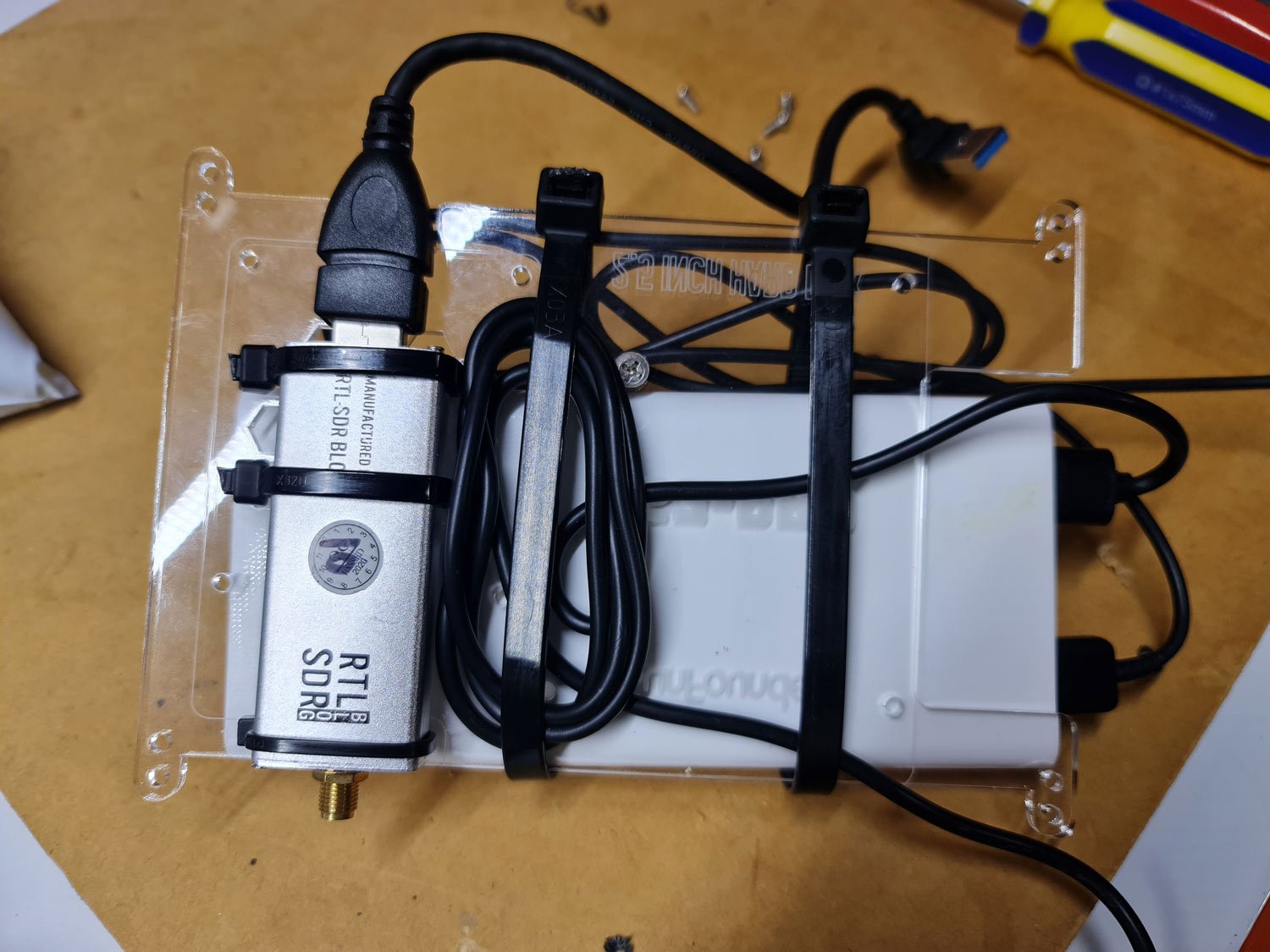
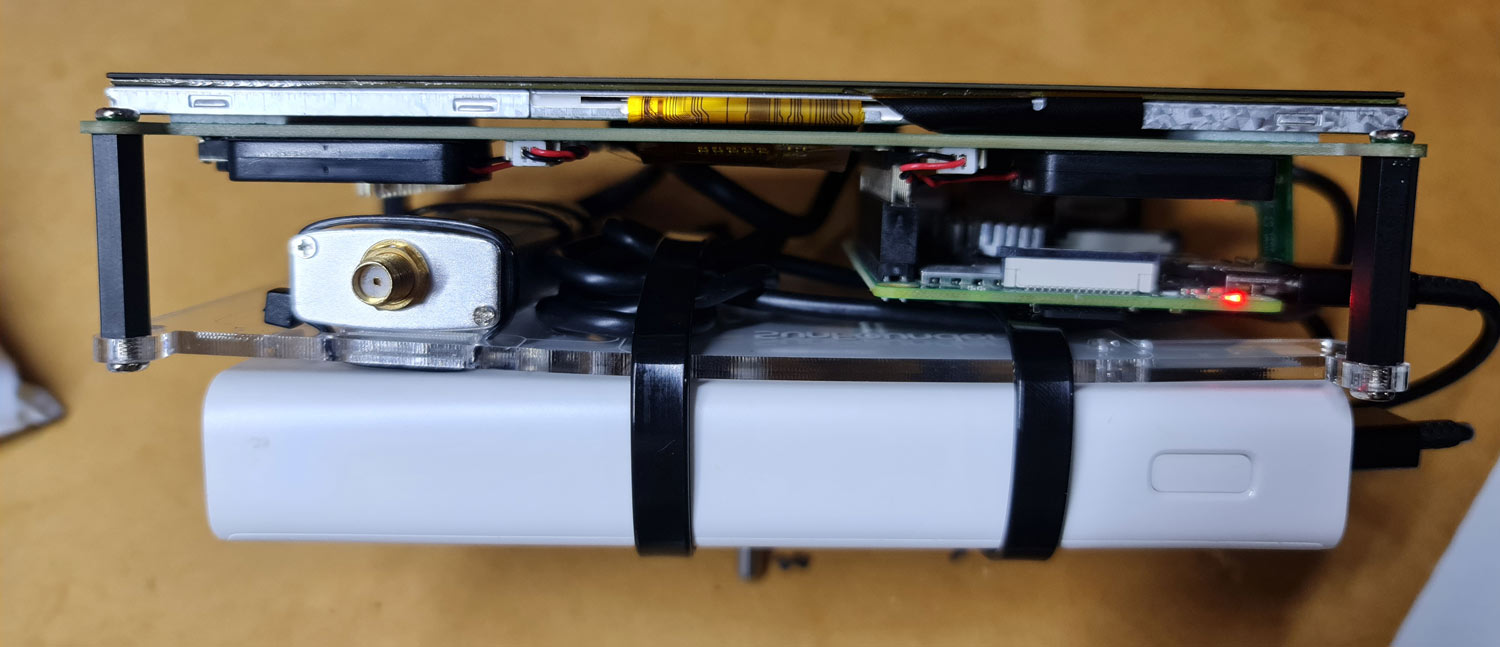
The acrylic plate has several screw and venting holes which we made use of to simply zip tie the RTL-SDR onto the back. We then used a short USB extension cable with a right angle connector between the RTL-SDR and Pi 4. There is plenty of space on the inside between the PCB and acrylic plate, so the RTL-SDR can be hidden away with the antenna port still easily accessible.
The USB battery pack is a bit larger, so fits on the outside of the enclosure also via zip ties.
Portable RTL-SDR with SunFounder TS7 ProShowing how much space is available between the PCB and acrylic plate.
After tightening down the zip ties, and hiding away the excess cabling, the whole construction is stable and not likely to fall apart easily.
Operating and Testing
Both the LCD screen and Pi 4 need to be powered separately. So you will need a battery pack that can support at least two outputs, and one that can support the required power draw of the Raspberry Pi whilst also powering the LCD screen.
We also initially connected a simple whip antenna to the RTL-SDR, but had to change that later as we will discuss.
RTL-SDR and Battery Pack Zip Tied to the TS7 Pro
For software we installed the Pi64 version of DragonOS, which is a ready to use Pi 4 image that has many RTL-SDR compatible programs built into it. A reminder that any software issues we discuss are unrelated to the SunFounder hardware.
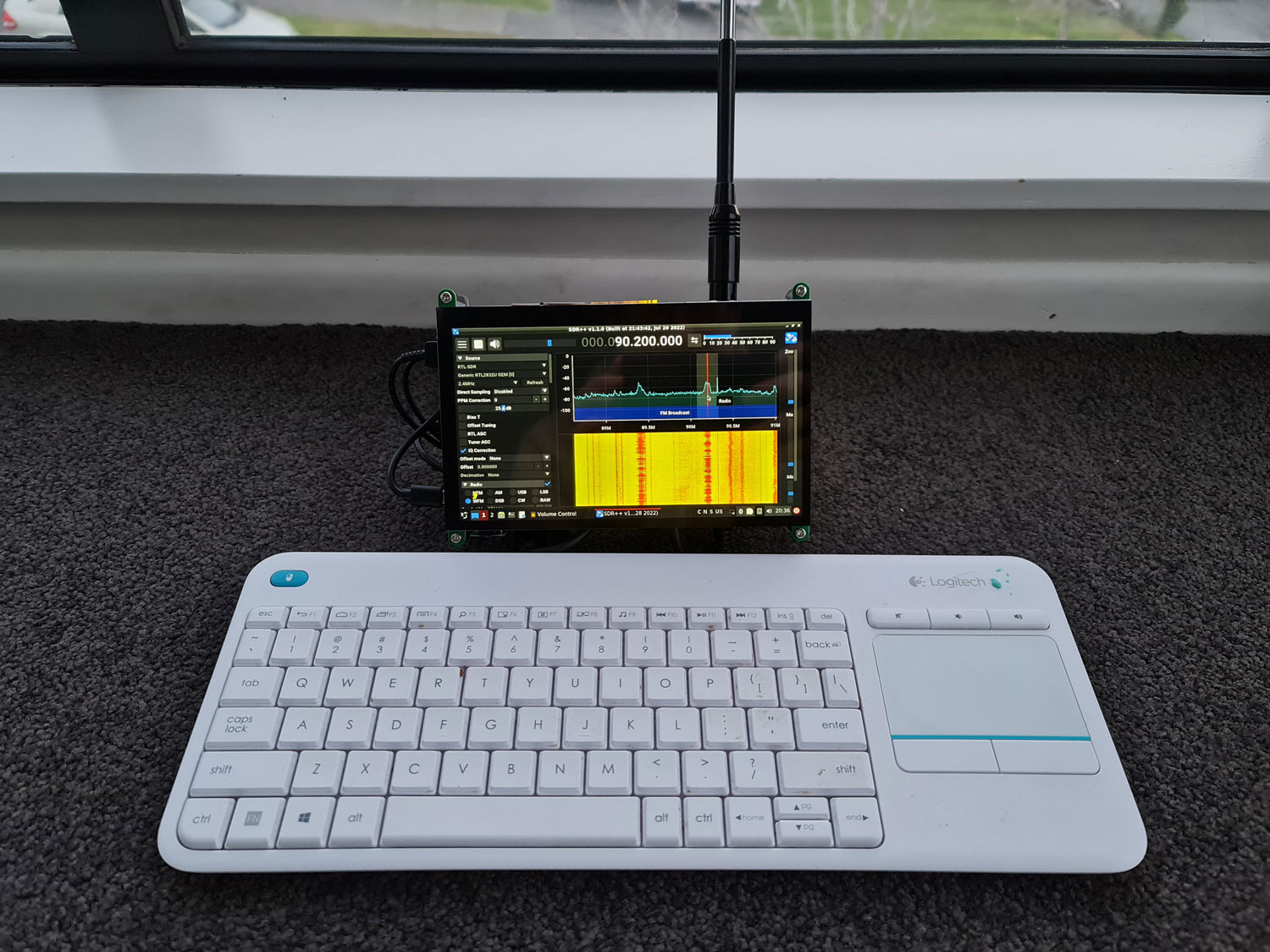
The touchscreen works as expected, however we did notice that there is an initial bug on boot where the onscreen keyboard won't work unless you try to log in once with an empty password first. However, as we discovered in the RasPad review, most SDR programs like SDR++ are not very well suited to touch screens, so in the end we ended up connecting a wireless keyboard for ease of use.
Using a keyboard ended up also being a requirement in our tests, because the way we mounted the RTL-SDR meant that the screen was upside down. Using the screen in this 'upside down' orientation was preferred as the kickstand makes it sit a bit more upright and keeps the antenna more vertical. To get around the upside down screen we had to flip the screen in Ubuntu settings. Unfortunately flipping the screen does not also flip the touch screen inputs, so our touch inputs became inversed. There seem to be ways to fix this but we did not look further into the issue.
One other minor annoyance is that we found that the LCD screen would not get recognized by the Pi 4 when the keyboard's USB dongle was connected at boot. This may just be a Pi 4 issue, or an issue with our power pack unable to provide enough current at boot, as we have encountered similar issues in the past with Pi 4's used in other projects. Once the first text appears on the screen, connecting the keyboard USB dongle is possible.
With a keyboard connected, SDR++ opened and ran smoothly, and looks great on the 7 inch screen. We note that we did have to apply a small configuration fix in the Ubuntu sound settings in order to get the built in speakers to work. The fix is the same one used in the RasPad review, so please see that review for more information.
With it's somewhat open back, cooling doesn't seem to be an issue and we never noticed the Pi 4 throttling, or the RTL-SDR overheating.
RTL-SDR TS7-Pro with Wireless Keyboard
LCD Screen Interference
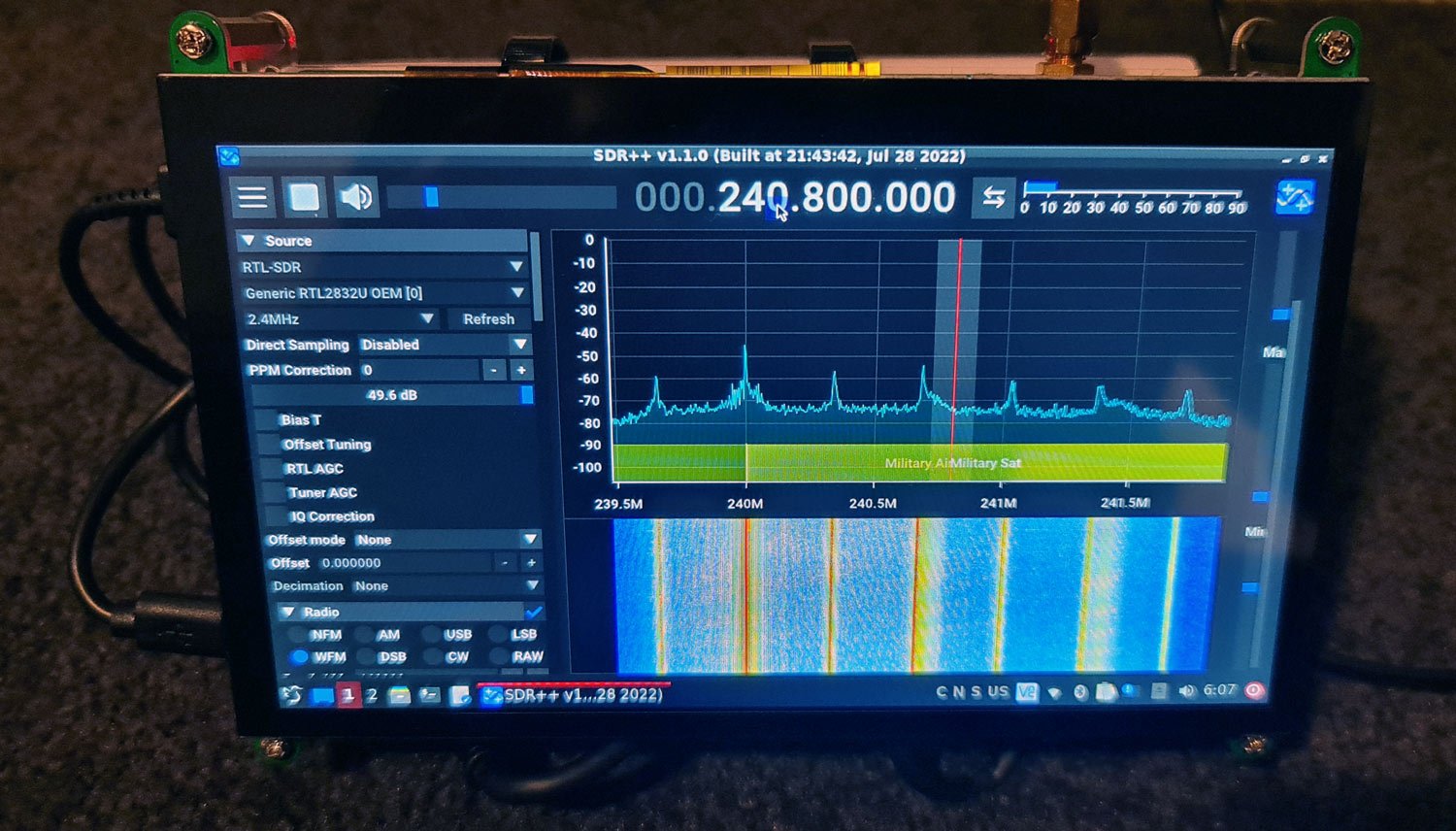
Again as we noted in the RasPad review, LCD screens are known to be big sources of RF interference and having the dongle and antenna this close to the screen electronics is not ideal. The image below shows what interference from the LCD screen looks like on the spectrum. Interference on the TS7 screen appears to be more pronounced when compared to the RasPad, possibly due to a different driver PCB with more exposed ribbon cables.
RF Interference from the TS-7 Pro LCD Screen
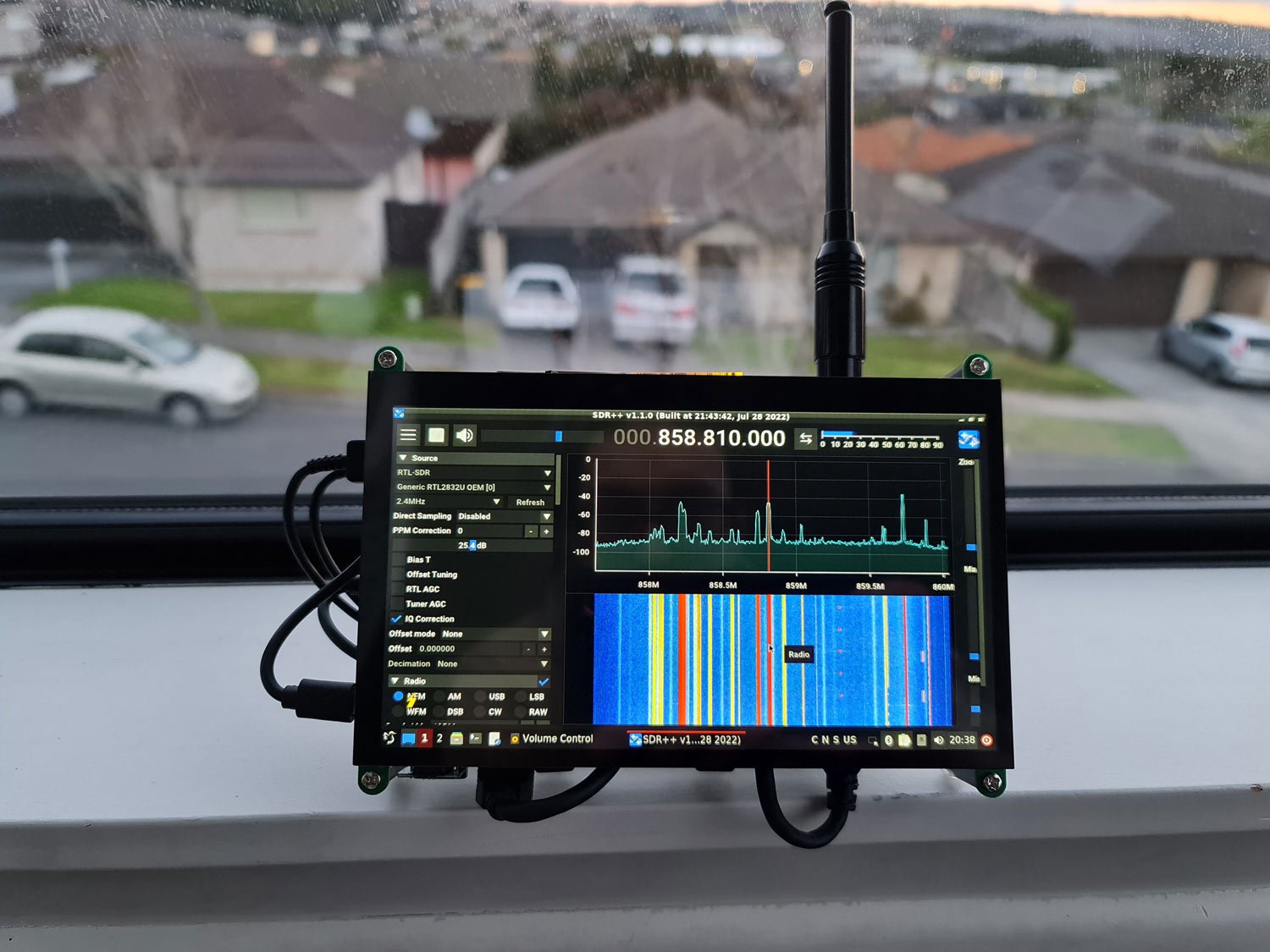
This interference is not present on all bands, and once an external antenna is used with a few meters of coax distance away from the LCD the problem reduces, but it doesn't go away fully. With an antenna disconnected there is almost no interference seen at full gain, so most of the interference appears to come through the coax cable and antenna. So we recommend using high quality shielded coax, as well as getting the antenna away from the LCD screen too.
Using a directly connected whip on a band with no LCD RFI
Conclusion
The SunFounder TS7 Pro is a nice and low cost product that allows you to easily connect a Raspberry Pi 4 to a touchscreen. Unlike the RasPad it does not come with a battery or enclosure, but this allows for a smaller form factor. The LCD screen itself is high quality, bright and with good viewing angles.
Hacking an RTL-SDR and battery pack onto the back of the SunFounder TS7 LCD display is easily possible and does result in a very nice portable form factor. However, there are still wires hanging out the sides which make it a little less neat to carry around and store away, although all the connections seem secure. Mounting the assembly into a 3D printed enclosure could help neaten things up.
LCD interference remains an issue, but by using an external antenna with a few meters of good quality shielded coax the problem can be managed.
Overall we think the product is an excellent starting point for any RTL-SDR Pi 4 project that requires a screen.
Disclaimer: We do not receive any compensation for this review apart from a free TS7 Pro.