Contribution involves running an ADS-B decoder like RTL1090, sending the decoded data to Virtual Radar Server (VRS) and then using VRS to rebroadcast the data to their Mode-S Logger software.
With the launch of Meteor M2-3, the loss of all prior Meteor M satellites and the release of new software, this tutorial is now outdated. We will eventually update this tutorial, but for now we will reference this post which has a brief high level overview of how to receive and decode images from the Meteor M2-3.
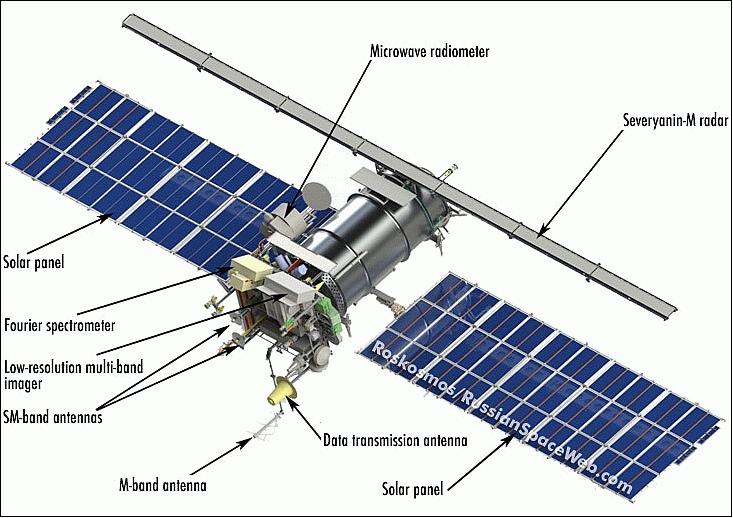
The Meteor-M N2 is a polar orbiting Russian weather satellite that was launched on July 8, 2014. Its main missions are weather forecasting, climate change monitoring, sea water monitoring/forecasting and space weather analysis/prediction.
The satellite is currently active with a Low Resolution Picture Transmission (LRPT) signal which broadcasts live weather satellite images, similar to the APT images produced by the NOAA satellites. LRPT images are however much better as they are transmitted as a digital signal with an image resolution 12 times greater than the aging analog NOAA APT signals. Some example Meteor weather images can be found on this page and the satellite can be tracked in Orbitron or online.
The RTL-SDR and other SDRs like the Funcube along with some free software can be used to receive and decode these images. LRPT images from the Meteor-M N2 are transmitted at around 137.925 MHz, so any satellite antenna like those commonly used with the NOAA weather satellites can be used.
NOTE:Meteor M1 has come alive, (now offline again), so the frequency of Meteor M2 was changed from 137.1 MHz to 137.9 MHz.Meteor M1 is now at 137.1 MHz and can be received using the same steps as in this tutorial, though please note that images from Meteor M1 are not perfect since the satellite is tumbling.
Happysat, a satellite monitoring enthusiast has emailed us with a comprehensive tutorial showing how the RTL-SDR can be used to receive and decode these LRPT images (pdf warning) (txt file). The procedure is not quite as simple as with the NOAA satellites as it involves first pre-recording the transmission as a baseband I/Q file in SDR#, changing the sample rate in Audacity, processing the file with the Lrptrx.exe software, and then using Oleg's LRPToffLineDecoder (now called M2_LRPT_Decoder) to finally produce the image (in case the link is down for LRPToffLineDecoder/M2_LRPT_Decoder), try mirror here or here).
The tutorial also shows an alternative and faster Linux based method using some GNU Radio scripts, but with the final processing still done with Oleg's decoder in Windows.
Update:This newer post now shows a slightly faster way for receiving and decoding LRPT images on a Windows PC which does not require the use of Audacity.
Basic idea on Linux is to record an IQ wav file using:
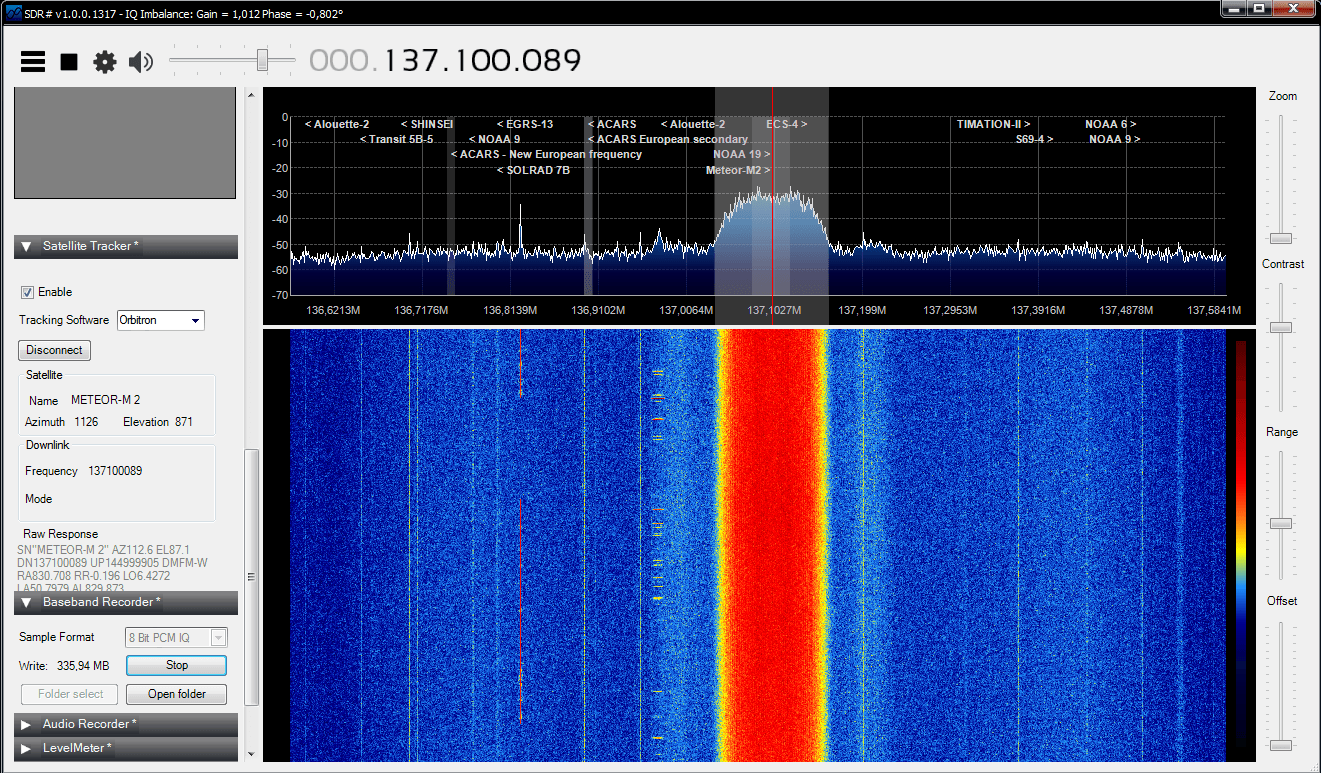
The Meteor-M2 SatelliteAn Example LRPT Image Received with an RTL-SDR from the Meteor-2 M2.Another Sample LRPT ImageWhat a LRPT signal looks like in SDR#
For a comprehensive book about the RTL-SDR you may be interested in our eBook available on Amazon.
In this episode of Hak5, a popular YouTube technology channel, Shannon shows how to use the RTL-SDR on Debian Linux. She shows how to install the RTL-SDR drivers from scratch if using a distribution without them pre-installed and also shows how to install and use rtl_fm, a command line FM demodulator.
WiFi Birdhouses and Linux RTL-SDR Setup, Hak5 1703
Micheal Ossmann, creator of the HackRF is starting an online video course on the topic of software defined radio (SDR). His course will cover GNU Radio and will help you to learn the fundamentals of digital signal processing. The first video has been released and in this video Micheal shows how to set up a broadcast FM receiver in GNU Radio.
To do the exercises in the course you will need a HackRF or other similar SDR radio. Most exercises involving reception only should be compatible with the RTL-SDR with some small modifications relating to things like the changing sample rate.
We at RTL-SDR.com have just released an Ebook for Kindle titled “The Hobbyists Guide to RTL-SDR: Really Cheap Software Defined Radio”. For the first few days we are selling it at a reduced price of $4.99USD (half price). If you are an Amazon Prime member you should also be able to lend it from the Kindle library for free. If you’re unsatisfied with the book remember that you can always refund it within 7 days of purchase.
The book covers many of the tips and tutorials found in this blog in a more in depth manner as well as containing many more new tutorials and RTL-SDR related information. Check out the table of contents in the sample for an idea of what the book contains. The content is mainly intended for people new to the RTL-SDR.
The popular trunking decoding software Unitrunker now supports the RTL2832U R820T RTL-SDR directly in its new version. This means that extra SDR receiver software like SDR# is no longer required to use Unitrunker.
In a normal radio system, one company (or talkgroup) might use a single frequency for radio communications. However, this is very inefficient as the frequency may not be in use for the majority of the time. In a trunked radio system, a small set number of frequencies are shared between a large number of talkgroups. Each radio receives a special computer controlled control channel. The control channel determines a vacant frequency that a particular talkgroup should use. This helps to make radio frequency allocations more efficient.
Because a talkgroup might switch between various frequencies often, it can make listening to a conversation difficult for radio scanners. Unitrunker can be used to decode the control channel and follow a voice conversation as it hops across various frequencies. With two RTL-SDR dongles you can set up a trunking receiver station with just Unitrunker. What follows below is a tutorial on how to set this up.
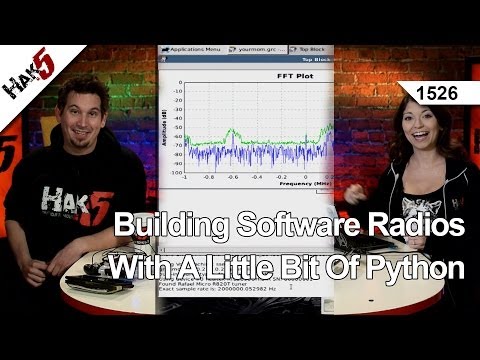
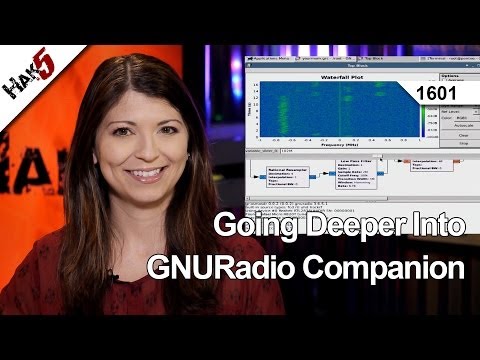
The popular YouTube technology show Hak5 has recently been posting videos related to software defined radio and more specifically RTL-SDR. Two of their recent videos are about an easy to follow GNU Radio tutorial for complete beginners. In the first tutorial they show how to add an RTL2832U source in GNU Radio and output it to a FFT Sink. In the second tutorial they go further and show how to build an FM Receiver.
Building Software Radios With A Little Bit Of Python, Hak5 1526
On Eric Williams YouTube channel Eric has posted a video showing how he records audio from his RTL-SDR using SDR# and Audacity. Although SDR# can record audio itself, the advantage to using Audacity is that you can set up Voice Activation (VOX), which will only record audio when someone is speaking or when a digital signal is active. This allows you to listen to a summary of communications at a later time.