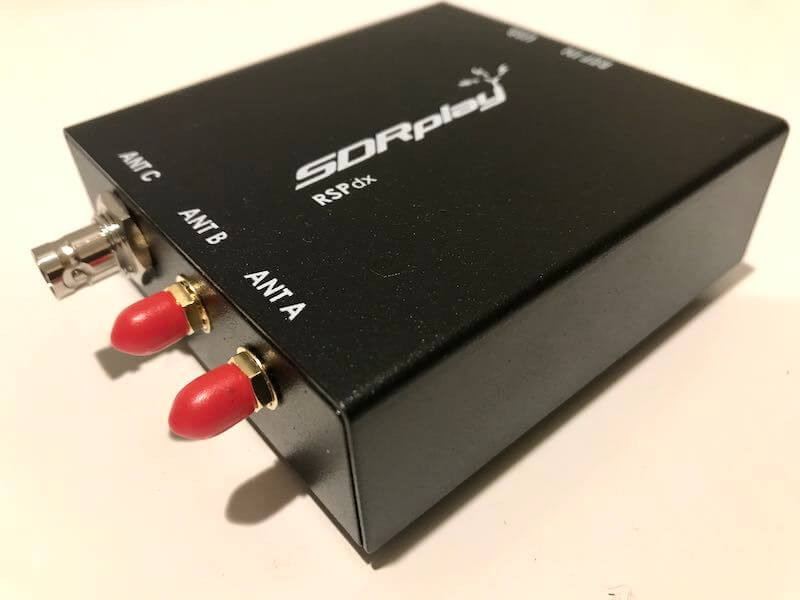
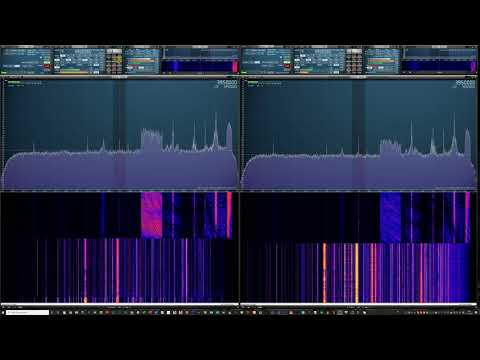
Thomas from the SWLing blog has been playing around with the recently announced SDRplay RSPdx and has come out with a comprehensive review of the unit. In the review he also provides some comparison videos on real signals between the RSPdx and other SDRs like the WinRadio Excalibur, and Airspy HF+ Discovery.
In the review Thomas notes that while having the advantage of being a wideband receiver, the predecessor to the SDRplay RSPdx (the SDRplay RSP2) was never able to compete with the similarly priced Airspy HF+ and Airspy HF+ Discovery units when it came to HF, MW and LW receiving performance.
But now with it's 0 to 2 MHz enhanced HDR mode activated, Thomas notes that the new RSPdx is majorly improved over the RSP2 in terms of sensitivity and selectivity on the medium wave bands. Thomas' tests also show substantial improvements in the shortwave bands.
KerberosSDR is our experimental 4-Tuner Coherent RTL-SDR product made in collaboration with Othernet. It can be used for applications such as radio direction finding and passive radar. Currently it's available for US$149 on the Othernet store.
The RDF Mapper software allows you to upload bearings from multiple devices distributed around a city to a public RDF server, and view all the bearings on any internet connected PC. This can allow you to quickly triangulate the location of a transmitter.
Normally you would use RDFMapper combined with an RDF42 to upload bearings, but we've written a simple script that can be used to upload bearings generated by a KerberosSDR onto the server. The RDFMapper software can then be used to visualize those bearings.
The script is based on Python, and can run directly on the Pi 3/4 or Tinkerboard that is running the KerberosSDR, or on another PC that can see the KerberosSDR bearing server if you prefer.
Instructions are available on the GitHub page. Simply set unique station names for each of your distributed units, entry your lat/lon and fixed direction bearing. Then on the RDF Mapper software open the 'Web upload/download' tab and add the unique station ID name. All the other tabs for connecting to a GPS and serial port can be ignored, as those are used for the RDF42.
This script will only work for stationary KerberosSDR units as the lat/lon is fixed. If you want to try radio direction finding in a vehicle, we recommend using our Android App for a better experience. If there is interest, we may also add support for the Android app to upload to an RDFMapper server for mobile bearing uploads.
Notes: RDFMapper runs on the system's default browser and it needs to run in either Chrome or Firefox to work. IE does not work. It also appears that Jonathan processes orders manually, so we just want to note that there may be a delay between payment and receiving the software.
RDF Mapper Software. Plotting bearing data from networked units.
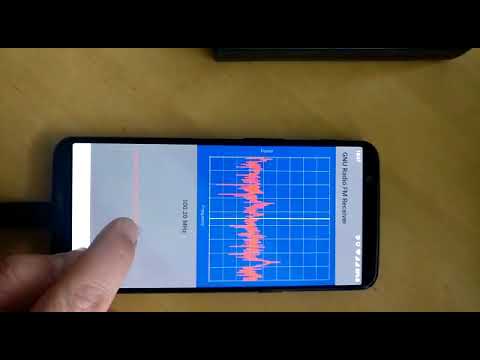
Over on Twitter and YouTube Bastian Bloessl (@bastibl) have been posting teaser shots and videos of GNU Radio 3.8 running on an un-rooted Android device. Unfortunately there doesn't yet seem to be any word yet on how he's been able to do this, but we guess that the details will all be released in due time, possibly on his blog.
GNU Radio is an open source digital signal processing (DSP) toolkit which is often used in cutting edge radio applications and research, and to implement decoders, demodulators and various other SDR algorithms.
GNU Radio 3.8 on un-rooted Android. Now with double-mapped circular buffers using Android shared memory. USRP B2XX support. Volk support including a Volk Profile Android app (thanks @albinstigo for the NEON kernels) and OpenCL acceleration w/ gr-clenabled (thanks @Ghostop141). pic.twitter.com/w2tdaRW4Mk
Over on YouTube the Scanner and Sdr Radio channel has uploaded a video comparing four different brands of HF wideband loop antennas using an SDRplay RSPduo. The loops he tested include the cheap Chinese MLA-30 (~$40), the Cross Country Wireless (CCW) loop ($70), Bonito ML200 (~$442) and the Wellbrook 1530LN (~$305).
The MLA-30 was slightly modified with the cheap coax removed and a BNC connector added. Each of the antennas used a wire loop with diameter of approximately 1.6m, except for the Wellbrook which has a fixed size solid loop of 1m.
The tests compare each loop against the Wellbrook which is used as the reference antenna. In each test he checks each HF band with real signals on the RSPduo and compares SNR between the two antennas.
The results show that the two expensive antennas, the Bonito and Wellbrook, do generally perform the best with the lowest noise floors, but surprisingly the MLA-30 actually performs very well for it's price point, even outperforming the Wellbrook reference on SNR in some bands. We note that some of the improvement may be due to the larger 1.6m loop size used on the MLA-30, compared to the 1m loop on the Wellbrook.
Also we note that it can be hard to compare antennas in single tests, because the differences in antenna radiation patterns could be favorable for some signals, and less so for others, depending on the location.
Over on YouTube the TechMinds YouTube channel has uploaded a review of our RTL-SDR Blog L-Band patch antenna which we recently released. TechMinds tests the antenna on a STD-C Inmarsat channel with the Scytale-C decoder, and on various AERO ACARS transmissions with JAERO. Later in the video he also tests the patch antenna on Iridium reception using the Iridium Toolkit software. In all tests the patch is able to suitably receive the signal with either an RTL-SDR or Airspy SDR.
We also wanted to make a note about an additional tip regarding polarization that many people using the antenna seem to have missed. As Inmarsat signals are LHCP polarized, it is important to not only point the antenna towards the satellite, but also to rotate the antenna to match the polarization until maximum SNR is achieved. The rotation can make the difference between strong signals and nothing received at all.
RTL-SDR Active L-Band Patch Antenna For Inmarsat / Iridium / GPS
We've also recently seen a user 'Bert' who has needed to boost the signal strength as he was running the patch inside and at a location in northern Europe with poor reception of Inmarsat. To boost it he simply added a metal horn over the patch made from an old aluminum box, and also a back plate reflector. He notes that this improved his SNR on AERO 10500 from 8 - 9 dB, up to 12 - 14 dB. He also tested using the patch on a dish antenna, and found very good results too.
Aluminum Horn Added to L-Band PatchL-Band Patch Antenna on Dish
The RAPIDS cuSignal project is billed as an ecosystem that makes enabling CUDA GPU acceleration in Python easy. Scipy is a Python library that is filled with many useful digital signal processing (DSP) algorithms. The cuSignal documentation notes that in some cases you can directly port Scipy signal functions over to cuSignal allowing you to leverage GPU acceleration.
In computing, most operations are performed on the CPU (central processing unit). However, GPU's (graphical processing units) have been gaining popularity for general computing as they can perform many more operations in parallel compared to CPUs. This can be used to significantly accelerate DSP code that is commonly used with SDRs.
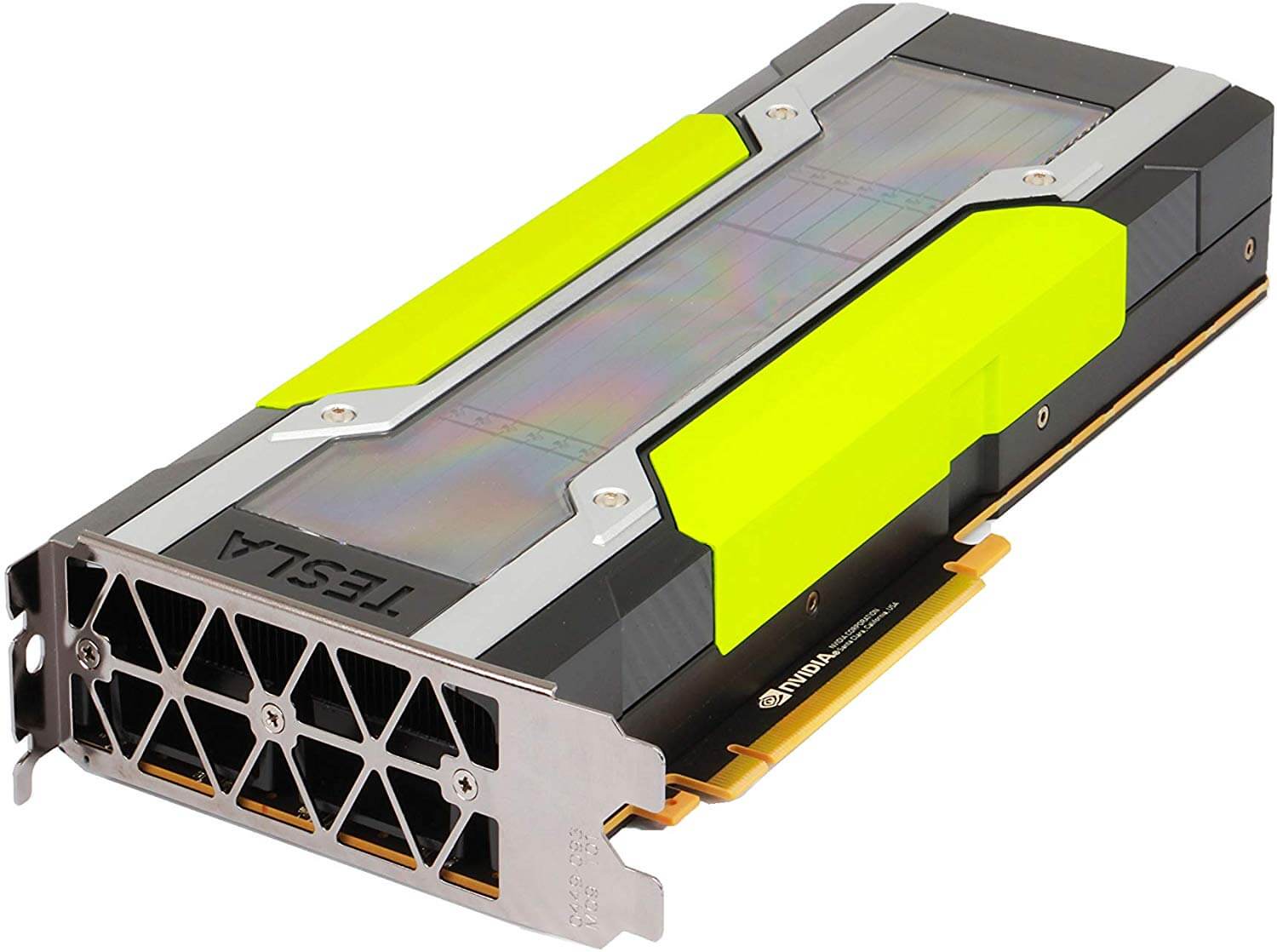
In particular the developers have already created a notebook containing some examples of how cuSignal can be used with RTL-SDRs to accelerate an FFT graph. There are various other DSP examples in the list of notebooks too. According to the benchmarks in the notebooks, the GPU computation times are indeed much faster. In the benchmarks they appear to be using a high end NVIDIA P100 GPU, but other NVIDIA graphics cards should also show a good speedup.
The cuSignal code is based on CUDA, so for any GPU acceleration code to work you'll need to have an NVIDIA based GPU (like a graphics card) with a Maxwell or newer core.
We note that in the future we'll be investigating how this could be used to speed up the passive radar algorithms that are used in the KerberosSDR. It may also be useful for running DSP code quickly on a $99 NVIDIA Jetson Nano single board computer.
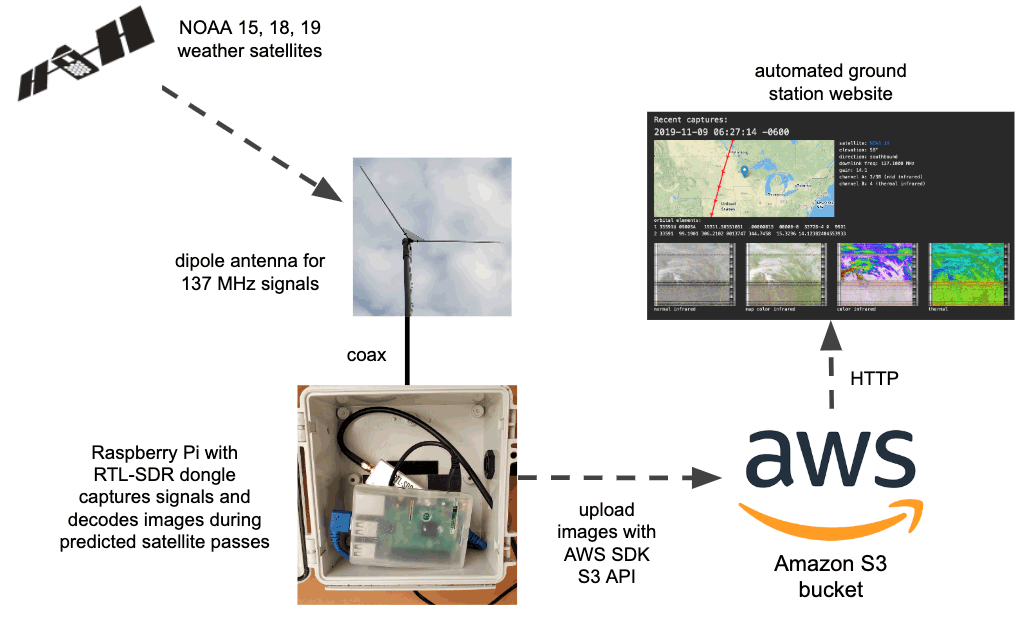
The tutorial starts by showing you how to set up your Amazon AWS credentials and bucket on the Raspberry Pi, and how to host a simple webpage that can be accessed publicly. The second stage shows how to set up the RTL-SDR drivers and wxtoimg which is used to decode the images. Finally, the third stage shows how to create the automation scripts that automatically schedule a decode, and upload images to the AWS bucket.
Flowgraph for an automated NOAA satellite weather image station.
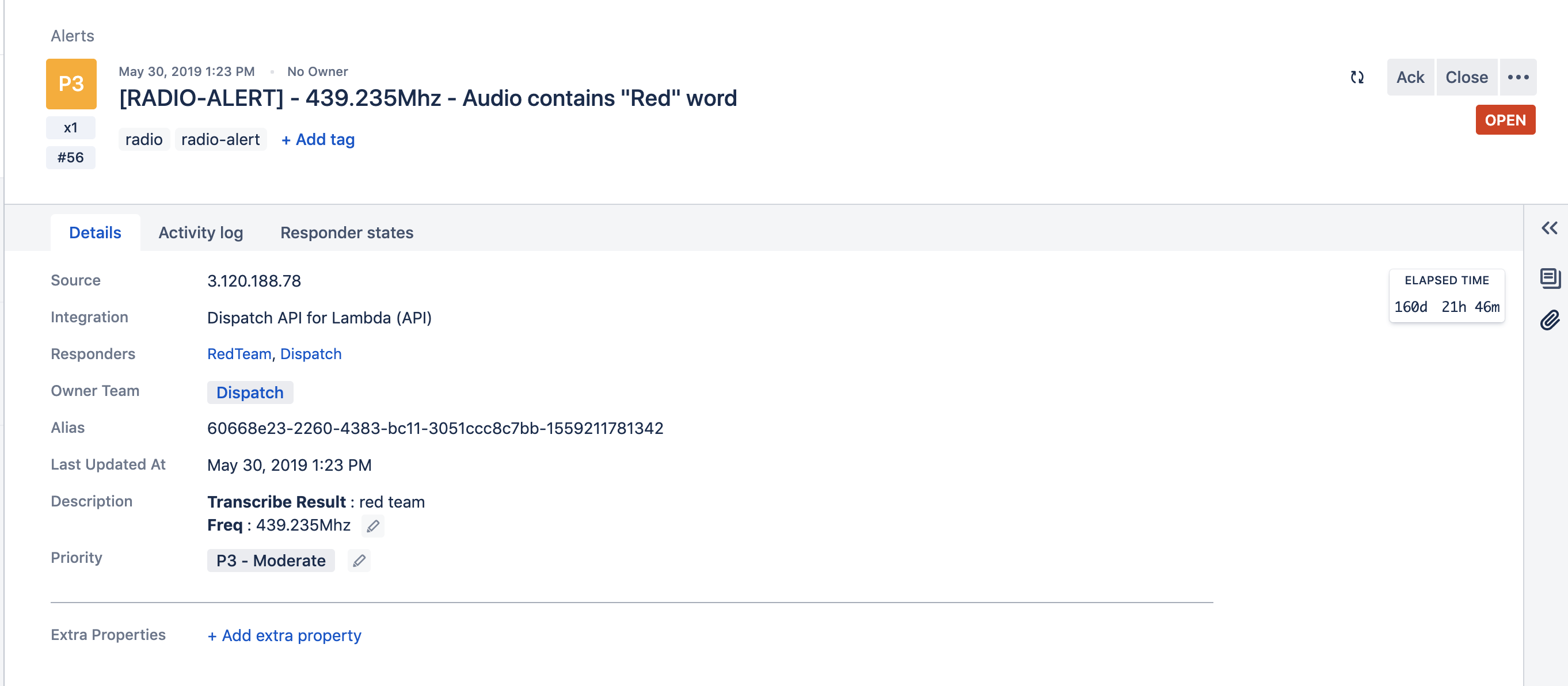
Atlassian Opsgenie Engineer Fahri Yardımcı has recently written up an interesting post that details how he's using Opsgenie and Amazon Transcribe to automatically create alerts when specific voice phrases are mentioned on a radio channel. For example, if the words "blue team" are heard on the radio, the system can automatically issue an alert with the spoken words to members of the blue team in an organization. Amazon Transcribe is a cloud based speech to text service and Opsgenie is a platform that is used for managing and delegating alerts from multiple IT or other computer systems.
The system works by using an RTL-SDR and the ham2mon software to scan, receive and record voice from multiple voice channels. Fahri notes that he modified ham2mon slightly in order to allow it to upload the .wav files to an AWS S3 server which then runs the Amazon Transcribe service to convert the voice into a text file.
To make an interesting use case, we have imagined this scenario: When we detect a phrase in predefined words, like “Help”, “Execute Order 66”, “North outpost is compromised”, “Eggs are boiled”, we want to create an alert in Opsgenie. Opsgenie can send notifications to users via various ways such as push notifications and calls.
Amazon Transcribe uses advanced machine learning methodologies, to convert an audio stream to a text. As mentioned before, ham2mon uploads to .wav files to S3 and a Lambda is triggered from S3 Events. Lambda calls Transcribe API and depending on the result, Lambda creates an Opsgenie Alert through API.
Fahri writes that his system also filters out small files that may just be noise, and files with voice less than 3 second long. He's also added a custom vocabulary to Amazon Transcribe with words commonly heard on the radio, as this improves the transcription algorithm, especially in the presence of radio noise.
The rest of the post goes into further detail about the specific cloud services used and the flow of the system.
Flow Graph of the Radio to Transcription SystemAn example alert from Opsgenie when the phrase "red team" was heard.