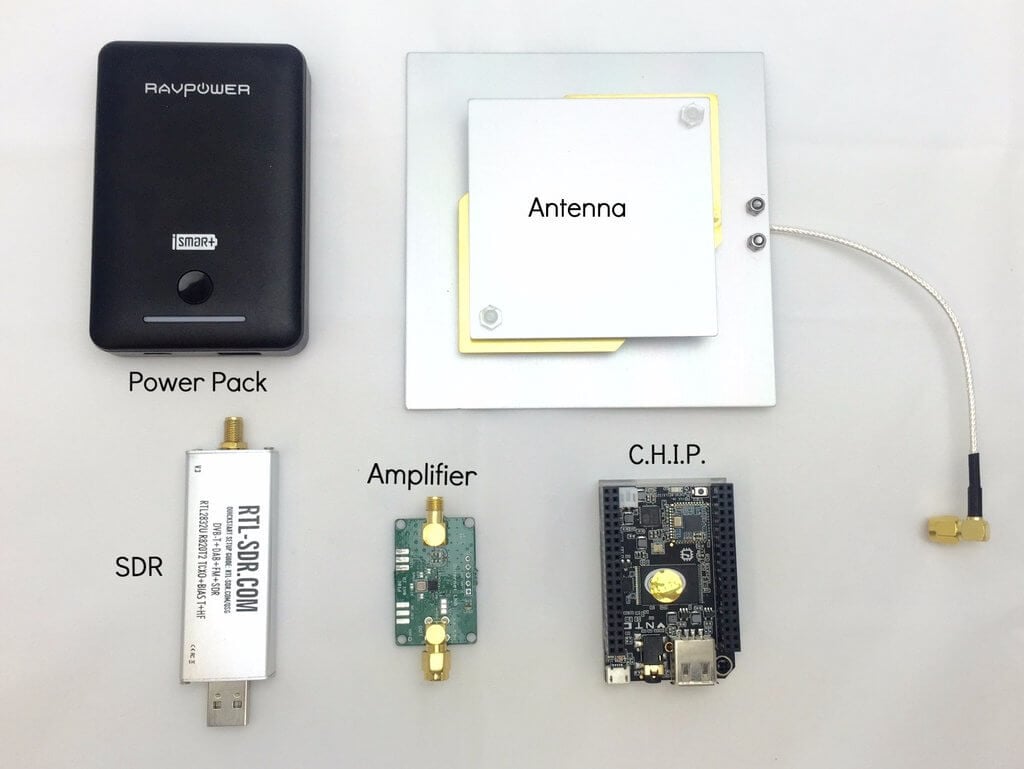
Outernet is an L-band satellite service that aims to be a “library in the sky”. They are constantly transmitting data such as up to date news, weather updates, Wikipedia pages, books, ISS APRS repeats and much more. Their DIY receiver kit consists of a lithium battery pack, L-band patch satellite antenna, LNA with built in filter, C.H.I.P mini Linux computer and an RTL-SDR E4000 or V3.
The DIY kit is normally priced at $99 USD, but right now they are running a 30% off Christmas promotion, bringing the price down to $69.30 USD. If you don’t need the battery pack, the sale price is then only $55.30 USD. This seems like a very good deal as normally just the patch antenna and Outernet LNA would be almost $50 USD in total.
To get the discount you must purchase directly from their store and use the coupon 30OFF. The promotion ends 31 December 2016 at 11:59 PM CST so get in quick.
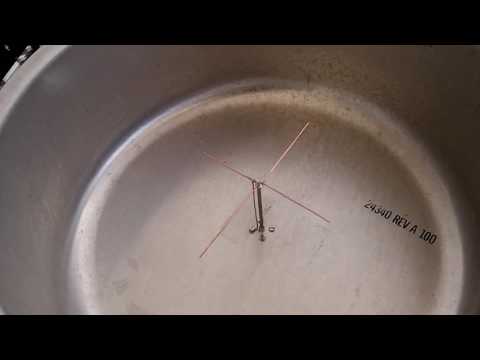
Over on YouTube Adam 9A4QV has uploaded a video showing us his home made cooking pot L-band antenna. The antenna consists of a large aluminum cooking pot which acts as a reflector and a cross-dipole inside the pot acting as the antenna.
The antenna is placed at a height of exactly 1/4 wavelength from the base of the pot, and the cross dipole wire lengths are 0.52 and 0.42 wavelengths long. They are different wavelengths as this achieves circular polarization. Adam writes that the gain should be about 4 – 5 dB’s better than a patch antenna.
The first video shows the performance of the antenna in SDR# when receiving the Outernet and Inmarsat/Alphasat L-band satellite signals indoors. Together with an LNA4ALL and RTL-SDR, Adam gets about 8 dB on the Outernet signal and 24 dB on AERO.
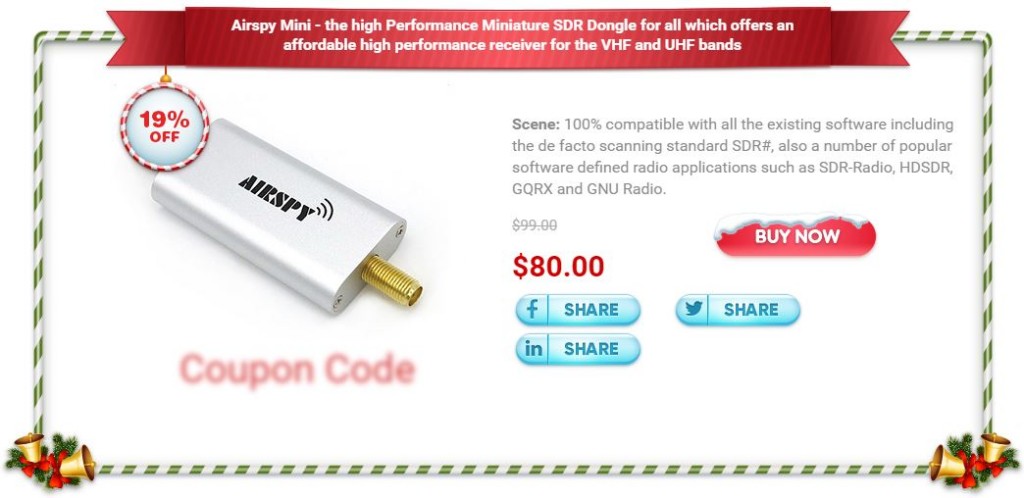
The Airspy Mini is a software defined radio with a tuning range of 24 MHz to 1800 MHz, 12-bit ADC and up to 6 MHz of bandwidth. It usually costs $99 USD and is the younger brother of the $149 USD Airspy R2.
Currently the manufacturer iTead is running a Christmas sale on the Airspy Mini. The sale price is $80 USD, which is a 19% saving. To get the sale price you need to click on the “Get coupon code here” link and then share the promotion to your Facebook, Twitter or LinkedIn account.
Update: They have given us a special blog coupon code “AS-RTLSDR-BLOG“. Just use this code at the checkout and it will apply the discount without the need to share.Edit: The blog coupon appears to have stopped working, an alternative one that is still working is “as3“.
The sale lasts from December 20, 2016 – January 3, 2017.
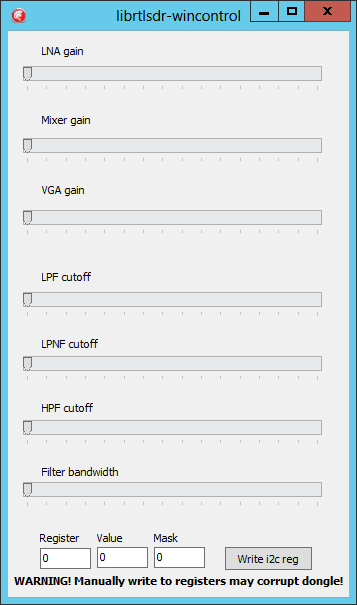
Last week we posted about Milen Rangelov’s (gat3way) new RTL-SDR driver which has exposed filter and gain settings for the R820T/2 chip. This should let you tweak for optimal reception much better. Previously the driver was only available for Linux, however, now over on SourceForge user randaller has ported this driver to Windows.
To use the driver in SDR# simply unzip all the files into the SDR# folder, then while using the dongle in SDR# open the librtlsdr_wincontrol.exe file to open the control interface. The interface also has the ability to directly write values to a register, which together with the newly released register datasheet, can be useful for experimenting with the R820T2 chip.
The description reads:
Unpack all files to SDRSharp folder, start SDR# playback, then run controller exe file. Do not forget to allow software to use UDP/32323 port in your firewall.
You may use this rtlsdr.dll with osmocom or other software, of course. It is fully compatible to original one.
There are UDP server on 32323 port inside of rtlsdr.dll. It accepts and answers \n-terminated strings and accept two easy commands: get and set register. Examples: g 5\n – will return value of R5 s 7 10 15\n – will set four lowest bits (mask 0x0f) of R7 with value 10 s 12 174 255\n – will write complete byte to R12 All values should be decimal. You may use this feature to develop own gui controller with beauty knobs.
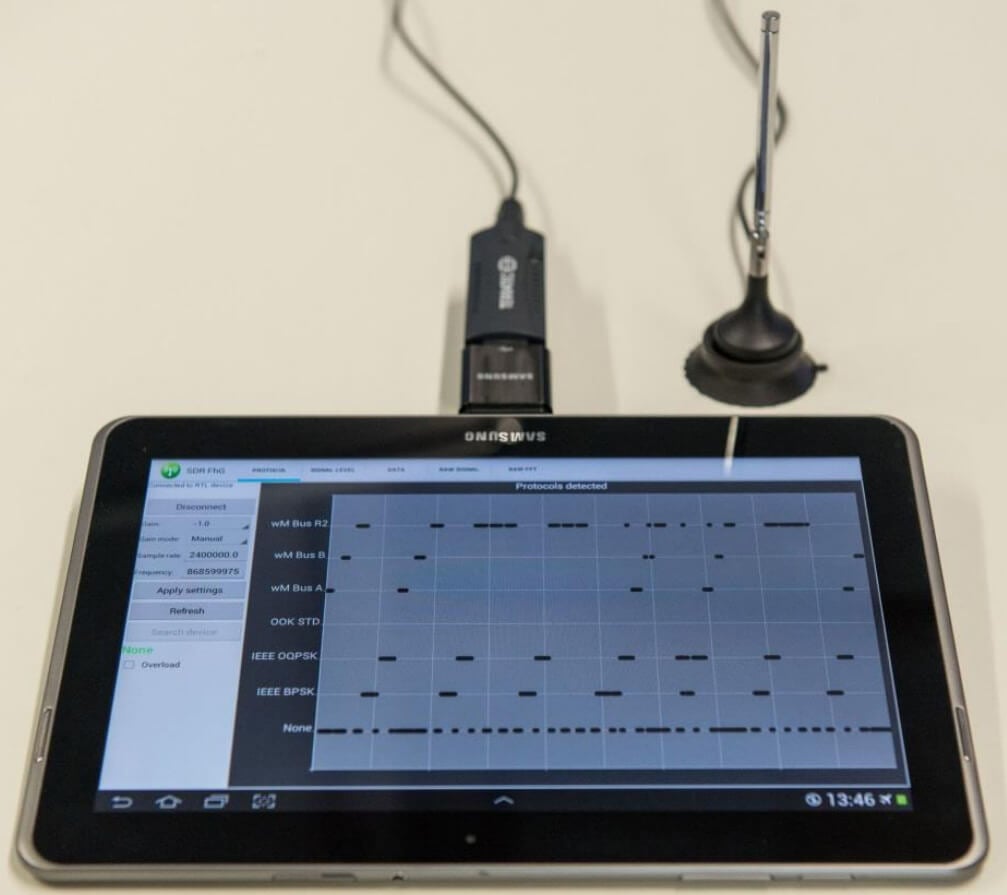
The software can automatically detect and recognize the wireless protocol being received. It can then be used to catalog what protocols are operating in a network, what frequency they are on and how active they are. That information can then be used for frequency and spectrum planning for new network setups. It can also be used for error diagnosis, intrusion detection and detection of interference.
Numerous applications like smart metering, home automation, building automation, demand side management, ambient assisted living and industrial automation require reliable and cost effective technologies for wireless data transmission. For this purpose the license-free European 868 MHz Short Range Device (SRD) frequency band is prevalently used. Many different and incompatible communication standards and RF-protocols simultaneously occupy this part of the frequency spectrum. Possible negative effects could be interferences, over-occupancy, data collisions and as a result data loss. Special attention must be paid whenever wireless sensor networks are planned or operated. Therefore, network specialists need powerful and flexible tools that provide insights into the wireless data traffic for network planning, operation, fault detection and error diagnosis. The Traffic Detective is such a tool which is easy to use and does not need any knowledge of the different network protocols.
The 868 MHz Traffic Detective is a software-based solution with a user-friendly graphical user interface for monitoring wireless data traffic. A cost-effective and commercially available DVBT USB stick based on a Realtek RTL2832U receiver chip can be used as an analog frontend. In addition to a PC-based implementation, the monitoring software is also available as an app for Android-based mobile devices.
The researchers behind the software have also released an academic paper describing the technology used in the system.
Unfortunately it seems that the app is not actually available for public download yet as we could not see any download links, or find it on Google Play. If you are interested in the app your best bet may be to contact the researchers by email directly.
Earlier in the month we showed a post where Mile Kokotov hacked together a $3 SDR frequency tuning knob out of a mouse and cheap rotary encoder.
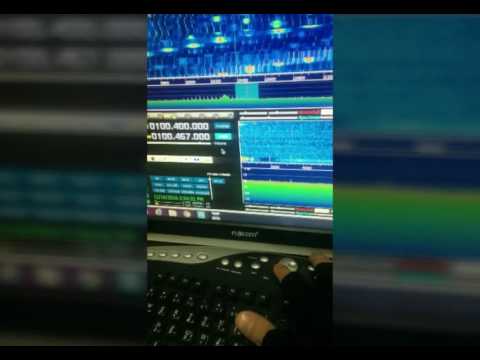
Now over on YouTube user m khanfar shows us another cheap solution. Instead of using a hacked mouse, m khanfar uses the volume wheel on his keyboard. Some keyboards have these extra multimedia action buttons and controls but not all. He simply uses a multimedia keyboard remapping program called MKey to map the volume wheel into a scroll wheel.
(HDSDR controller Tuning Knob)-Turn your keyboard volume scrolling button to Tuning Knob
Back when it was released in November we posted an initial unboxing and initial first impressions review of the ThumbNet N3 RTL-SDR dongle. In this post we continue that review and post a few more in depth results.
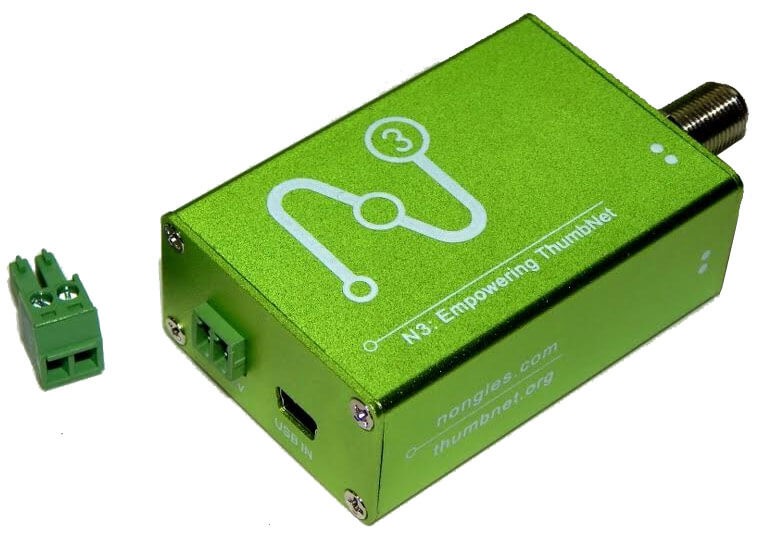
The ThumbNet N3 is the latest iteration of ThumbNet redesigned RTL-SDR dongles. It’s main features include a shielded PCB, metal enclosure, F-type connector, Mini-USB connector, all linear power supplies and an external power mode. It is designed specifically to be used in the ThumbNet system, but because they need to order the units in bulk they sell the excess off to other users too on their new site Nongles.com. The N3’s list of features is shown below.
Full backward compatibility with existing RTL-SDR dongles and software
High stability TCXO (+/-0.5ppm) (ensuring rock-solid stability from start-up and over a wide range of temperatures)
Standard R820T2 + RTL2832U (plus 24C02 EEPROM) chipset
Improved/enhanced decoupling. (Common-mode choke on USB port)
Low-noise, linear only power regulation (separate 1.2v and 3.3v regulators)
External DC (+5v, 450mA) supply connector
Mini-USB connection (allows easy separation of the RF unit from the noisy PC)
F type RF connector (very common and compatible with existing ThumbNet tracking stations)
Large (6x4cm) contiguous ground-plane (for better thermal dissipation)
Static drain-away resistor on the RF input (1K to ground)
All unnecessary parts (IR receiver, high-current LED etc.) eliminated to reduce parts count and noise
Circuit board can be mounted into a common 1455 case
ThumbNet/ThumbSat is a company that hopes to help experimenters get mini satellites into orbit starting from $20k USD. The ThumbNet project aims to provide hundreds of schools and educational institutions with RTL-SDR based satellite receivers in the hope that they will use them as an educational resource, and at the same time help set up a worldwide monitoring network, so that the live data from the launched satellites is always available to the satellite experimenters.
Back in July we posted a story by Mario Fillipi (N2HUN) who wrote an article about using the RTL-SDR to receive CB radio, and how while the CB radio heyday is over, there are still opportunities for good listening available today.
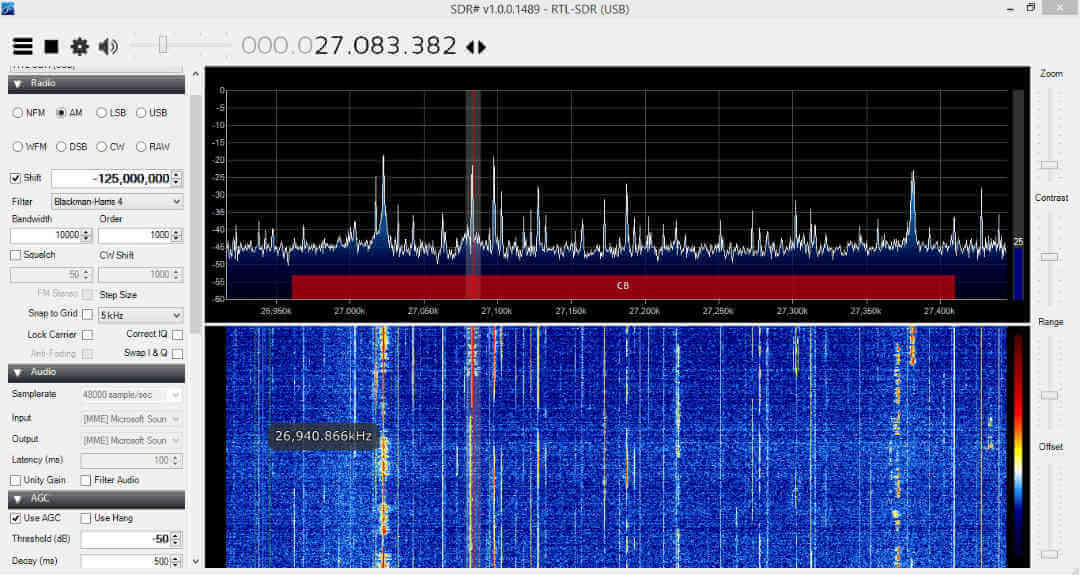
Recently Mario has posted a new article on swling.com where he discusses his CB radio listening hobby further. To listen to the CB band at 26.965 – 27.405 MHz he uses an RTL-SDR dongle together with a ham-it-up upconverter. While an upconverter is not required since most RTL-SDR dongles typically tune down to 24-25 MHz, he finds that using one helps because it can help block out interference from the strong broadcast FM band. We note that you could also use one of our BCFM Block filters for the same purpose.
Mario notes that recently he noticed the CB band was open during the night. Usually the frequencies that CB radio uses propagate best during the daytime, and poorly at night. But on some occasions it can open up at night as well. He writes that on some occasions during a winters night during a snowstorm he has been able to receive the world on CB, from Europe, the Caribbean and Australia.
CB Band Voice in SDR# with an RTL-SDR and Ham-it-up Upconverter