SoftRock Lite II Build and Test Tutorial Video

The SoftRock Lite II is a (now fairly old) soundcard based software defined radio kitset that is capable of receiving on the HF bands. Over on YouTube user w2aew has uploaded a video showing the entire kitset build process for the SoftRock Lite II SDR radio. He also goes over the circuit blocks explaining their function and how they work.

This is an excellent video if you are interested in learning more about the components and circuits used in some SDRs.
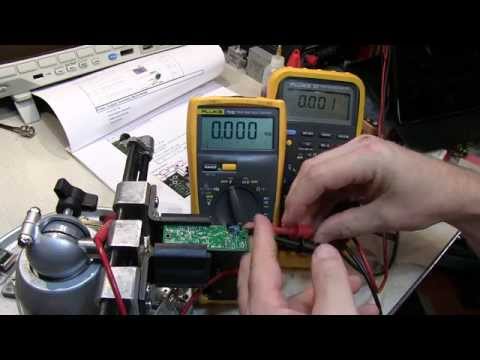
#148: Software Defined Radio kit | Tutorial | Build | Test | Softrock Lite II

RTL-SDR Radio Receiver for Chrome

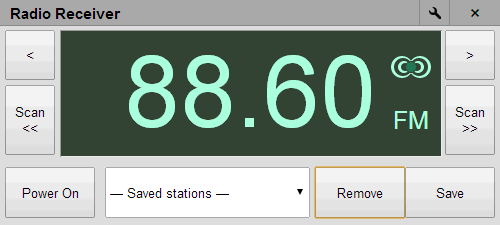
A new RTL-SDR Radio Receiver app for Chrome has been released. The source code can be viewed at GitHub. The app is currently capable of receiving broadcast FM stations and scanning between them. To run this app you will need to have the Chrome web browser installed or be running a Chromebook laptop.

Note that at the moment there seems to be a bug in Windows Chrome that prevents this from working.

Radio Receiver is 100% written in JavaScript, but is nevertheless fast enough that it can run on a 2012 Samsung ChromeBook laptop at full quality.

Features:

* Stereo FM.
* Scan for stations.
* Unlimited slots for presets.
* Supports the International and Japanese FM bands.

Chrome RTL-SDR App
Chrome RTL-SDR App

New Ebook: The Hobbyists Guide to RTL-SDR

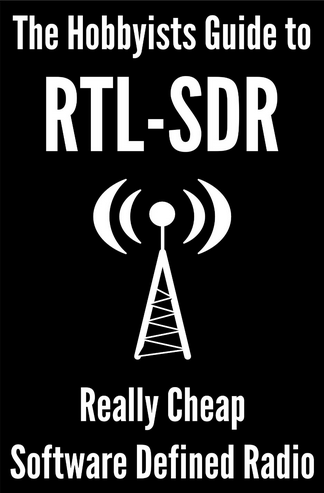
We at RTL-SDR.com have just released an Ebook for Kindle titled “The Hobbyists Guide to RTL-SDR: Really Cheap Software Defined Radio”. For the first few days we are selling it at a reduced price of $4.99USD (half price). If you are an Amazon Prime member you should also be able to lend it from the Kindle library for free. If you’re unsatisfied with the book remember that you can always refund it within 7 days of purchase.

The book covers many of the tips and tutorials found in this blog in a more in depth manner as well as containing many more new tutorials and RTL-SDR related information. Check out the table of contents in the sample for an idea of what the book contains. The content is mainly intended for people new to the RTL-SDR.

Remember that you don’t need a Kindle device to read Kindle books! There are readers available for Windows, Mac, Web Browsers, Android and iOS as well.

If you enjoy our book please remember to leave a review on the Amazon page.

The Hobbyists Guide to RTL-SDR: Really Cheap Software Defined Radio

Hak5: Improvements to the ADS-B Antenna Drone

Previously we posted about the Hak5 teams attempt to create an ADS-B quadcopter receiver which carried a coax collinear antenna, ran the ADS-B decoder dump1090 on board and then transmitted the decoded ADS-B data back to a laptop on the ground via WiFi. Their results were poor due to various factors.

In the latest video they read comments from fans which explain why they had such poor results, then apply some of those recommendations to a second experiment. Previously they had trouble keeping the WiFi connection alive due to poor reception, so now they use a WiFi Yagi to boost the signal strength. They also reduced the number of elements on their coax collinear antenna and moved away from the broadcast RF transmitter that they were near in their last video.

There isn’t a big increase in the number of planes picked up in the second experiment but it was much more successful compared to the first.

A Better Aircraft Seeking Drone Antenna, Hak5 1613

Instructables Post on Building a Discone Antenna

A Discone is a wideband antenna that is a great starting antenna for general RTL-SDR use. Over on instructables.com, user cyfus has created an instructable showing how to build a 55 MHz+ home made discone antenna for his RTL-SDR dongle. His instructions show how to build it out of parts and tools sourced entirely from hardware and electronics stores.

Using this antenna cyfus was able to receive signals from 25 MHz to around 900 MHz.

Home made Discone Antenna

New RTL-SDR Panoramic Spectrum Analyzer

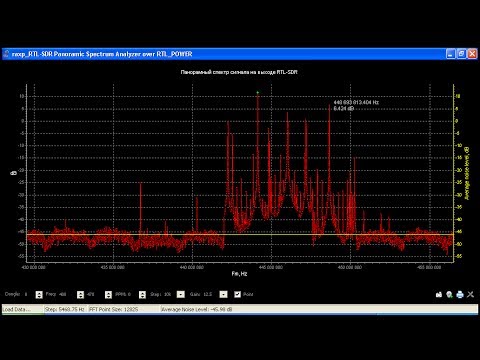
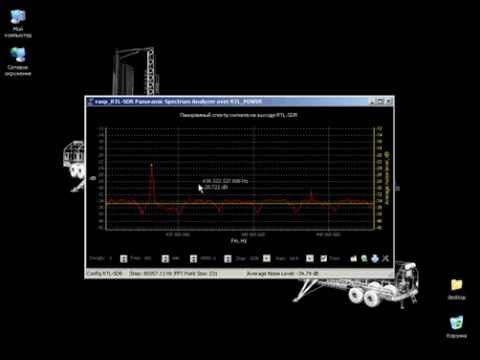
A Ukrainian developer has released his new RTL-SDR Panoramic Spectrum Analyzer software. The software utilizes the command line rtl_power software for its backend processing, so it is essentially a GUI for rtl_power.

The developer has uploaded two videos to YouTube showing the software in action. The software can be downloaded from here.

An alternative program similar to this one is RTLSDR Scanner.

RTL-SDR Panoramic Spectrum Analyzer

Panoramic observation of the PMR + LPD. Part 2

ADS-B Decoder dump1090 now Available on Windows

Dump1090 is a popular command line ADS-B decoder which many people believe has superior decoding performance compared to other decoding software. Previously it has only been available for Linux and Mac operating systems, however recently it has been updated with a Windows command line version. The most up to date branch of dump1090 can be downloaded from GitHub here.

To install dump1090 on Windows follow these steps:

  1. Download the dump1090 zip file from the GitHub download link.
  2. Download the official RTL-SDR Windows release from http://sdr.osmocom.org/trac/attachment/wiki/rtl-sdr/RelWithDebInfo.zip.
  3. Copy the libusb-1.0.dll, rtlsdr.dll and pthreadVC2-w32.dll files from the official RTL-SDR Windows release zip file to the dump1090 folder. Rename pthreadVC2-w32.dll to pthreadVC2.dll.
  4. Double click on dump1090.bat.

The batch file starts a dump1090 webserver which can be viewed in any browser by going to http://localhost:8080. You may wish to edit the batch file and add extra flags such as –aggressive and/or –fix to improve decoding.

SeeDeR: New SDR GUI Software Supporting RTL-SDR

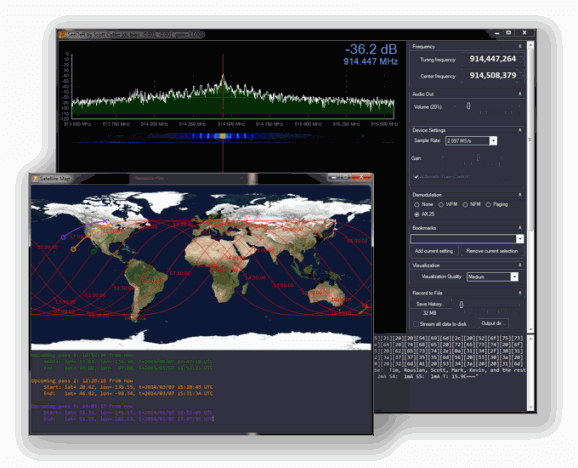
SeeDeR is a new software defined radio GUI program that supports the RTL-SDR. It also supports the Funcube Dongle and BladeRF. Currently it is in an early beta release.

SeeDeR contains features specifically developed for decoding radio data transmissions from satellites – in particular the crowdfunded SkyCube satellite – such as a built-in AX.25 decoder, and a satellite pass predictor.

SeeDeR requires a PC with Windows 7+, 1+ GB RAM, 2+ GHz dual-core CPU, 20 MB HD space. The executable is 32-bit.

We need to note that SeeDeR has been a cause of some friction with the author (Youssef) of SDR# and may be part of the reason why SDR# was temporarily removed. Youssef is claiming that SeeDer has illegally used licenced code from SDR#, however the author of SeeDer refutes that claim.

SeeDeR Software Defined Radio GUI