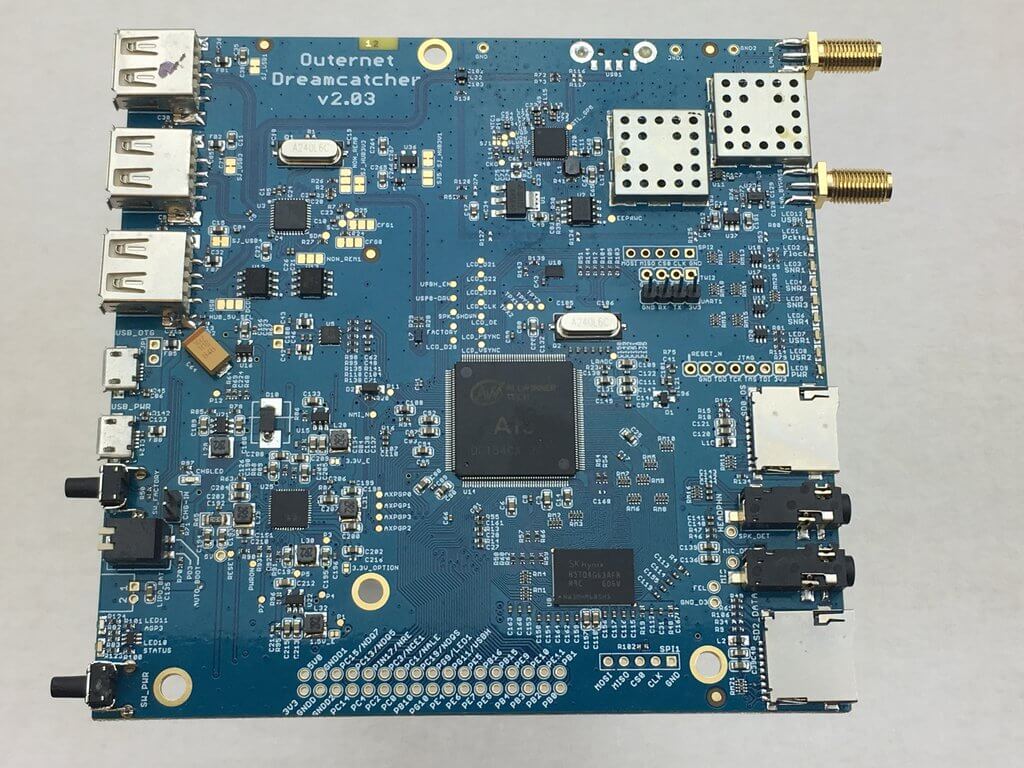
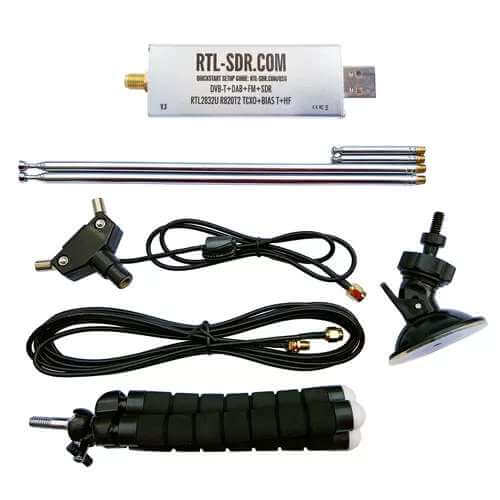
Back in June we tested Outernet’s new Dreamcatcher which is an ARM based computing board with RTL-SDR and L-band LNA built in. The $99 USD kit also included an external active L-band patch antenna. The Dreamcatcher full kit has now been reduced to $89 USD, and the active L-band patch antenna can also now be purchased by itself for $29 USD. The active patch antenna is also compatible with the bias tee on our V3 dongles and is a good low cost option for exploring most L-band satellite signals like Outernet, Inmarsat STD-C and AERO around 1542 MHz. The filter does unfortunately cut off the higher Iridium frequencies though.
They are also selling off their older L-band SDRx RTL-SDR boards at a reduced price of $20 USD. The SDRx is a RTL-SDR PCB with a built in L-band LNA and filter, but unlike the Dreamcatcher does not have built in computing hardware. They also have a limited $25 USD edition version of their active patch antenna which includes a built in RTL-SDR. This version is a bit more noisy compared to the standard active patch, but may be an interesting experimental antenna for some.
FSQ (Fast Simple QSO) is a relatively new ham band mode for making text QSO’s (contact or exchange of information with another ham) over HF frequencies. It is a low data rate mode similar to PSK31 but with some interesting features like relaying which allows signals to be relayed further via other FSQ stations.
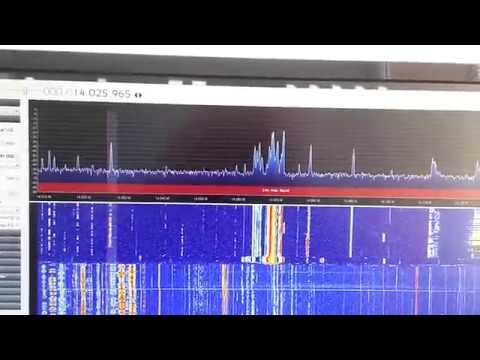
Over at in Melbourne, Australia a Cyberspectrum SDR meetup is held every few weeks. At this weeks meetup @faulteh discusses the FSQ mode and some of it’s interesting features. He also shows how he can transmit FSQ using a Si5351 clock generator and Arduino (with filtering). In the future he hopes to also create a fully automated receive station using a Raspberry Pi and RTL-SDR dongle.
UPDATE: Version 2 of RPiTX renders this tutorial obsolete, as it is now very easy to copy and replay signals using the RPiTX GUI (or the "sendiq" command) and an RTL-SDR. This tutorial is still valid for the overall concept.
With an RTL-SDR dongle, Raspberry Pi, piece of wire and literally no other hardware it is possible to perform replay attacks on simple digital signals like those used in 433 MHz ISM band devices. This can be used for example to control wireless home automation devices like alarms and switches.
In this tutorial we will show you how to perform a simple capture and replay using an RTL-SDR and RPiTX. With this method there is no need to analyze the signal, extract the data and replay using a 433 MHz transmitter. RPiTX can replay the recorded signal directly without further reverse engineering just like if you were using a TX capable SDR like a HackRF to record and TX an IQ file.
Note that we've only tested this replay attack with simple OOK 433 MHz devices. Devices with more complex modulation schemes may not work with this method. But the vast majority of 433 MHz ISM band devices are using simple modulation schemes that will work. Also replay attacks will not work on things like car keys, and most garage door openers as those have rolling code security.
A video demo is shown below:
Replay Attacks at 433 MHz with RTL-SDR and a Raspberry Pi running RPiTX
Hardware used and wireless ISM band devices tested with RPiTX
RpiTX
RPiTX is open source software which allows you to turn your Raspberry Pi into a general purpose transmitter for any frequency between 5 kHz to 500 MHz. It works by using square waves to modulate a signal on the GPIO pins of the Pi. If controlled in just the right way, FM/AM/SSB or other modulations can be created. By attaching a simple wire antenna to the GPIO pin these signals become RF signals transmitted into the air.
Of course this creates an extremely noisy output which has a significant number of harmonics. So to be legal and safe you must always use bandpass filtering. Harmonics could interfere with important life critical systems (e.g. police/EMS radio, aircraft transponders etc).
For testing, a short wire antenna shouldn't radiate much further than a few meters past the room you're in, so in this case you should be fine without a filter. But if you ever connect up to an outdoor antenna or amplify the signal then you absolutely must use adequate filtering, or you could find yourself in huge trouble with the law. Currently there are no commercially made 433 MHz filters for RPiTX available that we know of, so you would need to make your own. Also remember that you are still only allowed to transmit in bands that you are licensed to which for most people will be the ISM bands.
Over on his YouTube channel GusGorman402 has uploaded a video tutorial showing how to take an old internet router and install OpenWRT and the RTL-SDR drivers on it. OpenWRT is a third party Linux based router firmware which can greatly expand the usefulness of a standard router. As it is Linux based it is possible to install the RTL-SDR Linux drivers on the router and use the router as a cheap RTL-SDR streaming or decoding platform.
Gus’s tutorial takes us from the beginning where he first shows how to install OpenWRT firmware over the stock firmware on the router and how to configure the settings. He then shows how to install the RTL-SDR drivers and run software like rtl_tcp and dump1090 with opkg and luci.
Installing OpenWrt and RTL-SDR libs on used router
NooElec have just released their new NESDR Nano 3 RTL-SDR dongle for $27.95 USD. This is a new iteration in their line of ‘nano’ sized dongles, which are very small and suitable for use on small devices like Raspberry Pi’s and mobile phones. These nano form factor RTL-SDR dongles are also commonly used with the Stratux project which aims to bring lost cost ADS-B and UAT capabilities to small airplane pilots.
The Nano 3 appears to have a standard nano sized RTL-SDR PCB with TCXO inside, but comes with a new fully enclosed metal case with internal thermal coupling pads for cooling. A small external heatsink is also provided for optional use with the dongle. The dongle also uses a standard MCX connector, but the kit comes with an MCX to SMA F adapter. We’re not sure if the cooling from the small metal case will be enough to solve the L-band PLL lock problem, but perhaps when combined with the modified L-band driver tweak it might be enough. Failing that the external heatsink combined with slight airflow from a fan should be enough.
The NESDR Nano 3 small form factor RTL-SDR
The previous model called the Nano 2, was also redesigned from the generic nano models for better cooling and to be able to use a TCXO. However, some tests by Chris of the Stratux project seem to show that the Nano 2 is quite a bit noisier than the cheaper generic nano dongles, and actually runs about 40 degrees F hotter. Noise is a problem with these small dongles as the noisy digital and switch mode sections are much closer to the RF sensitive parts. Heat is also an issue due to the lack of PCB space for heat dissipation. Hopefully the Nano 3 resolves these issues with the metal case and improved cooling.
There are now several generations and models of these ‘nano’ RTL-SDRs available. All briefly described below:
Two dongles for $40 USD with antennas, or two for $35 USD without antennas. We also wholesaled a few from them and sell them on our store for intl. buyers @ 16.95 USD each incl. shipping.
Redesigned for low power usage and less noise. Uses a switch mode power supply for less power wastage, but designed to be unaffected by any additional switch mode noise. Runs about 60 degrees F cooler than the Nano 2 and 16F cooler than the generic. Does not have an enclosure so is a bit more fragile. Also does not have a TCXO.
Good choice for Stratux or similar projects might struggle with the power requirements of multiple dongles on a Pi3. Doesn’t have a TCXO so mainly useful for frequency insensitive applications like ADS-B.
These days it’s quite easy to share your ADS-B reception on the internet with giant worldwide aggregation sites like flightaware.com and flightradar24.com. These sites aggregate received ADS-B plane location data received by RTL-SDR users from all around the world and display it all together on a web based map.
However, what if you don’t want to share your data on these sites but still want to share it over the internet with friends or others without directly revealing your IP address? Some of the team at beame.io have uploaded a post that shows how to use their beame.io service to securely share your ADS-B reception over the internet. Beame.io appears to be a service that can be used to expose local network applications to the internet via secure HTTPS tunneling. Essentially this can allow someone to connect to a service on your PC (e.g. ADS-B mapping), without you revealing your public IP address and therefore exposing your PC to hacking.
On their post they show how to set up the RTL-SDR compatible dump1090 ADS-B decoder on a Raspberry Pi, and then connect it to their beame-instal-ssl service.
Encrypted ADS-B Sharing with the beame.io service.
Over on YouTube user icholakov has uploaded a new video showing how easy it can be to build a cheap ADS-B antenna out of a simple paper clip and coax connector. Modern aircraft carry an ADS-B transceiver and antenna which broadcasts the current GPS location of the aircraft. This is used for collision avoidance and air traffic control, but anyone with a receiver like an RTL-SDR can also receive and decode these signals, and plot locally received air traffic on Google maps. We have a tutorial for decoding ADS-B signals available here.
In the video Thomas Cholakov (N1SPY) explains the concept behind the antenna design, which is a standard 1/4 wave ground plane cut to the correct dimensions for ADS-B at 1090 MHz. He cuts 5 pieces of the same length, with one piece used as the active whip element, and four pieces used in the ground plane element. The paper clip pieces are then soldered onto a coaxial connector and then the antenna is ready to be used.
Back in May of this year we posted about QIRX SDR, which back then was a brand new multimode SDR program compatible with the RTL-SDR. One of its defining features is that it has a built in DAB+ decoder. Recently QIRX SDR has been updated to version 0.9.1, the new features are quoted below:
General:
Updated Documentation
Device Frontend: Manual Center Freq. Correction in kHz
Waterfall Spectrum
Raw Recording: Playback Control, for a timed positioning (“seek”) in “arbitrary” large (GBytes) recorded raw files.
DAB:
Legacy DAB, intended for users where DAB+ is not generally available, like in the UK or Spain. As this could only be superficially tested here in Germany (no standard DAB any more, I used some raw samples recorded in Madrid), I would be very interested in feedback of users about it.
Synchronization of raw files recorded with central frequency offset
Enhanced manual synchronization control, mainly for tests in mobile environments
Detection of the Transmitter Identifications (TII). However, as this is a feature only useful for specialized applications, it is not included in the distribution. To my knowledge, qirx is the only DAB SDR having this feature.
Some Bug fixing.
The QIRX team have also added a new Quickstart Guide to help users get set up with their software quickly. In addition QIRX author Clem also writes that the QIRX software will be demonstrated during this weekends Ham-Radio fair in Friedrichshafen, Germany.