Tagged: rtl2832u

SelfieStick: Combining noisy signals from multiple NOAA APT satellites for clean imagery

Researchers from Carnegie Mellon University have recently presented a paper detailing how they combined noisy signals from multiple passes of low earth orbit (LEO) satellites NOAA 15, NOAA 18 and NOAA 19 in order to create a higher quality image. For a receiver they used a low cost RTL-SDR Blog V3 mounted indoors with a whip antenna.

In a normal setup, weather satellite images from NOAA LEO weather satellites can be received with an RTL-SDR, computing device and an appropriate outdoor mounted antenna that has a good view of the sky. If the antenna is not suited for satellite reception, and/or is mounted indoors, at best only poor quality very noisy images can be received.  

The researchers demonstrate that it is possible to combine noisy images received over time, and from different satellites in order to generate a higher quality image. The challenge is that the different satellites and different receiving times will all produce different images, because the satellites will be at a different location in the sky each pass. They note that simply transforming the images in the image domain would not work very well for highly noisy images, so instead they have devised a method to transform the images in the RF domain. The RF signals are then coherently combined before being demodulated into an image.

The results show that 10 noisy satellite images from the indoor system are comparable to one from a comparison outdoor system. However, they note some limitations in that the system assumes unchanging cloud cover during passes. In the future they hope to extend the system to cover other modulation schemes used by other low earth orbit satellites in order to increase the number of usable satellites.

Selfiestick: Combining noisy images from multiple NOAA satellites received by an indoor RTL-SDR system.

Watch out for new RTL-SDR Blog V3 Counterfeits

Over the past few years our company has been targeted by counterfeiters who copy our RTL-SDR Blog V3 logos and put it on inferior or old RTL-SDR designs. Up until now determining a fake from an original unit has been possible due to obvious differences in the enclosure.

However, we've now recently seen new counterfeit products appearing on marketplaces with enclosures that look almost exactly like our originals. The counterfeit units copy our logos on the front and back, and text exactly. They also now use rounded enclosures, green PCBs and two screws on the side panels. The only real defining features of the more sophisticated clones are that the side panel screws are not diagonally offset, and that there is no NSY QC sticker on the back noting the batch date.

Again, we want to reiterate that anyone can manufacture and sell RTL-SDRs in general as there is no owner of the RTL-SDR idea itself. However we do have our own specific circuit design and trademarked branding that has become popular over the years due to the features and improvements that we designed and implemented whilst still maintaining a reasonable cost. Other manufacturers/sellers should not trick people into thinking they are ordering an RTL-SDR Blog V3 and they should obviously create their own PCB design and branding.

If you want to ensure that you purchase an original RTL-SDR Blog V3 unit, please use the links on our store page to our official global marketplace listings, or the links to our official local resellers (also on the store page), or order direct from our store if your region is supported. Please note that we cannot provide email support or the two year warranty for counterfeit units.

We are doing our best to enforce our trademark and logos on marketplace sites, but it is a never ending task as once one listing is removed, 10 more appear. If you find that you were tricked by a marketplace listing and received a counterfeit, please be sure to report that store and try to get a refund.

Thanks to all our customers and blog readers for your support over the years! We still have a lot of ideas for new products, tutorials and posts and your support helps us keep this all going!

MagicSDR: Streaming Audio over UDP to Decoders like Multimon-NG

Back in May 2021 we first posted about the release of MagicSDR, which is an Android and iOS SDR app that receives data from an rtl_tcp server elsewhere on your network. Apart from the RTL-SDR, MagicSDR also supports the SDRplay, LimeSDR, HiQSDR, Flex 6-seris and sound card based radios.

Recently MagicSDR programmer Vlad wanted to share a new feature in MagicSDR that allows users to stream audio over UDP. He notes that this allows external data decoders such as direwolf or multimon-ng to be used. The example in the video below shows MagicSDR sending demodulated audio over UDP to multimon-ng running on the same Android device.

Decoding Morse CW on android phone

MagicSDR sending demodulated audio over UDP to multimod-ng decoder

An Improved ExtIO for RTL_TCP

Back in 2020 we posted about a modified ExtIO interface which exposed advanced RTL-SDR driver settings such as decimation, manual gain and tuner bandwidth and filtering controls. These features allow users to tune filters to avoid ADC overload and to overall fine tune reception better, especially for narrowband signals. ExtIO is the driver interface used by some popular SDR programs like HDSDR.

Thanks to contributor Ladislav (OK1UNL) for notifying us about an improved version of that ExtIO interface by DG2YCB.

DG2YCB improved version adds the following features:

  • Auto-Q: The RTLSDR stick automatically switches to direct sampling (Q channel) for frequencies below 24.5 MHz and direct sampling is automatically disabled when tuned to any frequencies above 24.5 MHz.
  • My ExtIO_RTLTCP_improved.dll drivers set the chip AGC to ON, which brings you a better RX sensitivity than the original version.
  • My ExtIO_RTLTCP_improved.dll drivers are available in the following versions:
    • ExtIO_RTTCP_improved1.dll uses autoGain for the tuner gain.
    • ExtIO_RTTCP_improved2.dll uses optimized manual gain settings for the tuner gain, which shall prevent that the RTLSDR stick is overdriven on VHF / UHF frequencies.
    • ExtIO_RTTCP_improved3.dll has Auto-Q as well as the optimized gain settings profile but has a more sophisticated GUI, so that you can adjust more parameters manually. (Currently available as beta version.)
       

This ExtIO also allows users to connect to an RTL-SDR when software like HDSDR is run on Linux via an emulator such as WINE.

Ladislav also pointed out that DG2YCB has improved versions of WSJT-X and JTDX that might be of interest to some.

ExtIO Improved dll 3

RTL-SDR Blog V3 Dongle and SDR# Spotted on The Secret of Skinwalker Ranch TV Show

An RTL-SDR Blog V3 dongle and multipurpose dipole antenna set has been spotted in action on the popular TV Show "The Secret of Skinwalker Ranch" in Season 3 Episode 7. Skinwalker Ranch is a History channel conspiracy theory reality TV series where a team of scientists and researchers are sent to look for various explanations for "otherworldly" activities supposedly occurring on the ranch. In the past we have also seen an SDRplay RSP software defined radio with SDRuno software featured in a previous episode.

In this episode the team are drilling into a mysterious mesa rock formation on the ranch, and are monitoring the RF spectrum with an RTL-SDR during the drill. They take note of a mysterious signal at 1.6 GHz that appears during the drilling.

Screenshots from "The Secret of Skinwalker Ranch" Season 3 Ep 7

Low Cost Shielding Idea for Plastic RTL-SDRs

Generic RTL-SDRs that come with a plastic enclosure can be prone to picking up interference directly via the PCB itself. Higher end RTL-SDRs generally come with a metal enclosure.

Thanks to Alan R. for submitting a low cost idea he's come up with for shielding his plastic RTL-SDR dongles. Alan writes:

I’ve used this attached method with quite a bit of success for shielding the RTL dongle. It’s just a fizzy orange tube with two holes drilled at each end and some sticky metal insulating tape, which can be bought at any DIY store. Once the USB adapter and RTL dongle are inside they fit snuggly and any standard printer cable with reasonable length works well. Usually this allows for shorter coax connections which again helps keep the signal to noise level reasonable. I opted for a USB with a ferrite core at either end and I also added one to the coax - just because.

If you leave the antenna detached and tune in to any FM radio station you get a strong signal, and as soon as you put the RTL-SDR inside the insulated tube the signal stops. Needless to say if you plug the antenna in then the FM radio comes through with a strong signal. It certainly helps cut down a lot of FM broadcast noise (cheaply!)

I’m not using any band stop / band pass / pre amps and currently I’m receiving loud and clear satellite transmissions - NOAA / Meteor 2. I can even grab the telemetry from AO-73 Funcube with no problems. As the USB is shielded too and is away from the computer it also helps. Plugging the dongle directly into the computer tends to pick up a lot of unwanted noise.

The only thing to watch is it can get a little hot, so some common sense when using it (especially on a hot day). The other advantage is the weather proofing should you get caught in rain!


Probing a Cable Internet + TV Line with RTL-SDR USB

Thank you to Adam from Double A Labs for submitting his latest YouTube video where he uses his RTL-SDR to probe the coaxial cable that provides his broadband internet and cable TV. In the video Adam explains how hybrid fiber-coaxial internet and TV broadband networks (such as Comcast/Xfinity) work, and how the Specktrum software can be used with an RTL-SDR to explore the spectrum on these cables. Adam writes:

What I found was pretty interesting, including a few unmodulated analog TV carriers on the line producing a black screen on my TV. I also explain how coaxial broadband networks work (bi-directional amplifiers, upstream/downstream splits, etc.) and how internet service providers are upgrading them.

How Broadband Cable Networks (Xfinity etc.) Work and Probing One with a Spectrum Analyzer (RTL-SDR)

Feeding ACARS Data to Airframes.io

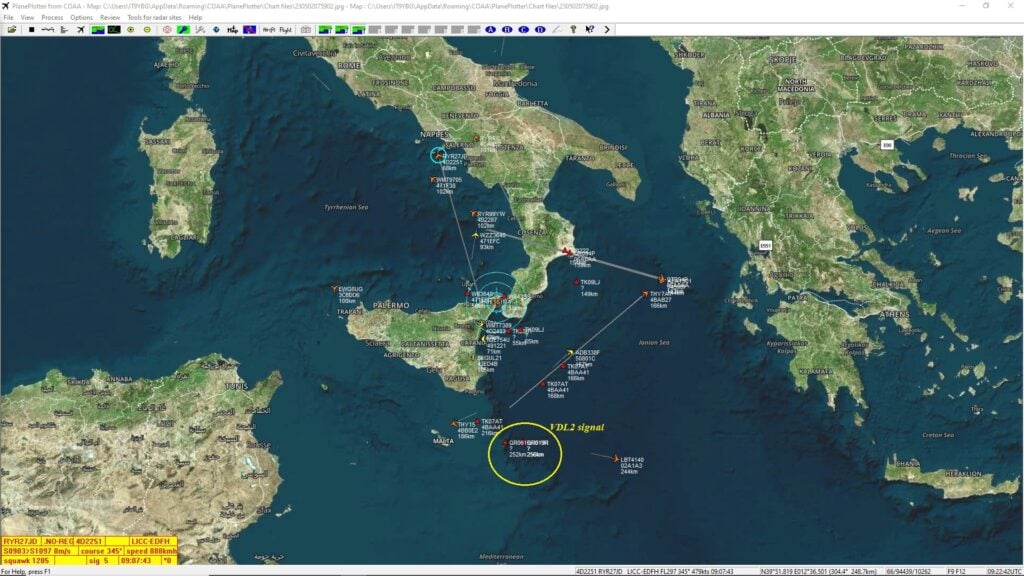
Thank you to a contributor for submitting an article about Airframes.io, which is an ACARS/VDL2/HFDL/Satellite ACARS aggregation site. The article below it attributed to Kevin Elliott and was edited by Frank Vance. They would also like to attribute the large group or volunteers at Airframes.io.

One of the most popular hobbyist uses of SDR is receiving and decoding vehicle information data such as ADS-B for aircraft or AIS for marine traffic.  Some hobbyists have been banding together to exchange their mutual data streams to provide coverage over wide geographic areas.

One of the largest and most successful such projects in the aviation realm is ADS-B Exchange (https://www.adsbexchange.com/), where over 8,000 volunteer feeders provide ADS-B data to a global aviation map in real time.  

But modern air carriers have much more data to and from their aircraft than just the position information from ADS-B.  In the 1970s, ACARS was created to carry that traffic.  Today, ACARS is seen on its own frequencies on VHF, embedded in AVLC on the VDL2 VHF frequencies, on HF (shortwave) frequencies using the HFDL network of stations worldwide, and on satellite on both the Inmarsat (ACARS over AERO, or AoA) and the Iridium (called ACARS over Iridium, or AoI) systems.

Airframes.io (https://app.airframes.io/) is a project that has been under development for a while to aggregate ACARS data in the same way ADS-B Exchange is aggregating ADS-B data.  Under the capable leadership of Kevin Elliott (https://github.com/kevinelliott), software development has progressed to the point that new feeders are actively being sought to improve the global coverage and provide a broader base of data to improve the decoding.

With a wide variety of data sources, this is a collaboration project that is open to all levels of SDR hobbyists.  A simple RTL-SDR.COM unit attached to a Raspberry Pi with a smaller antenna works well with the VHF coverage.  Depending on one's interest level, an HFDL feeder may require multiple SDRs with much broader frequency range, capable of reception in the sub-30 MHz bands.  The L-band based Iridium AoI uses a small antenna as well, but requires a wide bandwidth SDR.  Finally, reception of the C-band Inmarsat (AoA) traffic may involve a moving dish antenna of at least 6 foot diameter to obtain usable signals.

What kind of data is seen in ACARS?   One can observe weather conditions aloft, messages to/from the carrier operations staff, information about the origin and destination of the flight, and technical data on the aircraft operation (not all of which can be decoded at this time.)  Additionally, the HFDL and satellite feeds offer location information out of sight of the traditional ADS-B coverage, such as over the oceans and polar regions.
 
The About page at Airframes.io (https://app.airframes.io/about) has plenty of good information to help anyone get started with feeding, including links to popular software packages useful for running different types of feeders.  Support is available on the #airframes-io channel (https://discord.gg/X2TgnFgsRW) on the ADSBExhange Discord server (https://discord.gg/aXt7KdycJk).
 
Additional information about setting up a receiver/feeder for HFDL, Inmarsat L-band, Inmarsat C-band, and Iridium L-band is available on The Bald Geek's GitHub page: https://thebaldgeek.github.io/Consider joining with the dozens of volunteers already feeding and contributing software updates to the Airframe.io project.
Airframes.io Map
Airframes.io ACARS Messages