SDR# is a very popular Windows SDR program often used with the RTL-SDR and Airspy SDR. One drawback is that it lacks native Linux compatibility. In the past it has been possible to run SDR# via WINE, however some newer updates were thought to have broken that ability. WINE is a Windows emulator that allows some Windows programs to run under Linux.
However, recently on Twitter we've seen a Tweet by @albinstigo indicating that SDR# can indeed run on Ubuntu 20.04 via WINE 5.0. In a Tweet he explains the steps which are quite simple:
One limitation is that the emulated SDR# cannot connect to the SDR natively via the USB. So you will need to use TCP server software such as rtl_tcp or SpyServer to get it to work. Basically, run the server on the native Linux environment, then connect to it in SDR# running on the emulated Windows environment.
1. Install wine via apt.
2. Install dotNET 4.8 via winetricks.
3. Install the Verdana font via winertricks.
4. Enjoy SDR.
A few days ago the developer of SDR# added a very useful AM Co-Channel canceller plugin, and just today he has also added a new FM Co-Channel canceller. A Co-Channel canceller allow a user to remove an interfering station, allowing a buried station to be received cleanly. This is especially useful for DXer's where strong local and weak distant overlapping stations are likely to be received at the same time. The plugin works with all SDR# compatible SDRs including the RTL-SDR.
On a related note, we wanted to point out that recently the Airspy website and downloads have been getting flagged by some antivirus software, however we believe these detections to be false positives caused by the very frequent update schedule of SDR#.
SDRSharp FM Co-Channel Canceller
Over on Twitter we've seen a couple of videos from @K7al_L3afta demonstrating how well the new FM Co-Channel canceller works.
After a short break Frugal Radio's ongoing series of SDR beginners guide videos is back, and in the latest episode Rob provides part one of a two part overview of some software available to use with software defined radios such as the RTL-SDR.
In the video he demonstrates general Windows based receiver programs like SDR#, SDRUno, SDR-Console V3, HDSDR, as well as multiplatform software such as SDR Angel, GQRX and CubicSDR. He finishes up by explaining the options available for virtual audio cable programs, which are required to pipe audio from general receiver programs to decoders.
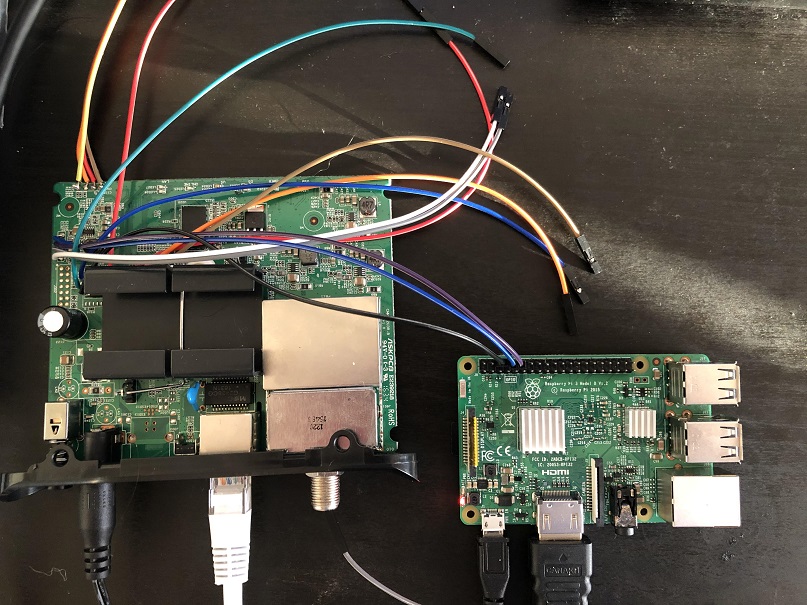
To begin the investigation stdw first opened the case and looked for a serial UART port. After finding one he connected the UART up to a Raspberry Pi and was almost immediately able to connect to the device's terminal. From the information displayed during the boot process, stdw was able to determine that the modem was running the eCos operating system on a Broadcom BCM3383 SoC. Unfortunately after receiving that information the UART connection is dropped, preventing any further terminal investigation.
To get around this issue, stdw decided to dump the flash memory via an SPI memory chip he saw on the board. Again using the Raspberry Pi he was able to connect via SPI and use the flashrom tool to read the memory. Next using a tool called bcm2-utils, stdw was able to parse and actually modify the configuration information stored in the flash memory. With this he was able to modify the configuration so that the serial connection did not drop after boot.
With terminal access gained, stdw was now able to reverse engineer the firmware, and after a lot of searching eventually find a console command which would perform a bandpower measurement for a given frequency range. He found that IQ data for this scan was stored in a buffer which he could then stream out via a TCP connection. With the IQ data finally available on another PC he was then able to use Python libraries to compute an FFT and actually visualize the scanned spectrum. Some further investigation yielded actually demodulated FM audio, and the realization that the usable bandwidth is 7.5 MHz.
Unfortunately there were some limitations. There is only enough RAM to store less than a second of data at a time at max bandwidth and precision, which meant that a lot of data needed to be dropped in between captures. Further investigation yielded methods to reduce the sample rate down to 464 kHz which meant that only 12% of data was ever dropped - enough to stream a wideband FM radio signal.
If you wanted to try investigating the modem yourself, the Motorola MB7220 is available second hand on eBay for prices ranging between US$15 - US$40, and new on Amazon for $46.99. Although the usability of the modem for any real SDR applications may not be great, further investigation may yield better results. And if not, following along with the process stdw took looks to be a great reverse engineering learning experience. Other modems that use similar Broadcom chips may also be worth investigating.
The Motorola MB7220 connected to a Raspberry Pi for reverse engineering
Youssef the author of SDR# has recently released an update which adds a feature called "Sharp Slicer". This feature allows Airspy SDR users to open multiple instances of SDR#, each able to tune to a seperate signal within the currently tuned frequency range of the SDR. This is somewhat similar to the old multi-VFO plugin from rtl-sdr.ru, however the advantage of Slicer is that you can have seperate spectrum and waterfall graphs for each signal. This could be especially useful for monitoring multiple narrowband HF modes with an Airspy HF+ Discovery.
To use Sharp Slicer you must have an Airspy SDR, be it an Airspy Mini/R2 or HF+/Discovery. Unfortunately it will not work with RTL-SDR or other SDRs. Once the SDR is running in SDR#, simply press the "+" button on the top left to open a new Slicer instance. It seems possible to open as many instances as you want, and probably the only limitation is your CPU. On our Intel i7-6700 we tested up to 8 instances running at the maximum bandwidth of an Airspy Mini, and the SDR# CPU utilization was only at 50%.
A nice touch is that you can also see the location of each VFO on the master SDR# instance, and the color can be changed on each Slicer instance.
Awesome! SDR# Sharp Slicer.
The best day since the covid pandemic started. Multiple instances of SDR# running under a single Airspy device.
SDR# 17.42 + Airspy Discovery HF + Youloop inside the house.
I need a wider screen. pic.twitter.com/1mqDbZCgQe
DEFCON 2020 was held online this year in and the talks were released a few days ago on their website and on YouTube. If you weren't already aware Defcon is a major yearly conference all about information security, and some of the talks deal with wireless and SDR topics. We found two very interesting SDR and wireless related talks that we have highlighted below. The first talk investigates using commercial satellite TV receivers to eavesdrop on satellite internet communications. The second discusses using a bladeRF or USRP to detect fake 4G cellphone basestations. Slides for these talks are available on the Defcon Media server under the presentations folder.
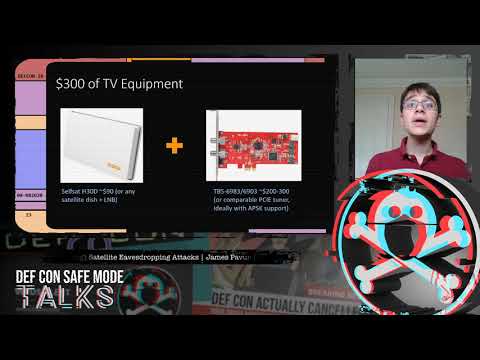
DEF CON Safe Mode - James Pavur - Whispers Among the Stars
Space is changing. The number of satellites in orbit will increase from around 2,000 today to more than 15,000 by 2030. This briefing provides a practical look at the considerations an attacker may take when targeting satellite broadband communications networks. Using $300 of widely available home television equipment I show that it is possible to intercept deeply sensitive data transmitted on satellite links by some of the world's largest organizations.
The talk follows a series of case studies looking at satellite communications affecting three domains: air, land, and sea. From home satellite broadband customers, to wind farms, to oil tankers and aircraft, I show how satellite eavesdroppers can threaten privacy and communications security. Beyond eavesdropping, I also discuss how, under certain conditions, this inexpensive hardware can be used to hijack active sessions over the satellite link.
The talk concludes by presenting new open source tools we have developed to help researchers seeking to improve satellite communications security and individual satellite customers looking to encrypt their traffic.
The talk assumes no background in satellite communications or cryptography but will be most interesting to researchers interested in tackling further unsolved security challenges in outer space.
DEF CON Safe Mode - James Pavur - Whispers Among the Stars
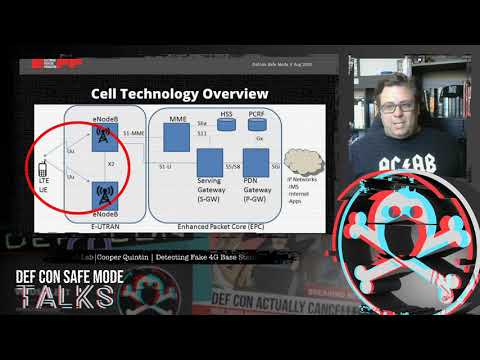
DEF CON Safe Mode - Cooper Quintin - Detecting Fake 4G Base Stations in Real Time
4G based IMSI catchers such as the Hailstorm are becoming more popular with governments and law enforcement around the world, as well as spies, and even criminals. Until now IMSI catcher detection has focused on 2G IMSI catchers such as the Stingray which are quickly falling out of favor.
In this talk we will tell you how 4G IMSI Catchers might work to the best of our knowledge, and what they can and can't do. We demonstrate a brand new software project to detect fake 4G base stations, with open source software and relatively cheap hardware. And finally we will present a comprehensive plan to dramatically limit the capabilities of IMSI catchers (with the long term goal of making them useless once and for all).
This weeks video on the TechMinds channel explores the various online web SDRs that are available to access for free. Accessing these online SDRs does not require any hardware apart from a PC and internet connection, although of course you are then receiving signals from a different location to yourself.
In the video he shows how to access the SDR# Spy Server Network which mostly consists of Airpsy and RTL-SDR units, the SDR-Console V3 Server network which consists of a wide array of different SDRs, the browser based WebSDR network which is mostly soundcard based SDRs but also RTL-SDR and other SDRs, and finally the KiwiSDR network which is made up of KiwiSDRs.
Using Software Defined Radio Without SDR Hardware - WebSDR
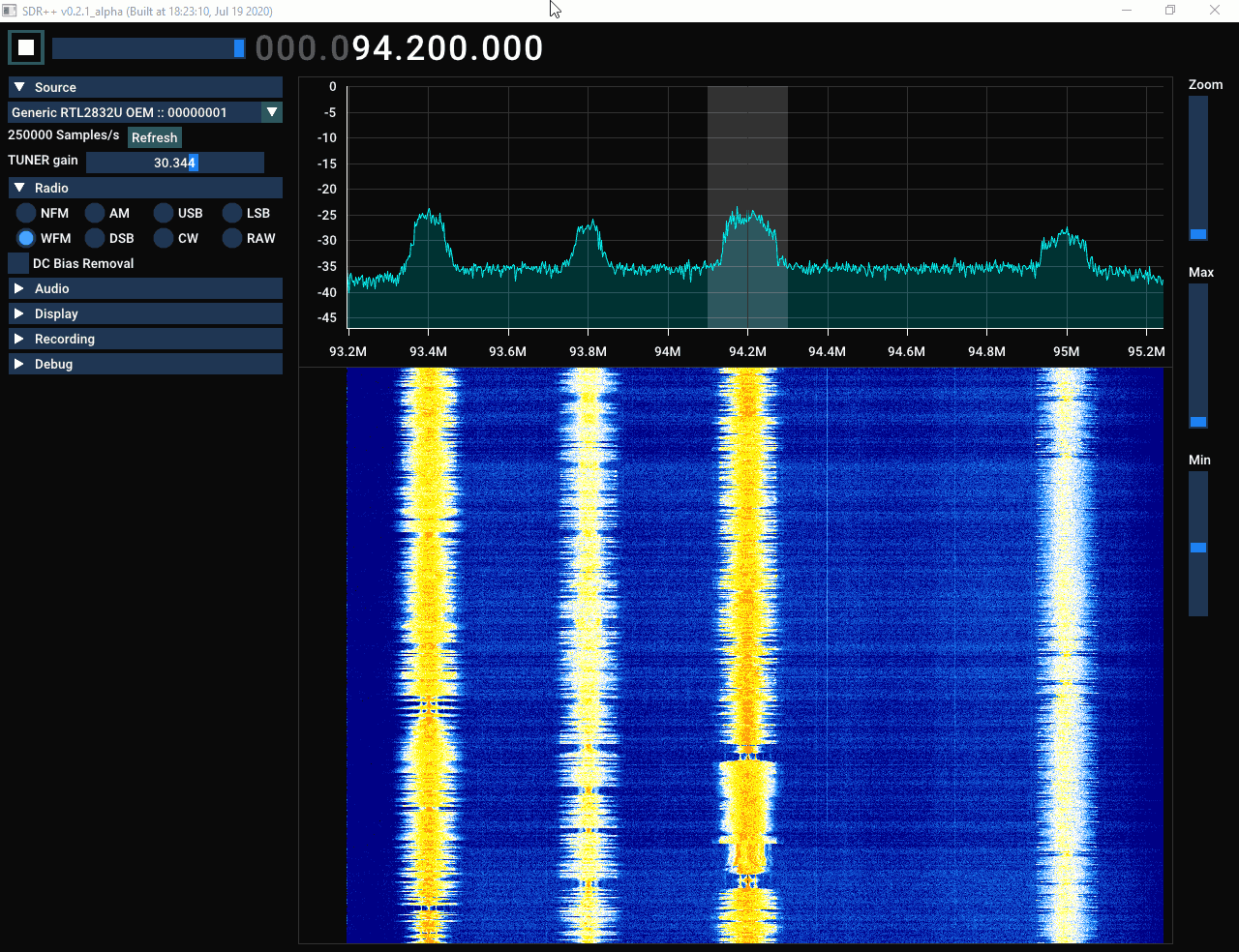
In order to use SDR++ on Windows you will first need to have installed PothosSDR for the SoapySDR and volk support. To do this you can follow the instructions here. Thanks to the SoapySDR support it is able to run with most SDRs including the RTL-SDR.
To start the program, select your SDR from the source menu, change the sample rate (which is set to the minimum value by default), then click the play button. We tested it with both an RTL-SDR and HackRF, and both units worked just fine, although at lower sample rates the waterfall was a bit choppy. We do note that the software is very much in the alpha phase with only a few features implemented, and most menu items do not work yet. But the main features including WFM, FM, AM, SSB, CW demodulation as well as the spectrum and waterfall are all functional. Unfortunately there do seem to be a few stability issues as we experienced frequent crashes on our PC.
We'll be watching this software with interest to see how it progresses.
Current Features
Uses SoapySDR for wide hardware support
Hardware accelerated graphics (OpenGL + ImGui)
SIMD accelerated DSP (parts of the DSP are still missing)
Cross-platform
Full waterfall update when possible. Makes browsing signals easier and more pleasant
Coming soon
Multi-VFO
Plugins
Digital demodulators and decoders
Quick replay (replay last n seconds, cool if you missed a short signal)
Small things to add
Switchable bandwidth for demodulators
Switchable audio output device and sample rate
Recording
Light theme (I know you weirdos exist lol)
Waterfall color scheme editor
Switchable fft size
Bias-T enable/disable
other small customisation options
Save waterfall and demod settings between sessions
"Hide sidebar" option
Input filter bandwidth option
Known issues (please check before reporting)
Random crashes (yikes)
Gains aren't stepped
The default gains might contain a bogus value before being adjusted
Clicks in the audio
In some cases, it takes a long time to select a device (RTL-SDR in particular)
Min and Max buttons can get unachievable values (eg. min > max or min = max);