Tagged: Software-defined radio

HackRF SDR Giveaway

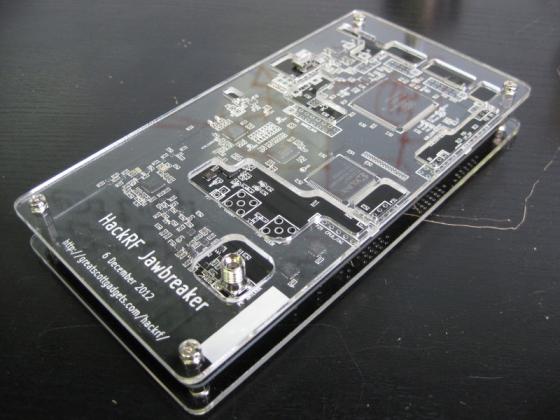
HackRF is an upcoming open source DARPA funded ~$300 software defined radio that has both transmit and receive capabilities. It has a 100 MHz to 6 GHz range, 20 Msps sample rate, 8-bit resolution, and 500 beta units are about to be given away for free by greatscottgadgets. A good introduction to the HackRF can be found here, and on this wiki here.

Register here for a chance at receiving a free beta unit.

HackRF Jawbreaker Board with Enclosure

RTL-SDR Tutorial: Cheap AIS Ship Tracking

Large ships and passenger boats are required to broadcast an identification signal containing position, course, speed, destination, and vessel dimension information to help prevent sea collisions. This system is known as the "Automatic Identification System" or AIS for short. There are dedicated AIS receivers intended to be used on boats, or by hobbyists, but they can be expensive. A radio scanner, or the cheap RTL-SDR software defined radio (or a more advanced SDR such an Airspy) can be used to receive these signals, and with the help of decoding software, ship positions can be plotted on a map.

This tutorial will show you how to set up an AIS receiver with the RTL-SDR. Most parts of this tutorial are also applicable to other software radios, such as the Funcube dongle, Airspy and HackRF, or even regular hardware scanners if a discriminator tap is used, but the RTL-SDR is the cheapest option.

Safety Warning: This probably should not be used a navigational aid on a boat as the field reliability of the RTL-SDR or other software radios is not proven. This guide is intended for land based scanner hobbyists.

Note, tracking ships with AIS is very similar to tracking aircraft with ADS-B, which is another project that may interest you.

Examples of AIS received with RTL-SDR

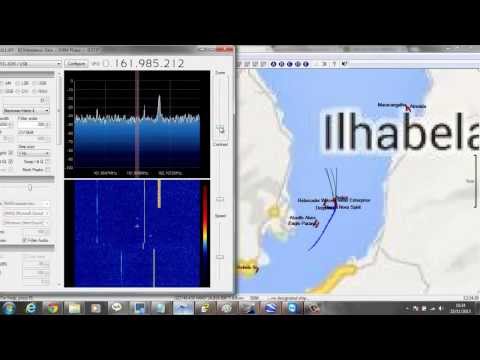
An AIS radar example is shown by YouTube user Vinicius Lenci who uses an RTL-SDR, SDRSharp and ShipPlotter. This video also shows what a strong AIS signal sounds like.

Recebendo sinais (AIS) com RTL-SDR

Continue reading

RTL-SDR Tutorial: Decoding DRM Radio

Digital Radio Monodial (DRM) radio is a type of digital shortwave radio signal that is used by international shortwave radio broadcasters. It provides superior audio quality compared to AM signals by using digital audio encoding. With an upconverter, good antenna, and decoding software the RTL-SDR software defined radio can receive and decode DRM signals. This tutorial is also applicable to other software defined radios that can receive HF with or without an upconverter, such as the HackRF, Airspy, Softrock and Funcube dongle.

Examples of DRM Decoding

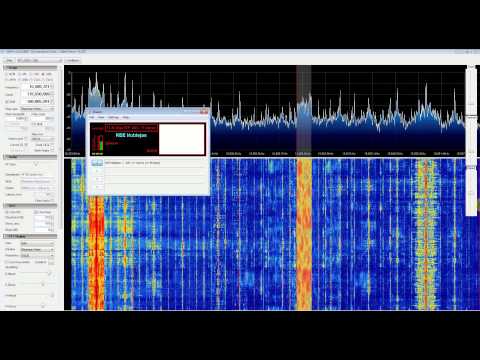
YouTube user Superphish shows DRM reception with his Ham-it-up upconverter, and rtl-sdr.

DRM REE Noblejas Radio with RTL SDR (RTL2832), Nooelec Ham It Up Upconverter, SDR Sharp and DREAM


Continue reading

SDR Touch Updated to Version 1.4

SDR Touch, the popular software defined radio android app for rtl-sdr has been updated to version 1.4.

This version brings improvements to the LSB, USB and AM reception capabilities, some GUI tweaks, and pinch to zoom capabilities for fine tuning.

The latest version of SDR Touch can be downloaded here, and a discussion on the new improvements can be found here.

SDR Touch brings RTL-SDR to Android

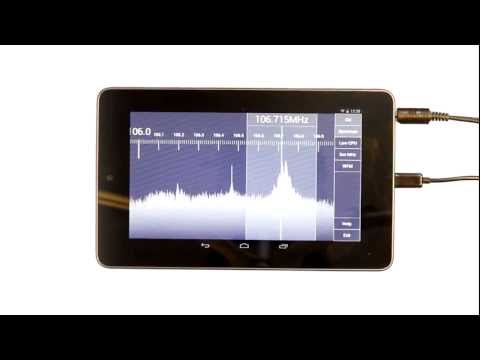
SDR Touch is an Android app which allows the rtl-sdr dongle to be used on an Android device. A USB OTG (on-the-go) cable is required to connect the android device to the tv dongle. The blurb on the app authors website reads

(SDR Touch) Turns your mobile phone or tablet into an affordable and portable software defined radio scanner. Allows you to listen to live on air FM radio stations, weather reports, police, fire department and emergency stations, taxi traffic, airplane communications, audio of analogue TV broadcasts, HAM radio amateurs, digital broadcasts and many more! Depending on the hardware used, its radio frequency coverage could span between 50 MHz and 2.2 GHz. It currently demodulates WFM, AM, NFM, USB, LSB, DSB, CWU and CLW signals.

SDR Touch - Live radio on your Android device

Continue reading

RTL-SDR Tutorial: Decoding Digital Voice (P25, DMR, NXDN, D-STAR) with DSD

The RTL-SDR software defined radio combined with SDRSharp and a program called “digital speech decoder” (DSD) can be used as a radio scanner to easily and cheaply listen to unencrypted digital radio voice conversations.

Digital radio voice communications are becoming more commonly used in the radio spectrum. This is due to the various improvements offered over traditional analogue voice radio systems. Unfortunately for radio scanner hobbyists, digital radio is difficult to receive, as special radio scanners which can be expensive are required to decode the digital signal. Additionally, digital radio systems can be encrypted making it impossible for communications to be decoded by a hobbyist. However, most users of digital radio do not bother to encrypt their systems as it can introduce lag, monetary expense and extra battery drain in portable radios.

The most common digital speech codec is APCO P25, which DSD is able to decode. DSD is also capable of decoding other common digital codecs such as DMR/MOTOTRBO, NXDN, D-STAR and ProVoice.

Super cheap software defined radios such as the RTL-SDR can be used to decode these digital voice communication signals instead of expensive radio scanners. While this tutorial is aimed at the RTL-SDR, other software radios such as the Funcube dongle, Airspy, HackRF and BladeRF will also work. Hardware radios with discriminator taps connected to a PC may also work.

Examples of DSD Decoding Digital Voice with RTL-SDR as a Radio Scanner

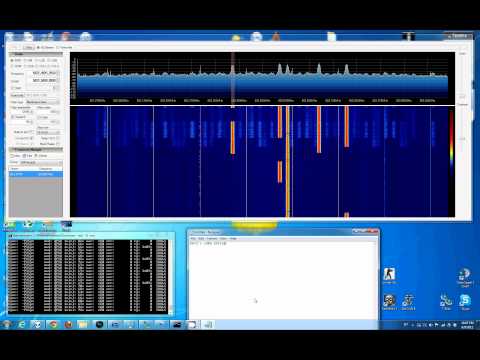
YouTube user Geoff Wolf shows a video where he uses RTL-SDR as a police scanner to listen to public safety P25 digital radio using DSD, SDRSharp and virtual audio cable.

RTL-SDR: Decoding P25 Phase I QPSK with DSD and SDR#

Continue reading

Analogue TV with RTL-SDR

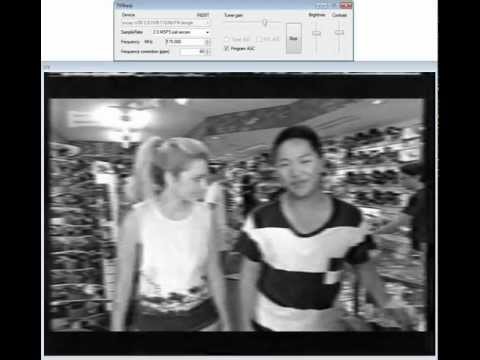
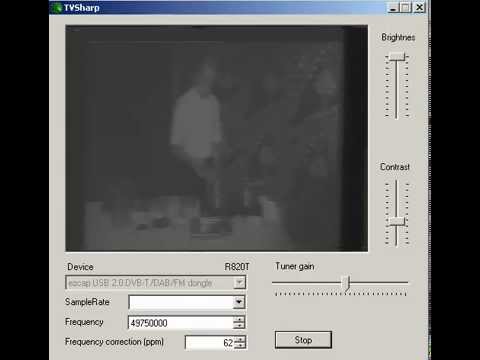
A user on the SDR# Google Groups forum has posted a program based on ADSB# called TVSharp, which can be used to watch analogue PAL and NTSC TV using the rtl-sdr dongle. Download TVSharp directly here (Mirror 1) (Old Version Mirror 2 (with source)).

The rtl-sdr as a software defined radio actually does not have enough bandwidth to receive a PAL or NTSC signal properly. PAL and NTSC signals require more than double the 2MHz typical bandwidth of the rtl-sdr. But, a decent black and white signal can still be obtained by using some of the luminance part of the signal.  As only part of the signal is sampled, resolution will be lost. Also, as sound is broadcast on a separate frequency, a second rtl-sdr dongle will be required to receive the matching audio.

On YouTube, users Superphish and ek6rc have posted videos showing TVSharp in action.

Analogue PAL TV with RTL SDR (RTL2832) and TVSharp

TVSharp R820T SDR sound via Yaesu VX-7:)

RTL-SDR Tutorial: Receiving Airplane Data with ACARS

What is ACARS?

ACARS is an acronym for Aircraft Communications Addressing and Reporting System which is a digital communications system that aircraft use to send and receive short messages to and from ground stations.

Standard ACARS transmits at a frequency of 131.550 MHz, which is in the receivable range of the RTL-SDR. The RTL-SDR software radio can be used as a radio scanner for listening to these digital messages, and with the help of some decoding software, can be used to decode and display the messages. The messages you can receive will be from nearby aircraft and ground stations. Most messages will be unreadable data intended for computers, but you can find out what is flying near you by decoding the flight number and aircraft registration details sent with every message.

There is also HF ACARS, which is used for long distance communications. In this article the focus will be on VHF ACARS, as receiving HF ACARS is a little different.

Examples of the RTL-SDR being used to decode ACARS

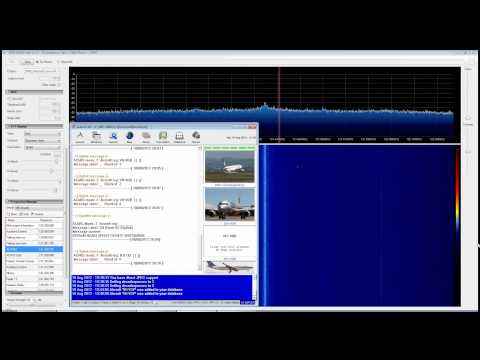
YouTube user Superphish shows a timelapse over 5 hours of ACARS traffic and decoding using SDR# and decoding program acarsd. He used a J-Pole antenna. (2021 Update: please see note regarding acarsd no longer working as expected below in the tutorial)

ACARS Decoding with RTL SDR (RTL2832), SDR Sharp and ACARSD

Continue reading