Category: Applications

Analyzing a Car Security Active RFID Token with a HackRF

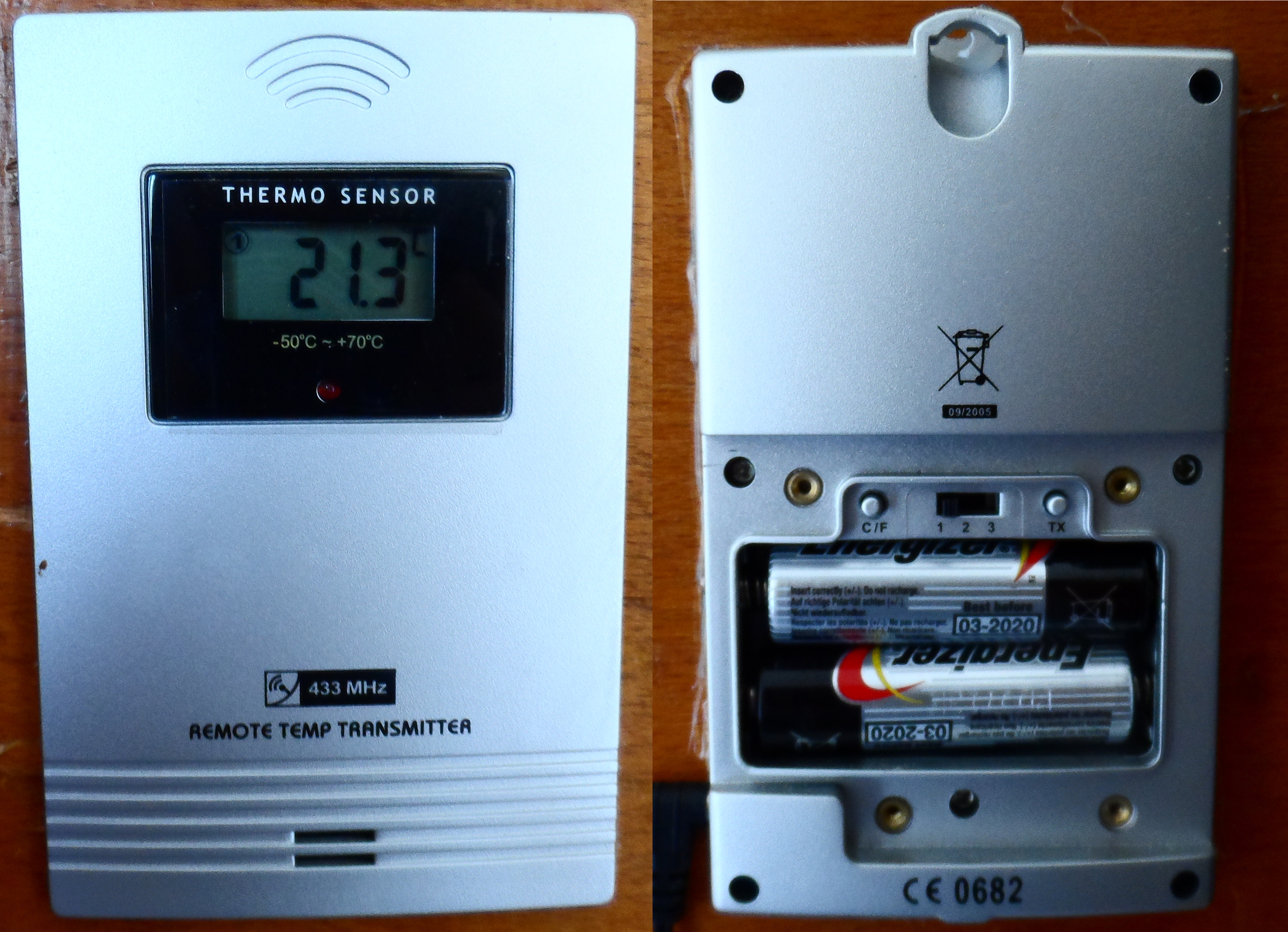
Some car security systems from around 2001 – 2003 use an embedded RFID tag inside the car key as an added security measure against key copying. Using his HackRF, ChiefTinker was able to analyse and decode the data from an active RFID token used in a car key. He notes that the same analysis could also be performed with an RTL-SDR dongle.

Upon powering the RFID tag with a power supply, ChiefTinker noticed that the tag emitted a short transmission every 5 seconds in the ISM band at 433.920 MHz. On closer inspection he determined that the transmitted data was encoded with a simple AM on-off keying (OOK) scheme. After importing the audio into Audacity and cleaning up the signal a little, he was able to clearly see the OOK square wave showing the transmitted binary data.

Next he analysed the data and compared the binary output against two different RFID keys. From the comparison he was able to determine that the tag simply beacons a unique serial number, which is susceptible to capture and replay attacks. After further processing he was able to convert the transmitted binary serial number into hexadecimal, then ASCII to find the unique serial number being broadcast in decimal.

RFID Car Key Tokens
RFID Car Key Tokens

RTL-SDR Tutorial: Receiving Meteor-M N2 LRPT Weather Satellite Images with an RTL-SDR

*****************************************************

Update 29 June 2023

****************************************************

With the launch of Meteor M2-3, the loss of all prior Meteor M satellites and the release of new software, this tutorial is now outdated. We will eventually update this tutorial, but for now we will reference this post which has a brief high level overview of how to receive and decode images from the Meteor M2-3.

The current best tutorial for receiving Meteor M2-3 is available from Happysat at https://github.com/happysat/Setup-Meteor-M-N2-3-with-LRPT-Decoder-and-MeteorGIS/blob/main/README.md

*****************************************************

Update 02 August 2019: Please use Happysats tutorial which is available here. Happysats tutorial will work for Meteor M-N2-1 and Meteor M-N2-2.

Update 11 May 2015: There is now a real time method for decoding Meteor-M2 LRPT images. Please also check out the new tutorial available here

The Meteor-M N2 is a polar orbiting Russian weather satellite that was launched on July 8, 2014. Its main missions are weather forecasting, climate change monitoring, sea water monitoring/forecasting and space weather analysis/prediction.

The satellite is currently active with a Low Resolution Picture Transmission (LRPT) signal which broadcasts live weather satellite images, similar to the APT images produced by the NOAA satellites. LRPT images are however much better as they are transmitted as a digital signal with an image resolution 12 times greater than the aging analog NOAA APT signals. Some example Meteor weather images can be found on this page and the satellite can be tracked in Orbitron or online.

The RTL-SDR and other SDRs like the Funcube along with some free software can be used to receive and decode these images. LRPT images from the Meteor-M N2 are transmitted at around 137.925 MHz, so any satellite antenna like those commonly used with the NOAA weather satellites can be used.

NOTE: Meteor M1 has come alive, (now offline again), so the frequency of Meteor M2 was changed from 137.1 MHz to 137.9 MHz. Meteor M1 is now at 137.1 MHz and can be received using the same steps as in this tutorial, though please note that images from Meteor M1 are not perfect since the satellite is tumbling.

Happysat, a satellite monitoring enthusiast has emailed us with a comprehensive tutorial showing how the RTL-SDR can be used to receive and decode these LRPT images (pdf warning) (txt file). The procedure is not quite as simple as with the NOAA satellites as it involves first pre-recording the transmission as a baseband I/Q file in SDR#, changing the sample rate in Audacity, processing the file with the Lrptrx.exe software, and then using Oleg's LRPToffLineDecoder (now called M2_LRPT_Decoder) to finally produce the image (in case the link is down for LRPToffLineDecoder/M2_LRPT_Decoder), try mirror here or here).

The tutorial also shows an alternative and faster Linux based method using some GNU Radio scripts, but with the final processing still done with Oleg's decoder in Windows.

The tutorial can be downloaded in PDF form from this link or alternatively in a text file here.

Update: This newer post now shows a slightly faster way for receiving and decoding LRPT images on a Windows PC which does not require the use of Audacity.

Linux Meteor M2 Brief Guide

Check out the new lightweight Meteor M2 demodulator, and the meteor_decoder software.

Basic idea on Linux is to record an IQ wav file using:

rtl_fm -f 137.9M -s 140k -M raw -g <gain> -p <ppm> <output .wav filename>

Then pass the wav file into the Meteor M2 demodulator which will create a soft-QPSK file that can be passed into the meteor_decoder software. This will generate the image file.

The Meteor-M2 Satellite
An Example LRPT Image Received with an RTL-SDR from the Meteor-2 M2.
Another Sample LRPT Image
What a LRPT signal looks like in SDR#

For a comprehensive book about the RTL-SDR you may be interested in our eBook available on Amazon.

The Hobbyist's Guide to the RTL-SDR: Really Cheap Software Defined radio.

Two New SDR# Plugins Released: ShortWave Info and DCS Decoder

Recently two new SDR# plugins have just been released.

The first is a plugin which shows the name and language of the shortwave station that is currently tuned in using data from short-wave.info. It can be downloaded from http://sourceforge.net/projects/sdrsharpshortwaveinfoplugin/.

short-wave.info SDR# Plugin

The second plugin is a Digital Code Squelch (DCS) decoder plugin. The plugin will display the DCS codes that are transmitted with the signal and will display all possible compatible codes. DCS is a squelching system similar to CTCSS which allows for radio user sharing by ensuring that radio users are not bothered by communications not intended for them. The DCS Decoder plugin can be downloaded from http://www.rtl-sdr.ru/page/novyj-plagin-dcs-decoder (note page in Russian).

Digital Code Squelch (DCS) Decoder Plugin for SDR#

SDR Touch Updated to Version 2.0

SDR Touch, the popular Android based software defined radio software for the RTL-SDR has been updated to version 2.0. This new version is a complete rewrite with many optimizations listed below.

  • 100% rewritten from scratch
  • Improved reception sensitivity and quality
  • Optimized engine
  • GUI overhaul (Landscape mode, more flexible)
  • 16 bit audio
  • FIR filtering

The author also writes that the rewrite allows for new features coming out in the future such as adjustable bandwidth, FFT size, plugins and a separate GUI for in-car use. SDR Touch is available from the Android Play store.

SDR Touch Android GUI for RTL-SDR

SWSCAN – A Console Based Shortwave Broadcast Scanner for the RTL-SDR

Over on the Reddit discussion boards user gat3way has posted about his newly released software project called swscan. Swscan is a Linux console based program that can be used to scan and listen to shortwave broadcast stations. It has a built in database of shortwave station frequencies as well as their broadcast schedules and it will even show you the stations power level and distance you are from the transmitter. Swscan is based on GNU Radio 3.7, so you will need to have that installed first.

As shortwave stations exist at frequencies below the normal tuning range of the RTL-SDR, you will need an upconverter or be using the latest R820T experimental driver which can tune down to around 1 MHz.

Swscan can be downloaded from http://www.gat3way.eu/poc/swscan.tgz.

Console GUI for swscan.

Hacking a PlayStation 3 using an RTL-SDR

There is a war going on between game console designers and the console modding community. Modders hack the console system so that they can jailbreak it and then install their own custom firmware while console designers are constantly finding new ways to prevent unauthorized modding. Custom firmware allows a console to run homebrew applications like media players and emulators that use the console in ways that is was not intended to be used in. One PlayStation 3 modder has recently been using an RTL-SDR to help jailbreak a PlayStation 3 Super Slim (4K) console, whose current official firmware appears to not yet have been jailbroken. It’s important to note that so far no actual jailbreaking has been done with this method, but the modder is currently working on it. His idea is to receive leaked RF signals from the PS3 and then use methods similar to Acoustic Cryptoanalysis to decode the data and find out what opcode operations the processors are performing. The modder writes about his method in the following.

My idea was to hook up a rtl-sdr device to the PS3 4k between chassis and real ground (yes, I actually have a two meter copper rod buried in my lawn) using the antenna leads. First I had to make sure the PS3 4k chassis wasn’t grounded in the outlet, and that no video out or USB connector was hooked up to ground indirectly via other hardware. If you want to try this, make sure that the rtl-sdr antenna leads are the only lead between the PS3 mobo/chassis and real ground. Before connecting the rtl-sdr antenna leads I measured the voltage on the PS3 chassis which peaked at around 1.8V which was safe enough, didn’t want to blow it up on the first try. 

This method will effectively turn your console into an “active antenna” leaking all kind of interesting data on the rtl-sdr frequency spectrum (between 24 – 1766 MHz). After hooking it up, I started using gqrx on my laptop to look for signal peaks while the PS3 4k was turned on, after finding a peak I just powered off the PS3 completely and turned it back on, using the waterfall plot you’ve seen in my first post I can see if there is something interesting happening during boot and verify that the signal is indeed coming from the PS3. In a similar way I learned to distinguish between the PS3 BD drive, GPU and CPU which pops up at different frequencies. Then I dumped the data (I/Q recording) that looked interesting and made a note of the frequency. It’s hard to describe the incredible feeling when you tune into a good signal and start watching the waterfall plot revealing opcodes, register bits and what might be stack contents. The Acoustic Cryptoanalysis paper (PDF) has a lot of good info how to interpret the output from various window functions in the plot.  What I’m coding right now is a gnuradio-companion block which will filter and test the dumped data for decryption keys against encrypted PS3 data. 

PS3 Data Received with an RTL-SDR and Shown on GQRX
PS3 Data Received with an RTL-SDR and shown on a GQRX Waterfall

Monitoring Military Aircraft with an RTL-SDR

The military air communications monitoring enthusiasts over at milaircomms.com have been using a system involving RTL-SDRs to monitor military air traffic through ADS-B. While military aircraft generally do not transmit GPS position information like commercial aircraft do, they are still able to record live information such as the aircraft’s hex code, registration number, aircraft type, the base station location and a graph of recorded altitudes. They also log all this data showing where military aircraft have been spotted over time.

To receive this information they so far have a network of about 30 volunteers running RTL-SDR based ground stations that use their custom MilAirComms1090 software. If you want to contribute, the software is available for Windows and for Linux/Raspberry Pi.

Example of a US Coast Guard C-130 Aircraft doing Touch/Goes and Sighting History
Example Logs of a US Coast Guard C-130 Aircraft doing Touch/Goes and its Sighting History

Receiving NTSC Analogue TV with GNU Radio and an RTL-SDR

Over on GitHub user kik has uploaded a tutorial and code showing how to decode NTSC analogue TV in GNU Radio and an RTL-SDR. The tutorial is in Japanese, but Google translate should be good enough to understand the text. Kik shows us what GNU radio blocks to use and provides the python code needed to display the images on a simulated scope.

If you just want to receive analogue TV signals, try TVSharp.

gnuradiontsc
GNU Radio Decoding NTSC and showing images on a Scope