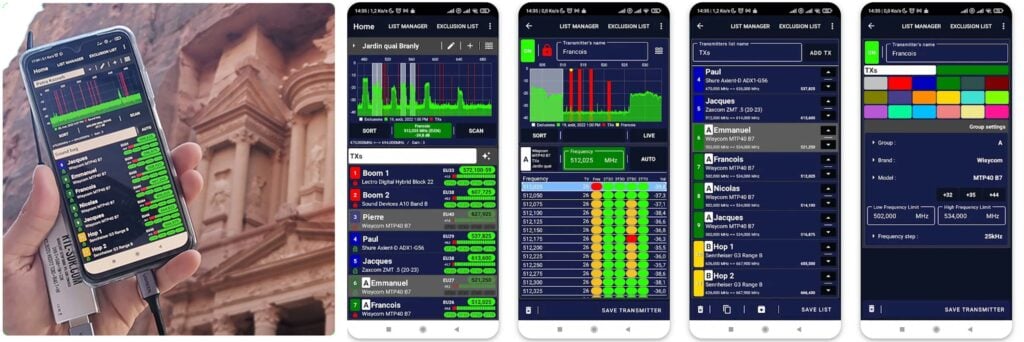
Recently we came across a new RTL-SDR app on the Google Play store called TXAdvance which appears to be designed for professional sound engineers working in TV/film/stage/music production industry. The app uses an RTL-SDR to display the RF spectrum, helping sound engineers manage the RF spectrum for all their wireless sound recording devices, ensuring there is no overlapping signals, interference or intermodulation from other transmitters that could corrupt audio.
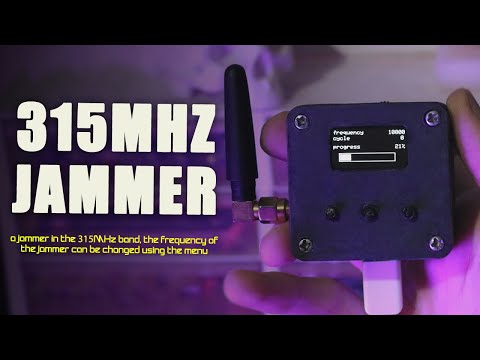
Over on YouTube CiferTech has uploaded a video showing how to create a low cost 315 MHz jammer using an Arduino and a cheap 315 MHz transmitter circuit. The 315 MHz band is used in some countries by short range wireless devices such as garage door openers, tire pressure sensors, hone security systems and car keyfobs. Some wireless home security systems have been shown to be vulnerable to jamming, as jamming can stop an alarm activation signal being received by the base unit.
We want to note that building a jammer in most countries is completely illegal and the use of a jammer can result in severe penalties such as jail time.
On a related note, we also wanted to point out this recent tweet by Naomi Wu (@realsexycyborg), a popular Technology YouTuber who is based in China. Her tweet pointed out that some local market scammers in China use rigged weighing scales which can force the scale to display an artificially high value by using a wireless handheld remote. To combat this handheld jammers are sold so that shoppers can prevent the scammer's remote control from communicating with the scale. Although jamming is still most likely illegal in China, this could be considered an ethical use of a jammer.
.@c0un7z3r0 for it first- there are companies that rig popular brands of scales so they can be adjusted with a small remote control. The store sells jammers to use against the remote used by those rigged scales. pic.twitter.com/juHeLLobnD
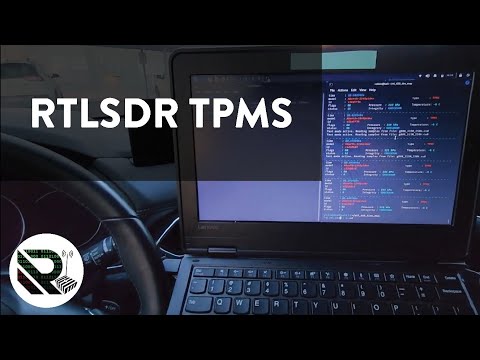
Over on YouTube Robert from the Robert Research Radios channel has uplaoded a video showing how he has been using an RTL-SDR and rtl_433 to measure his Mazda CX5's wireless tire pressure sensors. The Mazda CX5 comes with TPMS tire pressure sensors in each tire, however when there is a low pressure warning, it does not actually tell you which tire in particular is low.
Robert used his RTL-SDR, rtl_433 and a custom script to read the wireless TPMS data coming from his tires and then matched the ID from each reading to the correct tire.
To go along with the video, Robert has uploaded a blog post explaining his setup and script.
OpenWebRX is an open source web based SDR receiver program that allows you or others (if you allow them to), to access your SDR over the internet. It is compatible with KiwiSDR, RTL-SDR, Airspy, SDRPlay and many other software defined radio hardware. It was originally developed by Andras Retzler, but since abandoned by him, with a semi-official fork being maintained at openwebrx.de. However, other forks like luarvique can exist that implement a new set of features.
The full set of additions and improvements reads as follows:
This is the package repository for the improved version of the OpenWebRX online SDR. The new and original features available in this version of OpenWebRX:
Built-in SSTV decoder with background decoding.
Built-in AIS decoder.
Built-in CW decoder.
Built-in RTTY decoder.
Built-in MP3 recorder for received audio.
Image browser for received SSTV images.
Adjustable noise filtering based on spectral subtraction.
Adjustable tuning step.
Improved touch screen operation, with panning and zooming.
Improved scroll wheel support, with tuning and zooming.
Improved tuning in CW mode.
Bandpass filter adjustable with scroll wheel.
More reliable SDRPlay devices operation.
Better map information, with distances.
Better APRS map information, with weather.
Configurable session timeout, with a policy page.
HTTPS protocol support (requires SSL certificate).
The code comes packaged for Ubuntu 22.04 (amd64, arm64) and Debian 11 (amd64 arm64, armhf). There is also a ready to use Pi 4 SD card image available, linked on the GitHub readme. The original forked code can be found at https://github.com/luarvique/openwebrx.
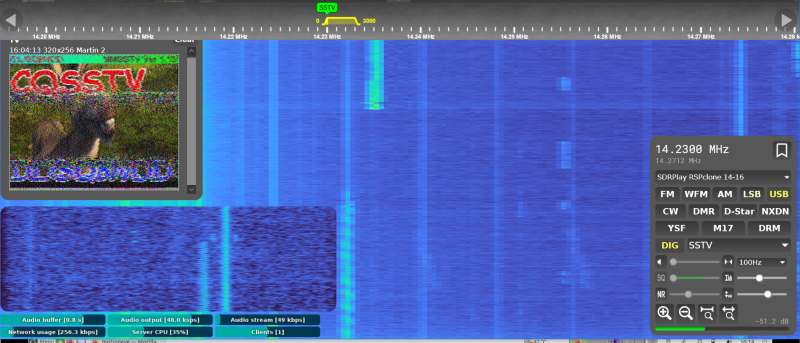
According to discussion over on the OpenWebRX groups.io, the fork also runs on a Pi 3. In the image Neil Howard from the groups.io forum demonstrates an SSTV image he received with an SDRplay clone using the luarvique fork of OpenWebRX.
SSTV Image received by the luarvique fork of OpenWebRX. Credit: Neil Howard
Stefan also notes:
The maker of OpenWebRX+ Marek and also the maker of the original version of OpenWebRX Jakob are reachable via a Telegram channel: https://t.me/openwebrx_chat
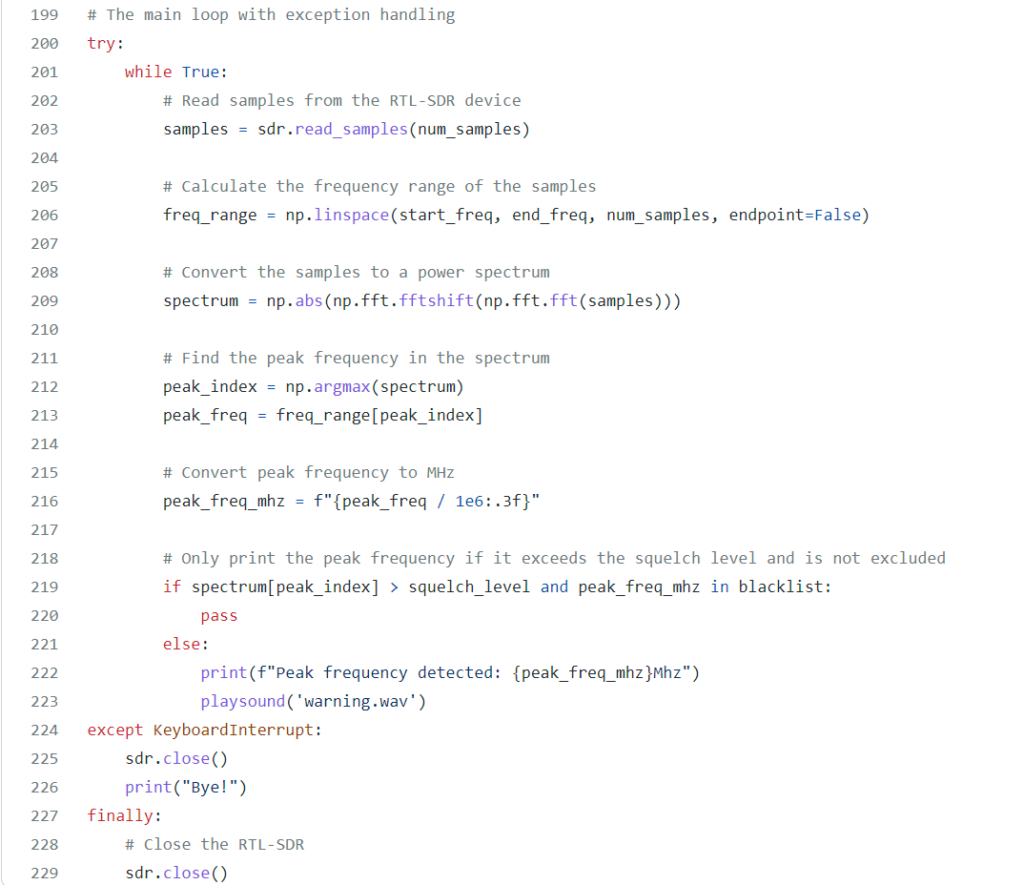
Thank you to Fabian for writing in and sharing with us his newly released RTL-SDR close call monitoring software called "rtl-sdr-close-call-monitor". The software is open source and written in Python. It's main purpose is to log any signal peaks that appear within a defined frequency range. Over on the GitHub Fabian explains the software:
These scripts use an RTL-SDR device to detect peak signals on a user specified frequency range. The scripts can also make an automatic blacklist so that different sources of RF noise won't cause continuous false positives. There are two scripts provided as examples. The scripts can be used to monitor certain frequencies for a wide range of purposes such as:
In criminal investigations, a close-call RF signal monitor can be used to detect and track communication signals used by criminals. This can help law enforcement agencies gather intelligence and evidence, and even prevent future crimes from being committed. By analyzing the frequency and strength of signals emitted by communication devices, a close-call RF signal monitor can provide valuable insights into the movements and activities of suspects, allowing investigators to piece together a timeline of events and make informed decisions about how to proceed with a case.
In military operations, a close-call RF signal monitor can be used to identify and track enemy communication signals, providing valuable intelligence for strategic decision-making.
In scientific research, a close-call RF signal monitor can be used to collect and analyze data related to wireless communication systems, providing valuable insights for thesis projects and other research studies.
An excerpt of Fabian's close call monitoring Python code.
In the 70's and 80's the US government launched a fleet of satellites called "FLTSATCOM", which were simple radio repeaters up in geostationary orbit. This allowed the US military to easily communicate with each other all over the world. However, the technology of the time could not implement encryption. So security relied entirely on only the US militaries technological advantage at being the only ones to have radio equipment that could reach these satellites.
Of course as time progressed equipment which could reach the 243 - 270 MHz range of the satellites became common place, and the satellites began picking and repeating terrestrial broadcasts of things like cordless phones. These days the satellites are often hijacked by Brazilian radio pirates, who use the satellites for long range communications.
A common hobby of RTL-SDR users is to listen to these pirates. All you need is a simple antenna and to be based in a region where the satellites cover both your ground station and the pirates.
Over on YouTube the "saveitforparts" channel has uploaded an entertaining video overviewing the pirate phenomenon, and showing how it's possible to listen in using a cheap Baogeng scanner and RTL-SDR. He uses a homemade Yagi and cleverly makes use of an old security camera motorized PTZ mount to accurately aim the antenna. Once the Yagi antenna is aimed at the satellite, pirates can be heard on the radio.
Searching For Space Pirates On Old Military Satellites
On a previous post, we showed an interview by SignalsEverywhere and an anonymous Brazilian radio pirate who explains how and why they do what they do. If you search our blog for 'satcom' you'll also find several previous posts including examples of receiving SSTV from pirates.
Since the Russian invasion of Ukraine, the EU has banned the broadcast of Russian TV channels. This is caused Russia to move their satellite broadcasts from internationally owned satellites, to their own "Express AM8" geostationary satellite.
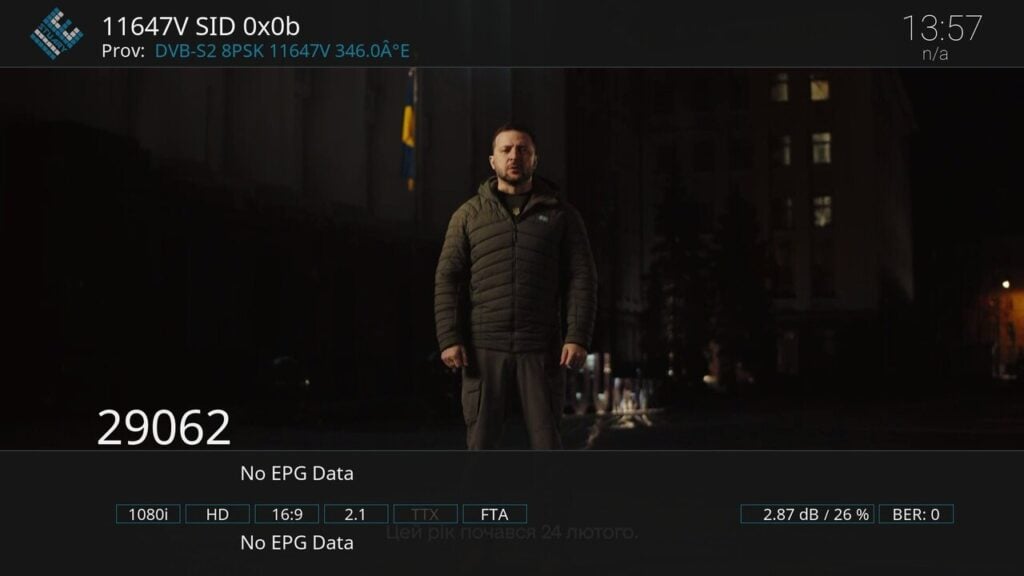
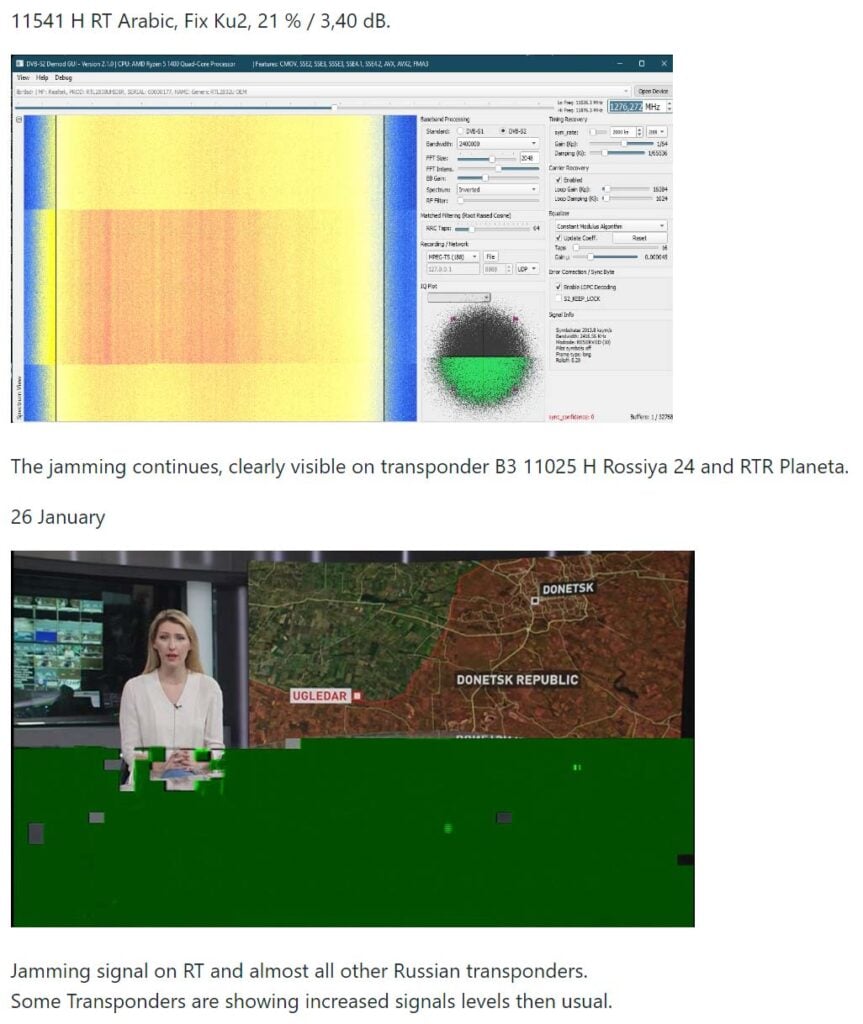
The Russian satellite can be received from Europe and parts of South America. What's interesting in particular is the hacking and jamming attempts going on on this particular satellite. These breaches are likely to be from individual people or by the Ukrainian Ministry of Strategic Communication. An example of a hack by Ukrainian Ministry of Strategic Communication on 5 January 2023.
Express AM8 transponder 11647V was hacked today at 6:30 PM by Ukrainian Ministry of Strategic Communication. A New Year's address by Ukrainian President V. Selensky was shortly broadcast in Ukrainian on all program positions of the T2-MI transponder.
Express AM8 hacked by Ukraine to broadcast the New Years address by Ukrainian President V. Selensky
Alex 'Happysat' has written to us with the following information. The full guide to receiving TV from the satellite, and information about the satellite and signals and modulations used on the satellite is on GitHub at https://github.com/happysat/Express-AM8.
You may know that here in Europe a number of controversial Russian, Syrian and Iranian (news) channels are not allowed to be broadcast due to sanctions against Russia (everything) and Iran (Press TV).
The Russians moved most of the channels (Rossiya 24, RTR Planeta, NTV Mir, Perivy Kanal, Press-TV) to their own satellite Express AM8 some time ago.
Since it is not a normal DTH satellite such as Astra or Hotbird, everything happens there (jamming / hacks) which is interesting for many (dx) viewers.
Because it is relatively easy to receive in Europe and parts of South America, I have created a GitHub website with some useful tips and tricks.
Not only in terms of content, but also the technical side of it, the different modulations broadcast techniques T2-MI (unfortunately gone for a while after the hacks…) but also just old-fashioned DVB-S signals, Telemetry and some transponders (only symbol rate lower than >2000ks) are even without the need for a satellite receiver.
For example with an SDR radio and the AM-SAT program what the radio amateurs use on Eshail2.
And that a '14 west setup' can easily be made, which does not have to be expensive at all.
The tinySA-Ultra is an affordable handheld spectrum analyzer that can be purchased for around US$130 on Aliexpress and authorized resellers such as R&L Electronics in the USA.
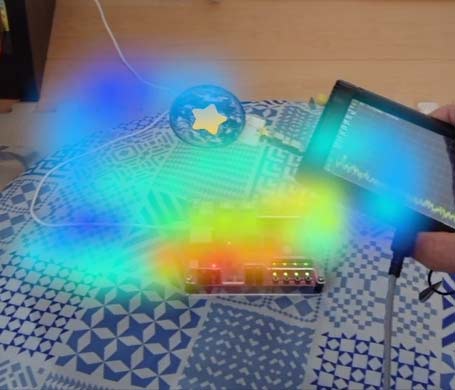
Recently on YouTube Manahiyo has used his tinySA-Ultra, and combined it with an RF EMC probe and an Android smartphone to create an augmented reality RF display. This is useful for measuring and visualizing the RF power around electronic devices for example. The code is entirely open source and released on GitHub.

![[RadioFieldAR -tinySA-] Visualize radio wave strength. [電波可視化]](https://www.rtl-sdr.com/wp-content/plugins/wp-youtube-lyte/lyteCache.php?origThumbUrl=https%3A%2F%2Fi.ytimg.com%2Fvi%2FJ-cCwv5PNz8%2F0.jpg)