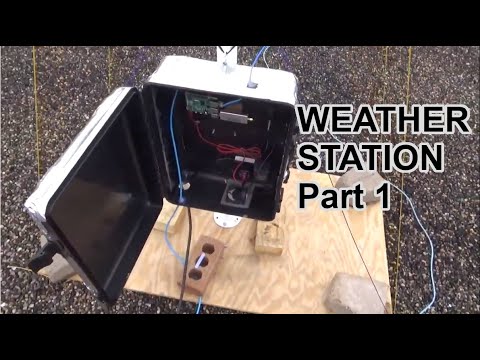
Over on his YouTube channel saveitforparts has uploaded a video showing how he has built an automated weather satellite image collector for the NOAA APT and Meteor M2 LRPT satellites. The video shows a time lapse of him building a QFH antenna, and how he's mounted a Raspberry Pi and RTL-SDR inside a waterproof enclosure attached to the antenna mast. He goes on to show how he's automating the system with the Raspberry-NOAA V2 software.
Automated Home Weather Station (Satellite Image Collector)
Over on his YouTube channel CWNE88 has posted how he has been using and RTL-SDR with the rtl_433 software to explore the data coming in from various 433 MHz ISM band devices in his neighborhood. In the video he explains how he has set up rtl_433 on his Raspberry Pi, and what sort of data he is receiving. Some examples of devices he's received include various weather stations, doorbells, remotes and car tyre pressure monitors.
He also mentions how these signals are unencrypted, noting that in a future video he will show on GNU Radio how a false signal could be synthesized.
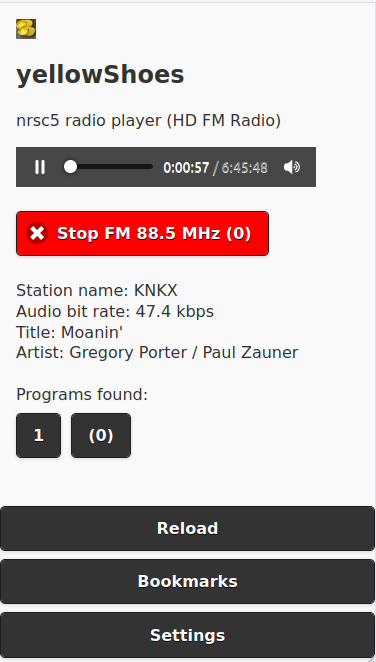
Thank you to Evuraan for writing in and sharing his new browser based HD Radio / NRSC-5 interface for the nrsc5 decoder which he has called yellowShoes.
NOTE: We have been informed by some users that yellowShoes may contain a Trojan virus. This is likely to be a false positive which is a very common problem with antivirus software falsely detecting viruses on newly released niche software via heuristics. We have removed the above link out of an abundance of caution, however if you wish to continue the yellowShoes Github is here. If you want the software, but are concerned you can check the code compile it yourself.
NOTE UPDATE: The author of the software has contacted us regarding the virus concerns and written "I wanted to write in clarify that it is indeed a false positive, please see https://groups.google.com/g/golang-nuts/c/Au1FbtTZzbk and also https://golang.org/doc/faq#virus - this false positive occurs when you cross compile go binaries - This is a common occurrence, especially on Windows machines. Commercial virus scanning programs are often confused by the structure of Go binaries, which they don't see as often as those compiled from other languages."
HD Radio is a digital broadcast protocol replacement for analogue broadcast FM. It is only used in North America and is easily recognized as the two rectangular blocks on either side of a broadcast FM station signal on a spectrum analyzer/waterfall display. Together with an RTL-SDR and theori's command line nrsc5 decoder, the HD Radio signal can be decoded and listened to. Evuraan writes:
I wrote yellowShoes - an nrsc5 player which you can control from your browser. (Should work on Windows, Linux etc. Player F/E also works on Android Phones.)
Its sole dependency is that the nrsc5 binary must be available in the path.
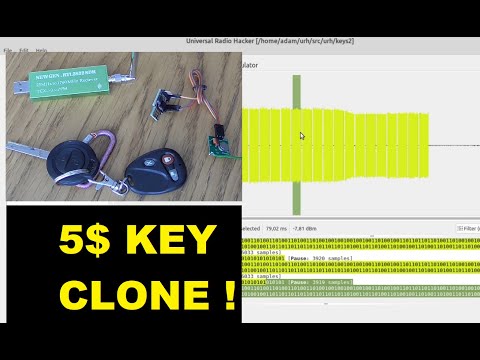
Over on YouTube Adam Łoboda has uploaded a video showing the full steps that he's taken to reverse engineer and clone a wireless garage door key using an RTL-SDR and Arduino.
He starts by using the Universal Radio Hacker software to record a copy of the wireless signal generated by the garage key. Using the software he can then analyze the signal, and determine the preamble data, payload data and pulse width which he can then input into some Arduino code. The Arduino can then generate an identical signal, and transmit it via a cheap FS1000A 433 MHz RF module. Finally, at the end of the video Adam shows the cloned Arduino based garage key working as expected.
hacking & clonning my garage key with URH ( Universal radio Hacker ) and ARDUINO DIGISPARK + FS1000A
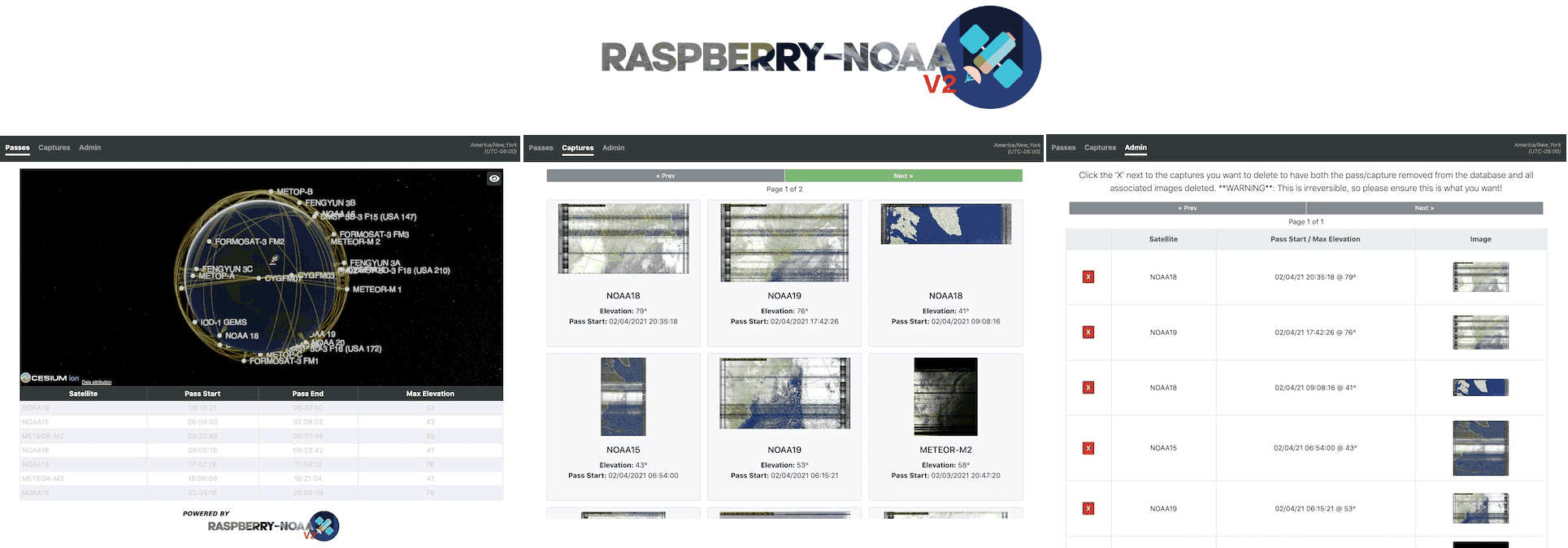
Raspberry-NOAA is open source code and a set of scripts that allows you to set up a Raspberry Pi as an automated NOAA and Meteor weather satellite station with an SDR like an RTL-SDR. The software makes use of the Raspberry Pi version of WXtoIMG and meteor_decoder for decoding the satellites, a program called predict for predicting satellite passes, and various automatically generated cron scripts to schedule recording and processing.
Recently V2 has been released by Justin Karimi who builds on the work of the original creators. It seems that the webpanel has been upgraded and made mobile friendly, as well as many more enhancements that can be seen on the Release page notes.
Back in 2018 we first posted about "System Bus Radio" which is code and a web based app that allows you to transmit RF directly from your computer without any transmitting hardware. It works on the principle of manipulating the unintentional RF radiation produced by a computers system bus by sending instructions that can produce different AM tones. The idea is to demonstrate how unintentional radiation from computers could be a security risk.
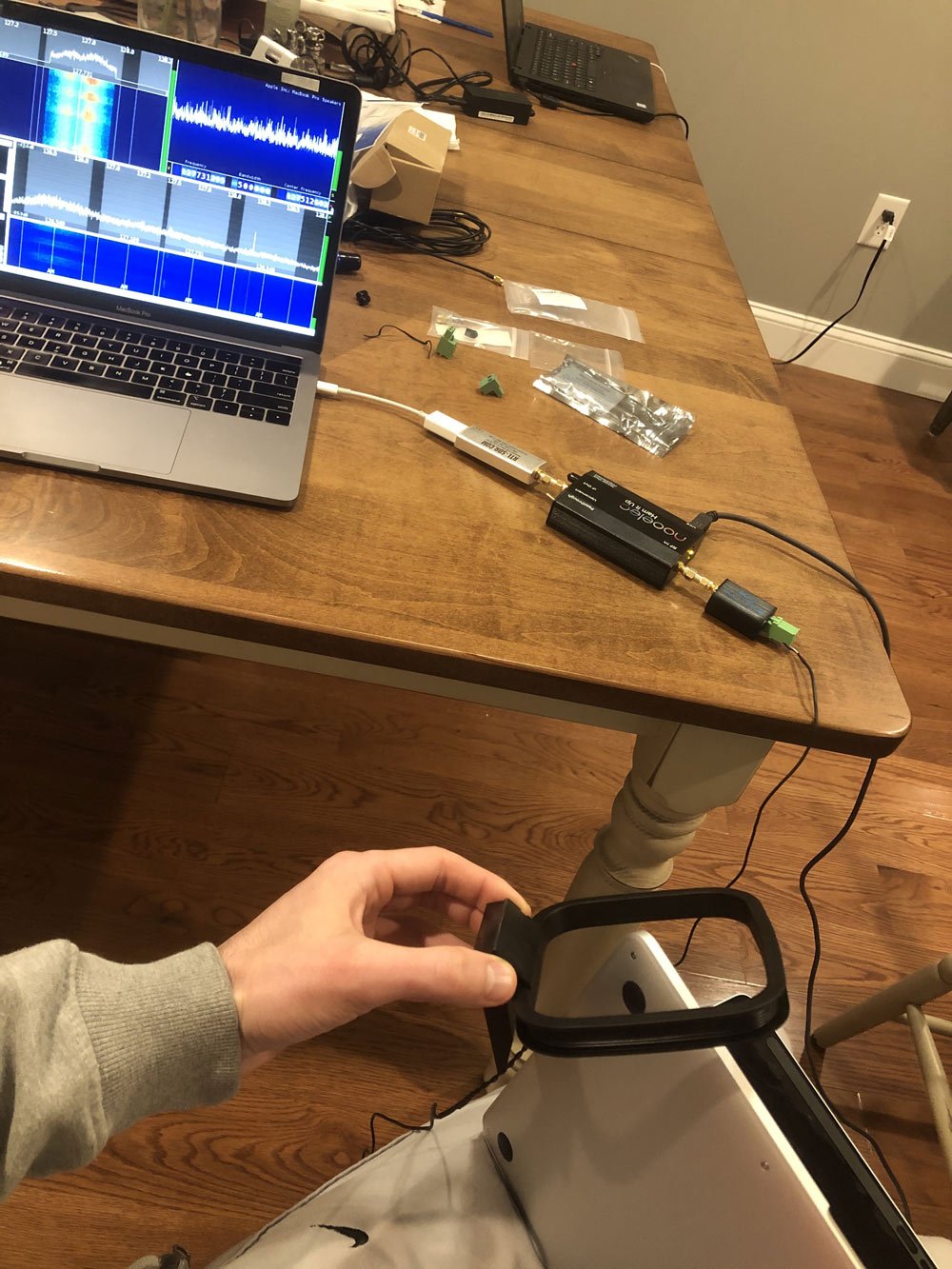
Recently the creator of System Bus Radio has uploaded a guide on receiving the generated signals with an RTL-SDR. He recommends using an RTL-SDR with upconverter, balun and an AM loop antenna. He then shows how he was able to receive the signals from his MacBook Pro M1, noting that he was able to receive audible signals from several inches away at frequencies between 63 kHz to 5.5 MHz.
System Bus Radio received with an RTL-SDR and upconverter.
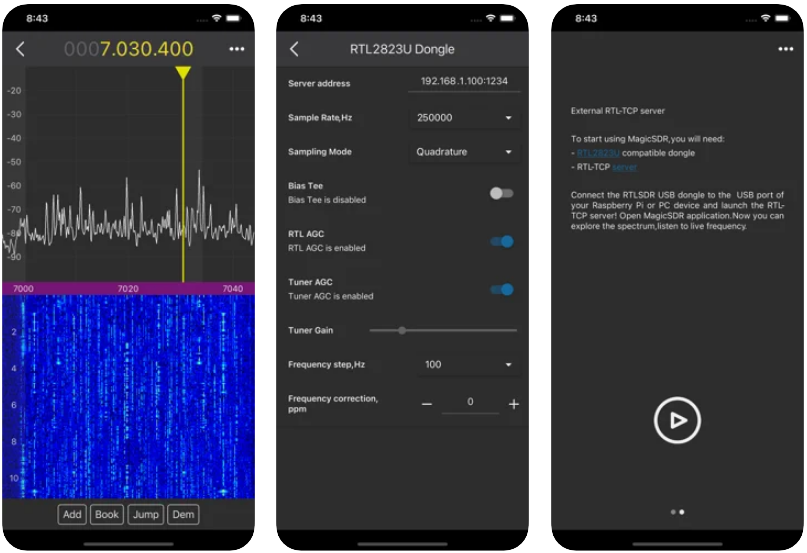
Unlike Android devices, Apple iOS devices can't run RTL-SDRs directly through their USB ports. However, they can still connect to another networked device such as a PC or Raspberry Pi running an rtl_tcp server. In the past we've seen two rtl_tcp clients for iOS released [1 , 2].
MagicSDR makes it possible to interactively explore RF spectrum using panadapter and waterfall visualization, demodulate and play AM, SSB, CW, NFM, WFM signals, collect frequencies. Built on the principle of plug-in architecture, MagicSDR - powerful and flexible next-generation SDR (software-defined radio) application. Typical applications are dx-ing, ham radio, radio astronomy, and spectrum analysis. Explore the spectrum everywhere!
MagicSDR processes signals that are streamed over the local network from the rtl_tcp server, which is running on the host computer. The smartphone itself, on which MagicSDR is running, can act as a host computer.
To start playing with MagicSDR, you need to set up a server on a host computer to which SDR peripherals (rtl-sdr dongle) will be connected or connect SDR peripherals directly to a smartphone via a USB OTG cable. To try application without SDR peripherals, MagicSDR can emulate a virtual radio device.
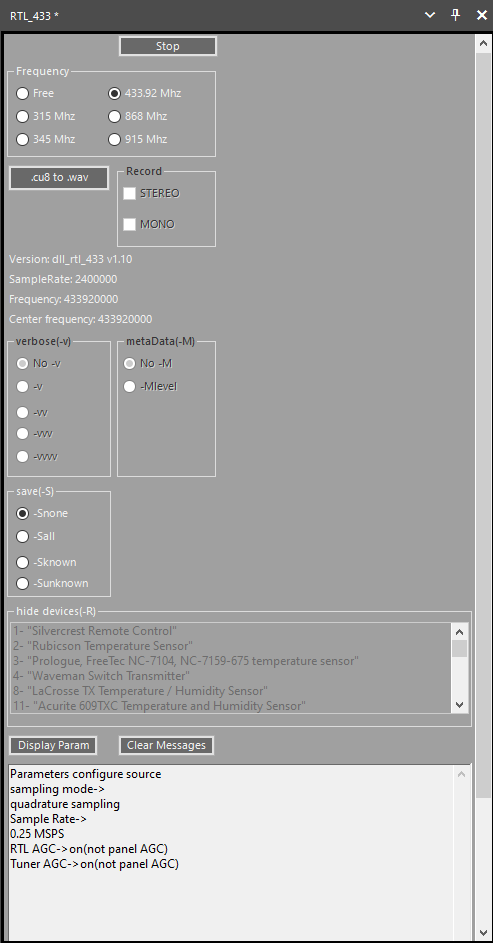
Recently Marc has released his RTL433 plugin for SDR# over on GitHub and his Wixsite. RTL433 is a commonly used RTL-SDR command line program that provides decoders for a wide range of 433.92 MHz, 868 MHz, 315 MHz, 345 MHz, and 915 MHz ISM band devices. Examples of such devices include weather stations, alarm sensors, utility monitors, tire pressure monitors and more.
To install the plugin, go to the GitHub page and click on the green Code button, and select Download Zip. In the zip file open the "install" folder and extract the three .dll files into the SDR# folder. Now open the Plugins.xml file in Notepad and add the following line between the <sharpPlugins></sharpPlugins> tags.
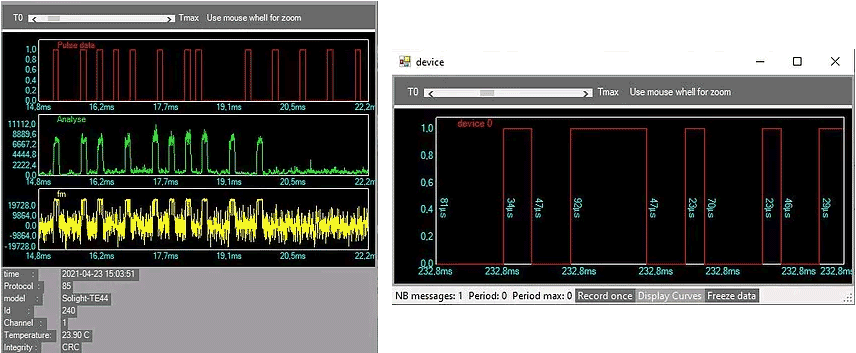
Now you can add the plugin to the SDR# screen using the hamburger menu within SDR# on the top left. When a device is discovered it will open up a window for that device, logging data from it over time.
RTL433 SDRSharp PluginRTL433 SDR# Plugin Device Windows