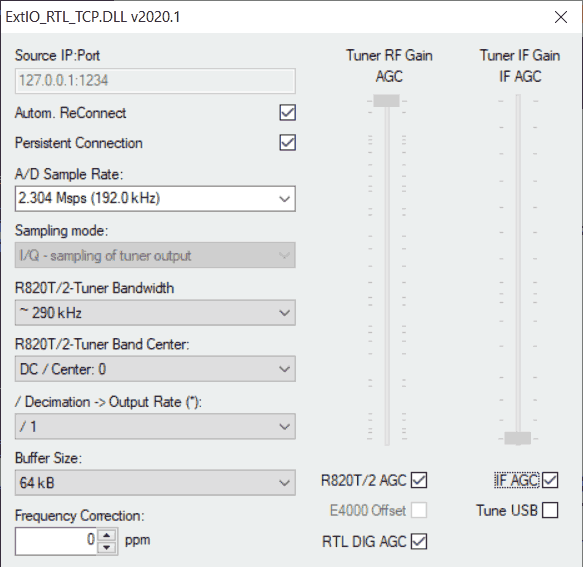
A few days ago we posted about Hayati and others' work in creating a new release of the librtlsdr drivers which implemented some new interesting features. However, at the time of the post there was no GUI for actually making use of the features easily. Now Hayati has released a new rtl_tcp ExtIO interface.
The interface exposes the ability to manually adjust the filtering within the R820T tuner. This is quite useful for managing out of band interference and raising overall dynamic range especially when trying to listen to a narrowband signal. It also exposes decimation controls, tcp connection features like auto reconnect and persistent connection, manual IF gain control, the ability to choose USB vs LSB tuning, and the ability to choose the highest stable sample rate of 2.56 MSPS.
The ExtIO interface is only available for SDR programs that support ExtIO, such as HDSDR. To test the ExtIO, first download and extract the latest librtlsdr release then run rtl_tcp from the command line. Extract and run the new ExtIO dll into the HDSDR folder, then run HDSDR, making sure to select the new dll when it asks on startup. You can then set the desired bandwidth and the matching decimation settings for that bandwidth.
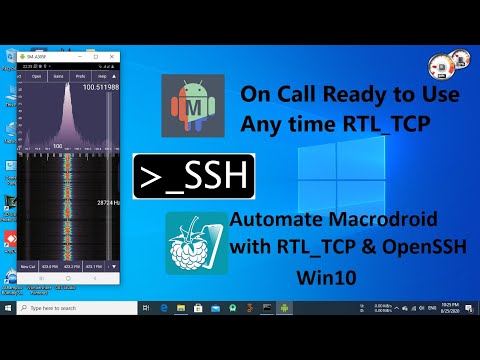
Over on his YouTube channel M Khanfar has put together a tutorial for an interesting idea. The idea is to use an automatic SSH connection to tell your Windows PC to run rtl_tcp whenever you open SDRTouch or RFAnalyzer on your Android device. SDRTouch and RFAnalyzer are both Android based SDR applications and rtl_tcp is a server which allows both apps to connect to a remote RTL-SDR over a network connection.
To set this up, Khanfar first sets up OpenSSH on his Windows PC which allows a secure remote connection to the PC. On his Android device he then installs MacroDroid and RaspController. MacroDroid is an app that help you automate tasks on your Android device, and RaspController is an app designed for remotely controlling a Raspberry Pi, but also works on Windows via the SSH connection. These apps are then setup so that an SSH connection to the Windows PC is automatically opened whenever SDRTouch is run. From within the SSH connection rtl_tcp is then started.
Full text instructions are available in the video description.
Automate MacroDroid with RTL_TCP through OpenSSH under Windows 10
KerberosSDR is our 4-channel phase coherent capable RTL-SDR unit that we previously successfully crowdfunded back in 2018. With a 4-channel phase coherent RTL-SDR interesting applications like radio direction finding, passive radar and beam forming become possible. It can also be used as 4 separate RTL-SDRs for multichannel monitoring. KerberosSDR is currently in stock and available on the Othernet store.
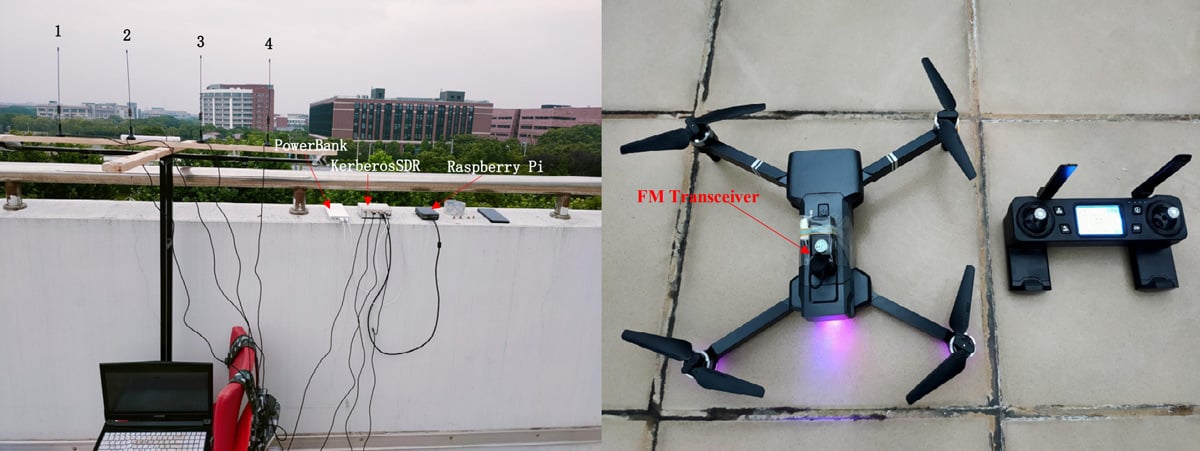
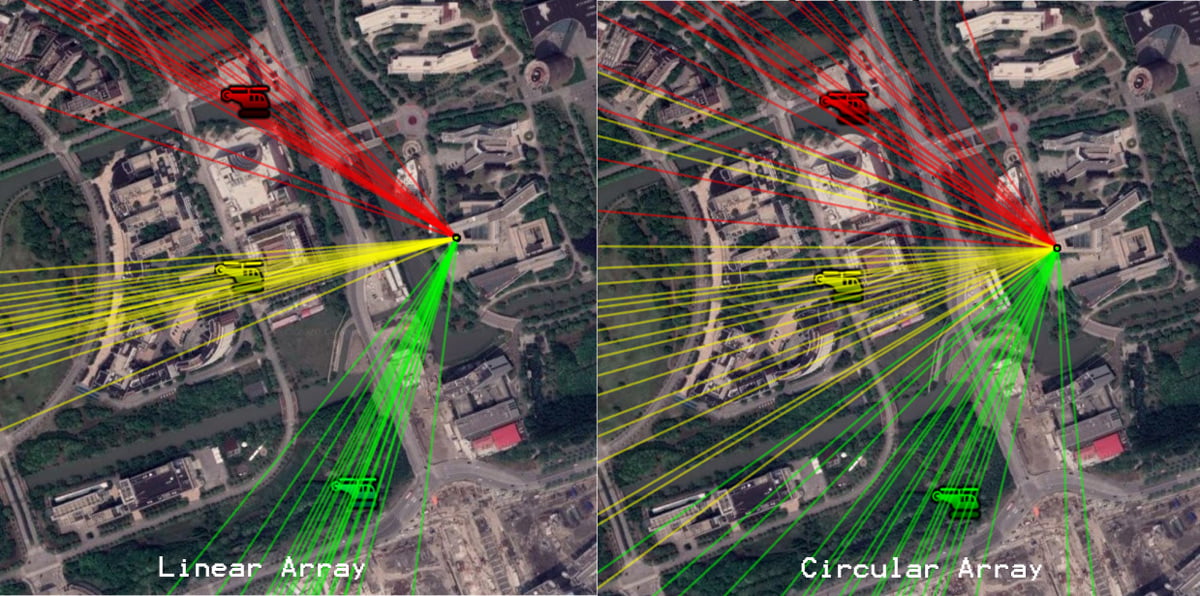
In their experiment they set up both circular and linear antenna arrays for the KerberosSDR, then flew the drone in front of the antenna array while recording the bearings calculated by the KerberosSDR system. The results showed that the KerberosSDR was able to successfully track the drone's bearing with either antenna array, however the linear array produced more accurate results as expected.
We note that a linear array cannot differentiate if an object is in front or behind the array. However, if this knowledge is known it can be used instead of a circular array to get more accurate bearings that are less affected by multipath.
Over on her YouTube channel, SignalsEverywhere, Sarah has uploaded a new video showing how she uses a PlutoSDR, HackRF and mixer to transmit DVB-S digital amateur TV to a standard satellite set top box. In this video the idea is to get a little more range by using the PlutoSDR to transmit in the 70cm band, then upconverting that to the 23cm band right at the satellite receiver. Transmitting at the lower frequency yields a higher power output from the PlutoSDR and less cable loss. The mixer consists of a passive mixer chip and a HackRF is used as the mixer LO signal source as a temporary test solution.
Digital TV Transmitter 70cm ATV to 23cm Satellite Receiver Using a Mixer/Upconverter
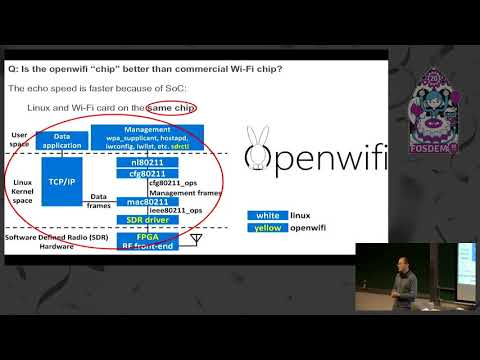
OpenWiFi is a Linux mac80211 compatible full-stack IEEE802.11/Wi-Fi design based on an FPGA and SDR (Software Defined Radio). It aims to be the first full open source implementation of the entire WiFi stack. While the current design does not provide any feature benefits over commercial closed source chips, it is beneficial from an education standpoint, and also from a security view as any open source FPGA code can be verified to not have backdoors. The SDRs used in the project are typically not ones seen on this blog as they mostly exist on research dev boards optimized for the 2.4 GHz band.
Recently the FOSDEM 2020 conference talks from February 2020 have been released on YouTube and a talk titled Opensource "Wi-Fi chip design" and Linux drivers by Xianjun Jiao was uploaded. The talk explains OpenWiFi in detail, and why or why not you might want to use it.
Individuals, SMEs, opensource communities and big companies have shown big interests on the openwifi project. They also asked many questions, such as MIMO support, CSI information support, roadmap and opensource license consideration. One new interesting message, which is not expected before, is that: People are willing to pay more for a WiFi chip not because the chip’s performance is better but just because they can check the chip silicon source code (Verilog/VHDL/C) on github if they have privacy/security concern. So far, not any commercial WiFi chip discloses their silicon source code. After the FOSDEM, the project has reached 545 stars on github.
RTLion is a software framework for RTL-SDR dongles that currently supports various features such as a power spectrum plot and frequency scanning. The software can run on a Raspberry Pi 3 and all features are intended to be accessed via an easy to use web browser interface, or via an Android app. The software can also be run with Docker, making it useful for IoT applications.
Over on YouTube M Khanfar has uploaded a comprehensive tutorial video explaining how to setup and run the RTLion server software on a Linux computer. He goes on to demonstrate and explain how to use the server via the web interface and also via the RTLion Android app.
The KerberosSDR is our 4-channel phase coherent capable RTL-SDR unit that we previously successfully crowdfunded back in 2018. With a 4-channel phase coherent RTL-SDR interesting applications like radio direction finding, passive radar and beam forming become possible. It can also be used as 4 separate RTL-SDRs for multichannel monitoring.
In one of our latest tests we've been able to track a weather balloon radiosonde via the direction finding ability of KerberosSDR. These balloons are launched twice daily by meteorological agencies around the world, and the radiosonde carried by the balloon transmits an RS-41 signal continuously throughout it's flight sending back telemetry such as weather information and GPS coordinates. The KerberosSDR tracks the bearing towards the balloon using only the raw signal - it does not decode. Having the actual GPS location from the RS41 data allows us to compare and confirm that the KerberosSDR is indeed tracking the bearing of the balloon.
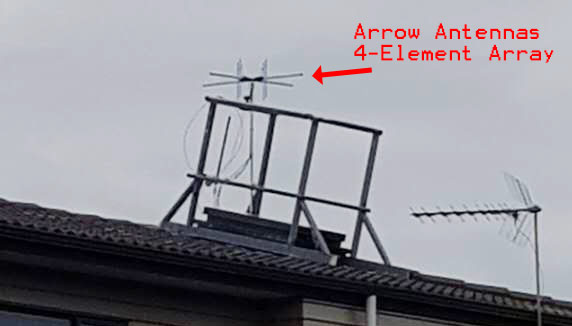
In this test we used the excellent 4-element dipole array made by Arrow Antennas. In particular we used the 406 MHz element version as the RS-41 signal is broadcast at 403 MHz. The antenna array is mounted on the roof, the KerberosSDR is in the attic connected to a Raspberry Pi 4. Our KerberosSDR Android app is used to plot the bearings. A separate RTL-SDR running on the video recording PC is connected to it's own antenna and is used to receive and decode the RS41 signal. The free software RS41 Tracker is used to decode and map the balloon for location confirmation.
We are currently using the latest beta code in development (unreleased at the time of this post - it will be released within 1 to 2 months) which handles non-continuous intermittent signals better.
Arrow Antennas 4-Element Dipole Array Mounted on Roof
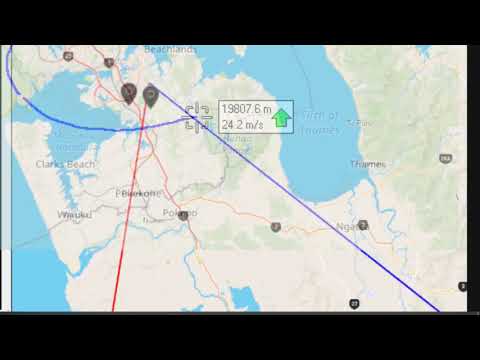
The short video below shows a timelapse of the RS41 decoder tracking a balloon which circled the south of our KerberosSDR. The red line indicates the zero degree direction of the antenna array, while the blue line indicates the estimated direction of the balloon determined via the MUSIC radio direction finding technique.
The GPS balloon map from RS41 tracker is overlayed on top of the KerberosSDR Android app map for clarity via video editing. We can see that it mostly tracks the balloon to within a few degrees. When the blue bearing line diverges this is due to the balloon's line of sight path to the antennas being obscured by terrain, buildings or trees. When this is the case a multipath signal reflecting off surrounding hills tends to become dominant.
In the second short video below the weather balloon tracked northwards. Towards the north, north west and north east we have antenna obstructions in the form of rising terrain, houses and hills, so the overall accuracy is poorer. However, it still tracks within a few degrees most of the time.
Finally the YouTube video below shows the same as the above, but in the second half includes the full screen including the KerberosSDR DoA graphs and SDR# waterfall showing signal strength.
KerberosSDR Tracking a Weather Balloon Radiosonde with Radio Direction Finding
In the future we hope to test with two or more KerberosSDR units producing multiple bearing lines on RDFMapper, hopefully resulting in cross points that can be used to estimate the actual location of the balloon.
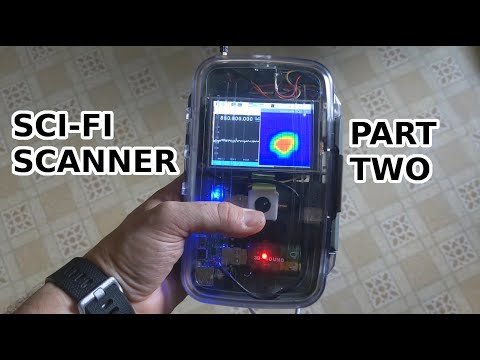
Over on his YouTube channel "saveitforparts" has been working on creating a handheld scanner/sensor box on a budget. This is a simple and fun build which is attempting to create something like a real life Star Trek scifi tricorder that you might imagine taking with you to analyze systems on another planet. The box embeds a Raspberry Pi, USB hub, battery pack, RTL-SDR and thermal camera inside. In the video he shows how everything fits into the box and gives a quick demo of the RTL-SDR and thermal camera in action. In the future he plans to add more sensors as well.
Handheld Scanning Device with Raspberry Pi - Part 2