Category: News

Elusive E4000 RTL-SDR Dongles

Over on the Gough’s Tech Zone blog, Gough has posted about his experiences in trying to obtain an E4000 RTL-SDR. He found that finding a real E4000 on ebay was tough, with most vendors claiming to have “upgraded E4000s” which were in fact R820T’s.

The E4000 tuner is becoming rare as Elonics, the manufacturer has shut down. The newer, still in production R820T tuner is in many ways better than the E4000, but the E4000 is still useful for some applications that require the higher frequencies that it can tune to.

If you want an E4000, we know for sure that Nooelec sells a Terratec version that has the E4000 chip.

Wavesink Plus: Android RTL-SDR App with FM+RDS/DAB+/DRM+ Decoding

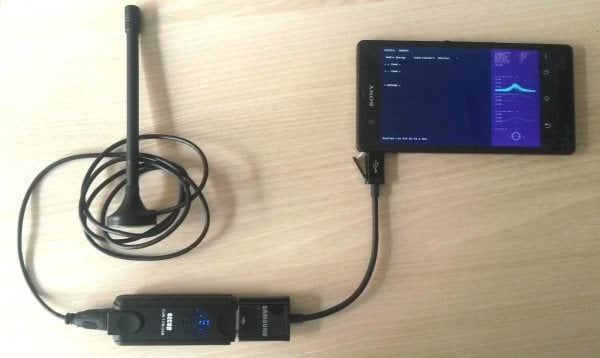
Wavesink Plus, the paid version of the trial version of Wavesink has been released on Google Play. Wavesink Plus is an Android app which has FM+RDS, DAB+ and DRM+ receiving and decoding capabilities when connected to an RTL-SDR dongle via a USB OTG cable.

We gave Wavesink Plus a test today on a HTC One X Android phone and were pleased to discover that it works perfectly. The user interface has been tidied up from previous versions, and DAB+ has been added. There is now also auto tuning functionality, which will automatically find a station.

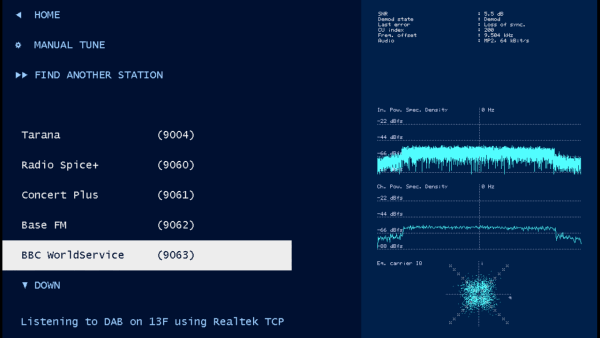
In further testing we found that the latest version of Wavesink was fast and snappy and was able to load DAB+ stations quickly, and decode them with clear audio. FM radio also sounded clear and RDS information loaded quickly as well.

Download the trial version here and buy the full version from this link.

Wavesink Plus Decoding DAB+

SDRLab: An RTL-SDR Interface to LabVIEW for Educational Purposes

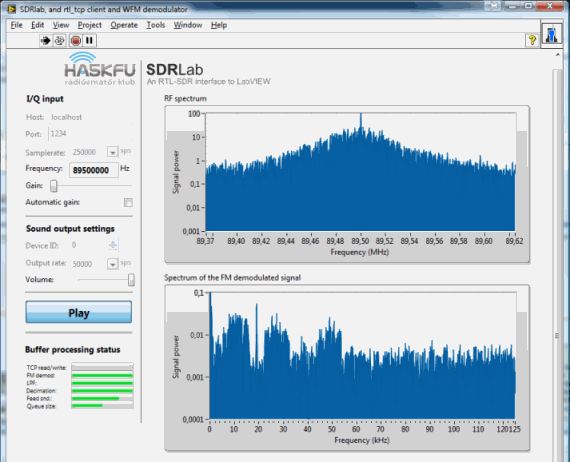
If you’re familiar with the LabVIEW software, there is now an RTL-SDR interface called SDRLab by Beküldte Andris. The software is able to capture the I/Q data from the RTL-SDR, and with that you can do educational experiments in LabVIEW, which is great for students. The author has also implemented a FM demodulator.

ha5kfu_sdrlab_release

Wavesink: New Android RTL-SDR App for FM/RDS/DAB/DRM+

Wavesink is a new SDR Android App, which allows your RTL2832U based dongle to receive FM radio with RDS, Digital Audio Broadcast Radio (DAB) and VHF band Digital Radio Monodial (DRM+). DAB+ support is also to be released by next week, and a station memory will also be added in a future release.

The app is currently in beta development, and only the trial version is released, which will allow you to use the app for 5 minutes at a time. They indicate that the commercial version will be out soon.

To use this with your Android device, you will need a USB OTG (On the Go) cable, and your device must support USB host mode, which most Android devices above 3.1 should support.

I gave the app a quick spin in FM mode, and found that the interface was a little clunky, but the app worked fine, and the FM and RDS signals were decoded correctly.

wavesink

RTL-SDR.COM Forum

I’ve had a few email requests by different people over the past few months to start up a discussion forum.

The new forum can be found at rtl-sdr.com/forum, and can also be accessed from the Discussion Forum link in the top menu. Please register and post. If you have any suggestions for the forum such as categories you think should be added, you can reply in the welcome thread.

New DSD Block Available for GNU Radio

The popular digital speech decoder (DSD) software has now been wrapped into a GNU Radio Companion block. Previously, DSD required use of virtual audio cables to get decoding to work with GNU Radio, but now the signal audio can be passed directly into this block.

Luke Berndt from the HackRF-dev forums has posted his work to make the functionality of DSD available to GNU Radio users in the form of a GRC block. “I have been playing around a bit and found an easy way to receive and playback digital LMR. More and more of the radio systems are going from narrow band FM to Digital. This makes it tough to listen to them on GQRX. DSD is a great program which can decoded the audio you get when you tune in a system in GQRX, but you either have to run it on another machine with a audio cable in between or figure out how to do a virtual audio cable on your machine.

Luckily, someone wrapped the DSD libraries so they can be accessed as GRC blocks. I have put together a GRC file and a Python program that make it a little easier to use the block.

If you have a chance, give them a try and let me know if they work. There is a good chance I have messed up the values in the filters or else where, but I have gotten clean audio out of it.”

Download the files from GitHub.

DSD is a Linux and Windows software program capable of decoding popular digital speech codecs such as APCO P25 and MOTOTRBO/DMR.

Via DangerousPrototypes

ViewRF – RTL-SDR Spectrum Analyzer Software for the BeagleBone Black Released

Last month we showed a video of a spectrum analyzer project by Stephen Ong. He used a BeagleBone Black (mini embedded Linux capable computer similar to a Raspberry Pi), a touch capable LCD screen, and an RTL-SDR dongle to create a portable spectrum analyzer.

Now Stephen has released ‘ViewRF’, which is the software that powers his spectrum analyzer. It is released under the GPL licence. Also on his post are the download and install instructions.

Spectrum Analyzer using Beaglebone Black and RTL-SDR

New Command Line Utility: rtl_power

A new command line wideband spectrum monitor utility called ‘rtl_power’ has been released by keenerd on Reddit. See the original thread here. This tool let’s you gather signal data over a very wide area of the frequency spectrum, and then that data can be used to find active areas of the spectrum.

Rtl_power is a small CLI tool for logging wide swaths of bandwidth. You can specify any chunk of spectrum, with any FFT bin size and any logging rate. (For sane values of any.)

For example

rtl_power -f 150M:200M:2k -i 10 logfile.csv

will monitor everything between 150MHz and 200MHz. The resolution will be at least 2kHz fine. It will integrate for 10 seconds and dump those numbers to the logfile. The structure of the logfile is:

date, time, Hz low, Hz high, Hz step, samples, dbm, dbm, ...

So it is not quite the traditional CSV file. Each frequency hop gets its own line and the frequencies of each column are extrapolated.

Coupled with a python script, a heatmap can be generated from the excel data.

I’m scanning the region between 150MHz and 160MHz, where there is local emergency services chatter. Each pixel is 10kHz wide and 10 seconds long, over a period of seven hours

rtl_power heatmap

This is command line tool is somewhat similar to the Scanner Metrics SDRSharp plugin, which allows large areas of the frequency spectrum to be monitored from within SDRSharp.