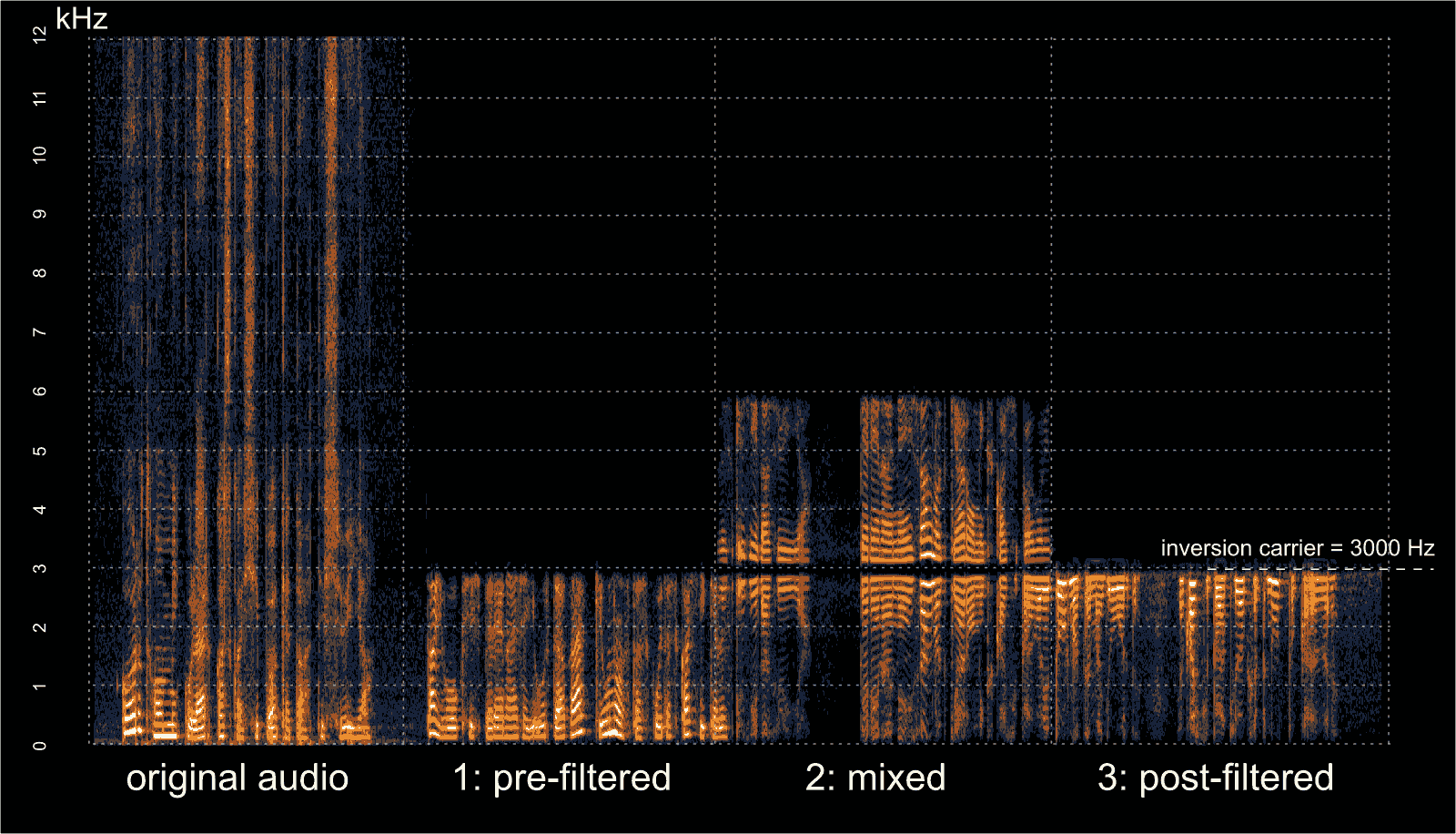
In early September we posted about Oona Räisänen’s deinvert which is a tool that can be used to unscramble voice audio that has had voice inversion scrambling applied to it. Voice inversion works by scrambling the voice frequencies so that a simple eavesdropper will have trouble listening in. A special descrambling radio is required to listen in. This provides very little real security, but may be enough to stop people with cheap scanners from listening in. Oona’s deinvert tool allows us to take a scrambled audio sample recorded with an RTL-SDR or any other radio and decramble the inversion.
In her latest blog post Oona explains how her deinvert software works and how it can also be used to decode the more difficult split-band inversion technique. She also writes that at the default quality level, the deinvert software is fast enough to run in real time on a Raspberry Pi 1.
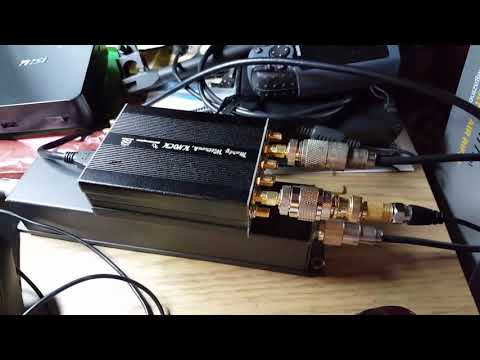
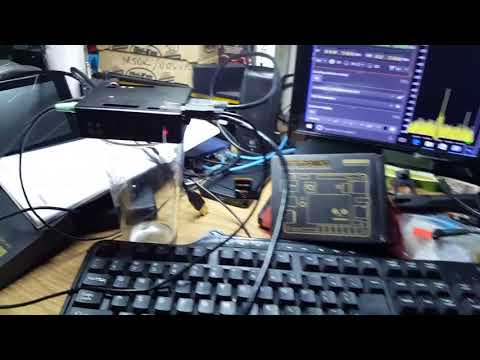
Just last week we posted about how Marty Wittrock was able to get his LimeSDR receiving perfectly on his LattePanda mini Windows 10 PC with SDRAngel. Now Marty has uploaded a new video which shows the LimeSDR running on the LattePanda and SDRAngel again, but this time transmitting 40m LSB voice. At this stage Marty is well on his way to creating a fully portable LimeSDR based ham transceiver. He writes about his setup:
Setup: LattePanda Win10/64-bit, LCD, Capacitive Touchscreen, LimeSDR and SDRAngel Win32 with a transmit device loaded…Also using a USB 2.0 audio device to make the microphone and speaker audio connections…WORKS GREAT..!!
The LimeSDR is a RX and TX capable SDR with a frequency range of 100 kHz – 3.8 GHz, bandwidth of up to 61.44 MHz, 12-bit ADC and 2×2 RX/TX channels. Recently the LimeSDR team have been crowdfunding for their new ‘LimeSDR Mini’ which is a smaller and cheaper feature reduced version of the standard LimeSDR. While all the early bird $99 USD units have been sold out, they are still available at the $139 USD price. Currently the crowdfunding campaign has already reached it’s $100,000 USD target with 35 days left.
One important ‘feature reduction’ to note is that the LimeSDR Mini can only tune down to 10 MHz, so it may not be as useful as the full $289 USD LimeSDR for creating a SDR based ham transceiver like what Marty is doing.
LimeSDR, LattePanda, and SDRAngel Transmitting on 40m LSB Voice
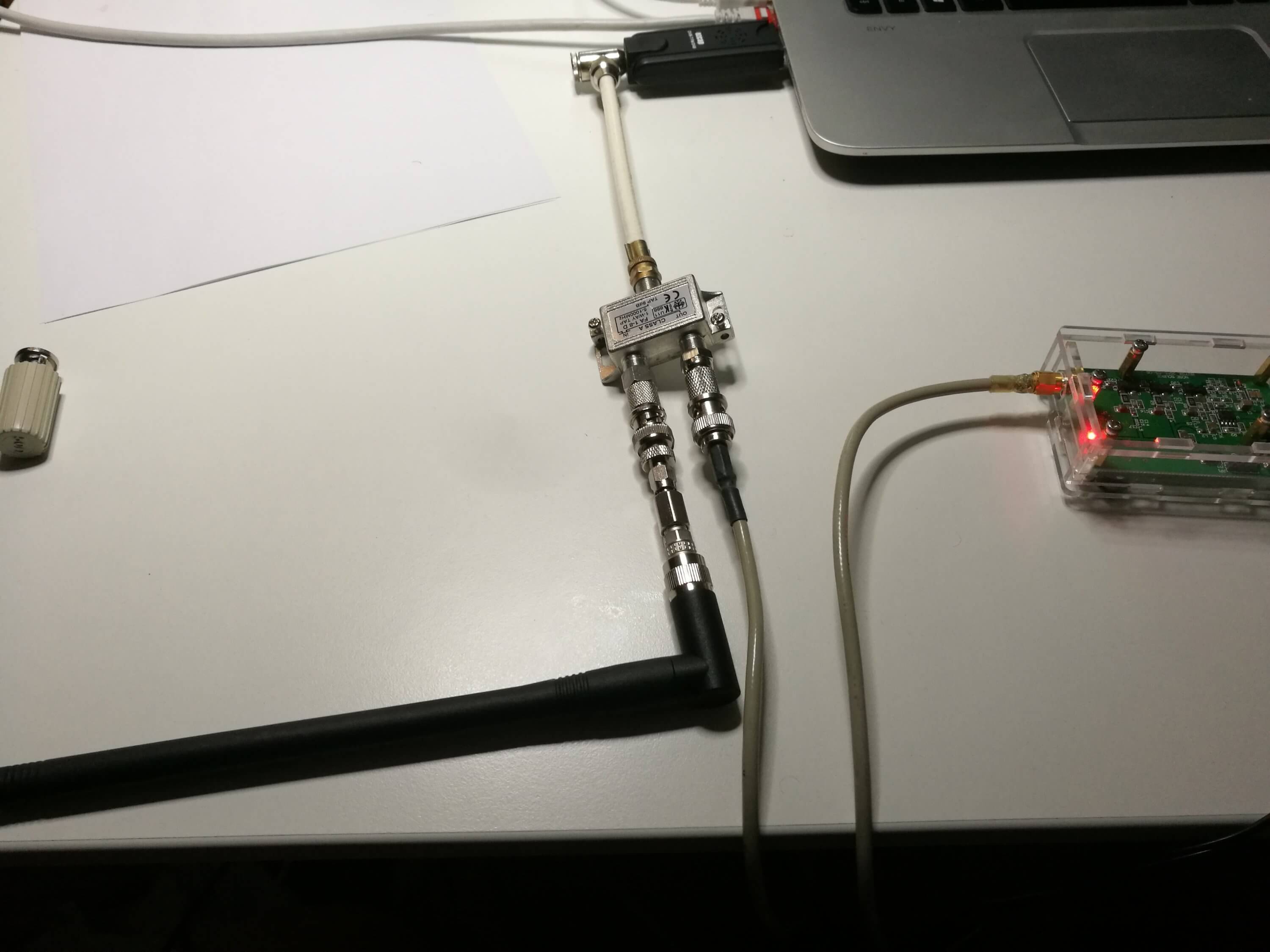
However, being without a directional coupler Tomi looked for other options and realized that cheap TV antenna network taps are also directional couplers. Taps are commonly used with Cable and Satellite TV installations to split a signal from an antenna over multiple TVs. They are designed as directional couplers to ensure that unwanted signals do not feed back into the antenna system and so that there is a pass through port to continue the strong signal down a long cable.
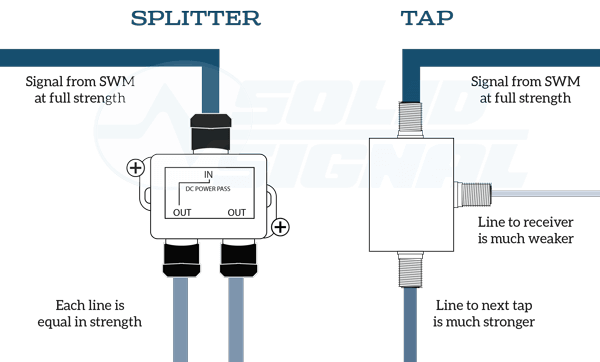
Note that there is a difference between a tap and a splitter. Taps are used when multiple devices need a signal over a long run of cabling. A splitter divides the signal strength by the number of out ports and can feedback unwanted signals into the system.
Taps vs. Splitter Example (Source: http://forums.solidsignal.com/showthread.php/5843-Solid-Signal-s-WHITE-PAPER-The-NEW-DIRECTV-Residential-Experience)
In his tests Tomi found that TV taps worked acceptably well to determine the resonance frequency of an antenna that he was testing. Taps can be found for as cheap as $2 on sites like eBay, although for some listings it is unclear over what frequency range they work well at as sellers assume that they will be used for TV frequencies.
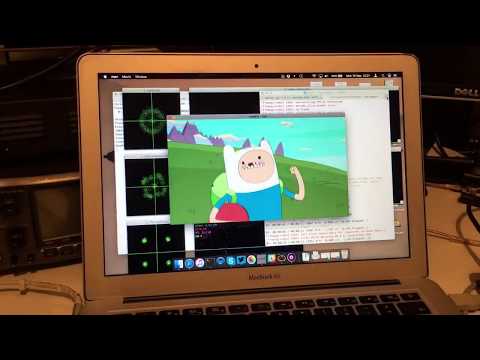
Over on YouTube Christopher Bridges has uploaded a video showing him using a PlutoSDR and a GNU Radio program to transmit a DVB-S signal, which is then received with an RTL-SDR. DVB-S is a digital video broadcasting standard designed for satellite transmissions and digital amateur television video (DATV) also uses DVB-S in the 1.2 GHz amateur band. In this example the PlutoSDR transmits at 1.28 GHz.
Chris uses the rtl_sdr command line software to receive the raw IQ data at 1 MSPS, and then uses the leandvb software to decode the raw IQ file directly into a video file.
If you’re interested in TXing DVB-S/DATV but don’t have a transmit capable SDR, then we note that even a Raspberry Pi just by itself can be used to transmit it with rpidatv.
Linux gnuradio QPSK DVBS PlutoSDR + rtl MacBook leansdr
Thanks to Marty Wittrock for sharing with us his latest news about his experiences with the LimeSDR. Over on YouTube he’s uploaded a video showing that the LimeSDR can run perfectly on a ‘LattePanda‘ which is a full Win10 64-bit PC in a Raspberry Pi sized package. The one Marty uses costs about $209 with a fully activated Windows 10 licence and has 64G eMMC memory, a 1.44 GHz CPU and 4GB of RAM. The cheaper version with 2GB of RAM and 32GB eMMC memory only costs $119 USD. Of interest is that the LattePanda also comes with an Arduino co-processor for various GPIO projects, which could be useful for switching in and out various radio blocks like filters and LNAs.
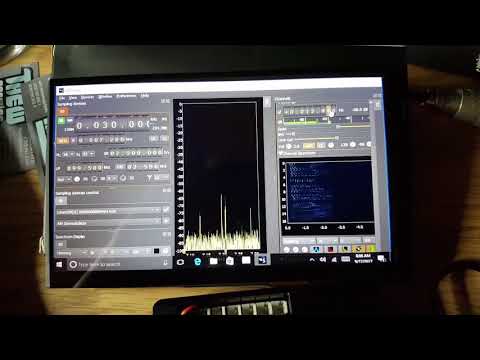
In his video Marty shows that the SDRAngel software run the LimeSDR smoothly on the LattePanda, and he demonstrates receiving the 30M band. He writes:
Ladies and Gentlemen may I present to you: The LimeSDR operating on receive on the 30m Shortwave Band using SDRAngel running on a Windows 10, 64-bit, 4G (RAM) 64G (FLASH) operating at 1.8 GHz on a LattePanda – – THE SMALLEST WINDOWS 10 PC ON EARTH..! No kidding, this makes my MSI ‘hockey puck’ PC look monstrous…The LattePanda is about the same size as my LimeSDR and a VERY POWERFUL little PC, too…I’m INCREDIBLY impressed with this tiny PC…This Single Board Computer also has an integrated Arduino processor such that all the bandswitching and other functions required to make a Software Defined Transceiver will be very trivial to add-in…The ‘proof of concept’ is complete – – this shows that it CAN BE DONE to make the LimeSDR into a compact, wideband Software Defined Transceiver that can be run on a car battery if needed…Watch the video and see for yourself…CHEERS..!
LimeSDR With LattePanda Win10 64-bit
In a second newer video he demonstrates the system running on a 7″ LCD touchscreen. He writes:
Here’s a follow-up YouTube video I did when I laced-up the LattePanda to a 7″ LCD and the companion Capacitive Touchscreen for the LimeSDR. This thing is awesome and very compact – it’s amazing. I’m planning to take those same components and mount them into a walnut case that I’m getting made from furniture-grade wood from Amana. The case will be sloped and will have enough room to put the LattePanda, LimeSDR, USB 3.0 hub, and *maybe* the PA – but I have to think that the PA will be outboard along with the Bandpass Filter Card assembly, too. I am planning to make a preselector/receive preamplifier for the LimeSDR that will reside in the case, too. The LattePanda not only has the Intel CherryTrail processor there for Windows, but it also has an integrated Arduino processor on the board along with the Arduino development software and the GPIO on the LattePanda to drive the BPF, PA, T/R switching, and the receive preamplifier/preselector/filter. No kidding – when this is all done this thing is going to be unstoppable. SDRAngel is open source so adding the communications for band switching will not be hard to do between Edouiard’s source in Win32 and to the Arduino through DLL calls. I’m even giving some serious thought about how LimeSDR-Mini will be included as an alternative with an even smaller footprint for this.
LimeSDR and LattePanda Win10, 64-bit running SDRAngel with 7" LCD/Touchscreen
Looks like the LimeSDR is slowly starting to all come together as a fully usable system for ham radio thanks to the efforts of people like Marty. Remember that Lime are currently crowdfunding for their latest LimeSDR Mini product, which is a cheaper $139 version of their LimeSDR. Currently almost $85k of the required $100k has already been raised, with still 40 days to go.
Thanks to Marcin Jakubowski for submitting news about his new software tool called iqToSharp which is a simple tool that allows you to convert rtl_sdr IQ files into the SDR# IQ format. The rtl_sdr command line tool records raw IQ files but by default they are not compatible with the format used by SDR# so a conversion is required.
This is useful as for example you could set a command line script to record an entire band for a few hours on a portable Linux device like a Raspberry Pi, and then use the converter to listen to the file on SDRSharp at a later time. Recording the raw IQ file allows you to record all signals within the entire bandwidth at full quality.
Note that IQ files can become very large so for archiving compressing them with FLAC can be useful. You might also be interested in the SDR# FilePlayer plugin which allows you to easily skip back and forth in time through a recorded IQ file.
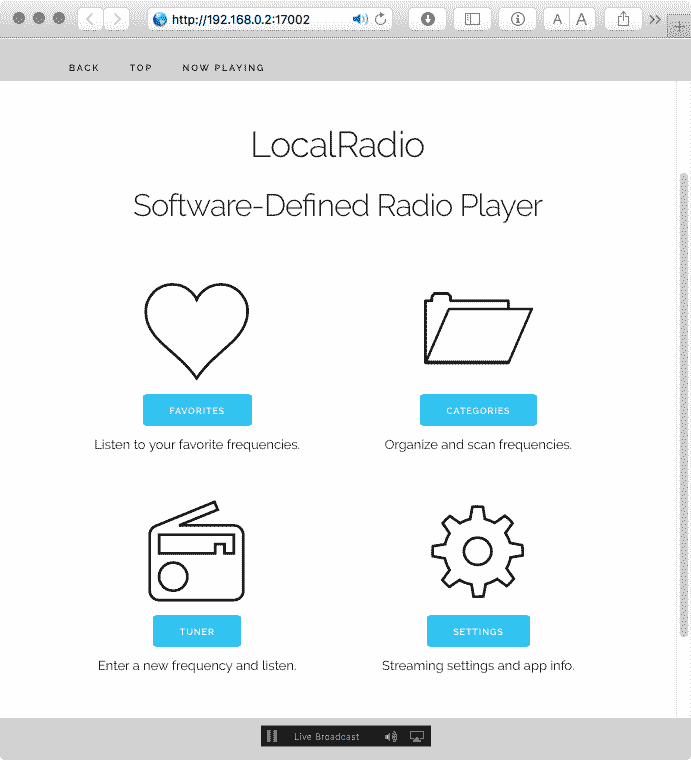
Thanks to Doug Ward (@dsward) for letting us know about his new RTL-SDR compatible MacOS based app called LocalRadio. LocalRadio is an open source web browser based app that connects to a MacOS server running an RTL-SDR. The software allows you to listen in on any frequency supported by the RTL-SDR in AM or FM modes, and audio is capable of being streamed to multiple devices via a built the LAME MP3 encoder, EZStream and Icecast server. It does not provide an FFT or waterfall display however.
The software introduction reads:
LocalRadio is an experimental, GPL-2 licensed open-source application for listening to “software defined radio” on your Mac and mobile devices. With an inexpensive RTL-SDR device plugged into the Mac’s USB port, LocalRadio provides a casual listening experience for your favorite local FM broadcasts, free music, news, sports, weather, public safety and aviation scanner monitoring, and other radio sources.
LocalRadio’s easy-to-use web interface allows the radio to be shared from a Mac to iPhones, iPads, Android devices, and other PCs on your home network. No additional software or hardware is required for sharing with mobile devices, simply use the built-in mobile web browser to connect to LocalRadio and tune to your favorite stations. You can also listen to LocalRadio audio on your Apple TV and other AirPlay-compatible devices.
LocalRadio does not provide features like FFT waterfalls, panadapters, or signal recording that are found on other SDR software. For those features, GQRX for Mac is highly recommended. GQRX is a good way to discover radio frequencies that can be used with LocalRadio.
LocalRadio is intended for use as in-home entertainment, using a local area network with a private IP address. It has not been tested with a public IP address, particularly for security testing, therefore it is not recommended for that purpose. For simply listening to LocalRadio on the Mac with the RTL-SDR device plugged in, no network is required at all.
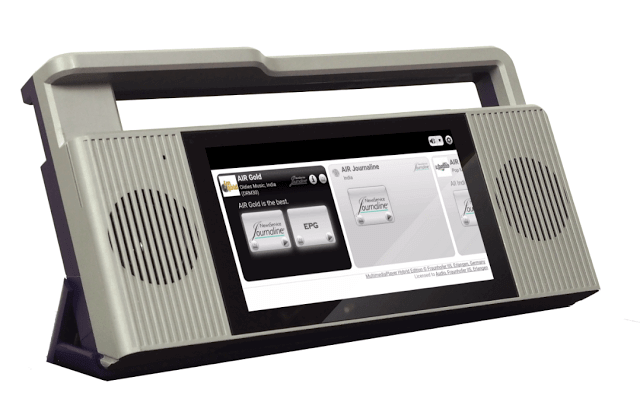
Since September 2016 we’ve been slowly hearing news about the PantronX Titus II portable SDR system, but as of yet nothing seems to have eventuated. The Titus II is essentially an Android touch screen tablet running their custom software, a set of speakers, an antenna and an SDR chip with 100 kHz to 2 GHz tuning range all in one portable system that has been estimated by them to retail for less than $100 USD. The main goal with the system is to provide low cost receivers for digital broadcast standards like DRM, DAB and DAB+ to try and boost their popularity.
Titus II receiver features include:
DRM in the AM bands (MW, SW, LW) and VHF bands (FM-band, VHF band-I, VHF band-III) with latest xHE-AAC audio codec.
DAB Classic/DAB+ (VHF band-III).
FM stereo with RDS (Service Signaling).
AM with AMSS (AM Signaling Service).
Integrated service list management and service selection.
DRM/DAB Data Apps: Text Messages, Dynamic Label/DL+, Journaline, (Categorized) Slideshow, EPG, Transparent File Transmission (e.g., for educational services), etc.
Remote Radio Hotspot: Built-in WiFi hotspot feature, which allows any mobile device with an HTML5 web browser to connect to the Titus II via Wi-Fi, select radio services, listening to aud (HTML5 audio streaming) and accessing all the DRM/DAB data apps.
Recording feature and Archiving interface to select existing recordings for playback.
Titus SDR, a division of PantronX, says the Titus II multi-standard digital radio receiver is ready for production.
The consumer software-defined radio digital receiver platform, which is the result of collaboration between Titus SDR/Patron X, Jasmin-Infotech, TWR, and Fraunhofer IIS, supports multi-standard radio reception, including DRM, DAB and DAB+ and core data applications. The system is based on a custom Android tablet platform, featuring multipoint touch, WiFi/Bluetooth and stereo sound.
Titus II units will be available as a stand-alone product from Titus SDR as well as from selected OEMs. Titus SDR explains that as a module, Titus II can serve as a full-featured basis for third-party product development, adding that PantronX provided the platform and RF expertise, while Fraunhofer IIS enabled the digital and analog radio features.
With latest xHE-AAC audio codec, Titus II supports DRM in the AM and VHF bands; DAB/DAB+; FM stereo with RDS; AM with AMSS; integrated service list management and service selection; DRM/DAB data apps; text messages and Journaline.
No news yet on exact release dates, but if you are interested you can sign up to their pre-order notification list at titusradio.com.
The Titus II
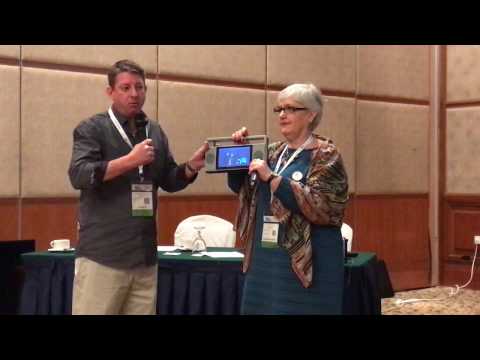
From YouTube we’ve also found a short video of them demonstrating the Titus II from DBS2017 back in March. Another video showing the interface up close can be seen here.