SDR4Everyone: Getting Started with the RTL-SDR and SDRUno

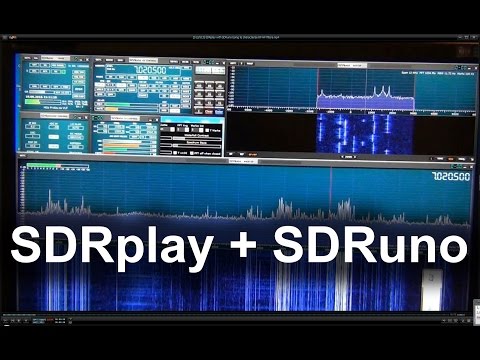
Over on his sdr4everyone blog author Akos has uploaded a tutorial that shows how to set up the recently released SDRUno with the RTL-SDR. SDRuno is a spin-off of the (recently acquired by SDRplay) Studio1 software. Although designed and tailored for the SDRplay, SDRuno also supports any radio with an ExtIO interface available, such as the RTL-SDR. The one limitation is that the maximum bandwidth of radios other than the SDRplay is locked to 1 MHz at most.

Akos’ post shows where to download and add the required ExtIO file (it’s the same one used for HDSDR) and how to start the RTL-SDR in SDRuno, as well as a quick tutorial on changing some settings and tuning.

We note that the fact that you need to install the ExtIO dll file to the documents folder seems to be a bug in the latest version at the moment. In future updates they may fix this, and then the ExtIO dll will go back to needing to be added to the C:\Program Files (x86)\SDRplay\SDRuno folder, as it was in previous versions. We’ve also heard one or two reports of users stating that they needed to add in the libusb-1.0.dll file as well, but we can’t confirm if this is actually required as none of our test PC’s have needed it.

Also, a recent post on Nobu’s blog shows how to get rid of the center DC spike in SDRuno by adjusting the Channel Skew Calibration. The post is in Japanese, but the gist of it is that you just need to adjust the fine tuning DC offset slider in the Channel Skew Calibration settings. Nobu also points out that a handy shortcut to getting the ExtIO window to display is to simply press the ‘H’ key.
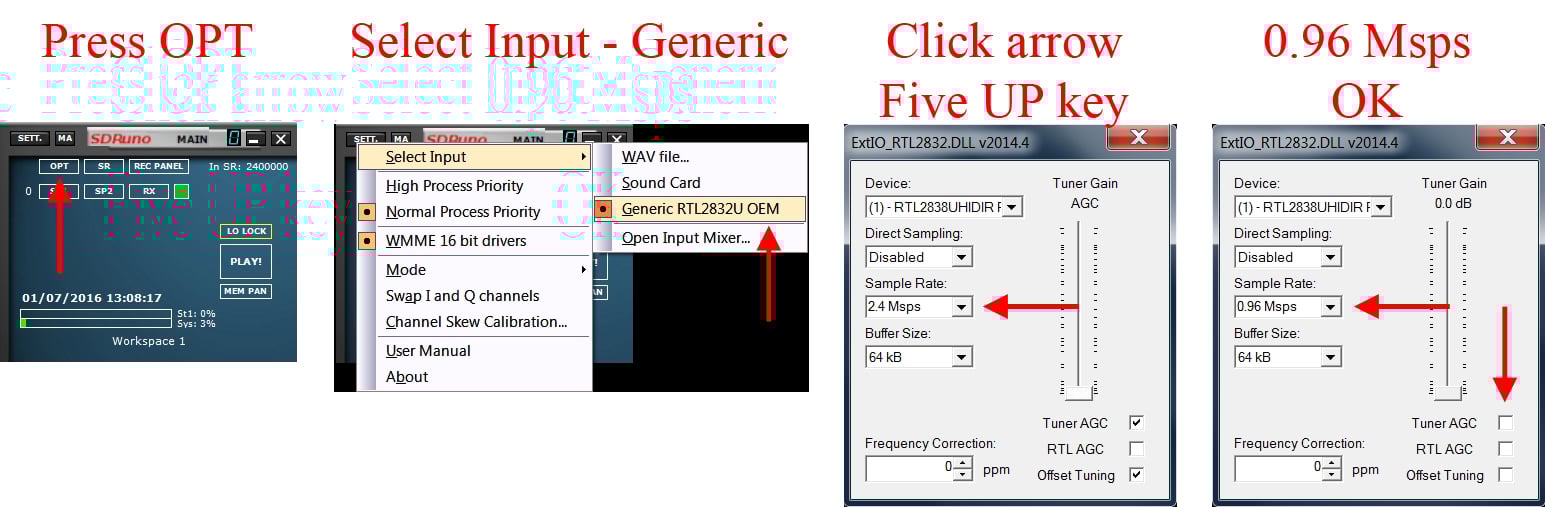
Setting up the RTL-SDR for use in SDRuno.

Videos showing the LimeSDR in Action on HF with GQRX

Over on YouTube LimeSDR beta tester Marty Wittrock has uploaded several videos showing the LimeSDR receiving HF frequencies. In the first video Marty shows it receiving the USB voice on the 20m band during the 2016 ARRL field day. The second video shows reception of PSK31 signals. More videos are available on his channel if you are interested.

In the videos he uses GQRX and his own KN0CK HF upconverter. The LimeSDR should be able to receive HF on its own without an upconverter, but at the moment the HF capabilities have not been programmed into the drivers yet, so during this beta testing period an upconverter is required.

Marty also wrote in to us to make some comments on his experiences with the LimeSDR. He believes that the LimeSDR is amazing and writes:

The quality of the receive and audio [of the LimeSDR] is incredible against other SDRs I have in the house (Flex 5000A, RTL-SDR, HackRF, Red Pitaya – and soon SDRPlay).

Marty also writes that he will soon have more videos of the LimeSDR operating in Windows with SDRConsole in the near future, and we will post those videos too when they are ready.

LimeSDR Receiving 20m Voice on USB

LimeSDR Receiving PSK31 on the 20m Band

Cyberspectrum #16: Software Defined Radio Meetup

Every month SDR evangelist Balint Seeber hosts the Cyberspectrum Meetup in San Francisco, where many SDR fans come together to listen to various presentations. This months meetup is due to be held on June 29 at 7 PM (San Fran time, about 18 hours from the time of this post). If you are in San Francisco you can attend the live meetup, but if not you can watch the live stream on YouTube.

This time the talks include:

• “Understanding the LTE Physical Layer” with Sandor Szilvasi (@sszilvasi)

LTE is an incredible, yet complex, cellular networking standard. Sandor will break it down and explain how a LTE signal is constructed. He will also live demo the demodulation and decoding of local carriers.

LTE_cyberspectrum

• “Interactive Install & Setup-fest” with the group

We would like to open up the forum to those who wish to get set up with SDR (hardware and/or software). Bring along your equipment, and as a group we can look at/debug the steps required to get you up and running. This could also include setting up an app, or fixing an Out-Of-Tree module, or even an environment issue on your laptop.

• “GNU Radio Tutorial Part 2” with Neel Pandeya

The tutorial series will continue! This time we will look at how to construct an FM radio receiver, and decode the RDS digital subcarrier. This will include:

• Explain concepts behind commercial FM and RDS
• Receiving mono FM using a from-scratch flowgraph
• Showing how to build ‘gr-rds’
• Demonstrate stereo FM+RDS reception using ‘gr-rds’
• Building GQRX
• Demonstrate FM reception using GQRX

SDR4Everyone: Review of the HackRF

Over on his ‘SDR4Everyone’ blog author Akos has recently uploaded a new post that reviews the HackRF One, and also compares it against the SDRplay RSP and RTL-SDR. In his review he discusses his first impressions of the HackRF, his concerns about it being labelled as a transceiver, and some of its various features. He also does a screenshot comparison of the HackRF, RSP and RTL-SDR on shortwave reception and image rejection performance. Akos also notes that there are not many applications in the high gigahertz range that cannot be done with cheaper or more specialized equipment. Finally he concludes that the HackRF is not very sensitive or good at RX in general, but still has enough features to make it a worthwhile purchase for some people.

If you are interested in the HackRF, we also have our own review that compares the HackRF, SDRplay RSP and Airspy.

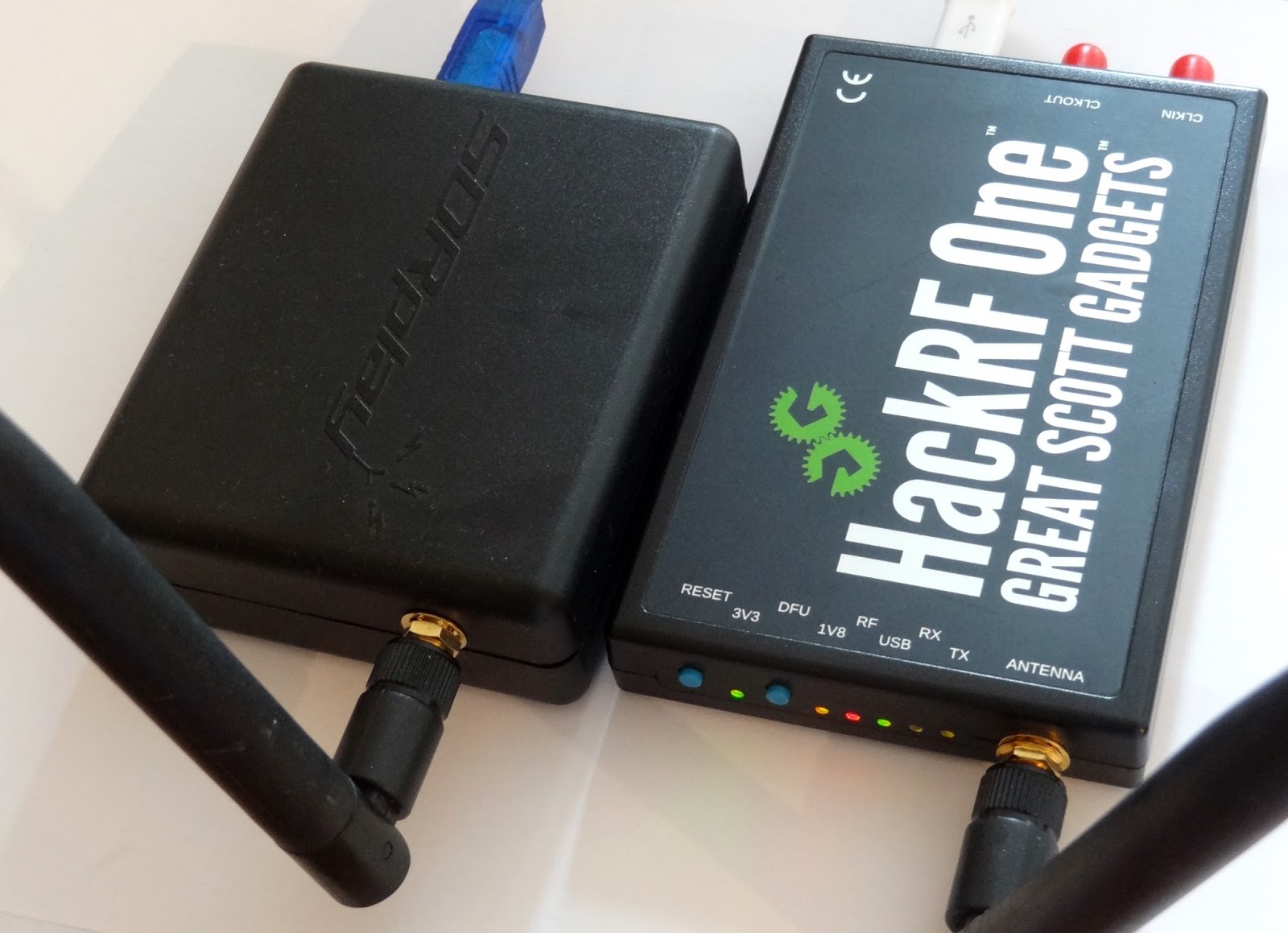
The SDRplay and HackRF One.

Testing out the SDRplay with SDRuno and Characterizing RF HF Filters

Over on YouTube user Mile Kokotov has uploaded a video showing him using the SDRplay on the recently released official software SDRuno. In the video he first shows reception of some HF signals, then goes on to show how he can characterize some HF filters using a noise source.

Mile also wrote in to use to expand on his video. We quote:

“SDRuno” is new specialized software for SDRplay – RSP1 receiver. Besides many others excellent features, the new one is 10 MHz spectrum span on the window screen. The 10 MHz frequency span you can use it for characterize the HF Band-pass, Low-pass, High-pass or Notch filters. All you need is one noise source (noise generator) which you can find on eBay for about 20 USD.

With addition of directional coupler (for another 20$ USD), you can using SDRplay and SDRuno for HF antenna analyzer, measuring SWR like poore-man`s HF Vector Network Analyzer!

An RF filter is an electrical circuit designed to have specific characteristics with respect to the transmission or attenuation of various frequencies that may be applied to it.

There are three general types of RF filters:

1. A high-pass filter (HPF) similarly has a cut-off frequency, above which there is little or no loss in transmission, but below which there is considerable attenuation. Its behavior is the opposite of that of the low-pass filter.

2. A low-pass filter (LPF) is one that will permit all frequencies below a specified one called the cut-off frequency to be transmitted with little or no loss, but that will attenuate all frequencies above the cut-off frequency.

3. A band-pass filter (BPF) is one that will transmit a selected band of frequencies with substantially no loss, but that will attenuate all frequencies either higher or lower than the desired band.

The Filter connected in the front end of the receiver can be very much useful and it can improve the reception of the weak signals rejecting all others unwanted signals that can produces interference, intermodulation and as a results, the weak signals can not be copied !

With bandpass filter for particular frequency band, Receiving weak signals on that band is much easier, without problems from out of band strong sugnals.

73,
Mile Kokotov

SDRplay with SDRuno Using to characterize RF HF filters

Sniffing ANT-FS with an RTL-SDR and MMDS Downconverter in Pothos

ANT-FS is a wireless file transfer protocol that is designed specifically for transferring files wireless between two devices. It is designed for ultra low power devices and typically runs on devices operated by a coin sized battery. It is commonly used in applications like fitness tracker devices, which store data to later be downloaded to a PC.

Over on YouTube user sghctoma has uploaded a video showing a teaser of him receiving and decoding ANT-FS packets with blocks developed for the POTHOS graphical language. As ANT-FS is usually transmitted at 2.4 GHz, he had to use a MMDS downconverter which allowed his RTL-SDR to receive the packets. Sghctoma writes that the video is simply a teaser, and that a live demo with real deivce, and the full code + details will be released during his talk at DEFCON titled “Help, I’ve got ANTs!!!”.

ANT-FS sniffing with RTL-SDR, an MMDS downconverter and Pothosware

Testing L-Band Inmarsat Reception with Three LNA4ALL’s + Two Filters

Over the last few weeks Adam 9A4QV has been testing L-Band Inmarsat reception with his LNA4ALL low noise amplifiers. In a previous post he tested reception with two LNA4ALL and found that he got an improved SNR ratio over using just one LNA4ALL. In his latest video he tests Inmarsat reception with three LNA4ALL’s and two L-band filters. His results show that the SNR is improved over using two LNA4ALL’s, and can almost match the results obtained by a commercial L-band front end which he also demonstrated in a previous video.

3x LNA4ALL on L-band + 2 Filters

Instructions for Building a Portable Double Cross Antenna: Great for NOAA/Meteor Weather Satellites

Over on Reddit user merg_flerg has uploaded an imgur post that carefully details a step by step guide for building a double cross antenna. A double cross antenna is great for reception of satellites like NOAA and Meteor since it has a sky oriented radiation pattern with very few nulls. This means that it can receive satellite signals coming from the sky well. Alternative antennas for NOAA/Meteor include turnstiles and QFH antennas, although the double cross antenna seems to have the least nulls, meaning that the signal is less likely to fade in and out as the satellite moves across the sky.

merg_flerg’s design is also modified from the standard design slightly, allowing it to become easily disassembled and carried within a backpack. At the end of his tutorial he writes that he gets much better reception with his double cross antenna than he does with his QFH.

In the post he demonstrates the final constructed antenna decoding a NOAA APT weather satellite image with an RTL-SDR and the WXtoIMG software. See our tutorial for information on decoding NOAA weather satellite images.

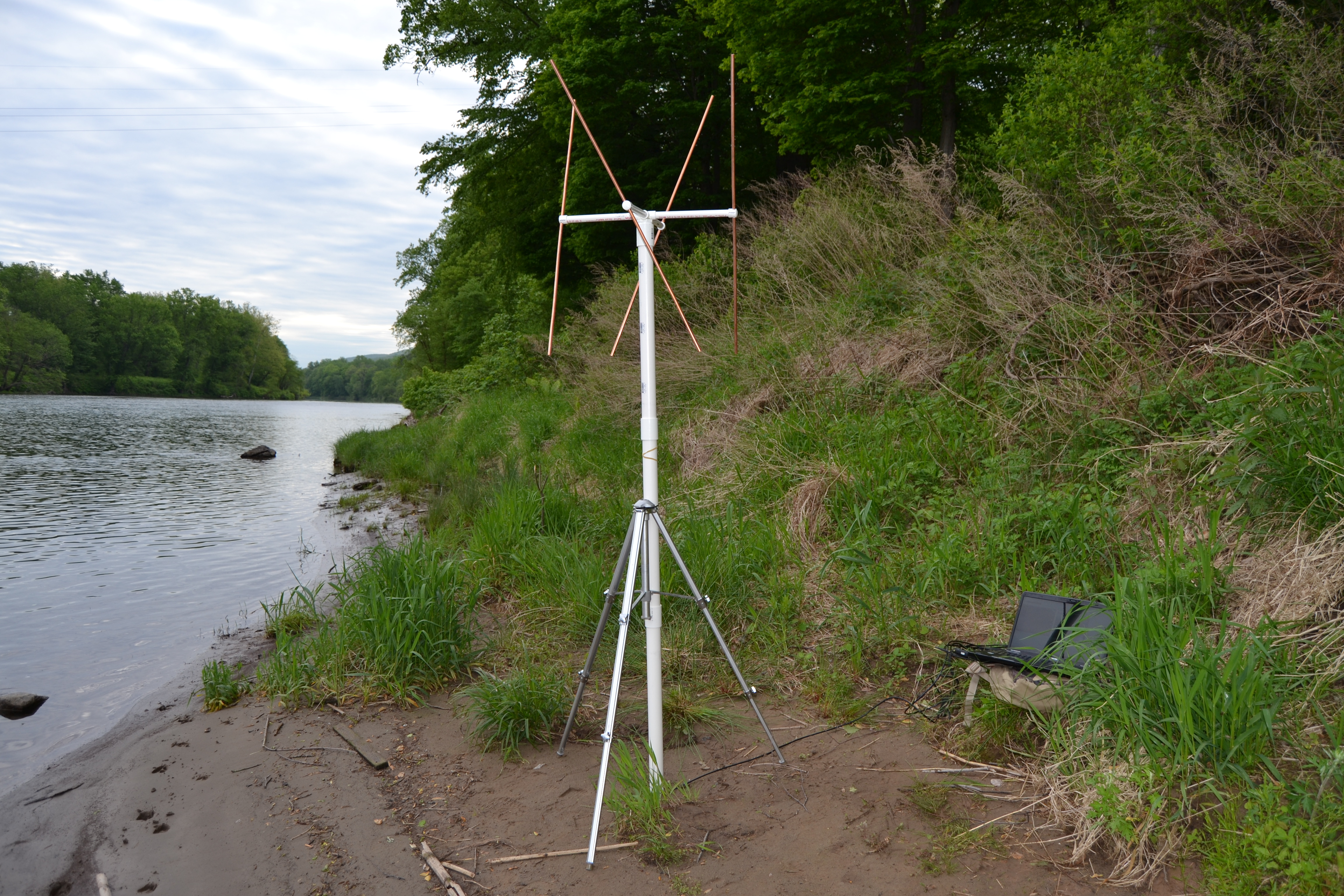
The finished double cross antenna connected to a PC running an RTL-SDR and WXtoIMG.