Using AIS Share, OpenCPN and an RTL-SDR on a Sailboat

AIS Share is an app for Android that allows you to turn an Android device into an AIS receiver by using an RTL-SDR. AIS stands for Automatic Identification System and is used by ships to broadcast their GPS locations, to help avoid collisions and aid with rescues. An RTL-SDR with the right software can be used to receive and decode these signals, and plot ship positions on a map.

AIS Share is a dual channel decoder that outputs decoded NMEA messages via UDP, so that plotting software like OpenCPN can be used to display the ships on a map. AIS Share had been around before in another form known as rtl_ais_android which we posted before, but this version of AIS Share is a newly updated and improved version that now includes a very nice GUI. The app costs about $2 and is available on the Google Play store, but there is a demo available that will work up until 1000 messages are received. You will need an RTL-SDR and a USB OTG cable to run the app.

Recently the author of the app received word from a user called Harmen who has successfully been using his AIS Share app on his sailboat. Harmen uses the app on an Android tablet which is enclosed in a waterproof box. For an antenna he uses a coax collinear.

In the future the author writes that he’d like to update the app to support things like the ability to change more dongle settings like bandwidth/sample rate and add the possibility of using the internal phone/tablet GPS. He is also open to any community suggestions.

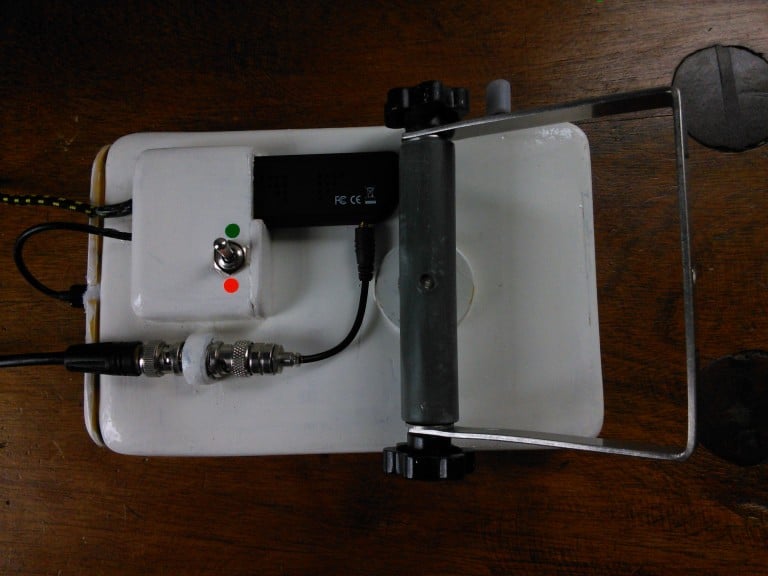
AIS Share Receiver on the sailboat in a waterproof case.
The back of the Android Tablet, showing the RTL-SDR and the antenna connection.
The AIS Share main screen GUI.

https://www.youtube.com/watch?v=ApGk8P82THs (Unfortunately the video has been removed)
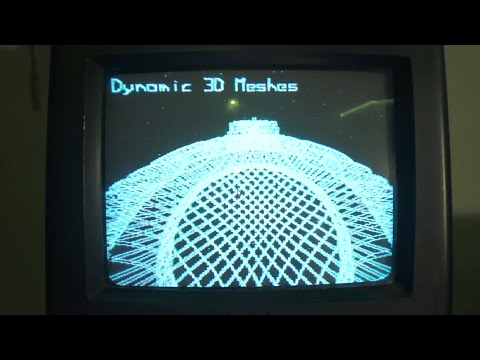
Broadcasting Analgoue NTSC TV with a $7 ESP8266

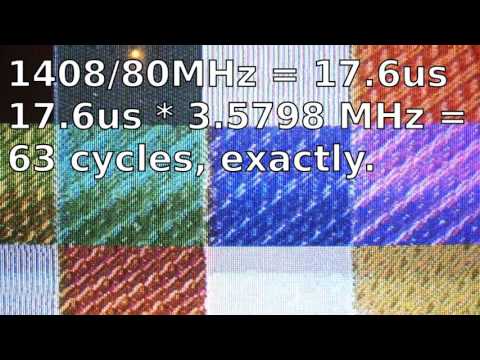
The ESP8266 is a $7 WiFi module that can be used to give any microcontroller access to a WiFi network. It is designed for creating Internet of Things (IoT) devices and has various features such as it’s ability to host it’s own web applications. The ESP8266 also has a I2S output with DMA support. By hooking up this I2S output pin to a short wire, YouTuber CNLohr has demonstrated that he is able to use the ESP to broadcast full color NTSC TV.  This works in a similar way to how PiTX works, by using the pin to modulate a radio signal. CNLohrs code note only broadcasts color NTSC, but also provides a full web interface for controlling it.

In the first video CNLohr shows off his initial work at getting the NTSC output working and in the second video he shows color working. Later in the second video he also uses an RTL-SDR to check on the NTSC spectrum that is being output.

Broadcasting Analog TV on an ESP8266!

Broadcasting COLOR Channel 3 on an ESP

Testing a frequency synthesizer with an RTL-SDR

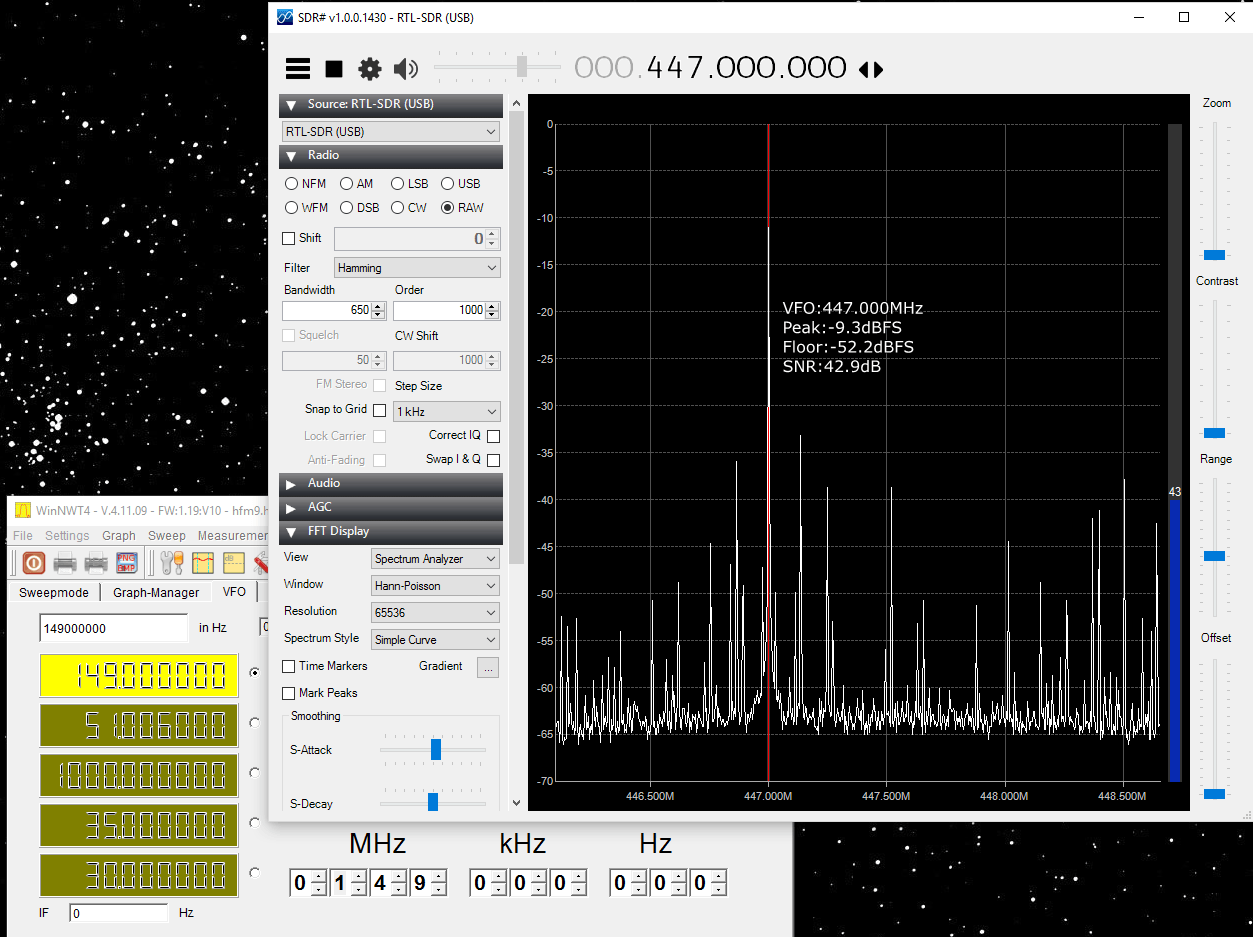
Harris Butler is designing his own software defined radio out of a Cypress PSOC5 (processor and ADC), an RF mixer, LNA and a frequency synthesizer (for use as a local oscillator) all purchased from eBay. Recently he wrote in to let us know that he had been testing the Frequency Synthesizer that he purchased and wanted to share his results.

When testing the frequency synthesizer Harris found that it could be fairly well calibrated to sit on a desired local oscillator frequency. Originally he had been testing the generator with it directly connected to the RTL-SDR, however later he added some attenuation to prevent the RTL-SDR from overloading. Despite this even with the attenuation he found that the frequency generator seemed to be fairly noisy and poor in terms of the strength of the harmonics produced. He notes that to use in a real application it will probably require good filtering.

In the video shown below Harris demonstrates the frequency generator output and harmonics using the RTL-SDR.

freq_harmonic

How to use DSD+ with WineSkin on OSX

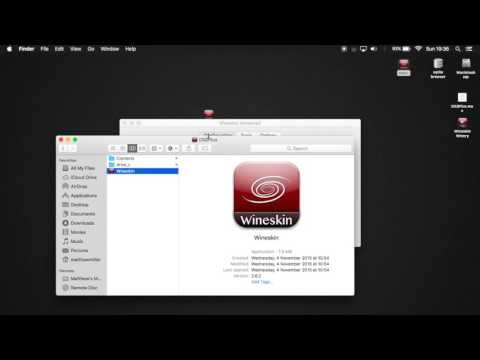
Last week we posted about how Matthew Miller deomnstrated that he was able to get the Windows digital speech decoder (DSD+) software running under OSX with WineSkin. DSD+ allows you to decode digital voice signals such as P25 and Motorola DMR. A few users asked how to actually use WineSkin to create a wrapper, so now Matthew has uploaded a new tutorial video showing how to use WineSkin to get DSD+ running on OSX.

In the video he shows how to download and install WineSkin, and how to create a wrapper that allows DSD+ to run on OSX. The process is relatively simple and only involves using GUI based tools.

DSD Plus on OSX with WineSkin - RTL SDR

New L-Band Filters from Adam Available

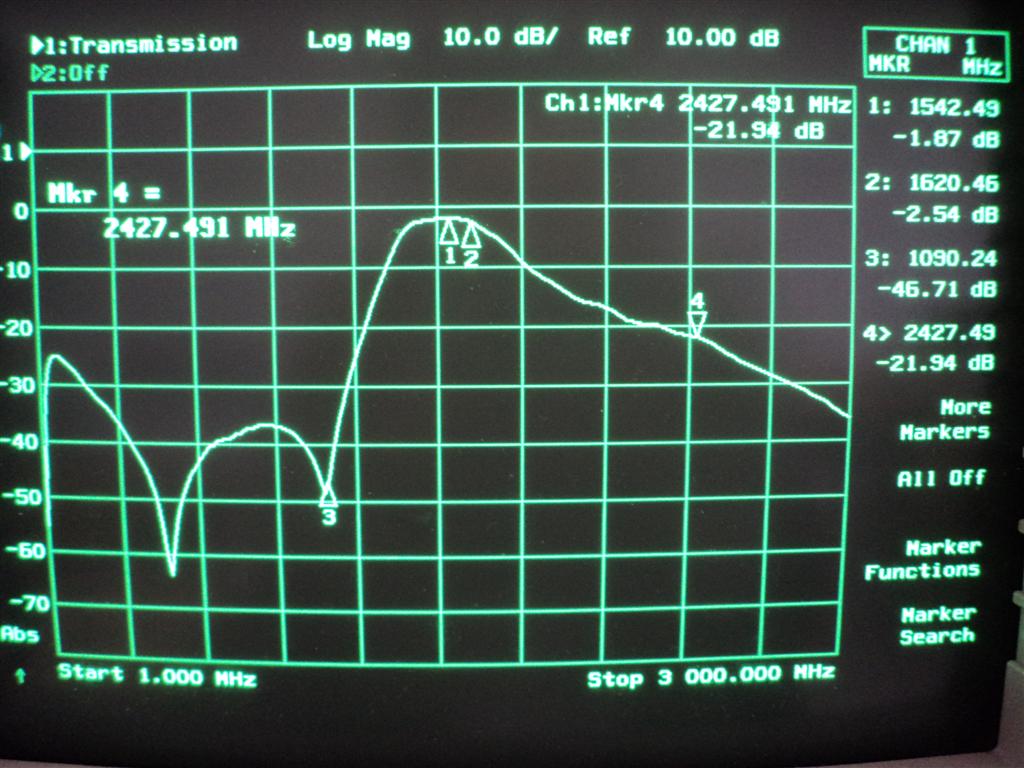
Adam (9A4QV) is well known in the RTL-SDR community for producing the LNA4ALL low noise amplifier as well as various RF filters that work well with the RTL-SDR. Adam is now selling some L-Band filters designed for improving reception with Inmarsat, Thuraya, Iridium, GPS satellites. It can be used for example when trying to received STD-C EGC or AERO data from Inmarsat satellites.

Adam writes that the filter will be most useful for those living in urban areas that are close to radio and TV towers. The filter is built on his standard filter PCB which also has the ability to add a simple bias tee circuit for powering externally positioned LNA’s such as his LNA4ALL which are necessary for good reception at L-band with an RTL-SDR.

He is currently selling it fully assembled for 20 euros, plus 5 euros for worldwide shipping.

Adam's L-Band Filter Characteristics.
Adam’s L-Band Filter Characteristics.

KiwiSDR: 30 MHz Bandwidth SDR for VLF/LF/MF/HF

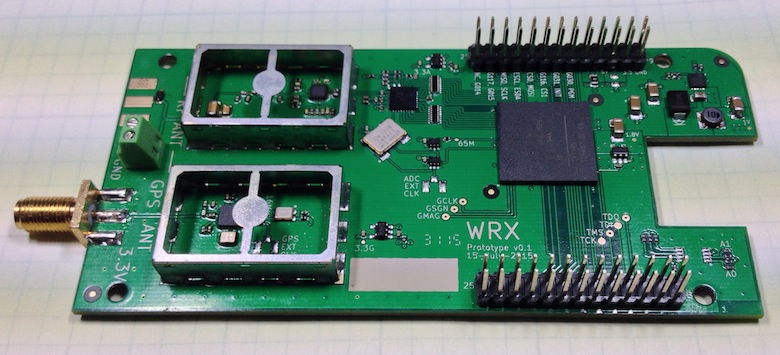
The KiwiSDR is an up and coming VLF/LF/MF/HF capable SDR that has a large 30 MHz of instantaneous bandwidth and coverage from 10 kHz to 30 MHz. It is designed to be low cost and used as an online internet based SDR in a similar way to how WebSDR is used, however KiwiSDR is designed to be used with the OpenWebRX software from András Retzler, HA7ILM. It uses a LTC 14-bit 65 MHz ADC and Xilinx Artix-7 A35 FPGA, and also has an integrated SDR based GPS receiver which is used to automatically compensate for any frequency drift from the main 66.6 MHz oscillator. The features of the KiwiSDR include:

  • 100% Open Source / Open Hardware.
  • Includes VLF-HF active antenna and associated power injector PCBs.
  • Browser-based interface allowing multiple simultaneous user web connections (currently 4).
  • Each connection tunes an independent receiver channel over the entire spectrum.
  • Waterfall tunes independently of audio and includes zooming and panning.
  • Multi-channel, parallel DDC design using bit-width optimized CIC filters.
  • Good performance at VLF/LF since I personally spend time monitoring those frequencies.
  • Automatic frequency calibration via received GPS timing.
  • Easy hardware and software setup. Browser-based configuration interface.

The KiwiSDR is currently in beta testing and has released two OpenWebRX beta test sites which can be used at:

http://kiwisdr.sk3w.se:8073/
http://kiwisdr.ece.uvic.ca:8073/

The KiwiSDR
The KiwiSDR
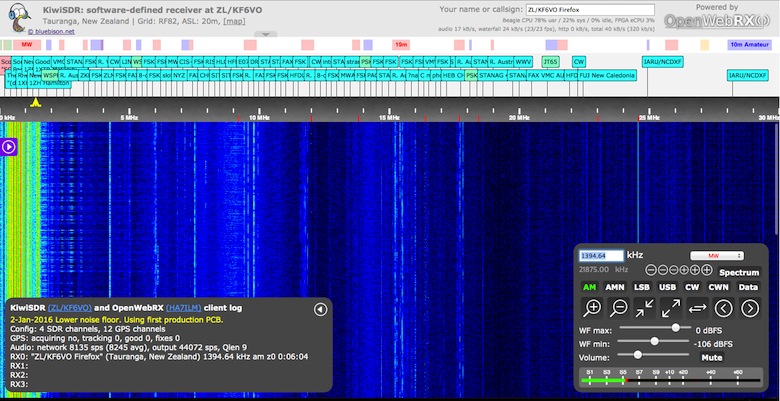
KiwiSDR running on OpenWebRX.

Bypassing Rolling Code Systems – CodeGrabbing/RollJam

A while back we posted about Samy Kamkars popular “RollJam” device, which was a $32 home made device that was able to defeat rolling code based wireless security systems such as those used on modern cars.

Wireless security researcher Andrew Macpherson became interested in RollJam and has now written up a post showing how to create a similar device using the YardStickOne and RFcat wireless tools. In his post Andrew shows how he automates the replay attack side of things using a Python script and two RFcat devices. He also fully explains how rolling codes work and how to attack them using the CodeGrabbing/RollJam technique. Andrew explains the RollJam technique as follows:

  1. Target parks their car, gets out the carAttacker launches a jammer that prevents the car from receiving the code from the remote
  2. Target presses the remote, car does NOT lock and the attacker obtains the first keypress
  3. Target presses the remote a second time and the attacker obtains the second keypress
  4. Attacker then sends the first key press to lock the car, car locks as per normal
  5. Target assumes all is well and carries on about their day
  6. Attacker then sends the second keypress to the car, unlocking it
  7. Profit.
  8. Target returns to the vehicle and remote works as per normal

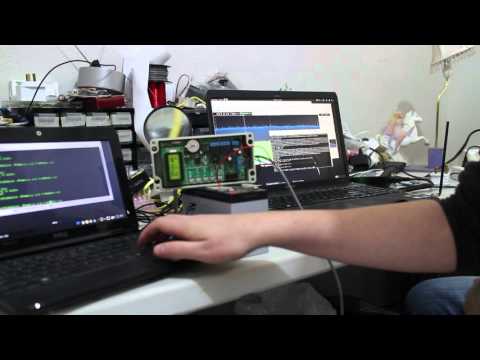
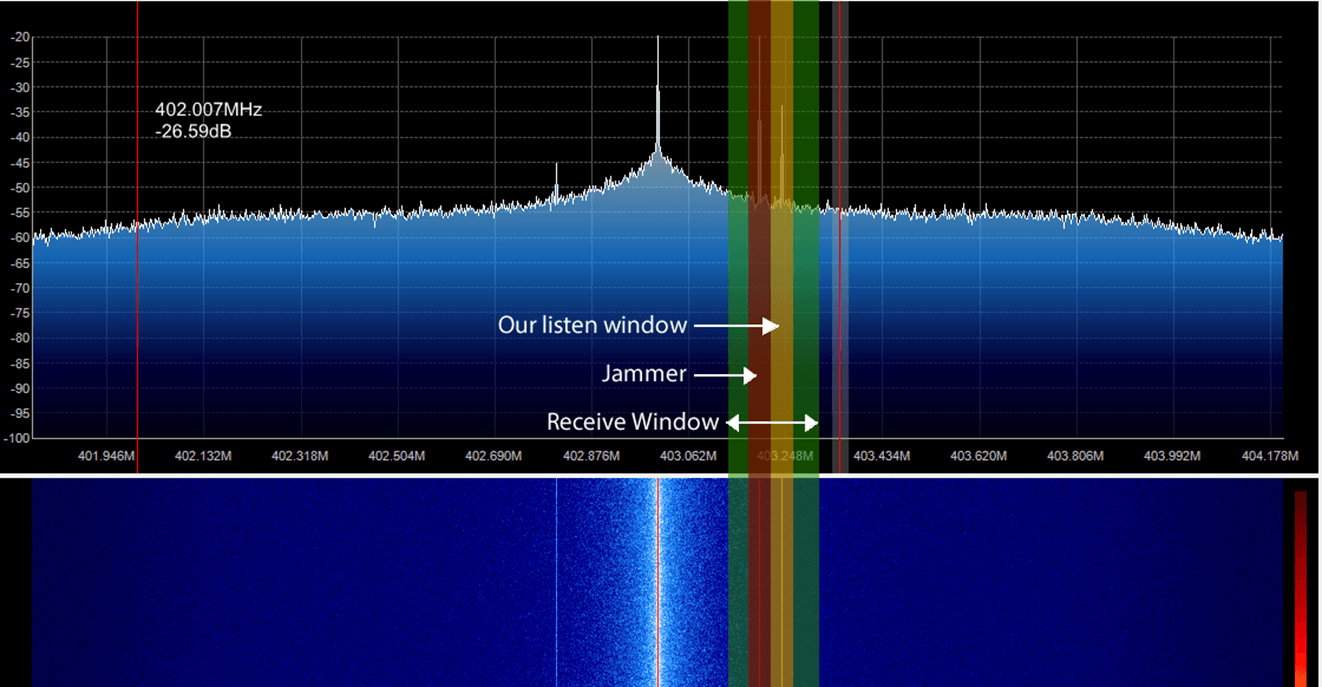
In the video below Andrew uses an SDR to help demonstrate the RollJam attack.

6. jam and replay rolling code rolljam codegrabbing

Showing how the RollJam attack works.

Decoding DMR on OSX using a RTL SDR and DSD Plus

DSD+ (Digital Speech Decoder+) is a popular Windows tool that can be used together with an RTL-SDR to decode digital speech signals such as P25 and DMR. There is unfortunately no version for OSX.

However, recently on YouTube user Matthew Miller has uploaded a video showing DSD+ running with CubicSDR on OSX. To do this he used a utility called “Wine Skin” which creates a wrapper that allows Windows software to run on a MAC computer running OSX. This means that DSD+ can be run on directly OSX without the need to use a virtual machine with Windows installed on it.

Decoding DMR on OSX using a RTL SDR and DSD Plus