4NEC2 is a freeware antenna simulation software program. The program can be used to model an antenna, and then determine through simulation properties such as the radiation pattern and SWR of the modelled antenna. It is very useful for those designing home made antennas for their RTL-SDR or other radio, or for those just trying to understand how antennas work.
4NEC2 can be a complicated piece of software and to get the most out of it a guide is needed. We’ve recently been informed that Mark Schoonover KA6WKE, is writing an eBook guide on this topic. His guide is currently only 20% complete, but a free sample of his book in its current state can be downloaded from leanpub. The guide already shows what the main windows of 4NEC2 do, and shows you how to model and simulate a simple dipole antenna.
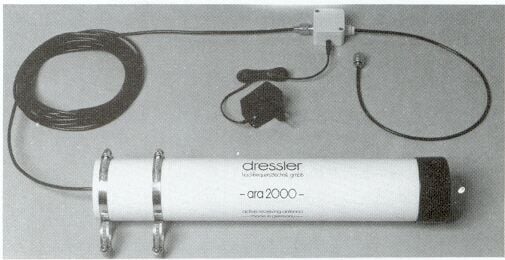
As the RTL-SDR and other SDRs are wideband, we recommend that people use a wideband antenna if they want to scan over all the frequencies. Normally a discone or a scantenna is suggested as the wideband antenna of choice, however there are alternative designs such as the Dressler ARA-2000 which is a type of log spiral antenna that can receive from 50 – 2000 MHz. This particular product is no longer for sale, but an article detailing the breakdown of its construction can be found online.
The dressler ARA-2000
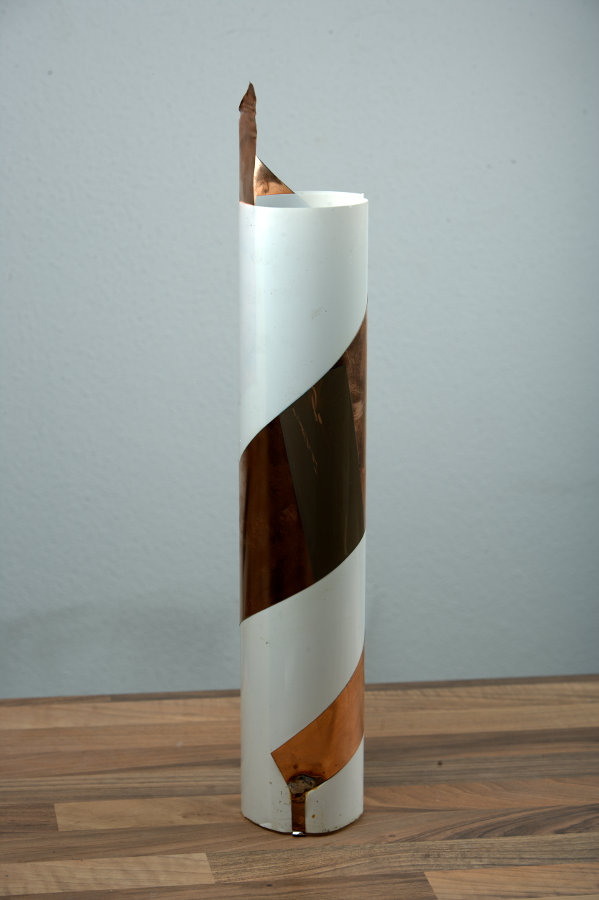
The article shows how to build the antenna from scratch. The active element consists of a thin copper sheet (or copper foil) in the shape of a wedge which is rolled into a cylinder around a plastic sheet. It is then connected to a low noise amplifier (LNA), which is powered through a bias tee. For the LNA something like the LNA4ALL could be used if building it yourself.
This antenna may be something to consider if you are thinking about building your own wideband antenna. It has the advantage of being much smaller than a discone and it can also be fully enclosed in a plastic radome to that fully protects it from weather elements. The author of the article also writes that he saw better performance from this antenna than when compared with a discone.
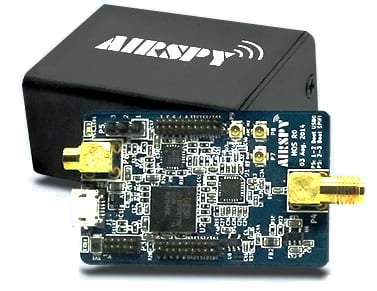
Over on the hamspirit.de blog author January has just uploaded his latest review comparing the Airspy with the SDRPlay (article in German, so use Google Translate if necessary). These are two mid price range RX only software defined radio receivers that many people see as a first upgrade from an RTL-SDR dongle. Currently, the Airspy sells for $199 USD and the SDRPlay sells for $149 USD.
In his review January uses the SDR# to compare both devices on a wide range of signals include a beacon in the 10M band, broadcast FM stations, another beacon in the 2M band, TETRA signals and trunked radio in the 70cm band. He ran the SDRPlay at a bandwidth of 1.536 MHz and the Airspy at a bandwidth of 2.5 MHz, with decimation set to 2 in order to get comparable bandwidths.
From the results it appears that overall the two SDR’s are quite comparable to one another. But the SDRPlay has the advantage that it’s frequency range covers shortwave frequencies and his results show that the SDRPlay had better SNR in the FM broadcast band (although these results may be incorrect as it appears that his gain settings were not set properly, as the Airspy guide recommends that Airspy gains be adjusted to keep the noise floor near -80 dBFS). On the other hand the Airspy was much better when strong FM overload was present as shown in his TETRA results. In his conclusion he writes (translated from German to English):
If one value to a SDR, which covers with the short wave, it is running out on the SDRplay.
If one is interested in the field below the 70cm amateur radio bands, is in my view the Airspy front.
The “ADS-B on Android” app has been updated and now supports the reception and display of 978 MHz UAT FIS-B Weather and Traffic data. The app also receives ADS-B data as per normal. To use the app you will need an RTL-SDR dongle and a USB OTG cable.
UAT stands for Universal Access Transceiver and is a protocol similar to ADS-B that is used mainly by smaller aircraft in the USA. UAT has some extra features for pilots compared to ADS-B. In addition to location information UAT provides a Traffic Information Service (TIS-B) which allows pilots in the air to see what ground control sees on their traditional RADAR system. It also provides a Flight Information Service-Broadcast (FIS-B) which includes NEXRAD weather data and other information. NEXRAD is an array of ground station weather radars that are used to provide pilots with accurate maps of precipitation and wind.
The free version of the app has ads and does not display NEXRAD weather radar on the default map. The pro version removes the ads and allows you to display a NEXRAD overlay on the map. It costs $2.50 USD.
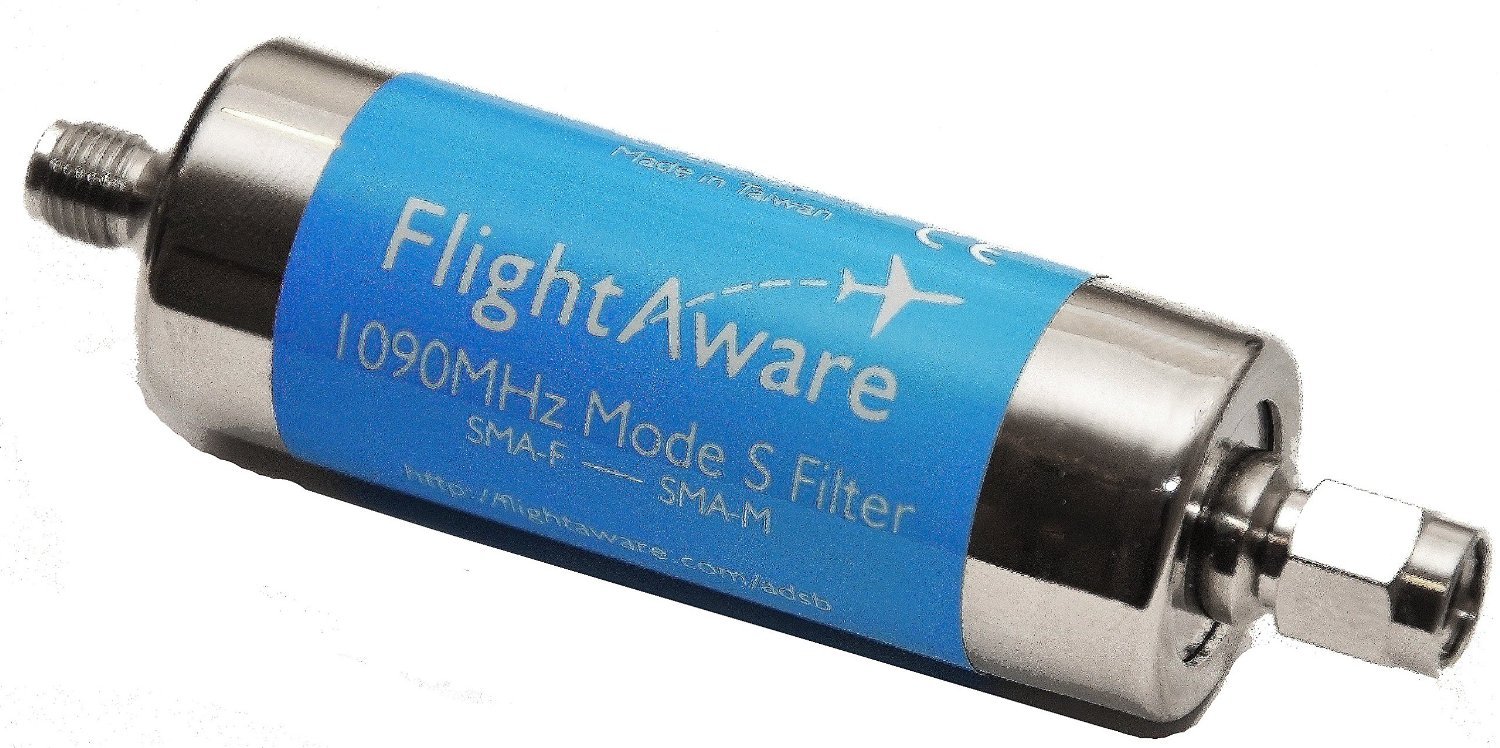
FlightAware.com have released a new 1090 MHz bandpass filter that is intended for use with the RTL-SDR. FlightAware.com is a website that aggregates ADS-B aircraft location data from various contributors. The contributors are often users with RTL-SDR dongles running their PiAware software. By contributing to their service you gain access to their premium services for free.
The bandpass filter is available on Amazon for US customers for $19.95 USD and on eBay worldwide for $24.95 USD. This is the cheapest ADS-B filter we've seen yet. It comes in a metal case with SMA connectors, passes 980 MHz - 1150 MHz, has an insertion loss of about 1.65 dB at 1090 MHz and has about a 40dB drop outside the pass band. Over on their forums many users are reporting good results.
A bandpass filter blocks all frequencies apart from the range you are interested in, significantly reducing the effects of out of band interference. It is especially useful if you live near cell phone towers as these can easily interfere with the 1090 MHz frequency.
FlightAware also sell an ADS-B antenna on Amazon for $44.95 USD and worldwide on eBay for $54.99 which may be of interest to some people.
An alternative ADS-B filter for the RTL-SDR is the one made by Adam 9A4QV. Adams filter uses LTCC filter technology which gives lower insertion loss, but a less sharp cutoff.
The FlightAware 1090 MHz ADS-B FilterFilter Reponse Test Data
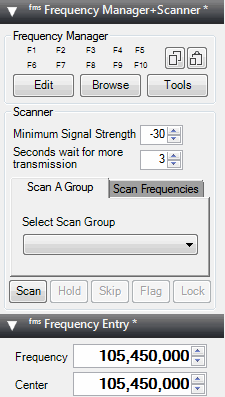
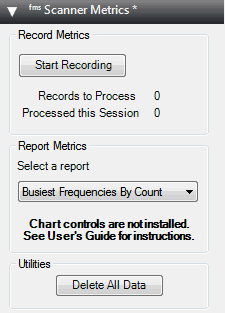
Recently the popular Frequency Manager + Scanner plugin set for SDR# has been upgraded and renamed to the “Frequency Manager Suite”. The plugin can be downloaded from their new website at www.freqmgrsuite.com. The plugin suite includes a frequency scanner and manager, a scanner metrics recorder, a scheduler, an activity logger and a frequency entry plugin.
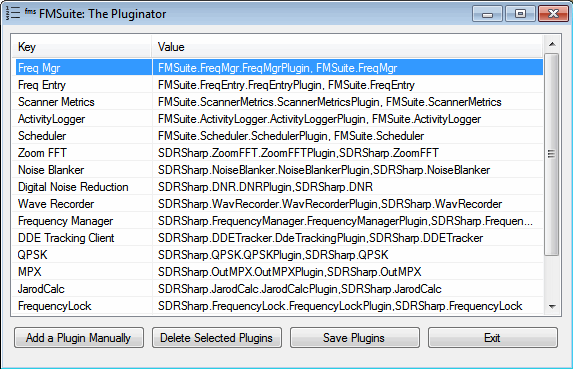
Apart from plugins the suite also now includes a plugin manager program called “Pluginator” which can help you to install and delete plugins without needing to edit the Plugins.xml file directly. There is also a new database manager tool which can help you to import frequency databases from online or other sources.
We have posted the full feature release below:
The Frequency Manager Suite (FMS) adds 4 more plugins to the previous set of 3:
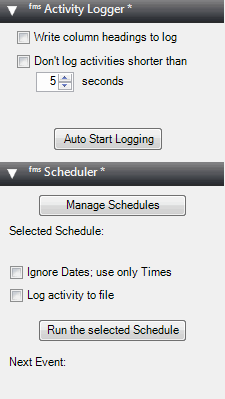
Scheduler – allows you to schedule listening activities by date and time.
Activity Logger – records scanner activity to a file for later use.
Scanner Decisions – now a first-class plugin and also available as the classic stand-alone window. And you can change the position of the plugin without restarting SDR#.
Frequency Details – displays details about a frequency from your database. And you can change the position of the plugin without restarting SDR#.
New standalone applications also come with FMS:
Data Tools – this significantly upgraded import/export application lets you import data from 6 popular internet databases as well as generically-formatted files, and permits you to export your FMS databases to standard file format.
The Pluginator – an application that lets you add, delete, and change the order of plugins without ever having to hand-edit the SDR# file Plugins.xml. Just fill in the blanks.
New features in Frequency Manager + Scanner:
The new Preferences dialog allows customization without hand-editing a configuration file.
FMS configurations are now kept in a file separate from those of SDR#, permitting easier upgrades to SDR#.
You can have multiple frequency databases, and can change to a different database without restarting SDR#.
When tuning manually you can optionally change the radio settings (mode, BW, etc.) according to what’s in the database for the tuned frequency.
Scan resolution – high-res or low-res to favor speed over accuracy or vice versa.
Adjacent Frequency Rejection now displays its bandwidth on the spectrum analyzer.
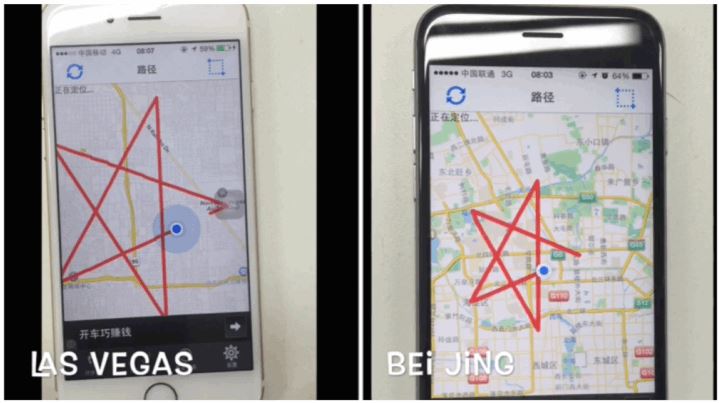
At this years Defcon 2015 conference researcher Lin Huang from Qihoo 360 presented her work on spoofing GPS signals. Qihoo 360 is a Chinese security company producing antivirus software. Lin works at Qihoo as a security researcher where her main job is to prevent their antivirus software and users from becoming vulnerable to wireless attacks. Her research brought her to the realm of GPS spoofing, where she discovered how easy it was to use relatively low cost SDRs like a USRP B210/BladeRF/HackRF to emulate GPS signals which could allow a wireless attacker to manipulate the GPS on smartphones and cars.
Previous attempts at GPS spoofing have all used more expensive custom hardware. One attempt in 2013 allowed university researchers to send a 213-foot yacht off course, and it is suspected that hackers from the Iranian government have used GPS spoofing to divert and land an American stealth drone back in 2011.
In Lin’s presentation she shows how she was able to trick a smartphone into thinking it was in a different location. In addition she writes how this method could be used to trick the phone into changing it’s time, as many smartphones will periodically refresh the clock accuracy by using GPS satellites. She also shows how she was able to bypass a DJI drones forbidden area no fly zone policy. DJI drones come with a feature where the engines will not power up if the on board GPS detects that it is in a no drone fly zone. By spoofing the GPS she was able to get the drone to power up inside a no fly zone in Beijng.
A pulsar is a rotating neutron star that emits a beam of electromagnetic radiation. If this beam points towards the earth, it can then be observed with a large dish antenna and a radio, like the RTL-SDR. The abstract of the paper reads:
This project sought to determine the minimum useful antenna aperture for amateur radio astronomers to successfully detect pulsars around the Hydrogen line frequency of 1420MHz. The technique relied on the collaboration with GM Gancio, who provided RTL SDR data of the Vela pulsar (B0833-45, J0835-4510) and others, collected with a 30m radio telescope. This data was processed to determine the achievable signal-to-noise ratio from which, the minimum useful dish size necessary for some effective amateur work, could be calculated. Two software packages were developed to do synchronous integration, a third to provide a power detection function and a fourth for spectrum analysis to recover pulsar rotation rate.
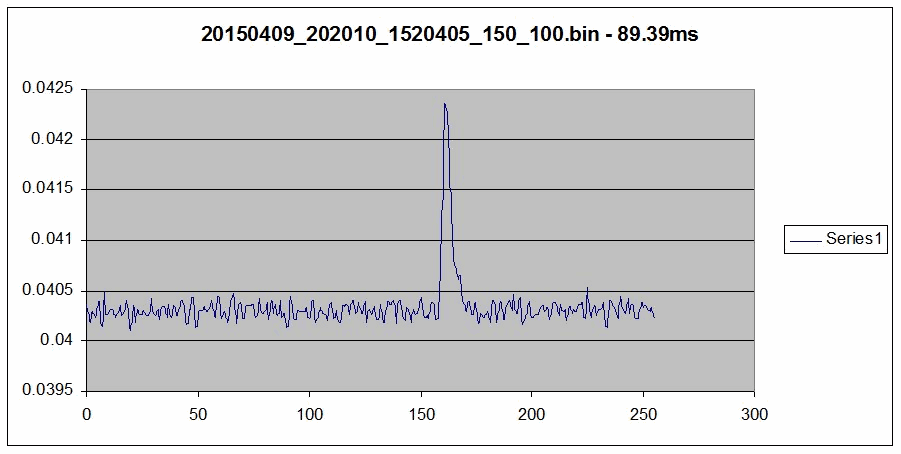
With their system the authors were able to detect and measure the rotation period of the Vela pulsar. Also, from their data they were able to estimate that the minimum dish aperture required to observe the Vela pulsar would be 6m, noting that the Vela pulsar is probably the strongest pulsar ever detected. They also write that by utilizing 5 RTL-SDRs to gather 10 MHz of bandwidth together with some processing that the minimum required dish aperture could be reduced to 3.5m.
The Vela pulsar pulse power integrated over a 50 second 100MB file, combining some 560 pulsar pulses.
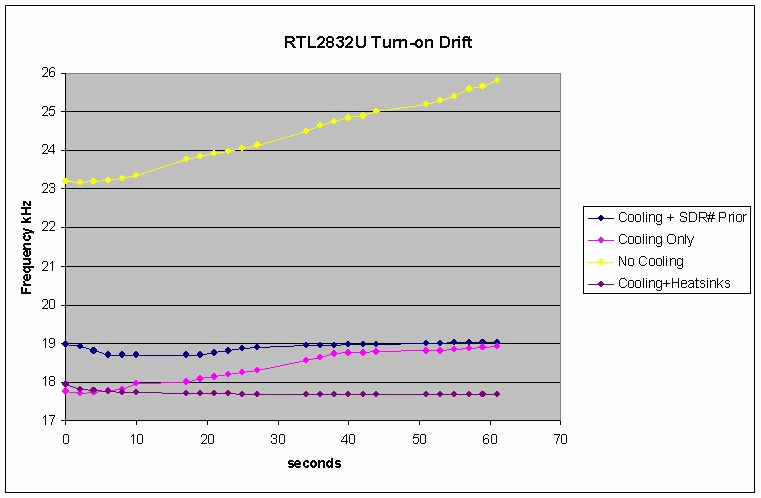
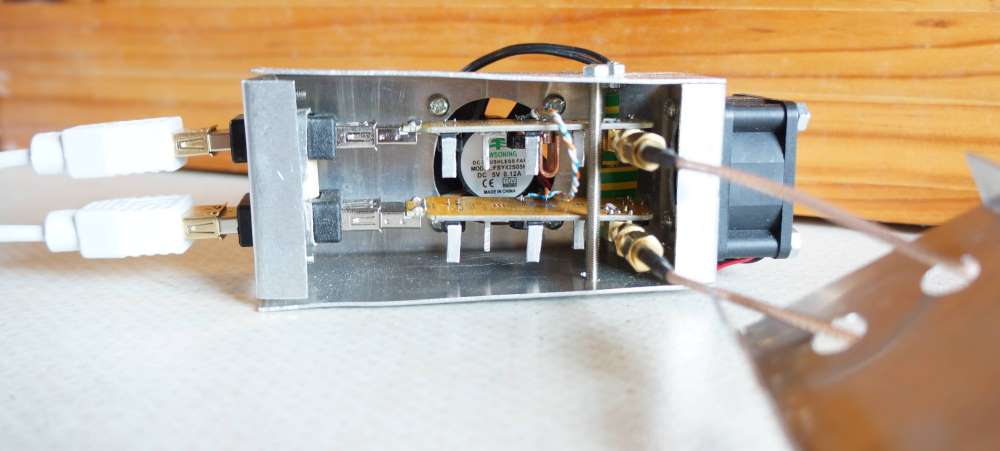
Results from air cooling the RTL-SDR.The air cooled and heat sinked RTL-SDRs
All of Peters papers can be found on his website at y1pwe.co.uk/RAProgs/index.html. He has many RTL-SDR radio astronomy related resources there, so check it out if you are interested.