Measuring Power Line Noise in the Neighbourhood with the RTL-SDR “Driveby” System

Over the last few months Tim Havens has been developing a portable RTL-SDR based scanner that he intends to use for geo-tagged noise floor readings. He hopes to use such a system to map sources of RF noise related to power lines so that he can contact his power company to resolve them.

Tim’s system uses a powerful Odroid XU3 which is a Linux based mini embedded computer that sells for $179 USD. The Odroid XU3 has dual quad core ARM CPUs which is enough power to run rtl_power with 5 RTL-SDR dongles simultaneously. Rtl_power is an RTL-SDR tool which allows you to scan and record the power levels in the frequency spectrum. By using 5 dongles he is able to scan the 49 MHz, 50 MHz, 144 MHz, 222 MHz and 432 MHz bands simultaneously.

From a previous post Tim writes:

The idea behind this project is to be able to MAP real-world Geo-tagged noise floor readings.  This can be used for the primary purpose I intended for this application (mapping of problematic sources of RF Noise related to power lines in the area so that I can approach the local power company to resolve them) or any other sort of RF signal MAPPING.  Such as cellphone/cellsite coverage or FM broadcast coverage (and dead spots) among other things.

RTL dongles are CHEAP, and reliable, although not 100% stable (they drift a bit for the first 5 minutes of warm up) they can be used to measure changes in the RF Noise Floor (once warmed up).  While they don’t really seem to be able to be calibrated to anything less than -87db all we’re really looking for are relative changes to the noise floor while driving around a particular location (there is probably some complex math that could applied to these measurements that could be calibrated).  So for this project these inexpensive receivers are really just fine.

While rtl_power is scanning, the Odroid uses a GPS receiver to tag the timestamped noise readings with GPS coordinates. Then by driving around with the system and combining the GPS coordinates with the noise floor readings from rtl_power he is able to create a heatmap showing exactly where in his neighbourhood noise levels peak, indicating a power line RF noise problem to be fixed by the power company.

Some more information about the hardware build of his system can be found on a previous post.

Powerline Noise Mapped with RTL-SDRs and GPS
Powerline Noise Heat Mapped with RTL-SDRs and GPS Logging
The Insides of the Driveby System
The insides of the driveby system

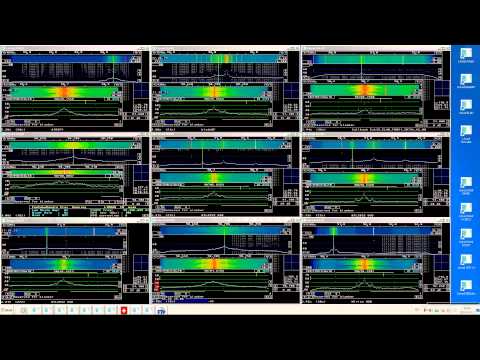
Tim also has uploaded a video to YouTube showing his system running a stationary test demonstrating the hardware and some of his custom software before everything was boxed up.
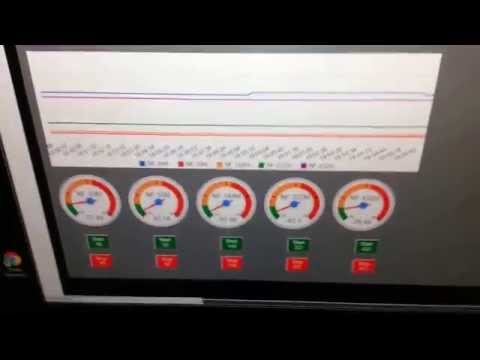
Driveby App stationary test

TCP Enabled version of librtlsdr

Recently RTL-SDR.com reader Fabien wrote in to let us know that he has created a new version of the librtlsdr RTL-SDR drivers which have built in TCP support.

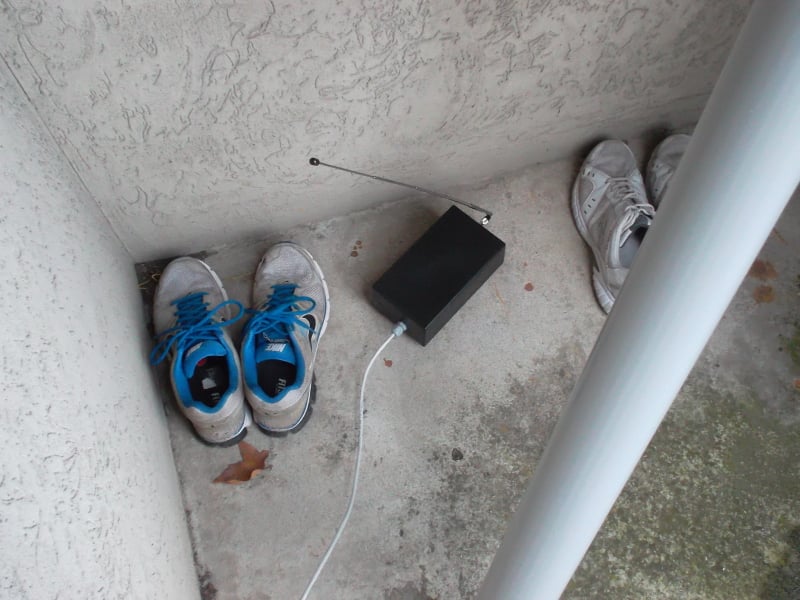
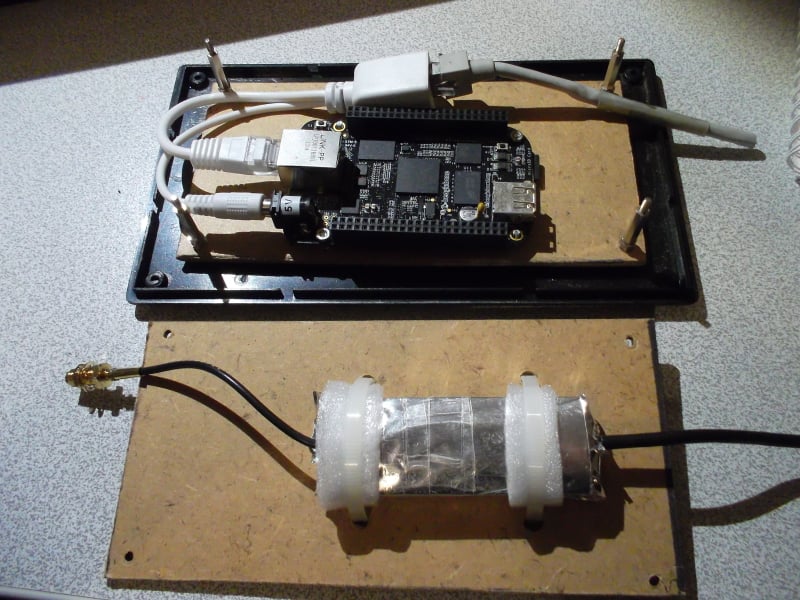
Fabien built a remote SDR using a BeagleBone Black mini embedded computer and put it outside for better reception and to be closer to the antenna. When trying to remotely access the dongle he discovered some problems. He writes:

I then access the dongle over TCP from an indoor PC. One issue is that some existing tools such as rtl_fm, rtlizer or rtlsdr_waterfall lacks TCP/IP connectivity.

To solve this problem, I added TCP support to the rtlsdr library. When a tool communicates with the now physically distant dongle, this new implementation transparently forwards the data using TCP instead of USB. It allows one to use existing tools without modifying them. Also, it allows a developer to use the same librtlsdr, no matter whether the dongle is local or distant.

The implementation is located here: https://github.com/texane/librtlsdr
branch: rpc

To use it, one must compile and install the library. Then, a server (called rtl_rpcd) must be run on the remote location (in my case, the beagle bone black at address 192.168.0.43): RTLSDR_RPC_SERV_ADDR=192.168.0.43 \ rtl_rpcd

Then, the existing tool (for instance rtlizer) can be run using:
RTLSDR_RPC_IS_ENABLED=1 RTLSDR_RPC_SERV_ADDR=192.168.0.43 \
rtlizer

Outdoor RTL-SDR Receiver Running on a BeagleBone Black

Comparison of several SDRs on degradation from nearby strong signals at broadcast FM frequencies

The programmer of Linrad (aka Leif sm5bsz) has uploaded a video to YouTube that compares several software defined radios on dynamic range and compression performance in the presence of strong nearby signals. In the video Leif tests the Airspy, BladeRF with B200, FDM-S1, Funcube Pro+, rtlsdr/E4000, rtlsdr/FC0013, rtlsdr/R820T, SDR-14 and SDRplay.

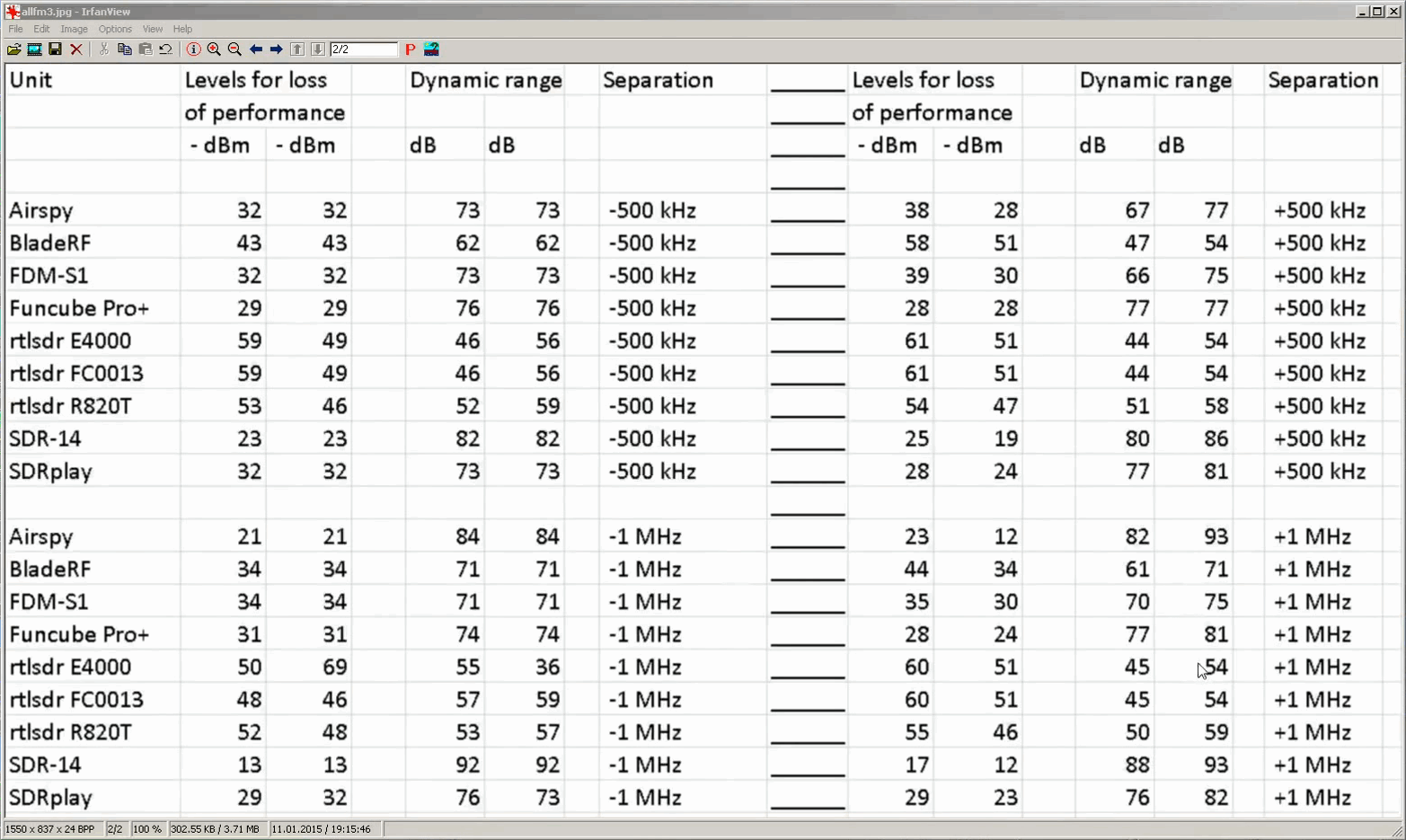
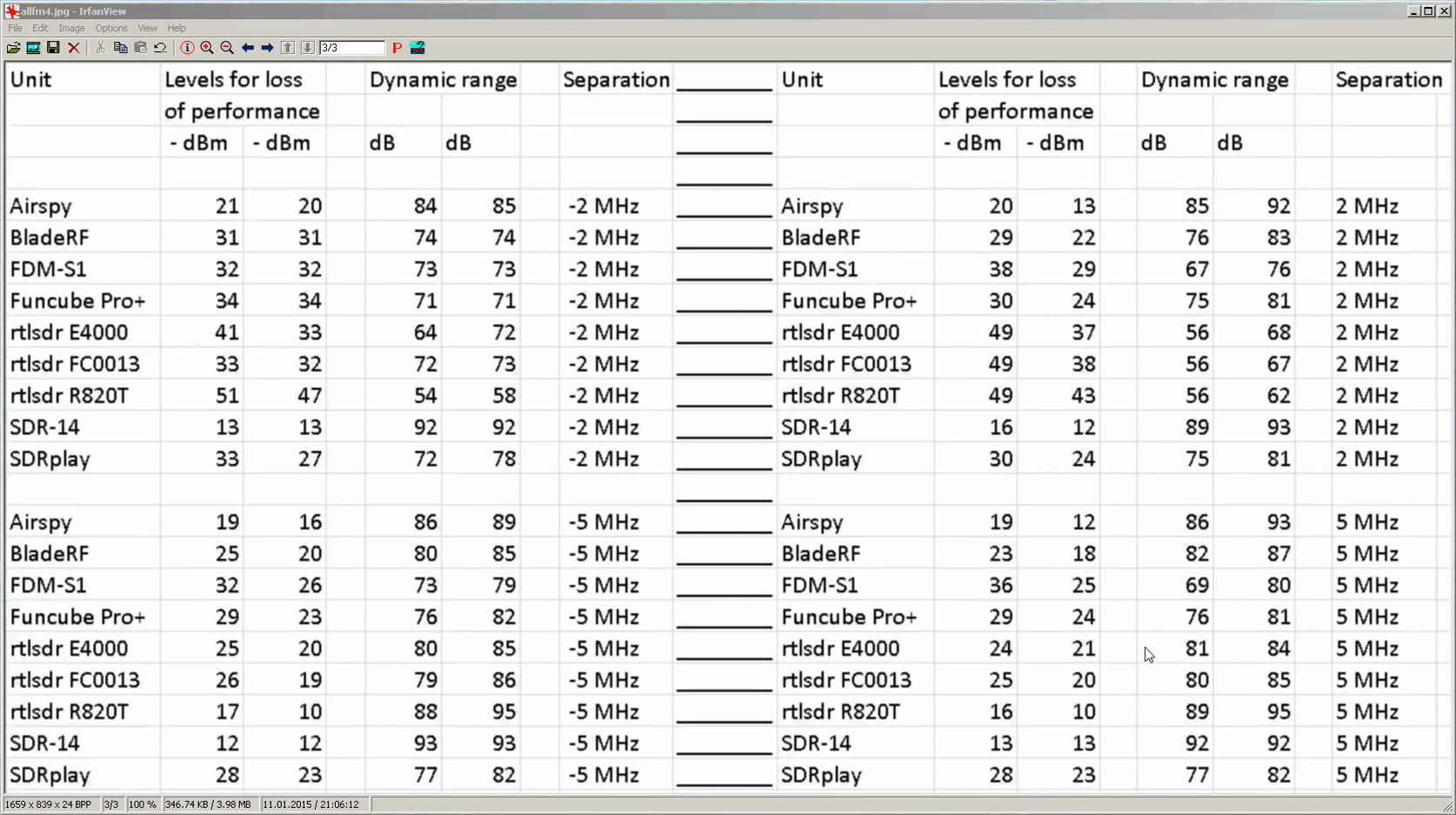
The main test works by tuning to a broadcast band FM frequency and then injecting a strong carrier signal at distances of 500 kHz, 1 MHz, 2 MHz and 5 MHz from the center frequency. The carrier signal strength is slowly increased until the SDR shows signs of complete degradation of reception of the FM signal. Better SDRs will tolerate stronger nearby signals without degradation.

The results are summarized at 34:20, 1:21:38 and 1:48:30. We have also taken screencaps of the results at 1:21:38 and 1:48:30 and they are shown below. The first column is when a higher gain is used, and the second column is when a lower but still barely copyable gain level is used. In the Levels for loss of performance columns smaller numbers are better and in the Dynamic range columns larger numbers are better. Finally, at the end of the video starting at 1:45:55 Leif also tests the spur performance of the SDRs.

Results at 500 kHz and 1 MHz Seperation
results_3
Results at 2 MHz and 5 MHz Seperation
SDR on 88-108 FM part1

New Oregon Scientific Temperature/Humidity Data Receiver Software for MacOS and RTL-SDR

Recently programmer Erik Larsen wrote in to us to let us know about a MacOS application he has been developing to receive temperature and humidity data from Oregon Scientific v2.1 sensors. Oregon Scientific manufactures popular electronic weather stations that transmit data from remote sensors wirelessly. Using an RTL-SDR and Eriks software it is possible to receive the weather station data on a Mac computer and display the data on a GUI. The software can be downloaded from the releases section on its GitHub page.

Note that there are also several Linux based Oregon Scientific decoders available including rtl-433m-sensor, rtl_osv21, and rtl-wx.

Oregon Weather Decoder

Receiving VOR Radio Navigation with an RTL-SDR and GNU Radio

Over on YouTube user hpux735 has uploaded a video where he explores the feasibility of receiving VOR radio navigation signals using GNU Radio and an RTL-SDR. VOR is an acronym for VHF Omni Directional Radio Range and is an older method of navigation used by aircraft which is quickly being made redundant due to GPS navigation. VOR uses two signals, one master omnidirectional signal and one rotating directional signal. By doing some calculations on the received phase of these two signals it is possible to determine the angle of the aircraft from the transmitter.

In the video hpux735 explains and discusses the VOR signal and also shows how to use these signals for navigation with an RTL-SDR and GNU Radio flowchart. To receive the VOR signal he uses an RTL-SDR to record the VOR signal while he drives around with a car. Then later he uses his GNU Radio program to generate a plot that shows when he is moving and in which direction.

hpux735 has also uploaded some supplemental material over on his blog. In the future he hopes to correlate his VOR results with GPS coordinates that he will take whilst actually flying around.

VORs and SDRs part 1: Playing with angles

Analyzing Radar Pulses with Baudline and an RTL-SDR

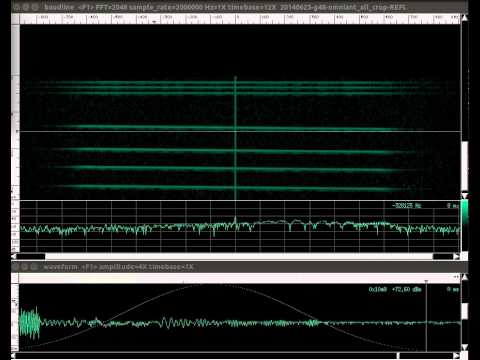
Over on YouTube user Albert Schäferle has uploaded a short video showing his reception of some radar pulses and their corresponding echoes. He uses rtl_fm and pipes the output into Baudline which is used to display the radar waveform. On the video description he writes:

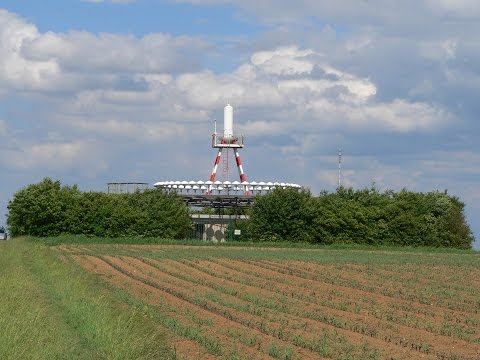
Receiving direct and (supposedly) reflected pulses from an L-band radar in Učka, HR (Lockheed Martin AN/FPS-117). The receiving station was 83 km away, with clear LOS.
Center frequency is 1258 MHz (one out of four that this frequency-agile radar head is using).
The receiver is a RTL-SDR dongle (R820T tuner IC) with a 2-dipole collinear array (tuned for 403 MHz) and approx 7 m of Belden 1694A RG-6 coax.

rtl_fm output was piped to baudline, which is the software shown in the video. The IQ sampling rate is 2 MHz; the transform is a complex STFT (size=2048 samples, Blackman window).
This is a 0.008x speed playback of 15 ms of recording.
The (again, supposedly) reflected pulses are obviously more time-local with a shorter transform window size, e.g. 512 samples http://i.imgur.com/sAHWhwD.png

The effect of pulse compression is quite evident http://www.radartutorial.eu/08.transm…
The direct-reflected delay is approx 278 µs (~42 km from receiver, in a simple 2D, along beam, normal incidence model). I should add that this “reflection delay” effect does not usually show up.
There’s another fainter echo closer to the pulse, but I suspect that it could be a time-sidelobe of the main pulse: a side effect of pulse compression. Anyway, I must state that I have no formal knowledge on radar topics. So you’d better take all this with a grain of salt 😉

Link to recording: https://db.tt/Lxe67Ig3 (save destination as…)

Video recorded with VLC, audio piped to stdout and saved, then synced in Blender.

Radar WGS84 coordinates: 45.286757,14.202732 http://www.panoramio.com/photo/26952908

Analyzing radar pulses with Baudline and RTL-SDR.

Compiling and using DSD 1.7 for D-STAR on Linux

Amateur Radio hobbyist George Smart has recently written a tutorial showing how to compile and install DSD v1.7 on a Linux computer in order to receive D-STAR digital voice. D-STAR is a digital voice protocol used by hams at a frequency of 145.670 MHz.

The tutorial shows the entire set up process from installing the required dependencies to running DSD 1.7 with GQRX by piping audio through UDP into DSD. He also shows how to run DSD 1.7 on a Raspberry Pi.

Note that DSD v1.7 also runs on Windows, and this previous post links to a precompiled Windows binary file.

GQRX Receiving D-STAR

Beaglebone Black FM/Internet Radio Combo Receiver using an RTL-SDR

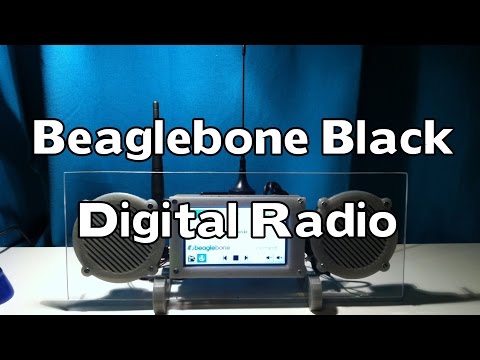
Last year we missed this interesting project by Frederick Vandenbosch where he created a FM/internet radio combination receiver using a BeagleBone Black mini embedded PC and an RTL-SDR dongle.

The idea is that the system will receive FM radio through the RTL-SDR normally, but when reception is poor or unavailable you can switch to internet radio which is received through WiFi. The radio is controlled through an LCD screen attached to the BeagleBone Black.

Frederick used Linux on the BeagleBone and created a custom GUI that allows for easy tuning using rtl_fm as the RTL-SDR back end, setting channel presets and for switching between internet and live FM radio.

BeagleBone Blade FM/Internet Radio Combo Receiver
Beaglebone Black Digital Radio with RTL-SDR and Wifi