Tagged: rtl2832
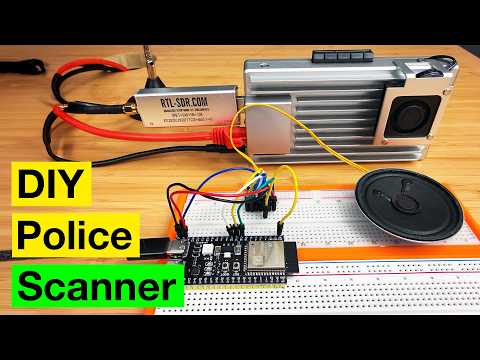
Building a P25 Police Scanner with an RTL-SDR Blog V3 and ZimaBoard 2
RadioTranscriber: Real-Time Public Safety Radio Transcription with Whisper AI
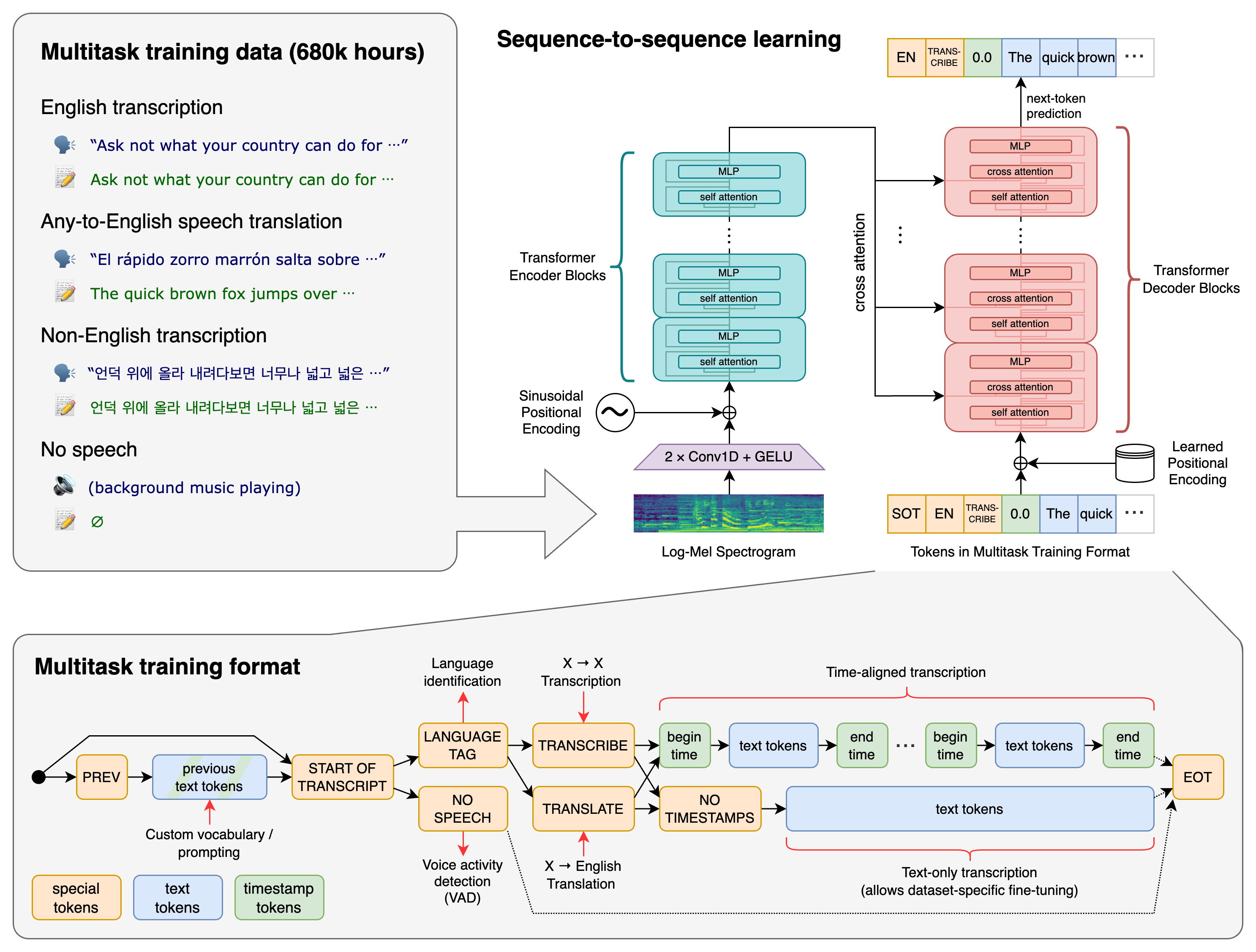
Over in our new forums, user Nite has shared a new open-source project that he's created called RadioTranscriber, a real-time speech-to-text tool for public safety radio feeds using OpenAI’s Whisper large-v3 model. The idea is to take live scanner audio, such as authenticated streams from Broadcastify, and continuously turn it into readable text with minimal babysitting. The project grew out of earlier experiments with Radio Transcriptor, which we posted about back in June, but quickly evolved into a more robust, long-running setup with better audio conditioning and fewer of Whisper’s common hallucinations.
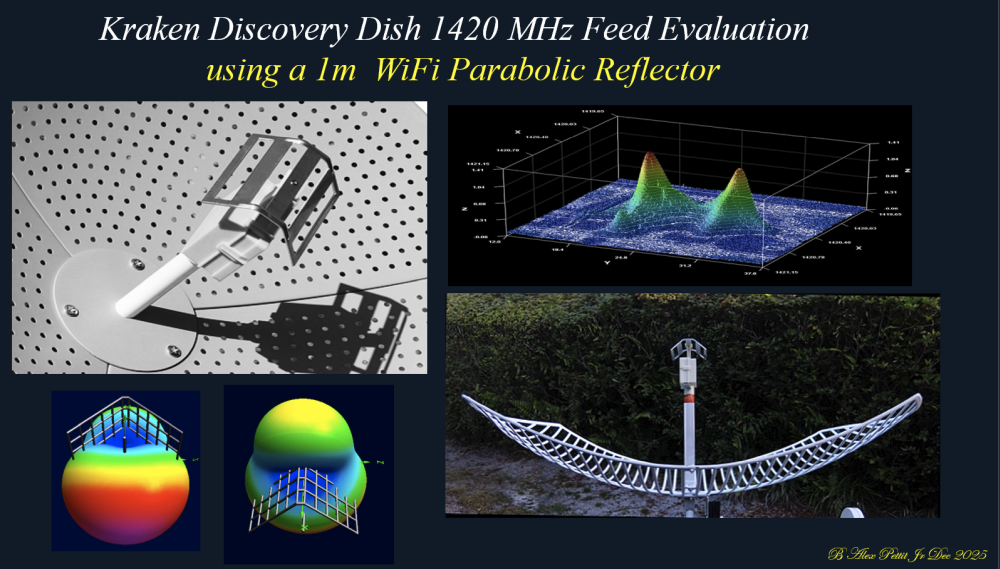
Discovery Dish 1420 MHz Hydrogen Line Feed Tested with a WiFi Grid Dish
Building a DIY Off-Grid Weather Station with a Raspberry Pi and RTL-SDR Receiver
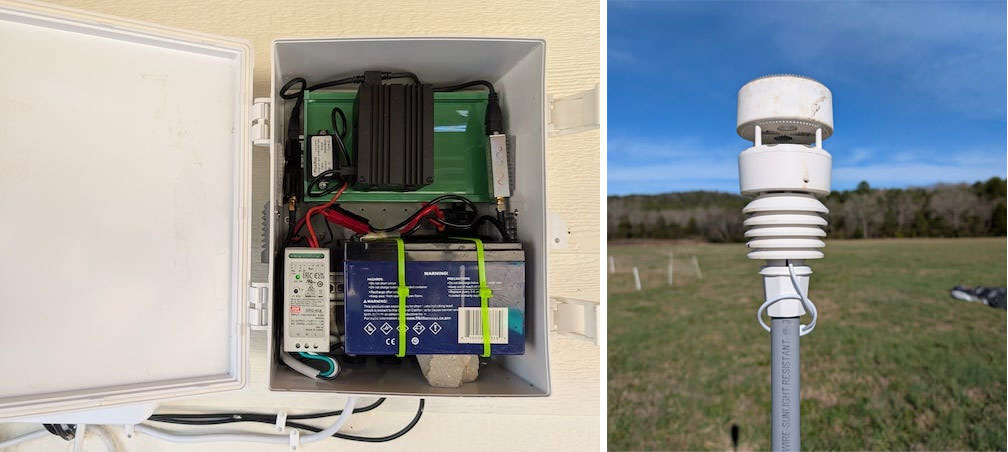
Thank you to Vinnie for writing in and sharing with us his home made Raspberry Pi based off-grid weather station, which uses an RTL-SDR to receive data.
Being somewhat disappointed with a cheap all-in-one weather station's data, lack of local storage and customisation possibilities, Vinnie decided he could do better and build his own custom solution instead. While working on an existing Raspberry Pi based ADS-B station that he had already deployed, he realised that the hardware was largely underutilised and would make an ideal platform for additional RF decoding tasks.
By adding a second RTL-SDR dongle and using the popular rtl_433 software, Vinnie was able to receive and decode data from an Ecowitt WS90 all-in-one outdoor weather sensor. Unlike many consumer weather stations, the WS90 operates as a simple one-way RF transmitter with no cloud dependency, making it ideal for local SDR-based decoding and long-term data ownership.
All weather data is received locally over RF, decoded into JSON, processed on the Raspberry Pi, and stored locally without relying on third-party cloud services. Rainfall totals, daily highs and lows, and historical trends are calculated entirely in software, giving full transparency and flexibility over how the data is handled. A simple web dashboard then displays current conditions and recent history on the local network.
The entire system runs in Docker containers alongside the ADS-B feeder, keeping services isolated and easy to maintain. Optional one-way data sharing to weather aggregation services can be enabled if desired, but the station functions fully offline by default.
In his post, Vinnie has written an in-depth overview of the hardware choices, RF decoding, data pipeline, and software architecture behind the project, including why certain sensors were chosen and how rainfall is calculated from raw impulse data. The code is all opensource and available on his GitHub.

New RTL-SDR Blog Forum Active
We've just activated a brand new RTL-SDR Blog forum based on the Discourse platform, and we will be retiring the old phpBB boards. If you have any questions or want to share anything relating to RTL-SDRs, SDRs, or the radio hobby in general, please feel free to log on and make a post.
For troubleshooting questions, please be sure to include as much detail as possible about the issue, such as exact error messages, what you are trying to achieve, and ideally add screenshots showing your settings. Also, please remember that for questions relating to specific software, you will probably get the best help by asking in discussion groups specifically for that software, or by emailing the authors of those programs directly.
We've decided to retire the old phpBB forums due to excessive spam that has proved extremely difficult to combat. phpBB has limited plugins available that actually work for spambot detection. We've tried adding captchas, technical barrier questions, using spambot block lists, spambot blocking services, and setting a high security setting on Cloudflare. But nothing has been able to stop the new ChatGPT/AI powered spambots.
These spambots are particularly insidious because they ask legitimate-sounding questions to start a discussion and may even reply with legitimate-sounding responses. Later, once trust has been established with humans and the forum spambot detection software, they will start posting spam links, and editing old posts to include subtle spam links.
The new forums are based on Discourse, and are available here https://rtl-sdr.discourse.group/
Based on our previous experience, Discourse is a much more modern platform and has much better natural spambot protection, so spambots shouldn't be a problem on that platform.
If you've been a fan of these forums, please make an account on our Discourse forum. Thanks!
As usual, for inquiries relating to RTL-SDR Blog product faults, or shipping issues, please email us directly at [email protected] with your order ID number included for direct help.
The old forums will stay up for archival reasons, but they will be locked from now on.
DSDPlus Public Release Updated & Fast Lane Changes
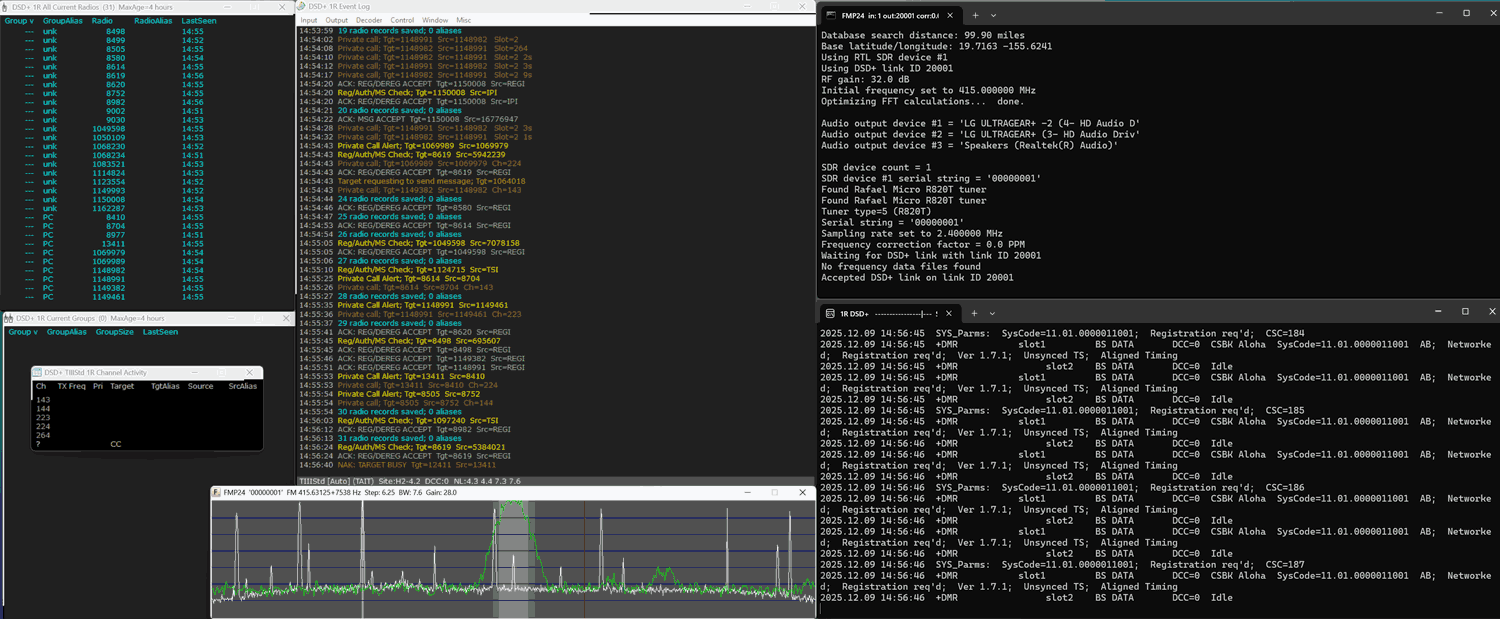
The team behind DSDPlus has recently uploaded a new public release version 2.547. The last public release was version 1.101, released several years ago. Up until now, only DSD+ Fastlane customers have had access to the new version.
The new version adds new programs like FMP, which can be used to receive the FM signal from an RTL-SDR, Airspy or SDRplay SDR and transfer it to DSD+ over TCP. Previously, a program like SDR#, or SDR++ would have to be used along with audio piping software like VB Cable.
rtl_haos: An rtl_433 to Home Assistant Bridge
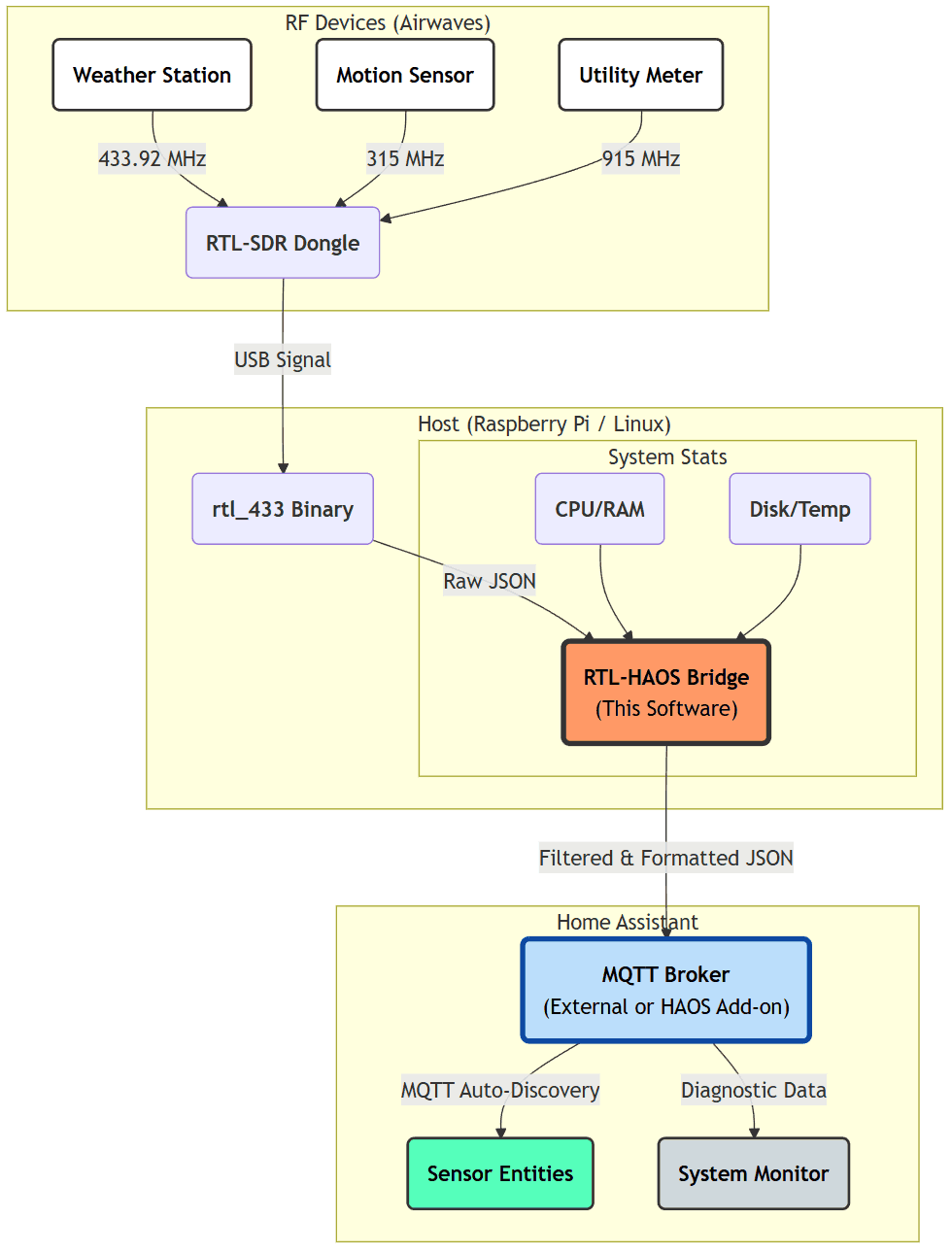
Thank you to Jaron McDaniel for writing in and sharing with us the release of his open source software called "rtl_haos". rtl_haos is a 'drop-in' bridge that turns one or more RTL-SDR dongles into Home Assistant friendly sensors via rtl_433 and MQTT. Jaron writes:
I just finished a tool that that bridges data received from rtl_433 into Home Assistant friendly entities. Basically allowing you to integrate anything rtl_433 can see into Home Assistant.
Basically you clone the git to a Rasberry PI, configure it for your MQTT server, plug in a RTL-SDR or two and you'll see entities with icons and units automatically assigned to whatever rtl_433 discovers.
This tool allows you to connect older and cheap non-Wi-Fi connected sensors to Home Assistant, which typically communicate to a base station via wireless ISM band signals. Home Assistant is an open-source home automation platform that integrates and controls household devices such as lights, sensors, and actuators.