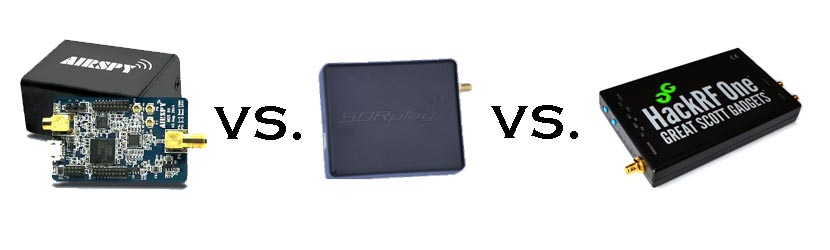
The SDRplay RSP is a $149 USD software defined radio that many consider as a next step upgrade from the RTL-SDR. See our recent review for a comparison between the Airspy, SDRplay RSP and HackRF.
One problem with the SDRplay RSP is that it comes in an unshielded plastic enclosure. This means that strong interfering signals can pass through the enclosure and cause interference, making any filtering done on the antenna less effective. Recently Tom Naumovski wrote in to us to let us know that he has been experimenting with a simple fix that involves shielding his RSP with adhesive copper tape. (Tom carefully notes that doing this may void the warranty). Tom simply wraps the plastic enclosure with conductive copper tape, making sure that electrical contact is made between the copper shielding and RSP ground (e.g. making sure the RSP USB and SMA ports make electrical contact with the copper tape)
Copper tape shielding for the RSP.
After shielding the RSP, Tom tested the shielding effectiveness by using his shielded RSP with no antenna connected to try and pick up an interfering tone transmitted by his HackRF SDR. He collected the results in a pdf file. The results clearly show that the shielded RSP does not pick up, or significantly reduces the power of the HackRF's interfering tone.
If you want to try this yourself, Tom writes that copper slug barrier tape found on eBay is the tape he used. Tom also points out the discussion on the Facebook SDRplay group thread he posted where other users have been using aluminium tape or alternative copper tape products.
IMPORTANT NOTE: Please note that this review is now out of date as the SDRplay RSP line has received significant improvements to their hardware and Airspy have brought out a new SDR that is much better at HF.
Overall it is now difficult to pick a winner between Airspy and SDRplay products. However, our preference is the Airspy HF+ Discovery for HF signals, and the SDRplay RSP1A for generic wideband wide frequency range receiving.
When people consider upgrading from the RTL-SDR, there are three mid priced software defined radios that come to most peoples minds: The Airspy (store), the SDRplay RSP (store) and the HackRF (store). These three are all in the price range of $150 to $300 USD. In this post we will review the Airspy, review the SDRplay RSP and review the HackRF and compare them against each other on various tests.
Note that this is a very long review. If you don't want to read all of this very long post then just scroll down to the conclusions at the end.
What makes a good SDR?
In this review we will only consider RX performance. So first we will review some terminology, features and specifications that are required for a good RX SDR.
SNR - When receiving a signal the main metric we want to measure is the "Signal to Noise" (SNR) ratio. This is the peak signal strength minus the noise floor strength.
Bandwidth - A larger bandwidth means more signals on the screen at once, and more software decimation (better SNR). The downside is that greater CPU power is needed for higher bandwidths.
Alias Free Bandwidth - The bandwidth on SDR displays tends to roll off at the edges, and also display aliased or images of other signals. The alias free bandwidth is the actual usable bandwidth and is usually smaller than the advertised bandwidth.
Sensitivity - More sensitive radios will be able to hear weaker stations easier, and produce high SNR values.
ADC - Analogue to digital converter. The main component in an SDR. It samples an analogue signal and turns it into digital bits. The higher the bit size of the ADC the more accurate it can be when sampling.
Overloading - Overloading occurs when a signal is too strong and saturates the ADC, leaving no space for weak signals to be measured. When overloading occurs you'll see effects like severely reduced sensitivity and signal images.
Dynamic Range - This is directly related to ADC bit size, but is also affected by DSP software processing. Dynamic range is the ability of an SDR to receive weak signals when strong signals are nearby. The need for high dynamic range can be alleviated by using RF filtering. Overloading occurs when a strong signal starts to saturate the ADC because the dynamic range was not high enough.
Images/Aliasing - Bad SDRs are more likely to overload and show images of strong signals at frequencies that they should not be at. This can be fixed with filtering or by using a higher dynamic range/higher bit receiver.
Noise/Interference - Good SDRs should not receive anything without an antenna attached. If they receive signals without an antenna, then interfering signals may be entering directly through the circuit board, making it impossible to filter them out. Good SDRs will also cope well with things like USB interference.
RF Filtering/Preselection - A high performance SDR will have multiple preselector filters that switch in depending on the frequency you are listening to.
Center DC Spike - A good SDR should have the I/Q parts balanced so that there is no DC spike in the center.
Phase Noise - Phase noise performance is determined by the quality of the crystal oscillators used. Lower phase noise oscillators means better SNR for narrowband signals and less reciprocal mixing. Reciprocal mixing is when high phase noise causes a weak signal to be lost in the phase noise of a nearby strong signal.
Frequency Stability - We should expect the receiver to stay on frequency and not drift when the temperature changes. To achieve this a TCXO or similar stable oscillator should be used.
RF Design - The overall design of the system. For example, how many lossy components such as switches are used in the RF path. As the design complexity increases usually more components are added to the RF path which can reduce RX performance.
Software - The hardware is only half of an SDR. The software the unit is compatible with can make or break an SDRs usefulness.
Next we will introduce each device and its advertised specifications and features:
Device Introduction and Advertised Specifications & Features
As of April 2016, the Airspy Mini is now also for sale at $99 USD.
$149 USD + shipping ($20-$30 world, free shipping in the USA)
£99 + VAT + ~£10 shipping for EU.
$299 USD + shipping
Freq. Range (MHz)
24 - 1800
0 - 1800 (with Spyverter addon)
0.1 - 2000
0.1 - 6000
ADC Bits
12 (10.4 ENOB)
12 (10.4 ENOB)
8
Bandwidth (MHz)
10 (9 MHz usable)
6 MHz (5 MHz usable) (AS Mini)
8 (7 MHz usable) (10 MHz in SDRuno/~9 MHz usable)
20
TX
No
No
Yes (half duplex)
Dynamic Range (Claimed)(dB)
80
67
~48
Clock Precision (PPM)
0.5 PPM low phase noise TCXO
10 PPM XO
30 PPM XO
Frontend Filters
Front end tracking IF filter on the R820T2 chip.
8 switched preselection filters + switchable IF filter on MSI001 chip
Two very wide preselection filters - 2.3 GHz LPF, 2.7 GHz HPF
ADC, Frontend Chips
LPC4370 ARM, R820T2
MSi2500, MSi001
MAX5864, RFFC5071
Additional Features
4.5v bias tee, external clock input, expansion headers.
LNA on the front end
5v bias tee, LNA on front end, external clock input, expansion headers.
Notes
The Airspy is designed by Benjamin Vernoux & Youssef Touil who is also the author of the popular SDR# software.
Of note is that there has been a misconception going around that the Airspy is an RTL-SDR/RTL2832U device. This is not true; there are no RTL2832U chips in the Airspy. The confusion may come from the fact that they both use the R820T2 tuner. The RTL2832U chip is the main bottleneck in RTL-SDR devices, not the R820T2. When coupled with a better ADC, the R820T2 works well and can be used to its full potential.
The Airspy team write that they sell units mostly to universities, governments and professional RF users. However, they also have a sizable number of amateur users.
Update: As of April 2016 the Airspy Mini is now for sale for $99 USD. The main difference is a 6 MHz bandwidth and fewer expansion headers, but all other specs appear to be the same.
The SDR Play Radio Spectrum Processor (RSP) is designed by UK based engineers who appear to be affiliated with Mirics, a UK based producer of SDR RF microchips.
The chips used in the SDRplay RSP are dedicated SDR chips which were designed for a wide variety of applications such as DVB-T tuners. The RSP uses these chips and improves on their front end capabilities by adding an LNA and filters in order to create a device capable of general SDR use.
Initially when writing this review we had deep problems with the imaging of strong signals on the RSP. However, a recent Dec 22 update to the drivers has fixed this imaging problem tremendously.
The HackRF is designed by Micheal Ossmann a computer security researcher who was given a development grant from DARPA. His company is called "Great Scott Gadgets".
The HackRF's most unique feature when compared to the other two SDR's is that it is capable of both receiving and transmitting.
There is also a clone called the HackRF Blue out on the market which is about $100 cheaper, but they don't seem to have stock or be producing these any more.
From the specs it is clear from the ADC sizes that both the Airspy and SDRplay RSP are in a different class of RX performance when compared to the HackRF. However, people always compare the Airspy and SDRplay with the HackRF due to their similar price range, so we will continue to compare the three here in our review, but with more of a focus on comparing the Airspy and SDRplay RSP.
In order to use the Airspy on HF (0 - 30 MHz) frequencies a $50 add on called the Spyverter is required. This is an upconverter that is designed for use with the Airspy's high dynamic range and bias tee power port. However, one hassle is that the Spyverter must be connected/disconnected each time you want to switch between HF and VHF/UHF reception as it does not have VHF/UHF passthrough. The RSP and HackRF on the other hand can receive HF to UHF without the need of an upconverter or the need to change ports. A single port for HF to UHF can be very useful if you have a remote antenna switcher.
Post continues. Note that this is a long post with many images.
The two most important things to pay attention to when receiving AERO signals are signal SNR and frequency stability. In order to lock on to the signal, the signal’s frequency must remain relatively stable over a short period of time. For the stability test Jonti writes the following, referencing the image posted below:
You can see the old RTL dongle moves almost 3kHz within a couple minutes after being turned on, this speed is so rapid that JAERO can’t keep up with the frequency changed during this period of time. What’s odd is the old RTL dongle does some fairly crazy stuff around 20 minutes in that lasts for about 15 minutes, JAERO also can’t cope with some of that. The other thing to notice in the old RTL’s spectrograph are vertical lines, these lines I believe are caused by interference entering the dongle between the RTL dongle’s tuner and ADC (analog-to-digital converter).
The frequency stability of the new RTL dongle can only be described as amazing!!! There is not much more than 100 Hz change during the whole test.
The range of frequencies for the SDRPlay is similar to that of the old RTL dongle of about 3kHz. The difference being the transition from the lowest frequency to the highest frequency is slow. Any demodulator should not have any issue tracking this slow and steady change. The only problem you will encounter here is when you are trying to tune into a particular frequency your frequencies will be slightly different depending on the temperature of the SDRPlay.
The results of the frequency stability test on an AERO signal. Left: Standard RTL-SDR; Middle: RTL-SDR Blog Unit; Right: SDRplay.
Jonti also found that in terms of sensitivity the SDRplay was the best at receiving when a non active antenna (an active antenna is an antenna with a built in LNA) was used. The RTL-SDR dongles could not receive well at all when a non active antenna was used. When an active GPS antenna was used the SDRplay was only about 1dB more sensitive than the RTL-SDR dongles.
In his article Jonti expressed concern that the SDRplay did not see much improvement in SNR over the RTL-SDRs when an active antenna was used. Our thoughts on the sensitivity findings are that the SDRplay does not see much improvement with an active antenna because the noise figure of the system is not reduced any further by adding an additional front end LNA (the noise figure in a RF system is almost entirely determined by the first LNA in a RF chain). Adding an extra LNA could even potentially make reception worse by reducing the overall linearity of the system. An external LNA would only be beneficial if a long run of coax was used between the feed and SDR, and in Jonti’s connections he connected the feed and SDRplay with a very short cable. The RTL-SDR only works well with an active antenna because its raw sensitivity at 1.5 GHz isn’t great, and it needs the extra boost from the LNA.
The author of hamradioscience.com has posted a review of his thoughts on the SDRplay RSP software defined radio. The SDRplay is a SDR that is a $150 USD software defined radio that can be considered as a next stage level up from the RTL-SDR dongle. We consider it somewhat of a competitor to the Airspy SDR ($199 USD).
The review goes over the marketed specs, what you get in the box, software, support and its real world performance. The review is positive and the author concludes:
At the $150 price point there just isn’t much to complain about. The SDRPlay represents an excellent value in a low cost wideband SDR receiver. If you are currently considering getting involved with SDR radio, or want to trade up from the RTL dongle world, then the SDR Play should definitely be on your short list.
If you are interested in mid level SDR’s like the SDRplay then keep an eye out for our own review on RTL-SDR.com coming out in the next few weeks. We will be doing an in depth review and comparison of the Airspy, SDRplay and HackRF.
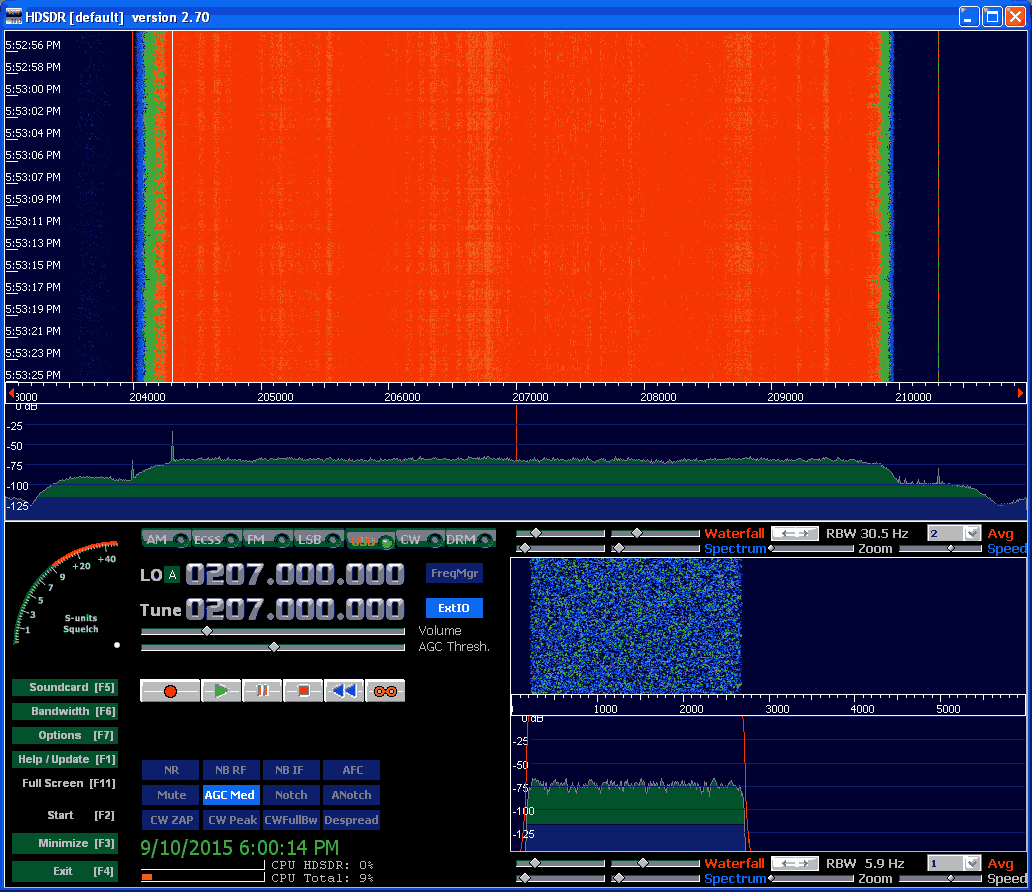
ATSC is the digital HD TV standard used within the United States and Canada. It is 6 MHz wide so the RTL-SDR with its maximum bandwidth of about 2.8 MHz cannot decode this signal. However, higher end SDR’s such as the SDRplay, Airspy and HackRF have larger bandwidths that can easy cover 6 MHz.
The process the author used was to first record a RAW IQ WAV file in HDSDR in Windows, making sure that any DC spike correction is applied. The WAV file is then opened in a premade GNU Radio flow graph in Linux and processed into an MPEG file. The process is not real time. The authors article shows a step by step tutorial on how its done.
In an update post to his results the author also notes that to successfully do a recording at the maximum SDRplay bandwidth of 8 MHz a RAM disk or perhaps SSD is required so that samples are not dropped.
An ATSC signal shown in HDSDR received with an SDRplay
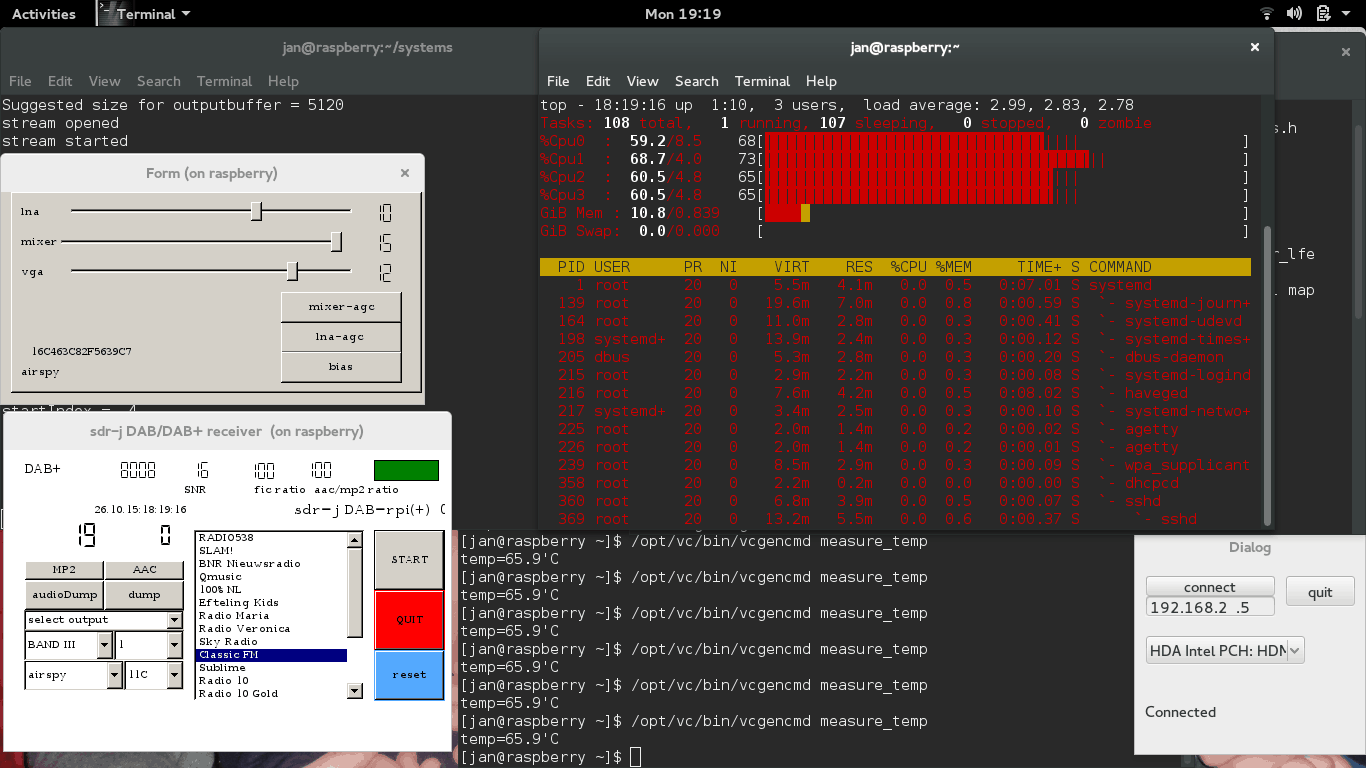
The popular software DAB (Digital Audio Broadcast) decoder SDR-J has recently been updated and can now run on the Raspberry Pi 2. In addition the author has also added experimental DRM decoding capabilities to his shortwave receiving software. The author writes about the Raspberry Pi 2:
The Raspberry PI 2 has a processor chip with 4 computing cores. By carefully spreading the computational load of the handling of DAB over these cores it is possible to run the DAB software on the Raspberry PI 2.
In my home situation the – headless – Raspberry PI 2 is located on the attic and remotely controlled through an SSH connection using the home WiFi on my laptop in my “lazy chair”. To accomodate listening remotely, the DAB software on the Raspberry PI 2 sends – if so configured – the generated PCI samples (rate 48000) also to an internet port (port 100240). On the laptop then runs a very simple piece of program reading the stream and sending it to the soundcard
DAB is a digital audio protocol that is used in some countries as a digital alternative to broadcast FM (music stations). SDR-J is a suite of programs that includes the ability to decode DAB, FM, and several shortwave modes such as AM, USB, LSB, PSK, RTTY, WeatherFax, SSTV, BPSK, QPSK, CW, NavTex (Amtor-B), MFSK, Domino, Olivia, Hell, Throb and now DRM. It can directly connect to RTL-SDR receivers as well as other hardware such as the Airspy and SDRplay.
Screenshot of SDR-J running on the Raspberry Pi 2.
When testing the antenna on his RTL-SDR he saw no reception of any L-band signals at all. The RTL-SDR requires an external LNA to properly receive signals at this frequency range, which he did not have. Next he tried it on his HackRF and saw that some signals were weakly visible. When he tried it on his SDRplay the L-band satellite signals were clearly visible, probably due to the SDRplay’s good sensitivity at this frequency range and the fact that it has a built in LNA. His results show that the SDRplay is a good SDR for receiving L-band satellites as it does not need an external LNA for decent reception. An external LNA may still be needed if a long run of coax cable is used however.
SDRplay reception of L-band satellite signals with no external LNA.L-band patch antenna
The SDRplay radio spectrum processor (RSP) is a $150 USD software defined radio that can be considered as a next stage level up from the RTL-SDR dongle. We also consider it a competitor to the $199 USD Airspy SDR.
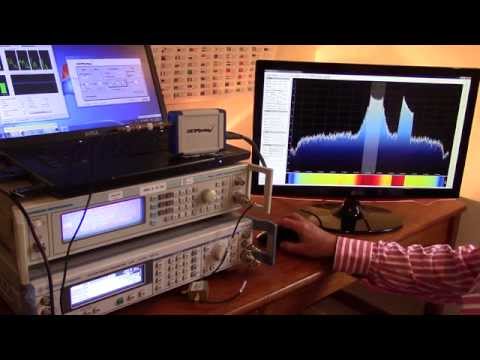
Over on YouTube the SDRplay designers have posted a video that demonstrates the dynamic range that is possible with their SDR. Dynamic range is a measure that defines the range between the strongest and weakest signal that can be received. So for example, if you have two signals near to each other on the frequency spectrum, dynamic range defines how much stronger can one signal be compared to the other before the weaker signal disappears into the noise.
In the experiment they use two frequency generators to generate a simulated wanted signal at 98.4 MHz and an unwanted blocking interferer at 98.7 MHz. They show that by reducing the IF bandwidth in their configuration screen and thus tightening the internal filters that the dynamic range can be increased to about 70 dB.
Previously Leif sm5bsz performed some similar tests, comparing many SDRs against one another, but did not utilize the programmable IF filters in the SDR Play RSP perhaps undervaluing the best possible dynamic range by about 5-10 dB.