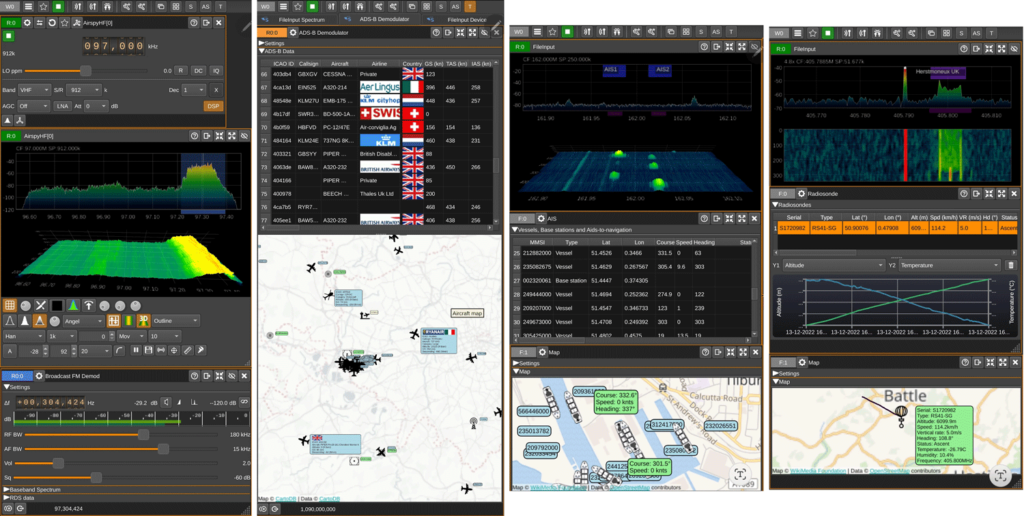
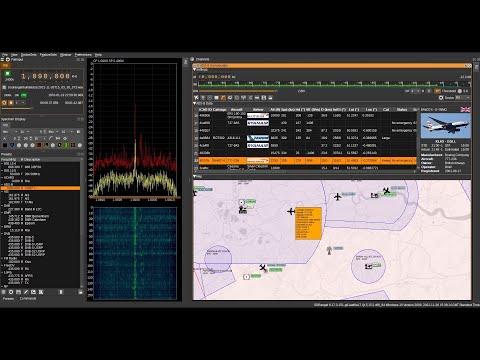
SDRangel is a free open source software defined radio program that is compatible with many SDRs, including RTL-SDRs. SDRAngel is set apart from other programs because of it's huge swath of built in demodulators and decoders.
Thank you to reader Jon for writing in and noting that SDRangel has recently been released for Android as a free Google Play download. This is an amazing development that could open up many doors into portable decoding setups as the Android version supports almost every decoder implemented on the desktop version. Jon writes:
It includes most of the functionality of the desktop version of SDRangel, including:
AM, FM, SSB, Broadcast FM and DAB, AIS, ADS-B, Digital Voice (DMR, dPMR, D-Star, FreeDV), Video (DVB-S, DVB-S2, NTSC, PAL), VOR, LoRa, M17, Packet (AX.25), Pager (POCSAG), Radiosonde (RS41), Time signal (MSF, DCF77, TDF and WWVB) modems.
RTL SDR, Airspy, Airspy HF, LimeSDR, HackRF and SDRplay support via USB OTG as well as networked SDRs
2D and 3D signal analysis in both time and frequency domain with statistical measurements of SNR, THD, THD+N, SINAD, SFDR and channel power
Satellite tracker, star tracker, maps and rotator controller
It should work on Android 6 and up. It’s a straight port of the desktop application, so although it will run on a phone, probably best used on a large tablet with a stylus or mouse.
It also appears that the Twitter account for ADS-B Exchange @ADSBexhchange itself has been suspended too, as well as various other flight tracking Twitter bots that were using data from ADS-B Exchange. Elon Musk's tweet indicates that legal action is being taken against "Sweeney & organizations who supported harm to my family". It is unclear if this implies that legal action will be taken against ADS-B Exchange.
Elon Musk's Real-Time Doxxing Tweet
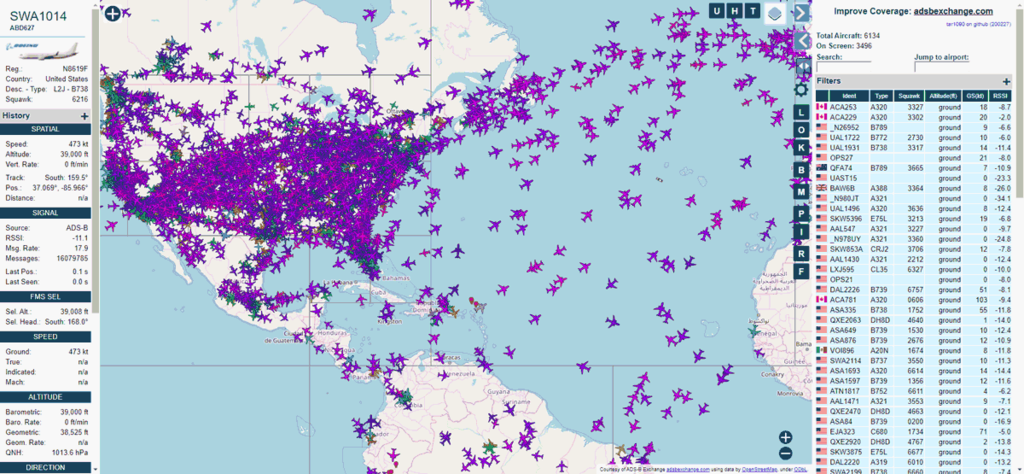
ADS-B (Automatic Dependent Surveillance–Broadcast) is a radio signal that is required to be broadcast by all aircraft for the purposes of air traffic control and collision avoidance. The ADS-B signal provides real time unencrypted location information that anyone with a low cost radio receiver like an RTL-SDR and cheap computer like a Raspberry Pi can receive, decode and turn into a live map of aircraft in the surrounding area.
ADS-B Exchange is an ADS-B aggregator that collects ADS-B data received from volunteers all over the world that are running RTL-SDR and other SDR dongles or radios operating as ADS-B receivers. Compared to more commercial flight tracking services like FlightAware and FlightRadar24 (who also make use of volunteer stations), ADS-B Exchange guarantees that they will not censor the tracking of military, police or private jets. This has generated debate in the past over whether this philosophy is either more moral or less moral.
ADS-B Exchange has been key to projects like "Dictator Alert" which tracks the real time location of the private jets of known dictators.
The Organized Crime and Corruption Reporting Project (OCCRP) has also made use of ADS-B Exchange data in the past to uncover the role that US civilian aircraft contractors are playing in the East African "kill chain".
Media have also used ADS-B Exchange to track the movements of the military aircraft like Black Hawk Helicopters and CBP Predator drones that were used to monitor crowds during the George Floyd protests.
Previously Elon Musk indicated that he would not ban the account following his private jet, however after the stalker altercation he appears to have rapidly changed his tune. Even without the Twitter bot, private jets can easily be tracked via ADS-B Exchange so any dedicated person could still gather this information without too much hassle. So it seems likely that legal action will be taken against ADS-B Exchange as per Elon's tweet. Other ADS-B data aggregators like FlightRadar24 and FlightAware should be safe from legal action as they do censor private aircraft upon request. Hopefully ADS-B exchange has prepared for this legal battle, which was probably an inevitable unfortunate outcome from their policy. If not from private jet owners, then the military or police would likely eventually take action if the data ever became a problem.
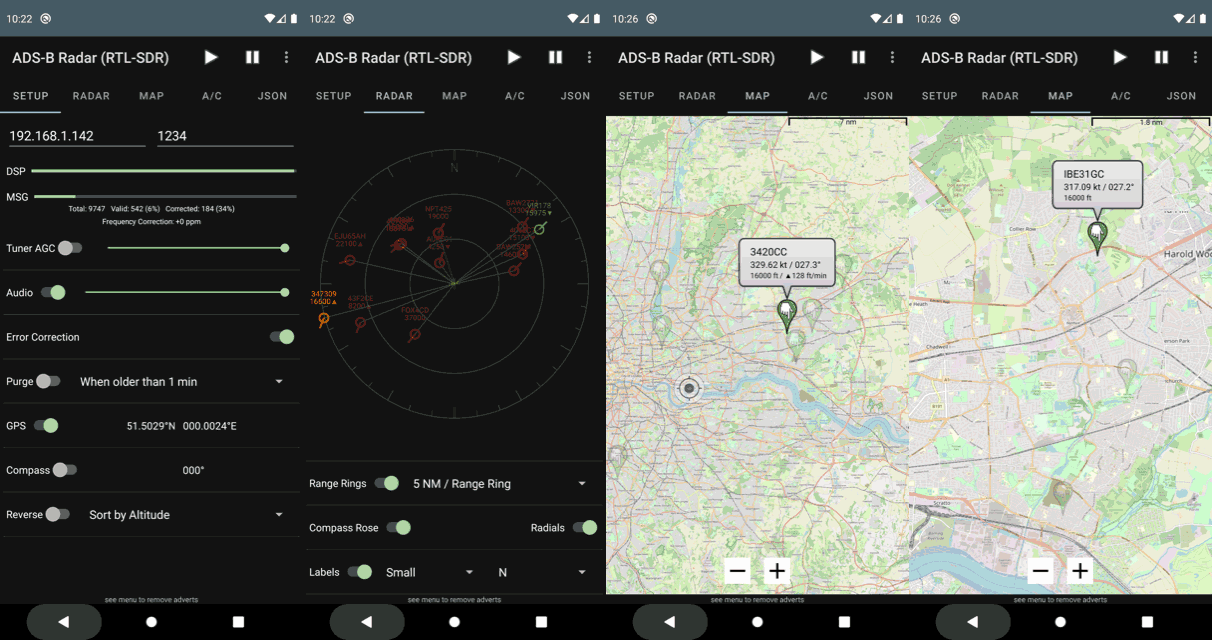
Thank you to James Mainwaring for letting us know about the latest update to his "ADS-B Radar (RTL-SDR)" Android App. The update brings an Open Street Map (OSM) display, allowing for aircraft to be directly plotted on the map.
As before the app works with an RTL-SDR directly connected to the Android device, and also has a radar like display.
James also has other apps on the Google Play store for FM Radio, Airband and Ham Radio listening.
In her blog post, Charlie explains her code in greater detail, noting that it draws inspiration from AirplaneJS and rtlsdr.js. She explains how the Web USB API works, how to process the raw ADS-B data, and what her final setup looks like.
A demo site that you can use to directly connect to your RTL-SDR is available here.
In the past we've seen other WebUSB projects, like "aprs-sdr" which creates an APRS repeater system using a HackRF.
FlightAware is a company that specializes in distributed ADS-B aggregation, in order to produce real time maps and information about what aircraft are in the air. In 2021 FlightAware was acquired by Collins Aerospace, which is a subsidiary of Raytheon Technologies, a large US aerospace and defense contractor.
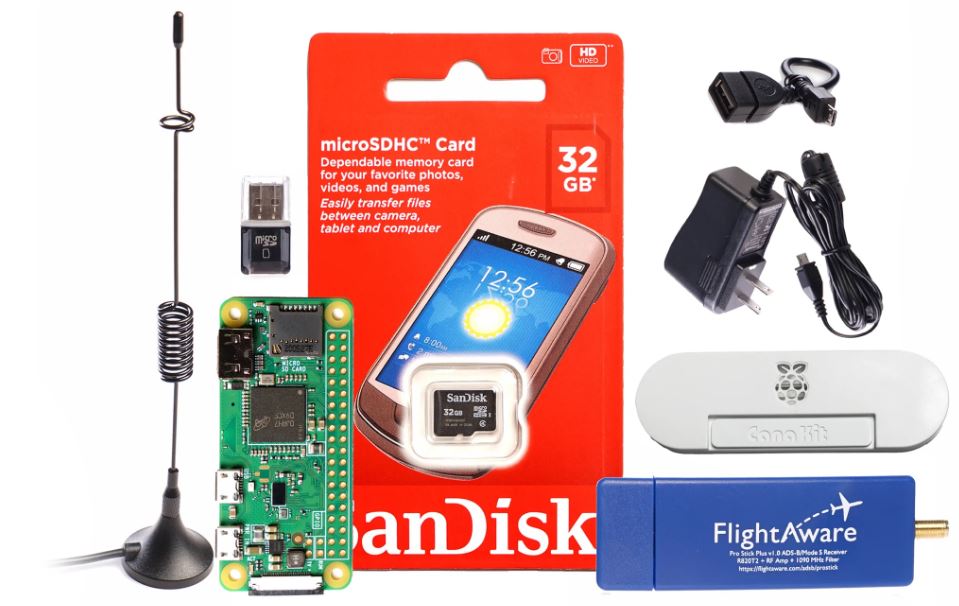
Most of the data that FlightAware obtains comes from volunteers all around the world running an RTL-SDR dongles on their Raspberry Pi based image. The dongles receive the ADS-B 1090 MHz broadcasts from aircraft which contain information about the aircraft including GPS location.
Back in 2016 they released the FlightAware ProStick, which is an ADS-B optimized RTL-SDR with onboard 1090 MHz LNA. Later in 2017 they released the Prostick Plus which improved performance in high interference areas due to the addition of a 1090 MHz SAW filter.
Their post goes into more detail about their products, and note that they are currently designing a new Prostick Plus with filter placed before the LNA instead of after. They also discuss how they are looking into higher end 12-bit ADCs for their receiver hardware, and at creating a dual channel receiver for the 978 MHz UAT band as well. They then go on to discuss the software architecture behind the ADS-B decoder they use.
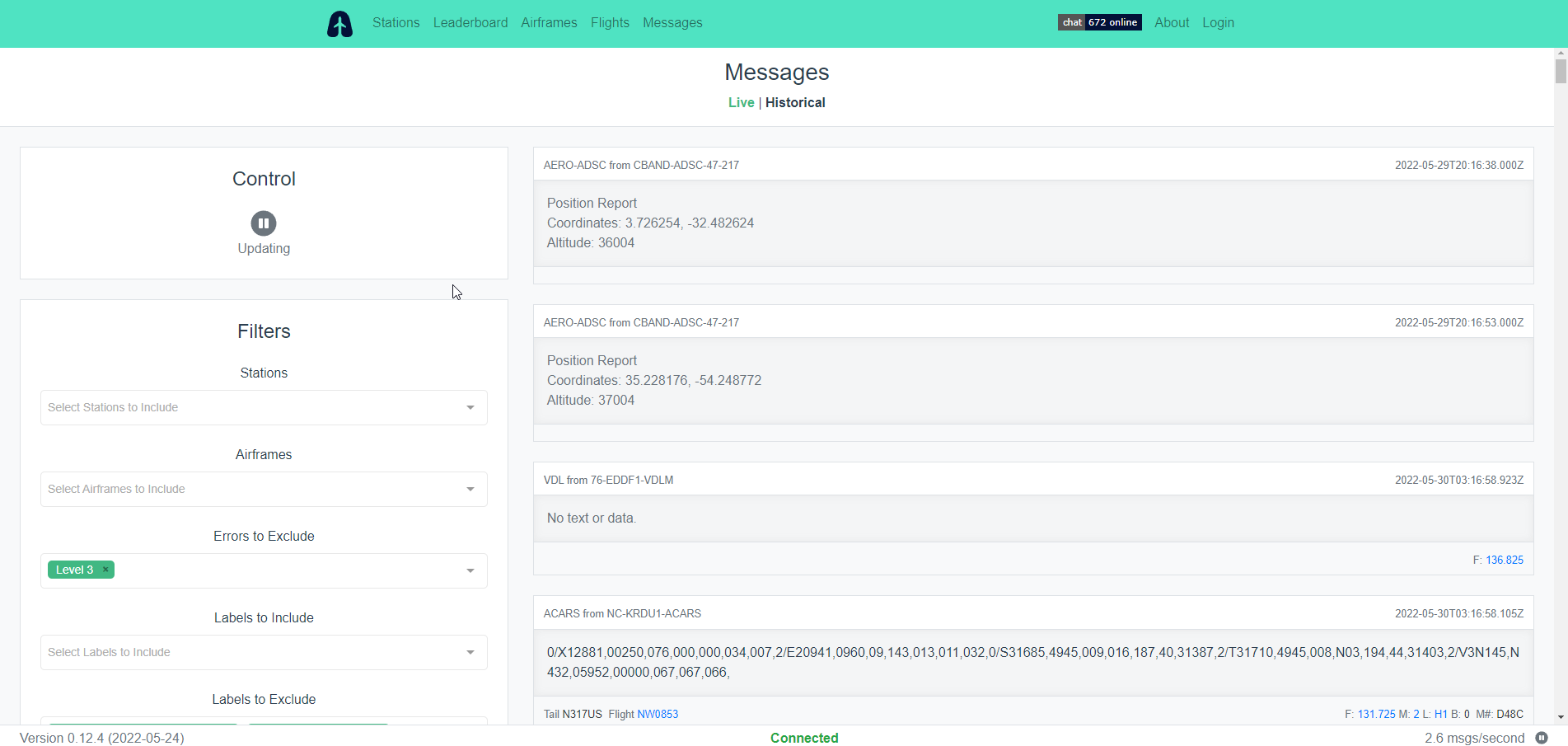
Thank you to a contributor for submitting an article about Airframes.io, which is an ACARS/VDL2/HFDL/Satellite ACARS aggregation site. The article below it attributed to Kevin Elliott and was edited by Frank Vance. They would also like to attribute the large group or volunteers at Airframes.io.
One of the most popular hobbyist uses of SDR is receiving and decoding vehicle information data such as ADS-B for aircraft or AIS for marine traffic. Some hobbyists have been banding together to exchange their mutual data streams to provide coverage over wide geographic areas.
One of the largest and most successful such projects in the aviation realm is ADS-B Exchange (https://www.adsbexchange.com/), where over 8,000 volunteer feeders provide ADS-B data to a global aviation map in real time.
But modern air carriers have much more data to and from their aircraft than just the position information from ADS-B. In the 1970s, ACARS was created to carry that traffic. Today, ACARS is seen on its own frequencies on VHF, embedded in AVLC on the VDL2 VHF frequencies, on HF (shortwave) frequencies using the HFDL network of stations worldwide, and on satellite on both the Inmarsat (ACARS over AERO, or AoA) and the Iridium (called ACARS over Iridium, or AoI) systems.
Airframes.io (https://app.airframes.io/) is a project that has been under development for a while to aggregate ACARS data in the same way ADS-B Exchange is aggregating ADS-B data. Under the capable leadership of Kevin Elliott (https://github.com/kevinelliott), software development has progressed to the point that new feeders are actively being sought to improve the global coverage and provide a broader base of data to improve the decoding.
With a wide variety of data sources, this is a collaboration project that is open to all levels of SDR hobbyists. A simple RTL-SDR.COM unit attached to a Raspberry Pi with a smaller antenna works well with the VHF coverage. Depending on one's interest level, an HFDL feeder may require multiple SDRs with much broader frequency range, capable of reception in the sub-30 MHz bands. The L-band based Iridium AoI uses a small antenna as well, but requires a wide bandwidth SDR. Finally, reception of the C-band Inmarsat (AoA) traffic may involve a moving dish antenna of at least 6 foot diameter to obtain usable signals.
What kind of data is seen in ACARS? One can observe weather conditions aloft, messages to/from the carrier operations staff, information about the origin and destination of the flight, and technical data on the aircraft operation (not all of which can be decoded at this time.) Additionally, the HFDL and satellite feeds offer location information out of sight of the traditional ADS-B coverage, such as over the oceans and polar regions.
The About page at Airframes.io (https://app.airframes.io/about) has plenty of good information to help anyone get started with feeding, including links to popular software packages useful for running different types of feeders. Support is available on the #airframes-io channel (https://discord.gg/X2TgnFgsRW) on the ADSBExhange Discord server (https://discord.gg/aXt7KdycJk).
Additional information about setting up a receiver/feeder for HFDL, Inmarsat L-band, Inmarsat C-band, and Iridium L-band is available on The Bald Geek's GitHub page: https://thebaldgeek.github.io/Consider joining with the dozens of volunteers already feeding and contributing software updates to the Airframe.io project.
Thank you to Don for submitting news about the release of his new software titled "Skies-ADSB". Skies-ADSB is a browser based app that provides a 3D view of the air traffic around your area. The software can be served on a local networked Raspberry Pi, with ADS-B data being provided by an RTL-SDR connected to the Pi.
skies-adsb is a virtual plane spotting progressive web app (PWA) / virtual aquarium (with aircraft instead of fish) / interactive real-time simulation.
Aircraft are tracked via unfiltered ADS-B transponder data in real-time and rendered in 3D.
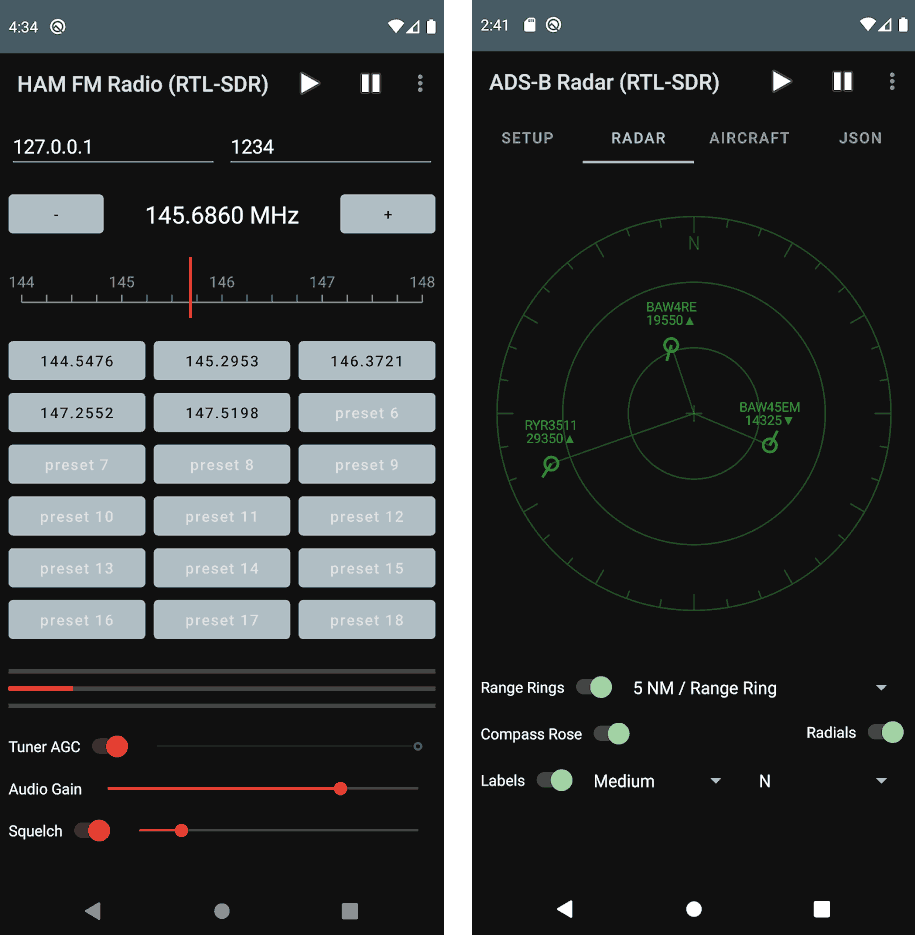
The Ham FM Radio app allows the user to quickly tune and listen in to the 144-148, 150-174 and 420-450 MHz ham radio communications via presets. For the second ADS-B app, James notes that it's an early release for feedback. It allows the user to receive ADS-B data and plot it on a radar like display.