Category: Airspy

Lightweight Windows Software uSDR Updated to Version 1.4.0

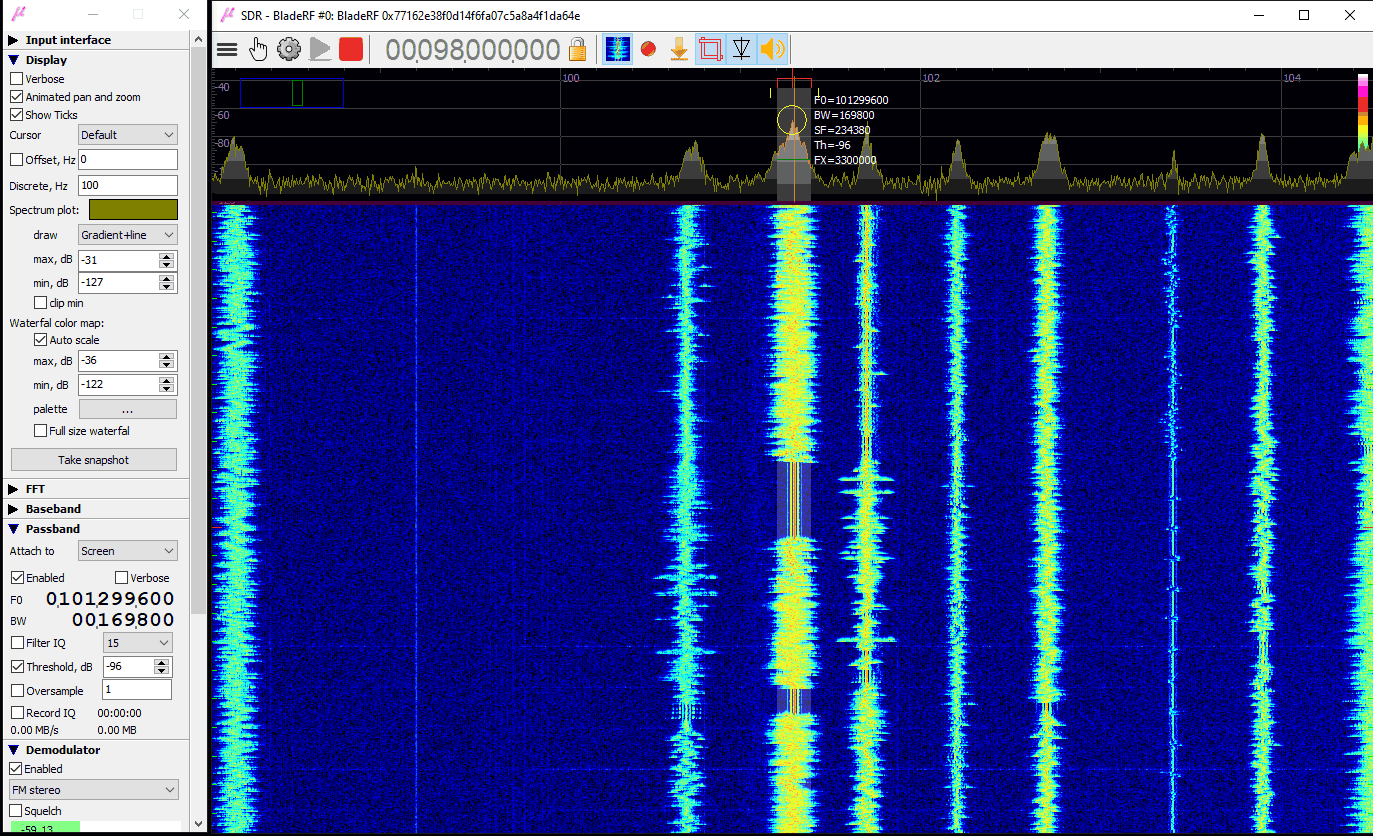
Back in July we posted about the release of Viol Tailor's "uSDR" software, which is a lightweight general purpose multimode program for Windows which supports the RTL-SDR, Airspy, BladeRF, HackRF and LimeSDR radios. Recently Viol has updated the software to V1.4.0. The new release brings SDRplay support, and various performance and GUI improvements listed below.

The software can be downloaded from SourceForce.

  • customizable tool panel behavior (fixed, floating, undocked)
  • SDRPlay frontend support (API v.2.13)
  • RTL-TCP streaming interface support, presets quick switch (server, port, description)
  • high precision Wav IQ file play back
  • support RIFF 8, 16, 24 and 32 bits integer, 32 bits float, FR64 file formats for playback
  • recognize Wav IQ file central frequency for play back
  • frequency offset (shift) for x-verters
  • swap IQ (invert spectrum) option
  • improved FFT spectrum calculation and visualization
  • waterfall color map range may be changed manually on the spectrum window as well as on tool panel, also included the auto scale option
  • color map palette can be customized and fast switched, palette presets are included
  • FIFO buffer size (IQ history time) may be changed on the fly, all memory allocations are under hood, no losses of previously stored history 
  • pass band may be attachment to global frequency as well as to local baseband frequency or to screen position
  • squelched threshold control and level indicator for demodulation (in addition to adjustable spectrum threshold detector)
  • stereo FM demodulator
  • low latency audio
  • frequency manager, groups and interactive markers, visualize, edit, navigate, tune the pass band
  • spectrum and waterfall popup menus
  • improved GUI controls
  • "fine tune" option: set pass band to rounded frequency (spectrum right click)
  • statistics visualization window
uSDR aka microSDR. A lightweight SDR receiver program from Windows.

SDRSharp Guide V3.0 Released

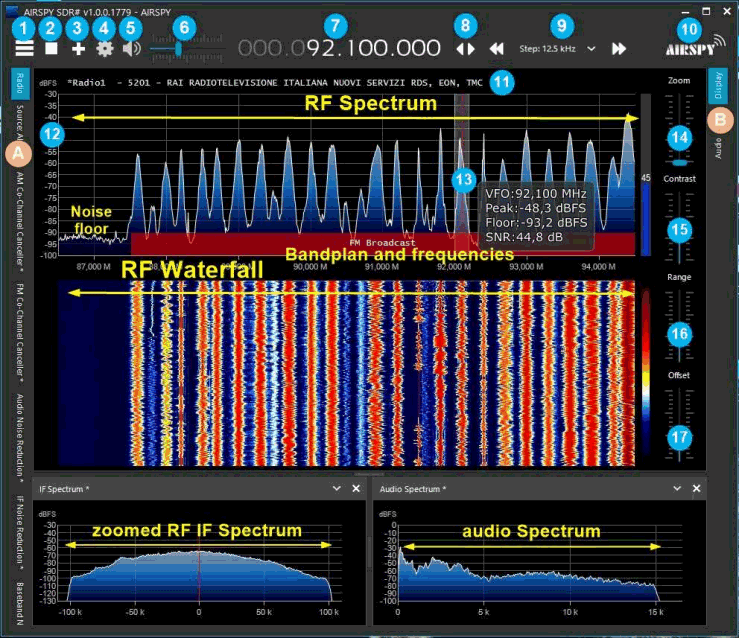
Paolo Romani (IZ1MLL) has recently released version 3.0 of his SDRSharp PDF Guide which we posted about last in March of this year. As before the document is a detailed guide about how to use SDRSharp, which is the software provided by Airspy. While intended for Airspy devices, SDRSharp also supports a number of third party SDRs, including the RTL-SDR, and it is the software we recommend starting with when using an RTL-SDR.

The guide is now 61 pages long, and covers all the settings, UI customization, included and third party plugins, and use of some external decoders.

SDRSharp Guide

SignalsEverywhere: Decoding HF WEFAX Weather Fax with an Airspy HF+ Discovery SDR

Over on YouTube Sarah is back this week with a new video on her channel SignalsEverywhere. In this video she shows how to decode HF WEFAX (weather fax) images using an Airspy HF+ Discovery software defined radio with a YouLoop antenna. HF weather faxes are daily weather chart images transmitted as an analogue signal over the HF bands by coastal stations. They are mostly used by ships at sea.

First Sarah shows where to find a lists of WEFAX frequencies and schedules for her area, and then goes on to demonstrate a WEFAX signal being received and decoded using SDR#, VB-Audio Cable and the FLDIGI decoder.

Decoding HF WEFAX Weather Fax with SDR Software Defined Radio | Airspy HF Discovery

Frugal Radio: HFDL HF ACARS Decoding Tutorial

In Rob's latest episode of his excellent aviation communications series on his Frugal Radio YouTube channel he shows how to decode aircraft HF ACARS (HFDL) using a software defined radio. HFDL is short for "high frequency data link", and is a method aircraft use for sending text and data communications to ground stations. It is an alternative to VHF or satellite ACARS communications methods.

In the video he shows how he's been able to receive HFDL from all over the world using a simple HF dipole antenna and an Airspy HF+ Discovery. He goes on to show how to find HFDL signals, and how to decode signals using SDR# and the PC-HFDL software. Finally he shows examples of aircraft received, and how to interpret some of the information being received, including location information.

How to decode HF ACARS (HFDL) free with your SDR - Monitoring Aviation Communications Episode 8

uSDR: A Lightweight Multimode SDR Receiver Program for Windows

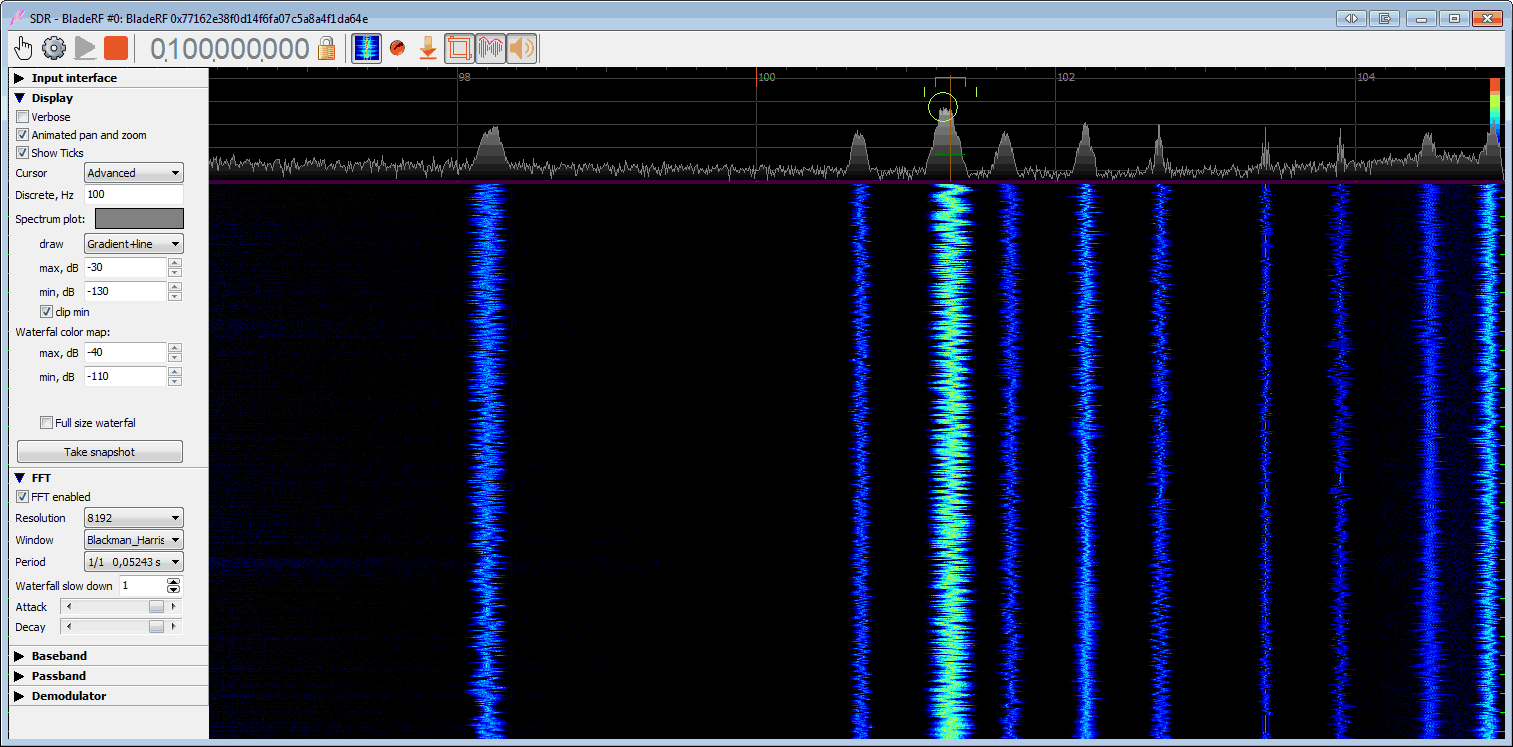
Thank you to Viol Tailor for submitting news about the release of his general purpose multimode software defined radio receiver program for Windows called "uSDR" or "microSDR". Viol writes that uSDR is designed as a lightweight binary with a simple and compact user interface and highly optimized DSP to minimize CPU, hence the "micro" part of the name.

The software is compatible with RTL-SDR, Airspy, BladeRF, HackRF and LimeSDR radios. It has features including demodulation, base band and pass band recording, playback, and spectrum and waterfall visualizations.

uSDR aka microSDR. A lightweight SDR receiver program from Windows.

Frugal Radio: Turning Scrap Wire into an Effective HF Dipole

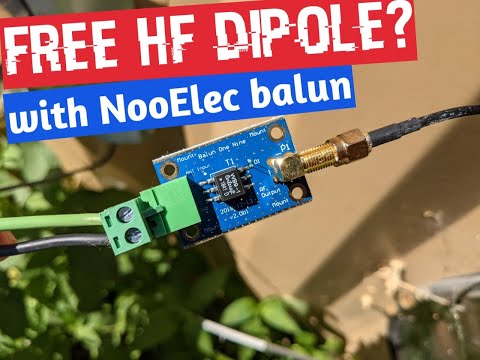
In this weeks video Rob from his Frugal Radio YouTube channel shows us how he's turned an old piece of scrap electrical extension cord into an effective HF antenna for his Airspy HF+ SDR. The scrap wire is combined with a US$15 NooElec 9:1 balun which helps improve the impedance match of the antenna. He then stretches the dipole out through his backyard and then hooks it up to his Airspy HF+.

The results show good reception across the 20m, 80m, 40m amateur radio bands, as well as on HF ATC aircraft communications, US coast guard weather information broadcasts and the AM broadcast band.

I made an HF Dipole for free! Reception was good on my AirSpy HF+ Discovery SDR!

Airspy Summer Promo: 20% Off Airspy Products Including YouLoop in our Store

Airspy is currently holding a 20% off summer promotion which runs from June 28th until Julty 4th 2021. The sale is active at all participating resellers, which includes our own store where we have the YouLoop on sale for US$27.96 including free shipping to most countries in the world, instead of the usual US$34.95. Please note that due to new EU VAT collection laws, EU customers must purchase the discounted YouLoop from our eBay or Aliexpress stores. 

The YouLoop is a low cost passive loop antenna for HF and VHF. It is based on the Möbius loop design which results in a high degree of noise cancelling. However the main drawback is that it is a non-resonant design, which means that it works best when used with ultra sensitive receivers like the Airspy HF+ Discovery. 

Some good reviews include the YouTube videos done by Frugal Radio where he reviews HF reception and VLF & LF reception with an Airspy HF+, and later tests it with an RTL-SDR Blog V3 using direct sampling. Techminds also has an excellent review on his YouTube channel. We also have a product release overview on this post from March 2020.

STARWAVES DRM SoftRadio: A new Android DRM Decoder for RTL-SDR, Airspy, SDRPlay

A new RTL-SDR compatible DRM decoding Android app called "STARWAVES DRM SoftRadio" has recently been released on the Google Play store for US$5.49, and on Amazon DE for EUR4.49. The author notes that a Windows version will also be published soon. Digital Radio Monodial (DRM) is a type of digital audio shortwave radio signal that is used by some international shortwave radio broadcasters.

The STARWAVES DRM SoftRadio allows you to conveniently enjoy any DRM live radio broadcast on your Android smartphone or tablet. No Internet connection required. All you need is an SDR RF dongle or receiver connected to your device via USB.

DRM or Digital Radio Mondiale is the global digital radio standard used for all digital international transmissions as well as for national and local services in many countries. To learn more about DRM and its features visit www.drm.org.

The STARWAVES DRM SoftRadio is designed for ease-of-use and supports all core features of the DRM standard:

  • Listener-centric and easy to navigate app design and user interface
  • Multiple user interface languages. Currently supported: English, German, Simplified Chinese
  • Convenient frequency tuning and DRM Service selection
  • DRM Service labels and graphical service logos
  • Full service metadata: programme/app type, language, country of origin, etc.
  • All standardized DRM audio codecs incl. xHE-AAC with optimized tune-in performance for a quick start of audio playback
  • Journaline, DRM’s advanced text application, allows to interactively browse through latest news, sports and weather updates, programme background information and schedules, distance learning/RadioSchooling text books, travel information, and much more
  • Full Journaline feature set including hot-button interactivity, geo-references and embedded/linked images
  • Convenient and fast Journaline information access with update notifications for page-content (and automatic updates for menus), as well as persistent caching for instant content access when switching between DRM services
  • DRM text messages incl. DL+ support
  • Slideshow images
  • Unicode support for all textual elements: service labels, text messages, Journaline
  • DRM EWF – Emergency Warning Functionality within the DRM transmission: in case of an emergency alarm signal, automatically re-tunes from the current service to the emergency programme; presents the emergency audio along with multi-lingual Journaline content to provide in-depth instructions with interactive access and to serve non-native speakers or hearing impaired users

In addition, STARWAVES DRM SoftRadio is designed for maximum tuning flexibility and performance:

  • Free tuning to any DRM broadcast frequency
  • Supports all DRM frequency bands – from the former AM bands (LW/MW/SW) to the VHF bands (including the FM band), depending only on RF dongle functionality
  • Supports all DRM robustness modes (A-E), modulation parameters and on-air signal bandwidths
  • Optimized frequency tuning and re-sync performance
  • Graphical spectrum view to check the signal on the tuned frequency

For live reception, an SDR RF dongle must be connected to the device’s USB port (with USB host functionality). The following SDR RF dongle families are currently supported, along with a range of specifically tested models:

  • Airspy HF+ family: Airspy HF Discovery, Airspy HF+ (Dual Port). (Note: Airspy Mini and R2 are NOT supported.)
  • SDRplay family: SDRPlay RSP1A, SDRPlay RSPdx, SDRPlay RSPduo, SDRPlay RSP1, SDRPlay RSP2, SDRPlay RSP2pro, MSI.SDR Panadapter (Note: SDRPlay family support on Android is currently limited to the 32-bit version of this app.)
  • RTL-SDR family: The experimental support for RTL-SDR based RF dongles requires that you manually start the following separate tool before opening this app (on standard port '14423'): The app 'SDR driver' can be installed from the Google Play Store and other Android app stores.
Starwaves DRM Decoder App Screenshots