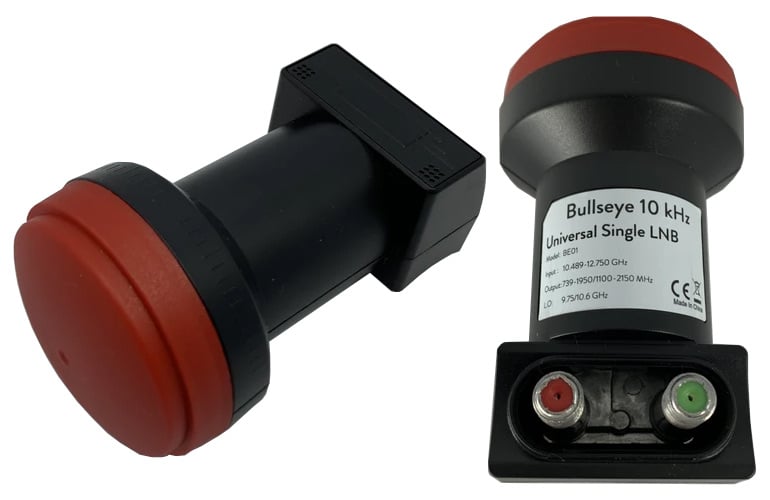
On September 15 we began our 33% off stock reduction sale for the Bullseye LNB. The Bullseye is an ultra stable LNB for receiving QO-100 and other Ku-Band satellites/applications. We'll be ending this sale on Wednesday, so if you'd like to purchase a unit please order soon to avoid missing out on the sale price. The current sale price is US$19.97 including free worldwide shipping to most countries.
To order the product, please go to our store, and scroll down until you see the QO-100 Bullseye TCXO LNB heading. Alternatively we also have stock via our Aliexpress storeor on eBay.
For more information about the Bullseye and some reviews please see the original sale post.
Back in June we posted about the release of Zbigniew Sztanga's NOAA-HIRS-Decoder which can decode HIRS instrument data which measures the vertical temperature profile of the Earth's surface. This HIRS signal is broadcast by NOAA satellites at the same time as their APT images and the HIRS frequency is close by at 137.350 MHz.
Recently Zbigniew has released a new decoder for the Microwave Humidity Sounder (MHS) instrument which is available on NOAA-19 only. This MHS instrument observes the Earth in the 89-190 GHz microwave band, which can be useful for measuring humidity levels. However, unlike the APT and HIRS signals which downlink data at around 137 MHz, the MHS data is broadcast in the L-band within the HRPT signal, so a motorized or tracked satellite dish will be required to receive it. Zbigniew writes:
The MHS (Microwave humidity sounder) is an instrument on NOAA-18 and NOAA-19. It replaced the older AMSU-B. It has a resolution of 90px per line and 5 channels.
Data from the instrument is present in HRPT and can be decoded with my new software. Unfortunately, only MHS on N-19 is working, because N-18's NHS is dead.
The instrument can be used to monitor low clouds, percipation and water vaopr in the atmosphere. I attached a sample image to the email.
Back in August we posted about the release of Sanchez, a tool originally designed to apply a color underlay image to grayscale infrared images received from geostationary weather satellites such as GOES 16/17, Himawari-8 and GK-2K. The tool has recently been updated with some very nice new features.
One of the new features is the ability to composite together images obtained from multiple satellites in order to form a full equirectangular image of the earth with live cloud cover. Another feature is the ability to use two or more images from different satellites to reproject back to geostationary projection at a specified longitude, essentially creating an image from a virtual satellite.
Over on his YouTube channel Tech Minds has uploaded a video introducing and demonstrating the Langstone Project. Langstone is a standalone homebrew SDR transceiver project by Colin Durbridge (G4EML) which at its most basic implementation is based on an Adalm PlutoSDR, Raspberry Pi 4 and 7" LCD touchscreen.
In the video Tech Minds shows how to install the Langstone Pi4 software on the SD card, and then demonstrates it in action. He also notes that the output power of the PlutoSDR is too low for any real communications, however it is possible to add an amplifier and appropriate band filtering. To help with that, the software makes us of the GPIO pins on the Pi4 which can be used to switch in optional band filters.
Langstone Project - SDR Transceiver using an Adalm PlutoSDR
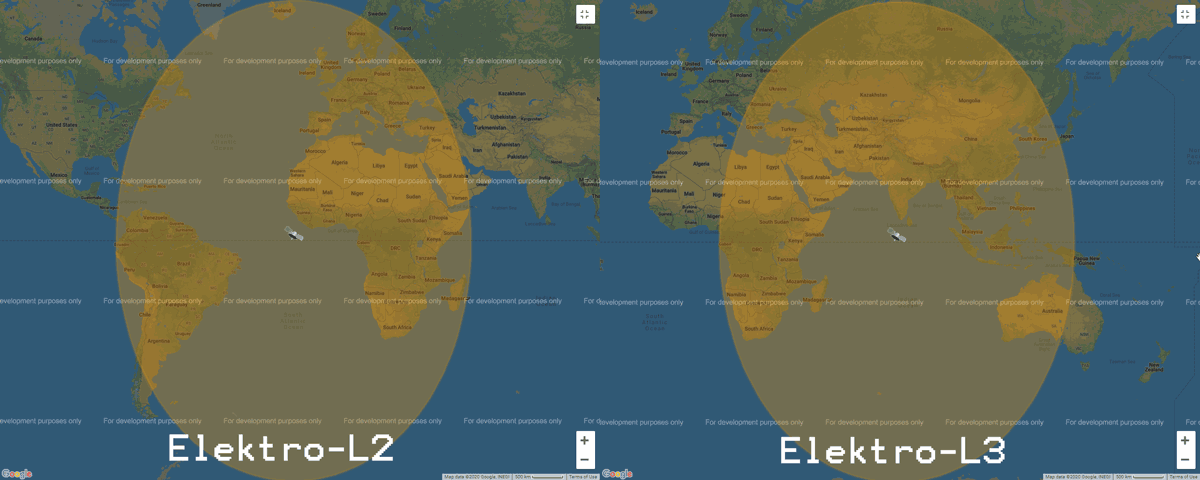
Elektro-L is a range of Russian geostationary weather satellites. Elektro-L1 and L2 were launched in 2011 and 2015 respectively, and Elektro-L3 was launched more recently in December 2019. Currently only Elektro-L2 and L3 are in operation. Like it's NOAA GOES, Himawari and GK-2A cousins, Elektro-L satellites beam back full disk images of the entire earth. Elektro-L2 is positioned to cover South America, Africa and Europe, whilst Elektro-L3 covers the East of Africa, Eastern Europe, Russia, Middle East, Asia and the West of Australia.
Elektro L2 and L3 Coverage from https://www.wmo-sat.info/
Recently @aang254 has been Tweeting that he has managed to get an Elektro-L decoder working. The decoder is open source and available on GitHub and Windows builds are already available. He notes that he's still working on the demodulator, but that should be released tomorrow. This decoder is great news as now Europeans now have an opportunity to receive full disk images. There is no full guide yet on how to use the decoder, but we expect that one will be released soon.
We note that according to wmo-sat.info the Elektro-L satellites transmit at ~1693 MHz, and have a 2 MHz wide HRIT and 200 kHz wide LRIT mode. So the signals should be able to be received with an RTL-SDR and appropriate LNA.EDIT: Unfortunately it seems that wmo-sat.info may have incorrect information, and that Elektro-L requires X-Band hardware to receive these images. While not totally impossible, an X-Band satellite SDR setup is a bit more difficult to put together compared to the L-band SDR setup used by GOES and GK-2A.
Published my ELEKTRO-L Decoder (early release)!
You can find it here under GPLv3, it takes synced derandomized CADUs as input, but I'll add in a demodulator tomorrow no worries!
Windows builds included already!https://t.co/Txh22PZ2cG
ELEKTRO-L 2 Decoding : Sucess! Here's a full disk pic!
Now cleaning up my decoders so they are usable by someone else... (And maybe also decode all channels to get RGB?) pic.twitter.com/X5c1YUyEOo
It may not be perfect on IR, but it works! Here are all 9 ELEKTRO-L channels (MSU-GS)!
I can upload full resolution images if someone is interested.
Decoder update published as well!https://t.co/Txh22PZ2cGpic.twitter.com/i3mFIT7alU
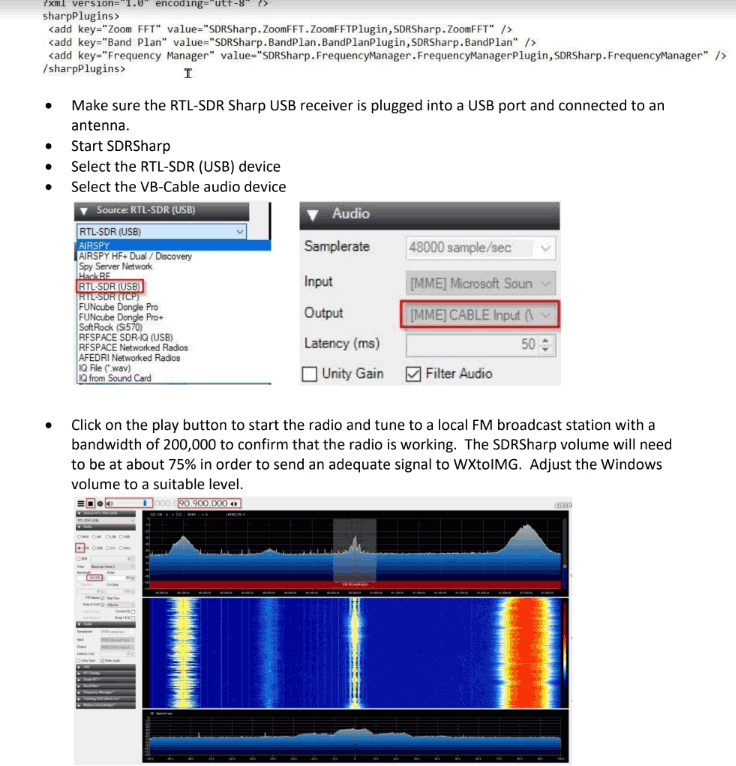
Thank you to John First for submitting his guide all about the setup and use of the software required to receive NOAA weather satellite images on Windows 10 (pdf file) with an RTL-SDR dongle. John's guide covers the use of SDR# for receiving the signal, WXtoIMG for decoding the signal, and Orbitron for tracking the satellite and automatically tuning SDR# when a satellite is in range.
He also explains the use of the VB-Audio Virtual Cable for piping audio between SDR# and WXtoIMG, as well as the DDE Tracking and Scheduling Plugin for interfacing SDR# with Orbitron, and finally how to do NTP clock synchronization to ensure the local time is accurate.
Thank you to Matt Knight for submitting news about the Radio Resilience Competition which is all about finding ways to building the best wireless PHY layer via SDR. Anyone around the world can participate from the comfort of their own home, as the competition is run entirely via a GNU Radio RF simulator system. Matt writes:
The Radio Resilience Competition is a community-focused Software Defined Radio competition that is all about building the most interference-resistant, highest-performance waveforms possible. Inspired by DARPA's Spectrum Challenges, it goes back to basics by focusing on the foundational layer of all wireless communications -- the PHY. Registration is open now on our homepage!
For your readers, IMO the most exciting dimension of the Radio Resilience Competition is that it takes place entirely on virtual infrastructure. We decided to design the competition this way to set the lowest possible barrier to entry, and to draw the biggest competitor pool possible. DARPA's challenges relied on big expensive RF emulators built on real radios and supercomputers which, despite being immensely cool, capped the total number of competitors and had some material drawbacks. Furthermore, we open sourced our RF simulator so competitors can run it locally and rapidly iterate on their designs. We hope the simulator will have uses beyond the competition as well.
The Radio Resilience Competition is organized by Sytse Sijbrandij, who in an entirely separate capacity from running this competition is also the CEO of GitLab. Sid envisioned the competition after learning about unlicensed spectrum and becoming an SDR hobbyist himself.
We presented the Radio Resilience Competition at GNU Radio Conference on Monday. Here's a link to our talk if you are interested -- it goes into more detail about the conception of the competition, as well as the infrastructure we built for it.
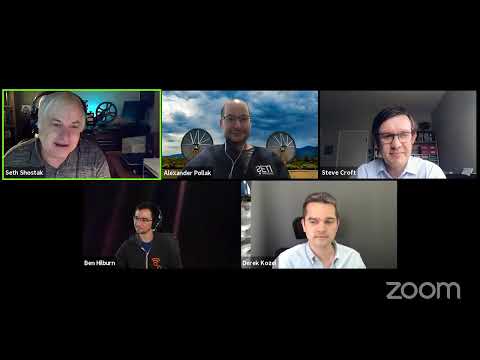
The institute for the Search for Extraterrestrial Intelligence (SETI) and GNU Radio are joining forces. SETI are an organization that uses radio telescopes to search for radio signals that may have been generated by extraterrestrial intelligence. As part of a transition from proprietary hardware to cheaper more capable off the shelf hardware such as USRP SDRs and GPU processors, SETI are beginning to make more use of the open source GNU Radio DSP processing suite. The use of GNU Radio will also allow other researchers and hobbyists at home to possibly help with their own analysis.
In the Zoom meeting below SETI and GNU Radio leaders discuss the partnership, also noting the importance RTL-SDRs have played in the advancement and popularisation of GNU Radio, as well in the general advancement of radio education.