Rob from Frugal Radio has recently uploaded the next episode in his excellent YouTube series on Aviation monitoring. In this episode Rob covers HF aviation communications. Rob writes:
Whether you are using a Software Defined Radio (SDR), an old school HF receiver, or utilizing a WebSDR, there is plenty to monitor when you know where to look.
This video will give you the basics of where to find the Aviation Communications that take place from 3-30 MHz (HF / Shortwave).
This episode covers VOLMET broadcasts, the Major World Air Route Areas (MWARA), and Military Nets like the US Global Communications System (HFGCS).
Remember, these signals travel thousands of miles. It can be quite exciting to receive them over such great distances. When editing this video I was listening to a VOLMET station in Auckland, New Zealand - a distance of over 7500 miles (12,200km) away!
Monitoring HF Aviation Voice Communications with your SDR Radio or a WebSDR
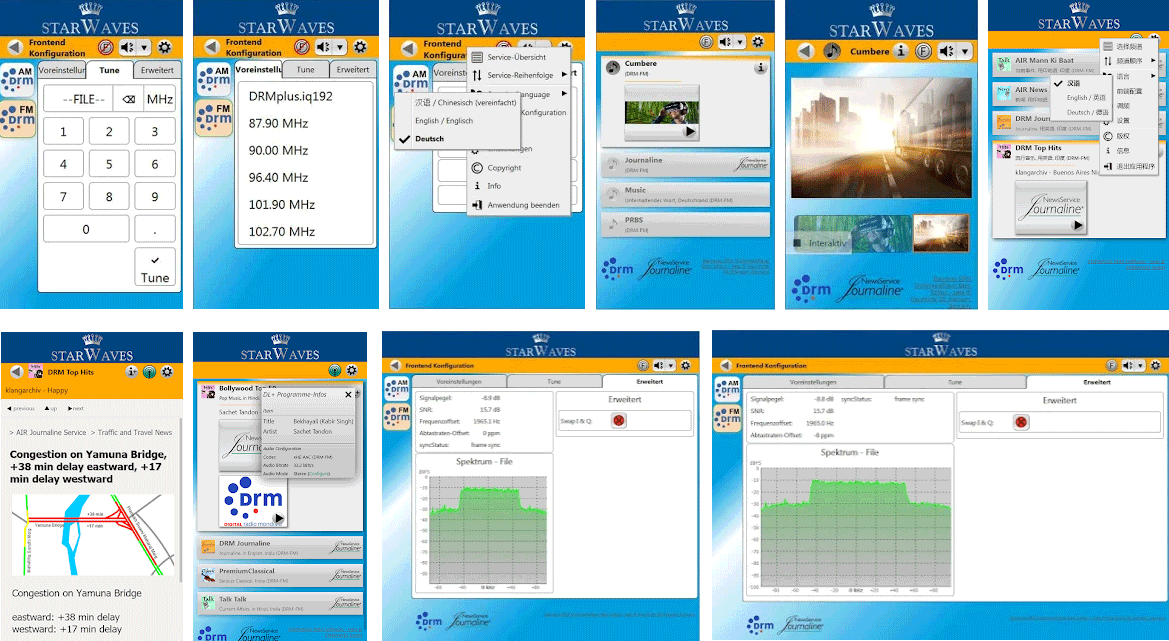
A new RTL-SDR compatible DRM decoding Android app called "STARWAVES DRM SoftRadio" has recently been released on the Google Play store for US$5.49, and on Amazon DE for EUR4.49. The author notes that a Windows version will also be published soon. Digital Radio Monodial (DRM) is a type of digital audio shortwave radio signal that is used by some international shortwave radio broadcasters.
The STARWAVES DRM SoftRadio allows you to conveniently enjoy any DRM live radio broadcast on your Android smartphone or tablet. No Internet connection required. All you need is an SDR RF dongle or receiver connected to your device via USB.
DRM or Digital Radio Mondiale is the global digital radio standard used for all digital international transmissions as well as for national and local services in many countries. To learn more about DRM and its features visit www.drm.org.
The STARWAVES DRM SoftRadio is designed for ease-of-use and supports all core features of the DRM standard:
Listener-centric and easy to navigate app design and user interface
Multiple user interface languages. Currently supported: English, German, Simplified Chinese
Convenient frequency tuning and DRM Service selection
DRM Service labels and graphical service logos
Full service metadata: programme/app type, language, country of origin, etc.
All standardized DRM audio codecs incl. xHE-AAC with optimized tune-in performance for a quick start of audio playback
Journaline, DRM’s advanced text application, allows to interactively browse through latest news, sports and weather updates, programme background information and schedules, distance learning/RadioSchooling text books, travel information, and much more
Full Journaline feature set including hot-button interactivity, geo-references and embedded/linked images
Convenient and fast Journaline information access with update notifications for page-content (and automatic updates for menus), as well as persistent caching for instant content access when switching between DRM services
DRM text messages incl. DL+ support
Slideshow images
Unicode support for all textual elements: service labels, text messages, Journaline
DRM EWF – Emergency Warning Functionality within the DRM transmission: in case of an emergency alarm signal, automatically re-tunes from the current service to the emergency programme; presents the emergency audio along with multi-lingual Journaline content to provide in-depth instructions with interactive access and to serve non-native speakers or hearing impaired users
In addition, STARWAVES DRM SoftRadio is designed for maximum tuning flexibility and performance:
Free tuning to any DRM broadcast frequency
Supports all DRM frequency bands – from the former AM bands (LW/MW/SW) to the VHF bands (including the FM band), depending only on RF dongle functionality
Supports all DRM robustness modes (A-E), modulation parameters and on-air signal bandwidths
Optimized frequency tuning and re-sync performance
Graphical spectrum view to check the signal on the tuned frequency
For live reception, an SDR RF dongle must be connected to the device’s USB port (with USB host functionality). The following SDR RF dongle families are currently supported, along with a range of specifically tested models:
Airspy HF+ family: Airspy HF Discovery, Airspy HF+ (Dual Port). (Note: Airspy Mini and R2 are NOT supported.)
SDRplay family: SDRPlay RSP1A, SDRPlay RSPdx, SDRPlay RSPduo, SDRPlay RSP1, SDRPlay RSP2, SDRPlay RSP2pro, MSI.SDR Panadapter (Note: SDRPlay family support on Android is currently limited to the 32-bit version of this app.)
RTL-SDR family: The experimental support for RTL-SDR based RF dongles requires that you manually start the following separate tool before opening this app (on standard port '14423'): The app 'SDR driver' can be installed from the Google Play Store and other Android app stores.
Shortwave Radiogram's are digital broadcasts of images, text and sometimes HTML files that are regularly broadcast on two shortwave radio stations, WRMI in Florida and WINB in Pennsylvania. The transmissions are produced and presented by Dr. Kim Andrew Elliott, and a schedule can be found on the Shortwave Radiogram website.
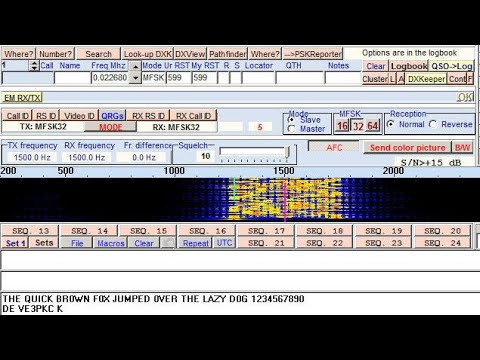
Over on his blog Jeremy Clark has been experimenting with receiving shortwave radiograms with an RTL-SDR and upconverter. To do this he notes the transmission schedule on the shortwave radiogram website, and uses SDR# and MultiPSK in MFSK mode to receive and decode the data. Jeremy's post explains the MFSK transmission mode and shows a few examples of radiograms that he's received including a video posted below showing live reception and decoding.
WSJTX is a popular program for various digital amateur radio protocols such as FT8 and WSPR which are designed for making contacts with very weak and low power signals on HF. With some of these protocols contacts can be made all over the world in poor conditions with very low transmit power. If you're interested we have a tutorial on how you can use the direct sampling mode on a RTL-SDR Blog V3 dongle to set up a super low cost monitor for FT8, WSPR etc on a Raspberry Pi.
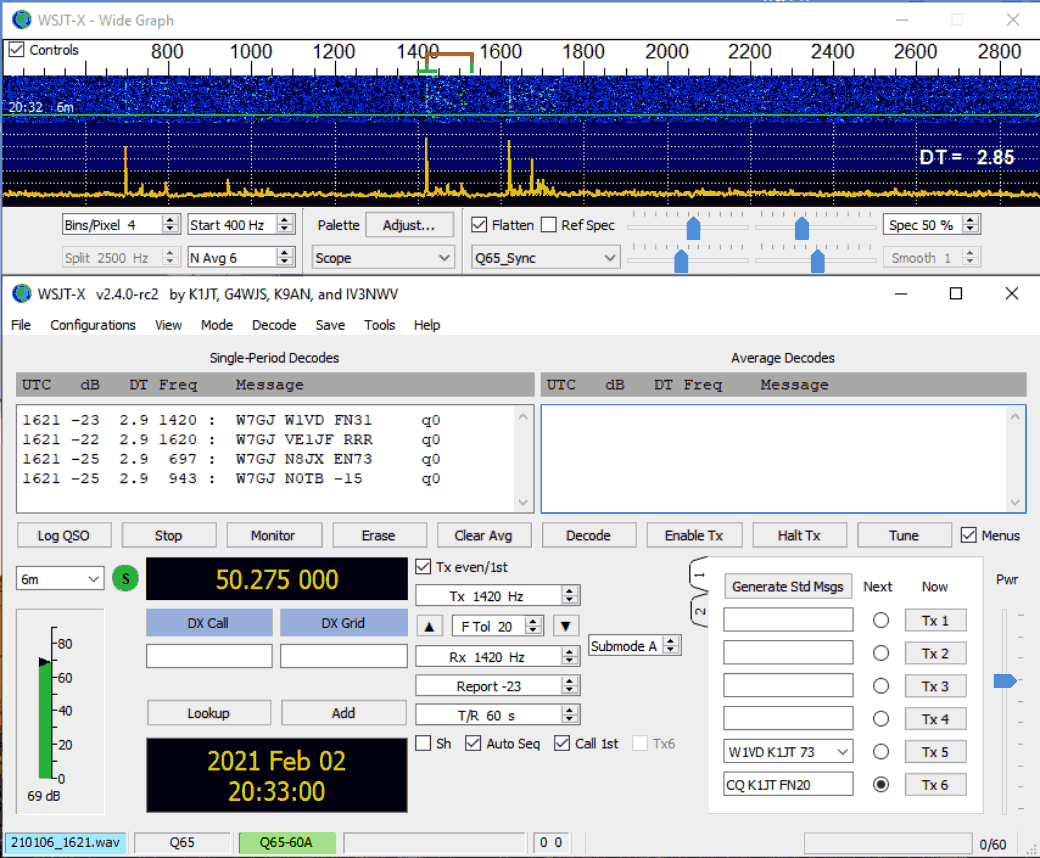
Recently WSJTX have introduced a new mode called "Q65" which claims to have the best weak signal performance amongst all modes implemented in WSJTX. As explained in the Q65 quickstart guide (pdf) they note:
Q65 is particularly effective for tropospheric scatter, rain scatter, ionospheric scatter, and EME on VHF and higher bands, as well as other types of fast-fading signals.
Q65 uses 65-tone frequency-shift keying and builds on the demonstrated weak-signal strengths of QRA64, a mode introduced to WSJT-X in 2016.
If anyone has tested reception of this mode with an RTL-SDR please let us know in the comments. It will be interesting to see what sort of distances can be achieved.
Over on YouTube "Gadget Talk" has uploaded a useful video showing how he set up an RTL-SDR V3 based panadapter system to use with his traditional amateur radio. The setup involves utilizing an antenna switcher which allows him to transmit with the RTL-SDR connected to the same antenna. The switch grounds the SDR during transmission, ensuring that the RTL-SDR is not overloaded with the transmit signal.
In the video he also shows how to set up the HDSDR receiver software and the HRD Rig Control software for controlling the hardware radio through the software and vice versa.
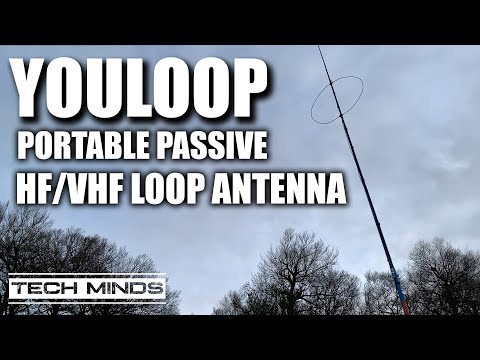
Over on YouTube Tech Minds has uploaded a new video where he unboxes and tests a YouLoop HF Passive Loop Antenna with his Airspy. The YouLoop design is also known as a Möbius loop, or noise cancelling passive loop "NCPL". The passive nature of the antenna means that highly sensitive radios will work best with it, however limited results may still be obtained with other radios. The advantages are extremely low levels of interference pickup and high portability.
In the video Tech Minds explains the specifications of the antenna before demonstrating the antenna receiving the HF bands with an Airspy + SpyVerter. He also tests the loop on VHF, demonstrating its ability to receive a distant 2M beacon.
We note that we sell official YouLoop antennas on our store for $34.95 including free shipping to most countries.
Over on his YouTube channel Tech Minds has uploaded a video introducing and demonstrating the Langstone Project. Langstone is a standalone homebrew SDR transceiver project by Colin Durbridge (G4EML) which at its most basic implementation is based on an Adalm PlutoSDR, Raspberry Pi 4 and 7" LCD touchscreen.
In the video Tech Minds shows how to install the Langstone Pi4 software on the SD card, and then demonstrates it in action. He also notes that the output power of the PlutoSDR is too low for any real communications, however it is possible to add an amplifier and appropriate band filtering. To help with that, the software makes us of the GPIO pins on the Pi4 which can be used to switch in optional band filters.
Langstone Project - SDR Transceiver using an Adalm PlutoSDR
Eric had an inverted L and T3FD antenna set up in his backyard and he wanted to test both at the same time to see which received HF better overall. Rather than relying on subjective 'by ear' measurements he decided to use the digital FT8 mode as his comparison signal. FT8 is quite useful for this purpose as the decoded data includes a calculated signal-to-noise (SNR) reading which is a non subjective measure that can be used for comparisons. It also contains information about the location of the signal which can be used for determining the DX capability of the antenna.
To perform the comparison he used two or our RTL-SDR Blog V3 dongles running in direct sampling mode, and also added an additional low pass filter to prevent excessively strong TV and FM signals from overloading the input. Each antenna is connected to it's own RTL-SDR, and a modified version of GQRX with remote UDP control is used to switch between multiple FT8 frequencies so that multiple bands can be covered in the experiment. WSJT-X is used for decoding the FT8 packets.
After logging SNR values for several days he was able to plot and compare the number of packets received by each antenna, the maximum distance received by each antenna. His results showed that his inverted L antenna was best in both regards. He then performed a relative comparison with the SNR readings and found that the inverted L performed best apart from at 14 MHz, where the T3FD performed better.
In further tests he also compared the antennas on which signal headings they were receiving best from. The results showed that Erics inverted L was receiving best from one direction only, whereas the T3FD received signals from more headings.
Eric's post includes full instructions on the software setup and also Python code which can be used to replicate his experiments. We think that this is a great way to objectively compare two types of antennas.
Antenna directionality measurements via FT8 received headings