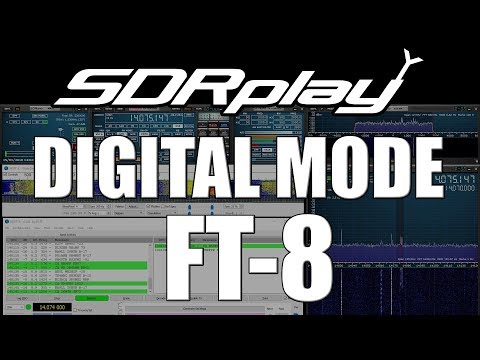
Over on YouTube radio content creator Techminds has recently started a series that shows how to decode various signals using an SDR such as the SDRplay RSP1A. The first video explains what FT-8 is and shows how to decode it using the WSJT-X software. FT-8 is a modern digital HF ham mode that is designed to be receivable even in weak signal reception. However, the amount of information sent in a FT-8 message is small, so it is not possible to have a full conversation, and you can only make contacts.
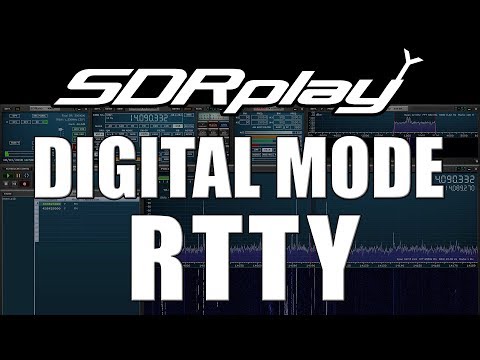
In his second video Tech Minds explains RTTY and also shows how to decode it. RTTY is another much older mode that is used by the military as well as hams. To decode it he uses Digital Master 780 which is a program included in the Ham Radio Deluxe software.
Decoding FT-8 With WSJT-X And A SDRplay RSP1A SDR Receiver
Decoding RTTY With Digital Master And A SDRplay RSP1A SDR Receiver
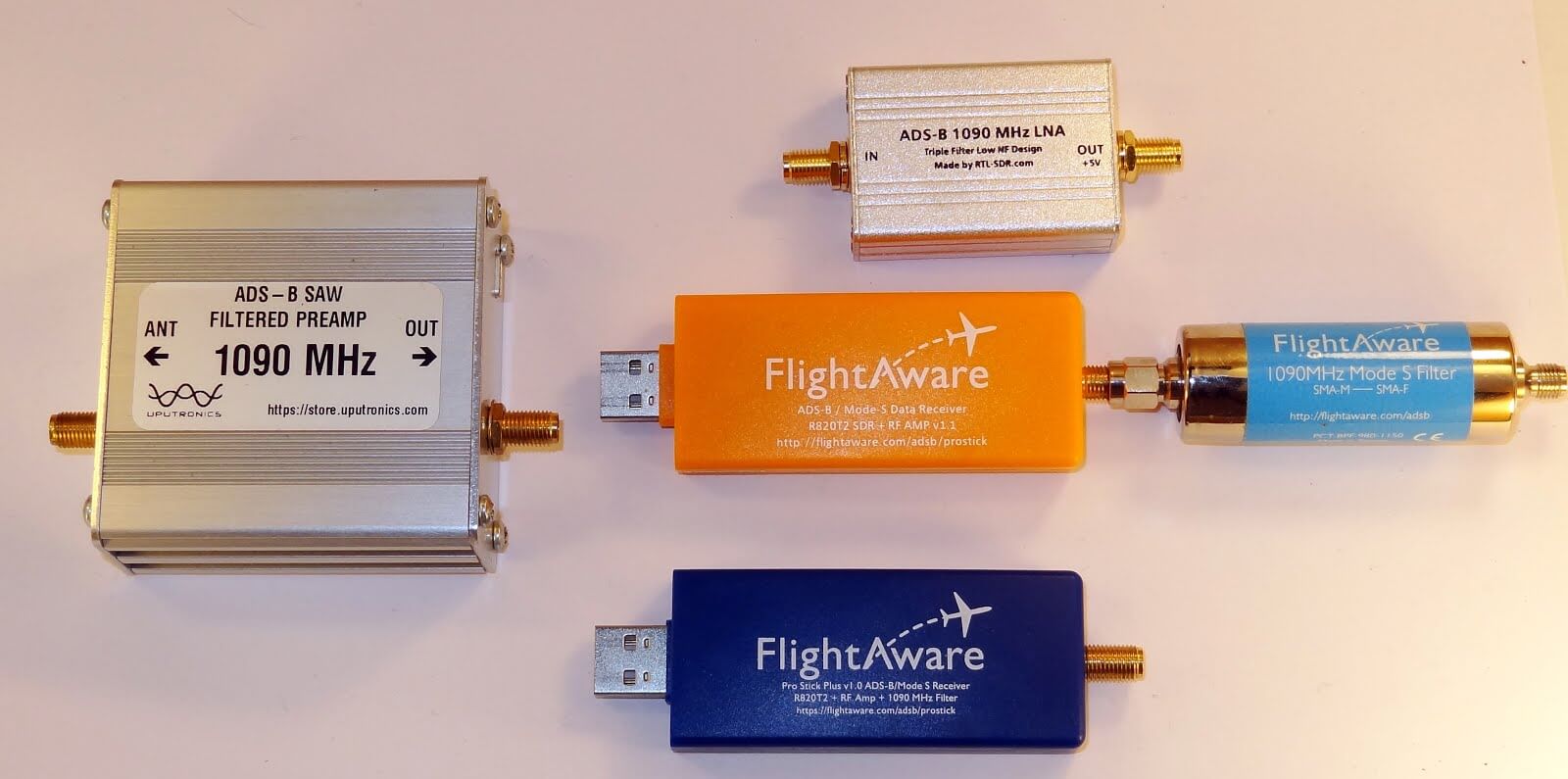
Akos, author of his blog 'Radio for Everyone' has recently reviewed our new RTL-SDR.com Triple Filtered ADS-B LNA. In the review he compares our ADS-B LNA against another external ADS-B LNA by Uputronics and against the FlightAware Prostick and Prostick+. The tests use the external LNA's plugged directly into the dongle in order to more fairly compare against the FlightAware dongles which have LNA's built in to the dongles themselves. From his results the RTL-SDR.com ADS-B LNA appears to have near identical results with the Uputronics LNA, and slightly better results compared to the FlightAware dongles. Akos has not yet tested the main use-case of the LNA, which is to use it at the end of a run of coax cable, however he plans to do this in a future test. Also in his second post Akos shows how to build a simple amplified Coketenna using our ADS-B LNA.
On the subject of ADS-B performance we note that there are two ways to set up a system for optimal reception (apart from the antenna). The first is to place the computing and radio devices (such as a Raspberry Pi and RTL-SDR) as close to the antenna as possible (leaving a ~1m coax run to avoid local interference from the Pi). For this type of setup it is cheaper to use a FlightAware Prostick Plus RTL-SDR dongle since this has an ADS-B LNA built into it. However, the disadvantage is that you may need to set up a Power over Ethernet system, or find a remote power source, and possibly place the Pi in a difficult to service location such as in an attic or up a mast.
The second option is to use an external ADS-B LNA close to the antenna, and run coax down to the computing device which is positioned in a more accessible location. The LNA will negate any losses in the coax cable, and with high enough gain on the LNA, using quality coax is not such a high requirement since those losses are negated by sufficient LNA gain. Both methods will yield similar excellent performance.
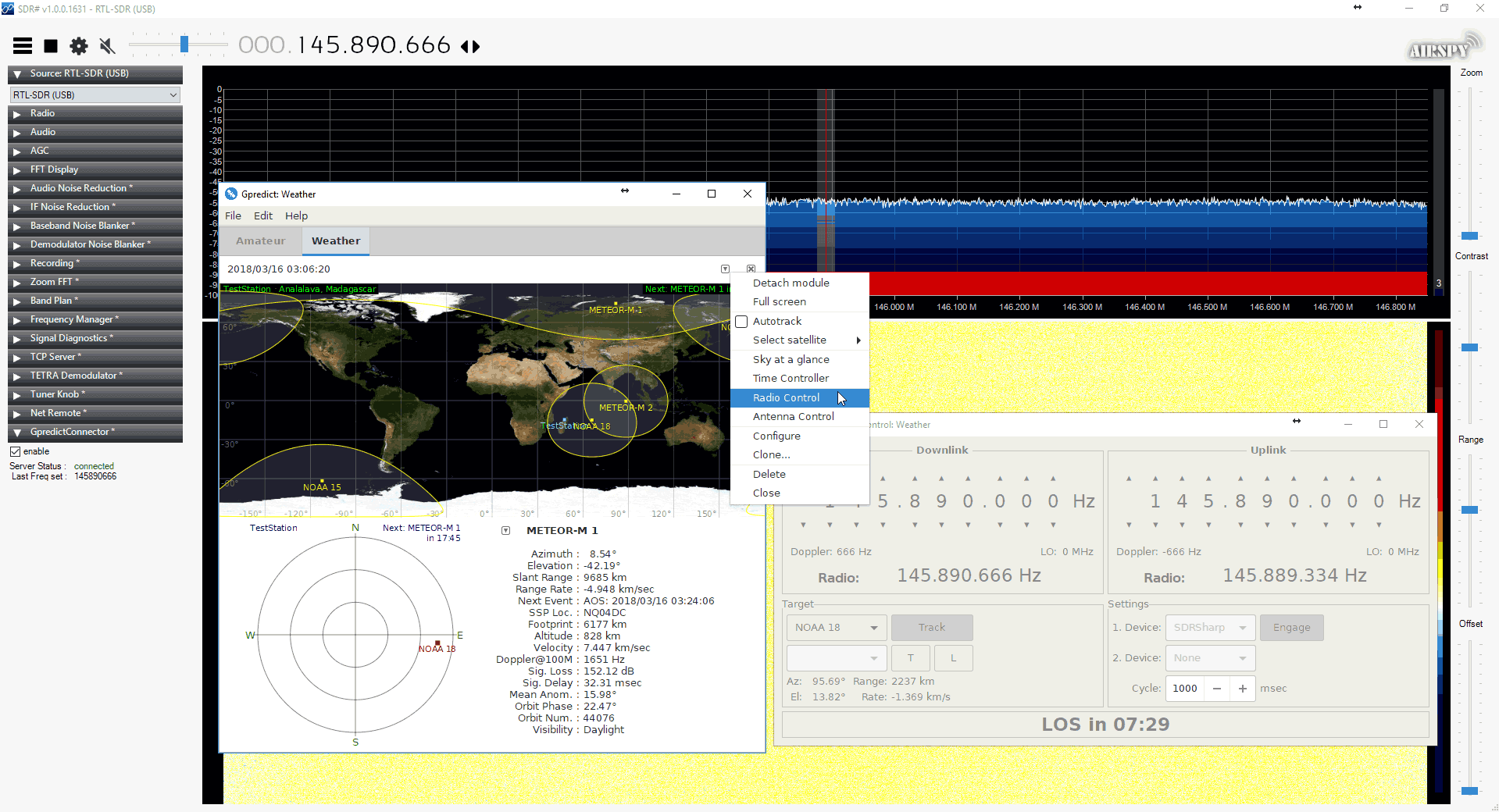
Thanks to Alex for submitting news about his new SDR# plugin called "SDRSharp.GpredictConnector". This plugin allows SDR# to interface with GPredict which is a tool used for tracking the orbit of satellites. Just like with the DDE Tracking plugin and the Orbitron satellite tracking program this plugin could be used to automatically tune SDR# to the frequency of a passing satellite using GPredict. It should also be able to compensate for any doppler shift frequency offset.
To use with SDR# simply download the zip file and move the .dll file into the SDR# folder. Then add the 'magicline' to the plugins.xml file using a text editor. In GPredict you can then add a radio interface from the preferences, and then use the 'Radio Connect' interface to connect to the plugin.
Connecting to GPredict using the GPredictConnector SDR# Plugin
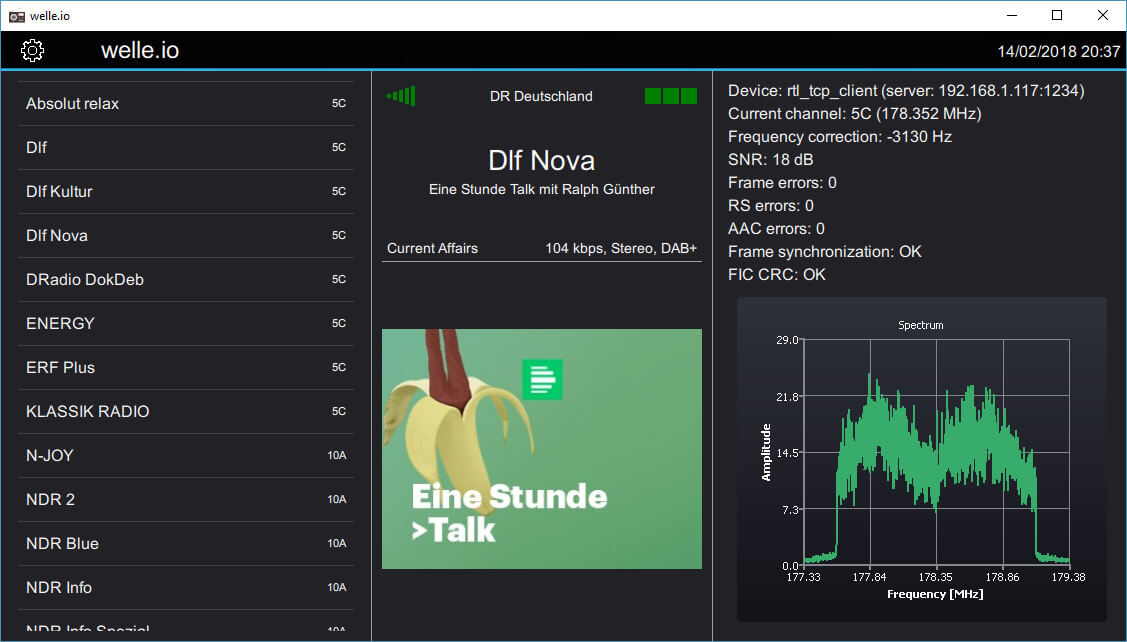
Welle.io is a Windows/Linux/MacOS/Android/Raspberry Pi compatible DAB and DAB+ broadcast radio decoder which supports RTL-SDR dongles, as well as the Airspy and any dongle supported by SoapySDR. It is a touch screen friendly piece of software which is excellent for use on tablets, phones and perhaps on vehicle radio touch screens.
DAB stands for Digital Audio Broadcast and is a digital signal that is available in many countries outside of the USA. The signal contains digital broadcast radio stations, and is an alternative/replacement for standard broadcast FM.
Early last year we posted about Welle.io a couple of times, but now the software has reached maturity as version 1.0 has just been released. Author Albrech writes to us:
We fixed a lot of bugs again and added the translation to Hungarian, Norwegian, Italian and French.
Binary packages are available for Windows, Linux and Android (APK and Play store). The macOS support is possible via Homebrew and we now that welle.io runs also on a Rapsberry Pi 2 and newer.
For questions and support please feel free to use the new forum (https://forum.welle.io).
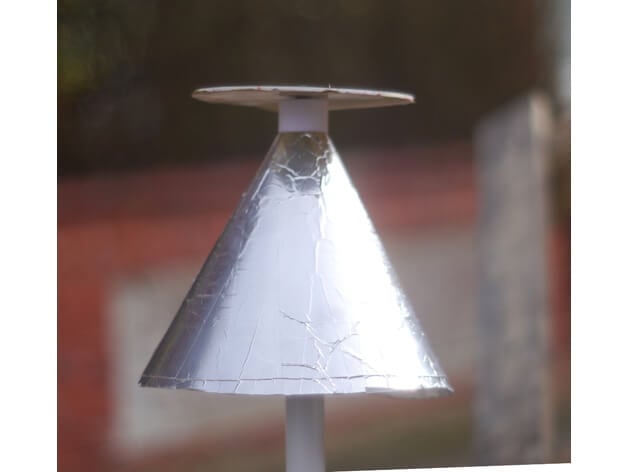
A Discone is a type of antenna that is designed to be resonant over a wide range of frequencies. Most antenna designs only really receive well on a few resonant frequencies, but a Discone is resonant over a much wider frequency range. This makes it a good partner for RTL-SDR and other SDR units as many SDRs tend to have wide tunable frequency ranges. With a wideband antenna like a Discone connected to an RTL-SDR one can scan over the almost entire tunable frequency range without needing to change antennas for each band. The drawbacks to a Discone however is that the antenna gain is not very high, and that it makes the SDR more susceptible to out of band interference. They also tend to be fairly expensive and difficult to build.
The Discone antenna is remarkable in that it is capable of receiving and transmitting over a wide range of frequencies with good matching. Because of this, it is a good match for SDR receivers such as the popular RTL-SDR sticks.
The only really tricking thing about making a discone is that the disc has to be balanced at the very top of the cone, which is mechanically awkward.
The two parts here allow the cone to be solidly clamped and provide an adequate base for the disk. There also two holes for bring the coax centre and braid out to the disc and cone. The base part has a socket at the bottom for 25mm (1 inch) plastic conduit for mounting
This antenna illustrated is designed for 400MHz and up, and as such transmits well on the 70cms amateur band, US and UK PMR channels and 23cms. It also receives aircraft ADS-B signals very well. I used .3mm plastic sheet for the cone and 2mm plastic for the disc, and then covered them with aluminium weatherproof tape. Be sure to check for continuity across the tape stripes.
The screenshot is of a calculator by VE3SQB which can be downloaded from http://www.ve3sqb.com/ if you want to make attenna's for other ranges.
A 3D Printed Discone
If you're interested in building wideband antenna there is also the planar disk antenna (pdf) which can be built out of pizza pans.
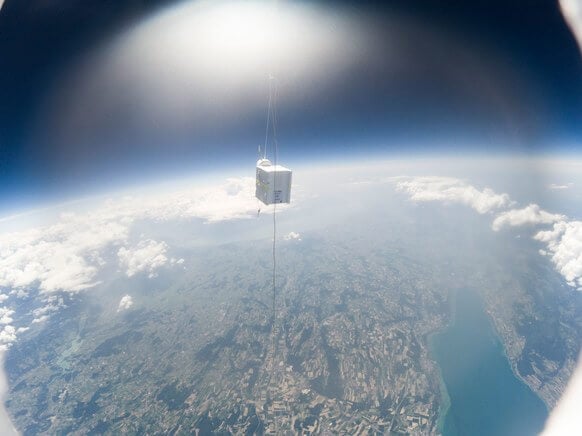
Wired.com has recently run a short article about Roland F5ZV's hobby of radiosonde hunting. A radiosonde is a small box containing electronic sensors that measure things like wind, temperature, humidity and also give out a GPS location. The radiosonde is carried into the upper atmosphere by a weather balloon, and these probes are usually launched twice a day in many locations around the world by meteorological agencies. The data is useful for weather forecasting and research.
The wired article discusses the hobby of radiosonde hunting, which is the sport of using radios to hunt and collect the radiosonde as it bursts and falls back to earth. He also writes how he was able to convince the Swiss Meteorological agency to allow him to attach a GoPro to a radiosonde which allowed him to capture some interesting images.
We'd like to remind readers that in many places in the world it is possible to receive and decode radiosonde data with an RTL-SDR, and we have a tutorial available here.
Thanks to user 'luma' on our forums for submitting his technique for managing multiple RTL-SDR dongles on a Linux system. The problem is that rtl_tcp tends to enumerate devices depending on the order they are plugged in. This can create problems like not knowing which dongle is connected to which antenna without physically checking. He writes:
I was looking to utilize a couple RTL dongles to monitor two ISM band frequencies commonly used in LoRa without buying an SDR with wide enough bandwidth to cover both ranges. I pretty quickly ran into issues with how SpyServer and rtl_tcp enumerate devices, which appears to be based mostly upon the order in which each device had been plugged in.
With some work, I think I've come upon a flexible and secure solution to handle an arbitrary number of dongles on one system while maintaining deterministic control of each device. This means I can label an individual dongle, connect it to the desired antenna, and then connect to that dongle on the assigned TCP port every time, without regard to the order in which things have been plugged in.
The rest of his post shows the steps which include creating an unprivileged service user, using rtl_eeprom to set device serial numbers and using a script that automatically runs on startup which will enumerate the dongles deterministically each time.
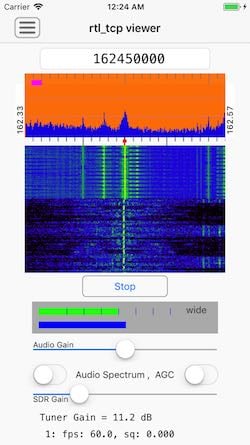
Over on our forums poster hotpaw2 has released news about his new RTL-SDR app for iOS (iPhones/iPads). If we're not mistaken, this will be the first app that enables RTL-SDR usage on iOS. However, as iOS devices don't allow RTL-SDRs (or any arbitrary USB device) to connect directly to devices, you still need to use a Raspberry Pi or other network connected computing device as an rtl_tcp server. So the RTL-SDR does not plug directly into the iOS device. Currently he is looking for beta testers to help test a pre-release of the software. Hotpaw2 writes:
Hi. A first version of my iOS SDR app is nearing completion. So I'm interested finding a few users who would like to beta test a pre-release of the app, and provide some feedback. The beta test requirements are having a 64-bit iOS device (iPhone or iPad) running iOS 11.2.x or newer, having Apple's TestFlight app installed, having a Mac, PC, Raspberry Pi (or other Linux box) that already has rtl_tcp installed and ready to run. (And an RTL-SDR obviously.) The rtl_tcp server must be on a fast WiFi network reachable by your iOS device. Note that iOS TestFlight app distributions do have an expiration date.
iOS does not recognize arbitrary USB devices such as an RTL-SDR. This is even true when using Apple's Lightning Camera Connection kit to provide an iPhone with a wired USB port. So an adapter must be used. I use a headless Raspberry Pi 3 running rtl_tcp as the USB adapter to provide raw IQ samples from the RTL-SDR to the iOS app. A Raspberry Pi Zero W would also work. I then connect to the server either over WiFi, or via wired ethernet.
This iOS SDR app is fairly simple. I've been experimenting with developing low-level DSP code in Swift. So this SDR app was written from scratch in the Swift programming language. Because the app is targeted for the iOS App store, it uses none of the existing SDR C++ code base.
The app currently demodulates AM, N-FM, and mono W-FM. It also displays a spectrum and rudimentary waterfall, and allows one to swipe-to-tune. There are not a lot of controls, as screen real-estate on an iPhone is quite limited. But I can walk around the house and, from my iPhone, monitor if my RTL-SDR or AirSpy HF+ are picking up any interesting signals.
Source code to librtlsdr and rtl_tcp can be found in many repositories on github, but zero support for finding or installing such, and/or setting up your Raspberry Pi, will be provided by me.