In a previous post back in September 2017 Stefan Scholl (DC9ST) treated us to a very interesting write up about how to localize transmitters to within a few meters using time difference of arrival (TDOA) techniques with multiple RTL-SDR dongles spread out over an area.
- What signal parameters influence the quality of the correlation? - Which type of correlation calculations are available (four) - Which are suitable with RTL-SDRs, considering noise and phase and frequency offset?
Stefan writes that his findings could be interesting to people interested in the following techniques:
- TDOA localization - Synchronizing several RTL-SDRs - Passive Radar
Comparing various bandwidth sizes on correlation quality
Over on his site, Clem the author of the QIRX SDR software package has written up a three part series where he explains an ultra-fast and very accurate method for calibrating the frequency offset of RTL-SDR receivers by using DAB signals. If you are unfamiliar with DAB, it stands for 'Digital Audio Broadcast' and is a type of digital radio station available in multiple countries in the world, especially in Europe. However it is not used in the USA. Clem writes:
I wrote a three-part tutorial about an ultra-fast, generally available (where you have DAB reception) and very accurate method to calibrate RTL-SDR receivers. It is called "Tutorial: Calibrate your RTL-SDR in 15 Seconds", http://softsyst.com/QIRXCalibrate?sequenceNo=0. It is using the frequency of a DAB transmitter as the reference signal, and is coming in three parts:
· Part I: Method and Measurement, describes the method (example) and compares it to two other, well-known methods.
· Part II: Checks, Frequencies, Sampling Rates: Tells how to make plausibility checks on the obtained calibration result, goes into the foundation of different measuring methods, and explains why calibrating a receiver is generally beneficial, not only for DAB purposes (where at least the frequency correction is mandatory).
· Part III: Improving DAB, Tells why it is advantageous for DAB reception not only correcting the frequency, but also the sampling rate (which is often omitted).
Part I and Part II of these are already on our website, Part III will come soon.
QIRX Being used to Calibrate an RTL-SDR dongle on DAB signals
Over on YouTube Corrosive has uploaded a new video where he explores CubicSDR, and explains all the windows and settings that it has. CubicSDR is a free RTL-SDR compatible cross-platform open source multi-mode SDR application, similar in nature to SDR#, HDSDR SDR-Console etc. It's quite popular due to it's multi-platform nature, meaning that it can run on Windows, MacOS and Linux.
RTL SDR CubicSDR Manual Gain and More | As requested by DATcarefreeCowboy
I bought the RPi to use it as a Spyserver for my Airspy HF+ SDR.
My main radio listening location is a small house located on a hill outside the city and there is no power grid there (it’s a radio heaven!), so everything has to run on batteries and consume as little power as possible.
My first tests showed that the Raspberry Pi works very well as a Spyserver: the CPU usage stays below 40% and the power consumption is low enough to allow it to run for several hours on a regular USB power bank. If I add a 4G internet connection there I could leave the Spyserver running and connect to it remotely from home.
Then I wondered if the Raspberry Pi would be powerful enough to run a SDR client app. All I needed was a portable screen so I bought the official 7” touchscreen for the RPi.
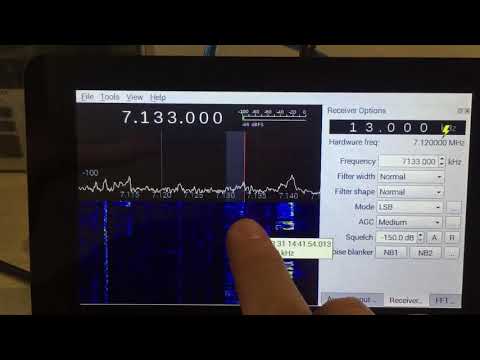
I installed Gqrx, which offers support for the Airspy HF+. I’m happy to say it works better than I expected, even though Gqrx wasn’t designed to work on such a small screen. The CPU usage is higher than in Spyserver mode (70-80%) but the performance is good. Using a 13000 mAh power bank I get about 3.5 hours of radio listening.
On the swling blog post comments Tudor explains some of his challenges including finding a battery that could supply enough current, finding a low voltage drop micro-USB cable, and reducing the noise emanating from the Raspberry USB bus. Check out the post comments for his full notes.
Over on the Wireless LAN Professional Podcast Keith and Blake Krone discuss the HackRF, PortaPack and the Havoc firmware in episode 138. The HackRF is a US$299 transmit capable SDR which has been very popular in the past as it was one of the first affordable TX capable SDRs to hit the market. The PortaPack is a US$220 add on which allows you to go portable with the HackRF. And finally Havoc is a third party firmware for the HackRF+PortaPack which enables multiple RX and TX capable features.
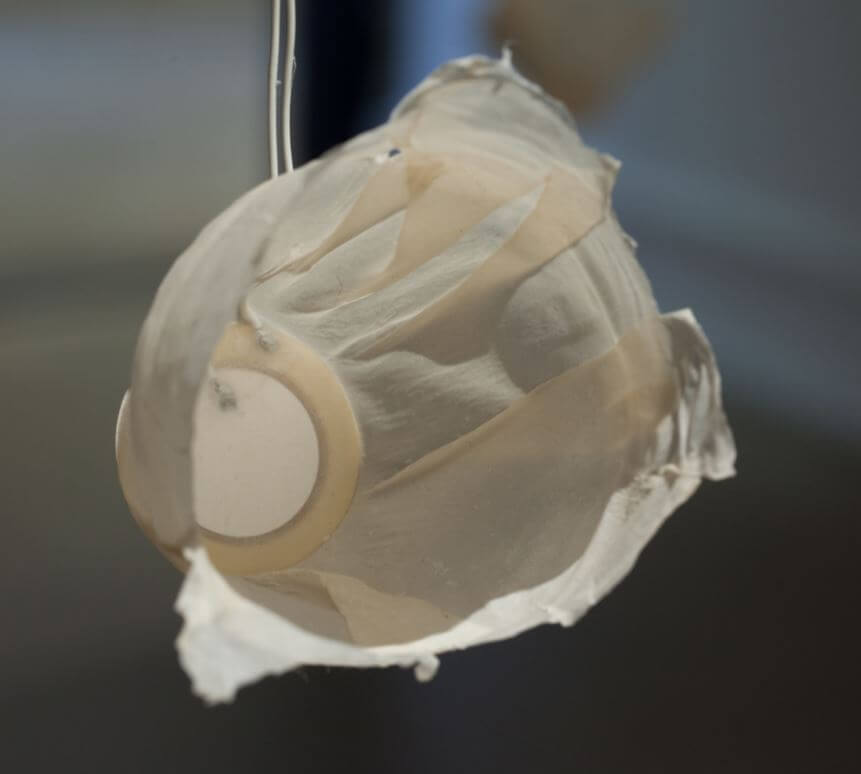
One of the piezo speakers playing the satellite transmissions.
In the past we've seen software defined radio's like the HackRF use to create art installations such as the 'Holypager', which was an art project that aimed to draw attention to the breach of privacy caused by pagers used by doctors and staff at hospitals.
Recently another art installation involving a software defined radio was exhibited at Wichita State University. The project by artist Nicholas A. Knouf is called "they transmitted continuously / but our times rarely aligned / and their signals dissipated in the æther" and it aims to collect the sounds of various satellite transmissions, and play them back using small piezo speakers in the art gallery. To do this he built a SatNOGS receiver and used a software defined radio to capture the audio. He doesn't mention which SDR was used, but most commonly RTL-SDR's are used with the SatNOGS project. Nicholas describes the project below:
This 20-channel sound installation represents the results of collecting hundreds of transmissions from satellites orbiting the earth. Using custom antennas that I built from scratch, I tracked the orbits and frequencies of satellites using specialized software. This software then allows me to collect the radio frequency signals and translate them into sound.
The open source software and hardware, called SatNOGS and developed by a world-wide group of satellite enthusiasts, enables anyone to build a ground station for tracking satellites and their transmissions, which are then uploaded to a publicly accessable database. Data received by my ground stations can be found here. These transmissions are mostly from weather satellites, CubeSats (small satellites launched by universities world-wide for short-term research), or amateur radio repeaters (satellites designed for ham radio operators to experiment with communication over long distances).
I made the speakers hanging from the grid from a piezoelectric element embedded between two sheets of handmade abaca paper that was then air dried over a form.
The project was also discussed over on the SatNOGS forum.
A question that comes up often is how to combine an RTL-SDR, or any other RX only SDR with a transmit capable amateur radio. It's not possible to connect the RX only SDR together with the TX radio via a standard splitter because the TX radio's power will most likely blow up the SDR with it's powerful output. To solve this problem you need either a manual switch that will switch out the SDR when transmitting which requires absolute discipline to not accidentally transmit in the wrong switch position, or an automatic relay switch.
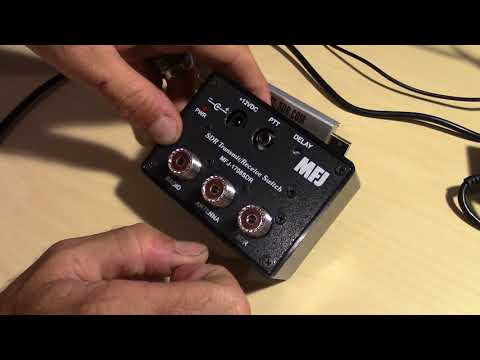
Over on YouTube channel HamRadioConcepts has given a good overview and demonstration of the MFJ-1708SDR Transmit/Receive automatic relay switch, which is a good product that solves this issue. It is also a fairly budget friendly option, coming in at only US$79.95 over on the MFJ website. HamRadioConcepts notes that the switch automatically grounds out the SDR whenever the PTT on the radio is pressed, and also has a fail safe that will automatically detect a transmission and ground the SDR if PTT is disconnected.
MFJ-1708SDR Transmit/Receive Switch For SDR Receivers
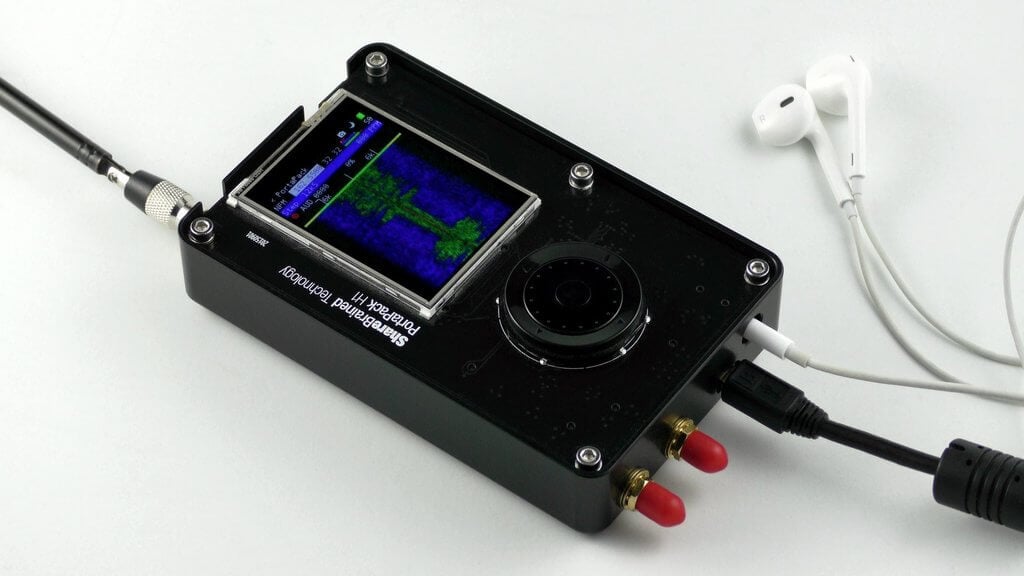
The PortaPack is a US$220 add-on for the HackRF software defined radio (HackRF + PortaPack + Accessory Amazon bundle) which allows you to go portable with the HackRF and a battery pack. It features a small touchscreen LCD and an iPod like control wheel that is used to control custom HackRF firmware which includes an audio receiver, several built in digital decoders and transmitters too. With the PortaPack no PC is required to receive or transmit with the HackRF.
Of course as you are fixed to custom firmware, it's not possible to run any software that has already been developed for Windows or Linux systems in the past. The official firmware created by the PortaPack developer Jared Boone has several decoders and transmitters built into it, but the third party 'Havoc' firmware by 'furrtek' is really what you'll want to use with it since it contains many more decoders and transmit options.
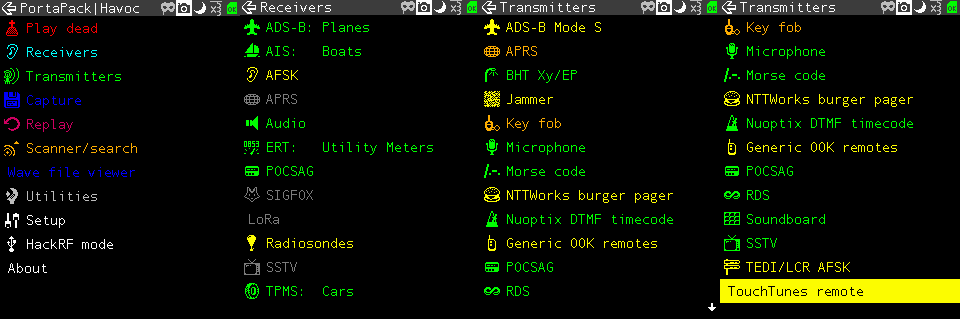
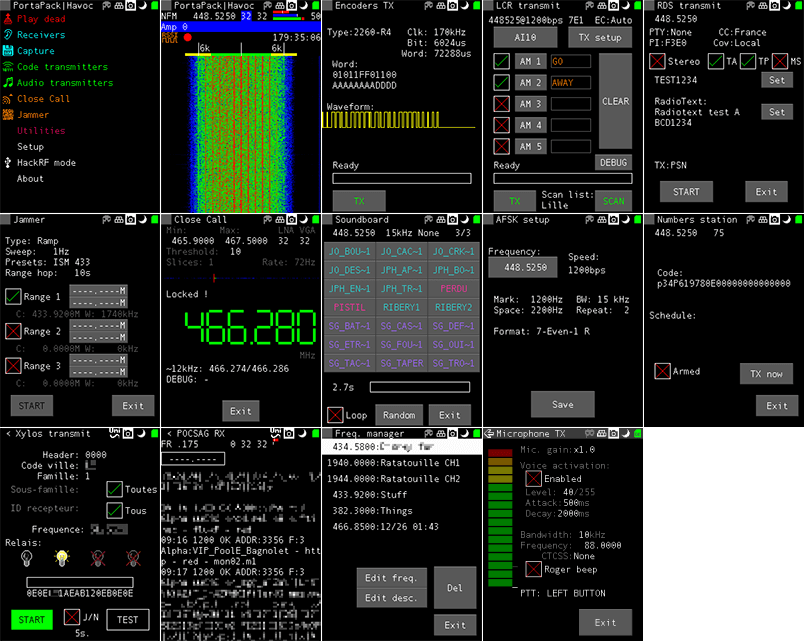
As of the time of this post the currently available decoders and transmit options can be seen in the screenshots below. The ones in green are almost fully implemented, the ones in yellow are working with some features missing, and the ones in grey are planned to be implemented in the future. Note that for the transmitter options, there are some there that could really land you in trouble with the law so be very careful to exercise caution and only transmit what you are legally allowed to.
Some screenshots from the HackRF Portapack Havoc FirmwareMore Havoc firmware screenshots from the GitHub page.
Although the PortaPack was released several years ago we never did a review on it as the firmware was not developed very far beyond listening to audio and implementing a few transmitters. But over time the Havok firmware, as well as the official firmware has been developed further, opening up many new interesting applications for the PortaPack.
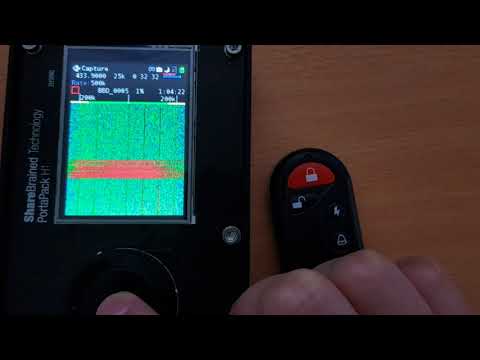
Doing a replay attack on a wireless keyfob using the PortaPack.
Testing the PortaPack with the Havoc Firmware
Capture and Replay
One of the best things about the PortaPack is that it makes capture and replay of wireless signals like those from ISM band remote controls extremely easy. To create a capture we just need to enter the "Capture" menu, set the frequency of the remote key, press the red 'R' Record button and then press the key on the remote. Then stop the recording to save it to the SD Card.
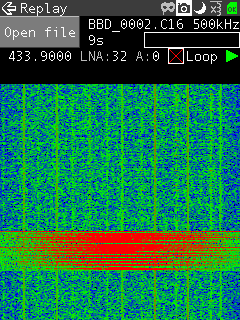
Now you can go into the Replay menu, select the file that you just recorded and hit play. The exact same signal will be transmitted over the air, effectively replacing your remote key.
We tested this using a simple remote alarm system and it worked flawlessly first time. The video below shows how easy the whole process is.