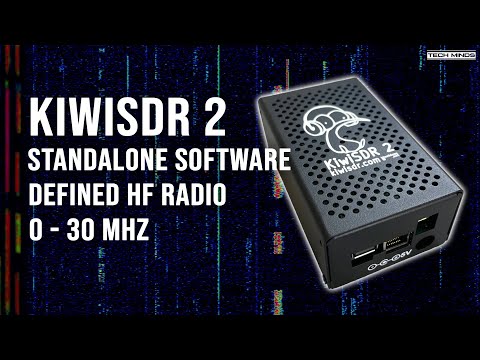
Earlier this year the KiwiSDR 2 became available for purchase and began shipping out to customers. The KiwiSDR 2 is an upgraded version of the original KiwiSDR with the main upgrades being an enhanced RF front end and the addition of a digital attenuator.
Over on the Tech Minds YouTube channel, Matt received his KiwiSDR 2 and uploaded a review and demonstration of the product. In the video, Matt shows the external ports of the KiwiSDR and discusses the differences between the KiwiSDR 2 and the original version. Matt goes on to show how to set up the KiwiSDR 2 and shows it receiving through it's web-based receiving software.
KiwiSDR is a 14-bit wideband RX-only HF software-defined radio created by John Seamons (ZL/KF6VO). The KiwiSDR has up to 32 MHz of bandwidth, so it can receive the entire 10 kHz - 30 MHz VLF/LF/MW/HF spectrum all at once. Other than the specifications, the main interesting feature about the KiwiSDR is that it is designed to be operated entirely as an online web-based SDR which is accessed over a network connection. Owners can optionally share their KiwiSDRs online with anyone who wants to access it, which also allows for interesting distributed applications, such as TDoA direction finding, which allows users to pinpoint the location of unknown HF transmissions such as numbers stations.
KiwiSDR 2 - A Standalone Software Defined HF Radio Receiver
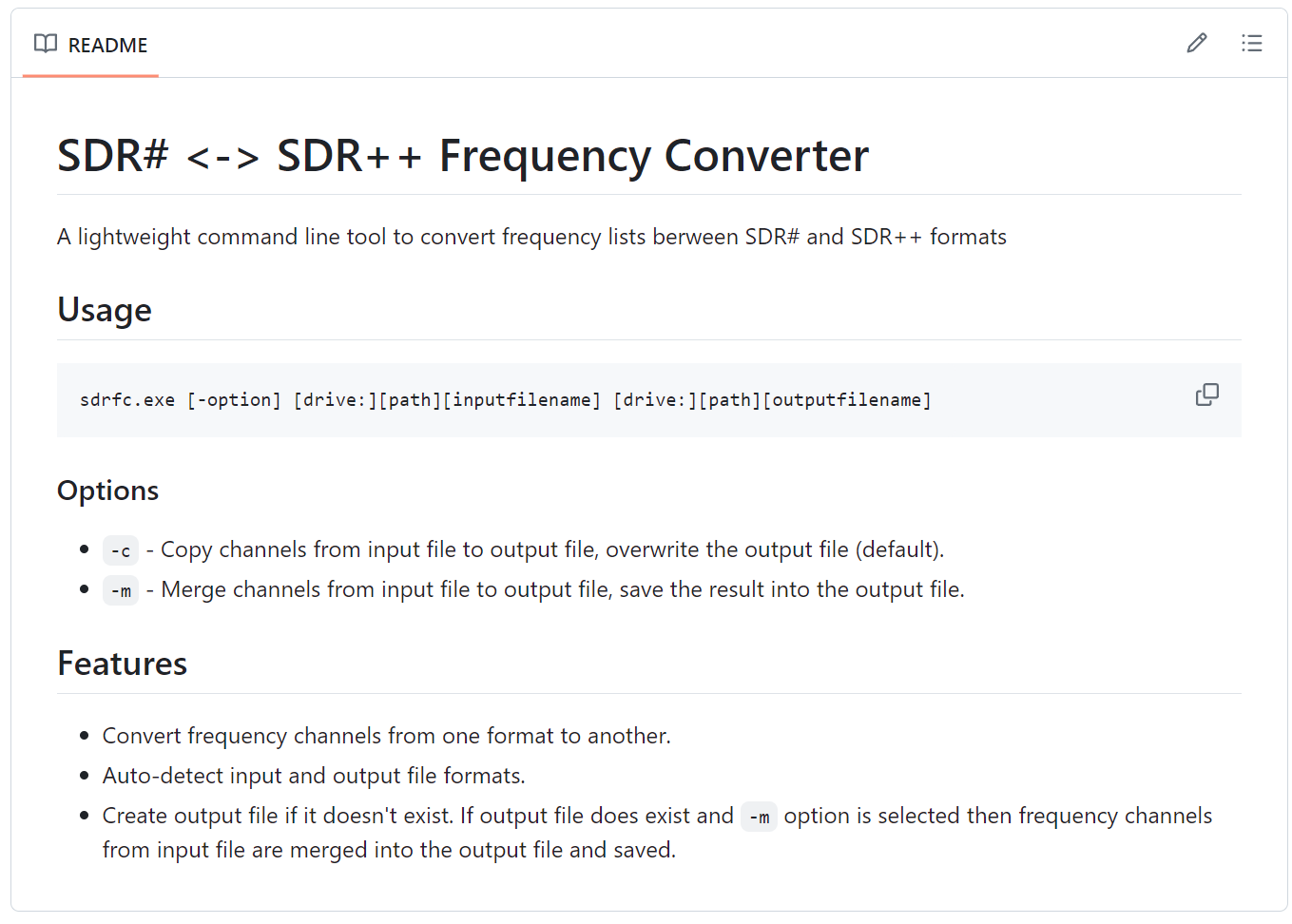
Thank you to 'thewsoftware' over on our forums who has shared with us his SDR# <-> SDR++ frequency list converter (sdrfc) software. SDR# and SDR++ are two popular SDR programs often used with the RTL-SDR, but each uses a different format for storing custom frequency lists.
The new sdrfc tool allows users to easily convert frequency lists between SDR# and SDR++ formats, so you don't need to manually type out a frequency list for both programs.
The sdrfc is a Windows command line tool and instructions for using it can be found on the GitHub Readme. A release zip file is available on the GitHub Releases page.
Over on YouTube dereksgc has uploaded a video where he tests out a 2.4 GHz WiFi Grid antenna for L-band weather satellite reception. WiFi grid antennas are typically repurposed in the SDR community for L-Band weather satellite reception because they are cheap and mostly work out of the box. They can also be used for hydrogen line radio astronomy. TV dish antennas are an alternative but with them, a custom feed needs to be built.
In his video, dereksgc tests the WiFi dish on receiving various polar-orbiting L-band satellites including Metop, and Meteor M2. With the polar orbiting satellites the dish needs to point at the satellite as it passes over the sky and so dereksgc recommends using a mount if hand tracking them.
Later in the video he tests some geostationary satellites but finds that the dish is not tuned well enough to receive Elektro-LN3 properly without modifications. He was however able to receive a noisy image from FengYun-2H successfully.
We note that we also currently have our Discovery Dish product available for pre-order, which is similar to the WiFi grid dish, but smaller and lighter weight with a built-in optimized active feed.
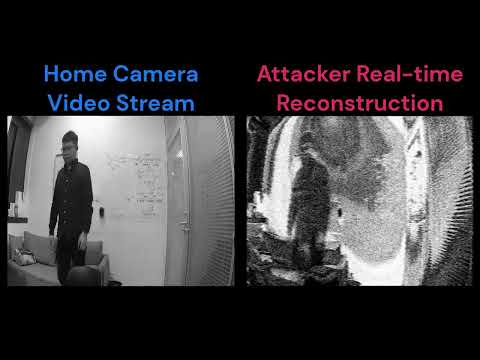
In their research, the team discovered that security cameras leak enough sensitive RF that an image can be recovered from the leakage over a distance. In their tests, they used a USRP B210 SDR as the receiver and tested twelve cameras including four smartphones, six smart home cameras, and two dash cams. They found that eight of the twelve leaked strongly enough for the reception of images through windows, doors, and walls. Cameras like the Xiaomi Dafang and Wyze Cam Pan 2 performed the worst, allowing for images to be recovered from distances of 500cm and 350cm respectively.
Recently Reddit user magicint1337 brought attention in a post to PhantomSDR, a web SDR program for the RX888 MKII SDR. PhantomSDR is not new, having been first uploaded to GitHub two years ago, but it appears that it hasn't gained much attention so far. Web SDR software allows an SDR to be accessed publically or privately remotely over an internet connection. He writes:
PhantomSDR is a Web SDR Software that can sample the whole HF Band using the RX888 MK II, it utilizes the GPU to do so efficiently, the CPU can also be used but has to be strong enough to handle it.
The Software itself supports nearly all Devices, as they are passed from another program like rx_sdr to PhantomSDR. It features high quality Waterfall Zoom efficiently, it can handle hundreds if not thousands of users depending on the Hardware and is open source. There is also a sdr-list linked below.
It's a good alternative to OpenWebRX or WebSDR as it's easy to set up and can handle higher bandwidths and more users than the other alternatives i named. Decoders will also come and run in WebAssembly on the Client, so the Server has no Usage and can handle many Users. It can also handle higher bands, for example VHF.
It is developed further and further because it's open-source and everybody can help develop it further!
The author of PhantomSDR also chimes in on the comments noting:
Author of PhantomSDR here, wondering where all the traffic to the github repo came from and discovered someone has posted it here.
This is started off as project to publish a self-made direct sampling SDR to the internet. Then it grew to became a learning project about SDR and DSP. I picked RX888 as the SDR to put in the screenshot due to it being easily available as compared to the one I built myself. This wasn't really meant to be much apart from a fun learning exercise!
I wanted to open source this because I think others might find it useful also to host higher bandwidth SDRs, or just have a different user interface.
sdr-list.xyz is made by a contributor to the project, but I would prefer to have more infrastructure under the PhantomSDR domain. This will happen once I get a suitable domain name and the server code up. And yes it will be https and the server will be open source.
Currently, there appears to be one publicly hosted server that can be accessed via the list at sdr-list.xyz.
This web SDR software is reminiscent of the University of Twente WebSDR software which is currently closed source. It is also similar to KiwiSDR and OpenWebRX which is also an online web-based SDR system.
We note that there has been controversy over the RX888 SDR in the past as developers of popular software in the SDR community such as SatDump and SDR++ have frowned on it due to its poor driver support, the lack of any developer support from the manufacturer, and poor overall RF design.
UPDATE: Jie Feng, the author of the software would like to add that the official server list is at https://phantomsdr.github.io/servers. sdr-list.xyz is a third party list set up by a fan, and Jie is working out how to integrate it with his official list. Jie also notes that PhantomSDR also supports many other SDR's like RTL-SDR, HackRF, SDRplay RSP etc.
Over on his YouTube channel 'saveitforparts' has uploaded a new video showing how he has been successful at receiving and decoding L-band weather satellites using his setup made from scavenged parts. He uses a custom-built helical feed on a scavenged dish, and an automatic pan-tilt rotator built from an old security camera mount. With this setup combined with an RTL-SDR and LNA and filter he is able to receive polar orbiting L-band weather satellites.
In the video, he shows how his system works and what his software setup looks like. He uses SDR++ to record the pass initially, then SatDump to decode the data into images. We note that SatDump can be used to decode the images live, and can also record the raw radio files too, so SDR++ is not required.
How To Receive And Decode L-Band Weather Satellites
Over several years Aaron (@cemaxecuter) has been working on DragonOS, a popular Linux distribution that comes preinstalled with many different programs for software defined radios. A Linux distribution like this takes the hassle out of having to figure out how to compile and install various SDR programs, some of which can be quite tricky to get running.
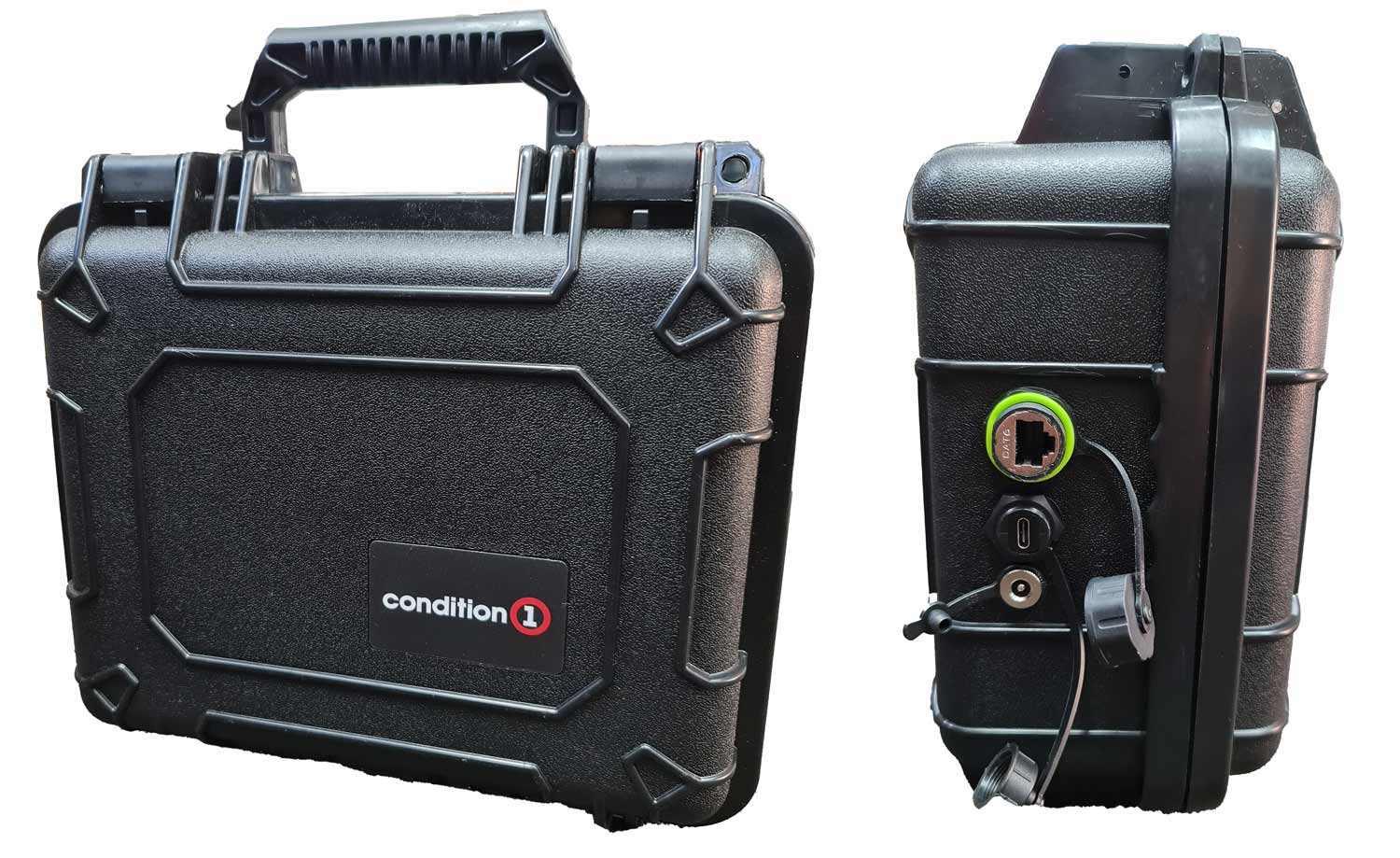
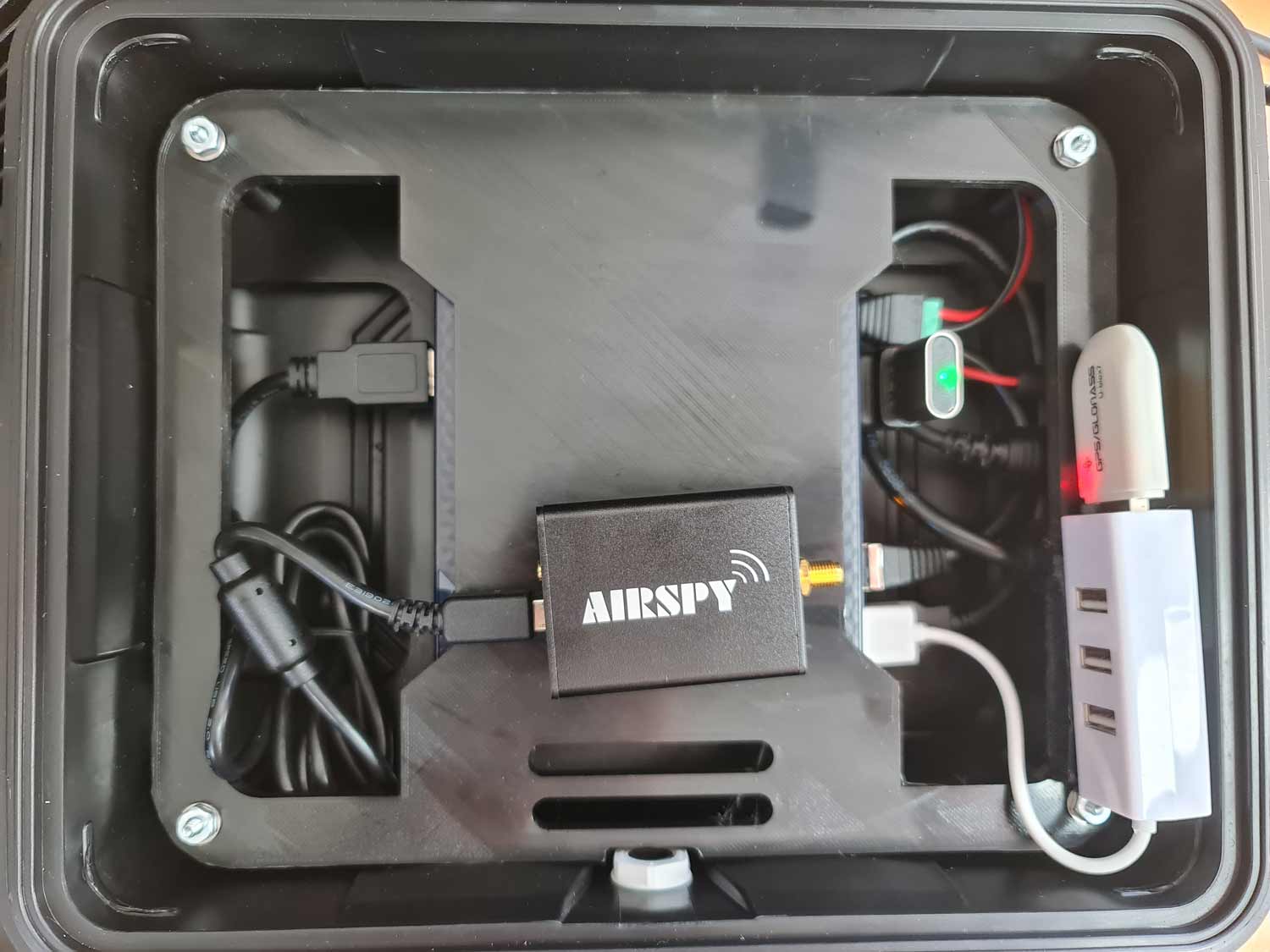
Recently Aaron has also been working on WarDragon, which is a set of components that he's carefully tested and put together as a ready-to-use portable SDR kit. At its core is an Airspy R2 software defined radio and x86 Mini PC that comes with DragonOS pre-installed. It also includes a USB hub and GPS dongle, as well as an HDMI dummy plug for enabling remote desktop. Everything is held together by a 3D printed frame, and enclosed in a plastic carry hard case, with the external Ethernet, USB-C, and power ports routed to the outside of the enclosure.
Aaron kindly sent us a WarDragon for an honest review. We note that we do not get to keep the WarDragon, and it will be forwarded to someone else after this review.
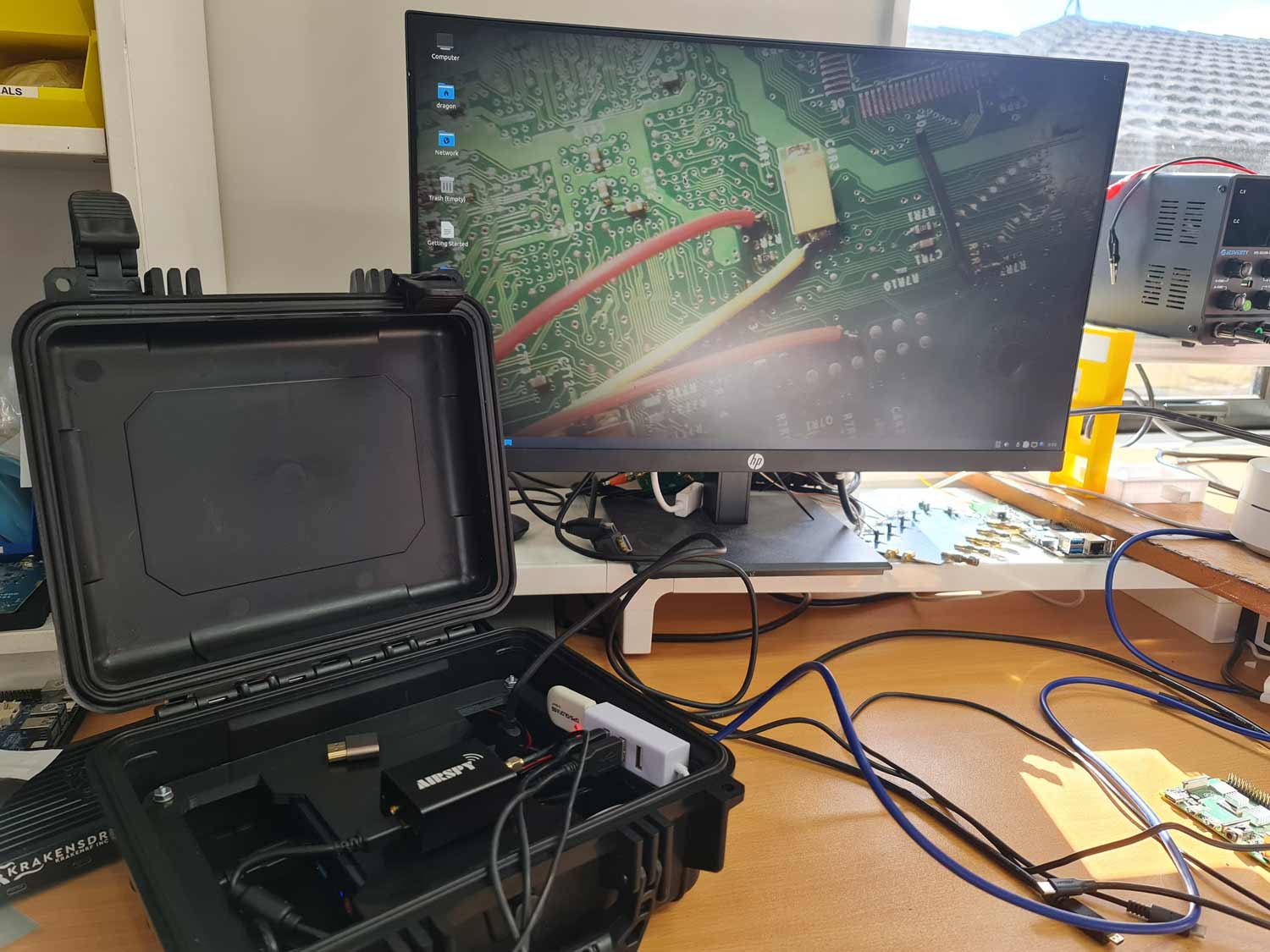
WarDragon Outer EnclosureInside WarDragon (Intel PC hidden underneath)WarDragon with an LCD screen connected
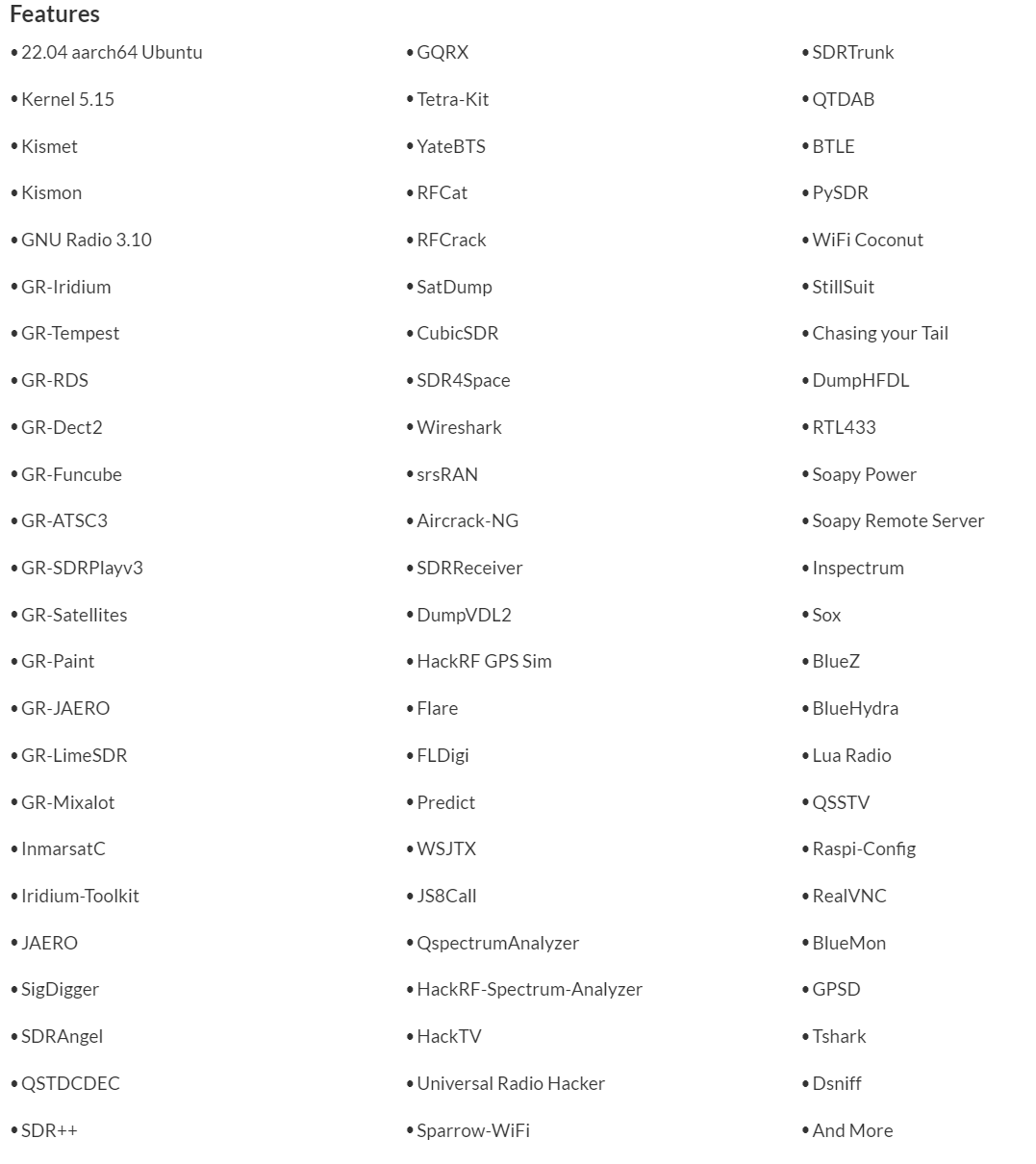
Getting started with WarDragon is simple. Open the hard-shell case, connect an antenna to the Airspy, remove the dummy HDMI plug, connect a monitor to the HDMI port and a keyboard/mouse to a USB port, connect 12V power, and start the mini PC. A few seconds later DragonOS has booted, and you can run any of the programs pre-installed. And there are certainly a lot of programs available to play with as shown below.
List of software pre-installed in DragonOS
To get started with running it remotely we followed the instructions on the desktop to install OpenSSH, and ran the Rustdesk appimage stored in the 'post install' folder on the desktop. This allowed us to connect remotely to the unit via Rustdesk, a remote desktop interface. From there we were able to run software like SDR++, GQRX, and anything else that was preinstalled.
Aaron notes that every WarDragon will come with a free license for SDR4Space which is a command-line SDR tool for satellites. It can be used for scripting various operations, such as "recording IQ samples, predicting satellite passes and to start a record for a specific satellite and correct doppler at the same time".
The KrakenSDR software is also pre-installed on WarDragon, so the Airspy can easily be swapped out for a KrakenSDR too (or almost any other SDR as well). You can also add extra RTL-SDR units on the USB hub if desired.
Once you're done simply unplug everything and put the HDMI dummy plug back in. Close the enclosure up and you're ready to get on the move again.
One minor concern we have is that while the components are contained with the 3D printed frame, the frame itself is not held down inside the enclosure, so it can move a little during transport. Not a big deal if you are sensible about carrying it, but if you are expecting to throw the box around, something could eventually go wrong. Aaron also notes in the instructions that care should be taken to not leave WarDragon exposed to direct sunlight or in a parked car to avoid the 3D printed insert from warping. This could probably be solved by printing in a material like ABS.
Performance
The mini-PC included with WarDragon runs a 12th Generation Intel Alder Lake - N95 that can turbo up to 3.4 GHz, has 8GB of RAM, and a 256GB SSD built-in. These specs are powerful enough that the system is very snappy, software opens quickly, and software runs smoothly, even at the max 10 MHz bandwidth the Airspy supports.
These x86 mini-PCs appear to be quite a bit more powerful than their similarly priced ARM counterparts, but they do draw more power. The mini-PC running SDR++ and Airspy at 10 MHz oscillates around 20-30W of power draw, whereas a Raspberry Pi 5 running SDR++ only draws 5W.
What We'd Like to See Improved
Because the carry case is fully sealed when closed, the mini PC inside cannot be run when the case is closed, as there would be no airflow for cooling. We'd like to see some thought put into adding an external fan, and indeed Aaron has noted that in future versions he will be adding this. However, adding a fan does come at the expense of water tightness but we don't imagine many people would be throwing this in a body of water. As long as rain resistance is kept it should be alright.
We'd also like to see the SMA port brought out to the side, so an external antenna can be connected with the enclosure closed.
We can also imagine that some users might like to see a more expensive version that comes with a small screen and keyboard/mouse as part of the combo too. Aaron does note that the most common use case for operating via SSH or remote desktop via a field laptop though.
Price Review / Value
The Wardragon consists of the following components:
Beelink Mini PC (N95 8G+256G) - US$159 on Amazon.
Airspy R2 - US$169 on iTead.
Condition 1 11" Carry Case - US$36.99 on condition1.com
Other parts (cables, USB hub, USB GPS, HDMI dummy plug, outside connectors, 3D printed frame) - $US35 (estimated)
SDR4Space License - $US???
So that's a total of US$400 in parts (not including shipping costs) plus a bit of value from the SDR4Space license which is usually obtained on an inquiry-only basis. WarDragon currently sells for US$580. So for the extra $180, you are paying for the time to preinstall of DragonOS, drill the external mounting holes, 3D print the mount, the build time, testing time, and the ability to get support directly from Aaron himself. And we can't forget to mention the time Aaron puts into creating YouTube videos for WarDragon.
Obviously, if you are on a tight budget it would make sense to try and build your own system. But overall we think WarDragon is not a bad deal if your time is worth more and you just want a portable system to get up and running with DragonOS ASAP.
Back in early February we reported about how the Canadian government is making plans to completely ban the Flipper Zero, and popular pentesting tool. The wording from Dominic LeBlanc, Canada's Minister of Public Safety, also implies that software defined radio devices could also be banned.
The reason for the ban is because the Canadian government claims that Flipper Zero and 'consumer hacking devices' are commonly being used as tools for high tech vehicle theft. However, as mentioned in the previous post, this has been debunked.
The team behind Flipper Zero have recently started a petition on change.org to stop the ban. At the time of this post the petition has already reached over 8,000 signature. The team have also penned a comprehensive "Response to the Canadian government" blog post, explaining why the ban makes no sense. In the post they debunk the myth of Flipper Zero being used for car theft, and show the real way high tech car theft is being done.