Thank you to Paul Maine for writing in and letting us know about his YouTube video showing how to set up ADS-B reception with an RTL-SDR, dump1090, and Virtual Radar Server on a Windows machine. ADS-B reception is a common project for RTL-SDR users; however, as Paul notes, most of the video tutorials available on YouTube are outdated.
Paul has also been uploading other videos to his YouTube channel recently, including tutorials on GNU Radio and setting up rtl_433, so check it out if you are interested.
E11 Tracking Airplanes using RTLSDR with Virtual Radar and ADS-B
A radiosonde is a lightweight instrument package typically carried by a weather balloon to collect atmospheric data such as temperature, humidity, pressure, and GPS position. It transmits this data back to the ground via radio signals. Using an RTL-SDR or another software-defined radio (SDR) along with appropriate decoding software, hobbyists or researchers can receive, decode, and visualize these signals.
Mario has shared the following information about his software:
The program supports four types of sondes: RS-41, M10, M20, and DFM (PS-15, DFM09, DFM17 tested).
The program is designed to run without any additional installations or software, except for the ZADIG driver for RTL-SDR (RTL2832). It uses RTL-FM for SDR reception and the popular open-source RS1729 for decoding. Decoding is also possible via the audio input (using Virtual Audio Cable and SDR# or SDR++ or any other SDR software).
The received data can be sent to servers such as Radiosondy, Wettersonde, or other APRS-based weather radiosonde servers. Optionally, the data can be sent to two servers simultaneously.
At the beginning of this month, we posted about SkyRoof, a new software program by VE3NEA for receiving and tracking ham radio satellites with an RTL-SDR and other SDRs.
Recently, Matt from the TechMinds channel uploaded a video on YouTube testing out SkyRoof. In the video, Matt explains the software's various sections and features, such as Doppler correction. He then goes on to demonstrate various audio voice signals being received with the software.
SkyRoof - A Brand New Satellite Tracking Software With Built In SDR Software - This is awesome!
Over on YouTube, Matt from Tech Minds has uploaded a video in which he demonstrates and tests an unofficial fork of the popular SDR++ software called "SDR++ Brown."
SDR++ Brown has some unique features such as the ability to connect to remote KiwiSDR WebSDRs directly within the UI, built-in FT8 and FT4 decoders with PSK reporter, a built-in DSD decoder allowing for DMR, P25 and NXDN to be decoded directly in the software, Hermes Lite 2 support, and various Android UI improvements for small screens.
Matt also notes a few bugs with the software, such as PSK Reporter and Multi-WebSDR waterfall display features being broken.
Over on X, Alexandre Rouma, creator of the original SDR++, has expressed concern about this fork. He notes that this is an unofficial fork that is not up to his standards and that support requests for SDR++ Brown should not be made to him. Instead, support requests should be made directly to the fork owner, Sanny Sanoff.
SDR Plus Plus - Brown Edition Adds New Features Including DSD!
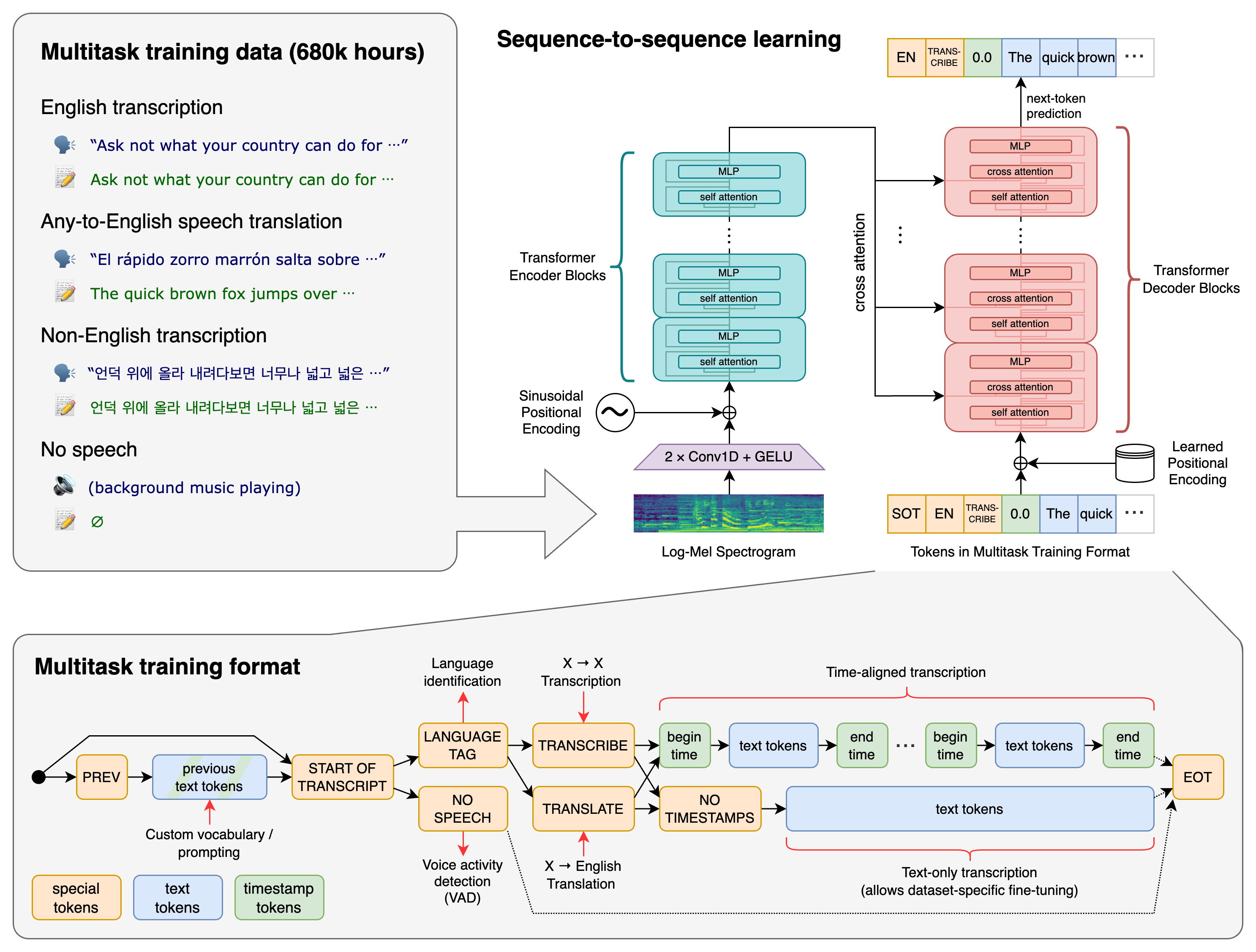
Thank you to user theckid from our forums for submitting news about the release of his latest project called "RadioTranscriptor". RadioTranscriptor can be used for real-time speech-to-text transcription, which is especially useful when you want to log radio communications and create searchable text files. theckid writes:
I just released an open-source Python tool that does real-time radio transcription using OpenAI’s Whisper model. It uses voice activity detection to only transcribe when speech is actually happening — great for monitoring radio chatter or voice nets on HF/VHF/UHF.
It’s designed for use with SDRs (Software Defined Radios) where audio is routed into the script. It performs:
Live microphone or SDR audio monitoring
RMS-based voice activity detection (VAD)
Automatic transcription with Whisper
Timestamped logs saved per session
It’s perfect for:
Ham radio operators
Emergency scanners
Broadcast archiving
Signal analysis enthusiasts
The AI model used is Whisper by OpenAI. The software uses NVIDIA CUDA GPUs when available and defaults back to CPU if none are available.
A few days ago, we posted news that NOAA-18 was to begin decommissioning steps effective immediately due to a recent transmitter failure. Multiple reports have now confirmed that NOAA-18 has indeed shut down as of 1740 UTC 06/06/2025.
We're happy to announce that we have released a new USB-C version of the popular RTL-SDR Blog V3 and V4 dongles on our store at www.rtl-sdr.com/store!
Many members of the RTL-SDR community have been requesting a USB-C version for some time now. The dongle circuitry is identical to your favorite V3 and V4 models, but the USB-A plug has been replaced with a USB-C female plug instead.
The new V4c RTL-SDR Blog V4 with USB-C Plug
Please note that you will need a USB-C cable to use the dongle (not included); however, we always recommend using a USB cable with the dongle anyway to avoid strain on your USB ports and to get the dongle further away from the RF-noisy PC. Also, please note that the dongle is still USB 2.0, as simply changing to a USB-C plug does not change the USB spec.
So far, we have only produced a small batch of these USB-C dongles as a trial to test the market. If they prove popular, we will increase the number of dongles manufactured.
For now, we are only shipping these new units worldwide from our warehouse in China. They can be purchased at www.rtl-sdr.com/store. Amazon USA will be stocked with a few hundred of these dongles within about a month.
The talk focuses on using SDR hardware such as the RX888, RTL-SDR, and Airspy devices combined with directional antennas for radio direction finding. Interestingly, they also discuss using ultrasonic microphones to find power line noise from bad transformers or insulators. The talk also focuses on ensuring that your SDRs receive real signals and what noise might look like on the spectrum.
This talk provides a comprehensive guide to identifying and locating radio transmitters. Learn about practical techniques, common tools, and methodologies from decades of combined experience finding, squashing, and mitigating against radio frequency interference.
Supercon 2024: Justin McAllister and Nick Foster - How to Track Down Radio Transmissions