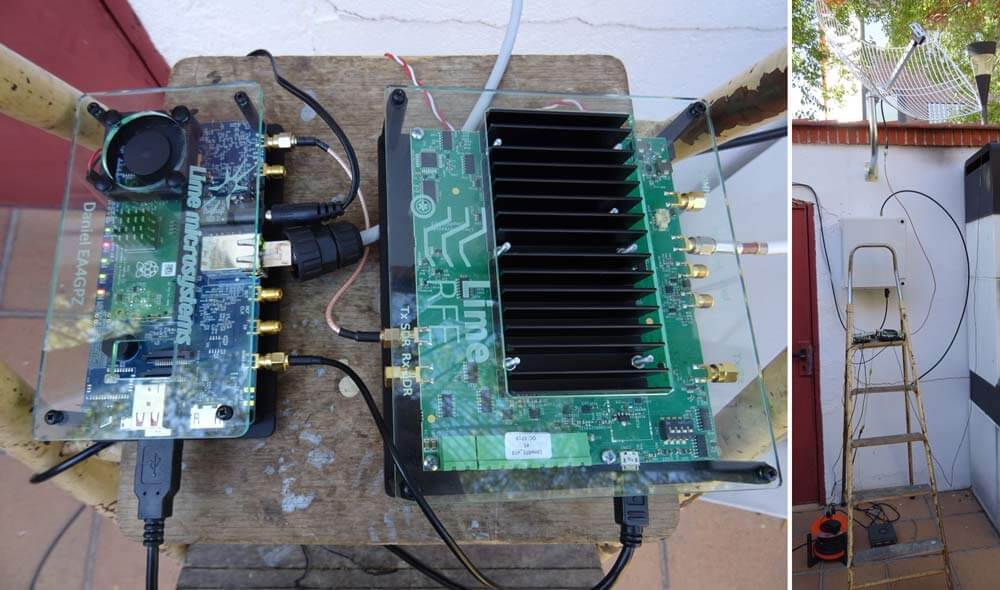
The LimeNet Micro is a is a $329 board that combines a Raspberry Pi 3 (compute module) together with a LimeSDR radio. The LimeRFE is an amplifier and filter board accessory designed to be used with LimeSDR units. When a LimeNET Micro and LimeRFE are used together, it is possible to create a transmit capable radio system that can be used for amateur radio.
In terms of software, Daniel is using a Python script that communicates with the Limesuite API for PTT control. For transmitting IQ data generated by GNU Radio he uses limesdr_send. So far he's been able to successfully test a CW beacon, SSB voice and waterfall text generated by gr-paint.
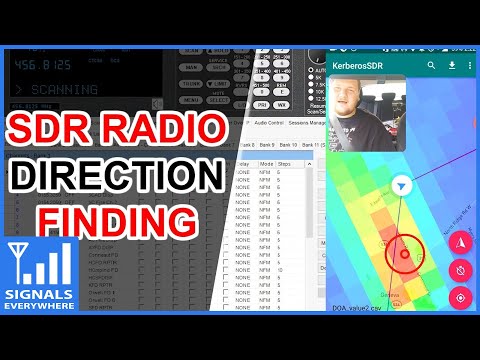
On this weeks episode of SignalsEverywhere, host Corrosive tests out our KerberosSDR coherent RTL-SDR unit for radio direction finding. If you didn't already know KerberosSDR is our experimental 4x Coherent RTL-SDR product. With it, coherent applications like radio direction finding (RDF) and passive radar are possible. Together with the KerberosSDR direction finding Android app it is possible to visualize the direction finding data produced by a KerberosSDR running on a Pi3/Tinkerboard.
In the video Corrosive uses the KerberosSDR together with the recently updated companion Android app to determine the location of a P25 control channel. By driving around with the app constantly collecting data he's able to pinpoint the location within about 15 minutes.
In addition to his video, Corrosive has also created a very useful calculator that can be used to calculate the required antenna spacing for a circular or linear direction finding array that can be used with the KerberosSDR.
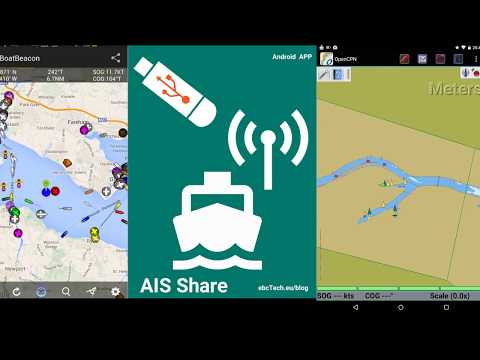
Thank you to Christian, programmer of the AIS Share Android App for letting us know about some updates to his AIS Share Android application. AIS Share is a €2 app for Android that allows you to turn an Android device into an AIS receiver together with an RTL-SDR. AIS stands for Automatic Identification System and is used by ships to broadcast their GPS locations in order to help avoid collisions and aide with rescues. An RTL-SDR with the right software can be used to receive and decode these signals, and plot ship positions on a map.
Recent updates to AIS Share have brought improved AIS reception, and updates allowing it to run on the latest Android version. A new video demonstrating the software was also uploaded to YouTube.
AIS SHARE - Android (RTL-SDR AIS receiver)
The App has also been featured in the February 2019 edition the "Practical Boat Owner" magazine (paid magazine with digital editions). The article discusses using AIS Share and an RTL-SDR to stream data to Boat Beacon, which is a popular chart navigation app. A similar but free tutorial on setting up AIS Share and Boat Beacon can be found here.
An excerpt of the Practical Boat Owner AIS Share RTL-SDR Article.
Oona (also known as [Windytan] and @windyoona) was recently looking for a way to capture PAL composite video from her old 1980’s Nintendo Entertainment System (NES) without spending a bunch of money on what are often poor video capture cards. As she already owned an Airspy SDR she decided to receive the PAL signal with the Airspy and modify some software to act as a PAL decoder.
SDR-based PAL decoder is still black & white, but after a notch filter on the audio the picture quality is getting a lot better. pic.twitter.com/SUoBlnBZF3
PAL decoding was handled via some modifications to her private Tempest software. Normally Tempest type programs like TempestSDR that we covered in a [previous article] are used to spy on computer/TV monitors from signals that are unintentionally emitted in the surrounding area.
Oona has made the connection from the composite output directly to the SDR antenna input so it’s not unexpected that you’d have a strong signal. However, I have to admit that’s an incredibly clear image for a video being demodulated via a software radio.
What makes this an even more amazing feat is that the latency is low enough that it’s nearly playable using a computer and SDR in place of a television set.
I’ve been looking for ways to capture NES video on my Mac. No easy+cheap solutions, but with some changes to my Tempest tool I can use the Airspy to receive the analog video carrier. The latency is almost good enough for playing, though it’s not my goal 🙂 pic.twitter.com/B6x44NEuvK
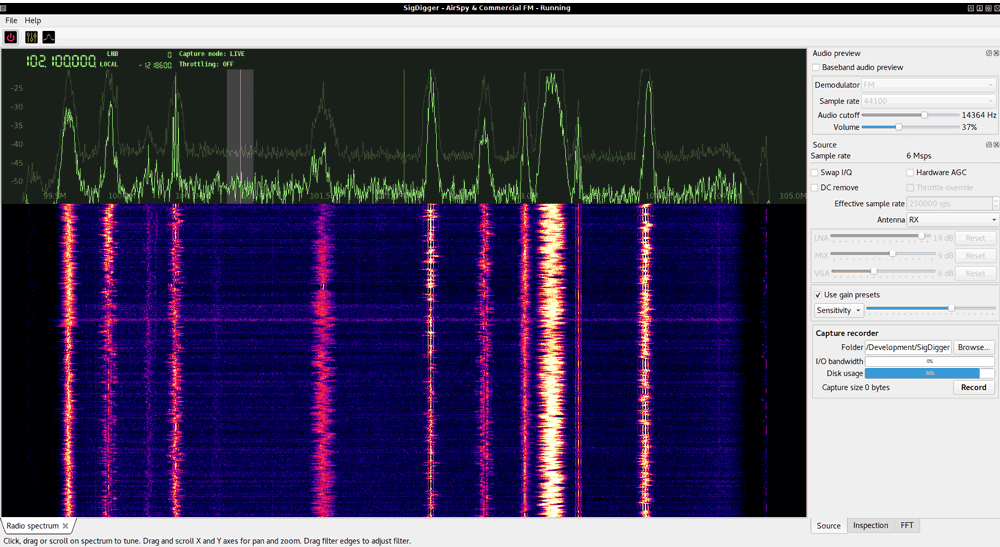
Recently a new open source Linux based SDR application called SigDigger was released by programmer BatchDrake (Gonzalo J. Carracedo). It is based on his own DSP libraries called Sigutils and Suscan which can take advantage of multi-core CPUs. SigDigger also makes use of the SoapySDR interface, so it is compatible with almost all software defined radios including the RTL-SDR.
SigDigger Screenshot
Like other general purpose SDR applications, SigDigger has your typical AM/FM/LSB/USB demodulation and audio playback features. However, it also has some key additional features that make it worth taking a look at if you're interested in reverse engineering, or taking a closer look at digital signals. The features include:
Both realtime and replay analysis modes
Analog audio playback (AM, FM, LSB and USB)
Baseband recording (full spectrum and per-channel)
Per-device gain presents
Dynamic spectrum browsing
ASK, FSK and PSK inspection
Gradient-descent SNR calculation
Different spectrum sources (cyclostarionary analysis, signal power…)
Symbol recording and visualization
Transition analysis
Planned features already implemented and just waiting to be exposed to the UI:
Symbol tagging (correspondence between symbols and groups of bits)
Automatic symbol tagging guessing
Automatic convolutional code detection
Viterbi decoding
We note that while the UI looks like GQRX, it is not based on GQRX at all. Rather BatchDrake just liked the minimal UI of GQRX. Also unlike GQRX, SigDigger is not based on GNU Radio, so it may be a bit more efficient and lightweight.
Below we've embedded a video that BatchDrake uploaded his YouTube channel which demonstrates SigDigger being used to inspect a PSK channel.
Using SigDigger to inspect a PSK channel
This software looks great, and we think it deserves some serious attention and testing, so check it out on the GitHub. Binary releases are also available, although BatchDrake notes that they are minimally tested, for x64 Linux only, and preferably for Debian-like distros. Alternatively, it can be installed from source, after installing the Sigutils and Suscan DSP library dependencies.
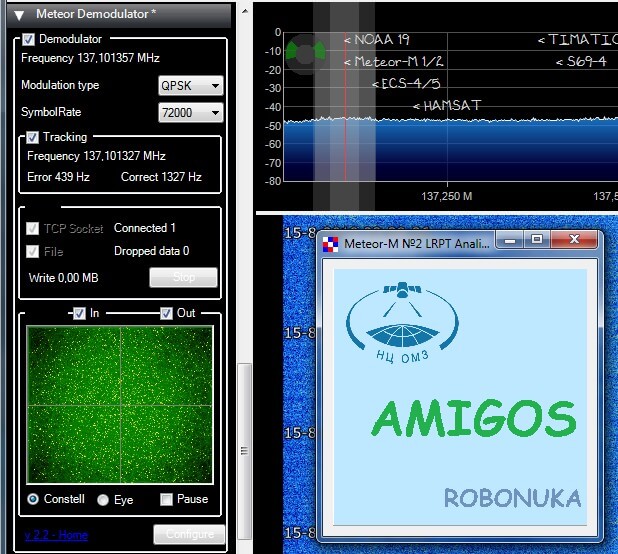
Thanks to Happysat for providing info on updates to these programs again. Meteor Demodulator V2.2 is a plugin for SDR# that connects to the M2 LRPT Decoder software. Together with an RTL-SDR and 137 MHz satellite antenna, these programs are used to receive, track, demodulate and decode Meteor M satellite signals into live weather satellite images. Happysat has a tutorial available here, however we note that at the time of this post it hasn't been updated to use the latest software versions.
The biggest change appears that you can now affect the decoder settings from within the SDR# plugin. This is useful because the METEOR M2-2 satellite appears to be changing it's operating mode often (number of infrared vs visible channels, data rate etc).
We also note news from Happysat that the Meteor M-N2-2 satellite has now changed frequency to 137.100 MHz mode 72K on 16 Aug. 9:30 Moscow time (6:30 UTC). Other users have also indicated that M2-2 is currently transmitting two IR channels, and one visible now. Meteor M2 appears to still be transmitting visible channels.
M2 LRPT Decoder V47:
- Added Meteor Demodulator V2.2 socket support
- only mode, sat, rgb are supported so far.
- Fix manual s-file processing
By design, the plug-in will manage the settings of the decoder and this should reduce the number of settings that must be done when changing the Meteor operating modes.
Example scheduler options:
M2_decoder_init_Line <rgb=123.jpg> or (rgb=125,444,555 ect)
In order for the decoder to work with Meteor Demodulator V2.2 http://happysat.nl/meteor_2.2.zip , the ini-file mode and sat entries must be assigned to auto!
Added interaction with Meteor LRPT-Decoder via socket.
At the beginning of the data transmission, the configuration of the modulation speed and modulation type (satellite name) is transmitted to the decoder.
That is, there is no need to change the decoder settings when changing 72K / 80K and M2 / M2.2.
It will receive signal information from the plugin.
It is enough to change the speed in the scheduler.
A new scheduler command "M2_decoder_init_Line <>" has been added to the plugin.
Using it, you can transfer any commands that are in the ini file of the decoder (for example, the command to select channels to save a color picture:
M2_decoder_init_Line <rgb = 123.jpg>)
In general, this allows you to change the settings when changing the reception conditions only in the scheduler and not in the entire chain of programs for processing the signal from the satellite.
M2 decoder compatible with these functions is >V47
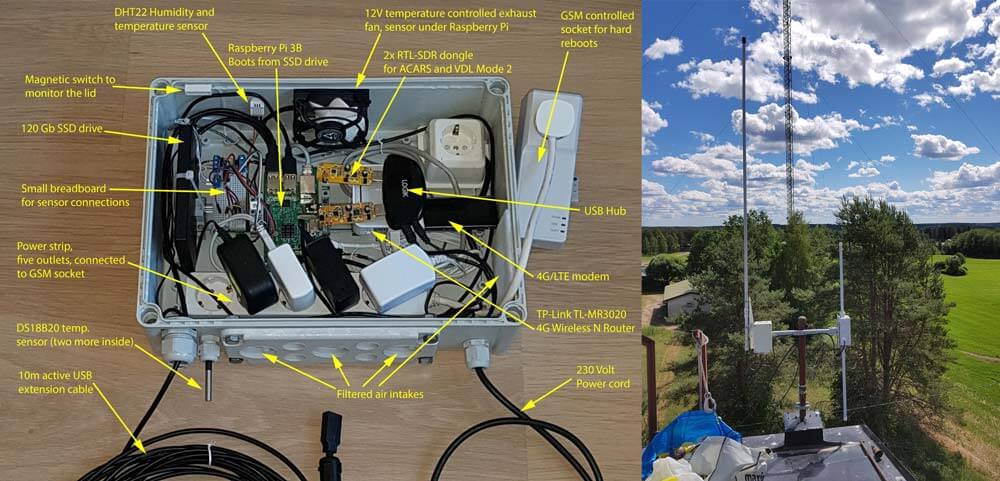
Over on Reddit u/tsimola has posted about his remote ADS-B station that is accessed via an LTE connection. When an opportunity came up to install a remote ADS-B station on a tall building with unobstructed 360 degree views, tsimola decided to build the best ADS-B monitoring station that he could, and make sure that it would be easily to maintain and monitor from afar.
He notes that his ADS-B station consists of a FlightAware Prostick Plus and 16-element collinear coaxial antenna. The following components are also used:
Power via UPS (1 hour and 45-minute runtime) and text message controlled power socket (for hard reboots)
Powered USB hub with three basic RTL-SDR dongles (ACARS, VDL Mode 2 and voice)
Three temperature sensors and one humidity sensor, 80 mm exhaust fan (filtered air intakes)
Magnetic switch for push notifications if the lid is opened (IFTTT and Webhooks)
LTE/4G router for Internet connection
In addition to the ADS-B station, tsimola has also added ACARS, VDL2, and AM voice air traffic control monitoring with a second station in the same location that utilizes three RTL-SDR dongles. This second airband station is connected to a 128 MHz tuned airband dipole antenna, with an LNA4all and GPIO labs airband filter.
As well as descriptions of the hardware, tsimola's post goes over his software choices and explains how it is securely accessed. We think that this is a very well put together build that should be replicated in other locations too.
A remote ADS-B, ACARS, VDL2 and Air Traffic Control Monitoring Station.
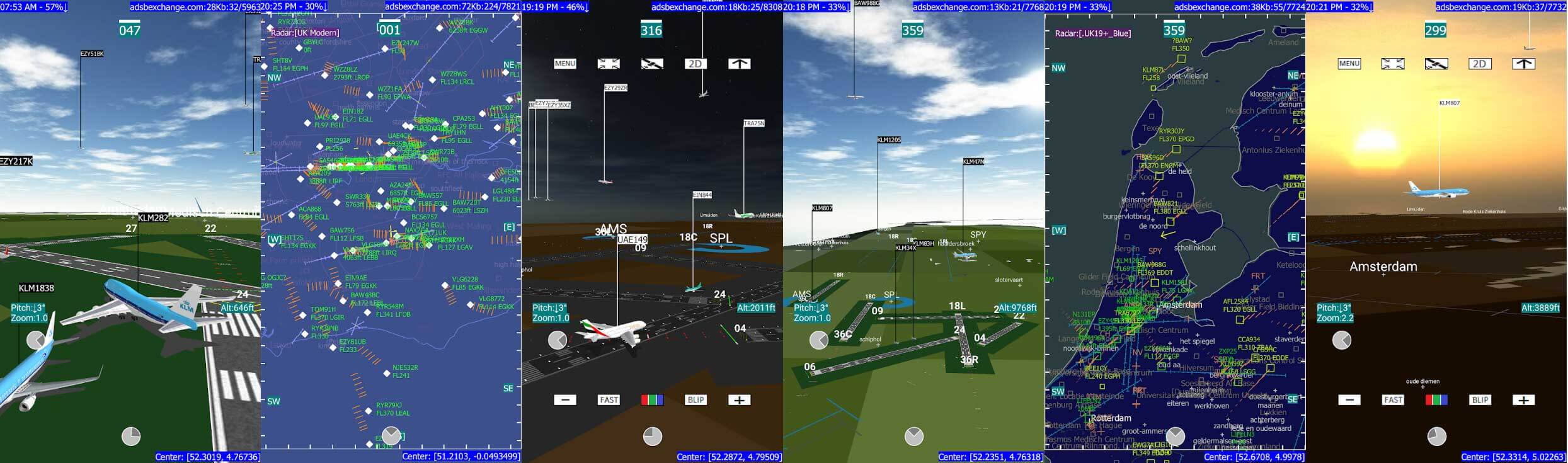
ADSB Flight Tracker is an Android App that allows you to display ADS-B flight data in either 2D or 3D. It works either with data shared from others over the internet via aggregation sites like adsbexchange.com, or via your own home ADS-B receiver data coming from an RTL-SDR and dump1090 server on your home network. You can also directly connect to an RTL-SDR that is running on your phone and this will allow you to get data faster with less lag. Using data shared by others from the internet could have a delay of a few seconds.
In order to keep using the 3D and RTL-SDR features you'll need to unlock them for a small in-app purchase of $2 for each feature. Initially you get about 30 minutes trial time however.
2D and 3D Screenshots from ADS-B Flight Tracker
Some interesting 3D videos were also recently posted to the apps Twitter page @ADSBFlightTrkr.