Category: Applications

Tutorial on using RS to Decode and Plot Radiosondes

A radiosonde is a small weather sensor package that is typically attached to a weather balloon. As it rises into the atmosphere it measures parameters such as temperature, humidity, pressure, GPS location etc, and transmits this data back down to a receiver base station using a radio signal.

Zilog's RS is a free open source radiosonde decoder for Linux and it supports a wide range of radiosonde protocols. Together with an RTL-SDR it is possible to receive radiosonde signals, and decode them using RS.

Over on his website, happysat has recently uploaded a tutorial that shows how to use RS with an RTL-SDR, CubicSDR or GQRX, and FoxtrotGPS, a GPS plotting program for visualizing the location of the radiosonde. The tutorial covers some tricky points like setting up audio piping in Linux, and getting the GPS data into a virtual COM port to use with FoxtrotGPS.

Alternatively, there are also Windows GUI based sonde decoders that can be used with the RTL-SDR such as SondeMonitor which costs 25 Euros, but also covers a wide range of sonde protocols, and RS41 Decoder which is a GUI for the RS41 sonde protocol only. If you are interested we have a tutorial on setting up radiosonde decoding in Windows with SondeMonitor available here.
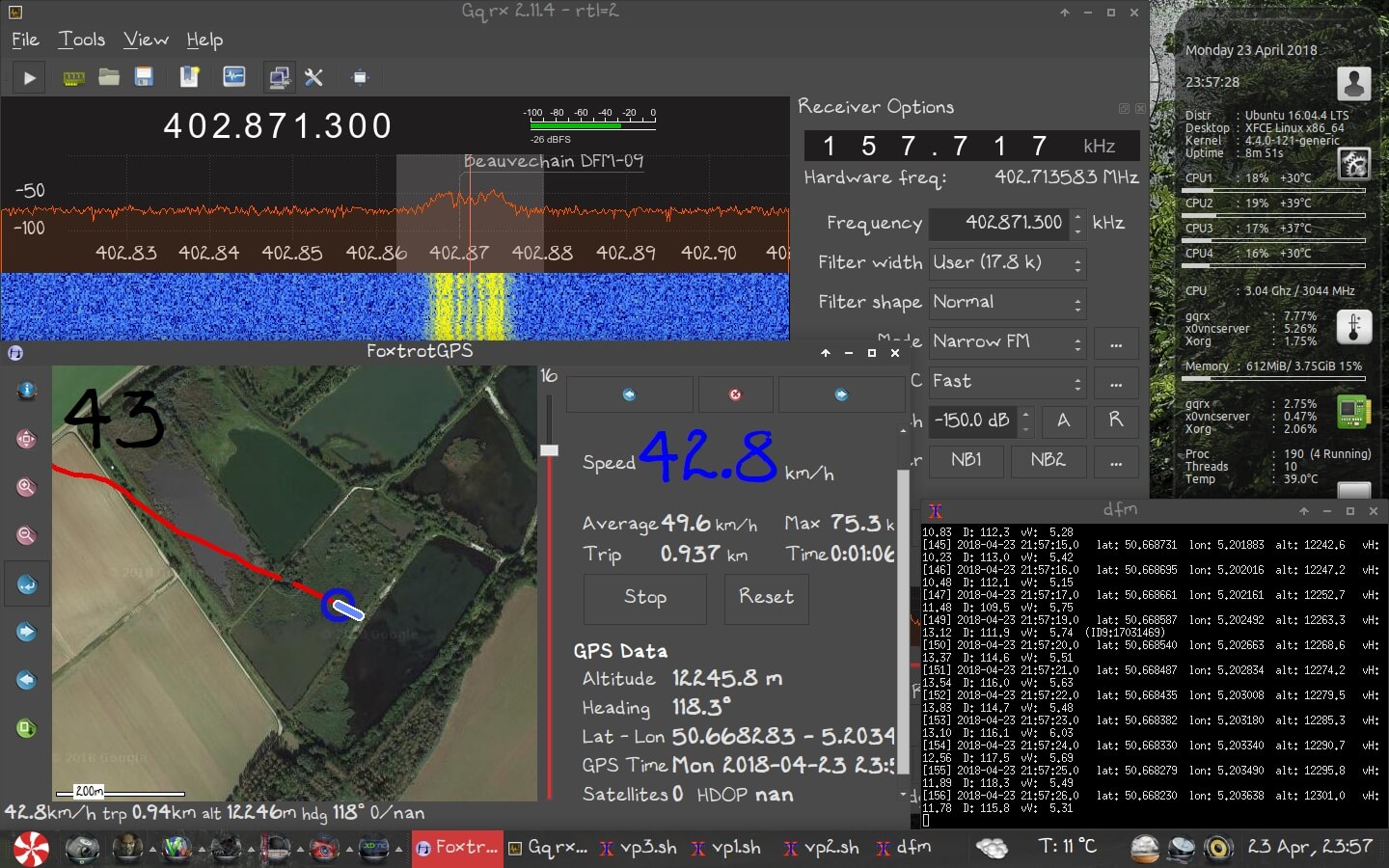
Plotting the Sonde Location with an RTL-SDR, GQRX, RS and FoxtrotGPS.

Understanding Direction Finding on the KiwiSDR

Earlier this month we posted about the KiwiSDR direction finding update, which now allows anyone with internet access to utilize public KiwiSDR's for the purpose of pinpointing the physical location of a transmitter that transmits at a frequency below 30 MHz.

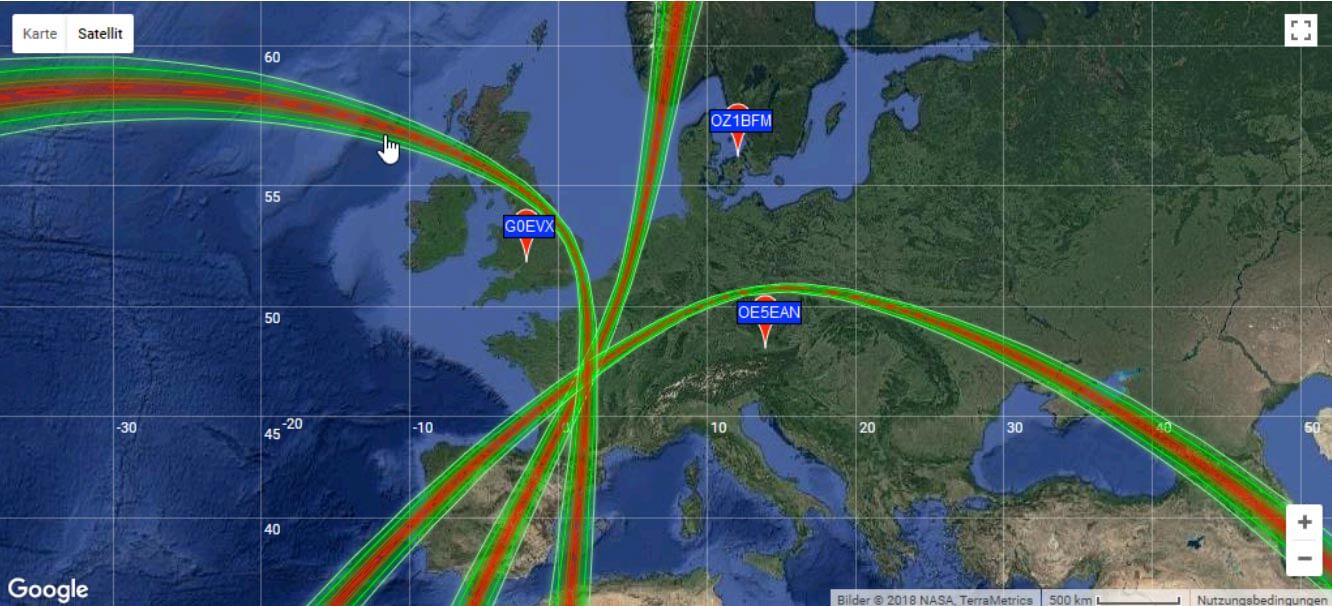
A few people have had trouble understanding how to use the direction finding feature, so KiwiSDR fan Nils Schiffhauer (DK8OK) has written up a KiwiSDR direction finding usage guide. Nils' guide explains the basic technical ideas behind the TDoA (Time Difference of Arrival) direction finding technique used, and highlights some important considerations to take into account in order to get the best results. For example he discusses best practices on how to choose receiver locations, how many receivers to choose, and how to properly take into account the time delaying effects of ionospheric propagation with HF signals.

Finally at the end of the document he shows multiple case studies on HF signals that he's managed to locate using the discussed best practices. Looking through these examples should help make it clear on how receiver locations should be chosen.

DK8OK Locates Radio France at 15320 kHz

PlutoWeb: Custom firmware for the PlutoSDR that enables you to Run OpenWebRX, dump1090 etc directly on the device

GitHub user unixpunk has been working on a custom firmware image for the PlutoSDR called 'PlutoWeb' (more info available on their website as well). The firmware allows you to run a web interface on the PlutoSDR and this allows you to run server programs such as OpenWebRX, Dump1090 and streaming servers like SoapyRemote. Because the PlutoSDR has a built in processor, this firmware can turn the SDR into a fully standalone device.

The PlutoSDR is an Analog Devices $99 RX/TX capable SDR with 20 MHz of bandwidth and a 325 MHz to 3.8 GHz frequency range that is software hackable to 56 Mhz of bandwidth and a 70 MHz to 6000 MHz frequency. It has an on board Xilinx Zynq Z-7010 FPGA, which has a built in dual core ARM Cortex-A9 processor as well. It has been out of stock for a while, but was recently restocked and can be purchased directly from Analog Devices, or via Arrow, DigiKey or Mouser.

If you're interested we previously did a review on the PlutoSDR, and have notes on enabling the software hack and setup available on this blog.

PlutoWeb Web Interface Running on the PlutoSDR.

Archiving Shortwave History with Software Defined Radio

Broadcast shortwave radio is not always archived for long at the station, so finding sound bites from interesting historical events can be difficult. We know that songs are of course recorded, but talk back radio, discussions in between music, news readings, weather updates, ads and pirate radio are all lost over time. Although these things may seem mundane now, future historians may be interested in listening in on this little slice of life.

At this years HOPE XIII conference, Thomas Witherspoon, owner of the popular SWLing Blog gave a talk titled "Creating a Radio Time Machine: Software-Defined Radios and Time-Shifted Recordings". Currently the talk is available as a full recording of all talks at the conference over on Livestream. Thomas' talk begins at about 9h03m45s (thanks to Aaron Kuhn from the comments for finding the talk. Hackaday also recently ran an article on the content of his talk.

Thomas' idea is to create a database of shortwave radio IQ recordings so that they can be archived for historical purposes. The project is called "The Radio Spectrum Archive" and has a website set up at spectrumarchive.org. To do this modern software defined radios like the RTL-SDR can be used to record a large bandwidth, however the problem is with data storage as IQ recordings can take up extremely large amounts of disk space. 

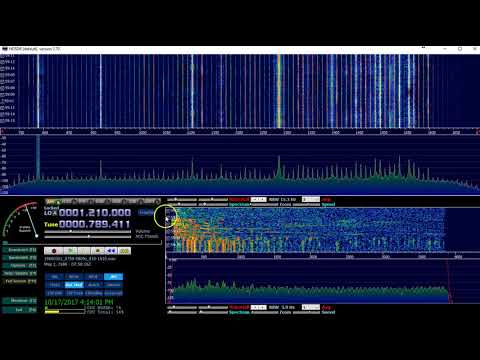
Interestingly, it turns out that people have actually been making IQ recordings since the 1980's by connecting their shortwave radios to VCR tape recorders. In the modern day these VCR recordings can be digitized into an IQ file, and played back in software like HDSDR. In the video below Thomas demonstrates the playback of a digitized VCR radio recording from May 1 1986. You can hear some interesting news tidbits on the soviet cover-up of Chernobyl, the Challenger disaster and the launch of a new hurricane tracking satellite. If recording was more popular it would have been interesting to hear soviet radio during this time too.

In addition to archiving IQ files, Thomas has been releasing a podcast of curated historical audio recordings from VCR tapes, as well as modern recordings that may be of interest over at shortwavearchive.com.

We envision a future where one day these recordings could be automatically turned into text logs via advanced speech to text software, so they could easily be searched through.

[Also seen on Hackaday]

Radio Spectrum Recordings: A short demonstration

Video Tutorial on Receiving ISS Astronaut Amateur Radio Conversations with RTL-SDR

Over on his YouTube channel Crazy Danish Hacker has posted a new video that shows how to pick up amateur radio voice signals from the International Space Station (ISS).

Often astronauts on the ISS will schedule times to chat with schools via amateur radio frequencies. This provides an opportunity to learn about radio whilst at the same time allowing kids to talk directly to an astronaut.

If you live in an area that can 'see' the ISS at the same time as the school then you can easily pick up the downlink (astronaut to ground) portion of the conversation while the ISS passes over. The downlink signal is fairly strong, so only a simple antenna is required. In his video Crazy Danish Hacker uses a telescopic whip attached directly to his RTL-SDR which is placed outside with a view of the sky.

International Space Station - Software Defined Radio Series #29

Tutorial on Setting up OP25 for P25 Phase 2 Digital Voice Decoding

Most police departments is the USA have now upgraded or are in the process of upgrading their radio systems to P25 Phase 2 digital radio. The frequencies can easily be received with an RTL-SDR, but a decoder is required to be able to actually listen to the voice. Software like SDRTrunk and DSDPlus can decode P25 Phase 1, but at the moment the only software that is capable of decoding P25 Phase 1 AND 2 is a program called OP25. However, OP25 has a reputation of being fairly difficult to set up as it does not have a simple to use GUI, and requires Linux.

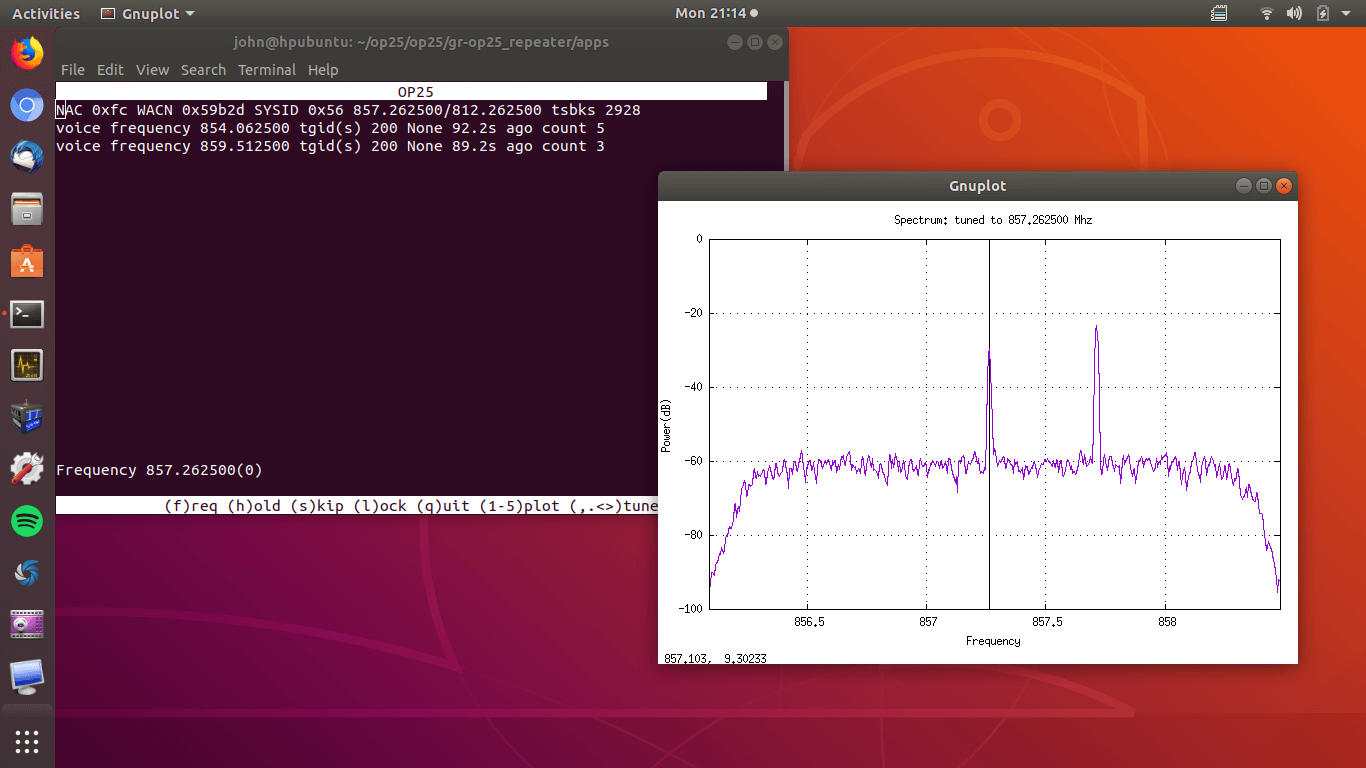
Over on John's Tech Blog, John has uploaded a very helpful step by step tutorial that should help with those trying to get OP25 to work. The tutorial assumes that you have Ubuntu 18.04 already installed, and then starts from downloading and installing OP25. The next steps involve setting up OP25 for the particular system in your area, which mostly involves just editing a spreadsheet to input frequency data from radioreference.com. John also mentions that he's been able to get OP25 running perfectly on a Raspberry Pi 3 B+ as well, with less than 40% CPU usage.

OP25 Running
OP25 Running

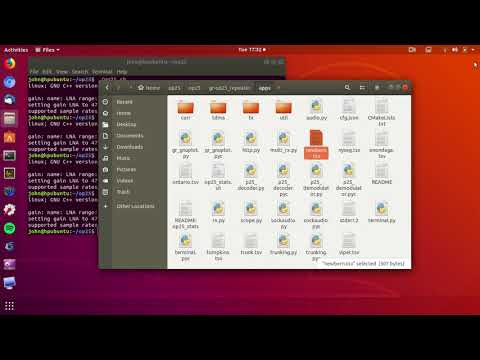
In the video below John reviews some of the steps, and shows OP25 running and decoding voice.

OP25 Tracking 2 Control Channels

Detecting The Sound of Bats with a Piezo Speaker and SDRplay RSP1A

Over on YouTube user Jan de Jong has uploaded a few screenshots and sounds on a video which shows that he was able to receive the ultrasonic sound of bats by connecting a small piezo speaker to an SDRplay RSP1A.

The piezo speaker used in reverse as a microphone appears to pickup bat echolocation sound waves which are typically between 20 to 200 kHz. The piezo is resonant in the 40 - 55 kHz range and converts sounds from that range into electric pulses that can be received directly by the RSP1A.

SDR RSP1A for Bat detection !

Using a HackRF to Spoof GPS Navigation in Cars and Divert Drivers

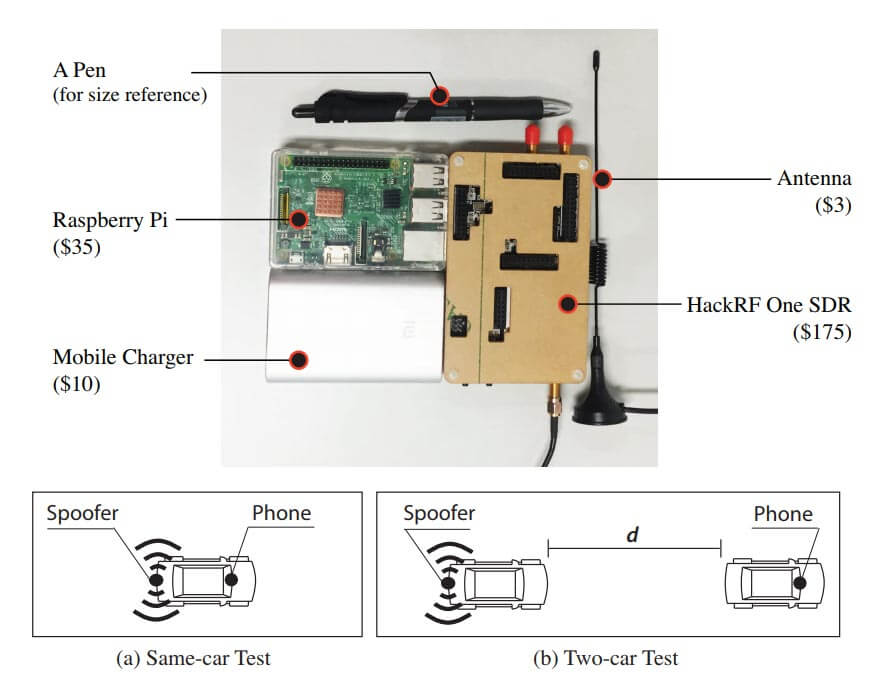
Researchers at Virginia Tech, the University of Electronic Science and Technology of China and Microsoft recently released a paper discussing how they were able to perform a GPS spoofing attack that was able to divert drivers to a wrong destination (pdf) without being noticed. The hardware they used to perform the attack was low cost and made from off the shelf hardware. It consisted of a Raspberry Pi 3, HackRF SDR, small whip antenna and a mobile battery pack, together forming a total cost of only $225. The HackRF is a transmit capable SDR.

The idea is to use the HackRF to create a fake GPS signal that causes Google Maps running on an Android phone to believe that it's current location is different. They use a clever algorithm that ensures that the spoofed GPS location remains consistent with the actual physical road networks, to avoid the driver noticing that anything is wrong.

The attack is limited in that it relies on the driver paying attention only to the turn by turn directions, and not looking closely at the map, or having knowledge of the roads already. For example, spoofing to a nearby location on another road can make the GPS give the wrong 'left/right' audio direction. However, in their real world tests they were able to show that 95% of test subjects followed the spoofed navigation to an incorrect destination.

In past posts we've seen the HackRF and other transmit capable SDRs used to spoof GPS in other situations too. For example some players of the once popular Pokemon Go augmented reality game were cheating by using a HackRF to spoof GPS. Others have used GPS spoofing to bypass drone no-fly restrictions, and divert a superyacht. It is also believed that the Iranian government used GPS spoofing to safely divert and capture an American stealth drone back in 2011.

Other researchers are working on making GPS more robust. Aerospace Corp. are using a HackRF to try and fuse GPS together with other localization methods, such as by using localizing signals from radio towers and other satellites.

[Also seen on Arstechnica]

Hardware and Method used to Spoof Car GPS Navigation.