Category: Applications

Using RTL_433 to Decode SimpliSafe Home Security Systems

SimpliSafe is an American DIY home security system company that claims over 2 million customers. Their system relies on 433/315 MHz ISM band wireless radio communications between its various sensors, control panels and remote controls. Back in 2016 we already posted about research from Dr. Andrew Zonenberg and Micheal Ossmann who showed that the SimpliSafe wireless communications are unencrypted, and can easily be intercepted, decoded, and spoofed. SimpliSafe responded to those concerns by downplaying them and mentioning that sophisticated hardware was required.

However, now Adam of simpleorsecure.net has recently disclosed a security advisory and a blog post discussing how easy it is to decode SimpliSafe wireless communications with an RTL-SDR and the rtl_433 software. He also also released slides from a recent talk that he did that go over his entire process and findings.

Adam began with some initial manual RF analysis with an RTL-SDR, and then later worked with rtl_433 dev Christian Zuckschwerd to add PiWM demodulation capability, which is the modulation used by SimpliSafe systems. Now Adam is able to easily decode the serial number, pin codes, and status codes transmitted by SimpliSafe sensors and key pads in real time with just an RTL-SDR.

This is very concerning as not only could a burglar easily learn the alarm disarm pincode, but they could also profile your behavior to find an optimal time to break in. For example if you arm your alarm before bed, and disarm in the morning your sleep schedule is being broadcast. It is also possible to determine if a particular door or window has been left open. With a tuned Yagi antenna Adam was able to receive signals from 200+ feet (60m) in free space, and 115 feet (35m) through walls.

In addition to the lack of encryption, Adam also discovered that the SimpliSafe system was susceptible to jamming attacks, and that the tamper detection system can be easily compromised. Adam has disclosed all concerns and findings to SimpliSafe who are aware of the problems. They assure him that next generation systems will not suffer from these flaws. But unfortunately for current generation owners, the hardware will need to be eventually replaced as there is no over the air update capability. 

An RTL-SDR and SimpliSafe KeyPad

A Lightweight Meteor M2 Demodulator

Over on GitHub dbdexter-dev has released a new lightweight and open source Meteor M2 demodulator. Meteor M2 is a Russian weather satellite that transmits images down in the digital LRPT format. This provides much higher resolution images compared to the NOAA APT signals. With an RTL-SDR, appropriate satellite antenna and decoding software it is possible to receive these images.

This new lightweight demodulator may be especially useful for single board PCs like the Raspberry Pi. Previously, on Linux GNU Radio based demodulators have been used, and GNU Radio isn't exactly a light weight piece of software. To use the software you first need to record an IQ file of the Meteor M2 LRPT signal, downsample the IQ file to 140 kHz (if required), then pass it into the demodulator. This will spit out an 8-bit soft-QPSK file which can be used with LRPTofflinedecoder (now known as M2_LRPT_Decoder) on Windows or meteor_decoder on Linux to generate an image.

An Example LRPT Image Received with an RTL-SDR from the Meteor-2 M2.
An Example LRPT Image Received with an RTL-SDR from Meteor-2 M2.

CalicoCAT: New Serial CAT Control Plugin for SDR#

CalicoCAT: CAT Control Plugin for SDR#

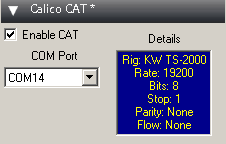
Thanks to Stephen 'Tag' Loomis (N0TTL) for submitting news about his new plugin called 'CalicoCAT' which is a serial CAT control plugin for SDR#. The plugin emulates the Kenwood TS-2000 CAT control command set, and is used to allow SDR# to communicate with other software running on the PC via a virtual serial port. To create a virtual serial port you can use free software like com0com.

Stephen notes that the plugin could be used to allow software like WSJT-X to control SDR#. For example you could use it to automatically change bands at certain times.

Video Demonstrating C-Band AERO Aircraft Tracking

AERO is essentially the satellite based version of aircraft ACARS. AERO's L-band signals contains short ground to air messages with things like weather reports and flight plans. The C-band signals are the air to ground portion of AERO and more difficult to receive as they require an LNB and large dish. However they are much more interesting as they contain flight position data, like ADS-B.

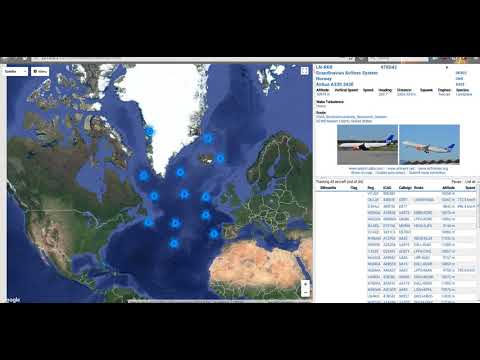
Over on YouTube Tomasz Haddad has uploaded a video of C-band AERO being received from the Inmarsat 3 F2 (Atlantic Ocean Region – East (AOR-E) 15W satellite. He uses a 1.80m motorized satellite dish with Kaonsat KS-N201G C-band LNB, a Prof 7301 PCI satellite card (to power the LNB) and an RTL-SDR V3. The C-band LNB translates the high C-band frequencies down to L-band which is receivable with an RTL-SDR. He notes that the LNB drifts quite a lot as it is not frequency stabilized.

With the signals received by his setup he's able to use the JAERO decoding software together with Virtual Radar Server to plot aircraft positional data using Virtual Radar Server. The plotted aircraft are mostly all in the middle of the ocean or in remote areas, which is where C-band AERO is normally used due to the lack of ground ADS-B stations.

Inmarsat 3 F2 15W C Band AERO Reception Using Jaero And Virtual Radar

Creating a Linear Transponder with an RTL-SDR, HackRF and Raspberry Pi

A linear transponder is essentially a repeater that works on a range of frequencies instead of a fixed frequency. For example, a normal repeater may receive at 145 MHz, and repeat the signal at 435 MHz. However, a linear transponder would receive a wider bandwidth, and add a set frequency offset to the received signal. For example a signal received by a linear transponder that receives from 145 - 145.5 MHz, may receive a signal at 145.2 MHz and it would translate that up to 435.2 MHz. Another signal received at 145.4 MHz would translate up to 435.4 MHz. Hence the received frequency linearly translates to the transmitted frequency.

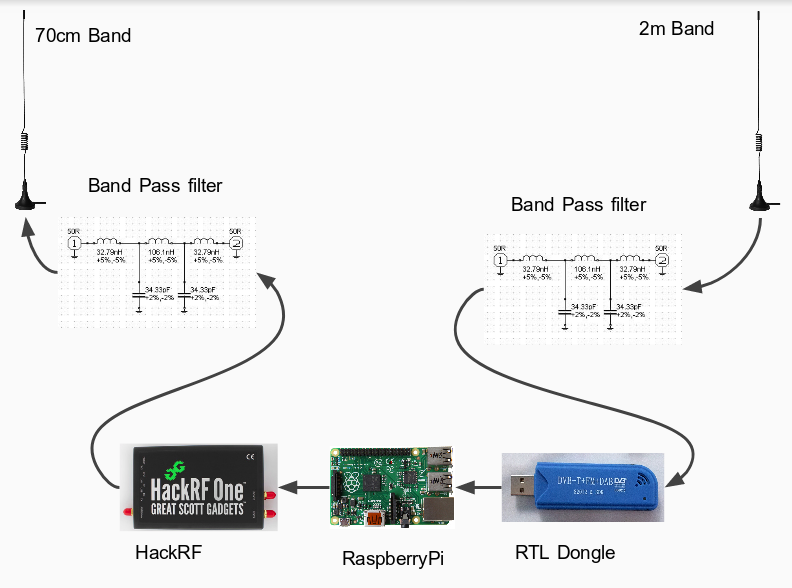
Over on his blog ZR6AIC has shown that it is possible to create a linear transponder using an RTL-SDR for receiving, a Raspberry Pi for processing the signal, and a HackRF for re-transmitting the signal. 2M and 70cm band bandpass filters are also used. For software he uses a GNU Radio flowchart that simply moves the IQ data from the RTL-SDR to the HackRF.

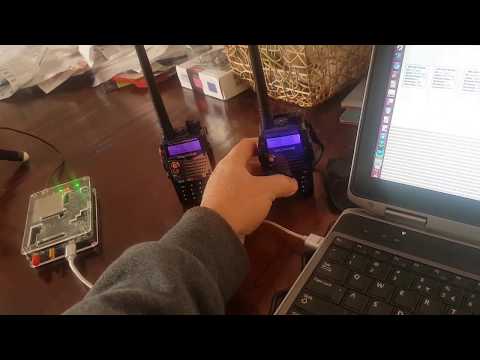
In the video below he demonstrates the linear transponder in action with two handheld radios.

A Linear Transponder made with HackRF, Raspberry Pi and RTL-SDR.
Building a Linear Transponder with Gnu Radio, rtl dongle and hackRF module..

SDR# TETRA Decoder Plugin Updated

The TETRA plugin for SDR# has been updated a few times since our last post on it back in March. The latest version can be downloaded directly here, and the original link comes from the Russian scanner forums.

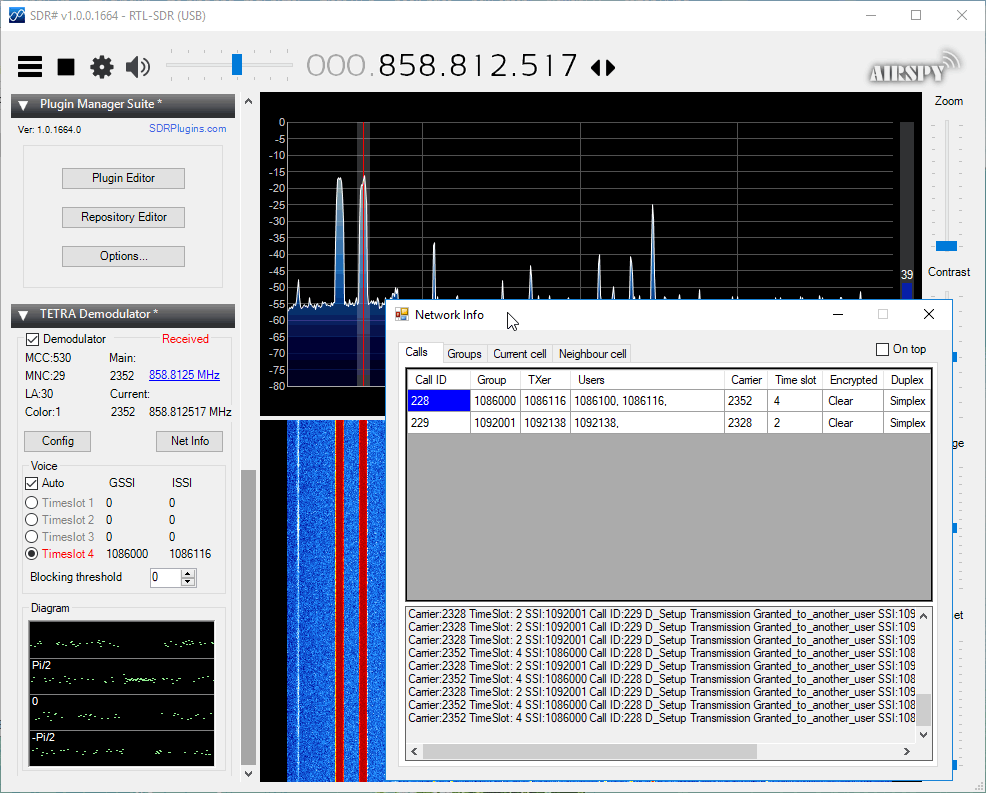
In the new version the 'Net Info' button is now functioning and it is possible to see the current calls, groups, and meta information on the current cell and neighbour cell. It also appears that it has been updated to allow for multiple SDR# TETRA decoder instances to be opened simultaneously now for wider band monitoring.

SDR# TETRA Plugin Net Info Window

Hacker Warehouse Demonstrates Pager Decoding with an RTL-SDR

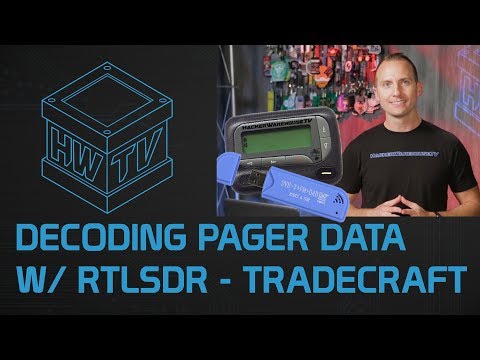
Over on YouTube the web show Hacker Warehouse have created a video explaining wireless pagers and how RTL-SDRs can be used to sniff them. In the video host Troy Brown starts by explaining what pagers are and how they work, and then he shows how to decode them with SDR# and PDW. We have a tutorial on this project available here too.

Later in the video he shows some examples of pager messages that he's received. He shows censored messages such as hospital patient data being transmitted in plain text, sports scores, a memo from a .gov address claiming allegations of abuse from a client, office gossip about a hookup, a message about a drunk man with a knife, a message from a Windows server with IP address and URL, a message from a computer database, and messages from banks.

In the past we've also seen an art installation in New York which used SDR to highlight the blatant breach of privacy that these pager messages can contain.

Decoding Pager Data with RTLSDR - Tradecraft

Building A Low Cost GOES Weather Satellite Receiver with an RTL-SDR

Over on Twitter and his github.io page, Pieter Noordhuis (@pnoordhuis) has shared details about his low cost RTL-SDR based GOES satellite receiving setup. GOES 15/16/17 are geosynchronous weather satellites that beam back high resolution weather images and data. In particular they send beautiful high resolution 'full disk' images which show one side of the entire earth. As the satellites are in geosynchronous orbit, they are quite a bit further away from the earth. So compared to the more easily receivable low earth orbit satellites such as the NOAA APT and Meteor M2 LRPT satellites, a dish antenna, good LNA and possibly a filter is required to receive them. However fortunately, as they are in a geosynchronous orbit, the satellite is in the same position in the sky all the time, so no tracking hardware is required.

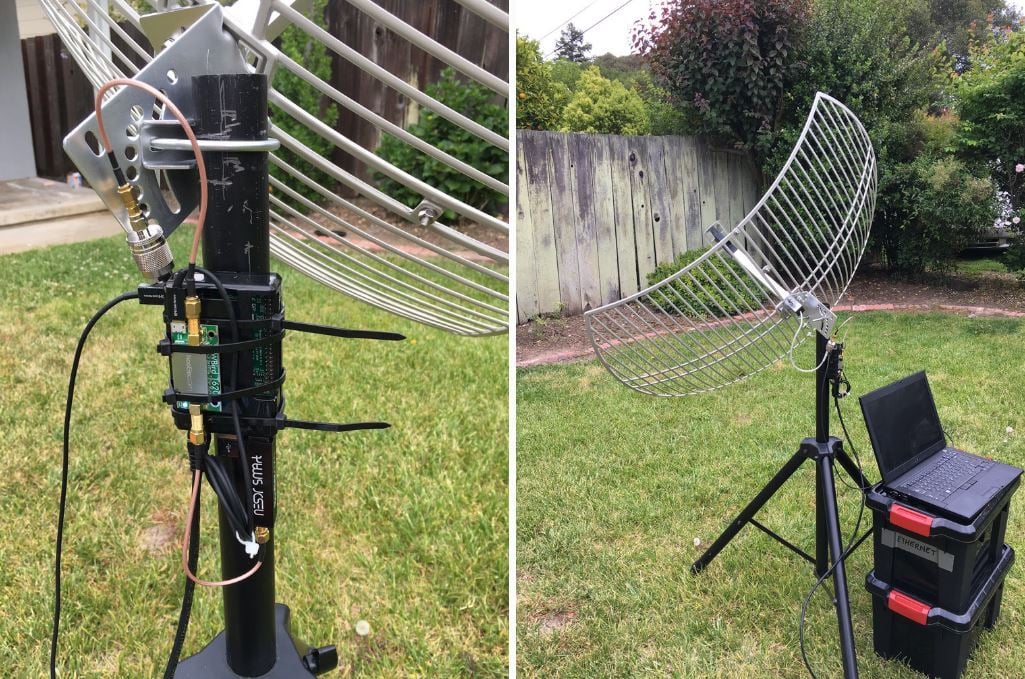
In the past we've seen people receive these images with higher end SDRs like the Airspy and SDRplay. However, Pieter has shown that it is possible to receive these images on a budget. He uses an RTL-SDR, a 1.9 GHz grid dish antenna from L-Com, a Raspberry Pi 2, the NooElec 'SAWBird' LNA, and an additional SPF5189Z based LNA. The SAWBird is a yet to be released product from NooElec. It is similar to their 1.5 GHz Inmarsat LNA, but with a different SAW filter designed for 1.7 GHz GOES satellites. The total cost of all required parts should be less than US $200 (excluding any shipping costs).

Pieter also notes that he uses the stock 1.9 GHz feed on the L-com antenna, and that it appears to work fine for the 1.7 GHz GOES satellite frequency. With this dish he is able to receive all three GOES satellites at his location with the lowest being at 25 degrees elevation. If the elevation is lower at your location he mentions that a larger dish may be required. It may be possible to extend the 1.9 GHz L-Band dish for better reception with panels from a second cheaper 2.4 GHz grid dish, and this is what @scott23192 did in his setup.

For software Pieter uses the open source goestools software that Pieter himself developed. The software is capable of running on the Raspberry Pi 2 and demodulating and decoding the signal, and then fully assembling the decoded signal into files and images.

Pieters GOES RTL-SDR Receiving Setup
Pieters Low Cost GOES RTL-SDR Receiving Setup