Category: Digital Signals

Tracking and Recovering A NWS Weather Balloon & Radiosonde with an RTL-SDR

Over on YouTube OLHZN High Altitude Balloons has posted a very entertaining video showing how to use an RTL-SDR and small grid dish antenna to track and recover a fallen weather balloon and its radiosonde. OLHZN writes:

The US National Weather Service (#NWS) launches over 200 weather balloons everyday carrying an LMS-6 #radiosonde / rawinsonde made by Lockheed Martin to an altitude of over 100,000 ft. and you can track & follow the flights from home and even find the landing site and pick them up! This is a fun #DIY project that you can do yourself from home and I'll show you how to do it here along with some tips so you can go find yourself a weather balloon & radiosonde!

How to track & recover a NWS weather balloon & radiosonde 🎈🎈 Ham Radio DIY

The RadioInstigator: A $150 Signals Intelligence Platform Consisting of a Raspberry Pi, RPiTX, 2.4 GHz Crazyradio and an RTL-SDR

Circle City Con is a yearly conference that focuses on information security talks. At this years conference Josh Conway presented an interesting talk titled "SigInt for the Masses Building and Using a Signals Intelligence Platform for Less than $150". Josh's talk introduces his "RadioInstigator" hardware which is a combination of a Raspberry Pi, CrazyRadio and an RTL-SDR all packaged into a 3D printed enclosure with LCD screen. The idea behind the RadioInstigator is to create a portable and low cost Signals Intelligence (SIGINT) device that can be used to investigate and manipulate the security of radio signals.

The RadioInstigator makes use of the RPiTX software which allows a Raspberry Pi to transmit an arbitrary radio signal from 5 kHz up to 1500 MHz without the use of any additional transmitting hardware - just connect an antenna directly to a GPIO pin. Connected to the Pi is a CrazyRadio, which is a nRF24LU1+ based radio that can be used to receive and transmit 2.4 GHz. And of course there is an RTL-SDR for receiving every other signal. Josh has made the plans for the RadioInstigator fully open source over on GitLab.

In his talk Josh introduces the RadioInstigator, then goes on to discuss other SDR hardware, antenna concepts and software installed on the RadioInstrigator like RPiTX, GNU Radio, Universal Radio Hacker, Salamandra, TempestSDR and more.

[First seen on Hackaday]

Track 3 07 SigInt for the Masses Building and Using a Signals Intelligence Platform for Less than 15

Using an RTL-SDR to Monitor A Tire Pressure Sensor used in Home Brewing

Over on YouTube Andreas Spiess has been helping his friend create a pressure monitoring system for his home brew beer bottles. In order to do this, Andreas uses an externally mounted after market wireless tire pressure sensor whose data can be received with an RTL-SDR and the rtl_433 decoder software. Modern vehicle tires contain a TPMS (tire pressure monitoring system) sensor, which keeps track of tire pressure, temperature and acceleration. The data is wirelessly transmitted via 433 or 315 MHz to the cars dashboard and computer for safety monitoring.

In the first video Andreas discusses tire pressure monitors and how they could be used for other non-tire applications, talks a bit about the wireless protocol used, and how to reverse engineer it. He notes that the author of rtl_433 was able to implement his particular tire pressure sensor brand's protocol into the rtl_433 database, so now anyone can decode them. Finally in this video he also shows that he can easily spoof a flat tire signal using a HackRF and GNU Radio which might cause a modern high end car to refuse to move.

The second video shows how to continuously monitor that TPMS data for the home brew set up. Andreas uses an RTL-SDR and Raspberry Pi running rtl_433, which outputs it's data into Mosquitto, Node-Red, InfluxDB and the Grafana. These programs help to read, manage, log and graph the data. The rtl_433 program is also monitored by Supervisord which automatically restarts rtl_433 if the program crashes.

If you are interested, there is a related video that was uploaded in between the two shown below which shows how he created a 3D printed cap to mount the valve and tire pressure sensor on the beer bottles.

#261 Measure Pressure Remotely (including TPMS Hacking / Attack) for Beer Brewing

#270 Safely Monitor and Alarm with Supervisord and Telegram

QIRX SDR Now Shows Received DAB Transmitters on A Map

QIRX SDR is an RTL-SDR compatible program that focuses on DAB+ decoding and listening. In a recent update programmer Clem notes that the newest feature is a map powered by OpenStreetMap that can display a the location of received DAB stations. He writes

The main new feature is the integration of Openstreetmap to display the locations of DAB transmitters (please see attached picture of a raw recording from England), together with the own position of the receiver.

In case the transmitter ident code (TII) is detected and the transmitter is contained in the database, it is displayed on the map as an icon, colored according to the TII signal strength.

The "Own Position" is indicated as a red or green dot, either (without GNSS sensor) placed by dragging the red circle with the mouse to its correct position, or by attaching a GNSS (GPS or GLONASS) sensor.

When recording raw I/Q data, the GNSS positions are written into a second file, parallel with the .raw file. On replaying, the current recorded geolocation is displayed synchronously to the recorded transmitters on the map. This might be useful in a mobile environment. The distances are displayed in the TII table.

The transmitter database comes from two sources:

  • UK: Public OFCOM database,
  • Rest of Europe: DABLIST (www.fmlist.org), as provided by the UKW/TV Arbeitskreis e.V. (www.ukwtv.de).

Currently, both databases are merged into a single, local Excel file, serving as the data source to the software.

QIRX SDR Screenshot with OpenStreetMap and Received DAB Transmitter Locations Showing

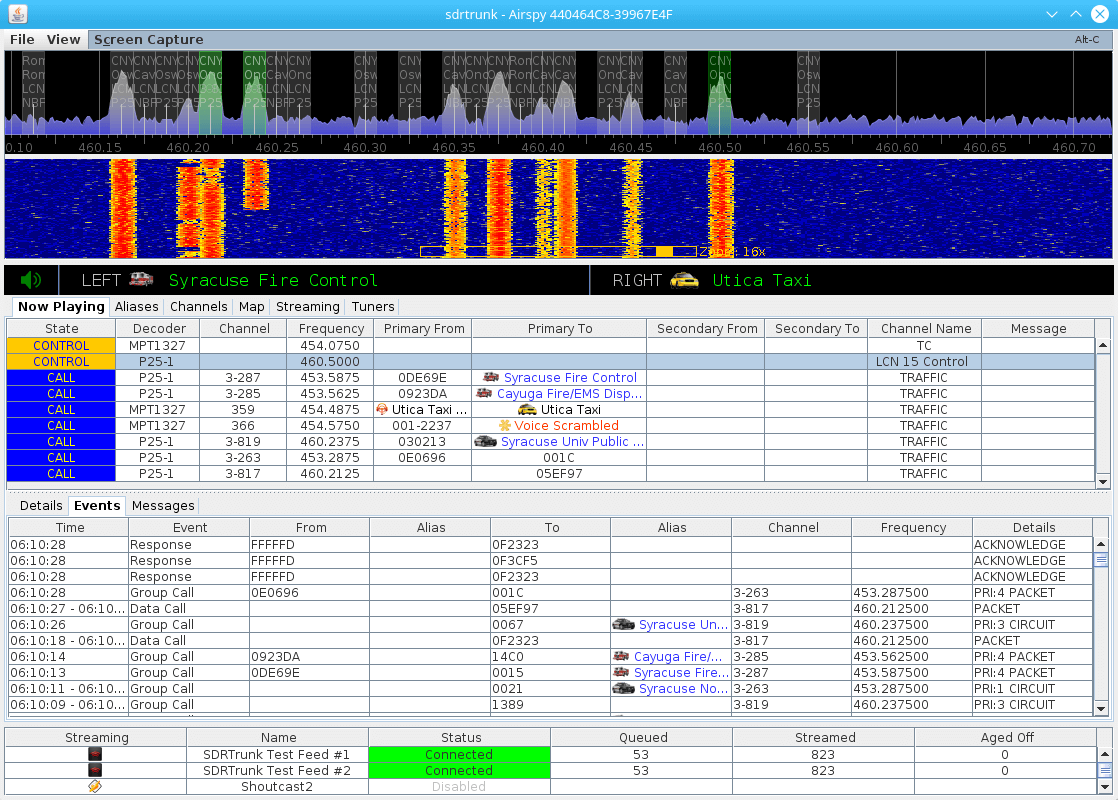
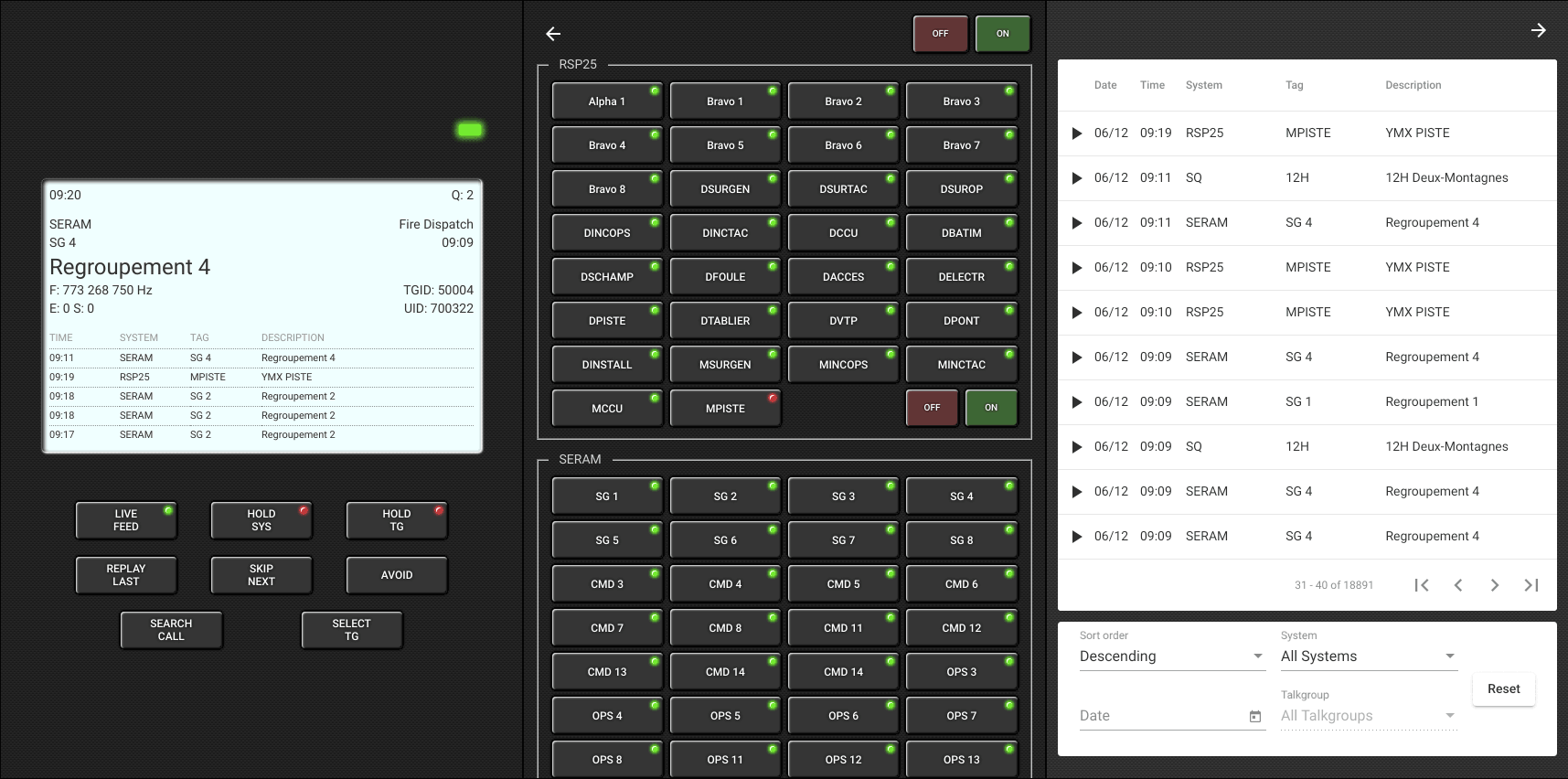
SignalsEverywhere: P25 Trunking with Just One RTL-SDR and DSDPlus Fastlane

Over on YouTube Corrosive from the SignalsEverywhere channel has uploaded a new video showing us how to set up P25 trunking and decoding with DSDPlus Fastlane and only a single RTL-SDR.

Normally two dongles are required to follow a P25 trunking system. One dongle continuously receives the trunking channel, and a second tunes to the voice channel chosen by the trunking channel. However, the latest DSDPlus Fastlane has a feature that allows one only dongle to be used. It works by tuning back and forth between the control and voice channel. The disadvantage is that trunking information could be missed while tuned to a voice channel, so some calls could be missed.

RTL SDR Setup P25 Trunking With 1 SDR and DSDPlus FastLane

Decoding EMWIN Weather Information VHF Rebroadcasts with an RTL-SDR

EMWIN is an acronym for Emergency Managers Weather Information Network, and is a service for emergency managers that provides weather forecasts, warnings, graphics and other information in real time. EMWIN is broadcast from geostationary NOAA GOES satellites, and if you have a GOES SDR receiver setup it is possible to receive and decode EMWIN data.

However, if you don't want to set up a GOES receiver, KD9IXX writes on his blog how he investigated EMWIN and found that 24/7 dedicated EMWIN VHF repeaters are common around the US. Having found an EMWIN repeater in his area at 163.37 MHz he used the TrueTTY decoder and was able to successfully decode the 1200 baud 8-bit ASCII encoded signal and receive weather text information. He notes that VHF EMWIN is an excellent source of non-internet based weather data that could be useful to anyone requiring weather data in emergency circumstances.

EMWIN VHF Repeater Decoded with TrueTTY

Creating a DAB+ Radio Station with a LimeSDR

Thank you to Godrey L for submitting his article/tutorial that shows us how to broadcast a DAB/DAB+ radio station using a LimeSDR and ODR-mmbTools. The LimeSDR Mini is a US$159 12-bit TX/RX capable SDR that can tune between 10 MHz – 3.5 GHz, with a maximum bandwidth of up to 30.72 MHz. ODR-mmbTools is an open source DAB transmission chain which is compatible with USRP and LimeSDR SDRs.

DAB stands for Digital Audio Broadcast and is a digital broadcast radio signal that is available in many countries outside of the USA. The digital signal encodes several radio stations, and it is considered a modern alternative/replacement for standard analog broadcast FM.

The tutorial is split into four parts. The first part simply explains what SDRs are and in particular discusses the LimeSDR and how it can be used with ODR-mmbTools. Part two discusses what hardware you need, and explains what each component of the ODR-mmbTools software does. Part three gets into the actual setup of the software on Linux. Part four finishes with actually transmitting the signal and decoding it with an RTL-SDR and the Welle.io DAB decoder.

The end result is a DAB radio station with three stations being broadcast.

LimeSDR Transmitting 3 DAB stations, and receiving it with an RTL-SDR and Welle.io.

Scanner School Podcast Talks SDR Topics with Signals Everywhere Host

Recently Scanner School released episode 70 of their podcast, and on this episode they talk about various SDR topics with Corrosive from the Signals Everywhere YouTube channel. If you follow out blog, you'll know that Corrosive is a YouTuber that is consistently putting out high quality YouTube videos on a range of SDR and other radio related topics.

Scanner School is an online workshop that aims to help you get setup with an RTL-SDR based DMR/NXDN/P25 trunking system in four classes. They also have a weekly podcast. The description of this weeks podcast with Corrosive reads:

Corrosive has been working on his YouTube channel for about 4 years, and has a ton of videos on the SDR topic. If there is something that I am looking a trying when it comes to SDR, the first place I look is on Corrosive's channel.

Today we talk about some advanced SDR topics, both for receiving and transmitting.

While we talk about the more advanced topics of SDR today, I know we all have to start somewhere. If you are looking for online training to help you get started with SDR, check out our new Intro to SDR Workshop. This course will guide you though purchasing an excellent and affordable SDR to get started with.

Additionally, we will turn this SDR into a DMR, P25, and NXDN trunked receiver that can do more than your expensive scanner.