Back in December of last year Corrosive from his YouTube channel SignalsEverywhere showed us a demo video of him receiving unecrypted DECT digital cordless phones with his HackRF.
DECT is an acronym for 'Digital Enhanced Cordless Telecommunications', and is the wireless standard used by modern digital cordless phones as well as some digital baby monitors. In most countries DECT communications take place at 1880 - 1900 MHz, and in the USA at 1920 - 1930 MHz. Some modern cordless phones now use encryption on their DECT signal, but many older models do not, and most baby monitors do not either. However, DECT encryption is known to be weak, and can be broken with some effort.
In his latest video Corrosive shows us how to install GR-DECT2 on Linux, which is the GNU Radio based decoding software required to decode the DECT signal. He then goes on to show how the software can be used and finally provides some optimizations tips.
DECT 6.0 Cordless Phone Eavesdropping {Install GR-DECT2 and Decode with HackRF SDR} or E4000 RTL SDR
A radiosonde is a small sensor and radio package normally attached to a weather balloon. Meteorological agencies around the world typically launch two balloons a day from several locations to gather data for weather prediction. With an RTL-SDR, appropriate antenna and decoding software it is possible to decode the telemetry signal and gather the weather data yourself. You can also use the GPS data to chase and collect the fallen radiosonde package. We have a tutorial on setting up a basic radiosonde decoder in Windows here.
However, if you want to set up a permanent radiosonde receive station it's possible to create an automatic system with a program called radiosonde_auto_rx. It works by performing an rtl_power scan over the radiosonde frequency range and looking for peaks that might indicate that a radiosonde is currently transmitting. If a peak is found it tries to decode it as a radiosonde, and if successful will begin uploading the weather data to an online aggregation site called sondehub.org. With this sort of system there is no need to know in advance the launch times and exact frequencies that your local meteorological agency uses, as often this information is not public.
Recently Mark Jessop and Michael Wheeler, the team behind radiosonde_auto_rx, also did a talk at the linux.conf.au conference. The talk explains radiosondes and demonstrates their software in action. They then go on to talk about chasing radiosondes, and re-purposing collected sondes.
Vasilli has recently released the SDR# TETRA plugin on his website RTL-SDR.RU (note that the site is in Russian, but can be translated with the Google Translate option in the top right of the page). Previously it was only available via ever changing forum links, so it's good to see that it has a permanent home now for the latest version. This plugin allows you to listen to TETRA digital voice via SDR#, without needing to set up any complicated GNU Radio based receivers which were necessary in the past.
The features include (note Translated from Russian):
Receiving a signal from the BS band 25kHz and modulation Pi / 4-DQPSK;
Automatic adjustment of the reception frequency;
Displays information about the BS;
Displays ISSI, GSSI subscribers in the channels (for open channels only);
Displays a service exchange network (for open channels only);
It allows you to listen to the channels in manual or automatic mode selection (only open channels);
It allows to filter and distribute the listening priority specified for groups (GSSI);
It displays a message with the location (just a short message format)
The current features not yet implemented are:
And listen to correctly display any encoded information in a network;
Display SDS type 4 (short messages);
Record audio from the channels (menu added, but does not work);
We also note that as discussed in a previous post there is a companion program for this plugin called TETRA Trunk Tracker.
Over on YouTube Corrosive from channel SignalsEverywhere has uploaded a new video in his series on Digital Amateur Television (DATV). The new video shows us how to use a transmit capable SDR like a LimeSDR or PlutoSDR to transmit DATV with a free Windows program called DATV Express.
In the video he explains the various transmit and video encoding settings, and then demonstrates the signal being received on SDRAngel with an RTL-SDR (which he explained in his previous video)
DATV DVB-S Transmitter With a LimeSDR or Pluto SDR and DATV Express
Thanks to "Lolo sdr" for submitting his videos that show his process for receiving and decoding Meteor M2 weather satellite images in Windows with an SDRplay and SDR-Console V3. Since the SDRplay is not supported by SDR#, it is not possible to use Vasilli's excellent Meteor Demodulator plugin (site in Russian, please use the Google Translate option) which is only available for SDR#.
Lolo's method gets around this limitation by initially recording an IQ file of the satellite pass in SDR-Console V3, then opening that IQ file in SDR# via the Fileplayer plugin, which is also by Vasilli and available here. The process is a bit of extra work, and the image isn't live, but the image comes out clearly in the end.
The videos are shown below, and subtitles are available in English, French and Italian via the YouTube player options.
Recibir y decodificar Satélite Meteor M2 con SDRplay, parte 1 de 2, grabar el pase, con subtitulos.
Recibir y decodificar Satélite Meteor M2 con SDRplay, parte 2 de 2, decodificar imagen y corrección.
Over on YouTube Corrosive has uploaded a new tutorial video showing us how we can demodulate DVB-S DATV (Digital Amateur TV) on a Windows PC with SDRAngel. DATV is a mode used by hams to transmit and receive digital video, and SDRAngel is a multiplatform SDR software platform that supports multiple SDRs such as the RTL-SDR, HackRF, PlutoSDR, LimeSDR and more.
SDRAngel comes with a built in DATV demodulator, but it is necessary to install the FFMPEG video decoder yourself. Corrosive's tutorial shows where to download the decoder, and how to install it into SDRAngel. He then goes on to show how to use SDRAngel to begin receiving and demodulating a DATV signal.
We note that in a previous post Corrosive also showed in another video how to transmit and receive DATV with a LimeSDR and a modified $20 DVB-S receiver.
WSPR is an amateur radio digital HF mode designed to be decodable even if the signal is transmitted with very low power and is very weak. It can be used to help determine HF radio propagation conditions as WSPR reception reports are typically automatically uploaded to wsprnet. Direct sampling mode on the RTL-SDR V3 allows you to receive HF signals without the need for an upconverter. For best results it is recommended to use a simple bandpass filter for the band of interest.
Zoltan's tutorial comes with a companion YouTube video where he demonstrates his set up. He uses a random wire antenna on his roof directly connected to an RTL-SDR V3, which is connected to a Raspberry Pi 3. The Pi 3 communicates to his home network via an Ethernet cable.
Making a standalone WSPR receiver with RPi and RTL-SDR V3 using rtlsdr-wsprd
Welle.io is a Windows/Linux/MacOS/Android/Raspberry Pi compatible DAB and DAB+ broadcast radio decoder which supports RTL-SDR dongles, as well as the Airspy and any dongle supported by SoapySDR. It is a touch screen friendly software which is excellent for use on tablets, phones and perhaps on vehicle radio touch screens.
Thank you to Albrecht Lohofener, the author of welle.io for writing in and sharing his news about the release on welle.io version 2.
welle.io 2.0 Beta 1 released
I’m happy to announce the version welle.io 2.0 Beta 1. Since the first rtl-sdr.com post roughly two years ago (Mar 2017) welle.io became the leading open source DAB/DAB+ SDR. Many people are using welle.io in their daily life and gave a lot of feedback.
With all this feedback we started developing the version 2.0. Apparently, the biggest change is the complete redesign of the user interface (GUI). It changed from a dark design to a bright design and handles easily different screen resolutions and orientations.
Many users asked for a favorite list, automatic playing of last station and a mute button. Now these features are ready to test with the 2.0 Beta 1!
Another new feature is the settings menu where users can set the hardware receiver with all the necessary settings. This is more user friendly than the command line parameters.
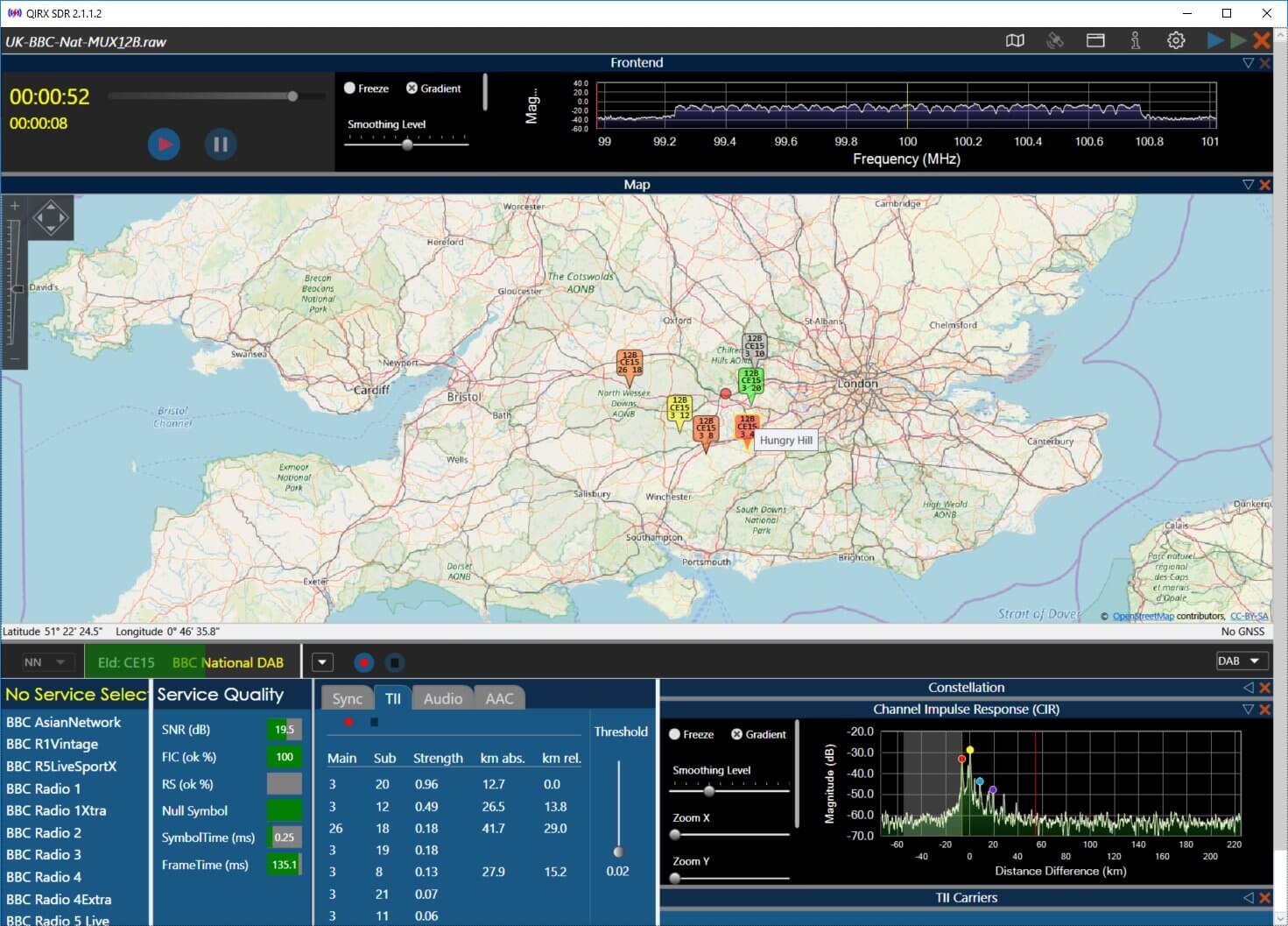
For people with a deep technical interest we improved the expert mode a lot. In addition to the spectrum users can also view the impulse response, null symbol and constellation diagram, even at the same time! An experimental I/Q RAW file recorder as well as a debug output window is available for systems without a text console.
In the back-end we improved the multi-path behavior and started a source code refactoring to allow the code to be easily maintained. Great thanks to the people from the Opendigitalradio association (http://www.opendigitalradio.org/) which are actively contributing to this project.
Now it is possible to build a complete DAB/DAB+ system (transmitter and receiver) with open source!
As a result from this collaboration welle-cli is available. The main use case is to monitor DAB/DAB+ transmitters networks over the internet. Thus it has a HTTP API and includes a basic Web page which shows the features.
Everyone is invited to test the new version and to report issues. For reports we recommend to open an issue at the welle.io Github page (https://github.com/AlbrechtL/welle.io/issues).
We are also looking for people who would like to contribute to welle.io (translations, web page, documentation and development).