Category: HackRF

Tesla Charging Ports Opened with HackRF Replay Attack

The charging port on Tesla electric vehicles is protected via a cover that can be opened by charging stations via a wireless signal transmitted at 315 MHz. It turns out that the command to open the port is totally without any security. This means it's possible to record or recreate the signal, and play it back anywhere using a transmit capable SDR device like a HackRF.

Twitter user @IfNotPike has done just that, managing to open the Tesla charging port using a handheld HackRF with Portapack setup. If you cannot record the signal, a repo hosting a valid signal file is available on GitHub from jimilinuxguy. Interestingly jimilinuxguy notes "The range for this is INSANE. I was able to perform this from VERY far away." and the same signal can be used to "open any and all Tesla vehicle charging ports in range"

Fortunately for Tesla owners, the level of damage a malicious party could cause through the charging port is limited, since the charging port is not active until a correct charging cable is connected. It also seems that the charging port on most models will automatically close after some time if no charger is connected.

Tesla Charging Port Opened with HackRF and Portapack | Credit: @IfNotPike

Receiving Analog TV from Turkmenistan Unintentionally Bouncing off a Russian Military Satellite

Over on Twitter @dereksgc has been monitoring the 'Meridian' communications satellites, which are Russian owned and used for civilian and military purposes. The satellites are simple unsecure repeaters, meaning that actually anyone with the hardware can transmit to them, and have their signal automatically rebroadcast over a wide area. This has been taken advantage of recently by anti-Russian invasion war activists who have been trolling the satellite with SSTV images of the Ukrainian flag, as well as audio.  

Apart from intentional abuse, a side effect of being an open repeater is that sometimes the satellite can pick up powerful terrestrial signals unintentionally, such as analogue broadcast TV from Turkmenistan. Over on his blog, @dereksgc has written up an excellent post documenting the background behind this finding, his entire setup involving the hardware he's using and how he's aligning with the satellite, and what software he is using to decode the TV signal. In his hardware setup he notes that he uses a HackRF, but that a RTL-SDR would suffice.

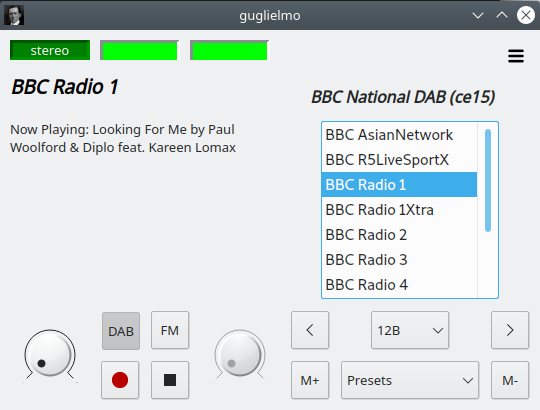
SignalsEverywhere: Review of SDR++ on Android

In our last post we mentioned that a 'pre-release' public version of SDR++ for Android was recently released. Now over on the SignalsEverywhere YouTube channel Sarah has uploaded a new video where she reviews and demonstrates the new SDR++ Android App. 

In the video Sarah demonstrates how to connect and start a SDR, shows SDR++ in action, then tests listening to NOAA weather audio reports, Inmarsat reception via the bias tee support, P25 and broadcast FM. She also shows how it's possible to use the split screen multitasking feature on Android to send audio from SDR++ into APRSdroid for APRS decoding.

She goes on to show how to fine tune the screen PPI resolution for different sized devices, and how to set up multi-VFO listening on the HF bands. Next, she compares the audio decoding quality between SDR++, SDRTouch and RFAnalyzer. Finally she shows that a HackRF running at a wideband 20 MHz of bandwidth can run smoothly. 

The Android SDR App That Beats Them All! Supports RTL-SDR Airspy HackRF and Many More!

SDR++ Android App Public Pre-Release Now Available

SDR++ is an open source program compatible with most software defined radios including the RTL-SDR that has been going through rapid development making it now one of the top software choices.

Yesterday a public 'pre-release' Android version of SDR++ was made available for download. The release is announced as a 'pre-release' due to various bugs still existing. However, we note that we have been testing a private release for the past few weeks, and we can say that it is working great most of the time. The Android App replicates most of the desktop experience perfectly, and it operates very smoothly on most modern devices.

The author Alexandre Rouma writes:

I'm happy to release the first public pre-release of SDR++ for android. It's still quite early and has a few bugs and quirks that you might run into:

  • SDR MUST be plugged in before starting SDR++ and you MUST press refresh in the SDR source you're using before pressing play if you first plugged in the SDR or unplugged/replugged, otherwise expect a crash. The USB handling still needs some work.
  • There are still a few UI glitches
  • There is no easy way to select a path for recording or file for playback
  • The audio sink on Android may have higher latency
  • All menus sometimes close when app goes in the background.
  • Resizing the menu and/or waterfall is kinda fiddly, be precise when trying to grab the resize bar!!!
  • At some size menu sizes, the app crashes. If this happens, start in landscape
  • On Samsung devices, the keyboard doesn't always work for some obscure reason...

MINIMUM REQUIREMENTS:

  • Android 9.0
  • OpenGL 2.1

Since phones usually have a high screen resolution, set the DPI scaling in the Display menu or you'll have a hard time using the app.

Current Device/Protocol Support:

  • Airspy
  • Airspy HF+
  • HackRF
  • PlutoSDR (network only)
  • RFspace
  • RTL-SDR
  • RTL-TCP
  • SDR++ Server
  • SpyServer

In any case, I'd love to get some feedback on it, so feel free to try it out and let me know!

Download Here: https://www.sdrpp.org/

PS: If you like this work, feel free to support me on Patreon, since putting it on the App Store won't be cheap and I want to make sure it's completely free with no ads!

SDR++ Android App Screenshot. Credit: goscickiw https://github.com/AlexandreRouma/SDRPlusPlus/discussions/703

Turbine: Capture and Stream all Frequencies in a Trunked Radio System with a HackRF

Over on Reddit we've discovered an interesting program called 'Turbine' that has recently been open sourced by the author. This program connects to a wideband capable SDR such as a HackRF and captures and streams all frequencies in a trunked radio system. Users can then browse the recordings online. On his reddit post u/norasector introduces Turbine, and his application for it called 'NoraSector'.

I am open sourcing the SDR code for NoraSector, which currently captures and streams the radio systems for both King and Snohomish County, WA. It uses a HackRF One to capture every channel concurrently, and can even process multiple systems at the same time, provided they are within the same bandwidth that is captured by the SDR and there's adequate reception. I plumb the output through a WebRTC streaming infrastructure I built to stream audio to clients over the web with very low latency. My goal was to give complete access to an entire system to anyone over the web, just as they would have if they were using a handheld scanner, and with comparable latency.

Turbine is a bit different other SDR software out there. It's written entirely in Go, and was built explicitly to only use a single SDR rather than bonding multiple SDRs together.

Turbine works by tuning known control frequencies and then tuning all voice frequencies it learns from them. Voice transmissions are encoded using the Opus audio codec for compatibility with WebRTC and blasted out as frames over UDP. It also includes a functional-but-janky built-in visualization web server to look at each stage of the DSP pipeline for each frequency, which was crucial for debugging as I was building it.

Right now, it only supports legacy Motorola SmartZone systems (which is what is used near me), but it shouldn't be a large lift to make it support P25. The code is heavily influenced by op25 and GNURadio (and in some places just outright copying them). I built it in Go because a) it's what I'm most familiar with and b) the sheer density of GNURadio made it hard for me to piece things together how I wanted. Go's concurrency model is a natural fit for doing many concurrent operations on the byte stream, and I haven't had issues with garbage collection pausing execution in a detrimental way.

Turbine isn't intended for use with lower sample rate SDRs like the RTLSDR. It has a driver for it, but doesn't support bonding multiple SDRs together. If an entire system fits within the 2MHz sample rate, it would probably be fine. You should be able to fire it up with a RTLSDR but it will not be able to capture very much. It currently only officially supports the HackRF One, but adding other SDRs should be relatively trivial. Note that the HackRF I am using is the model with the upgraded TCXO, as I found that the built-in oscillator was not accurate enough.

Turbine has only been tested to run on Linux and is very CPU-intensive; the production radio runs on a dedicated i7-11700k 8c/16t CPU and consumes about 60% of all cores decoding both systems. There are some potential optimizations that could be made that would lower CPU consumption during periods of low activity, but I built it for the worst case of having to encode every voice frequency at once.

The usual disclaimers about OSS apply. I hope you find it interesting or perhaps useful, and maybe portions can be adapted so Go can be used more in SDR projects.

There have been similar projects in the past like radiocapture-rf, scaneyes, and broadcastify calls, but Turbine looks like one of the most comprehensive.

Norasector: An implementation of the Turbine Trunk Recording software

SDR++ Server Beta Now Available

SDR++ is a general purpose receiver program compatible with almost any software defined radio including the RTL-SDR. Recent developments have seen the author release a beta of  "SDR++ server" which is a program that allows users to access SDRs remotely, by connecting to them over a network connection. This is similar to existing server applications like rtl_tcp and Spyserver, however like SDR++ itself, SDR++ Server is compatible with almost any SDR and that is a major drawcard.

The server is still in development and the author notes that he is still working on adding new features like lossless compression techniques in order to reduce network bandwidth requirements. However, it has already seen to be running well in tests with a remote server positioned half way around the world, even without compression enabled.

We note that SDR++ author 'Ryzerth' has a Patreon. If you like seeing these SDR++ developments please consider support him.

Reverse Engineering a 30 Year Old Wireless Garage Door Opener with a HackRF and GNU Radio

At his childhood home Maxwell Dulin discovered that his garage door was controlled by a 30 year old system called the "Sears Craftsman 139.53708 Garage Door Remote". Being interested in SDRs Maxwell decided to see if he could reverse engineer the remote using his HackRF.

His first steps were to search for the frequency which he found active at 390 MHz. He then moved on to analyzing the signal with Inspectrum, discovering the OOK modulation, then working his way towards the binary control strings. One thing that helped with his reverse engineering was the use of the 9-bit DIP switches on the remote that configure the security code that opens up a specific door as this allowed him to control the transmitted bits, and determine which bits were used for the security code. With this and a bit of GNU Radio code he was able to recreate the signal and transmit it with his HackRF.

Finally Maxwell wanted to see how vulnerable this door is to a brute force attack that simply transmits every possible security code. Through some calculations, he discovered that brute forcing every possible security code in the 9-bit search space would only take 104 minutes to open any garage using this opener.

GNU Radio replaces a 30 year old garage door remote

An APRS Tracker with HackRF, WebUSB and WASM

Thank you to Radoslav Gerganov for writing in and submitting news about the release of his open source web-based APRS tracker named "aprs-sdr". The web based software turns a HackRF device into a mobile APRS beacon.

Most interestingly the software works via the WebUSB interface, which allows for USB devices like a HackRF SDR to connect directly to the software through USB via the Chrome web browser. So no external app or software needs to be downloaded, all you need to do to run the code is open the hosted aprs-sdr page at https://xakcop.com/aprs-sdr with a Chrome browser, and connect the HackRF to your device.

Radoslav writes further:

The tracker is using the HTML Geolocation API to fetch the device’s location and WebUSB to talk with the SDR. The code which generates the packets is written in C++ and compiled to WASM. You can find the source at https://github.com/rgerganov/aprs-sdr.

And now to some results. I have successfully transmitted packets from my home to LZ0DOE (15km away!) using my Pixel phone, HackRF and ANT500. I find it amazing given the low TX power of HackRF.

Radoslav also notes that in the future he hopes to add other SDRs as well. He also notes that the script seems to work best on desktop Chrome. On mobile Chrome there may be a bug which stops transmission after a few packets.

Using the aprs-sdr WebUSB application.