Videos of talks from the Software Defined Radio Academy 2022 (SDRA22) conference have recently been uploaded to YouTube. SDRA22 was held during the HAMRadio World Fair in Friedrichshafen, Germany during June 2022. The talks include topics on:
Usage of SDR in a contest
HackRF Supercluster
PLLs in software defined radios
M17 Project: A new digital voice mode for VHF and up
RM Processor to Xilinx FPGA Connection for SDR
User-Assisted Spectrum Labeling
The perfect HF Receiver. How would it look like today?
FutureSDR: An Async SDR Runtime for Heterogeneous Architectures
FISSURE (Frequency Independent SDR-Based Signal Understanding and Reverse Engineering) is a recently released open source framework that runs on Linux, and includes a whole suite of previously existing software that is useful for analyzing and reverse engineering RF signals. On top of that it includes a custom GUI with a bunch of custom software that ties everything together in a full reverse engineering process.
Recently the developers spoke at this years Defcon conference, and the talk video is supplied at the end of this post. In their talk they explain the purpose of FISSURE, before going on to demonstrate it being used to reverse engineer a wireless X10 doorbell. FISSURE makes analyzing the signal easy, starting with spectrum analysis to find the signal, then signal recording, signal cropping, signal replay, crafting packets and crafting attacks.
News and developments about FISSURE can also be seen on their Twitter.
FISSURE is an open-source RF and reverse engineering framework designed for all skill levels with hooks for signal detection and classification, protocol discovery, attack execution, IQ manipulation, vulnerability analysis, automation, and AI/ML. The framework was built to promote the rapid integration of software modules, radios, protocols, signal data, scripts, flow graphs, reference material, and third-party tools. FISSURE is a workflow enabler that keeps software in one location and allows teams to effortlessly get up to speed while sharing the same proven baseline configuration for specific Linux distributions.
The framework and tools included with FISSURE are designed to detect the presence of RF energy, understand the characteristics of a signal, collect and analyze samples, develop transmit and/or injection techniques, and craft custom payloads or messages. FISSURE contains a growing library of protocol and signal information to assist in identification, packet crafting, and fuzzing. Online archive capabilities exist to download signal files and build playlists to simulate traffic and test systems.
The friendly Python codebase and user interface allows beginners to quickly learn about popular tools and techniques involving RF and reverse engineering. Educators in cybersecurity and engineering can take advantage of the built-in material or utilize the framework to demonstrate their own real-world applications. Developers and researchers can use FISSURE for their daily tasks or to expose their cutting-edge solutions to a wider audience. As awareness and usage of FISSURE grows in the community, so will the extent of its capabilities and the breadth of the technology it encompasses.
FISSURE RF Framework - Griffiss Institute & AIS Monthly Lecture + Education Series
Back in May we posted about CVE-2022-27254 where university student researchers discovered that the wireless locking system on several Honda vehicles was vulnerable to simple RF replay attacks. A replay attack is when a wireless signal such as a door unlock signal is recorded, and then played back at a later time with a device like a HackRF SDR. This vulnerability only affected 2016-2020 Honda Civic vehicles which came without rolling code security.
Recently a new vulnerability discovered by @kevin2600 that affects ALL Honda vehicles currently on the market (2012-2022) has been disclosed. The vulnerability is dubbed 'Rolling-PWN' (CVE-2022-27254) and as the name suggests, details a method for defeating the rolling code security that exists on most Honda vehicles. Rolling code security is designed to prevent simple replay attacks, and is implemented on most modern vehicles with wireless keyfobs. However @kevin2600 notes the following vulnerability that has been discovered:
A rolling code system in keyless entry systems is to prevent replay attack. After each keyfob button pressed the rolling codes synchronizing counter is increased. However, the vehicle receiver will accept a sliding window of codes, to avoid accidental key pressed by design. By sending the commands in a consecutive sequence to the Honda vehicles, it will be resynchronizing the counter. Once counter resynced, commands from the previous cycle of the counter worked again. Therefore, those commands can be used later to unlock the car at will.
The vulnerability has been tested on various Honda vehicles with HackRF SDRs, and this seems to indicate that all Honda vehicles since 2012 are vulnerable.
Although no tools have been released, the vulnerability is simple enough and we've already seen people replicate results.
I was able to replicate the Rolling Pwn exploit using two different key captures from two different times.
The story of Rolling-Pwn has already been covered by magazines and news organizations such as TheDrive, Vice, NYPost, and FoxLA.
It should be noted that when the previous replay attack vulnerability was highlighted, Honda released a statement noting that it has no plans to update its older vehicles. It is likely that Honda will not issue updates for this vulnerability either. It is possible that this vulnerability extends beyond just Honda vehicles too.
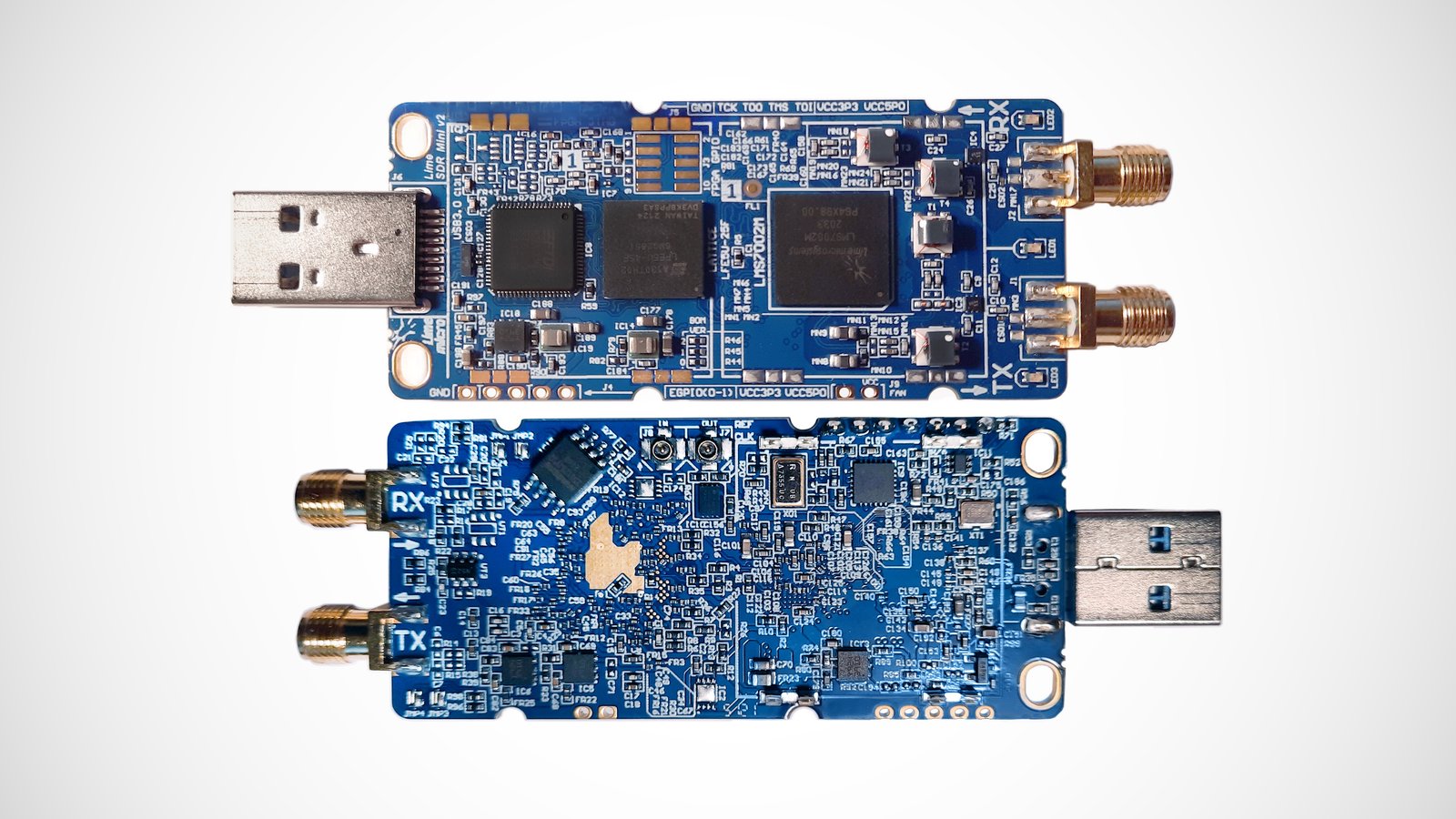
The new pricing is at quite a premium over the original LimeSDR Mini which released in 2017 for US$139, and the standard LimeSDR which released in 2016 for US$249. However we of course must to take into account the extreme inflation of electronic parts pricing that has occurred over the past few years.
Lime Micro have also noted that the standard LimeSDR has also now been discontinued due to the same supply shortages. The standard LimeSDR had 2x2 RX/TX channels and was capable of a bandwidth of up to 61.44 MHz. In comparison, both versions of the LimeSDR Mini are a 1x1 channel product with 40 MHz of bandwidth.
The LimeSDR Mini 2.0 is almost identical to the LimeSDR Mini 1.0, both still making use of the LMS7002 RF transceiver as the main chip and using the same overall design. The only change is an upgrade to the FPGA, which replaces the Intel MAX 10 16k logic gate FPGA with a significantly more capable Lattice ECP5 44k logic gate FPGA.
Given the new pricing, people on the lookout for a new hacker/research/experimenter SDR in this price range might want to consider this brief comparison to find the best suited SDR for your needs:
LimeSDR Mini 2.0- US$399
1x1 channels, 40 MHz bandwidth, 10 MHz to 3.5 GHz, 12-bits.
A few months ago University student Ayyappan Rajesh and HackingIntoYourHeart reported cybersecurity vulnerability CVE-2022-27254. This vulnerability demonstrates how unsecure the remote keyless locking system on various Honda vehicles is, and how it is easily subject to very simple wireless replay attacks. A replay attack is when a wireless signal such as a door unlock signal is recorded, and then played back at a later time with a device like a HackRF SDR.
Most car manufacturers implement rolling code security on their wireless keyfobs which makes replay attacks significantly more difficult to implement. However, it appears that Honda Civic models (LX, EX, EX-L, Touring, Si, Type R) from years 2016-2020 come with zero rolling code security:
This is a proof of concept for CVE-2022-27254, wherein the remote keyless system on various Honda vehicles send the same, unencrypted RF signal for each door-open, door-close, boot-open and remote start(if applicable). This allows for an attacker to eavesdrop on the request and conduct a replay attack.
In the videos on the GitHub demonstration page they show a laptop with GNU Radio flowgraph and a HackRF SDR being used to turn the engine of a Honda civic on, and to lock and unlock doors.
Various news agencies reported on the story, with "The Record" and bleepingcomputer contacting Honda for comment. Honda spokesperson Chris Martin replied that it “is not a new discovery” and “doesn’t merit any further reporting.” further noting that "legacy technology utilized by multiple automakers” may be vulnerable to “determined and very technologically sophisticated thieves.”. Martin went on to further note that Honda has no plans to update their vehicles to fix this vulnerability at this time.
Laptop and HackRF used to turn on a Honda Civic Engine via simple Replay Attack.
In the past we've seen similar car hacks, but they have mostly been more advanced techniques aimed at getting around rolling code security, and have been difficult to actually implement in the field by real criminals. This Honda vulnerability means that opening a Honda Civic could be an extremely simple task achievable by almost anyone with a laptop and HackRF. It's possible that a HackRF and laptop is not even required. A simple RTL-SDR, and Raspberry Pi with the free RPiTX software may be enough to perform this attack for under $100.
Recording the "unlock" command from the target and replaying (this works on most if not all of Honda's produced FOBs) will allow me to unlock the vehicle whenever I'd like to, and it doesn't stop there at all On top of being able to start the vehicle's ENGINEWhenever I wished through recording the "remote start", it seems possible to actually (through Honda's "Smart Key" which uses FSK) demodulate any command, edit it, and retransmit in order to make the target vehicle do whatever you wish.
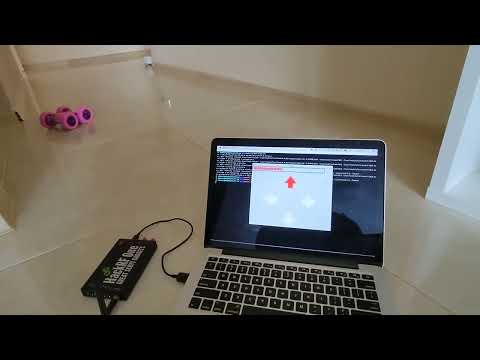
Over on his blog Radoslav has created a post showing how he has used a HackRF to wirelessly control a toy RC car by reverse engineering the wireless control protocol, and generating the control signals in a C++ program.
Having already created the rf-car HackRF RC car control software on GitHub a few years ago, Radoslav was easily able to modify it for a new RC car that his daughter received. The process was to simply look up the FCC data on it, finding that it operated with 2.4 GHz and used GFSK modulation. He then used the Inspectrum signal analysis tool to determine the bit strings used to control the car. Finally using, his C++ interface to the HackRF he implemented the new bit string and GFSK modulation.
The video below demonstrates Radoslav controlling the RC car with the keyboard on his laptop.
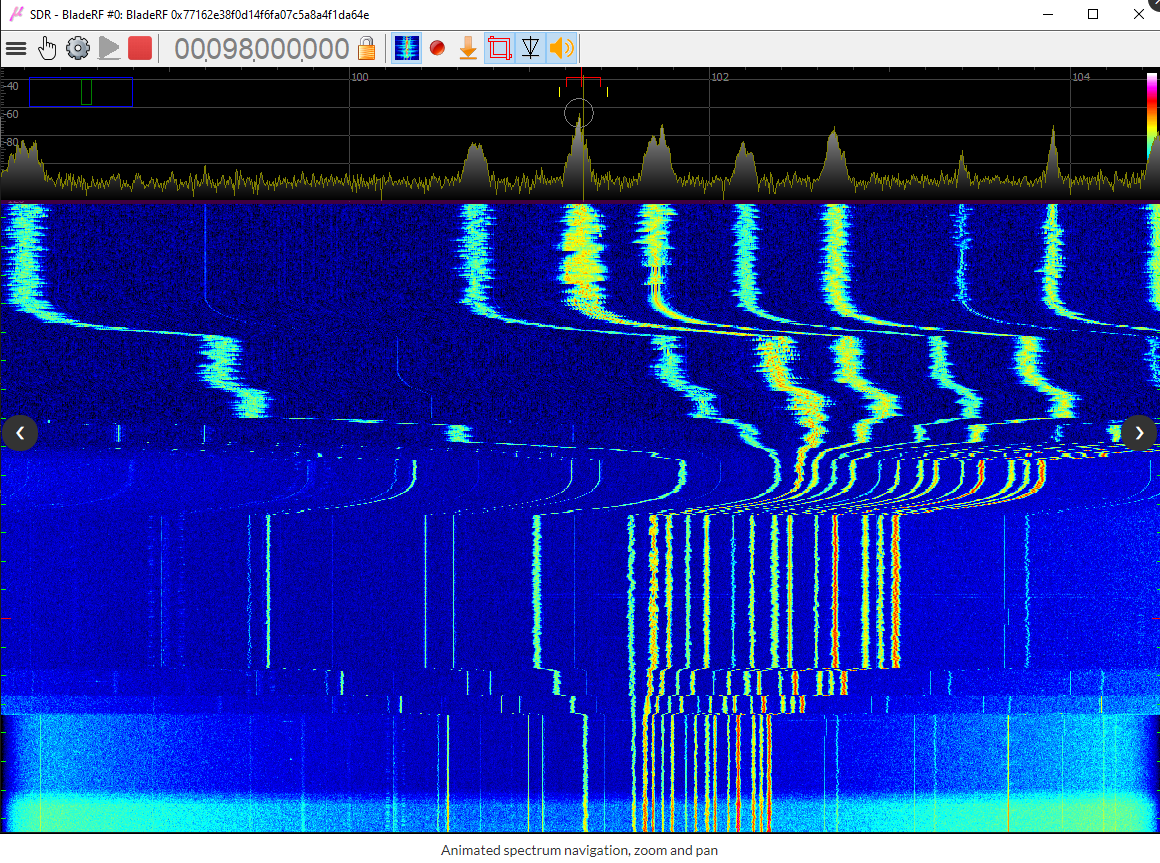
Since 2021 we've posted about Viol Tailor's "uSDR" (microSDR) software a couple of times. uSDR is a lightweight general purpose multimode program for Windows that supports the RTL-SDR, Airspy, BladeRF, HackRF and LimeSDR radios. The software can be downloaded from SourceForce.
Viol notes that recently the project has been updated to V1.5.0 which brings the following new features and changes.
lock device frequency on zoom option
keep waterfall history – the very great option, do not lose any rare signals
advanced passband IQ recorder
passband IQ TCP server for remote processing, C/C++ client source examples included
advanced audio player, auto selectable sample rate, separate left/right channels
CTCSS decoder
markers import option convenient for merge markers
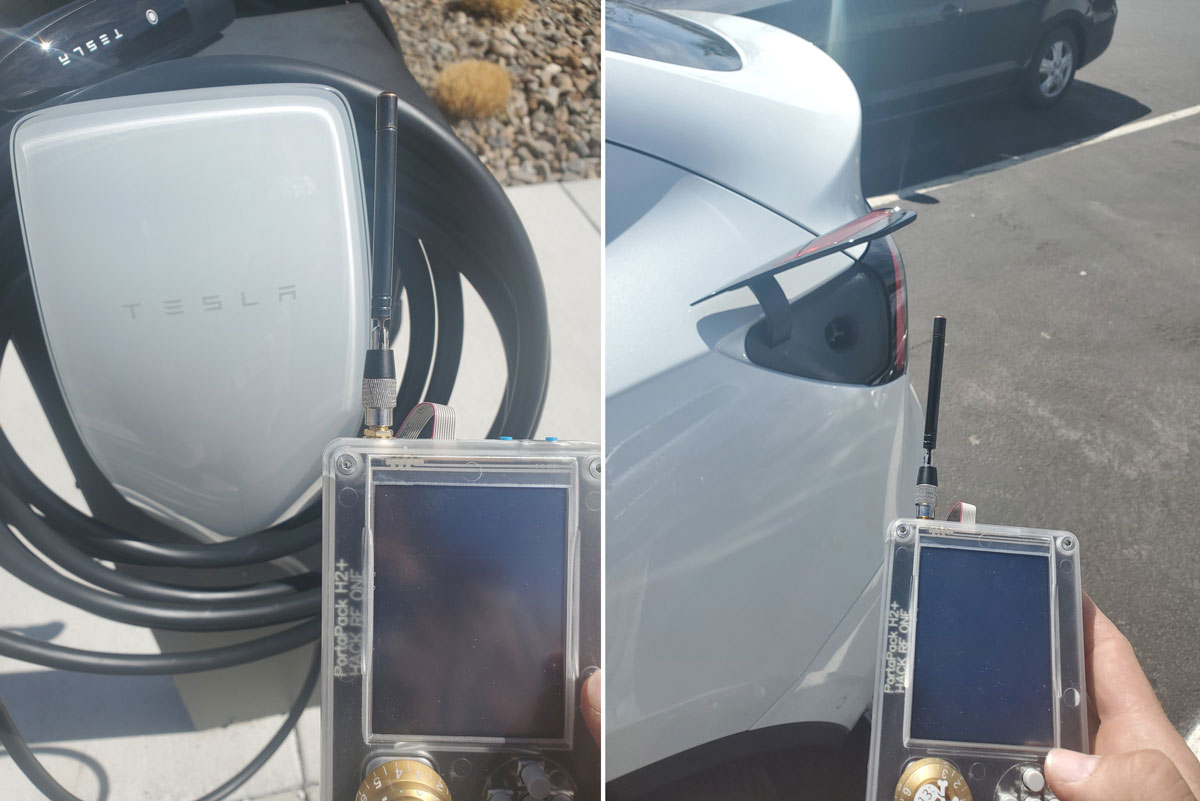
The charging port on Tesla electric vehicles is protected via a cover that can be opened by charging stations via a wireless signal transmitted at 315 MHz. It turns out that the command to open the port is totally without any security. This means it's possible to record or recreate the signal, and play it back anywhere using a transmit capable SDR device like a HackRF.
Twitter user @IfNotPike has done just that, managing to open the Tesla charging port using a handheld HackRF with Portapack setup. If you cannot record the signal, a repo hosting a valid signal file is available on GitHub from jimilinuxguy. Interestingly jimilinuxguy notes "The range for this is INSANE. I was able to perform this from VERY far away." and the same signal can be used to "open any and all Tesla vehicle charging ports in range"
Fortunately for Tesla owners, the level of damage a malicious party could cause through the charging port is limited, since the charging port is not active until a correct charging cable is connected. It also seems that the charging port on most models will automatically close after some time if no charger is connected.
Tesla Charging Port Opened with HackRF and Portapack | Credit: @IfNotPike