Recently Akos has uploaded three new posts on his RadioForEveryone blog. The first post is a review of the "Ham-It-Up Plus", which is a US$65 upconverter that allows you to listen to HF on RTL-SDR dongles without direct sampling. Compared to the non-plus Ham-It-Up, the plus version includes a TCXO and the noise source circuit is populated. In his post Akos reviews the history of the Ham It Up generations and discusses the connectors and power options. He also reviews the performance and finds that the Plus seems to have better SNR.
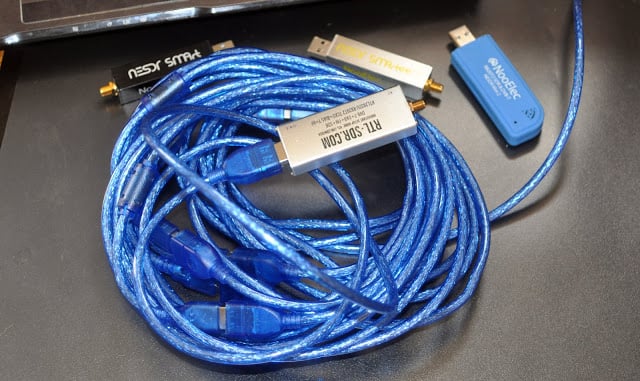
In the second post Akos has uploaded his collection of various images of different RTL-SDR dongle brands. The images include circuit board photos so you can easily compare the differences in design between brands.
Finally the third post is an experiment to determine the maximum USB cable length that can be used with RTL-SDRs. His results show that the maximum is 9 meters which is actually more than the USB2.0 spec which states 5m as the maximum. We note that longer than 9m cable runs can also be achieved by using active repeater USB cables or USB hubs.
FPV stands for 'First Person View', and is a term used to describe the hobby of flying remote controlled aircraft entirely via the view from a wireless camera that transmits live video to the pilots screen or video goggles.
Part of the FPV hobby is to not only enjoy flying, but also to tweak the wireless video equipment for maximum range and reliability. This involves measuring the SWR characteristics of FPV antennas. SWR is a metric that describes how well the impedance of an antenna is matched with the receiver at a certain frequency. Poor SWR results in additional signal loss on top of cable and connector loss. We note that SWR is only one antenna metric, and doesn't take into account radiation pattern and antenna gain which is often more important, but it is the easiest metric to measure and control, and should give you some idea as to if an antenna was designed and tuned properly.
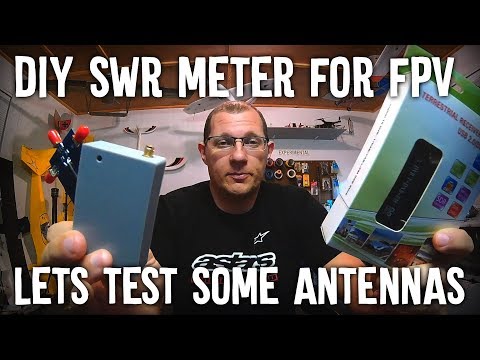
As FPV hobbyists are often not hams or radio professionals, most don't have access to the equipment required to measure SWR. So over on his YouTube channel bonafidepirate shows how he's been using a cheap RTL-SDR, noise source and RF Bridge to measure the SWR of his FPV antennas. The process is similar to the one shown in our tutorial, but he uses the Spektrum software which allows you to measure SWR entirely within the software itself.
In the video bonafidepirate goes over the required hardware, software and the setup, and then demonstrates several SWR scans of different FPV antennas.
The uBITX is a US$129 HF SSB/CW QRP transceiver kit that works from 3 MHz to 30 MHz with up to 10W TX power. It's a fully analogue radio, but it can be combined with an RTL-SDR to create a panadapter display thanks to a tutorial released by KD8CEC.
The method requires that you use the custom CEC firmware, or modify other firmware, as this appears to change the output frequency at the tap point. The tap point is made accessible by soldering on an extra SMA connector for the RTL-SDR to connect to. The rest of the work is entirely performed in the uBITX software manager, Omni-Rig and SDR-Console V3.
The team at radarbox24.com recently wrote in and wanted to share some new developments including news about their recently released RadarBox XRange receiver, which is an RTL-SDR based ADS-B receiver. Radarbox24 are an ADS-B aggregation flight tracking website, similar to sites like flightaware.com and flightradar24.com.
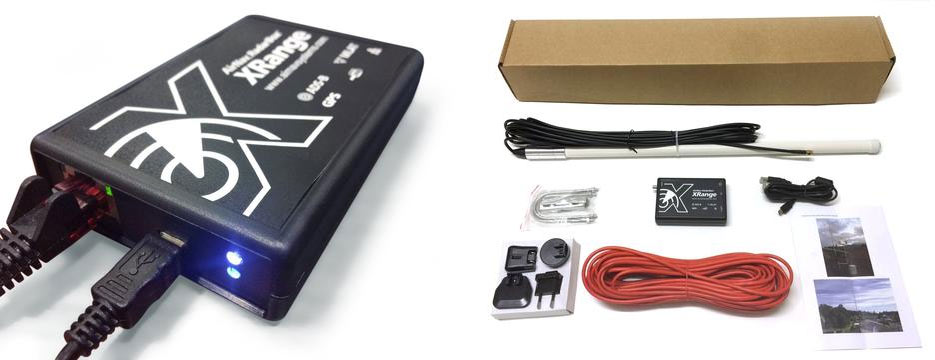
The RadarBox XRange receiver costs $649.95 USD and is available on their store. The box appears to include a full computing unit as well as a custom RTL-SDR receiver, and a built in filter and LNA as well. It is sold as a set that includes receiver, power supply, antenna and cabling. Compared to setting up an ADS-B receiver on your own by purchasing an RTL-SDR, ADS-B LNA/Filter, Antenna and Raspberry Pi separately, the XRange is well over three times more expensive. But it may have some value as an easy to set up and ready to go ADS-B receive system. They write:
1- We have release the brand new RadarBox app for iOS and Android where data sharers are able to see what what their own stations receive using the MyStation feature.
2- We've released the brand new RadarBox XRange receiver, RTL SDR based whcih is being sold and placed all over the world to increase network coverage.
3- Our RadarBox24.com flight tracking portal reached 3 millions viewers per month and, together with our apps, is growing really fast by providing an easy way for Raspberry Pi owners or users with our XRange and Micro RadarBox receivers to share flight data with us and benefit from a free Business account.
More information: - Link to our Store where users can buy the XRange receiver and accessories below: https://www.radarbox24.com/store
- Link for users to install our software on their Raspberry Pi receivers and start sharing data with us (we get up to 5 new added units added to our network daily): https://www.radarbox24.com/raspberry-pi
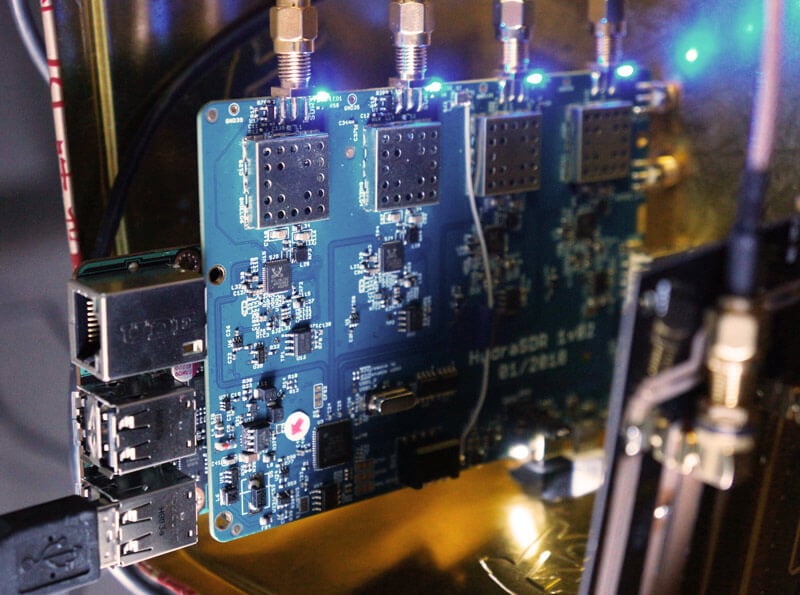
KerberosSDR is our upcoming low cost 4-tuner coherent RTL-SDR. With four antenna inputs it can be used as a standard array of four individual RTL-SDRs, or in coherent applications such as direction finding, passive radar and beam forming. More information can be found on the KerberosSDR main post. Please remember to sign up to our KerberosSDR mailing list on the main post or at the end of this post, as subscribers will receive a discount coupon valid for the first 100 pre-order sales. The list also helps us determine interest levels and how many units to produce.
In this post we'll show KereberosSDR being used as a passive traffic radar. Passive radar works by using an already existing transmitter such as a FM, DAB, TV or GSM and listening to the reflections of those signals created by moving objects like aircraft, boats and cars. A simple passive radar consists of two directional antennas. One antenna points at the 'reference' transmitter (the transmitting tower), and the other towards the 'surveillance' area that you want to monitor. The result is a speed vs distance plot that shows all the moving objects.
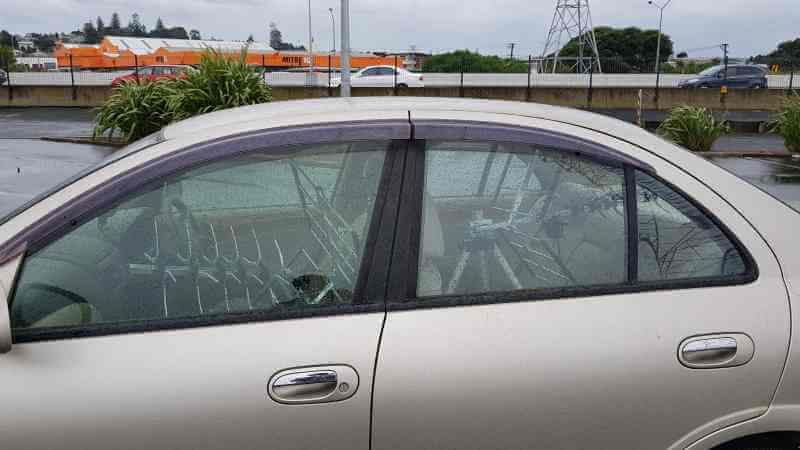
For this test we parked our car to the side of a highway and pointed a cheap DVB-T Yagi antenna towards a DVB-T transmission tower, and another cheap Yagi down the road. The video shown below displays the results captured over a 5 minute period. The blips on the top half of the display indicate vehicles closing on our location (positive doppler shift), and the blips on the bottom half indicate objects moving away (negative doppler shift).
DVB-T Antennas In Car
The resolution of each individual vehicle is not great, but it is sufficient to see the overall speed of the highway and could be used to determine if a road is experiencing traffic slowdowns or not. When larger vehicles pass by it is also obvious on the display by the brighter blip that they show. The display also shows us that the highway direction coming towards us is much busier than the direction moving away.
In the future we'll be working on optimizing the code so that the display updates much faster and smoother. It may also be possible in the future to use the third and fourth tuners to obtain even greater object resolution.
On The Thought Emporium YouTube channel a new video has been uploaded showing the full disk images of the earth that they've been able to receive from GOES geosynchronous weather satellites. Over the past couple of years GOES satellite reception has become much easier for hobbyists to achieve with the release of the NooElec SAWbird LNA+Filter, information on how to use a cheap 2.4 GHz WiFi grid antenna for reception and the release of free open source decoder software. It was also shown that an RTL-SDR dongle is sufficient for receiving these images as well. With all these new developments it is now possible to build a GOES receiving station for under $100.
The Thought Emporium video blurb reads:
In the fall of 2016 I saw my first rocket launch and little did I know that the satellite on that rocket would come to shape and fill my thoughts for many years. We're no strangers to getting data out of space on this channel, but GOES-16 is special, and not just because I was there when it left earth. Unlike the satellites we looked at in the past, GOES is in geostationary orbit and has an amazing suite of cameras and sensors on board. While it's a bit harder to receive data from GOES the extra effort is absolutely worth it, especially because it can see then entire globe all at once and send out those images in stunning high resolution. And it even comes with the added bonus of rebroadcast data from other satellites giving us a view of the opposite side of the planet as well.
In this video we go through the hardware and software needed to receive these gorgeous images and what is contained in the signals we receive.
Pulling Clear Images Directly Off Satellites | GOES-15,16,17 and Himawari 8 HRIT
KerberosSDR is our upcoming low cost 4-tuner coherent RTL-SDR. With four antenna inputs it can be used as a standard array of four individual RTL-SDRs, or in coherent applications such as direction finding, passive radar and beam forming. More information can be found on the KerberosSDR main post. Please remember to sign up to our KerberosSDR mailing list on the main post or at the end of this post, as subscribers will receive a discount coupon valid for the first 100 pre-order sales. The list also helps us determine interest levels and how many units to produce.
In this post we'll show an experiment that we performed which was to pinpoint the location of a transmitter using KerberosSDR's coherent direction finding capabilities. RF direction finding is the art of using equipment to determine the location of a transmitting signal. The simplest way is by using a directional antenna like a Yagi to try and determine the bearing based on signal strength. Another method is using a pseudo-doppler or coherent array of antennas to determine a bearing based on phase information.
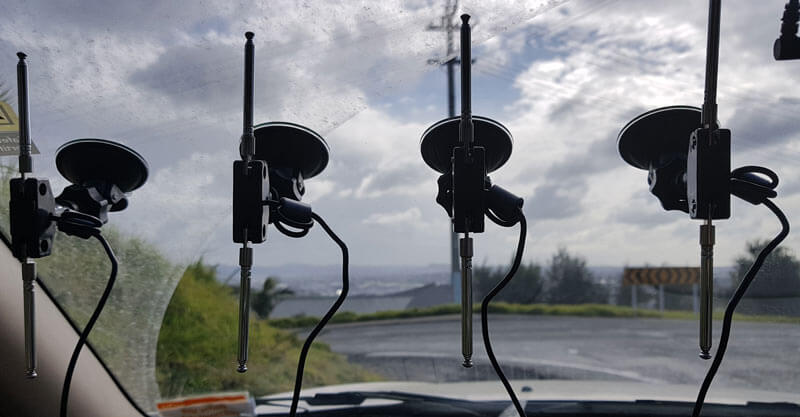
For the test we tuned the KerberosSDR RTL-SDRs to listen to a signal at 858 MHz and then drove to multiple locations to take direction readings. The antennas were set up as a linear array of four dipole antennas mounted on the windshield of a car. To save space, the dipoles were spaced at approximately a 1/3 the frequency wavelength, but we note that optimal spacing is at half a wavelength. The four dipole antennas were connected to KerberosSDR, with a laptop running the direction finding demo software.
Low cost direction finding array mounted to vehicle windshield.
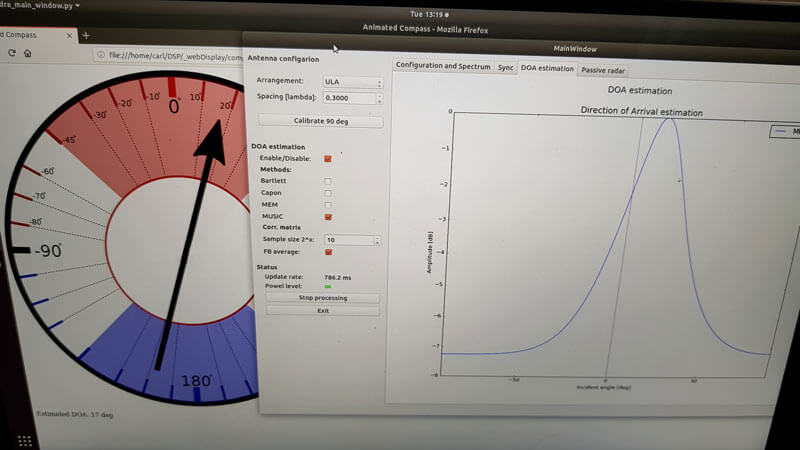
Our open source demo software (to be released later when KerberosSDR ships) developed by Tamás Peto gives us a graph and compass display that shows the measured bearing towards the transmitter location. The measured bearing is relative to the antenna array, so we simply convert it by taking the difference between the car's bearing (determined approximately via road direction and landmarks in Google Earth) and the measured bearing. This hopefully results in a line crossing near to the transmitter. Multiple readings taken at different locations will end up intersecting, and where the intersection occurs is near to where the transmitter should be.
KerberoSDR SDR Directing Finding DOA Reading
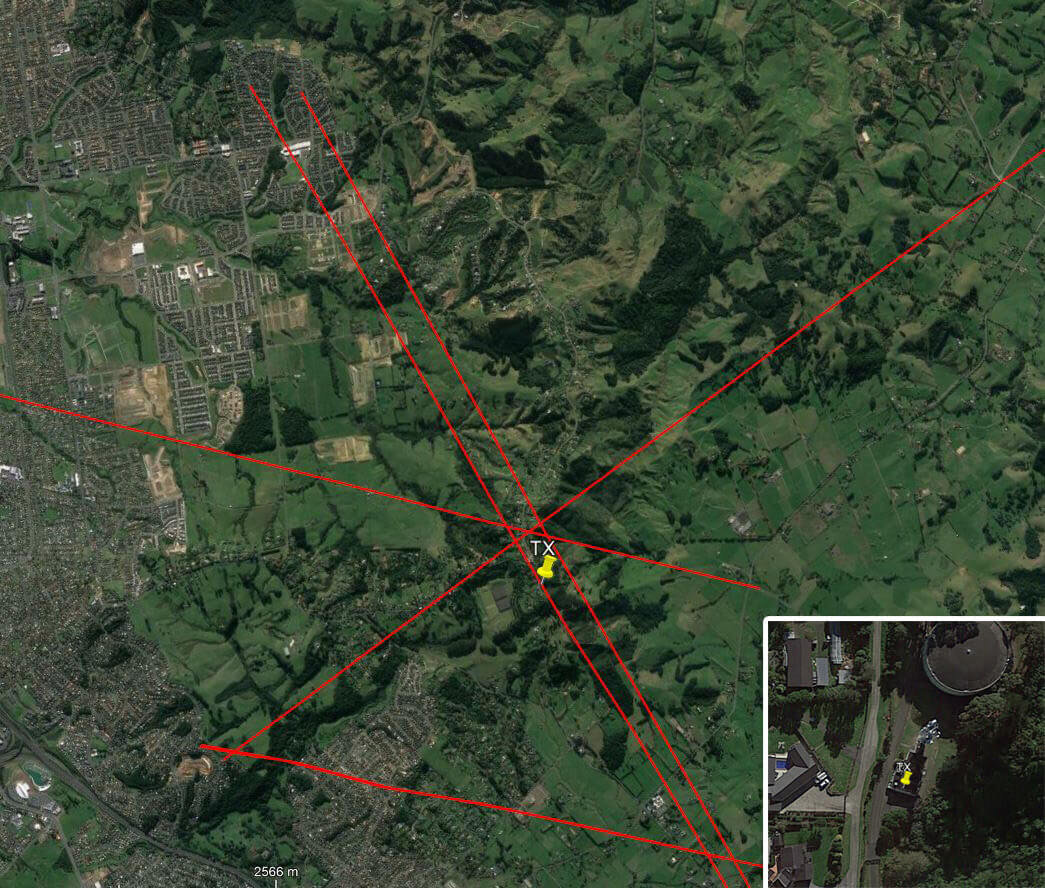
In the image below you can see the five bearing measurements that we made with KerberosSDR. Four lines converge to the vicinity of the transmitter, and one diverges. The divergent reading can be explained by multipath. In that location the direct path to the transmitter was blocked by a large house and trees, so it probably detected the signal as coming in from the direction of a reflection. But regardless with four good readings it was possible to pinpoint the transmitting tower to within 400 meters.
In the future we hope to be able to automate this process by using GPS and/or e-compass data to automatically draw bearings on a map as the car moves around. The readings could also be combined with signal strength heatmap data for improved accuracy.
This sort of capability could be useful for finding the transmit location of a mystery signal, locating a lost beacon, locating pirate or interfering transmitters, determining a source of noise, for use during fox hunts and more.
KerberosSDR pinpointing a transmitters locationKerberosSDR Prototype
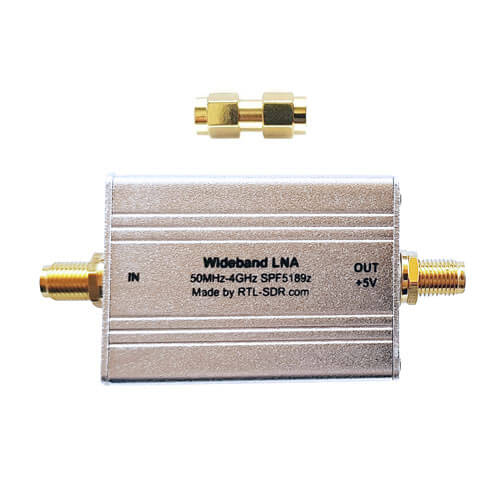
We've just released two new products in our store. The first is a low cost general purpose wideband LNA and the second is some spare RTL-SDR V3 aluminum enclosures. The wideband LNA is currently available for shipping from our Chinese warehouse and will be available on Amazon in a few days time. It costs US$17.95 including worldwide free shipping. The spare aluminum enclosure is only available from our Chinese warehouse and costs US$5.95.
The Wideband LNA is based on the Qorvo SPF5189Z LNA chip (datasheet pdf) which has the following declared specs:
Frequency range of 50 MHz to 4000 MHz
Noise figure = 0.6dB @ 900 MHz
OIP3 = 39.5 dBm @ 900 MHz
P1 Saturation = 22.7 dBm @ 1960 MHz
Gain = 18.7 dB @ 900 MHz
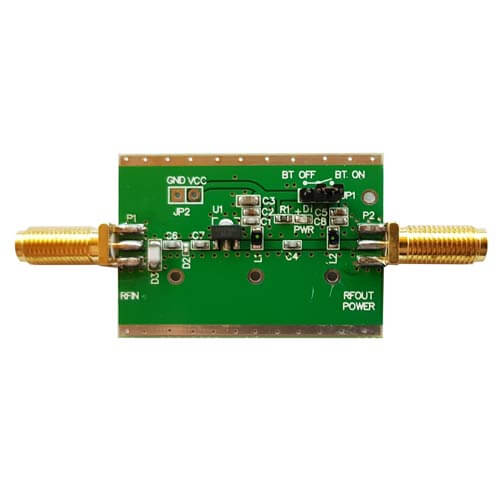
Compared to most of the other SPF5189Z LNAs found on eBay, our wideband LNA comes standard with a full conductive metal case, includes ESD protection on the antenna input, and is by default powered via 3 - 5V bias tee power. Our RTL-SDR Blog V3 dongles have a 4.5V bias tee built in, so they can be used to power this LNA. Direct power can be enabled simply by changing a jumper position, and removing the metal case.
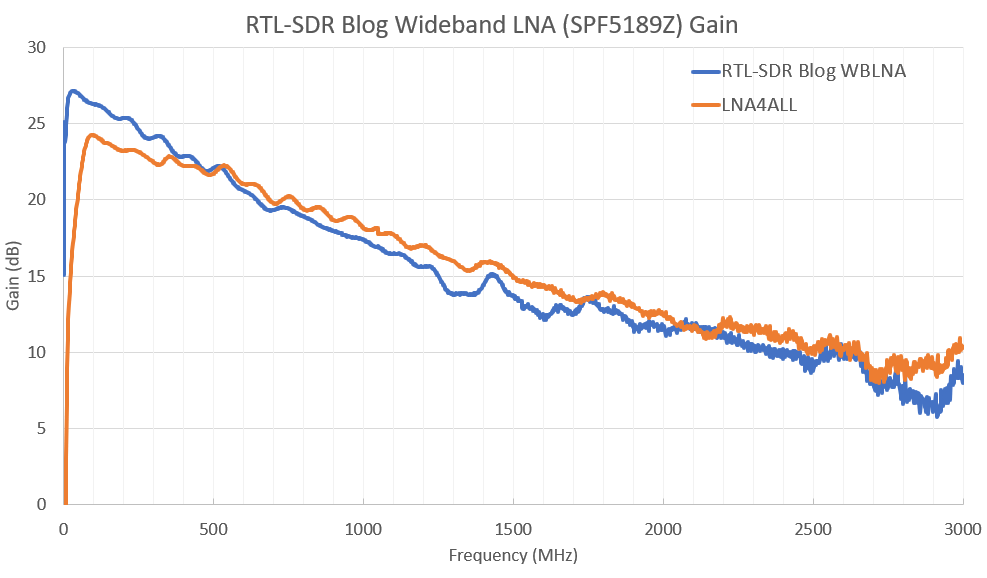
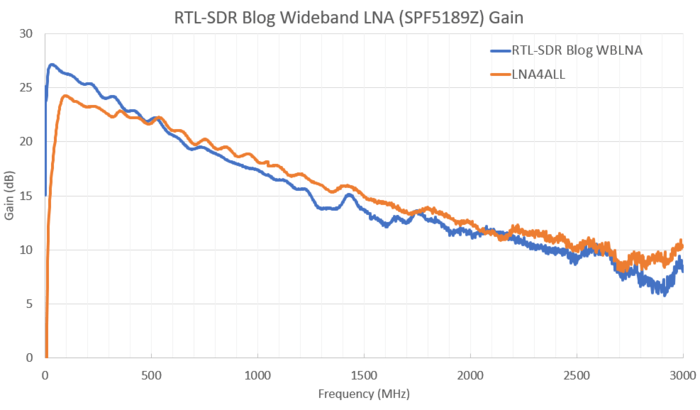
This is a general purpose wideband LNA. It is useful for reducing the noise figure and thus increasing SNR, and for overcoming coax loss on all supported frequencies between 50 - 4000 MHz. However, because it is wideband you may need additional filtering if you have strong overloading signals in your area. If you're mostly interested in improving ADS-B reception, then we instead recommend our Triple Filtered ADS-B LNA which is also available at our store. The specs of the SPF5189Z are similar to that of PGA-103+ or PSA4-5043+ based LNAs. In the image slider below we compare the gain with the LNA4ALL which is a PSA4-5043+ based LNA.
Spare Aluminum Enclosure
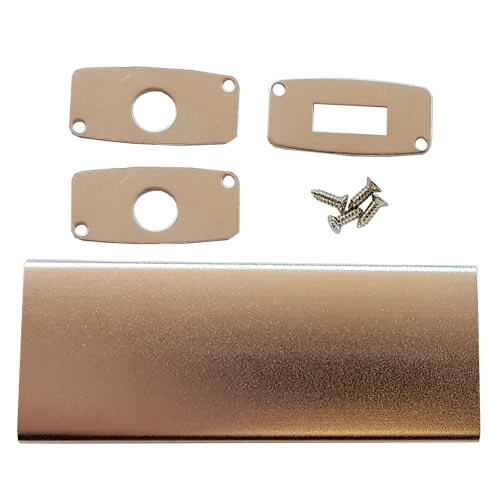
The second product is some spare RTL-SDR Blog V3 aluminum enclosure. A few readers of this blog contacted us as they found RTL-SDR V3 enclosures to be a good fit (after being cut down to size) for home made filters, other LNAs and for FlightAware dongles. Our spare enclosures come with two SMA side panels, and one USB side panel. There is only limited stock of this product at the moment. Note that we're not including a thermal pad, since FlightAware dongles do not require additional cooling since they operate at 1.09 GHz. Additional cooling via thermal pad is only needed for stable operation when using RTL-SDRs above ~1.5 GHz.