SignalsEverywhere Video: SDRAngel How to Receive Basics Tutorial

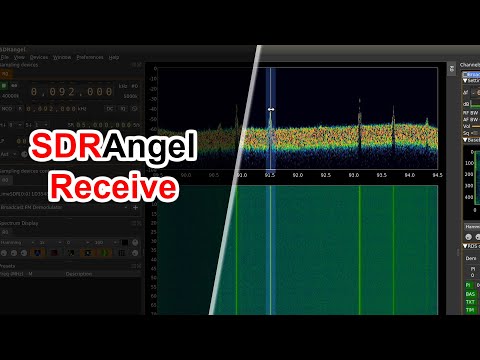
Over on his YouTube channel SignalsEverywhere, Corrosive has posted a new video tutorial explaining how to use the SDRAngel software for receiving signals in Windows. SDRAngel is a general purpose SDR program similar to programs like SDR#, HDSDR and SDR-Console, however it's layout and workflow is slightly different compared to other programs. SDRAngel also has some interesting features such as built in decoders for DMR, D-Star and Fusion digital voice signals and unlike most other general purpose SDR programs, SDRAngel is also capable of controlling transmit capable SDRs. Corrosive notes that he will discuss that feature in a future tutorial.

Corrosive's tutorial goes over the main points such as changing gain, changing sample rate, tuning to signals, and adding demodulators. In the video he uses an RTL-SDR as the receiver.

RTL SDR SDRAngel Tutorial - How to Receive Basics and More

Photos of the MSi.SDR Dongle: A New SDRplay RSP1 Clone

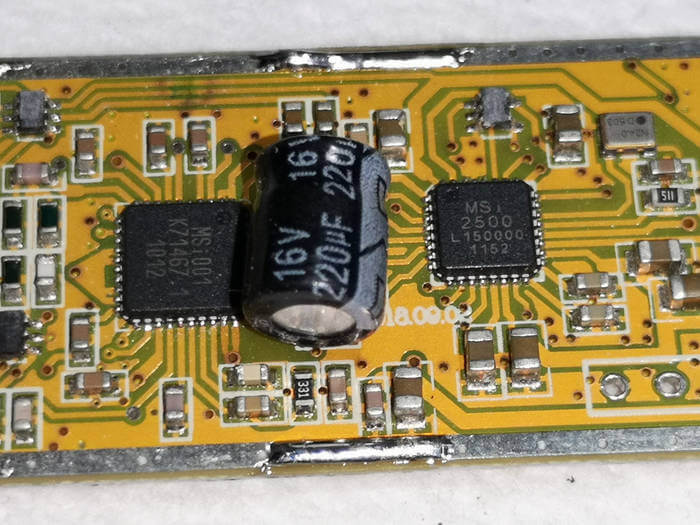
Thank you to reader Mikael for writing in and letting us know that over on Aliexpress a new clone of the SDRplay RSP1 has been starting to show up. The sellers are terming it as the "MSi.SDR" in reference to that fact that it uses the Mirics MSi chips, which are the same chips used in all SDRplay SDRs. Currently the MSi.SDR is selling for about US$65 on Aliexpress.

In the past we've seen other SDRplay clones but this is the first version in a dongle format, and the first time that it is actually priced cheaper than the original. SDRplay and Mirics are owned by the same people, and Mirics note that they have not distributed any chips in over 5 years, so it a mystery as to why there are suddenly a lot of unauthorized Mirics chips available on the Chinese market. It is unclear if SDRplay will be able to enforce their IP rights in China, but it seems unlikely.

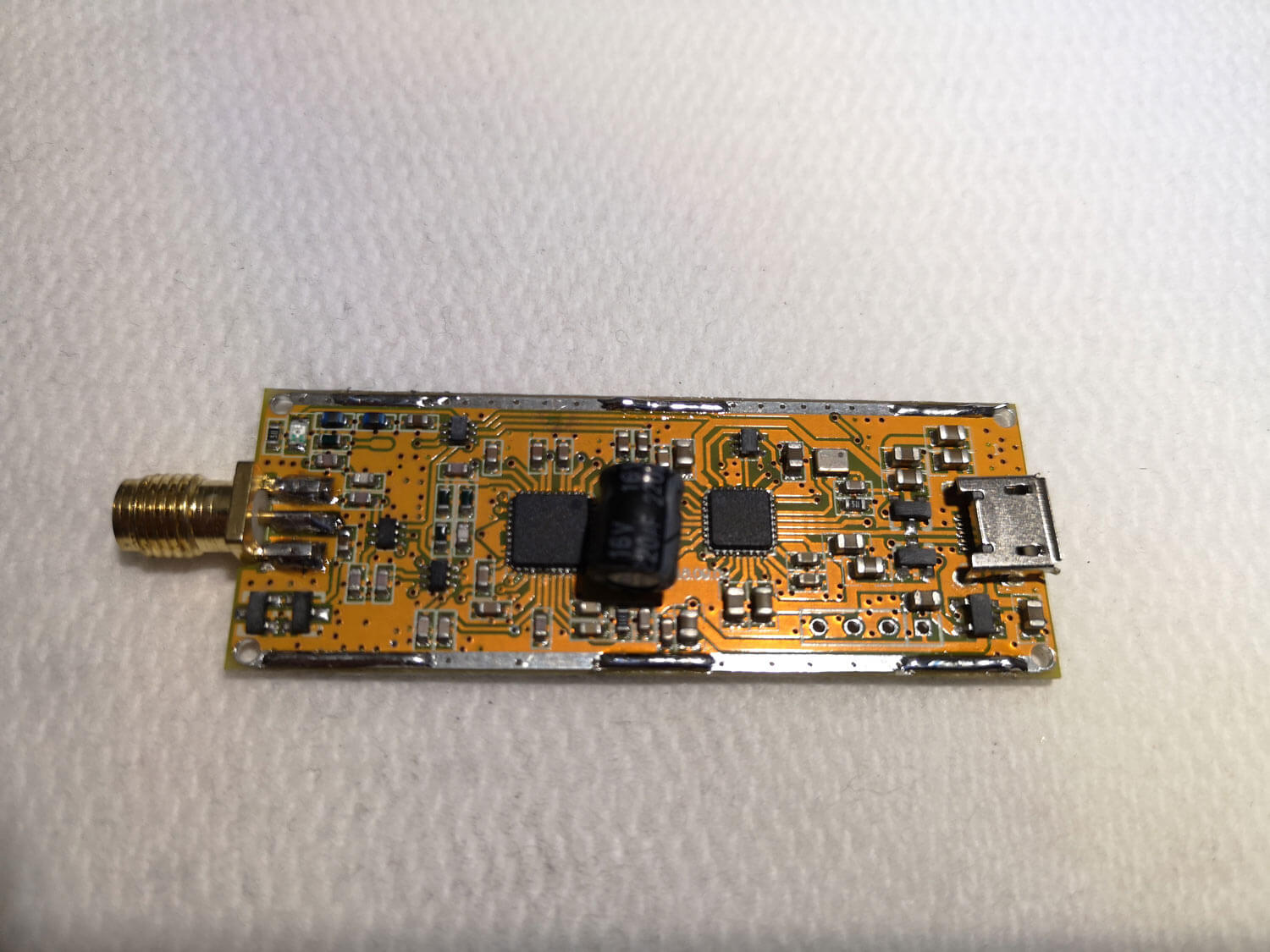
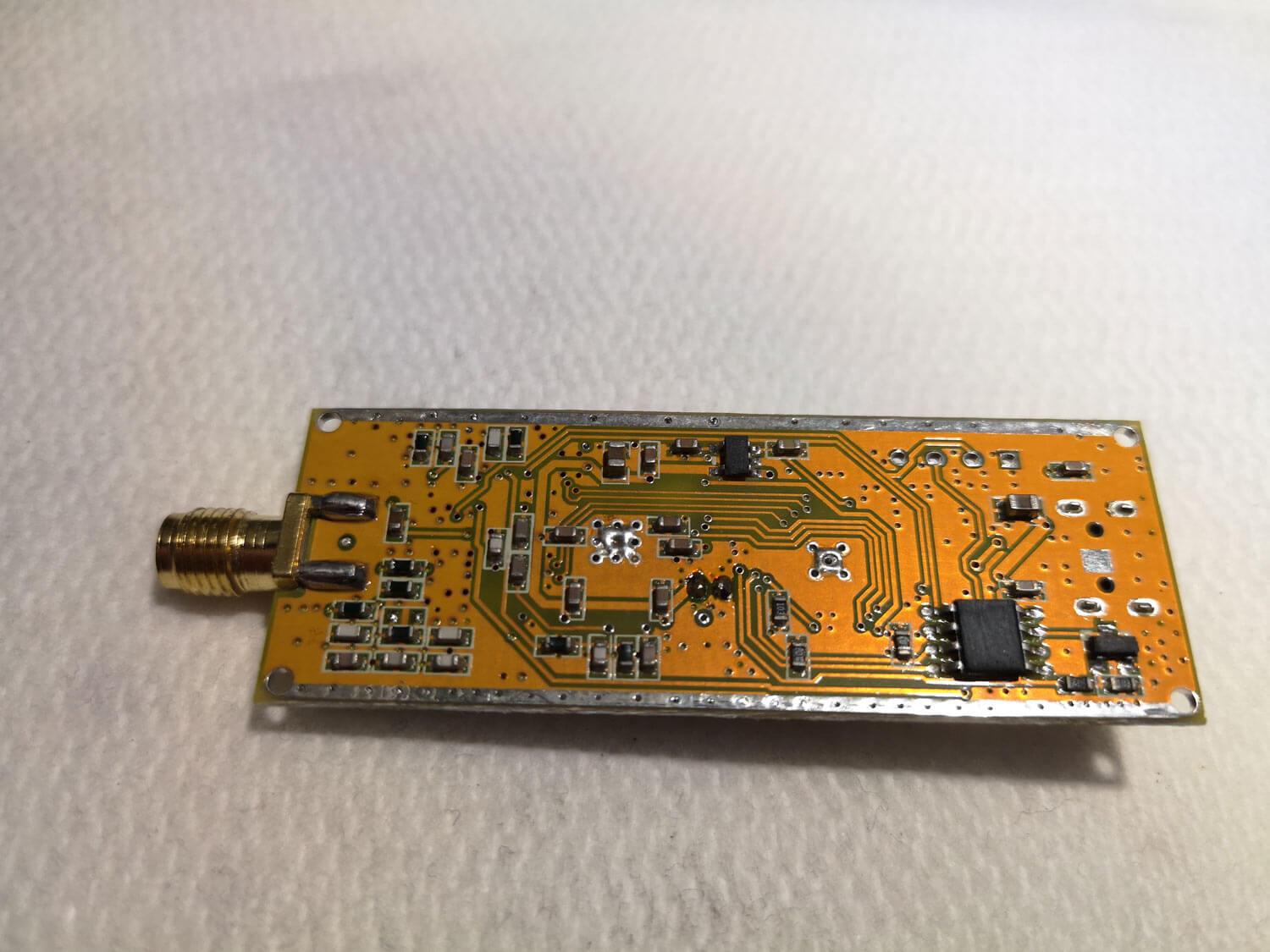
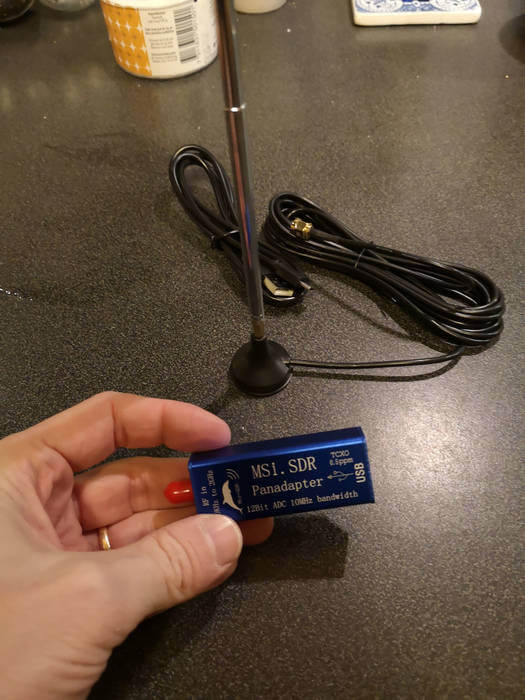
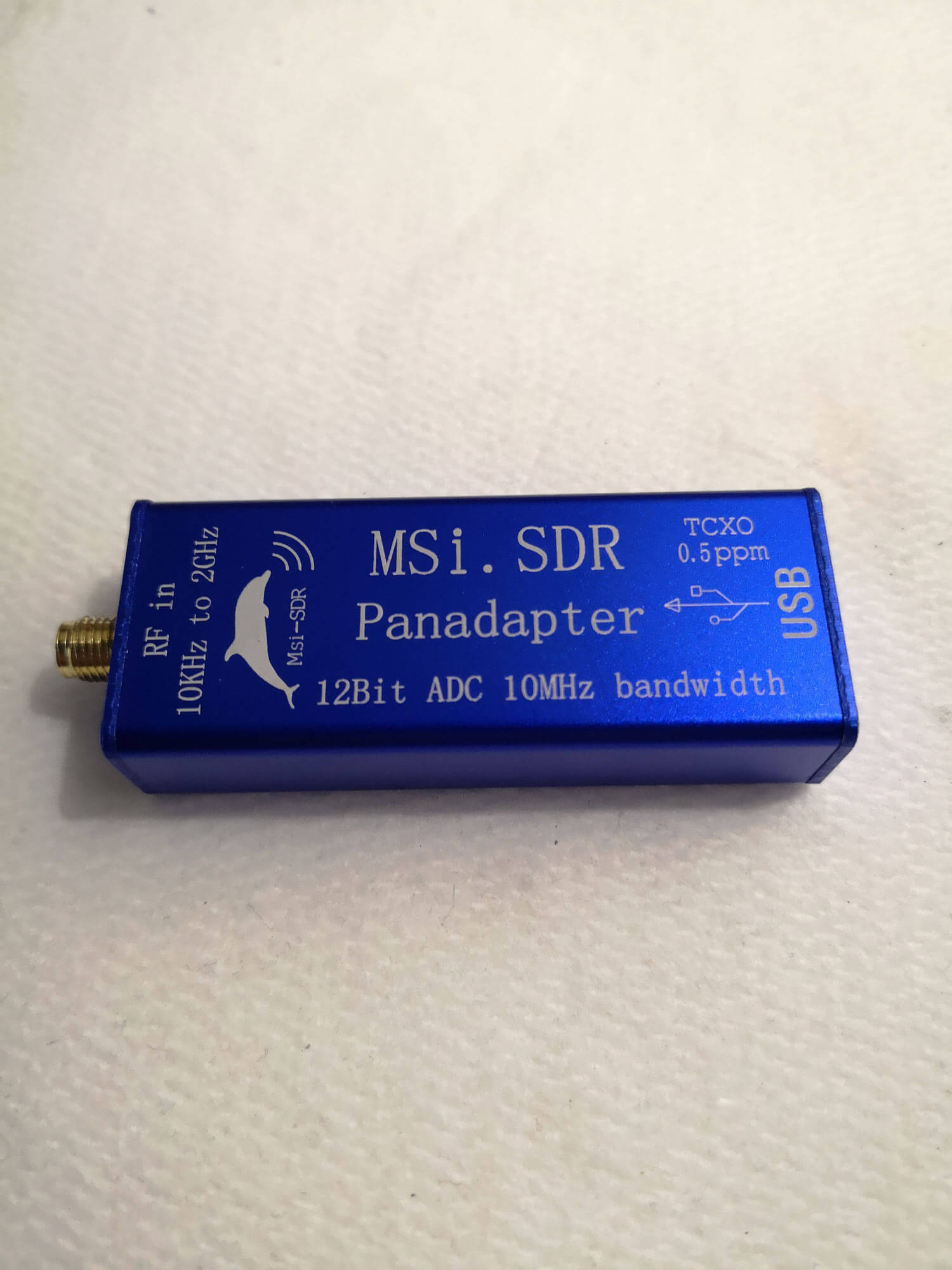
Mikael has provided some good photos of the PCB from the version he received which we show below. It appears to be similar to the RSP1, so it is missing the new features and filtering improvements of the newer RSP1A. When connected to a PC it shows up as an RSP1, so all compatible SDRplay software including SDRuno and HDSDR with the official SDRplay EXTIO should function with it.

Mikael writes:

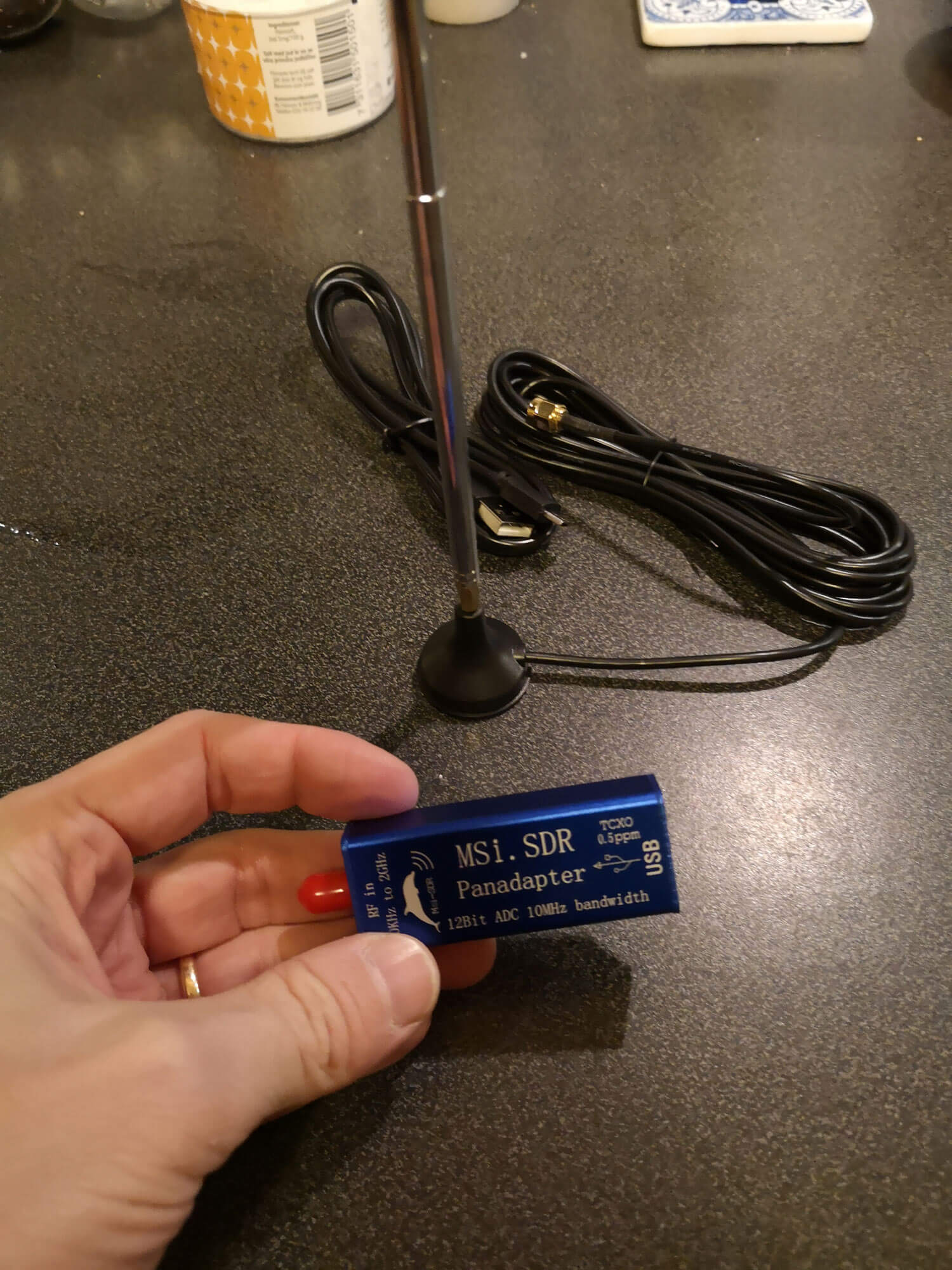
I have seen this sdr on various China sites for quite some time and lately on ebay as well, I was kind of sure it was a rsp1 in a new pcb layout as it claimed it to be 10khz to 2Ghz with a 10Mhz bw and 12 bit resolution and containing an msi chipset with a 0,5ppm tcxo.

I ordered one two weeks ago from aliexpress for about 67$ incl postage and got it in the mail today, it was delivered with a micro usb cable and a magnetic telescope antenna with an about 2m coax cord.

pluged it in and watched the device manager, as I have a rsp1a and a rsp2 I already had the drivers loaded for those, and sure, it was identified as an rsp1, so I did a quick test and and started hdsdr and and selected the extio.dll for the rsp1, it started up as it should and it behaves just as a rsp1, did a quick tunearound in the 3,5 and 7Mhz band and it was working well, have not done any in depth analys yest, will examine the pcb to see if there is any kind of filtering in there.

In an upcoming post we plan to compare the various SDRplay and Airspy clones available on the market with the originals.
Testing an SDRplay RSPduo with Bonito Active Loop Antennas

Bonito is a company that sells various active dipole and loop antennas for ham radio and DX applications. Recently they decided to test their MegaLoop FX and MegaDipol MD3000DX antennas on an SDRplay RSPduo, and compare it against a higher end WinRadio. Bonito found that the RSPduo performed well on the weaker longwave stations, but the Winradio outperformed it on the stronger ones. The differences were due to the better dynamic range of the Winradio.

The article goes on to make some recommendations for using their antennas on the RSPduo. They write that if intermodulation due to very strong signals occurs, there are some fixes that can be applied on their antennas to desensitize them and prevent overload. With the loop, a smaller loop size should be used, and the gain selector should be set to medium or min. With the dipole, they note that shortening the elements, and using it in an L-configuration with the lower radiator pointing towards the interfering signals can be used to attenuate them out. This works because a dipole configured in a L shape provides a bit of directionality.

The article also notes how grounding, very good coax shielding, good quality USB cables and galvanic isolation are all very important for reducing noise.

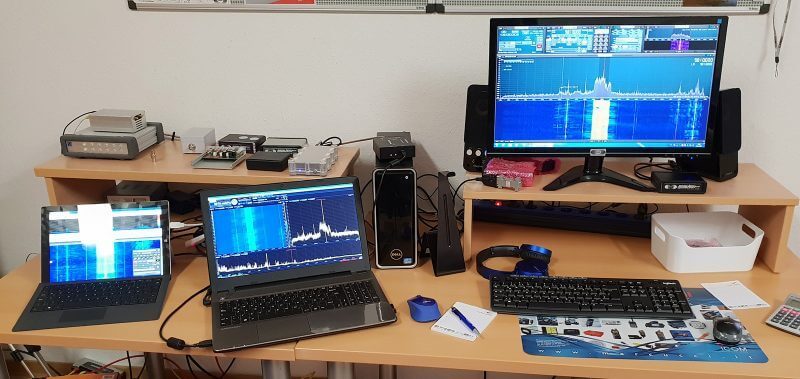
Bonito RSPduo Antenna Test Setup

Using Two PlutoSDR’s for Full Duplex Packet Radio Communications

Over on his channel SignalsEverywhere, Corrosive has uploaded a video showing us how we can create a full duplex packet radio communications system using two PlutoSDRs. Full duplex is the ability to transmit and receive at the same time. A single PlutoSDR is only half-duplex/simplex because it can only either receive or transmit at any one time. The PlutoSDR is a low cost (typically $99 - $149) RX/TX capable SDR with up to 56 MHz of bandwidth and 70 MHz to 6 GHz frequency range. 

On his video Corrosive explains how full duplex operation is desirable for amateur packet radio communications as it allows for faster and more continuous exchanges.  Demonstrations are performed with his PlutoSDR, SoundModem, EasyTerm, and SDRAngel. Later in the video he also speculates how it might be possible to do things like IP networks via the amateur radio bands with full duplex SDRs.

Full Duplex Radio Communication with PlutoSDR Tutorial

YouTube Tutorial: Decoding POCSAG and FLEX Pager Messages on Windows with PDW

Pager systems are famously known to be insecure, and due to the lack of encryption and high transmit power anyone with an RTL-SDR or other SDR can receive and decode pager messages. The users of pagers are mostly hospitals and doctors, and IT infrastructure professionals who need to be notified of server warnings and errors quickly. We have a text tutorial on decoding these messages with an RTL-SDR available here, and there are several previous posts discussing how insecure they are. 

If you prefer a video tutorial, M6LME on YouTube has recently uploaded one where he explains the PDW pager decoding software, the VB-Audio 'banana' audio mixing software, and how to use SDR-Console with an RTL-SDR and the aforementioned software to receive and decode the signal.

How to Decode POCSAG & FLEX using an RTL-SDR Dongle

Reducing HF Electrical Noise by Using a Faraday Cage for Switch-Mode Power Supplies

Over on his blog, DXer OH2-2192 was frustrated by lots of local electrical noise showing up on the HF bands on his Airspy + Spyverter SDR receiver. He discovered that the majority of the noise he was seeing was coming from the switch mode power supplies that power the electronic devices used in his setup. Switch mode power supplies are very common in the modern world, with almost every electronic device using one to efficiently convert wall AC into DC power. However, they convert power by rapidly switching on and off, and these on/off square wave pulses cause a lot of RF noise especially on the HF spectrum.

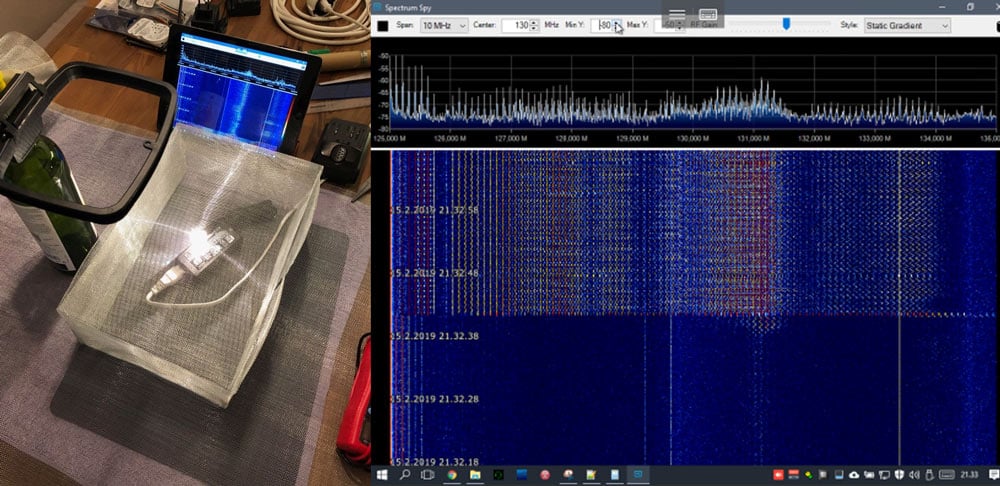
Instead of changing to noise free linear regulators which are expensive, very heavy and big, OH2-2192 decided that he'd try creating a Faraday cage shield out of metal mesh to enclose all his switch-mode power supplies. Using a simple AM loop antenna and Airspy's Spectrum Spy software he measured the amount of noise produced by a switch-mode supply placed inside and outside of the cage. The results he saw were very promising with the shielded supply eliminating the noise almost entirely.

Faraday Cage Shield for Switch Mode Power Supplies
Faraday Cage Shield for Switch Mode Power Supplies (Right image shows the results of a switching supply placed outside and inside the Faraday cage)

Amateur Radio on the Es’hail-2 Satellite Explained on YouTube

Over on YouTube Tech Minds has posted a video explaining what Es'hail-2 satellite is and why it is interesting for hams and SDR users. Briefly Es'hail-2 is a recently launched geostationary TV satellite that covers Africa, Europe, the Middle East, India, eastern Brazil and the west half of Russia/Asia.

What's special about it is that apart from the TV transmitters, it also contains the worlds first amateur radio transponder in geostationary orbit. So amateur radio users within the region covered by the satellite can simply point their antennas to a fixed position in the sky to transmit to the satellite, and the signal will be rebroadcast over the entire covered area. With a simple LNB, satellite dish and SDR the signals can be received.

After explaining Es'hail-2 Tech Minds also shows a demo of Es'hail-2 radio traffic using a public WebSDR.

The Worlds First Geostationary Satellite For Ham Radio - Es'Hail 2 - Qatar OSCAR-100

SignalsEverywhere Podcast EP1: Es’hail-2, Favorite RTL-SDR Blog Posts and What SDR Should I Get?

Corrosive from the SignalsEverywhere YouTube channel is starting up a radio/SDR related podcast, and today has released episode one. The podcast is 22 minutes long, and in that time he discusses Es-hail-2, a geosynchronous satellite with an amateur radio transponder that was recently launched and activated, some of his favorite recent posts from our blog here at RTL-SDR.com, including posts about a 3D printed V-Dipole holder, Radwave RF Analyzer, cloning 433 MHz devices, and finally he ends the podcast by discussing the question of what SDR is right for you.

Podcasts are a great way to catch up on what's happening in the SDR and radio world so check it out below or over on the SignalsEverywhere podcast post.