Decoding Differential GPS Beacons with an RTL-SDR, Speclab and SDR#

Over on his blog “RTL-SDR DX” dewdude has been exploring the reception and decoding of Differential GPS (DGPS) signals. DGPS signals are transmitted by government authorities in the long wave band at around 300 kHz. These beacons are used to dramatically improve the accuracy of GPS (Global Positioning System) devices from their default accuracy of about 15 m down to about 10 cm. Unlike GPS signals which originate from satellites, the DGPS signal is terrestrial based and is broadcast from multiple known fixed positions. The signal itself contains information about the difference between the DGPS stations received GPS position and it’s known exact position. These differences can be used to correct other GPS receivers that receive DGPS signal.

By using his RTL-SDR (with upconverter or HF modification) dewdude was able to receive the DGPS beacon in SDR#. Then by piping the output audio into SpectrumLab’s DGPS decoder he was able to decode the data contained within the DGPS signal. His post contains a tutorial showing how to set up SpectrumLab to decode DGPS. If you’re interested in hearing what a DGPS signal sounds like, dewdude has uploaded a sound sample at the bottom of another post of his.
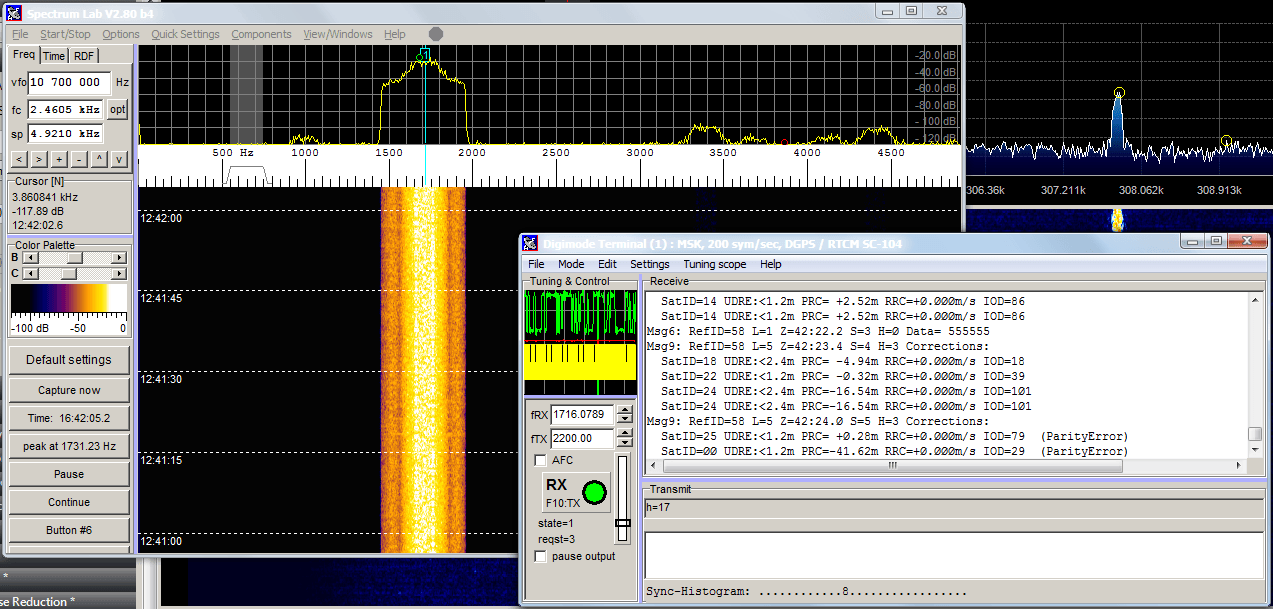
Decoding Differential GPS (DGPS) signals in SpectrumLab

Using a USRP E310 for Digital Video Downlink and Scanning on a Drone

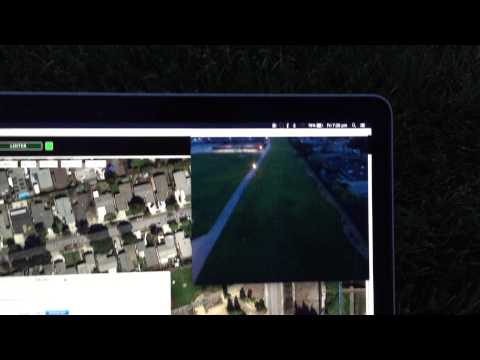
Balint, one of the researchers at Ettus Research (the company behind the USRP range of software defined radios) has recently uploaded a video to YouTube showing one of his projects where he is prototyping the use of a digital signal for transmitting digital FPV video on a drone. The drone carries a USRP E310 SDR and transmits a QPSK video down developed in GNU Radio to a receiver on the ground.

FPV strands for “first person view” and is a growing hobby where remote controlled aircraft such as quadcopter drones are flown in first person view using live video from an on board camera.

Drone + SDR: USRP E310 real-time digital video downlink (teaser)

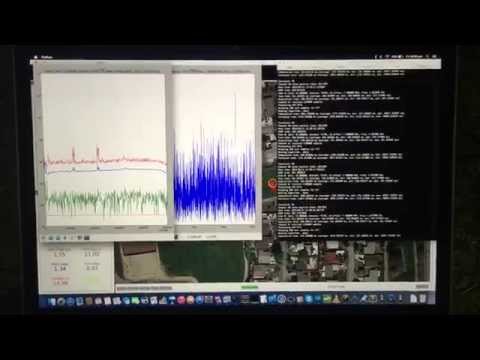
In another video balint also shows how the on board E310 can be used to transmit frequency scan FFT data via a WiFi link. This can be very useful for getting an antenna up high enough to get good reception for a scan.

Drone + SDR: USRP E310 airborne spectrum monitoring (teaser)

SDRPlay Price Reduced to $149 USD

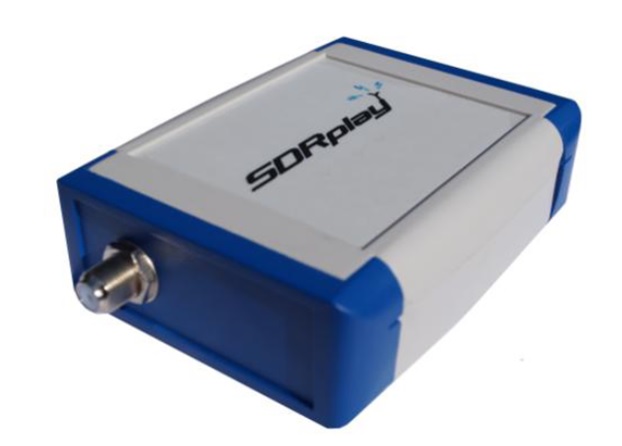
The Radio Spectrum Processor (RSP) by SDRPlay is a receive only software defined radio with a 100 kHz to 2 GHz range (with a small gap at 380 MHz to 430 MHz), a 12-bit analogue to digital converter (ADC) (~10.4 ENOB), 8 MHz bandwidth and a bank of several switched front end filters.

Previously the SDRPlay RSP was priced at $299 USD, however they have just halved this price down to $149 USD plus tax and shipping. At this price point we think the SDRPlay is a very good competitor to the Airspy SDR which seems to be the more popular option priced at $199 USD, especially if you are interested in listening to the HF bands without the need for an upconverter.

Recently we posted about some SDRPlay reviews which are all favourable.

The Radio Spectrum Processor (RSP) by SDRplay.

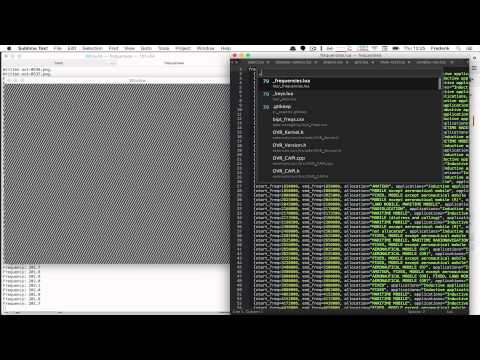
A Faster Method for Decoding Meteor M2 Weather Satellite Images

Over on YouTube user max30max31 aka IZ5RZR has uploaded a video that shows a faster method for decoding Meteor M2 weather satellite images on a Windows system.  The Meteor-M N2 is a Russian weather satellite that transmits images using the LRPT protocol at around 137.1 MHz with can be received with an RTL-SDR. Compared to NOAA satellite APT images, LRPT images are much higher in resolution.

Normally, decoding Meteor M2 LRPT images requires a post processing step which involves the use of Audacity, an audio editing suite to reduce the recorded IQ files sample rate. However, with the recently released decimation SDR# drivers the Audacity step can be avoided by using a an appropriate decimation factor (8 at 1.024 MSPS) when recording the LRPT signals IQ data.

Post processing still involves the use of the Lrptrx.exe software, Oleg’s LRPToffLineDecoder to produce the image and SmoothMeteor to remove distortion from the image..

IZ5RZR - Fast decode Meteor M2 satellite - 2015

Visualizing the electromagnetic spectrum with Frequensea and an RTL-SDR

Over on YouTube user Frederik De Bleser has uploaded a video showing his new open source toolkit called Frequensea which can be used for visualizing the electromagnetic spectrum with an RTL-SDR or HackRF. The software allows you to visualize the output as an FFT spectrum in various 3D display modes and is even compatible with the Oculus Rift, a virtual reality headset.

Frequensea can be downloaded from https://github.com/fdb/frequensea, and it currently has installation instructions available for OSX, Ubuntu and the Raspberry Pi.

Visualizing the electromagnetic spectrum with Frequensea

New ADS-B Android App for Europe

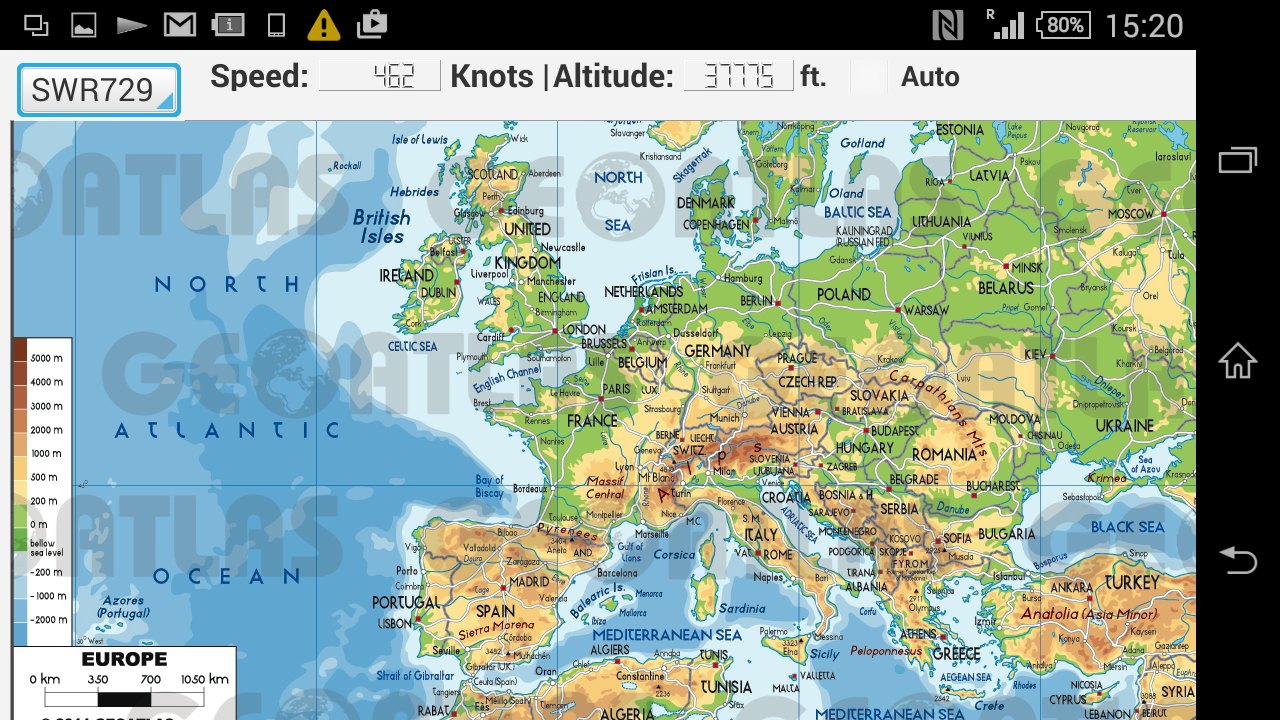
Android app programmer Nikos recently wrote in to let us know about his new app called “Track your flight Europe”. His app can be used together with an RTL-SDR and USB OTG cable to track aircraft via ADS-B. The difference between Nikos’ app and other similar ADS-B apps is that his app is specifically designed for tracking the aircraft you are flying in by providing an offline map which does not require an internet connection to display.

As the app is currently in the alpha stages of development, Nikos is looking for people to help test it out. The alpha can be downloaded for free on the Android Google play store at https://play.google.com/store/apps/details?id=org.qtproject.example.Android_Application_ADSB_final.

Europe ADS-B App
Europe ADS-B App

RTL-SDR Tutorial: Measuring filter characteristics and antenna VSWR with an RTL-SDR and noise source

By using an RTL-SDR dongle together with a low cost noise source it is possible to measure the response of an RF filter. Also, with an additional piece of hardware called a directional coupler the standing wave ratio (SWR) of antennas can also be measured. Measuring the response of a filter can be very useful for those designing their own, or for those who just want to check the performance and characteristics of a filter they have purchased. The SWR of an antenna determines where the antenna is resonant and is important for tuning it for the frequency you are interested in listening to.

These tutorials are based heavily on information learned from Adam Alicajic's (9A4QV), videos which can be found at [1], [2], [3], [4]. Adam is the creator of the LNA4ALL and several other RTL-SDR compatible products. Recently Tim Havens also posted some experiments with characterizing home made filters on his blog.

Characterizing Filters

Using just a noise source and RTL-SDR dongle it is possible to determine the properties of an RF filter. In our experiments we used the following equipment:

Equipment

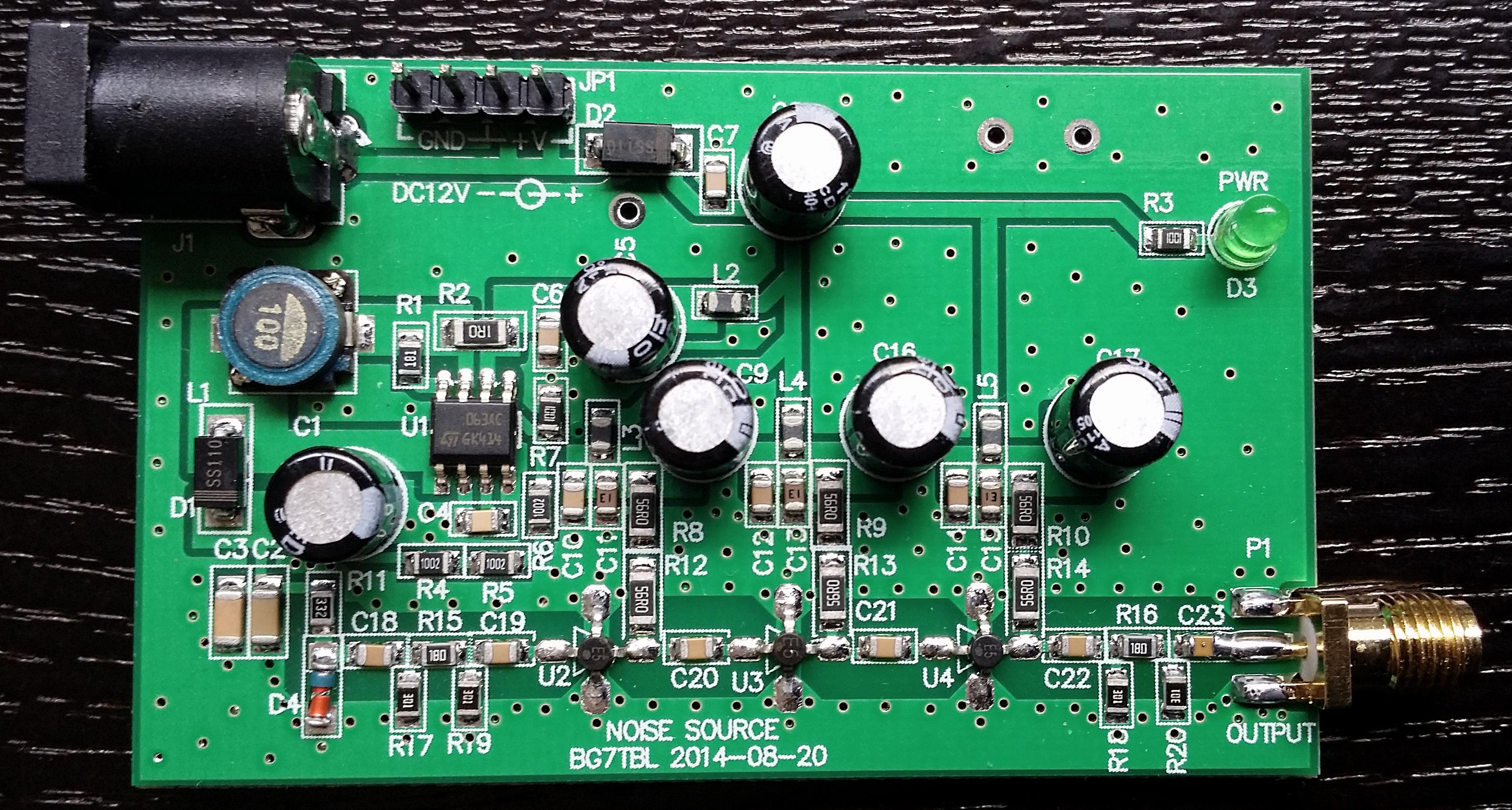
The BG7TBL noise source is a wideband noise source that can provide strong noise over the entire frequency range of the RTL-SDR. It requires power from a 12V source which can be obtained from a common plug in power supply. It also uses an SMA female connector, so you may need some adapters to connect it to your filter under test (adapters can be found cheaply on Ebay). Finally a quick warning: be careful when handling the circuit board after it has been powered for some time as some of the components can get very hot. Note that if the Ebay store runs out of these there is also a seller on Aliexpress with some available, just type "noise source" in the search bar.

The BG7TBL Noise Source

If you have a ham-it-up upconverter and are good at soldering small surface mount components you might instead consider purchasing the noise source kit add on. Here is a video showing how to build and test the ham-it-up noise source. Continue reading

RTL-SDR Tests: R820T vs R820T2 Stability Tests for Radio Astronomy

Amateur Radio astronomer Peter Kalberla recently wrote in to let us know about a paper he has written exploring stability issues and comparing the R820T and R820T2 RTL-SDR tuner chips (pdf warning). The R820T2 tuner is an upgrade to the R820T tuner which is used in the most commonly found RTL-SDR dongles.

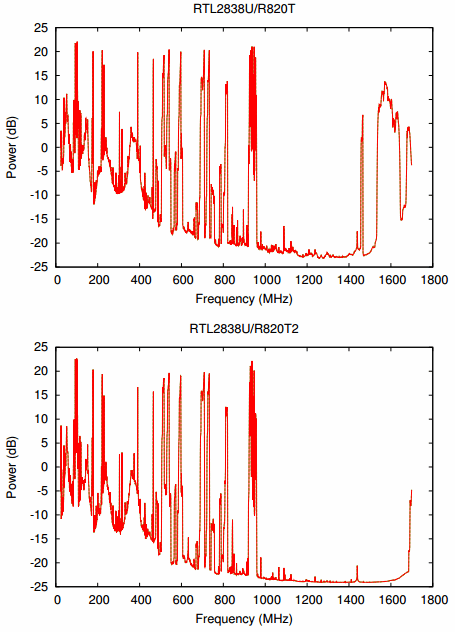
Peters first results show that the R820T2 has better reception and less spurious features at frequencies above about 1.45 GHz and improved frequency stability (with the newer R820T2 dongles that use the SMD oscillator). His second set of results explore issues that are more closely relevant to radio astronomy including observed spectra, Allan variance (frequency stability) tests and determining the shape of the R820T/2 internal bandpass filter.

In the conclusion of the paper Peter writes:

Two Newsky RTL2838U dongles were tested, the R820T2 device against the R820T. The evaluation results in a clear preference for the new RTL2838U/R820T2 dongle. In the L-band the new dongle is at least 2.7 dB more sensitive. According to the radiometer equation the effective system temperature is reduced by almost 50%. Most important for reliable radio astronomical observations are stability issues. Allan variance tests have shown that the R820T2 dongle is far better then the older version. The stability is comparable to that of professional radio astronomical devices. The tests have shown that using the full bandwidth of the RTL-SDR devices results in spurious baseline ripples. For a good performance it is recommended to use the dongles at reduced bandwidth. rtl power with the crop option -c 0.5 appears to be a good choice.

Broad band performance of the R820T dongle (top) and R820T2 (bottom)