Category: Antennas

Receiving SpaceX Falcon 9 Telemetry with a HackRF and 1.2m Satellite Dish

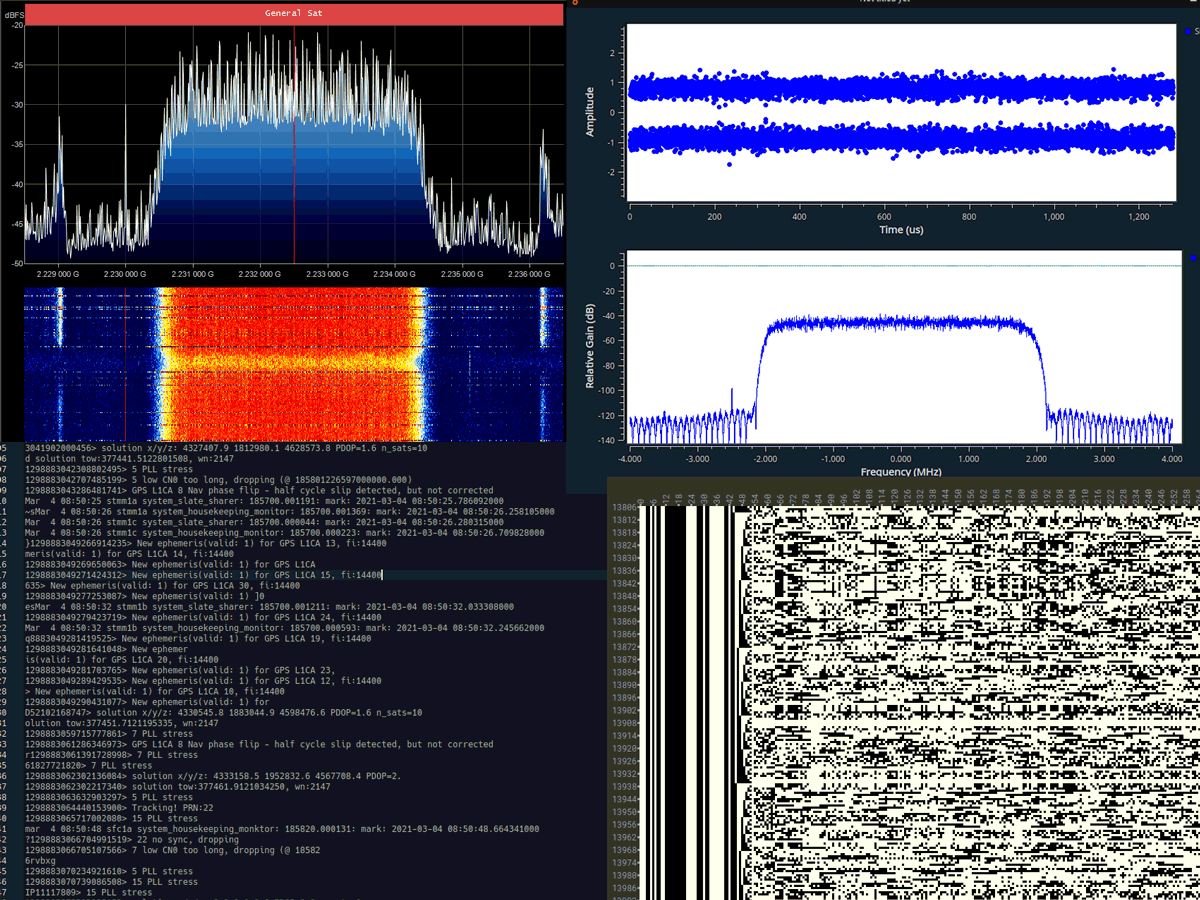
Over on the Reddit /r/SpaceXLounge discussion board user /u/Xerbot has made an interesting post showing how u/derekcz was able to receive the telemetry signals from the latest SpaceX Falcon 9 rocket launch using a HackRF and a 1.2m prime focus dish with homebuilt feed designed for the 2232.5 MHz downlink frequency. Then after demodulating the signal with GNU Radio, /u/Xerbot was able to convert that signal into binary data, and then into plain text strings. 

Another user /u/Origin_of_Mind then figured out that these strings are debug messages being sent by the software-defined GPS receiver, which amongst other data contains the GPS coordinates of the second stage. The GPS data indicates that the second stage was tracking over the north of Serbia at an altitude of 219 km and velocity of 7483m/s. /u/derekcz was able to then confirm that he was indeed recording the signal when the satellite would have been crossing Serbia, confirming the received telemetry was correct.

The entire thread is an interesting read, with multiple users dissecting the plaintext and finding out information about the launch. /u/Origin_of_Mind's post in particular explains the meaning of each of the data fields, which includes the system time, the XYZ coordinates in the earth-centered earth-fixed (ECEF) coordinate system, the loss of precision due to unfavorable GPS satellite positions and the number of GPS satellites currently received.

Another user /u/softwaresaur even notes that there was an "radiation_fdir_activation_guard" event. FDIR stands for Fault Detection, Isolation and Recovery (FDIR) and this event was triggered due to 0.06 s mission time discrepancy between the rocket and GPS true time.

SpaceX Falcon 9 Telemetry Downlink Decoded

Adding an RTL-SDR Antenna Port to a Pinetab Linux Tablet

The Pinetab is a US$99.99 open source Ubuntu Linux Tablet based on a low power Pine64 singe board computer. The Pinetab can optionally support an internal RTL-SDR, which is essentially just a standard RTL-SDR PCB connected to the single board computer inside the tablet enclosure.

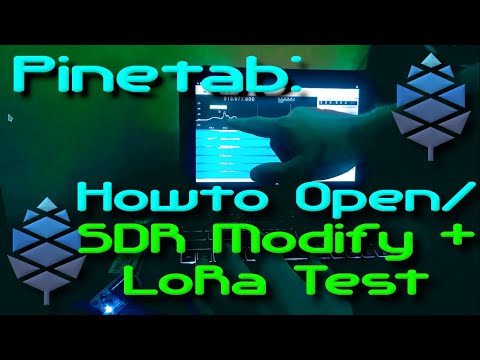
Over on YouTube channel Privacy & Tech Tips has uploaded a video where he takes the Pinetab apart and adds an external antenna port, allowing for external antennas to be connected. In the video we get a good look at the internals of the Pinetab, and after installing the external antenna port he shows us the Pinetab receiving a LoRa signal.

Opening Pinetab (Linux Tablet) back cover (+show tips for safer opening) on video and show how you can add an external threaded antenna port for your internal SDR. It makes for an amazingly compact SDR kit and smaller antennas like LoRa fit right inside the keyboard/tablet/laptop stand. Larger antennas such as a dipole, the antenna cord fits along the case/stand perfectly.

I show how to open the Pinetab safely, and install an external threaded antenna port. After this I take a Heltec LoRa ESP32 I have had laying around and use it to demo GQRX on the screen. I show LoRa packets coming over the radio waves at 915MHz. Series on SDR using Pinetab/Pinephone/Pine64 hardware. Linux makes for an amazing platform where the tools at hand leave the limits to what you can do to the power of your imagination.

Opening Pinetab + Add SDR Modification!

TechMinds: Testing a DC-160 MHz Panadapter Switch

Over on his YouTube channel Tech Minds has uploaded a video where he tests out a cheap US$90 automatic antenna switch with DC-160 MHz range that he purchased from Chinese goods retailer Banggood. An automatic antenna switch like this is required when wanting to use an SDR such as an RTL-SDR as a panadapter with a transmit capable radio. The switch will automatically switch the SDR to ground when transmitting, so that high power does not enter the SDR via the shared antenna and destroy it.

In the video Tech Minds shows how to set the switch connections up and then demonstrates the switch in action with a Yaesu FT-991A and SDRplay SDR. He notes that this cheap Chinese version is actually built better than the MFJ-1708 antenna switch which until recently was the only commercial option available. It is also half the price.

PANADAPTER For Any Radio DC - 160 MHz SDR Antenna Switch

Building an 11.2 GHz Radio Telescope with an Airspy and 1.2m TV Satellite Dish

In the past we've posted several times about how 1.42 GHz Hydrogen Line amateur radio telescopes used with RTL-SDRs or other SDRs for Hydrogen line observations of the galaxy. Recently Hackaday ran a post highlighting a project from "PhysicsOpenLab" describing an 11.2 GHz radio telescope that uses an Airspy SDR as the receiver.

Celestial bodies emit radio waves all across the radio spectrum and typically observations can be made anywhere between 20 MHz to 20 GHz. Choosing an optimal frequency it is a tradeoff between antenna size, directivity and avoiding man made noise. For these reasons, observations at 10-12 GHz are most suitable for amateur radio telescopes.

The posts by PhysicsOpenLab are split into two. The first post highlights the hardware used which includes a 1.2m prime focus dish, and 11.2 GHz TV LNB, a wideband amplifier, a SAW filter, a bias tee, and the Airspy SDR. The LNB converts the 11.2 GHz signal down to 1.4 GHz which can be received by the Airspy. Once at 1.4 GHz it's possible then to use existing commercial filters and amplifiers designed for Hydrogen line observations.

The second post explains the GNU Radio based software implementation and the mathematical equations required to understand the gathered data. Finally in this post they also graph some results gathered during a solar and lunar transit.

Finally they note that even a 1.2m dish is quite small for a radio telescopic, but it may be possible to detect the emissions from the Milky Way and other celestial radio sources such as nebulae like Cassiopeia A, Taurus A and Cygnus A a radio galaxy.

A 11.2 GHz 1.2m Amateur Radio Telescope with GNU Radio and Airspy

FengYun-2G Confirmed to be Receivable with a WiFi Grid Dish

Back in November 2020 we posted about the release of a decoder for the FengYun line of geostationary weather satellites which provide full disk images of the Earth and are positioned to cover parts of Europe, Africa, the Middle East, Asia, Russia, and Australia. Back then only a few people had attempted decoding this, and it was believed that a 120cm satellite dish or larger would be required.

However, today on Reddit user u/Harrison_Clark55 has shown that it is possible to receive FengYun-2G with a typical 90-100cm WiFi grid dish. These WiFi grid dish's have proven to work well for other geostationary weather satellites such as GOES and GK-2A.

We do note that u/Harrison_Clark55's image appears to be missing a few lines of data, and they are based in Australia where the elevation of FY-2G could be quite high depending on what side of the continent they are on. So it's possible that receivers in lower elevations may still require a larger dish size to work.

Full Disk FY-2G image received by u/Harrison_Clark55 (see the Reddit post for full resolution image)

SATRAN: An Affordable Motorized Satellite Antenna Rotator

Recently we came across the SATRAN project by Daniel Nikolajsen, which is an attempt to design, build and sell low cost kits of an automatic motorized satellite antenna rotator for less than US$200. A motorized satellite antenna rotator is useful for pointing high gain directional antennas such as a Yagi or satellite dish at low earth orbit satellites which can move across the sky quickly. This is also an idea used by the well known SATNOGS project which also provides a design for a 3D printed antenna rotator, and runs servers that archive received satellite data.

Compared to the SATNOGS design, the SATRAN design appears to be much simpler and easier to build. Although being a smaller unit it's only design to handle small compact antennas such as a 70cm Yagi. SATRAN is also controllable via a web interface and there is an Android App. The design is capable of rotating 360 degrees, and 110 degrees from zenith, which allows a user to cover the entire sky.

Daniel notes that SATRAN kits should be available for sale from Feburary/March 2021. He also notes that it is possible to 3D print most of the parts and to just purchase the electronics for a lower price.

More technical information about the project is available on it's Hackaday.io blog.

SATRAN 3D render and actual prototype

Explaining the 9A4QV V-Dipole Design for Receiving 137 MHz Weather Satellites

Back in 2017 we posted about Adam 9A4QV's simple V-Dipole antenna design which works very well for receiving NOAA and Meteor weather satellites at 137 MHz. This type of antenna is a lot easier to build compared to a QFH or turnstile, and it results in good performance if built and set up correctly. Over the years he notes that he's received a number of questions asking to clarify the design and so he's uploaded a YouTube video which explains the built and dimensions of the antenna clearly.

137 MHz WX-SAT original 9A4QV V-dipole antenna

Tech Minds tests out the YouLoop HF Passive Loop Antenna

Over on YouTube Tech Minds has uploaded a new video where he unboxes and tests a YouLoop HF Passive Loop Antenna with his Airspy. The YouLoop design is also known as a Möbius loop, or noise cancelling passive loop "NCPL". The passive nature of the antenna means that highly sensitive radios will work best with it, however limited results may still be obtained with other radios. The advantages are extremely low levels of interference pickup and high portability.

In the video Tech Minds explains the specifications of the antenna before demonstrating the antenna receiving the HF bands with an Airspy + SpyVerter. He also tests the loop on VHF, demonstrating its ability to receive a distant 2M beacon.

We note that we sell official YouLoop antennas on our store for $34.95 including free shipping to most countries.

YouLoop HF Passive Loop Antenna